-
-
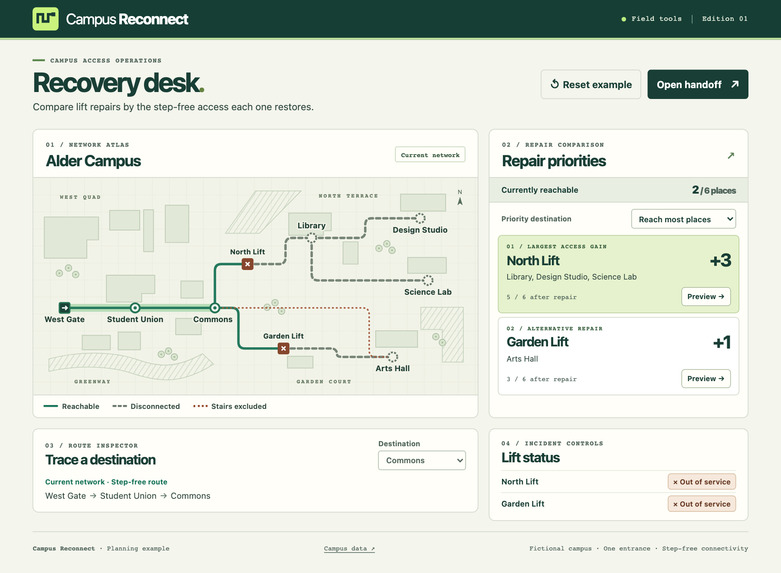
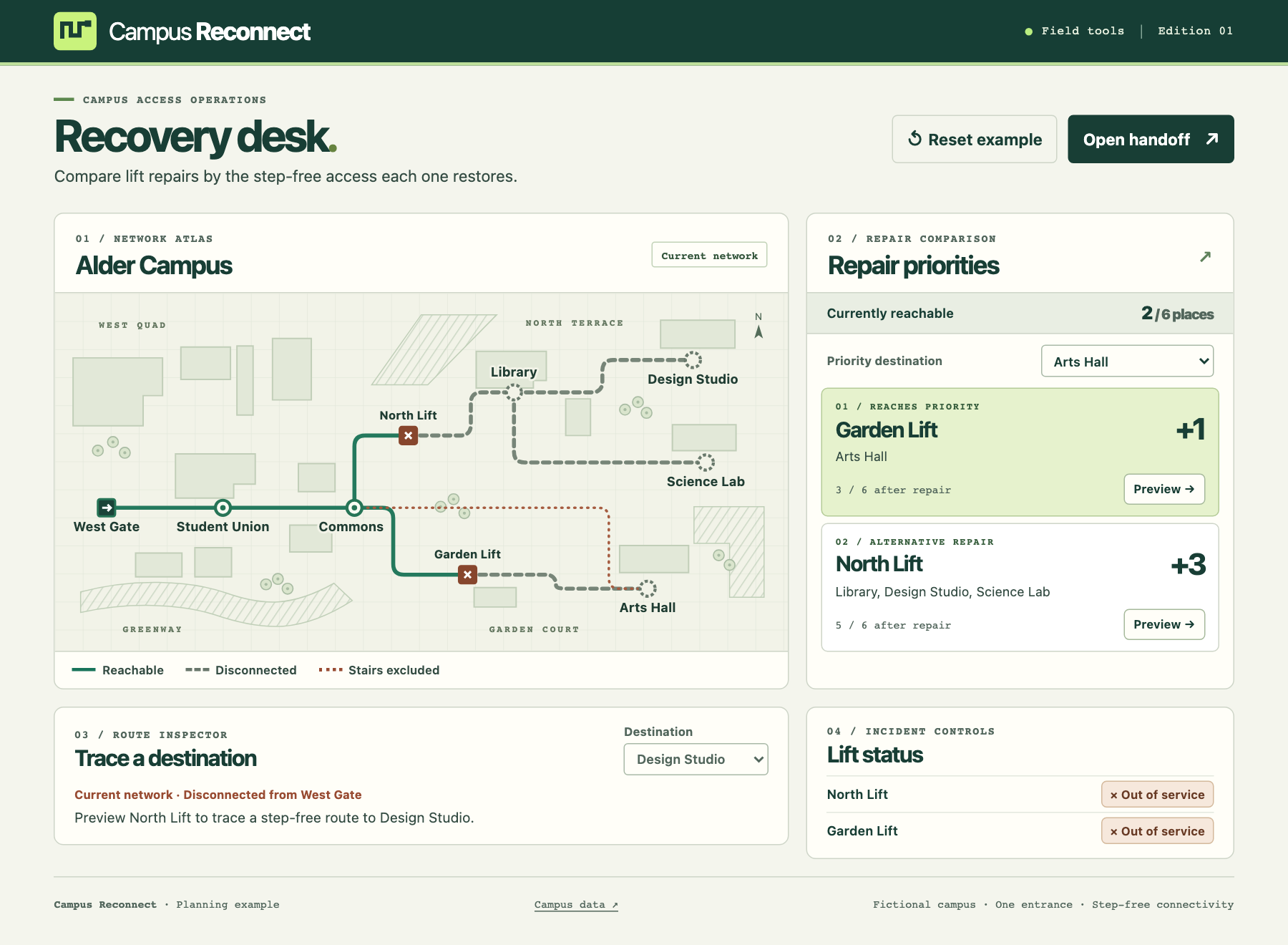
Start at West Gate. Two lifts are down and two of six destinations have a step-free route.
-
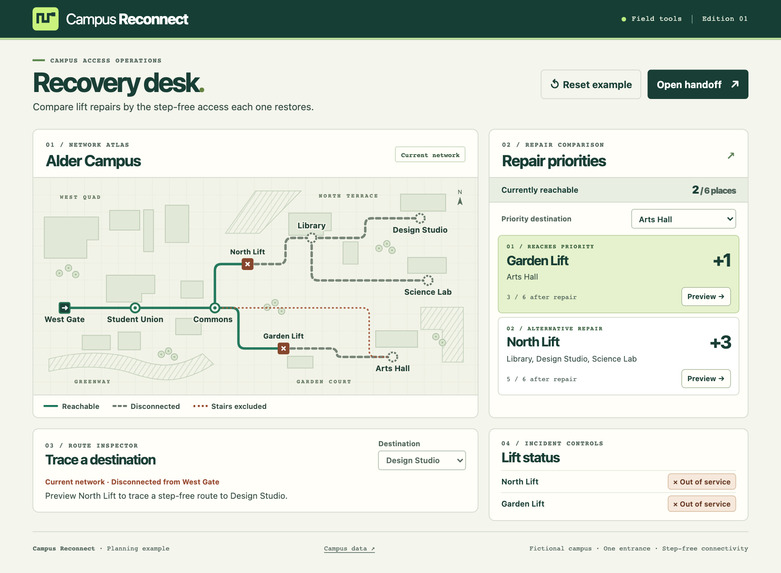
Give Arts Hall priority. Garden Lift rises to first place while both repair gains remain visible.
-
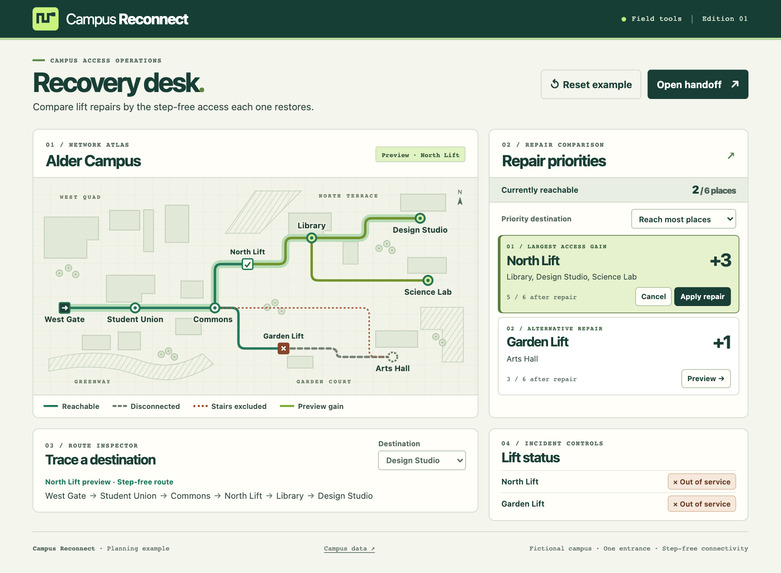
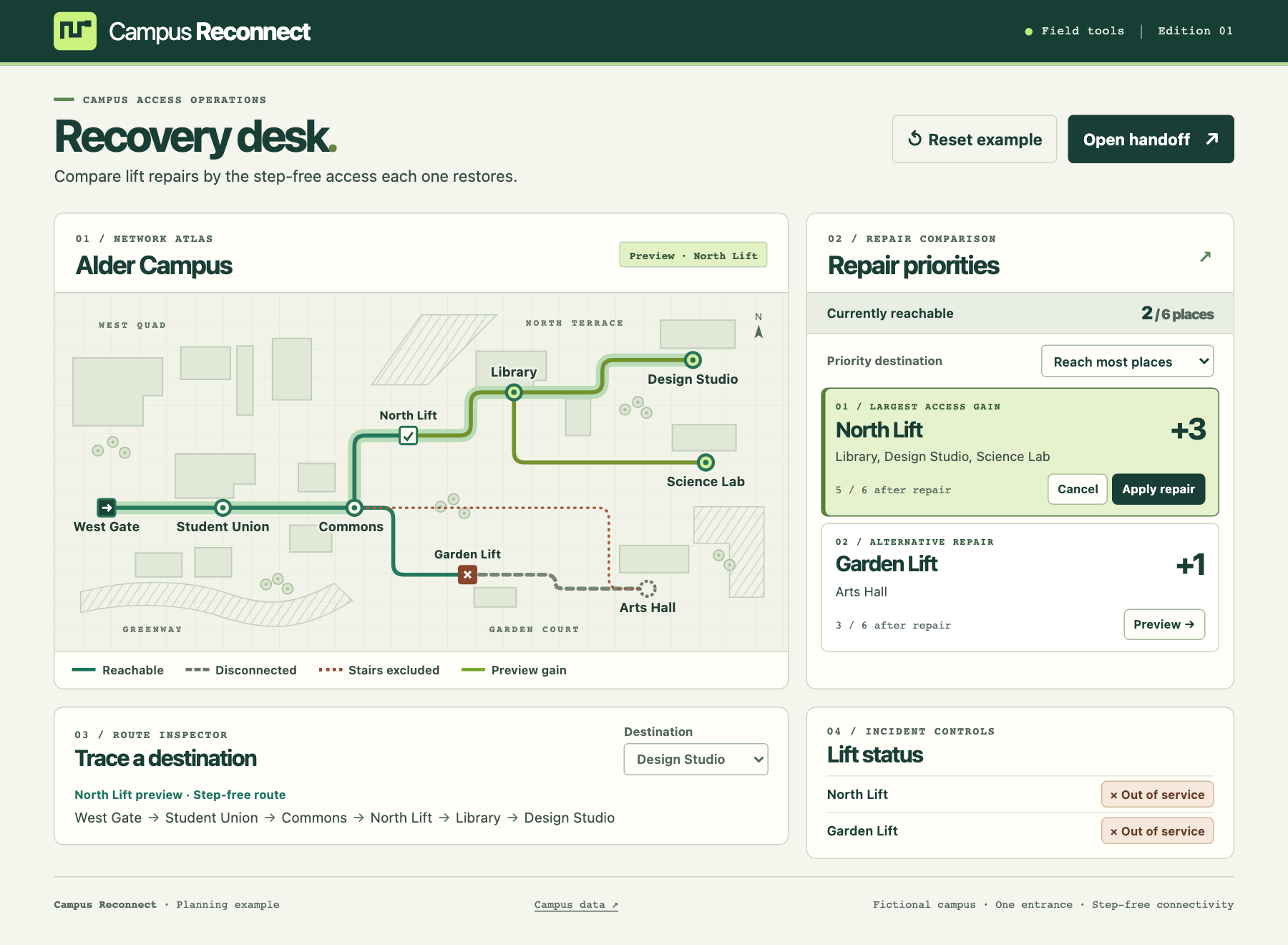
Preview North Lift to trace a step-free route to Design Studio and reconnect three destinations.
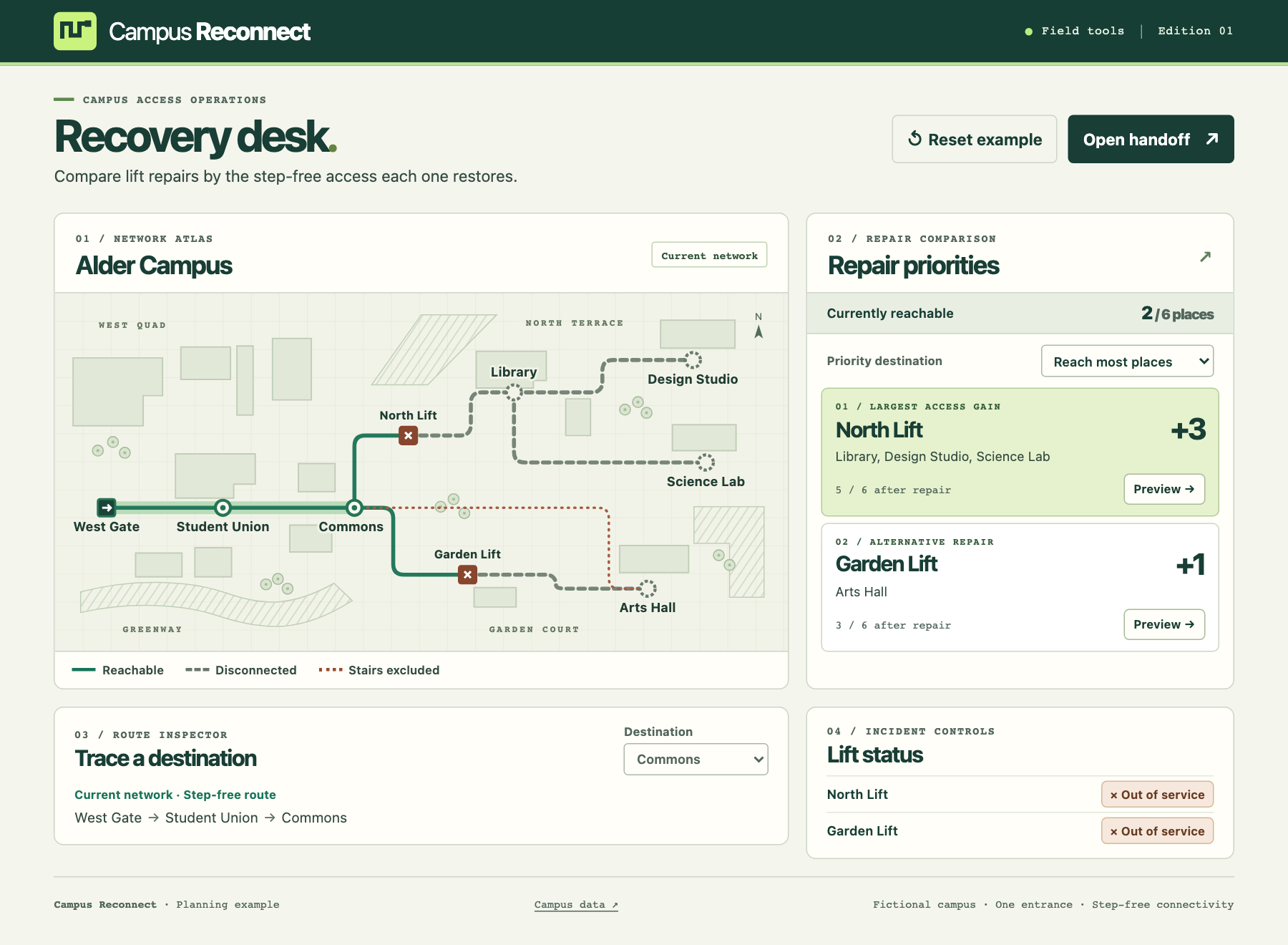
Watch the original-quality walkthrough · Open the interactive recovery desk.
Inspiration
One student wanted to walk to class with a friend who uses a wheelchair. In a University of Alberta Students’ Union study, they described how construction and lift outages disrupted that simple part of their day. Their account shaped the question behind this project. Can we still get to class together? Students’ Union study, §3.3.5
Campus staff already think about access one connection at a time. Pratt Institute’s elevator guide explains how a neighboring building provides a route to floors one through four of Pratt Studios during a lift outage. The connection ends before the fifth floor. Campus Reconnect gives access coordinators a way to explore that distinction before choosing a repair. Pratt Institute’s elevator guide
What it does
On the fictional Alder Campus, two lifts are down. From West Gate, students can reach the Student Union and Commons. A coordinator has two options.
- North Lift reconnects the Library, Design Studio, and Science Lab. Five of six destinations are then reachable.
- Garden Lift reconnects Arts Hall. Three of six destinations are then reachable.
North Lift comes first when the goal is to reconnect the most places. Now imagine a class is about to start in Arts Hall. Choose Arts Hall under Priority destination and Garden Lift moves to the top. The three-place option stays visible. A coordinator can make either choice and explain which destinations that choice reconnects.
Try it
- Open the online recovery desk, or open
index.htmlfrom the extracted offline build. The recovery desk opens with the two-lift example ready to use. - Preview North Lift, then choose Design Studio in the route inspector. Follow West Gate → Student Union → Commons → North Lift → Library → Design Studio. The desk keeps recording two outages while you explore.
- Set Priority destination to Arts Hall to see Garden Lift take first place. Return to Reach most places, preview North Lift again, and choose Apply repair. The current count rises from two to five.
- Open the handoff to copy the lift status, repair comparison, and inspected route into one shift note. Restore Garden Lift to bring all six destinations within reach.
How it works and what we learned
The desk represents paths as a graph and searches outward from the campus entrance. It skips stairs and any path that depends on a closed lift. To compare repairs, it repeats the search with each lift restored in turn and counts the destinations that newly come within reach. That same search supplies the route you can trace on the map and read in the handoff.
We had to decide what a repair should earn credit for. Counting a library once makes sense even when two paths lead there. Giving every destination one vote makes the default ranking easy to explain. Letting a coordinator name a priority destination adds something the count alone can’t tell you, such as where the next class meets.
What we verified
Independent tests checked 40 out of 40 destination and lift-state combinations against results worked out by hand. Those checks covered Alder Campus and a second, independently constructed campus loaded from a local file. The second map included an alternate path, a route needing two lifts in sequence, and a destination reached only by stairs. The same search handled all three cases.
Where it applies
Bring your own campus network through Campus data. Download the sample JSON, define the entrance, destinations, lifts, and paths, and open the file in the desk. The browser processes it locally. The model counts each destination once and measures step-free connectivity under the conditions entered. For campus use, the facilities team verifies entrances and paths, updates lift status, and checks individual route requirements such as door width and gradient.
Built with and credits
This solo LaunchPad Hacks entry includes the campus model, recovery desk, route inspector, handoff, and recorded walkthrough created during the event. The browser app uses HTML, CSS, JavaScript, and SVG. OpenAI Codex assisted with research, implementation, testing, and presentation. The sources above informed the problem framing. The Alder Campus graph and map are original to this entry.
The walkthrough uses original captures of the working app. Playwright drove the browser, Kokoro-82M generated the English narration with its af_heart voice, and FFmpeg assembled the final video. Kokoro-82M model and credits
