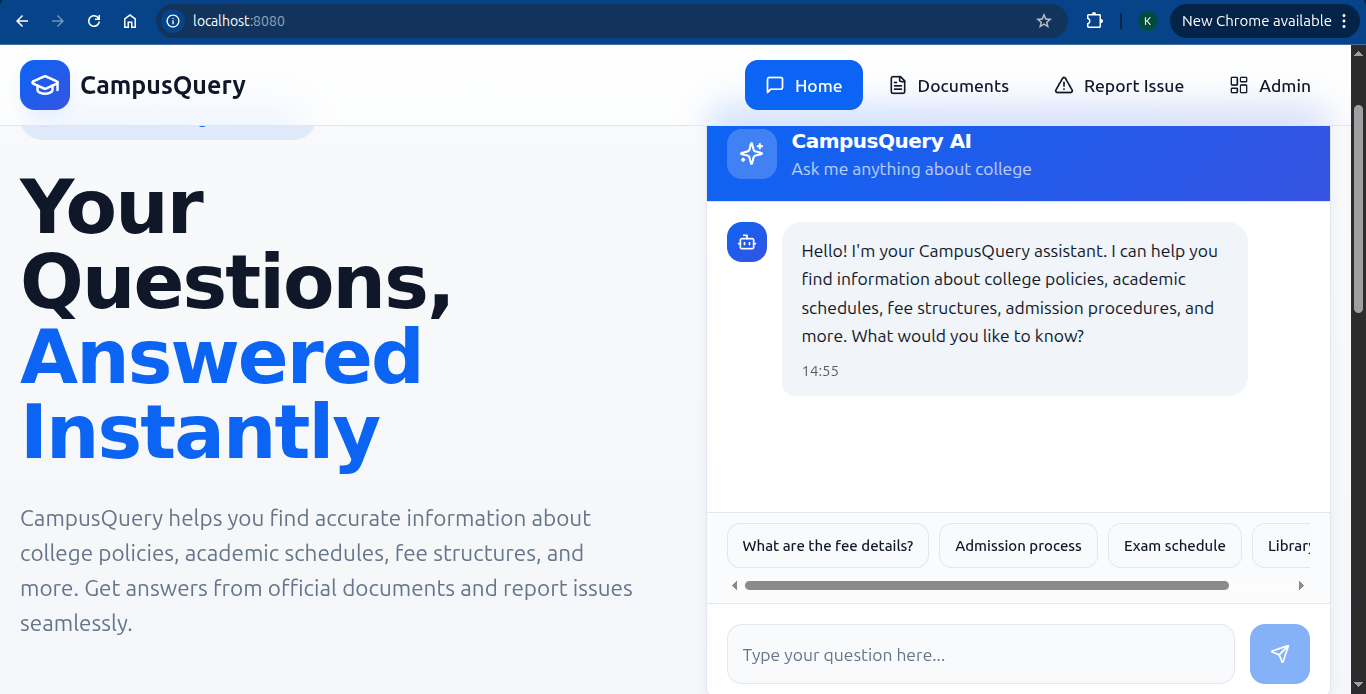
Inspiration We were inspired to create Campus Navigator by the challenges students face in accessing timely information and resolving campus issues. We wanted to bridge this gap and create a centralized platform for students to access college information, report issues, and get support.
What it does
Campus Navigator is a website that allows students to access college information, report issues, and get instant support via an AI-powered chatbot. Admins receive and resolve complaints efficiently, fostering a transparent and responsive campus community.
How we built it
We built Campus Navigator using:
- Frontend: React, Tailwind CSS
- Backend: Supabase, Python
- AI Chatbot: Gemini API
- Database: Supabase
Challenges we ran into
- Integrating Supabase with the frontend
- Implementing AI chatbot functionality
- Managing user authentication and authorization
Accomplishments that we're proud of
- Creating a user-friendly interface for students
- Implementing a robust complaint resolution system
- Integrating AI chatbot for instant support ## What we learned
- Importance of user-centric design
- Value of real-time data synchronization with Supabase
- Challenges and opportunities of AI-powered chatbots ## What's next for campus-navigator-main
- Enhance AI chatbot capabilities
- Add more features for admins and students
- Expand to other colleges and universities
Built With
- and-real-time-database)-apis:-gemini-api-(ai-chatbot)
- api
- authentication
- frontend:-react
- supabase
- supabase-ai-chatbot:-gemini-api-(google's-ai-platform)-database:-supabase-(postgresql-based)-cloud-services:-supabase-(hosting
- tailwind-css-backend:-python


Log in or sign up for Devpost to join the conversation.