-
-
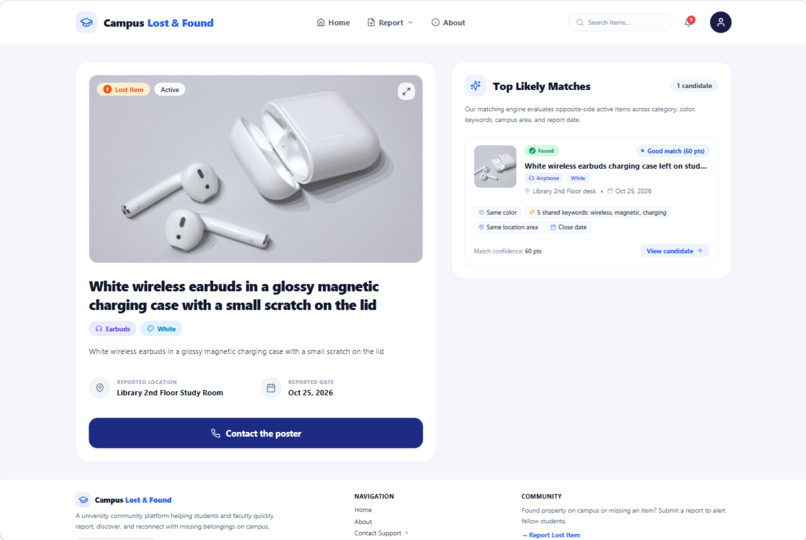
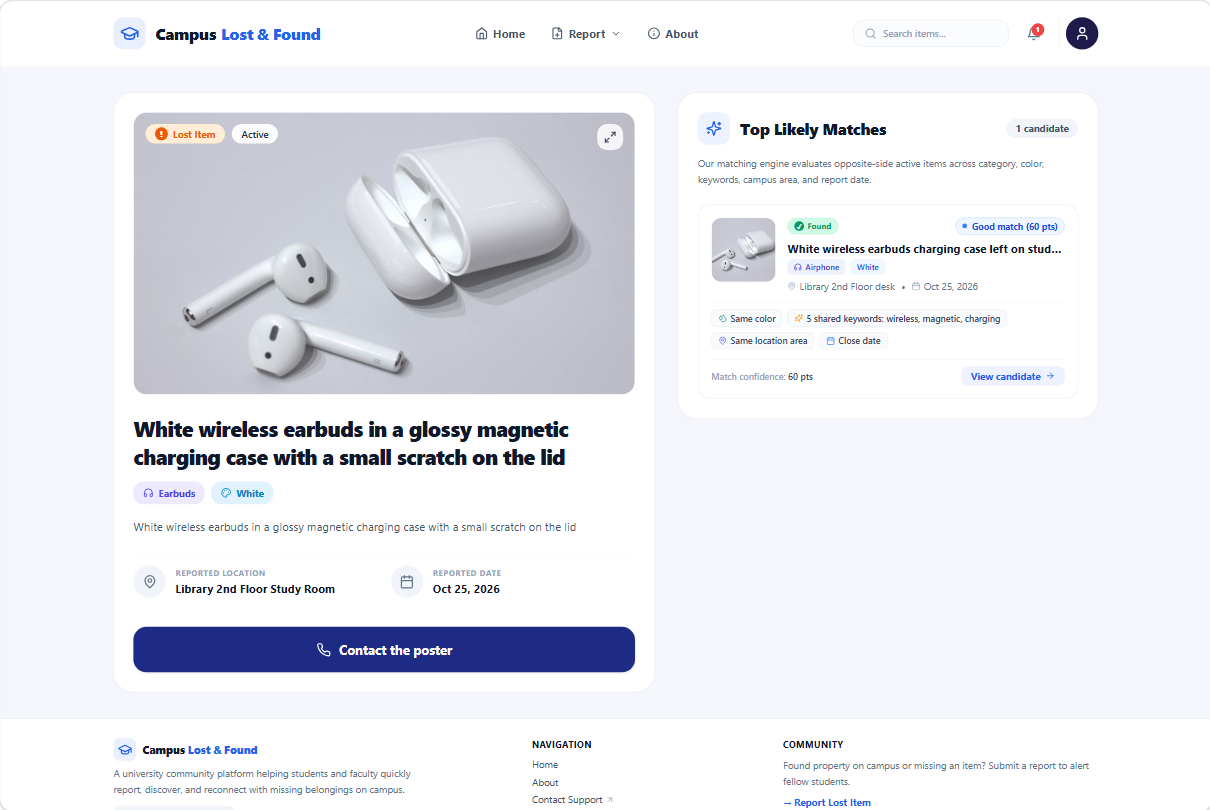
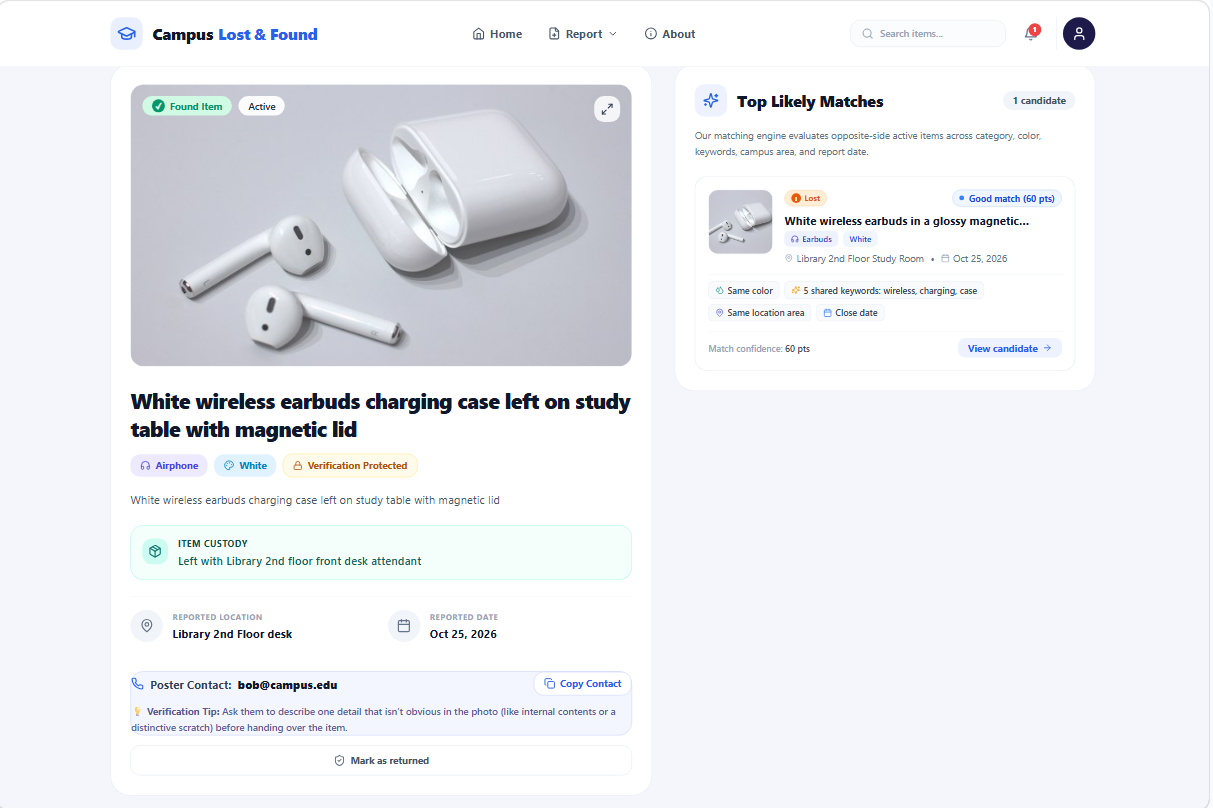
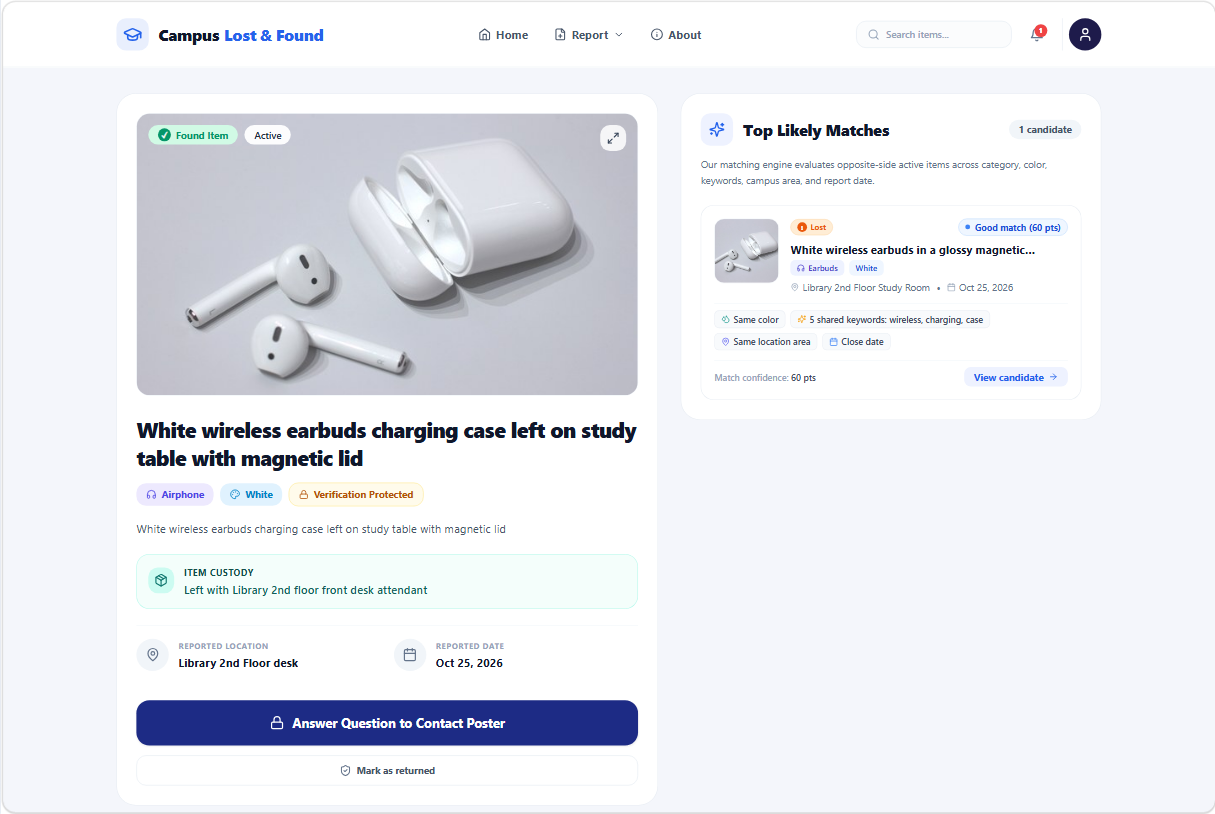
Item detail page: Top Likely Matches shows opposite-side posts with a match tier and plain-language reasons.
-
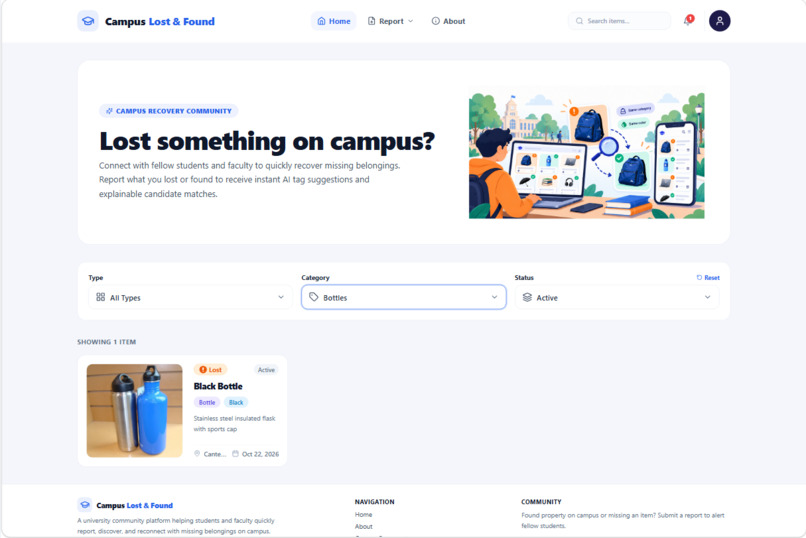
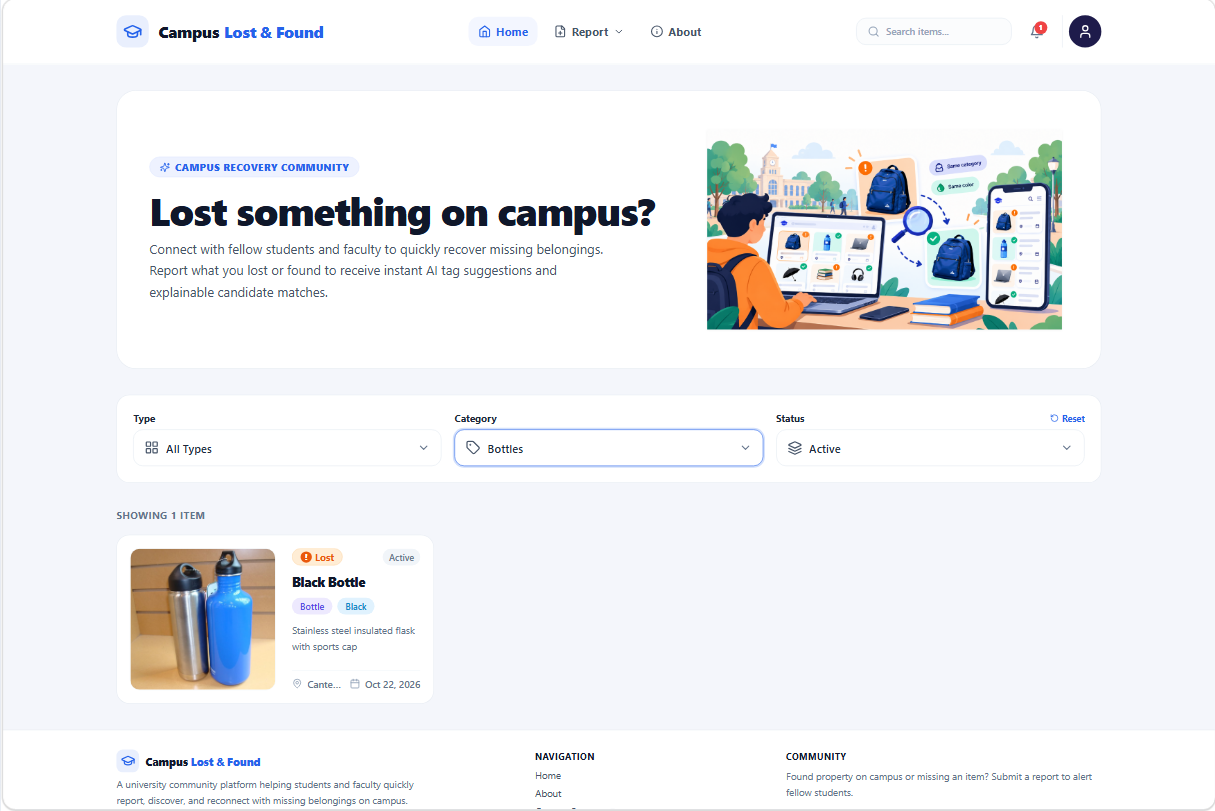
Home feed: browse lost and found posts, with filters for type, category, and status.
-
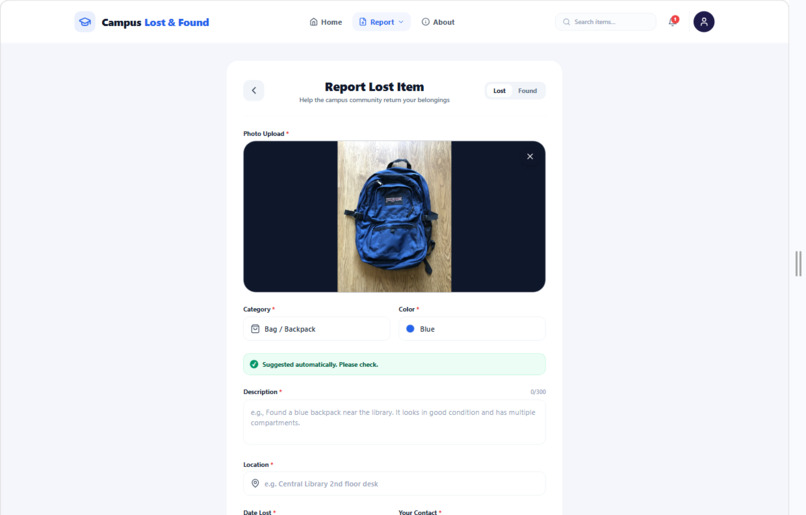
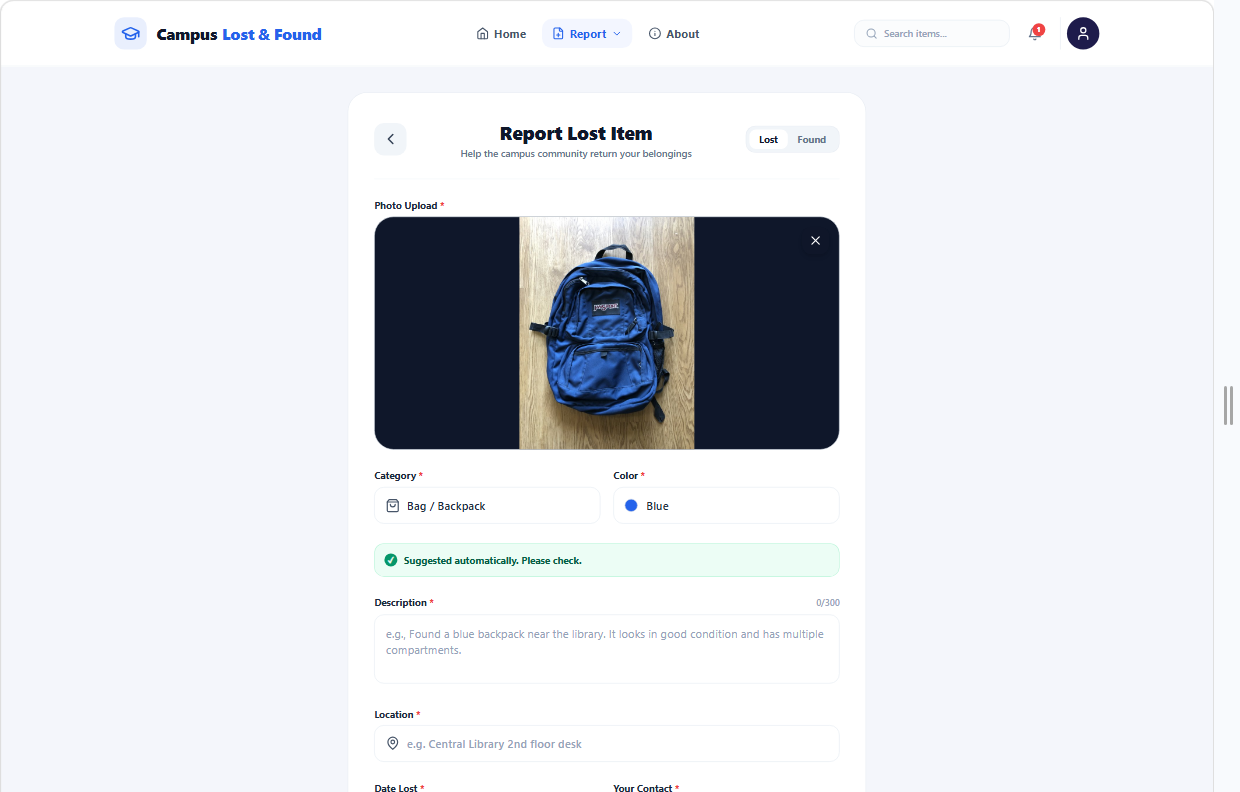
Report form: upload a photo and category and color are suggested. Users can always edit them.
-
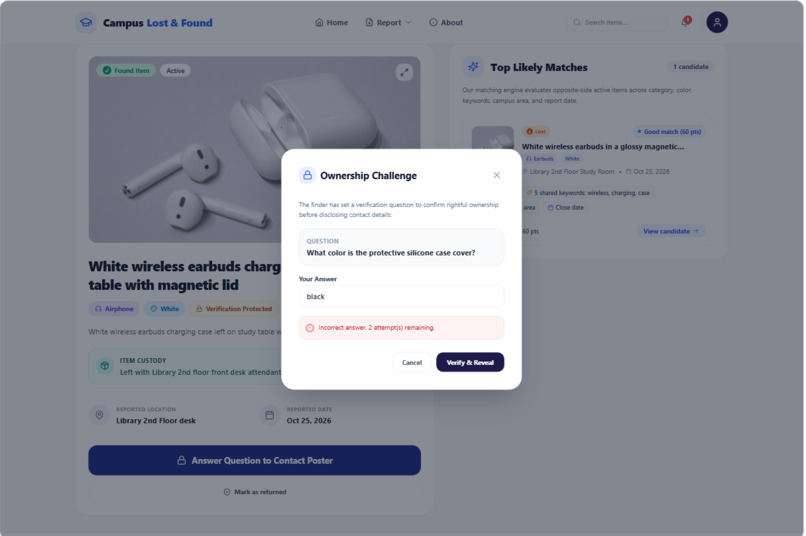
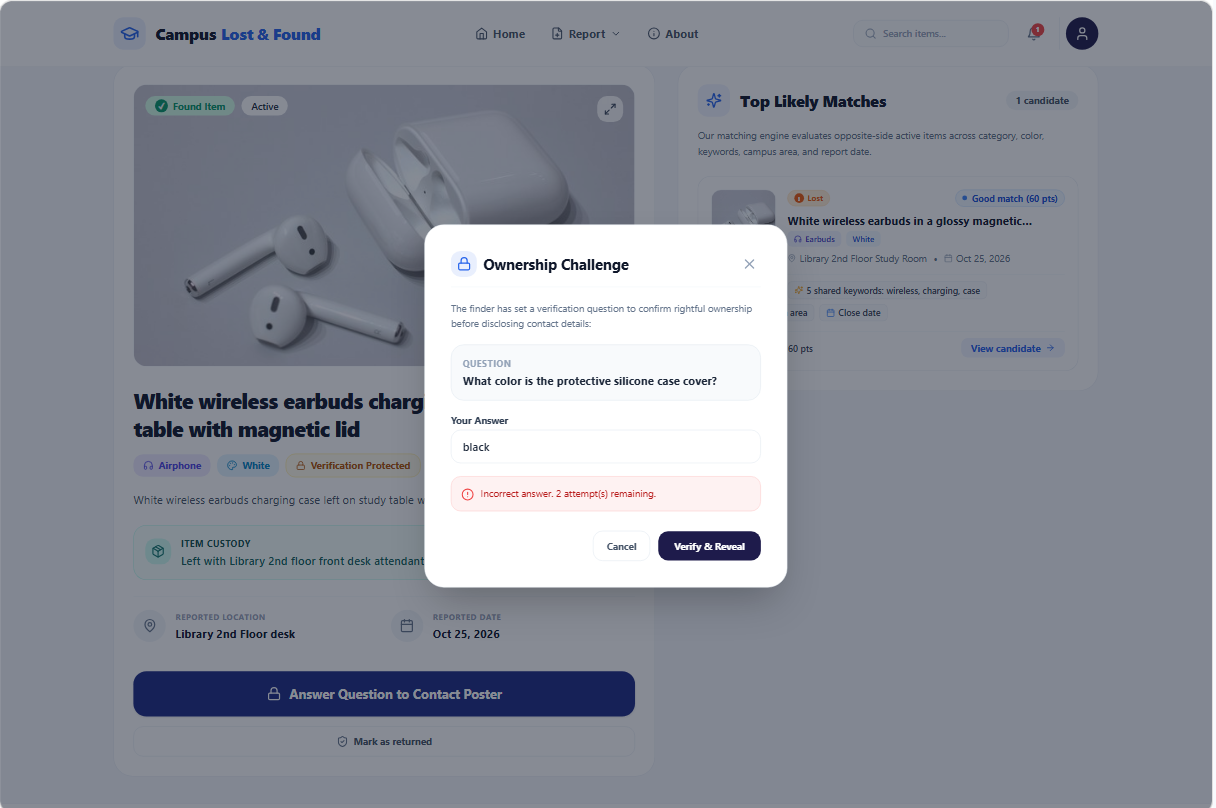
A wrong answer to the poster's private question is refused, and no contact details are shown.
-
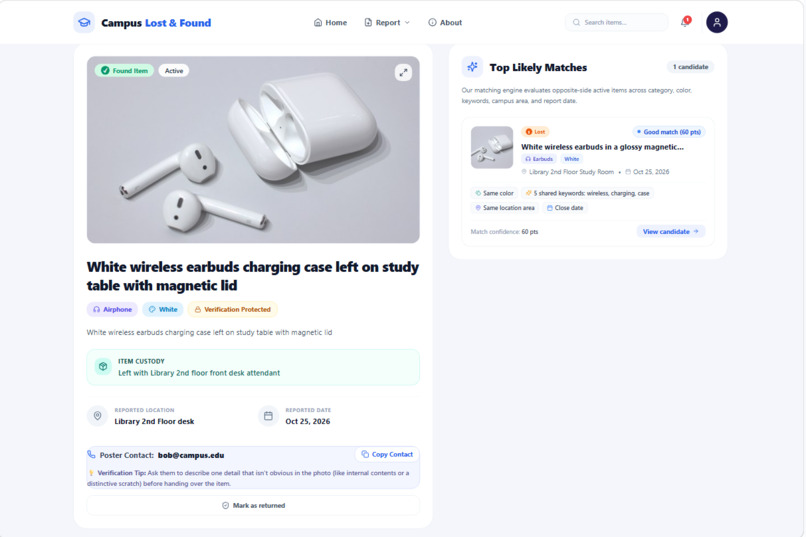
After a correct answer, the poster's contact details are revealed so pickup can be arranged.
-
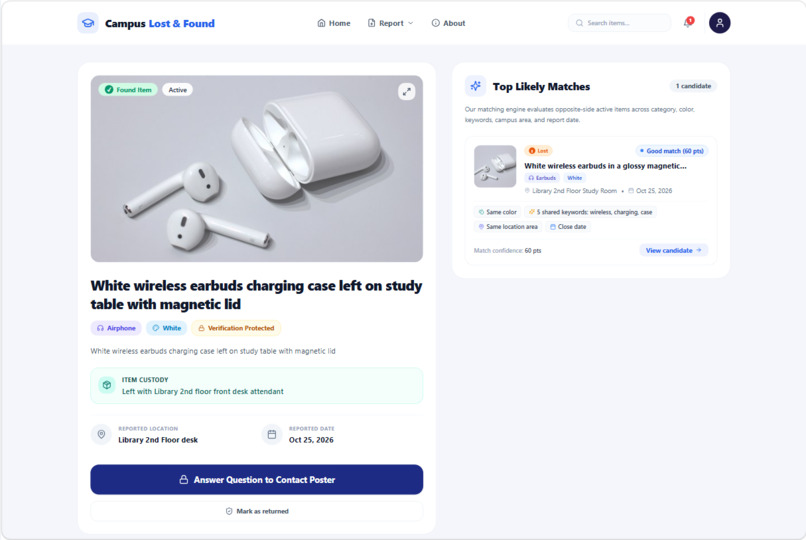
Found-item detail page: photo, details, "Contact the poster" button, and likely matches beside it.
-
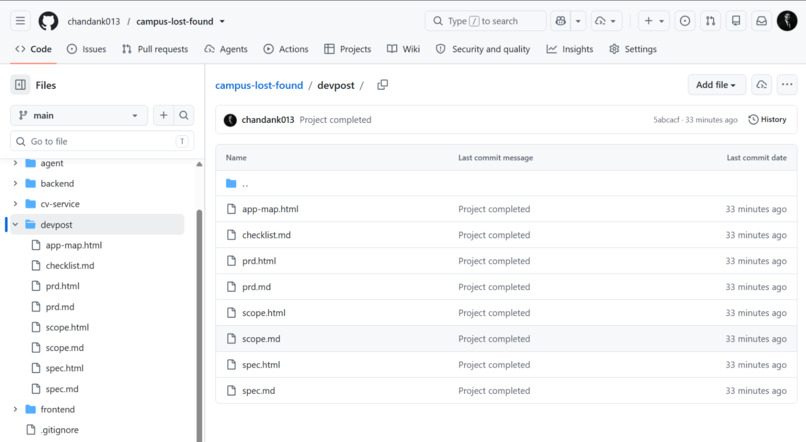
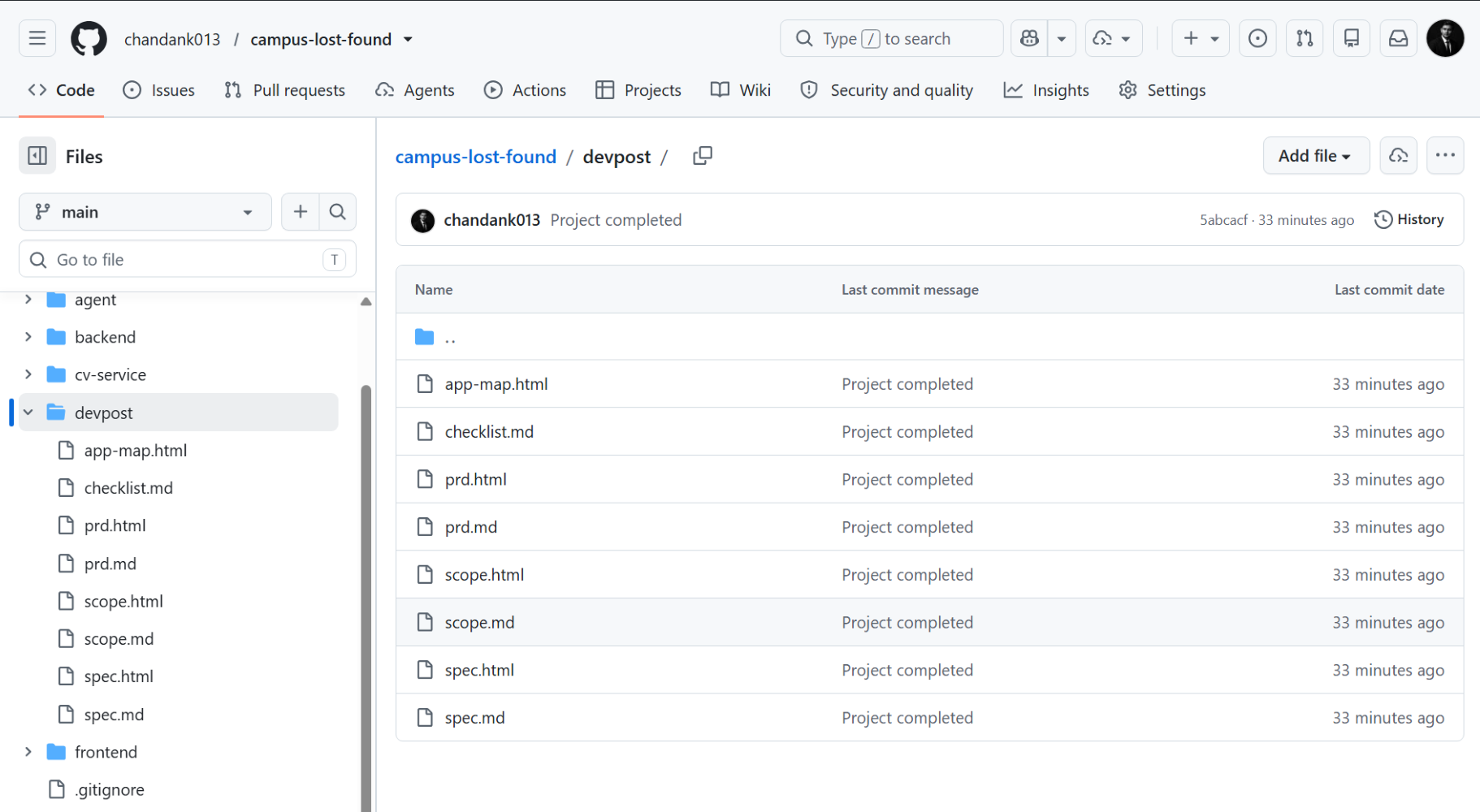
Built plan-first: scope.md, prd.md, and spec.md are committed in the repository's devpost folder.
-
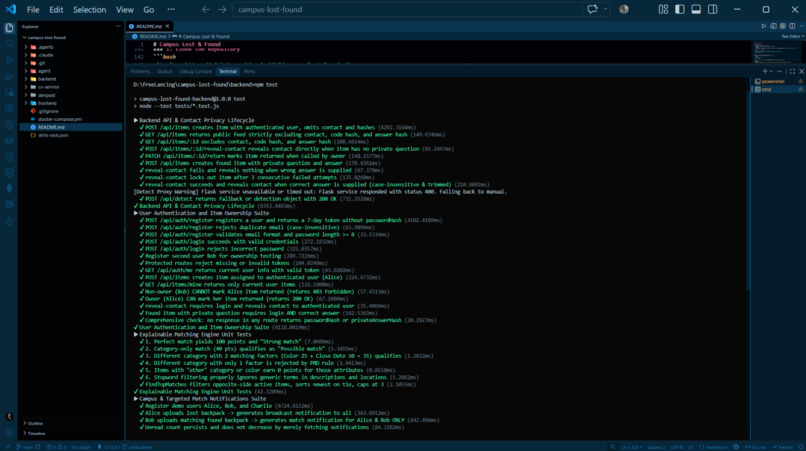
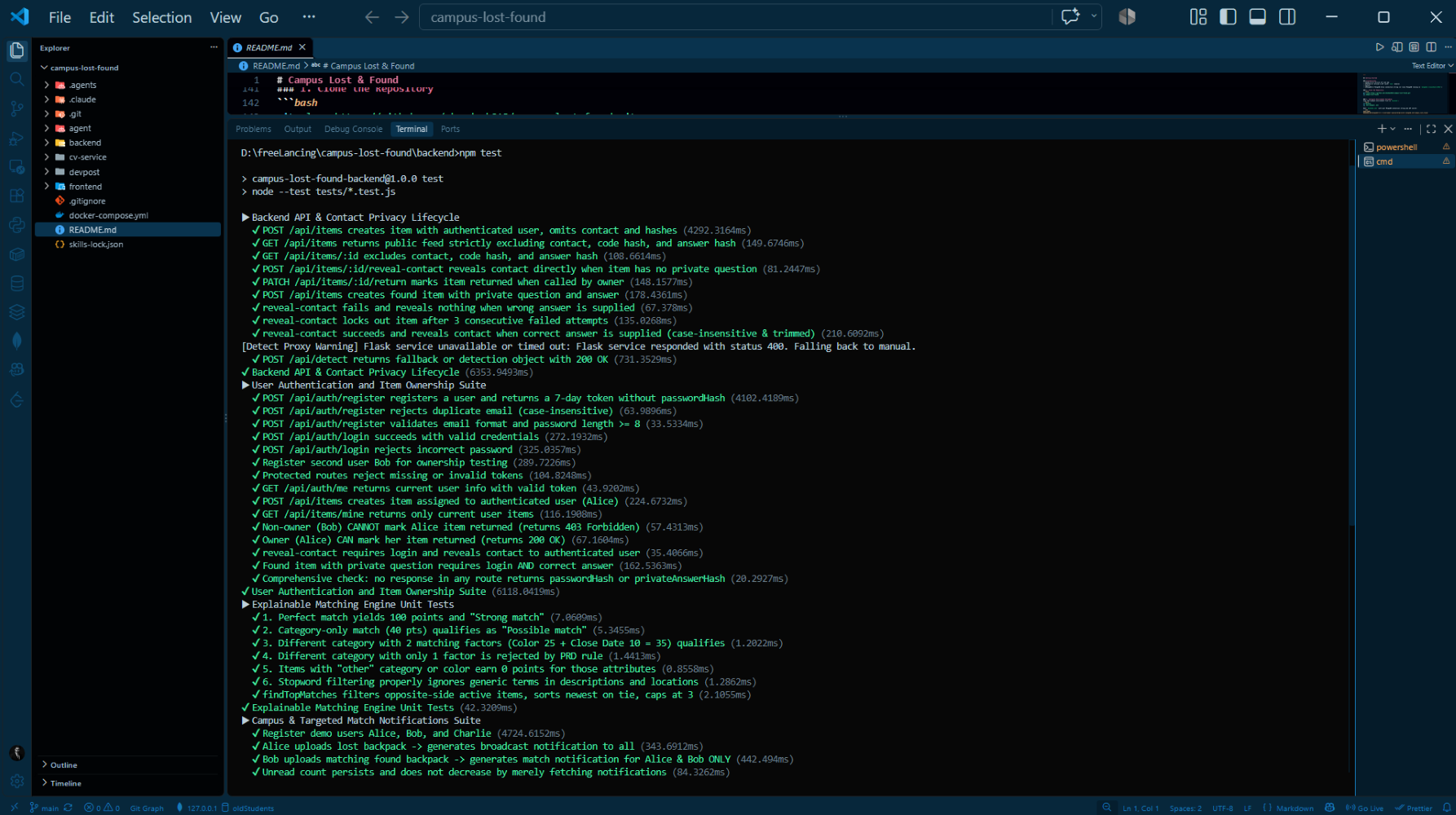
Automated backend tests passing, including checks that contact details are never leaked in public responses.
Inspiration
On campus, lost-item messages usually go into WhatsApp groups, where they get buried within minutes and nobody can compare a "lost" post with a "found" post. I wanted to see whether a small web app could add structure to this problem and, more importantly, show people why two posts might be the same item instead of leaving them to scroll and guess. [Edit this to describe what you have personally seen at your campus.]
What it does
Campus Lost & Found lets students post a lost or found item with a photo.
- Photo tag suggestions: a computer-vision service (YOLOv8 + OpenCV) suggests the item category and color. Users can always edit them, and the form works even if the service is off.
- Explainable top-3 matches: each item shows up to three matches from the opposite side, with a tier (Strong, Good, or Possible) and plain-language reasons such as "Same category", "Same color", and "2 shared keywords".
- Privacy-minded contact: contact details never appear in the feed or item pages. A logged-in user can reveal them, and if the poster set a private question, the claimant must answer it first, with limited attempts.
- Accounts and ownership: email-and-password accounts, and only the owner of a post can mark it as returned.
- Feed filters by type, category, and status, plus a "My posts" view.
How we built it
I built this plan-first with the Devpost Learn Skill Pack in a coding agent (Antigravity), starting from an empty folder. The skills produced scope.md, prd.md, and spec.md (all in the repo), and the app was then built in small, tested slices.
- Frontend: React (Vite) and Tailwind CSS
- Backend: Node.js, Express, Mongoose, MongoDB, Multer for uploads, bcrypt and JWT for accounts
- CV service: Python, Flask, YOLOv8 (Ultralytics), OpenCV
- Flow: the browser talks only to Express. For a photo preview, Express forwards the image to Flask with a short timeout, and if Flask is slow or down, the user just picks tags manually.
Matching is a transparent point score, not a black box:
| Factor | Points |
|---|---|
| Same category | 40 |
| Same color | 25 |
| Shared description keywords (1 / 2+) | 8 / 15 |
| Shared location word | 10 |
| Dates within 3 days | 10 |
A candidate must pass the rule "same category OR at least two matching factors" and score at least 25. Tiers are Strong (70+), Good (55-69), and Possible (25-54). Items tagged "other" earn no category or color points.
Challenges we ran into
- YOLOv8 only knows common objects. Keys, ID cards, and earphones fall back to "other," so I made manual dropdowns the main path and the detector an optional enhancement.
- Making matching explainable. I chose rule-based scoring with visible reasons over embeddings so every match can be explained and tested. Defining stopwords and handling the "other" case took several iterations.
- Privacy without over-claiming. Separating the contact endpoint, adding accounts, and adding a private question all helped, but this is still a proof of concept and not a security-audited product.
- Keeping scope small. I cut notifications, chat, and a security dashboard, and listed them as future work instead of rushing them in.
Accomplishments that we're proud of
- A complete loop that works end to end: post, tag suggestions, explainable matches, private contact reveal, and owner-only "returned".
- The app keeps working when the computer-vision service is switched off.
- Matching and API behavior are covered by automated tests ([N] tests passing), including checks that contact details and answers are never leaked.
- Going from an empty folder to a working, planned, tested app in a short time, with the scope, requirements, and spec documents committed in the repo.
- Being honest about what the app does and doesn't do: the limitations are written down.
What we learned
- Planning first (scope, then product requirements, then technical spec) kept the AI agent from forgetting decisions or adding features I hadn't asked for.
- Designing failure cases early, like making the detector optional, meant the app kept working when a service failed.
- Reading what the agent produced is part of the job: I caught things like Docker setup that had never been run and test data mixing with real data by checking claims myself.
- Explainability is a feature. People trust a match more when they can see why it was suggested.
What's next for Campus Lost & Found
These are not built yet:
- Notifications when a new matching item is posted
- A recovery workflow where both the finder and the owner confirm the handover, with a receipt
- A review queue for campus security to handle sensitive or disputed items
- College single sign-on, email verification, and password reset
- Natural-language search and image-embedding similarity, tested before being trusted
- Verified Docker Compose deployment and a hosted demo
Limitations today: photo tagging recognizes common objects only, matching is rule-based and a match is a lead, not proof of ownership, and Dockerfiles are included but I haven't run them end to end.

Log in or sign up for Devpost to join the conversation.