-
-
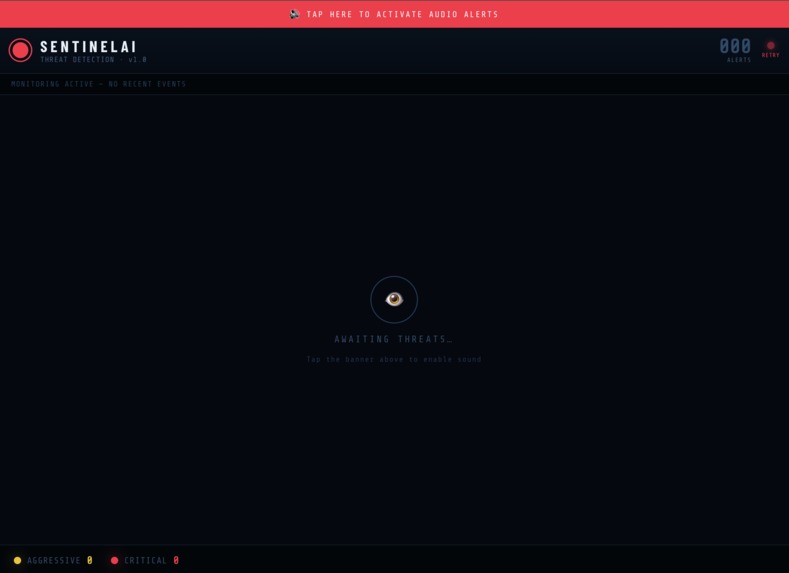
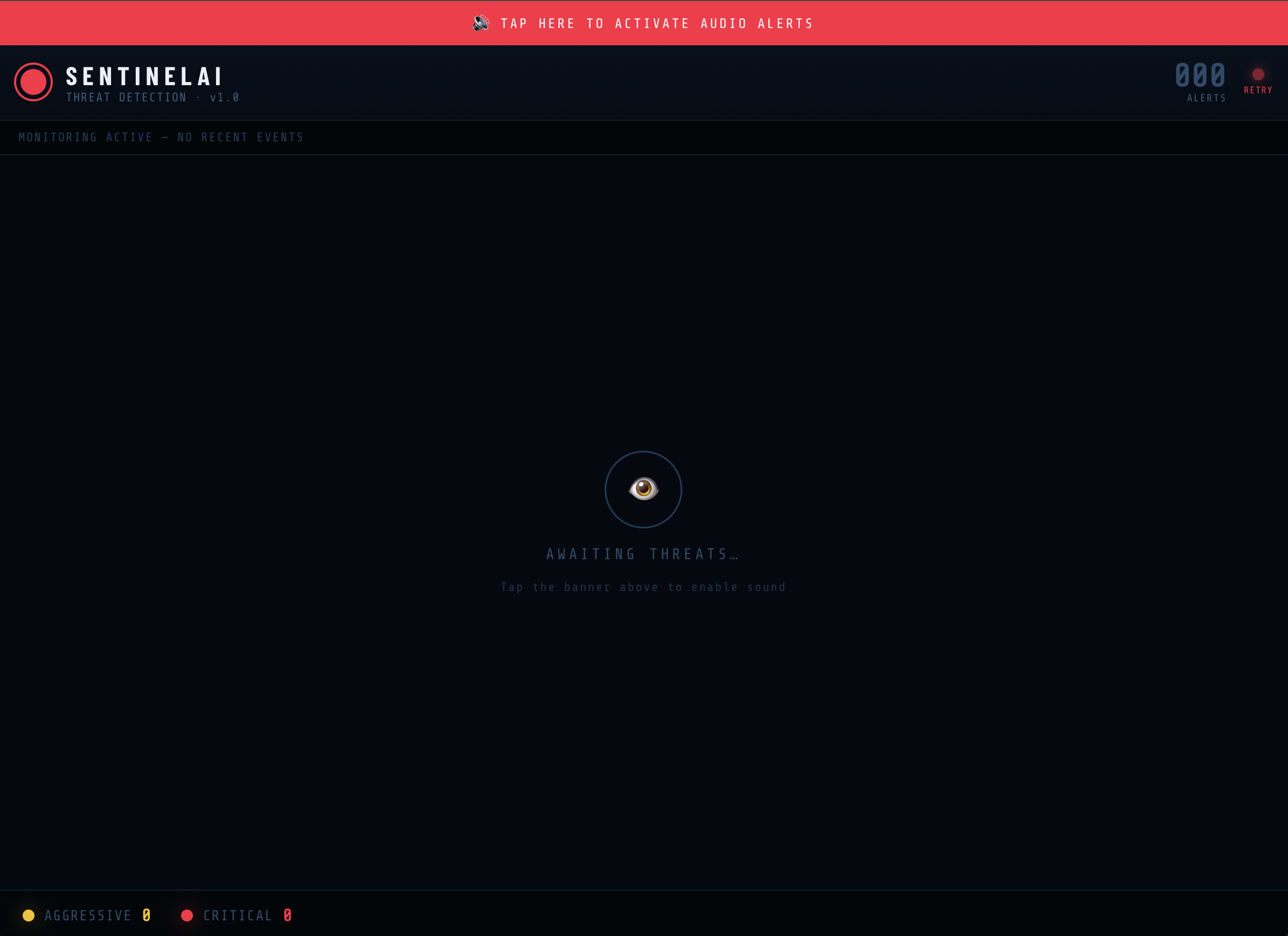
Main page with 0 fight alerts
-
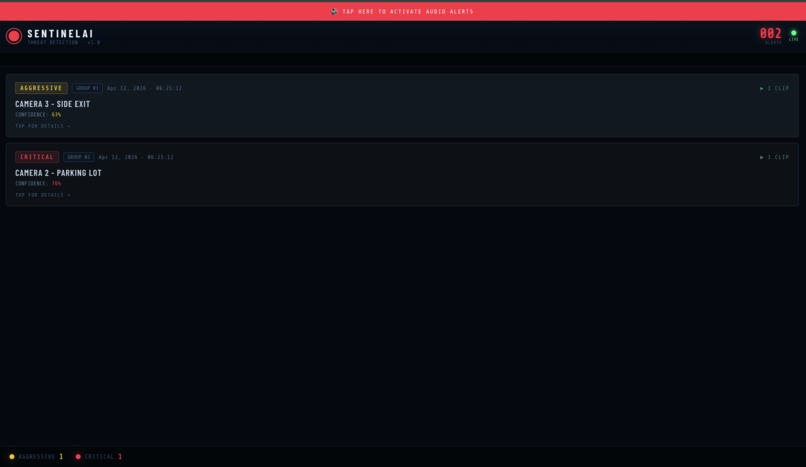
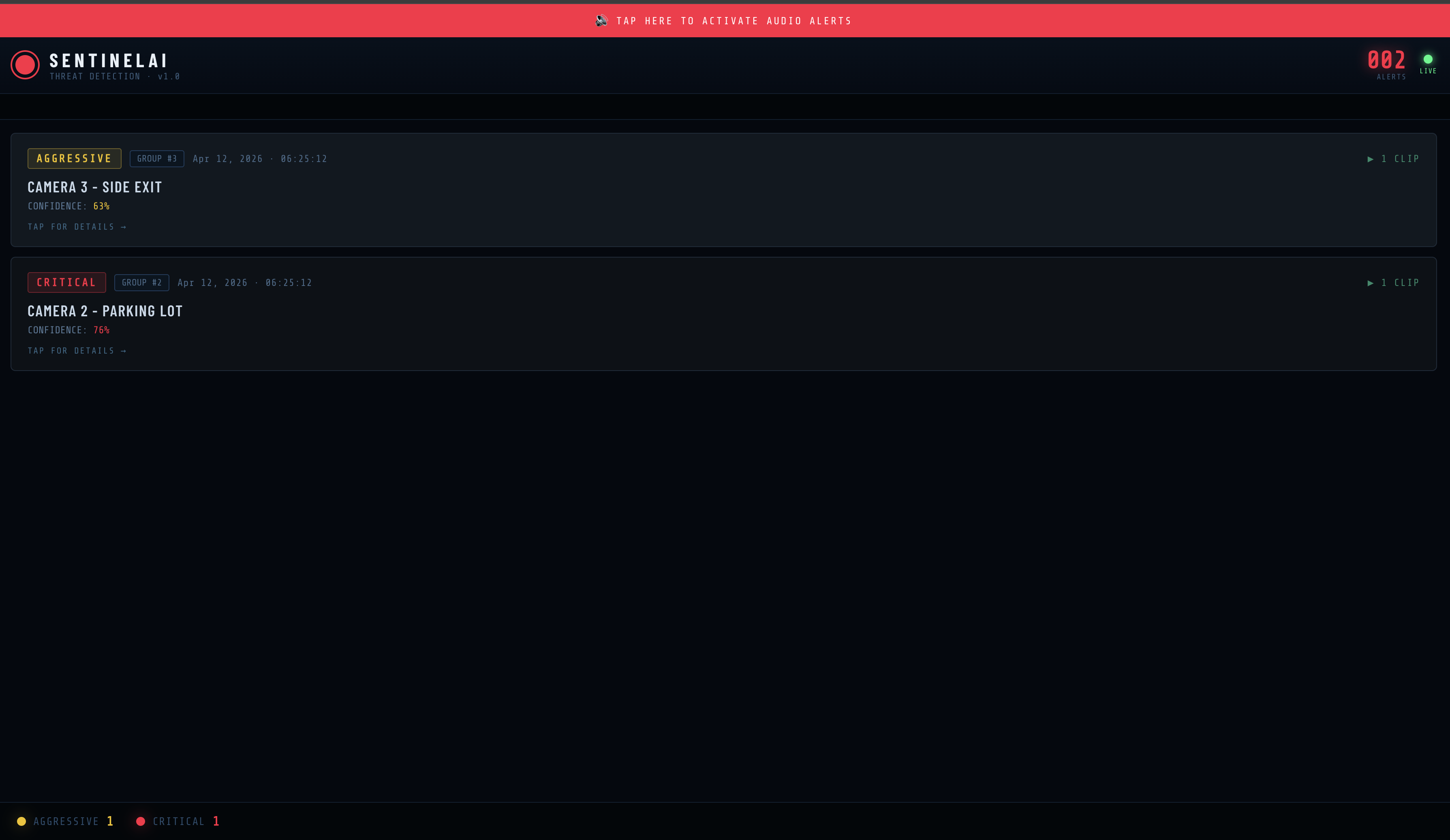
Main page with 2 alerts; one critical and once aggressive
-
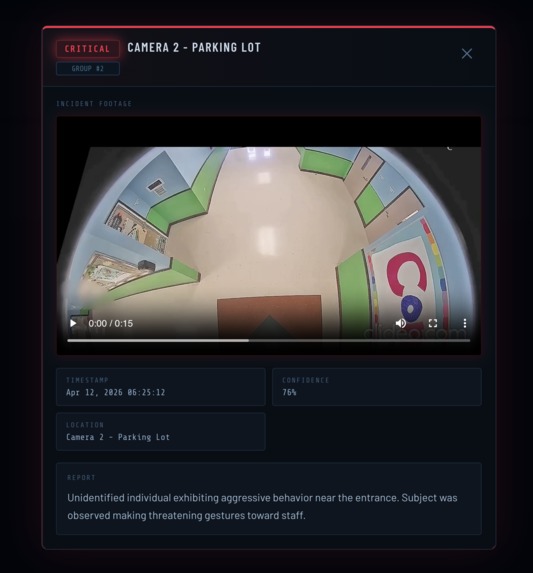
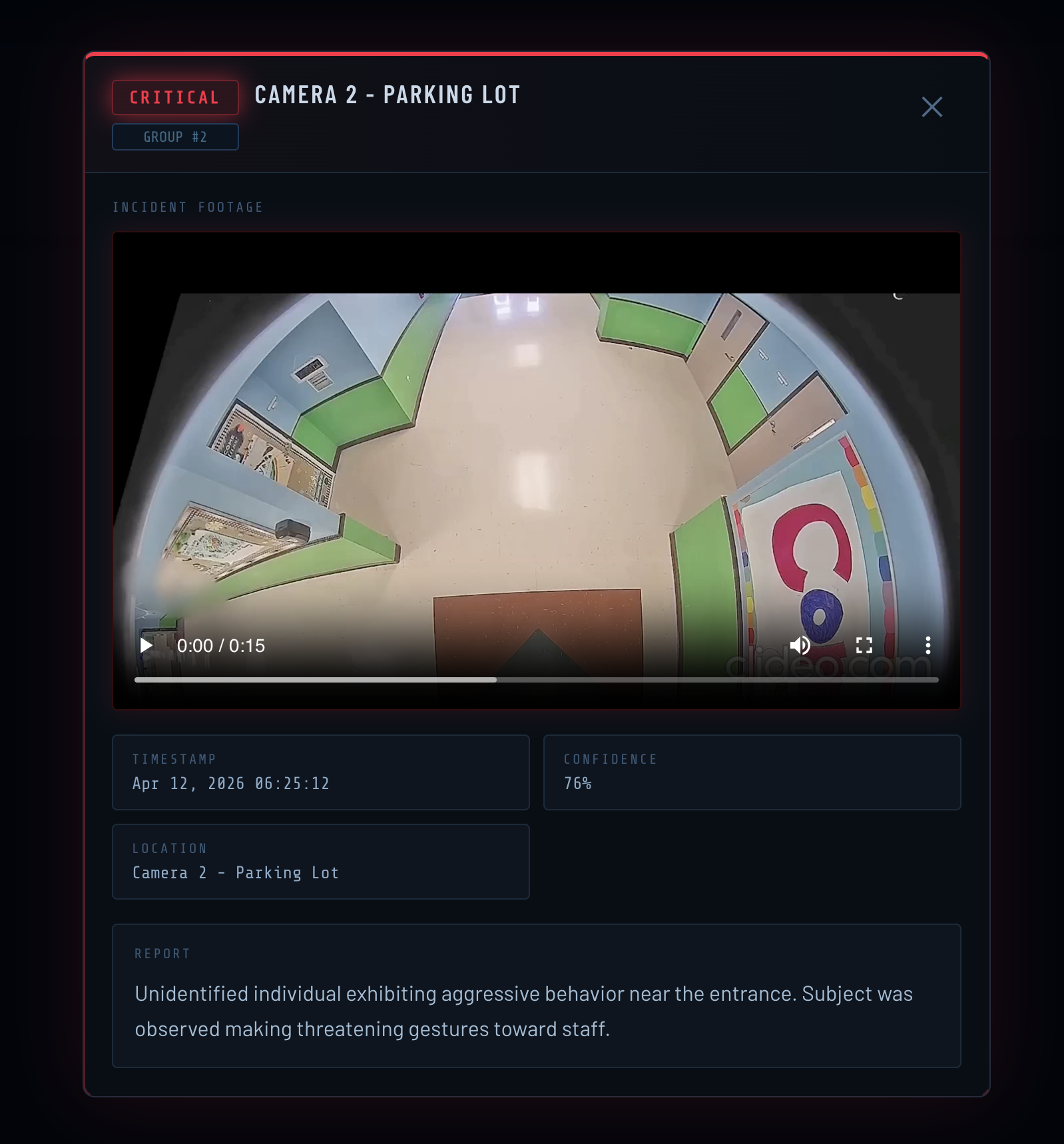
A critical alert captured along with details
Inspiration
We've all walked past a security camera and wondered if anyone is actually watching. On a busy campus, the honest answer is probably not. Security staff can't realistically monitor 20 feeds at once, and by the time someone notices something, the situation has already escalated. That's the gap we wanted to close. Not with more cameras, but with cameras that actually understand what they're seeing.
What it does
CampusGuard turns any camera into an intelligent threat detector. Security staff open the monitoring dashboard and the system starts watching. Every 5 seconds, live footage is analyzed by Gemini AI to determine whether a fight is happening and how serious it is. If a threat is confirmed, an alert hits the dashboard instantly with the video clip, a severity classification, a confidence score, and a written breakdown of what happened. The camera side works on anything: a fixed webcam, a laptop, or a mobile phone through our companion camera web app. No special hardware needed.
How we built it
The pipeline has three parts working together. On the camera side, OpenCV captures the live feed and packages frames into 5-second buffers. Those buffers get sent to Gemini, which analyzes the footage and returns a structured response: did a fight happen, how severe was it, and a written report describing what it saw. If Gemini confirms a threat, the result is pushed immediately to the FastAPI backend. The backend broadcasts that alert to all connected clients using Server-Sent Events, a single persistent HTTP connection that the server pushes data down whenever something happens. No polling, no delay. On the frontend, the React dashboard receives the alert in real time, plays an alarm, flashes the screen, and renders a detailed incident card. Alerts from the same ongoing fight get grouped under one card automatically, so the operator sees one unified incident rather than a flood of duplicates.
Challenges we ran into
Video file sizes were the first real wall we hit. Sending raw frame buffers every 5 seconds adds up fast, and large payloads were slowing down the whole pipeline. We had to compress and optimize the video data before sending it to Gemini without sacrificing enough quality for the model to make accurate detections. Finding that balance took more iteration than expected. Keeping Gemini's response in sync with the incoming frames was the hardest technical problem. The model takes time to process, and if the next frame buffer arrives before the previous response comes back, you end up with a backlog that grows until everything falls apart. We had to tune the timing carefully and handle concurrency so the pipeline stayed smooth under continuous input. OpenCV was an unexpected hurdle too. It captures frames in BGR format, but Gemini expects standard RGB. Getting the color channels in the wrong order meant Gemini was analyzing a tinted version of reality, which affected detection accuracy until we caught it and added the conversion step. On the frontend, the browser audio autoplay policy caused real problems. Browsers block sound unless the user has interacted with the page first, which doesn't help when an alert comes in from a background trigger. We worked around it using the Web Audio API directly: pre-decoding the alarm audio on page load and running a silent one-sample loop after the first user gesture to keep the AudioContext alive and ready for everything after. SSE connection management was also tricky. Keeping connections alive across disconnects, timeouts, and server restarts required heartbeat pings every 30 seconds and auto-reconnect logic on the frontend.
Accomplishments that we're proud of
Getting the full pipeline working end to end in a hackathon timeframe is the thing we're most proud of. A live camera feed flowing through OpenCV, getting analyzed by Gemini, pushing through a real-time backend, and landing on a polished dashboard in under a second is not a trivial chain to put together. The alert grouping system also turned out really clean. Watching two detections of the same fight silently merge into one card instead of spawning duplicates felt like the moment the product actually made sense.
What we learned
Mostly that real-time systems punish assumptions. You assume the connection stays open, it doesn't. You assume the browser will play sound, it won't. You assume Gemini returns the same structured format every time, it doesn't always. A lot of the work ended up being defensive: handling the unhappy path so the demo doesn't fall apart under pressure. We also learned that the hardest problems in a system like this aren't the AI parts. Timing, data formats, and connection management ended up being where most of the real work happened.
What's next for Campus Guard
The most obvious next step is multi-camera support with a proper map view, so operators can see which part of campus is affected at a glance. We also want to add escalation workflows so the system can automatically notify the right people based on severity level: a critical alert goes to campus police immediately, a lower severity one flags a supervisor. Longer term, there's an interesting direction around pattern detection across time, identifying areas or time windows where incidents cluster so campus security can be proactive rather than reactive.

Log in or sign up for Devpost to join the conversation.