-
-
-
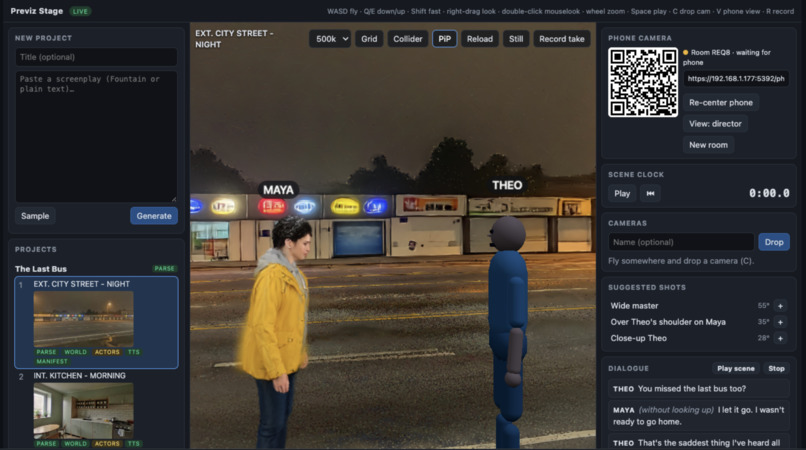
Image of the laptop screen
Inspiration
Before a shoot, a director or film student wants answers they usually can't get cheaply: does the scene work on its feet, where does everyone stand, what are the shots? Building a set or booking a location just to find out is expensive. We wanted to turn a script into somewhere you can walk around and point a camera before anyone builds anything.
What it does
PerspecLive turns a screenplay into walkable 3D movie sets.
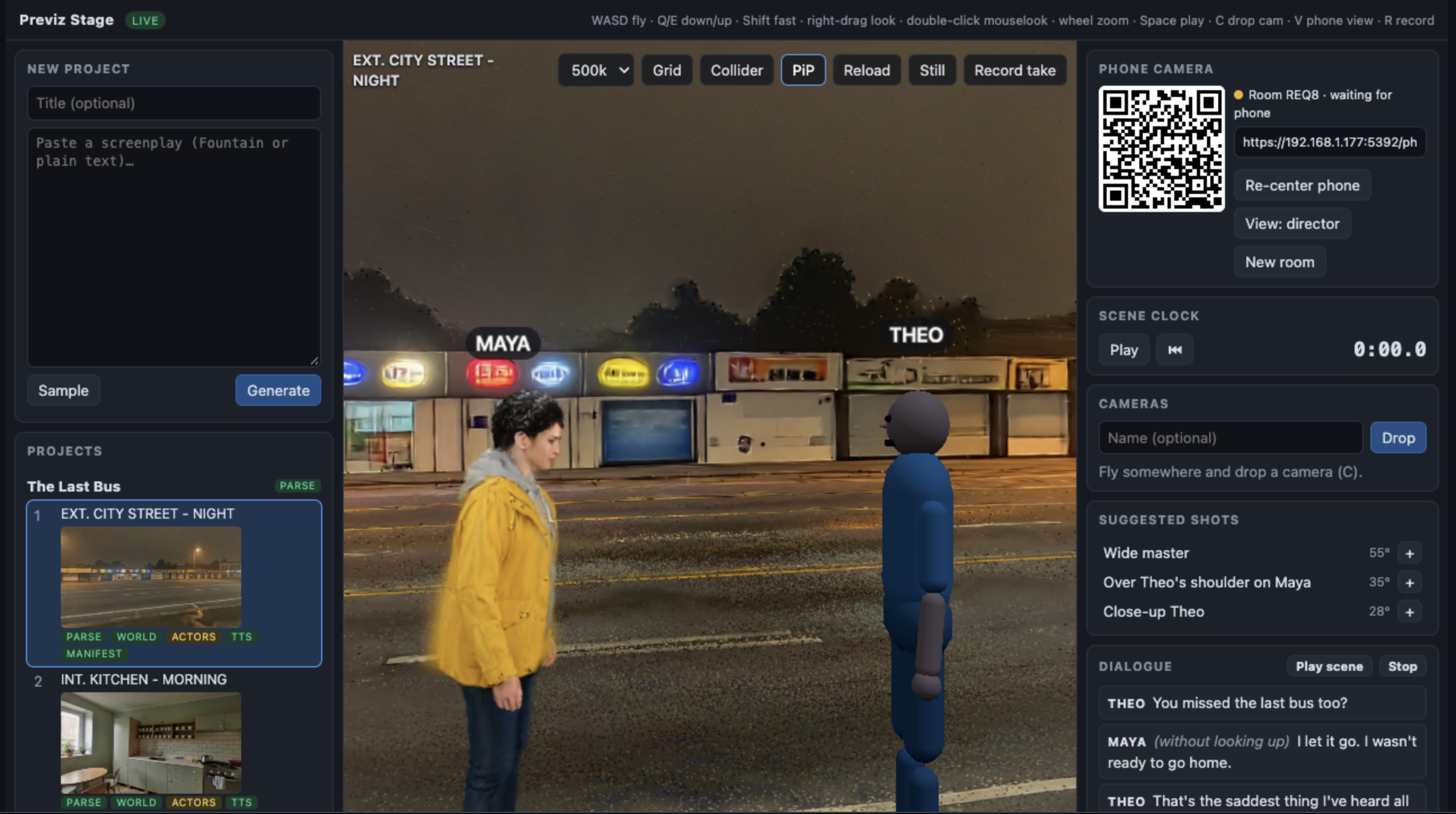
- Script to scenes. Paste a script and Claude breaks it into scenes, cast, lines, blocking and moving props. Each scene becomes a 3D world, with the characters standing in it as 3D avatars that speak their lines.
- Direct it on the laptop. Fly around the set, drag actors onto their marks, build a numbered shot list with lenses and frame grabs, grade the look, and edit the world with plain words ("make the sky stormy"). Export a storyboard and shot list for the crew.
- Your phone is the camera. Pair a phone and it becomes the handheld camera. With our iPhone app (ARKit), walking moves the virtual camera one-to-one through the scene.
- Scan your room. Walk your real room with the phone and the laptop shows it as a "real room" box inside the scene, so you block actors in the space you actually have. The phone warns you before you walk into a real wall.
- Your room as the set. The scan's video can be sent to Marble to generate a version of your own room, placed over the real one. It's built and tested, and the first live build is still to come.
- Actors that act. Characters walk to marks, sit, stand and turn, timed to the dialogue, and perform generated gestures such as shrugging or scrolling a phone.
How we built it
A TypeScript/Node server runs the pipeline: Claude plans the scenes, beats and gestures, World Labs Marble generates the 3D worlds, and OpenAI makes character reference images and voices. LHM avatars are built on Modal GPUs, and HY-Motion generates the gesture clips there too. The laptop and phone views use three.js and Spark to render gaussian splats, connected by a WebSocket relay. The iPhone app is SwiftUI + ARKit, showing the same web viewer. Everything runs offline in a mock mode with fixtures, which is how our tests (hundreds of unit, Swift and browser tests) never cost credits.
Challenges we ran into
- Generated worlds aren't to scale. Marble's size estimate can be off and its cheap model reports no ground, so actors first floated half a metre above the street. We now measure the real ground and scale from the scene itself.
- A phone browser can't tell you where it is, only which way it's pointing. That pushed us to a native ARKit app and to keeping the scan's coordinates lined up with the scene.
- Paid APIs. Every Marble and GPU call is recorded before it's made so a crash never pays twice, results are cached by prompt, and anything that spends money only works from the laptop.
- Marble doesn't document the frame of a video-based world, so we had to design and verify how a scanned room lines up.
Accomplishments that we're proud of
A full live run: a script goes in and a real 3D street comes out, with two voiced avatars that walk in, gesture and turn to watch a passing bus, and you can walk through it holding an iPhone. A scene like that cost about fifty cents. We're also proud that it works end to end across a laptop, a browser, an iPhone app, three cloud services and a GPU worker.
What we learned
Generated 3D is not metric, so you have to measure it. ARKit gives you what browser sensors can't. Cache and record every paid call. Short, single-action prompts make the best generated motion. And an offline mock mode is worth building first.
What's next for PerspecLive
Run the first live room-as-set build and tune its alignment. Add a real VR headset view of the set. Route walks around furniture and walls, add lip-sync, and let you import your own props and photos of real locations.
Built With
typescript, node.js, three.js, swift, swiftui, arkit, python, modal, claude, world-labs-marble, openai, vite, playwright


Log in or sign up for Devpost to join the conversation.