-
-
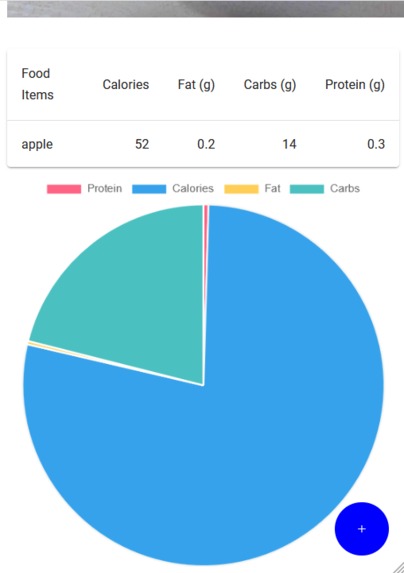
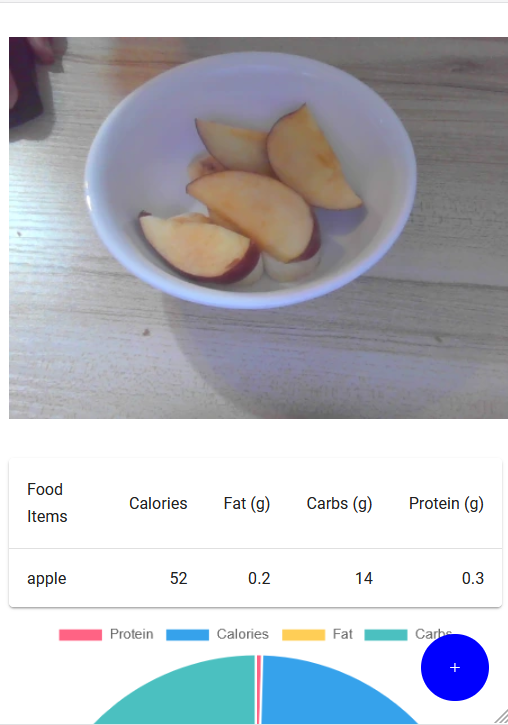
Graphs for better visual
-
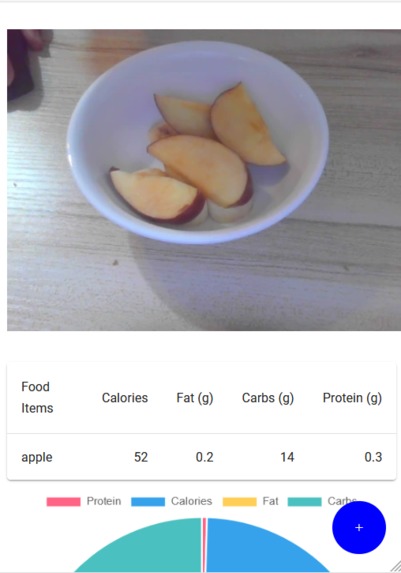
Result page displaying result table and chart
-
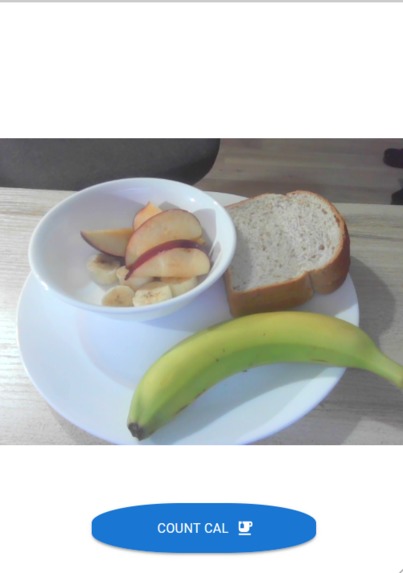
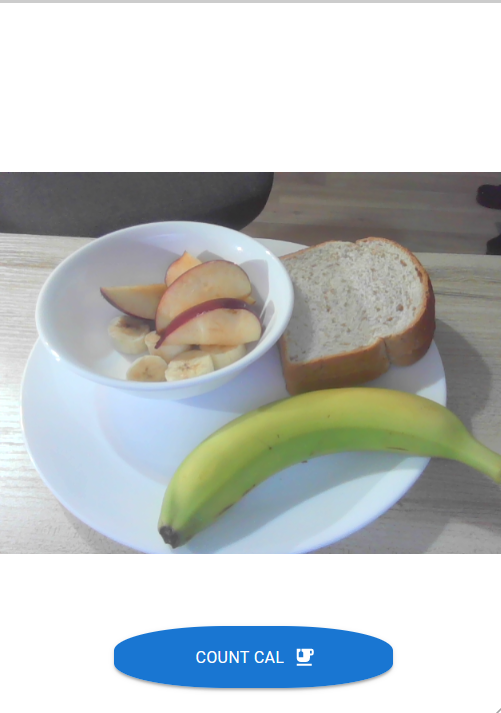
Camera integrated with object detection model
-
Landing Page


Inspiration
We understand the challenges faced by individuals who strive to maintain a healthy lifestyle. Counting calories and tracking macronutrients can be time-consuming and overwhelming. We wanted to create a user-friendly app that simplifies this process, making it accessible to everyone. By harnessing the potential of AI and image recognition, we aimed to develop a tool that enhances nutritional awareness and fosters healthier eating habits.
What it does
Calorify leverages Tensorflow object detection models to accurately identify various food items in a user's meal. By simply snapping a photo using their smartphone camera, users can instantly receive a comprehensive breakdown of the calories, macronutrients, and even ingredients present in each dish. Our algorithms analyze the nutritional content, providing users with valuable insights to guide their dietary choices.
How we built it
Calorify was built using a combination of React, JavaScript, TensorFlow's object detection model, and Material-UI framework. Our development process involved several key steps:
Planning and Design:
We started by outlining the app's functionalities and user experience through meticulous planning and design. We identified the core features, such as object detection, nutritional analysis, and user-friendly interface, which guided our development roadmap.

React and JavaScript Development:
We leveraged the power of React, a popular JavaScript library, to create a responsive and dynamic user interface. React allowed us to build reusable components, manage state effectively, and ensure smooth interactions with the application.

TensorFlow Object Detection Model Integration:
To enable accurate food item recognition, we integrated TensorFlow's object detection model into our application. The model was trained on coco ssd data set [link](https://cocodataset.org/#explore). TensorFlow's extensive ecosystem provided us with the necessary tools and resources to implement the model effectively.

Material-UI Framework:
To enhance the visual aesthetics and user experience, we utilized Material-UI, a popular React component library. Material-UI provided us with a wide range of pre-built UI components, responsive layouts, and styling options, enabling us to create a sleek and intuitive app design.

Data and Nutrition Analysis:
We incorporated a comprehensive food json containing nutritional information to enable accurate analysis. Leveraging JavaScript, we implemented the necessary calculations and algorithms to break down the nutritional content based on recognized food items. This data was then presented to the users in a form of table and graphs.

Testing and Iteration:
Throughout the development process, we conducted rigorous testing to ensure the app's functionality, performance, and user experience met our standards. We iterated on the design and functionality based on user feedback and refined the application to provide a seamless experience.

Deployment:
We were not able to deploy it for other users to use but they can clone our repository and do a "npm start" to use the app
Challenges we ran into
- Integration of TensorFlow Object Detection Model: Integrating TensorFlow's object detection model into the application was a complex task. We had to ensure compatibility between the model and our React-based fronted, manage dependencies, and optimize the model's performance on mobile devices. This required extensive research, experimentation, and troubleshooting to achieve seamless integration.
Accomplishments that we're proud of
- Successful Integration of AI and Object Detection -Performance Optimization for Mobile Devices -Collaborative Teamwork and Problem-solving
What we learned
- Learned a lot about various models TensorFlow have and how to integrate them with React
- Developing a clean UI
What's next for Calories Counter (Calorify)
- Build a login and database so the app become ready for deployment
- Training our AI Model for better accuracy
- Build a socializing section for other people to discuss healthy recipes :)
Built With
- javascript
- mui
- react
- react-webcam
- tensorflow-models/coco-ssd


Log in or sign up for Devpost to join the conversation.