-
-
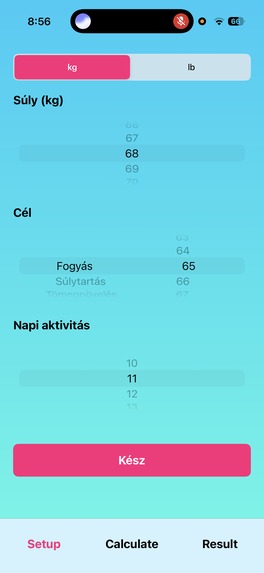
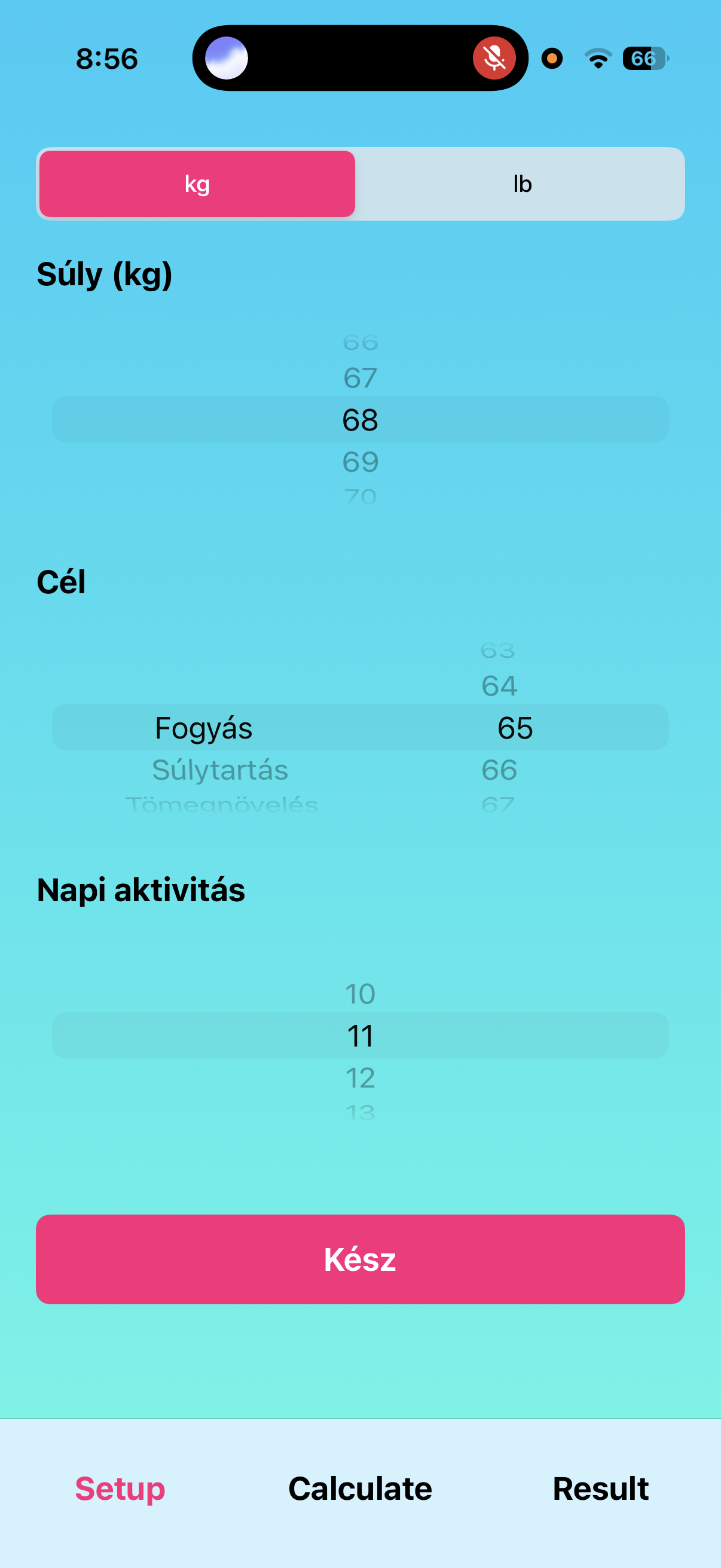
Legacy version settings screen.
-
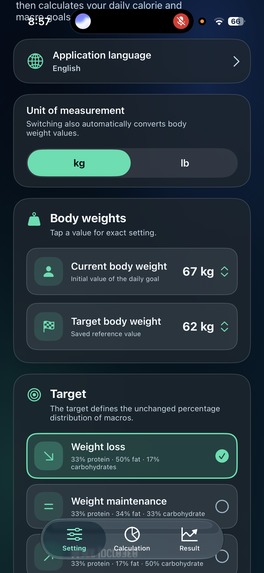
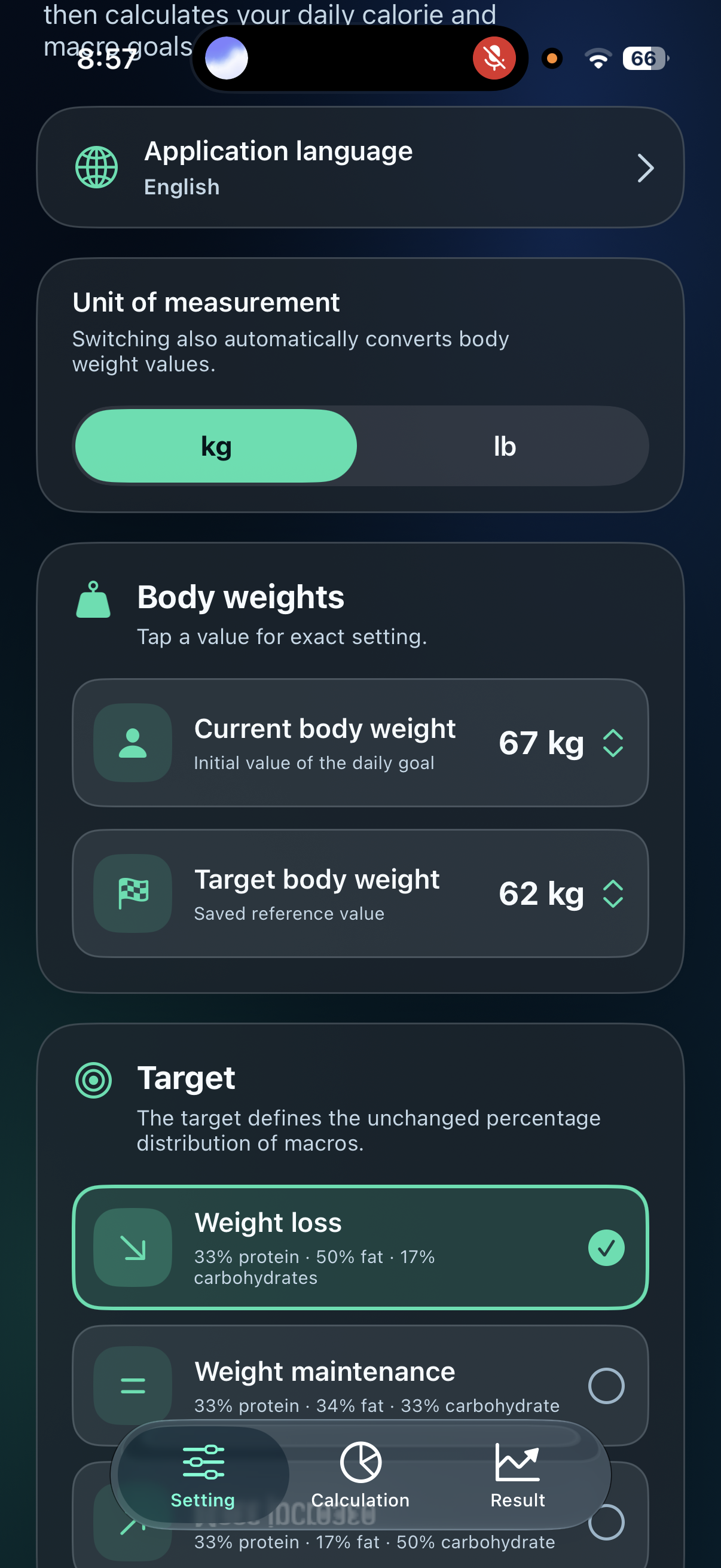
New version settings screen.
-
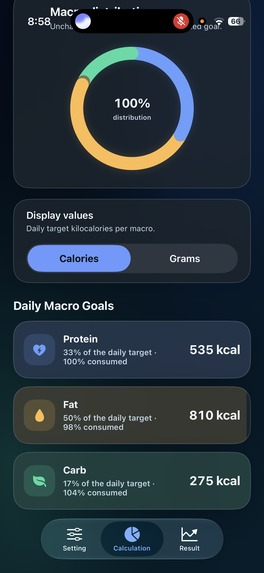
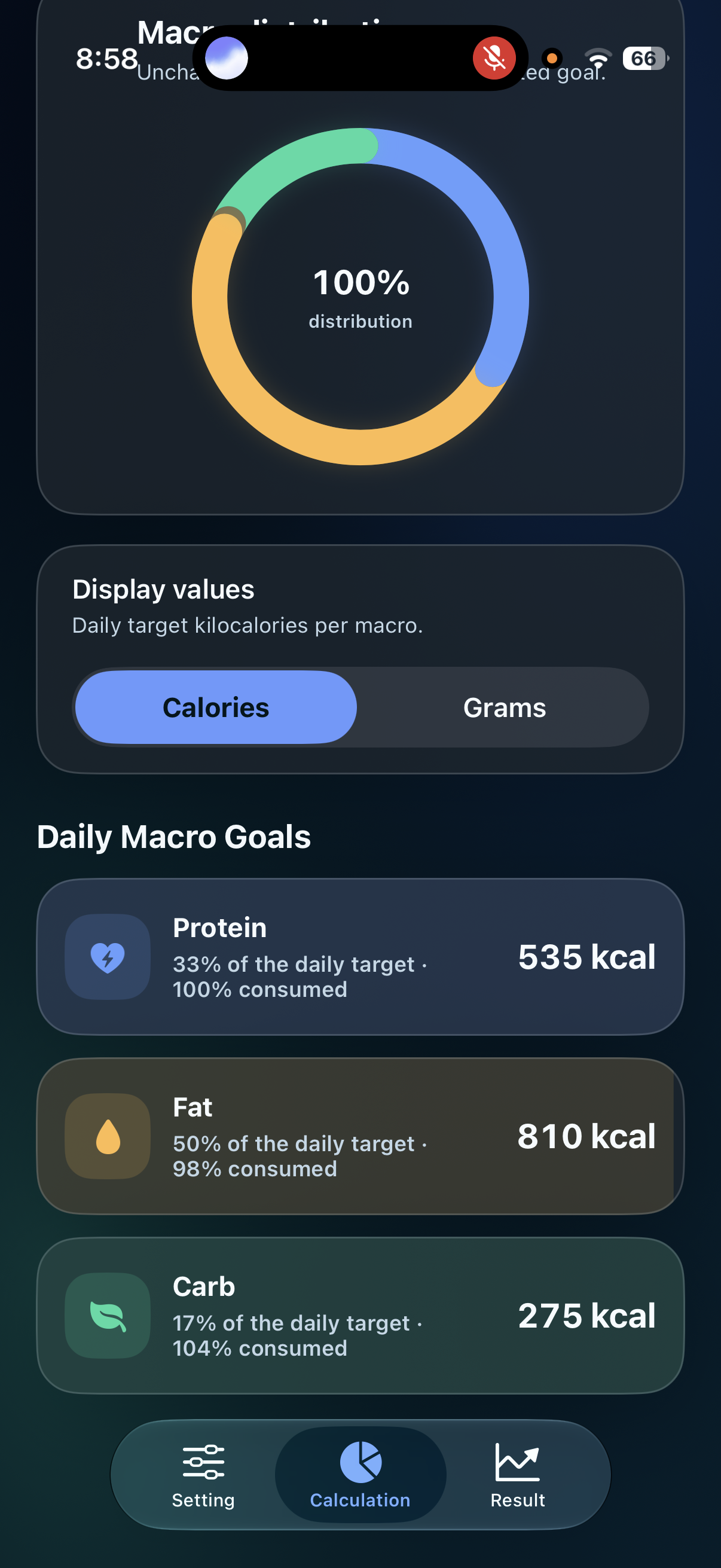
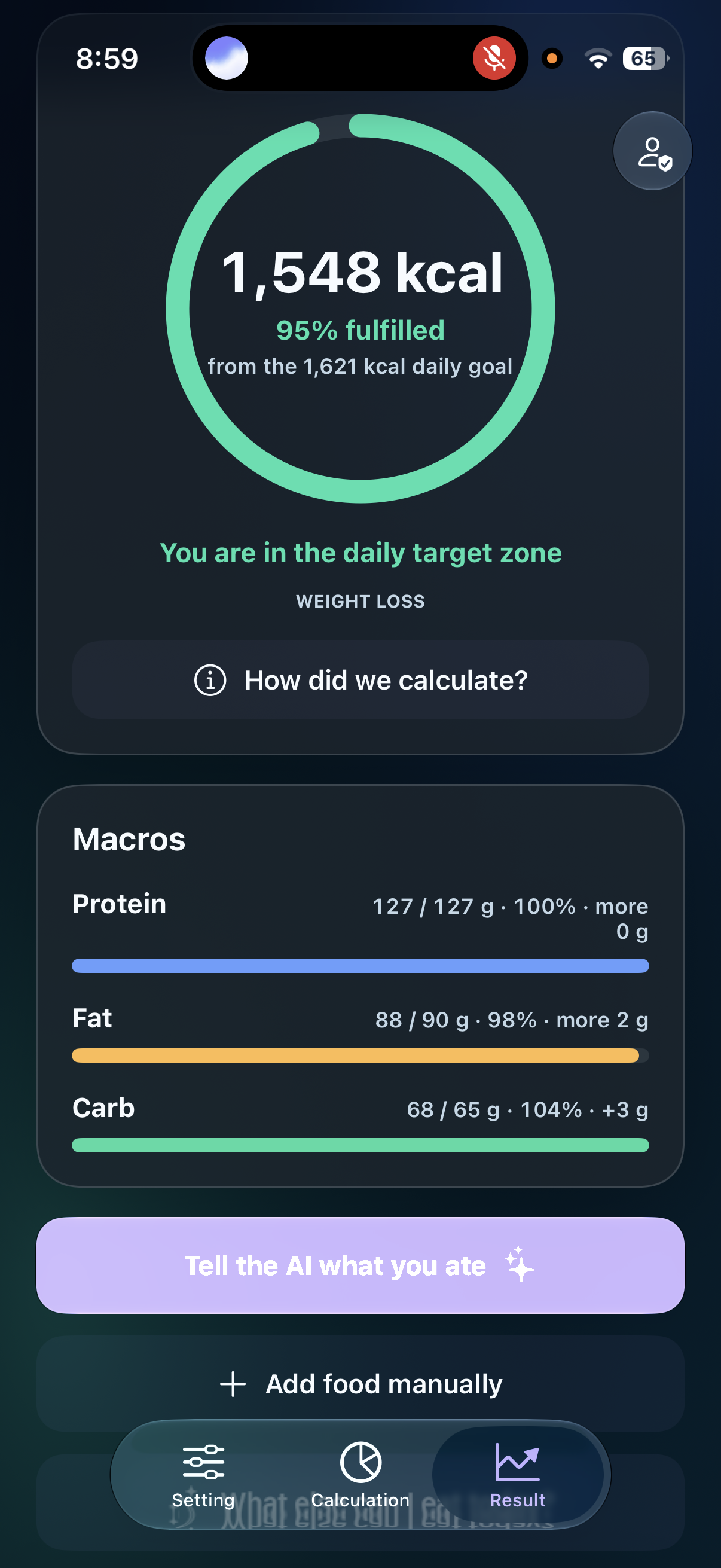
Advanced mode information screen showing consumption progress.
-
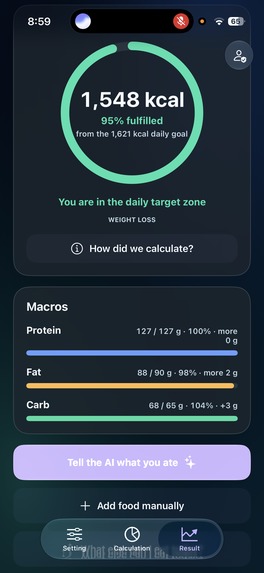
Advanced mode expanded info screen.
-
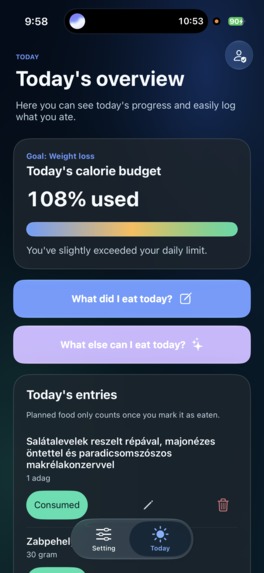
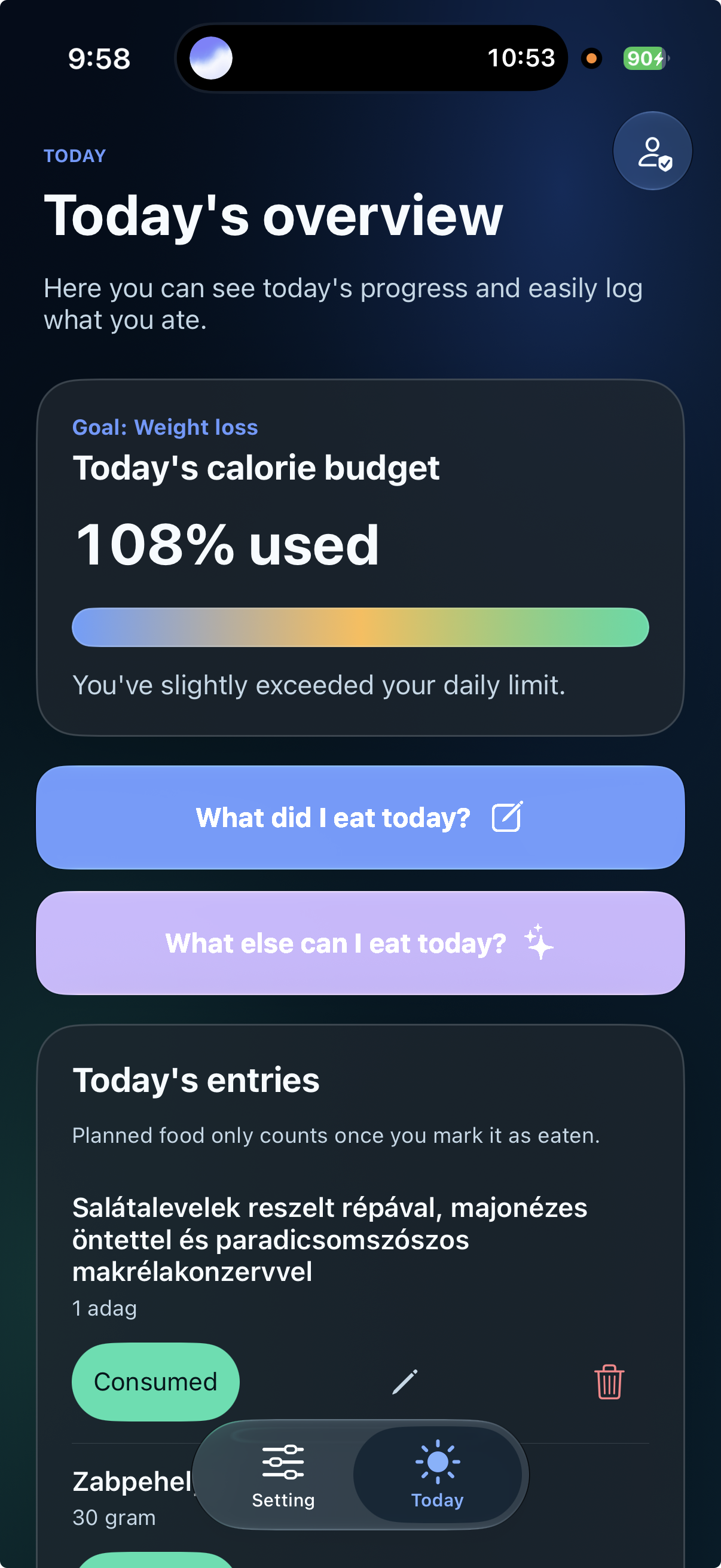
Simple mode with AI options.
Inspiration
For years, I struggled with a familiar cycle: I would lose weight, regain it, train regularly, and still see little change in my body. I used to believe that visible results came almost entirely from exercising more. Learning how calories and macronutrients work changed that belief completely.
After discovering a professional trainer’s method for calculating protein, fat, and carbohydrate targets, I started following the numbers myself. It was a genuine paradigm shift. For the first time, weight loss, maintenance, and muscle gain no longer felt random. Macro tracking became like a remote control for my nutrition goals: it gave me a practical way to understand and influence the outcome.
However, I found two major barriers. First, the subject feels complicated to beginners. When I tried to explain it to my mother, I realized that weighing food, interpreting macros, and planning meals could easily become overwhelming. Second, even with an existing nutrition app, building a daily menu that matched my targets could take one to two-and-a-half hours.
Years ago, I created a very small iPhone prototype to save the basic calculations. It had two simple screens, six saved controls, and could display calorie and macro targets, but it did not solve the complexity or time problem. Someone recently encouraged me to finish what I had started. When OpenAI Build Week arrived, I saw the perfect opportunity to test whether Codex and GPT-5.6 could transform that old idea into something genuinely useful—even though I cannot write “Hello World” in Swift myself.
What it does
CalorieGraphTracker helps people work toward weight loss, weight maintenance, or healthy weight gain without requiring them to become nutrition experts.
The app offers two different experiences. Simple Mode explains progress in accessible language and uses AI to help users understand what they have eaten and what could fit into the rest of their day. Advanced Mode gives users more precise control over calorie and macro targets, food entries, measurements, trends, and planning.
Users can calculate personalized daily calorie and macronutrient goals, log food manually or describe a meal to the AI, see how much protein, fat, carbohydrate, and energy remains, and receive meal suggestions based on their remaining targets and preferences. The project also includes visual progress dashboards, a daily food log and calendar, body-measurement tracking, portion optimization, food preferences and exclusions, localization, privacy controls, and a playful swipe-based way to build a food preference basket.
The goal is to remove both barriers I experienced: beginners should be able to reach the “I finally understand this” moment, while experienced users should save the time normally spent calculating and reorganizing meals.
How I built it
I started from the recovered source of my original basic iOS prototype and transformed it during Build Week through an AI-first development process. Codex, powered by GPT-5.6 at its highest reasoning setting, handled the implementation while I acted as product owner, tester, and decision-maker. I described the problem, the desired behavior, and how I wanted the experience to feel; then I tested each result on the app and reported anything that looked wrong or inspired a better idea.
The iOS app is built in Swift and UIKit, with structured local persistence, StoreKit subscription support, and a server-side AI backend implemented by Codex. The OpenAI API key remains exclusively on the server and is never shipped with the app; the iPhone stores only short-lived backend session tokens in the iOS Keychain. App Attest and DeviceCheck help protect session creation, and Codex also created automated tests and verification workflows. OpenClaw helped Codex operate visual workflows in Xcode and on the device, while GitHub provided version history and a safe record of the transformation.
This was not a single prompt followed by a finished application. It was an iterative loop: define the goal, let Codex inspect and implement, wait for its checks, test the real experience, report issues, and refine. The code was written by AI, but the problem, product direction, priorities, hands-on testing, and final decisions came from my own experience.
Challenges we ran into
The main challenge was the deadline. Codex often spent significant time building, testing, checking security, or waiting for background verification before returning a result. A small visual request could take longer than expected because it was verified rather than simply patched.
Occasionally, a detail looked correct in code but revealed a usability issue when I tried it on the phone. In those cases, I described exactly what I experienced and asked Codex to investigate and correct it. This taught me that AI-assisted development still needs human observation, product judgment, and repeated real-world testing.
Accomplishments that I’m proud of
In less than a week of intensive Build Week development, the project evolved from a basic, brightly colored two-screen calculator with an unfinished Result page into a polished application with more than 25 user-facing feature screens, AI-assisted food tracking and recommendations, simple and advanced modes, a server-side AI backend, attested session authentication, subscription infrastructure, automated tests, and a TestFlight-ready product structure.
To me, the difference feels like moving from a bicycle to a Formula 1 car. The most meaningful achievement is not only the number of features—it is that someone with no Swift programming ability could guide an AI system from a personal problem to a working, testable product.
What I learned
I learned that the ceiling for AI-assisted software creation is far higher than I imagined. Programming knowledge is still valuable, but the ability to explain a problem clearly, recognize a useful result, test carefully, and give precise feedback has become a real way to participate in building software.
AI did not remove the need for patience or judgment. It changed where those skills were applied. Instead of writing syntax, I focused on the user, the goal, the edge cases, and whether the application actually felt helpful.
What’s next
My next priority is flexible multi-day planning. If a user cannot meet a target on one day, the app could safely adjust the following day or create a weekly plan instead of treating every day in isolation. I also want to continue improving speed, precision, accessibility, and ease of use, expand real-user testing, and complete the Android version so the experience can reach more people.
The long-term vision is simple: anyone with a phone should be able to understand their nutrition goals and receive practical help without spending hours calculating every meal.

Log in or sign up for Devpost to join the conversation.