-
-
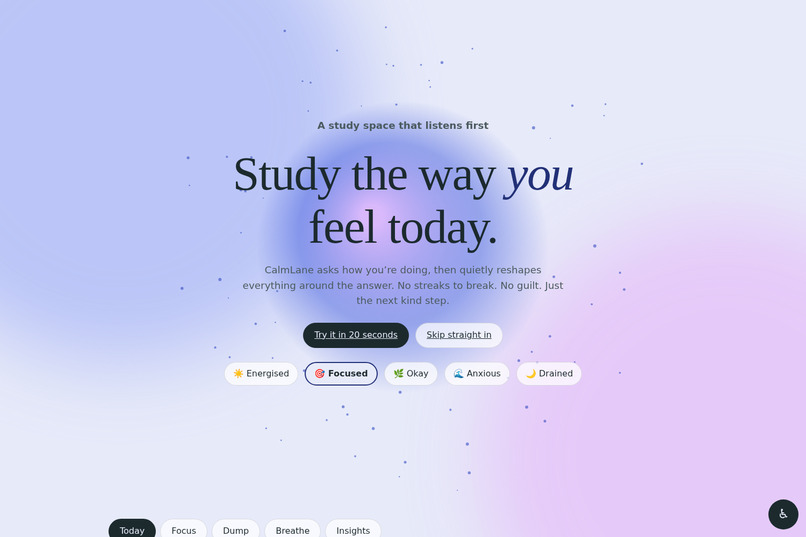
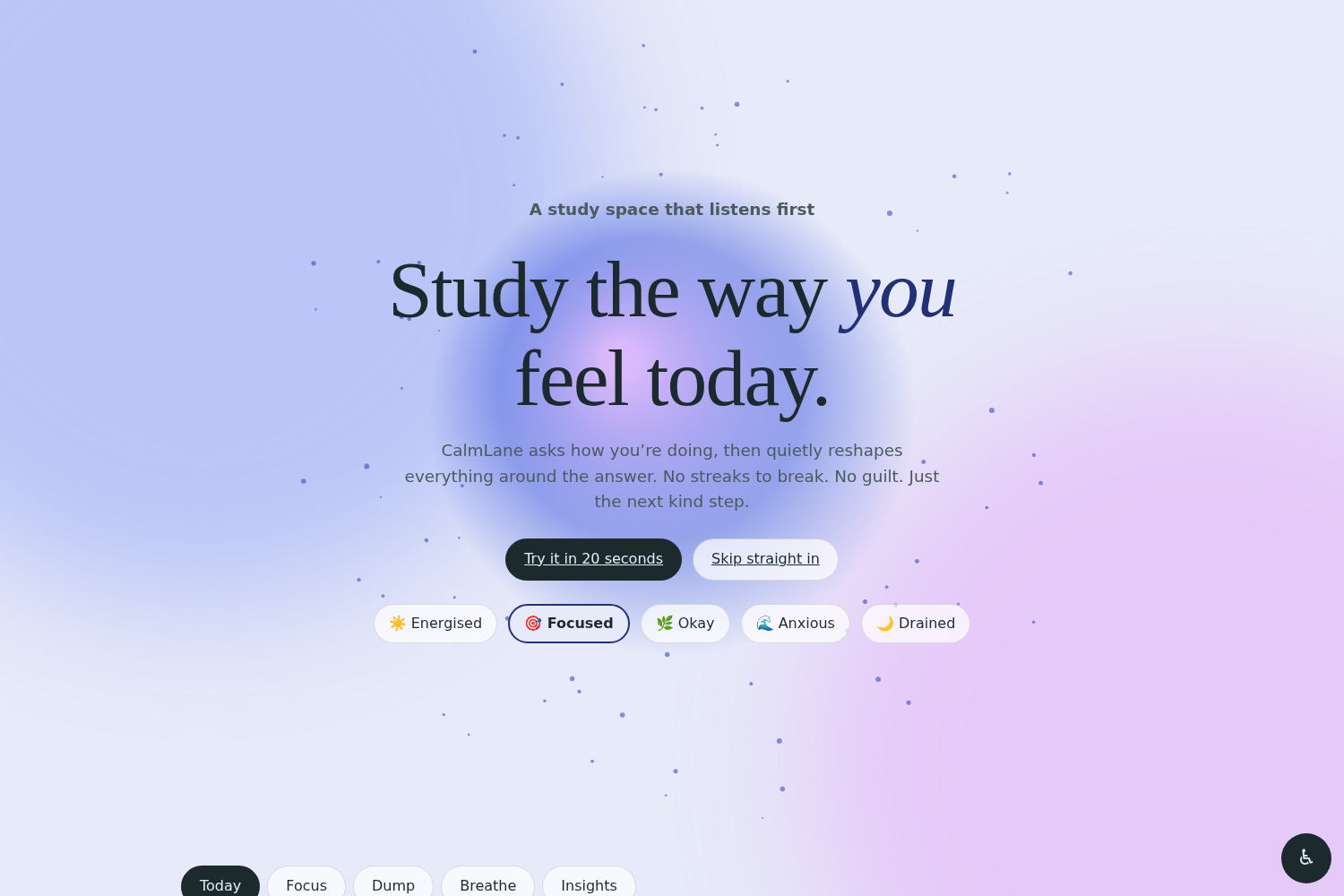
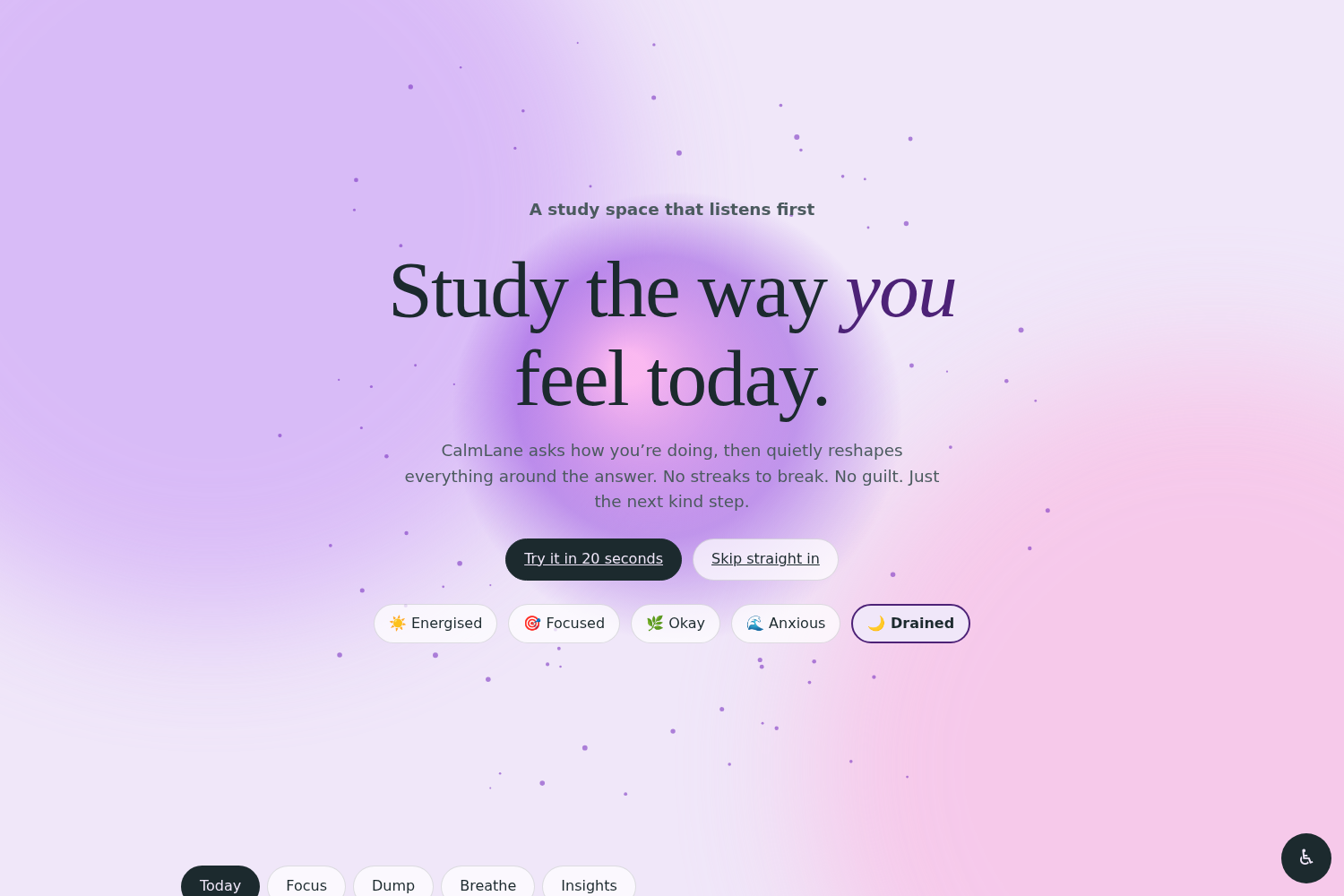
Study the way you feel today. An interactive orb that follows your cursor and breathes, with a mood picker built into the landing page.
-
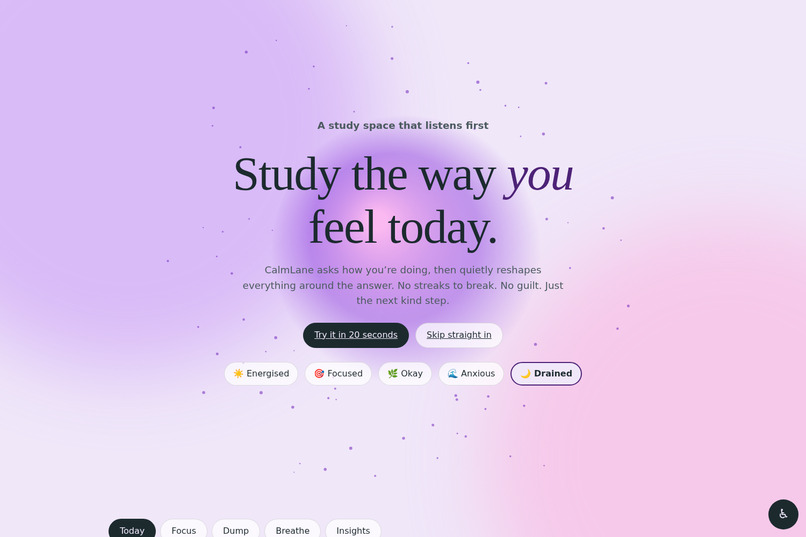
Pick “Drained” and the whole page recolours instantly. Mood changes the palette, the orb and the tone of the app.
-
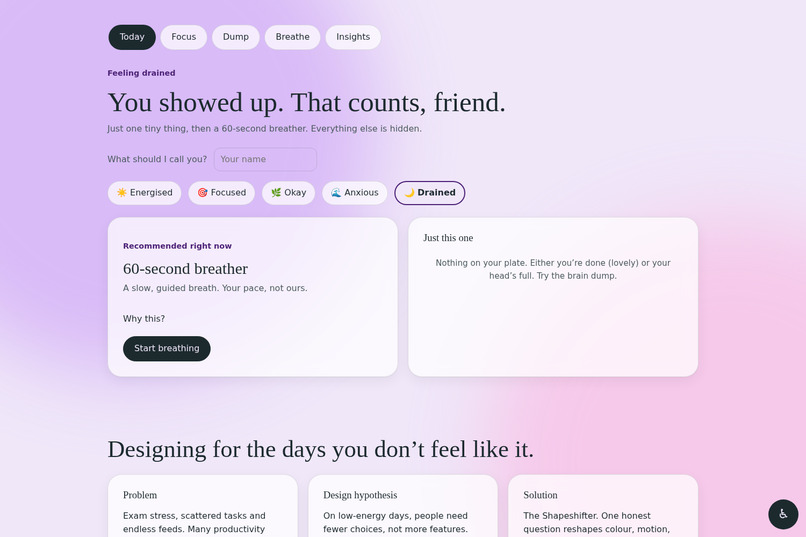
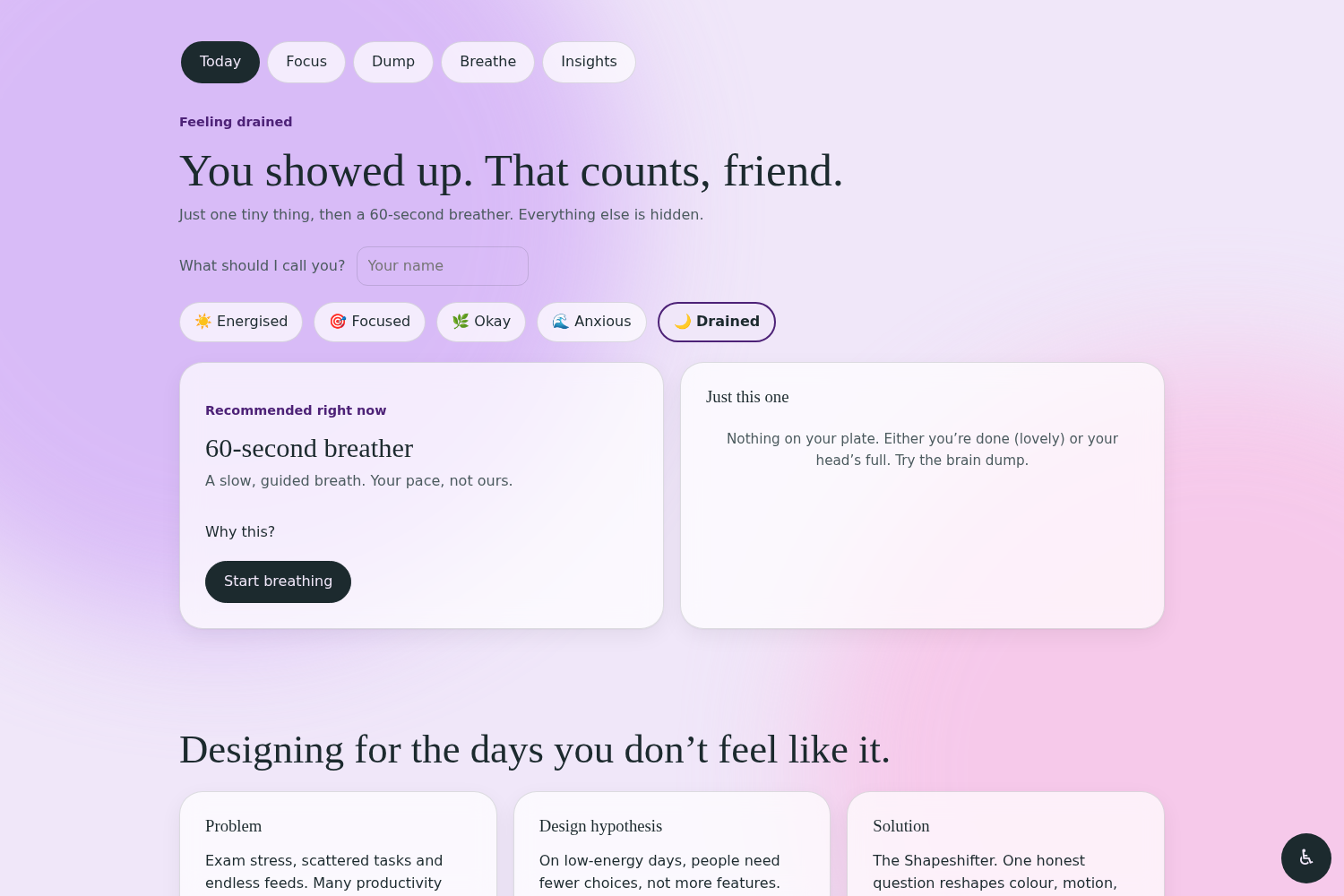
The Shapeshifter on a hard day: one tiny task and a 60-second breather. Everything else is hidden to lower the cost of starting.
-
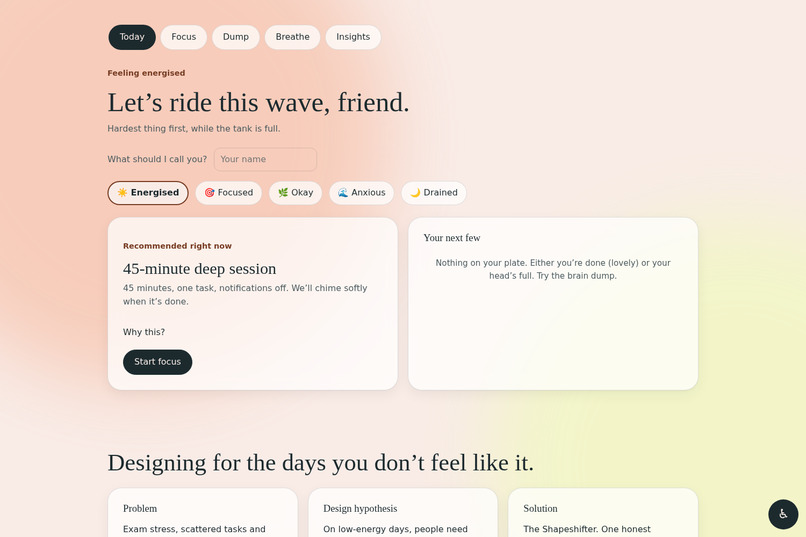
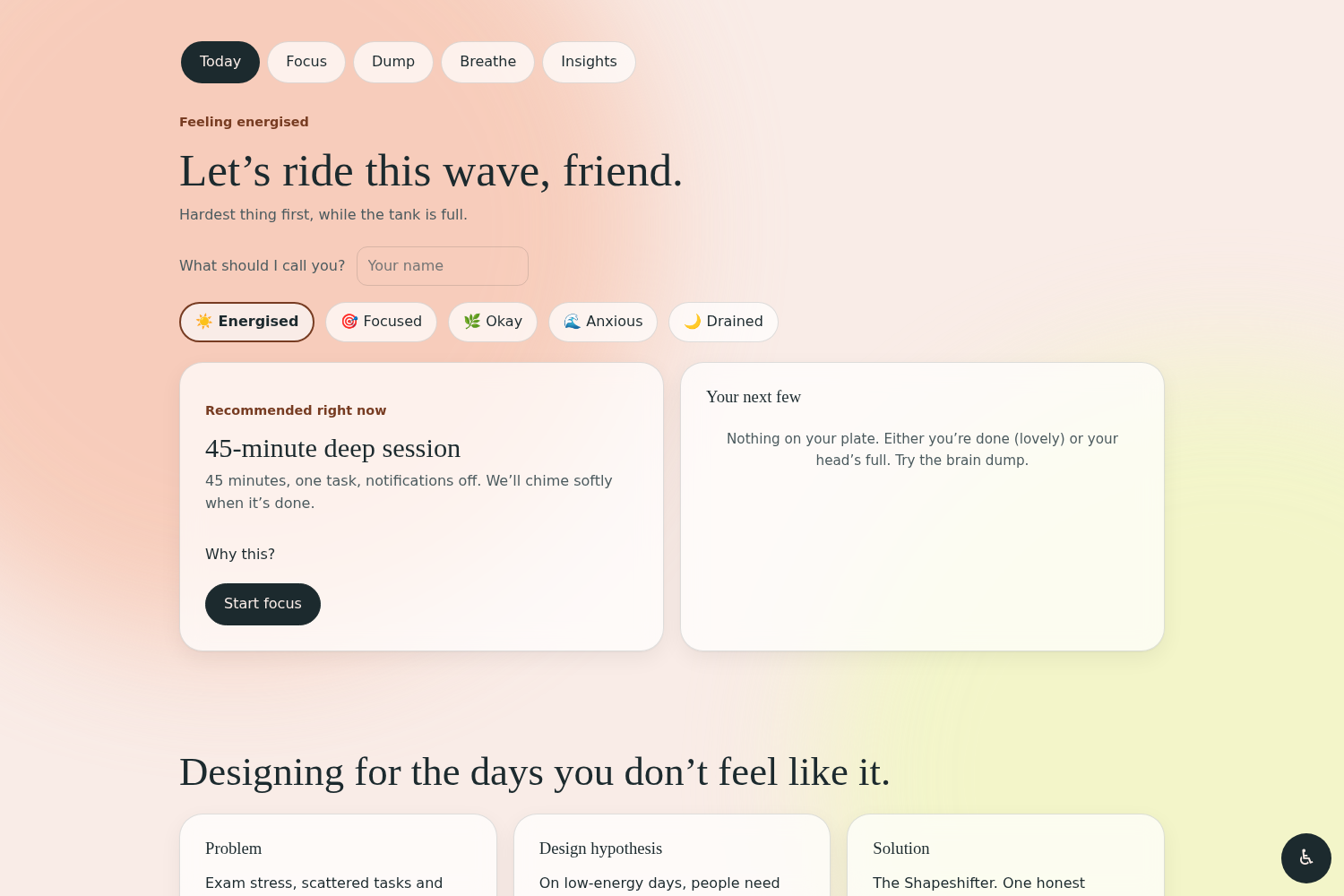
Same app, different mood. “Energised” brings a 45-minute deep session and puts the hardest task first.
-
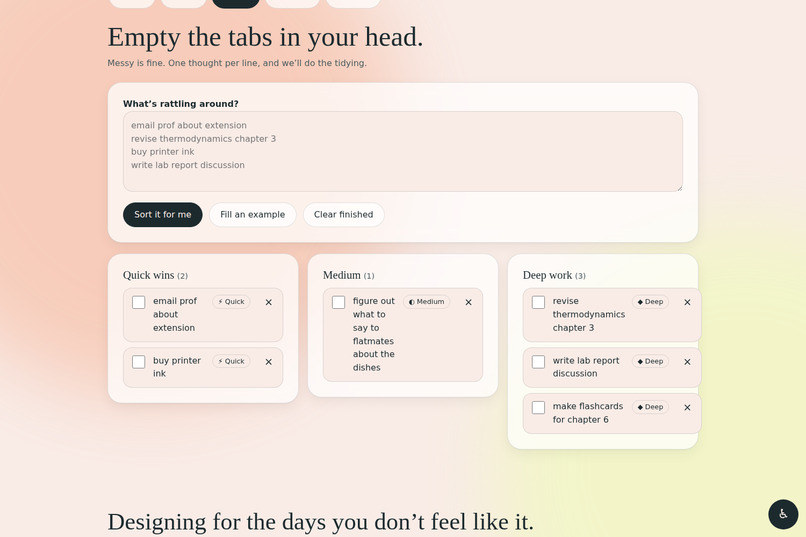
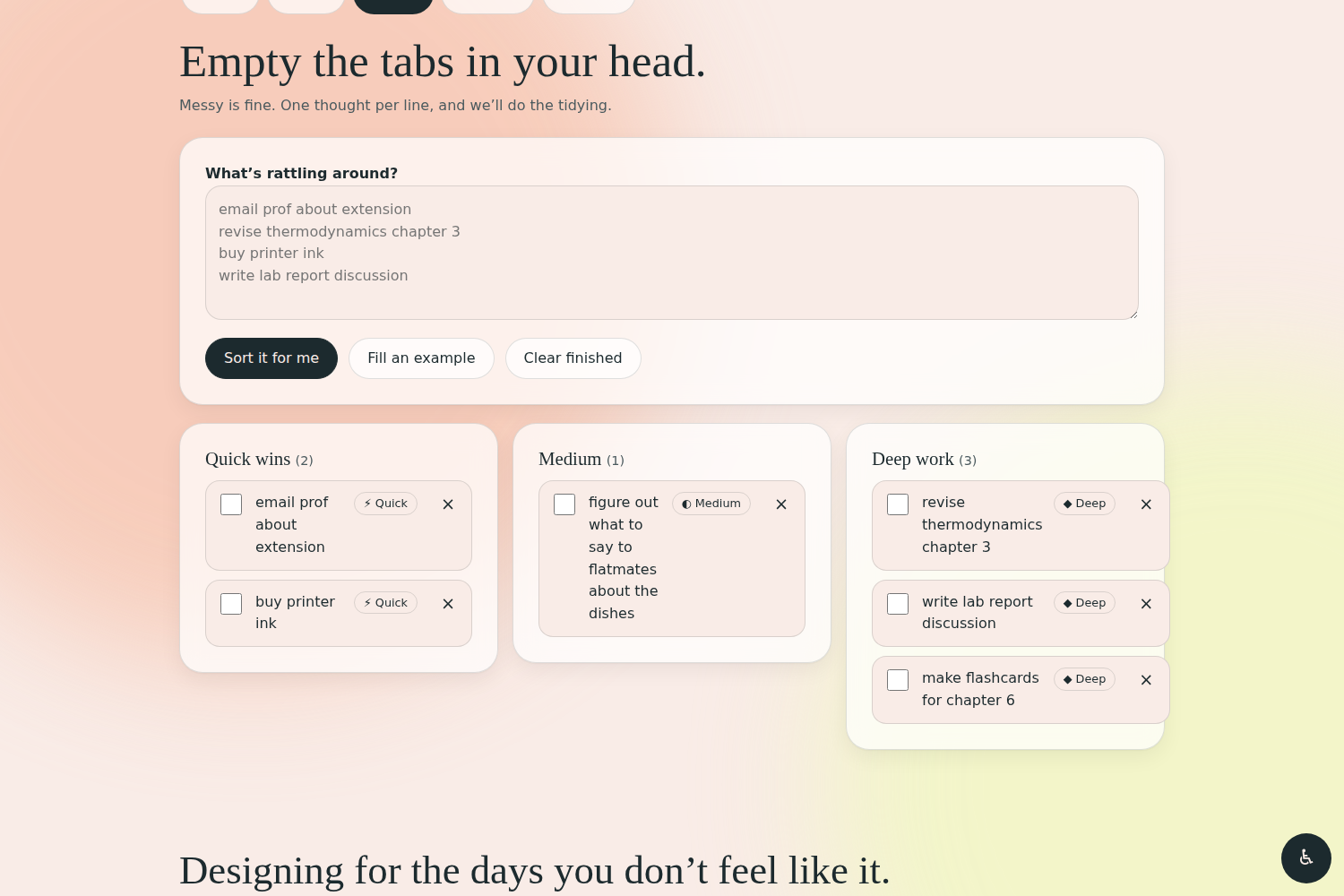
Brain dump: type messy thoughts, one per line, and “Sort it for me” groups them into Quick wins, Medium and Deep work.
-
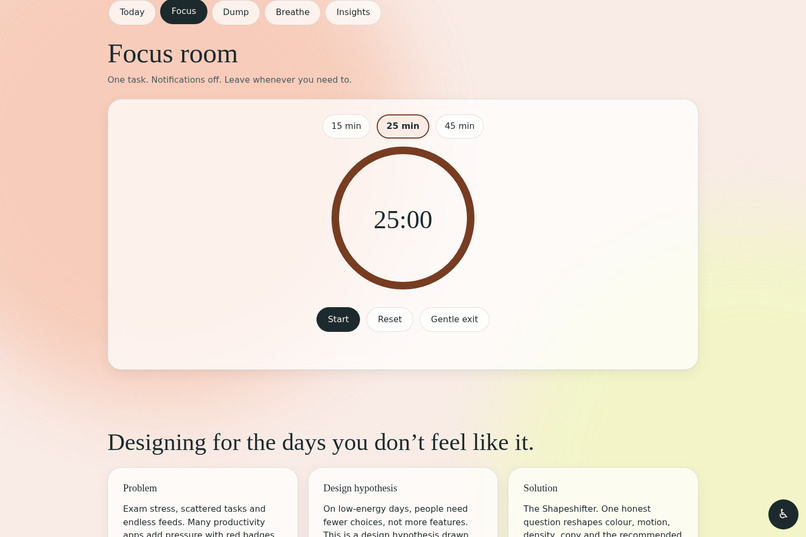
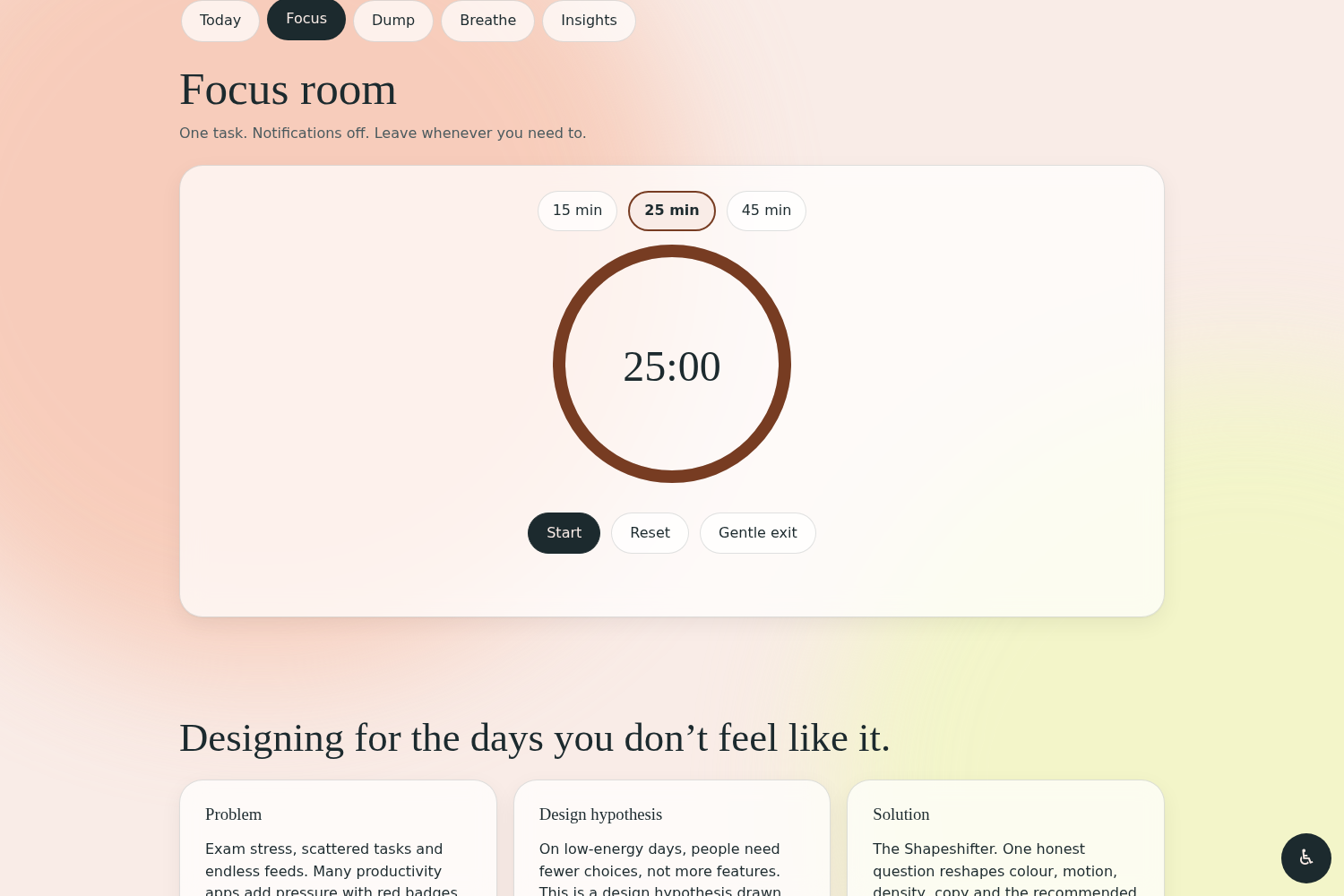
Focus room with a 15/25/45-minute timer, an animated progress ring, a soft chime, and a “Gentle exit” instead of “give up”.
-
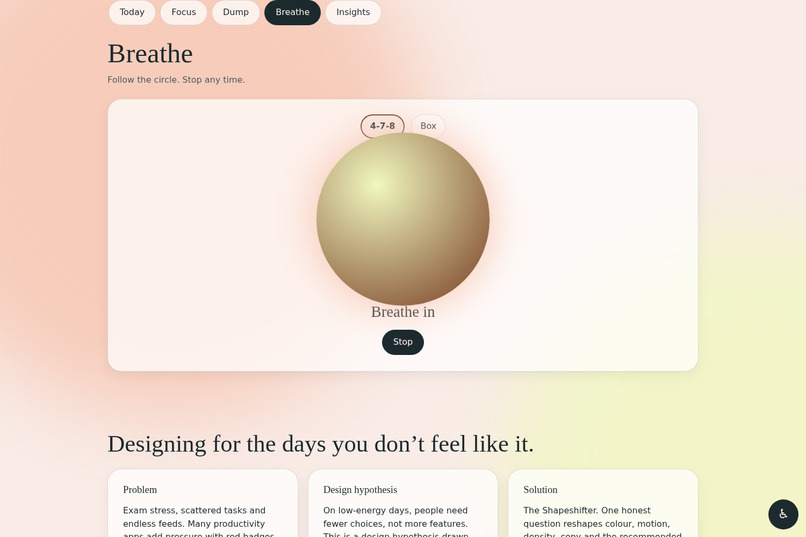
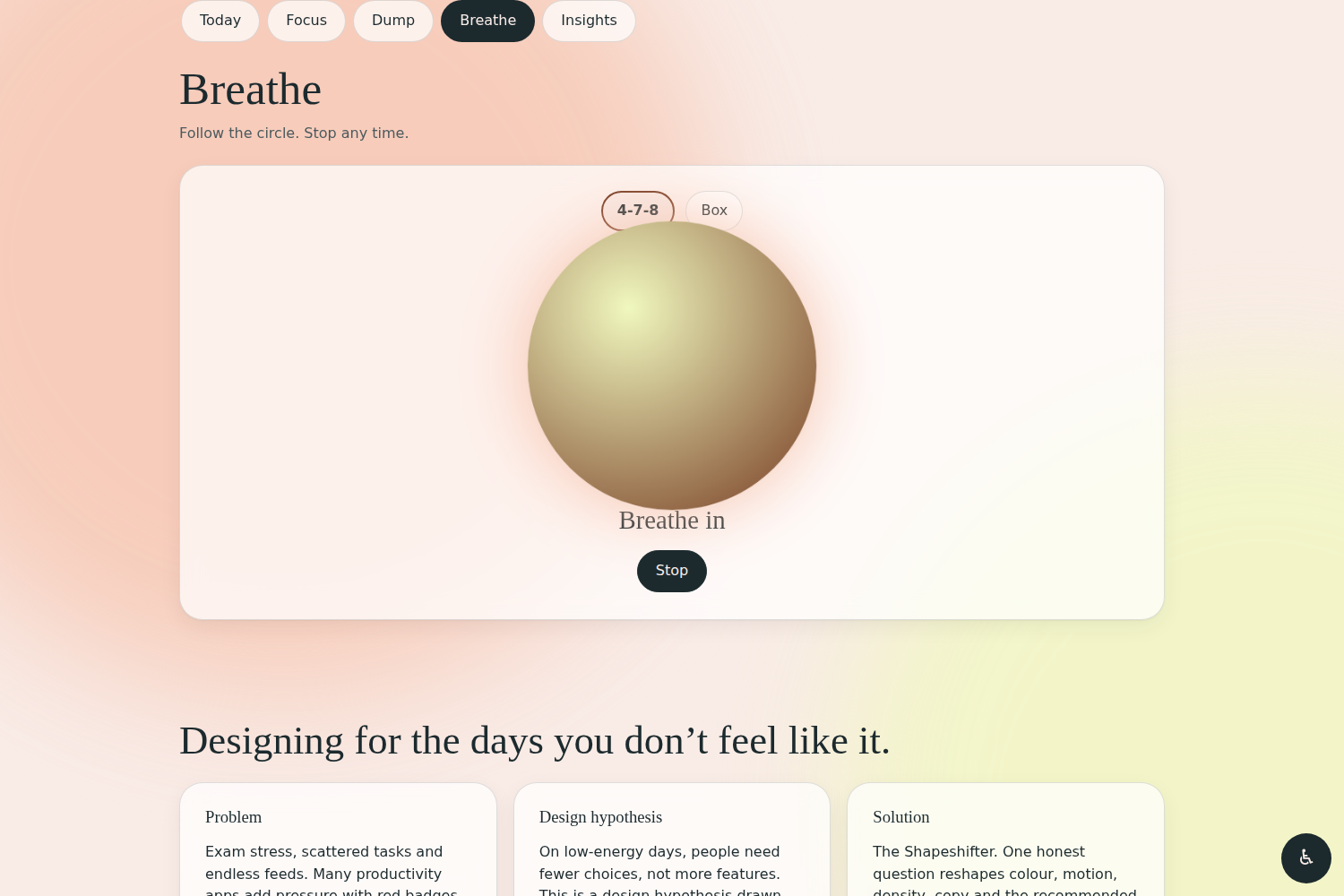
Guided breathing (4-7-8 and box) with an expanding orb and text cues, announced to screen readers through aria-live.
-
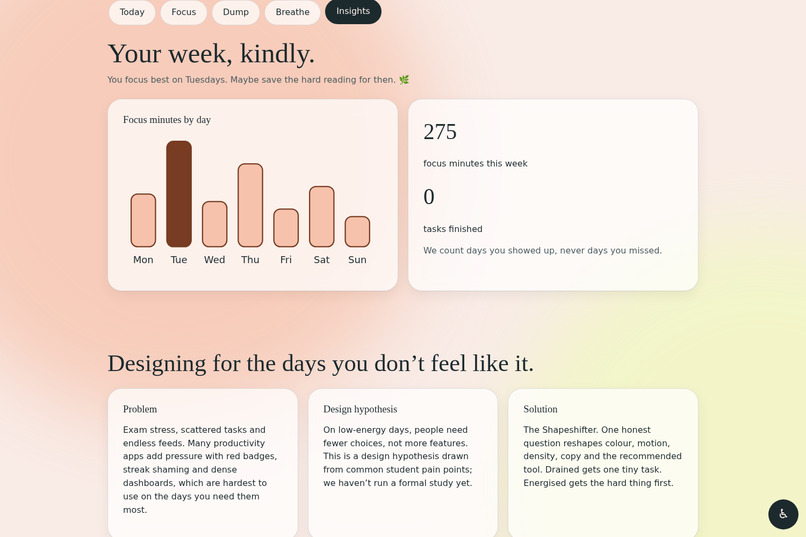
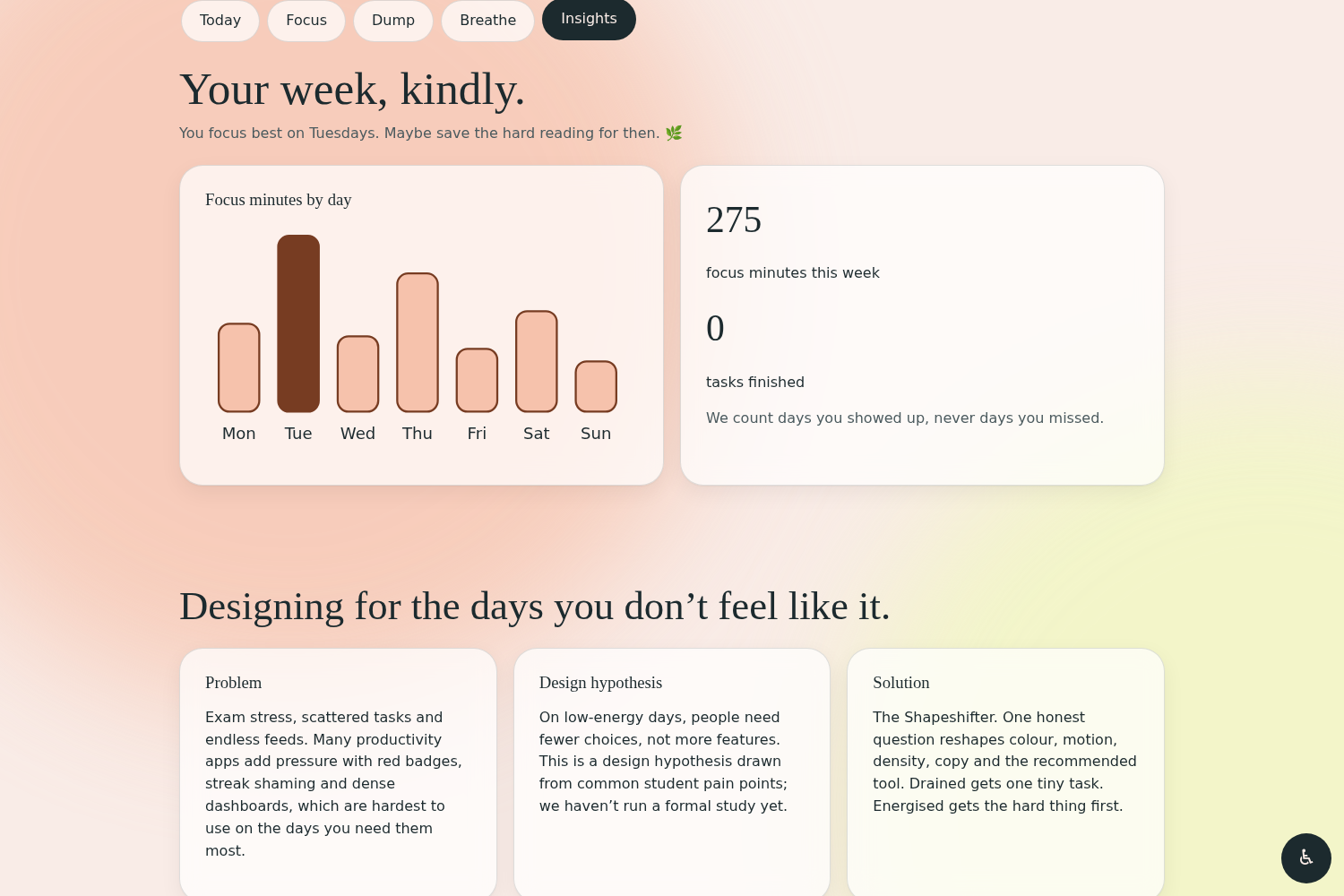
Weekly insights drawn in hand-built SVG. Kind messages, and we count days you showed up, never days you missed.
-
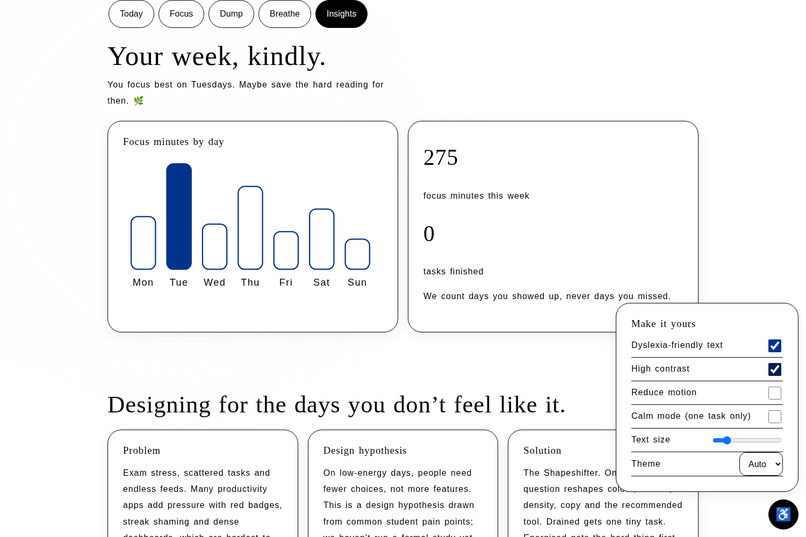
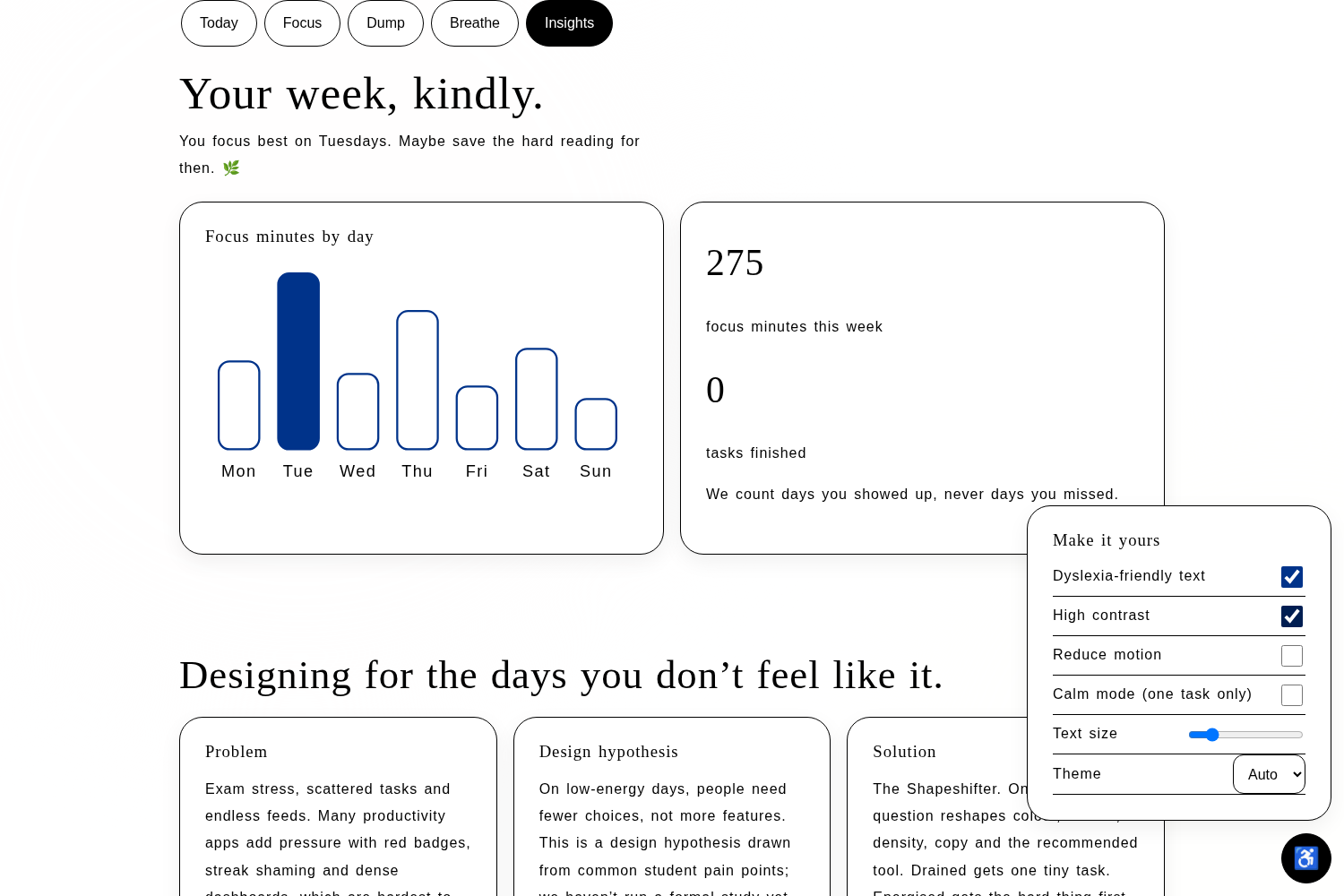
Accessibility panel: dyslexia-friendly text, high contrast, reduced motion, calm mode, text size and theme.
Inspiration
Most productivity apps are built for the version of you that is already motivated. Red badges, streak counters and dense dashboards work fine on a good day, but on a bad day they add pressure and make it harder to even start. For students dealing with exam stress, ADHD, dyslexia or anxiety, that pressure is often the reason they stop using the app altogether.
I wanted to flip that: what if the app asked how you feel first, and then showed only what actually helps? Fewer choices on hard days, bigger goals on good ones, and never any guilt.
What it does
CalmLane is a mood-adaptive study space for students. You pick how you feel (Energised, Focused, Okay, Anxious or Drained), and the whole interface reshapes around the answer. We call this the Shapeshifter.
- Drained shows one tiny task and a 60-second breather. Everything else is hidden.
- Anxious leads with breathing and a brain dump, with a cooler palette.
- Energised puts the hardest task first with a 45-minute deep session.
Around that core:
- Focus room: 15, 25 or 45-minute timer with an animated progress ring, a soft Web Audio chime, and a "Gentle exit" button instead of "give up".
- Brain dump: type messy thoughts, one per line, and "Sort it for me" groups them into Quick wins, Medium and Deep work.
- Breathe: guided 4-7-8 and box breathing with an expanding orb and text cues.
- Insights: hand-drawn SVG charts of focus minutes that update when you finish a session, with kind, non-judgmental messages. We count "days you showed up", never missed days.
- Accessibility panel: dyslexia-friendly mode, text size, high contrast, reduced motion, light/dark/auto theme, and a Calm mode that shows one task only. Settings persist.
How we built it
- Design: a "soft futurism" look with glassmorphism, drifting mesh gradients and an editorial serif (Fraunces) paired with Atkinson Hyperlegible for readability. Each mood has its own colour palette, and every palette was checked for WCAG AA contrast.
- Front end: [React / HTML, CSS and vanilla JavaScript: write what your final version uses]. The orb is drawn on Canvas 2D, the charts are hand-built SVG, and the chime uses the Web Audio API, so there are no heavy libraries or audio files.
- Accessibility: semantic landmarks, skip link, visible 3px focus rings, full keyboard support, aria-live regions for the timer and breathing cues, 44px touch targets, and support for
prefers-reduced-motionandprefers-color-scheme. - Tools: [Lovable / Google AI Studio / Claude: mention the AI tools you used]. I wrote the design direction, prompts and user flows, tested every feature by hand, and iterated on what broke.
Challenges we ran into
- A layout bug in the brain dump: task cards were squeezing so narrow that text wrapped one letter per line. I found it while recording a demo, and fixed it with proper flex/grid sizing so text wraps normally at every screen width.
- Keeping the tone honest: my first case study included research-style claims that I hadn't actually run a study for. I rewrote it as a clearly labelled design hypothesis, because a design built on trust shouldn't start with an invented statistic.
- Contrast across five moods and three themes: pastel colours look lovely but often fail contrast checks. Making every mood readable in light, dark and high-contrast modes took several rounds.
- Making calm feel calm: animation can add stress. Everything respects reduced-motion settings, and the Drained mood strips the interface down instead of adding more.
Accomplishments that we're proud of
- A working prototype where flipping the mood changes the whole experience, so you understand the idea within seconds.
- Accessibility treated as a core feature, not an afterthought.
- A product that deliberately has no streaks, no badges and no shame.
- A fully self-contained app with no backend: it runs in the browser and saves your preferences locally.
What we learned
- Good UX on a hard day means removing things, not adding them.
- Accessibility settings are most useful when they are one tap away and show their effect immediately.
- AI tools speed up building a lot, but you still have to test every button yourself and keep the claims you make truthful.
What's next for CalmLane
- Run real conversations and usability tests with students, including neurodivergent students, and improve the design based on what they say.
- A guided "Judge Tour" style onboarding and a before/after comparison with typical productivity apps.
- A command palette (Ctrl/Cmd+K), per-mood ambient soundscapes, and persona presets (ADHD, exam anxiety,
Built With
- canvas-api
- css3
- google-fonts
- html5
- javascript
- localstorage
- svg
- wcag
- web-audio-api

Log in or sign up for Devpost to join the conversation.