-
-
-
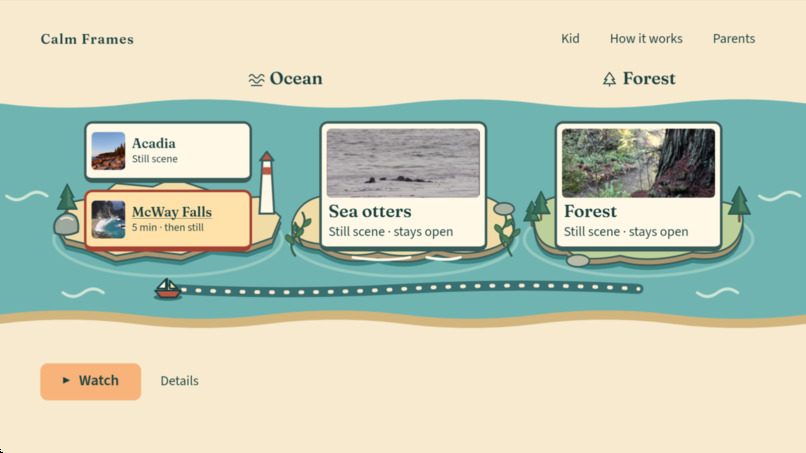
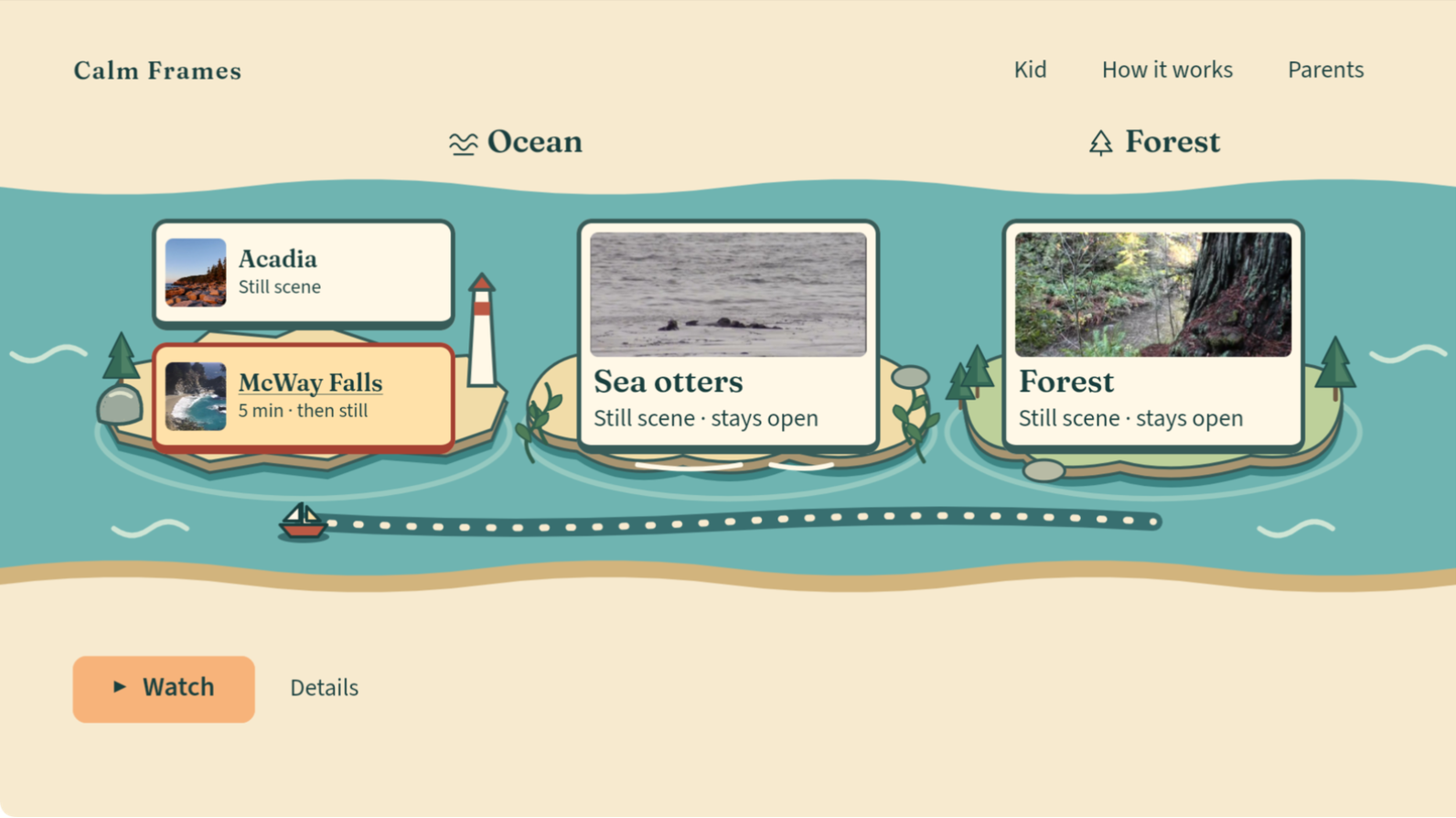
Native Home: Ocean and Forest, McWay selected, and Watch as the primary action.
-
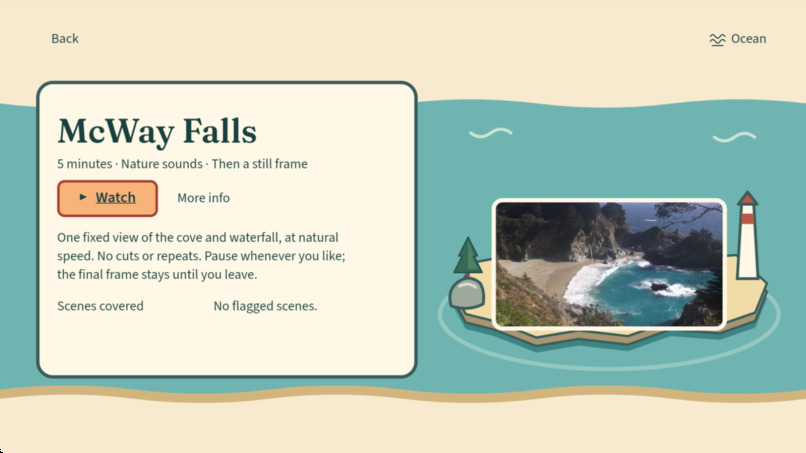
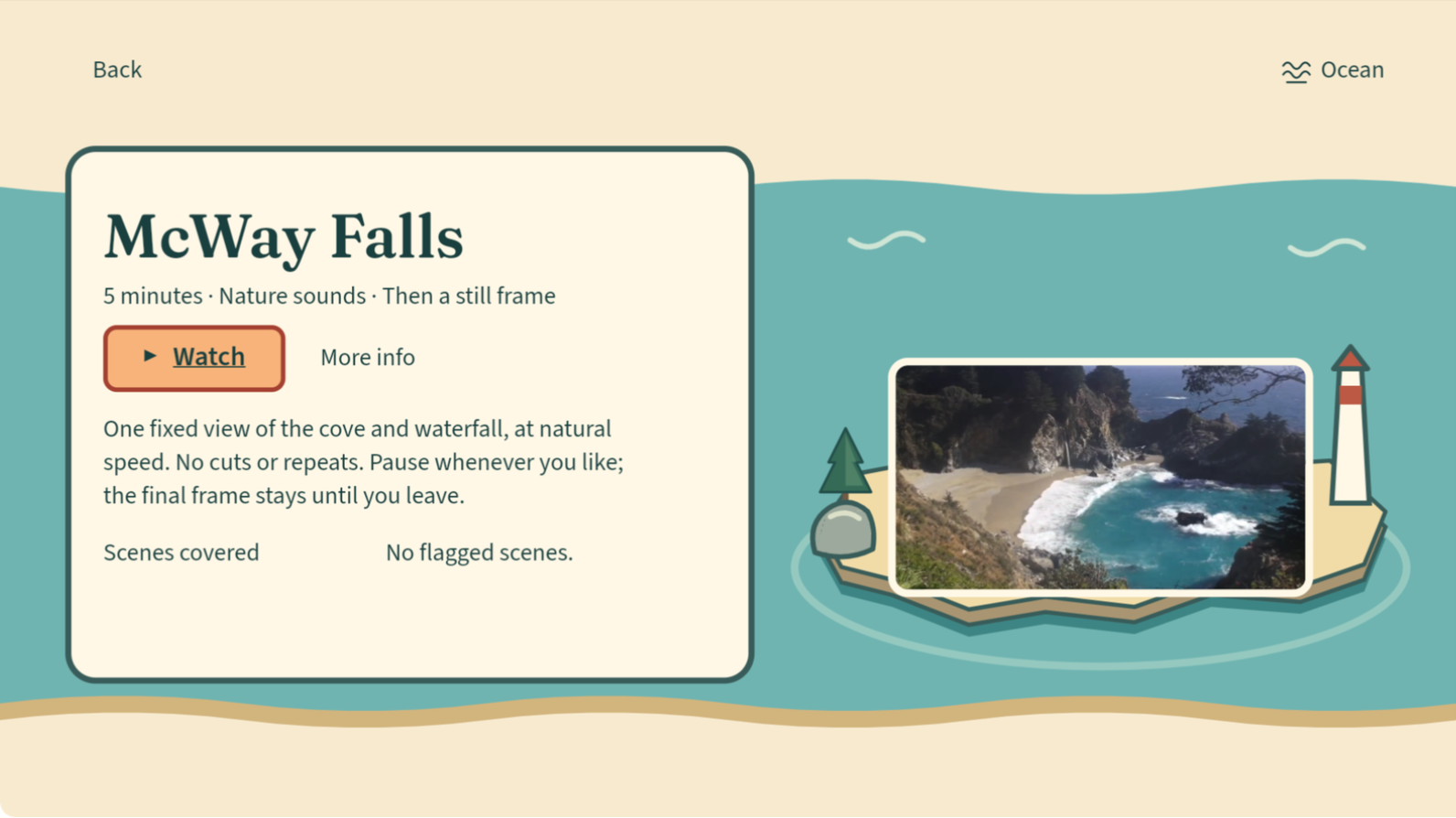
McWay Details: five minutes of nature sounds, then a still frame. Watch starts playback.
-
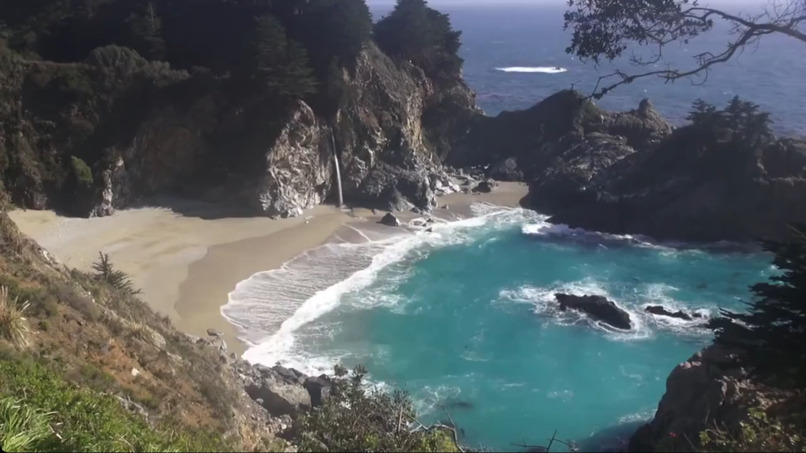
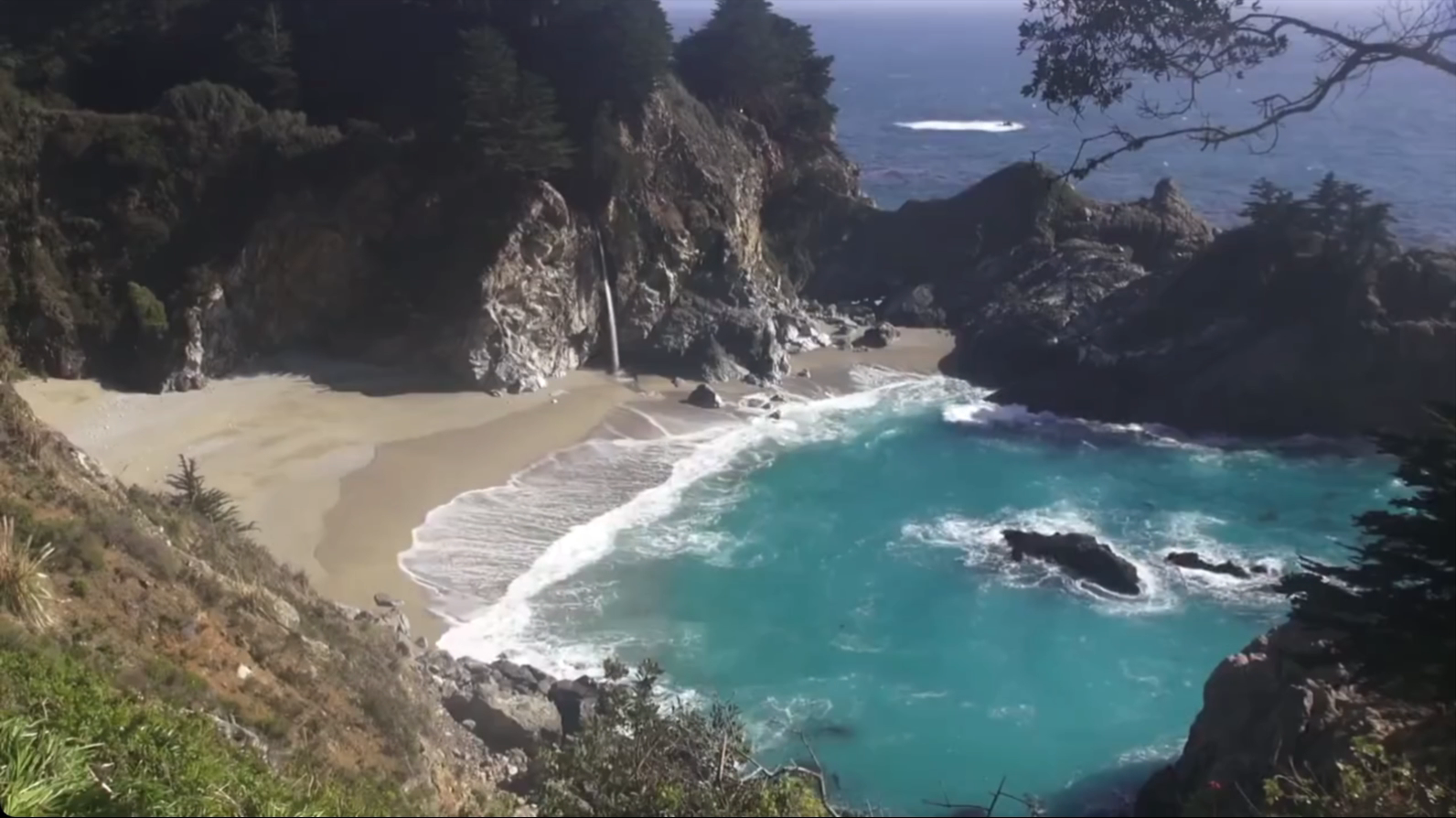
Frame from native McWay playback. Footage: MoneySavingVideos, CC BY 3.0; source and changes credited below.
-
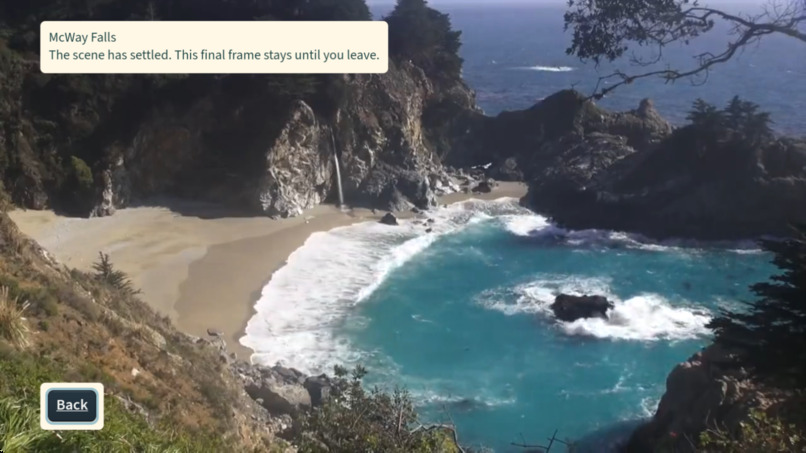
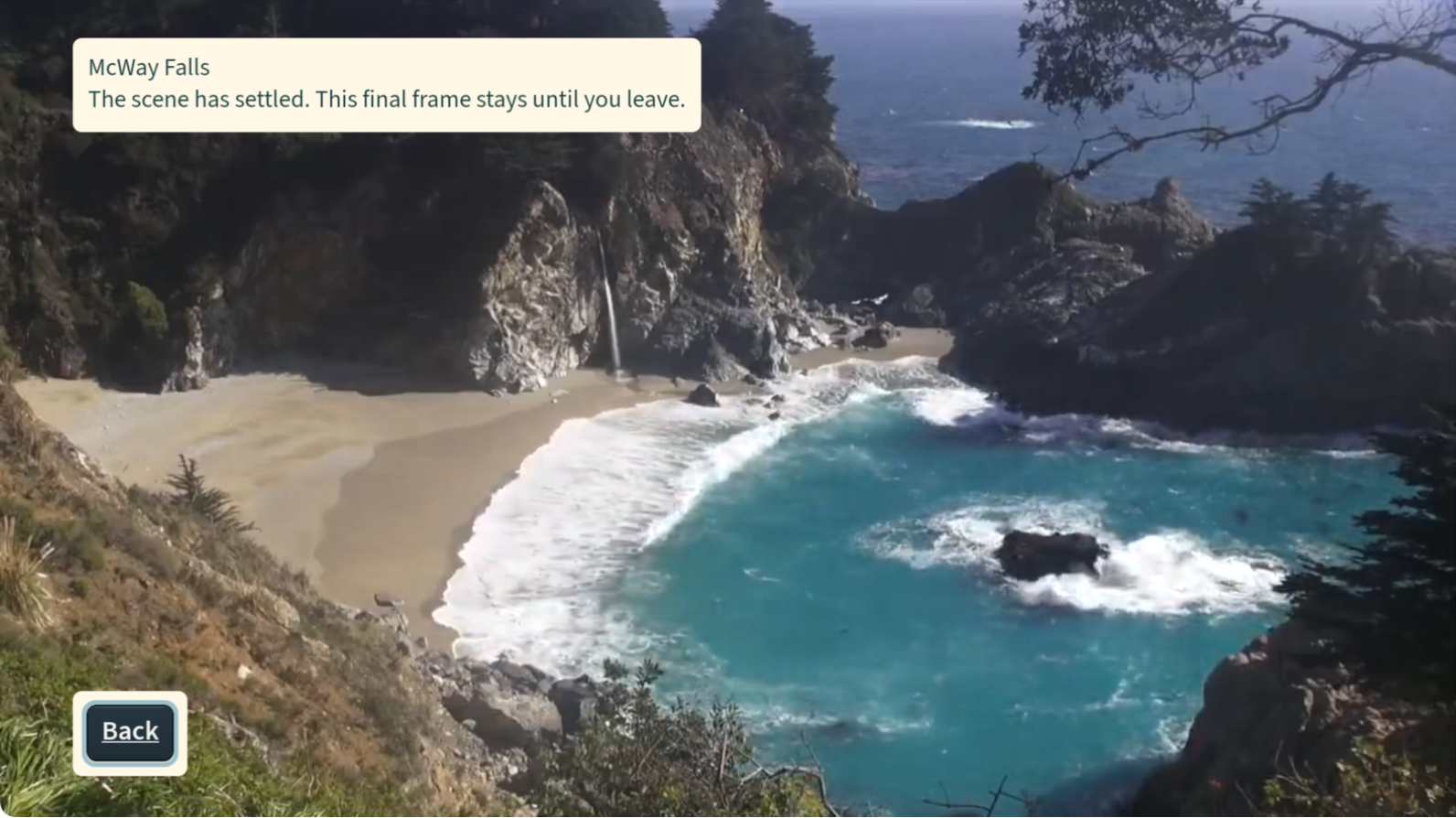
Corrected ending: the final picture stays until Back. No automatic repeat or return Home.
🌊 Calm Frames
A Fire TV viewing experience designed with people with photosensitive epilepsy in mind.
Calm Frames began with an accessibility question: how can we give people concerned about flashing imagery more control over what they watch?
The result is a native Fire TV prototype that combines prepared nature scenes with offline flash analysis, signed media-specific maps and protective playback controls. The calm interface is the experience; reducing exposure to flagged flashing content is the engineering purpose underneath it.
Calm Frames is not a medical device, has not been clinically validated and cannot guarantee seizure prevention.
💡 Inspiration
We built Calm Frames with people with photosensitive epilepsy and their caregivers in mind, rather than treating flash analysis as an invisible technical extra.
The goal is to identify potentially problematic flashing segments in prepared videos and use that information to control what appears during playback. This is not a filter for every app on the television: the protection applies only within Calm Frames and its prepared catalog.
We also learned that an analyzer result cannot tell us whether an experience feels comfortable. Early feedback showed that short clips changed and ended too quickly. We replaced that rushed viewing flow with sustained scenes, explicit playback choices and deliberate endings.
🎮 What it does
→ Browse Ocean and Forest using the TV remote.
→ Read a scene’s details before choosing Watch.
→ Watch McWay Falls as one continuous five-minute coastal view at natural speed.
→ Pause, resume or leave with Back.
→ Stay with the final picture after the scene ends, without an automatic loop or sudden return Home.
→ Manage household settings behind a PIN, with protection choices designed not to weaken the configured baseline.
Acadia, Sea otters and Forest are also available as silent still scenes, with moving previews offered separately. The coastal layout, Fraunces titles, Source Sans 3 controls and visible remote focus connect the screens without turning the app into a settings dashboard.
🛡️ How the protective system works
PREPARE → ANALYZE → VERIFY → PLAY
Videos are prepared before playback. The Python pipeline analyzes content and produces flash maps describing flagged intervals. Ed25519 signatures and file hashes bind that information to specific media artifacts, rather than trusting a filename or an arbitrary replacement file.
The native player checks the selected media route and signed map against its compiled catalog. Its cover scheduler is designed to hide flagged intervals, while a guarded seek path coordinates covering and movement through the video. Unresolved verification should keep the picture covered rather than silently allow playback.
These mechanisms are engineering safeguards, not proof that every hazard will be detected or covered in time on every device. Screen-level timing, detection limits and individual responses remain important limitations.
🛠️ How we built it
The app uses React Native, TypeScript and Amazon’s Vega W3C media APIs. Python, ffmpeg and PyAV support media analysis, preparation and verification.
Each prepared edition has explicit source and rendition identities, signed analysis maps and verification reports. Build checks connect approved catalog registrations to packaged bytes. The app can play its packaged catalog without distributing the private signing key.
Jest, pytest, type checking, linting and media checks support development. We keep automated results separate from native observations and human comfort review because they answer different questions.
🧩 Challenges we addressed
Sustained viewing: McWay uses a continuous licensed excerpt, not a montage, speed change or repeated loop.
Deliberate endings: the scene’s audio fades and its final image remains until the viewer chooses to leave; a native viewport-sizing issue was corrected to preserve that framing.
Trustworthy media identity: source footage, encoded renditions, flash maps and final stills have distinct roles, and verification must match the actual files used.
Honest evidence: passing source tests does not establish physical-screen timing, clinical effectiveness or comfort for an individual viewer.
✅ What the demonstration establishes
The published video shows the native app on the Vega Virtual Device, including sustained natural-speed playback and the final-frame experience. Repository evidence documents the corresponding build, media preparation and recorded checks.
The submitted demo is a 2:31 edited recording with about 78 seconds of uninterrupted playback and a labelled cut to the ending. Pause/resume is supported but is not demonstrated in that recording because the capture went black while paused.
Newer development branches are not automatically the version shown in the video. Evidence should always be read against its stated build and commit, rather than treating every screenshot or test count as interchangeable.
🔎 Important limitations
Calm Frames does not filter Prime Video, Netflix, live television or other apps, and it does not bypass DRM.
An analyzer finding of “no flagged scenes” is not a safety certificate. Detection can miss hazards, playback timing requires device-specific validation, and individual comfort cannot be inferred from automated measurements.
This is a prototype designed around an accessibility need, not a clinically validated intervention. We do not claim seizure prevention, complete hazard detection, physical Fire TV timing validation or full VoiceView acceptance.
🧰 Built with
📺 Vega OS and Amazon W3C media APIs
⚛️ React Native and TypeScript
🐍 Python and the project’s flashmap analyzer
🎞️ ffmpeg and PyAV
🔏 Ed25519 signatures and file hashes
🧪 Jest, pytest, TypeScript and ESLint
🎨 Fraunces and Source Sans 3
Codex/ChatGPT and Claude assisted development, debugging, editing and testing. The TV app does not call a generative-AI service at runtime.
🌱 What’s next
Physical-device validation, broader accessibility testing and feedback from intended users and caregivers are priorities. Further work should evaluate both the protective system and the actual viewing experience without asking people to expose themselves to hazardous footage.
Additional scenes require appropriate licensing and the same preparation, verification and edition-approval process. Experimental features remain separate from claims about the demonstrated build.
🎞️ Media credits
McWay Falls footage and final still: MoneySavingVideos, “♥♥ Relaxing 3 Hour Video of a Waterfall on an Ocean Beach at Sunset,” available through Wikimedia Commons under CC BY 3.0.
Changes include a five-minute excerpt, downsampling to 720p, H.264/AAC encoding, a three-second ending audio fade and an extracted final-frame still. Native screenshots are cropped to the app picture area. No endorsement is implied.
Other visible title imagery credits include NPS Video, Acadia National Park; NOAA Fisheries; and NPS: G Litten for Prairie Creek and Redwood. The repository’s media ledger and NOTICE preserve individual source credits and terms.
Built With
- amazon-fire-tv
- claude
- eslint
- ffmpeg
- jest
- node.js
- pyav
- pytest
- python
- react-native
- typescript
- vega-os
- vega-sdk


Log in or sign up for Devpost to join the conversation.