-
-

App logo
-
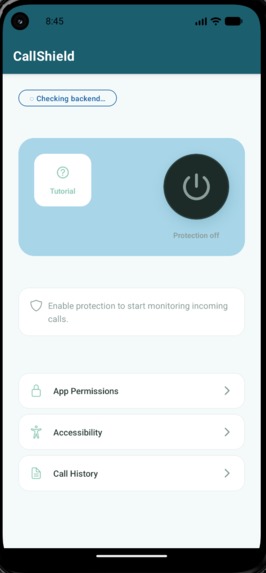
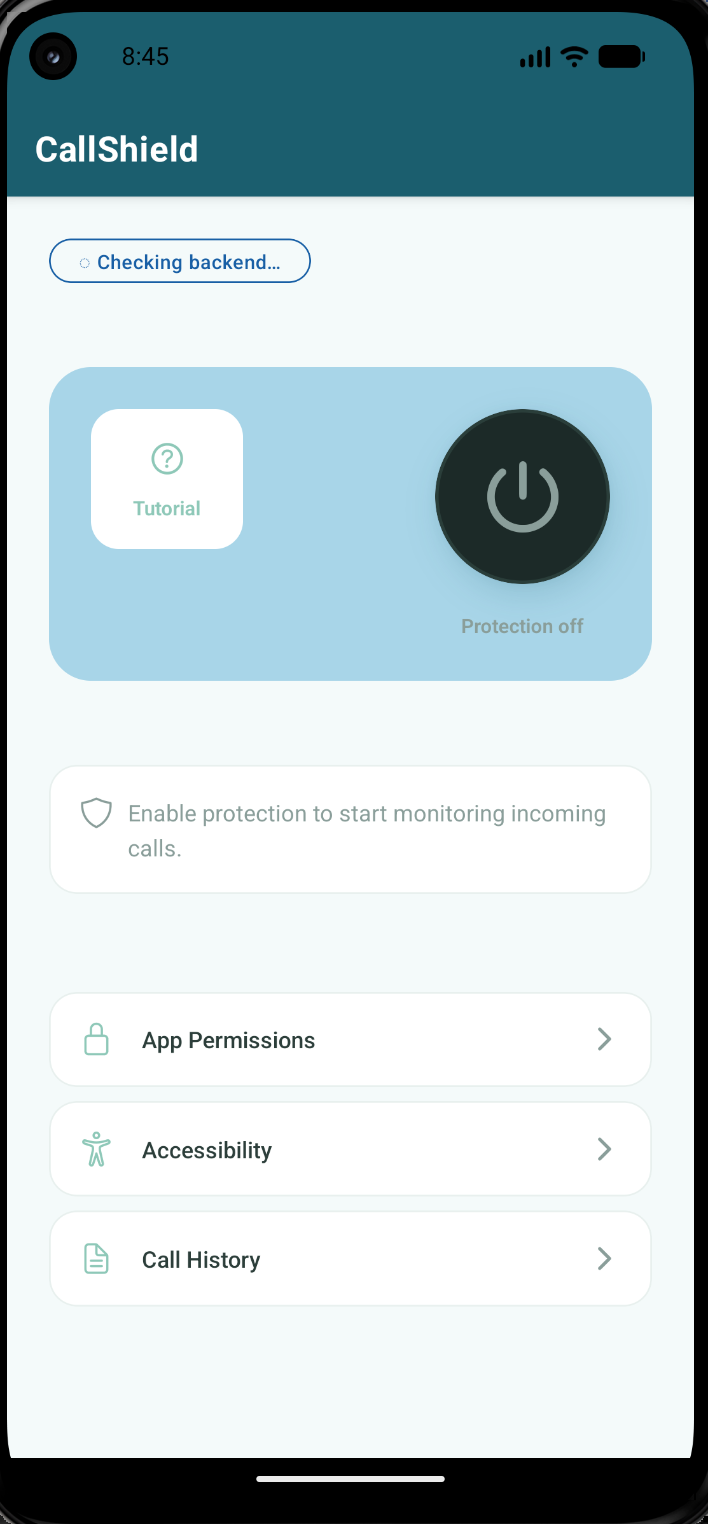
App Interface

Inspiration
CallShield was inspired by a real and growing crisis affecting vulnerable populations worldwide. In Ukraine, the ongoing war has caused a massive demographic shift: some young adults are leaving for the army, while others and their children flee the country, leaving behind parents and grandparents who are now primary targets of malicious call centers that have exploded in the region.
But this isn't just a Ukrainian issue. Robocalls, phishing scams, and fraudulent call centers are targeting elderly people everywhere. For one of our team members, this hit close to home. They're always alert for their grandmother, who answers every call without hesitation. That personal experience inspired CallShield.
Our mission: Protect vulnerable users from financial loss, identity theft, and emotional manipulation through intelligent real-time call analysis.
What It Does
CallShield is an Android mobile app that detects scam and robocalls in real time, before any damage is done.
Real-Time Scam Detection
- When a call comes in, CallShield automatically transcribes the audio using the Whisper API
- Analyzes the transcription for scam indicators (urgency, threats, requests for sensitive info)
- Displays a risk assessment badge: "SAFE" or "RISKY" with confidence score
- User can block, report, or answer the call with full context
Call History & Transcriptions
- All analyzed calls are stored locally with transcriptions
- Users can review past calls, upload audio files for analysis
- Searchable call log with risk scores and caller information
Permission Management
- Toggle Contact Access to identify callers from contacts
- Toggle Audio Transcription to enable call analysis
- Simple, accessible permission screens designed for elderly users
How We Built It
Team Roles:
- Frontend: React Native UI, accessibility design, permission screens
- Backend: FastAPI server, Whisper transcription API
- AI/ML: Trained machine learning tool scikit-learn in addition to Pandas to process datasets that analyze human and robot voices. Utilized Claude and Copilot for referencing code examples, debugging and locating correct dependencies for tools.
- Additional tools - VSCode, Android Studio, HuggingFace for datasets, Google Collab, documentation for APIs. Imported pickle module for the machine learning.
Challenges We Ran Into
SDK Version Conflicts - Expo Go SDK 54 vs. project SDK 55. Used EAS Build for custom builds.
Native Module Errors - ExpoLinking missing on Android. Switched to expo run:android.
Android Widget Implementation (Team's first experience with native widgets) - Challenge: Learn native Android development while maintaining React Native frontend.
Accomplishments That We're Proud Of
Designed for Vulnerable Users - Created intuitive interface specifically for elderly users without tech background
What We Learned
Accessibility-First Design - Importance of designing for elderly users from day one, testing with users who have different tech backgrounds, balancing features with simplicity. Technical Growth - Learned about dependency management, Android Studio, and became more comfortable with the command line.

Log in or sign up for Devpost to join the conversation.