Callback
AI interview coaching that watches how you actually perform — not just what you say.
Inspiration
Interview prep tools that only grade your words miss half the story. A candidate can give a textbook STAR answer while their pulse is spiking, their eyes are drifting off-camera, and their leg is bouncing under the desk — and never know it, because nobody's watching for it. The moments that actually sink interviews are usually physical: the pause that turns into rambling, the eye contact that breaks right as the question gets hard, the voice that trails off right when it should land the close.
We wanted to build the practice partner that does watch for that — something that combines what a candidate says with what their body is doing while they say it, and then remembers all of it, session after session, so the feedback gets sharper instead of resetting to zero every time.
What it does
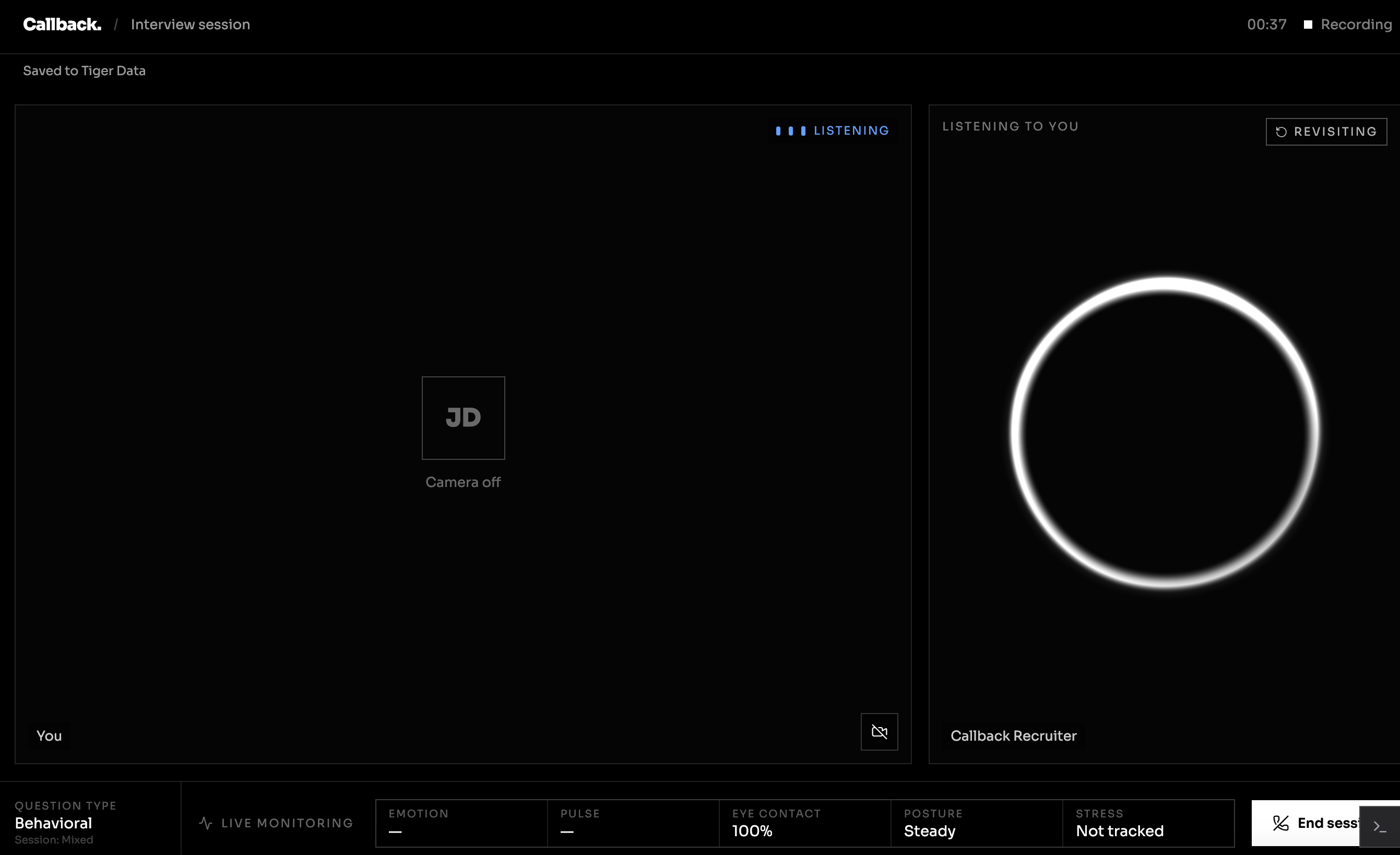
Callback is a desktop app that runs a live, voice-driven mock interview against a resume and a real job posting, while a webcam-based biometric pipeline reads pulse, breathing, heart-rate variability, stress (Baevsky index), fidgeting, and facial expression in the background — no wearables, just the camera you already have open.
After the session, two independent analysis passes run over what happened:
- A fast, deterministic static pass (no LLM, no API call) checks the transcript for STAR-method structure, quantified results, and filler-word frequency.
- A qualitative pass hands that same transcript to Gemini for a plain-language read on strengths, weaknesses, and an overall score.
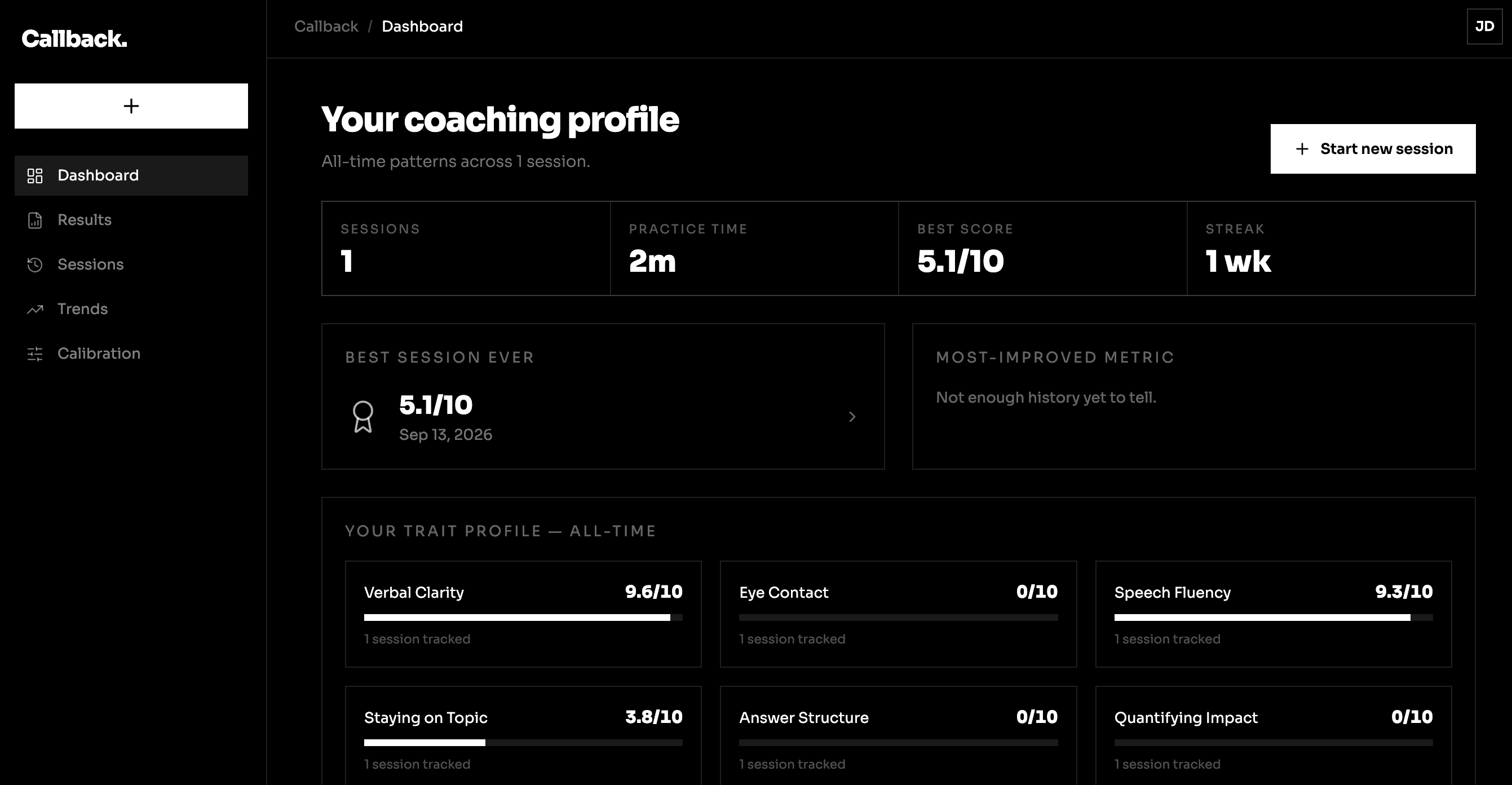
Both get merged with the biometric session data and stored against the user's account, so every session builds on the last one instead of starting over. The dashboard turns that memory into something concrete: a ranked list of the candidate's actual recurring weaknesses, each with a trend sparkline and a one-click "Practice this" button that pre-targets the next session at that specific weakness — and later shows whether targeting it actually moved the number. Goals, all-time stats, and long-range trend charts round out a view of progress that spans the whole history, not just the last session.
How we built it
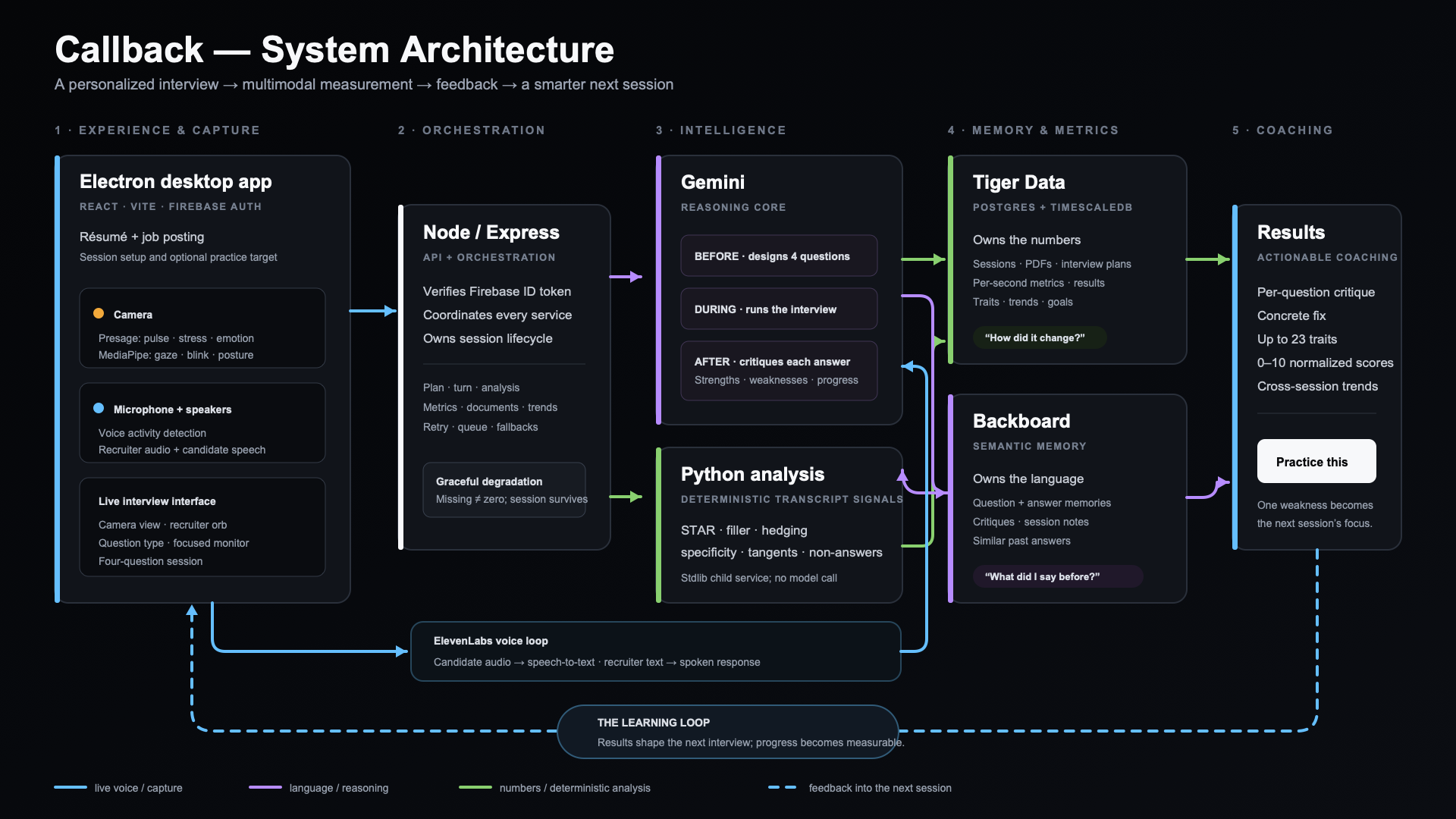
- Frontend: an Electron + React/TypeScript app. Live audio drives a conversation loop (speech-to-text → Gemini → text-to-speech) that plays the role of the interviewer in real time.
- Biometric sensing: the SmartSpectra/Presage SDK does on-device rPPG (remote photoplethysmography) over the webcam feed to estimate pulse, breathing rate and amplitude, and heart-rate variability, alongside facial-expression scoring; MediaPipe handles gaze and posture tracking in parallel.
- Speech analysis: a small, dependency-free Python service (stdlib
http.server+ regex, deliberately not an LLM) scores every answer for STAR-method coverage, quantified outcomes, and filler-word density — fast and free enough to run on every single answer. - Language analysis: Gemini takes that same transcript and produces a qualitative read — strengths, weaknesses, a summary, and a 0–100 score — as structured JSON.
- Backend & storage: a Node/Express API backed by Tiger Data (Postgres + TimescaleDB). Raw per-second biometric samples land in a hypertable; a continuous aggregate rolls them up into daily per-signal averages so the long-range trend charts can query months of history without re-scanning every sample. Every derived number — baseline deltas, session-over-session trends, strengths/weaknesses — is a real average or percentage computed from stored data, never a fabricated or hardcoded score.
- Auth: Firebase.
Challenges we ran into
- Biometric sensing is fragile. The on-device HRV model failed to load in our environment, which silently wedged the entire native SDK into repeated "invalid state" errors the moment HRV was requested. The fix was to scope down to the metrics that did load reliably (pulse, breathing, face) rather than let one flaky signal take down the whole live panel.
- Honesty over polish. It would have been easy to fill empty dashboard states with plausible-looking mock numbers. We made the opposite call throughout: a signal with no recorded samples simply doesn't render, rather than being zero-filled or invented. That constraint made the analytics layer harder to write but made every number on screen trustworthy.
- A subtle serialization bug. Storing structured AI output (arrays of strengths/weaknesses) into Postgres
jsonbcolumns silently corrupted the data — our database driver was encoding JS arrays as Postgres array literals instead of JSON by default. Small fix, but it took real digging to catch because the failure only showed up as a crypticinvalid input syntax for type json. - Free-tier limits, mid-demo. Gemini's free-tier quota meant real 429 errors during testing, which pushed us to design for graceful degradation: the static (non-AI) analysis always survives even when the AI pass fails, and the UI shows a clean human-readable message instead of a raw error blob.
- Proving the memory loop matters. "It remembers you across sessions" is easy to claim and hard to show. We built a real before/after comparison — average value in sessions before a weakness was targeted vs. after — specifically so that claim has a number behind it instead of just a backend table.
Accomplishments that we're proud of
- A working dual-signal pipeline that scores what you said and how your body was doing while you said it, from a single webcam and no extra hardware.
- A dashboard where the headline feature — the ranked weakness list with "Practice this" — turns a backend memory feature into something a judge can click and watch loop back into the next session.
- A continuous-aggregate-backed analytics layer that can show months of trend history efficiently, not just the last handful of sessions.
- A strict "never fabricate a number" discipline that held across the whole stack, from the Python scorer to the dashboard's empty states.
What we learned
- Consumer-grade rPPG (webcam-based vital sign estimation) is genuinely capable, but its failure modes are opaque — a lot of effort went into making the app degrade gracefully instead of trusting the SDK blindly.
- TimescaleDB continuous aggregates are the right tool the moment "how has this changed over months" becomes a real product question instead of a nice-to-have chart.
- Getting an LLM to reliably return clean, structured JSON under real-world failure conditions (rate limits, partial outputs) takes as much design effort as the prompt itself.
- The most convincing proof of a "personalization" or "memory" feature isn't a claim in the pitch — it's a chart the user can point to and say "this changed because the app noticed."
What's next for Callback
- A dedicated Focus Mode for day-to-day practice reps (not just formal mock interviews), using the same biometric and memory pipeline for a productivity/consistency angle.
- Deeper job-posting-aware coaching, tying Backboard-style document retrieval more tightly into the questions the AI interviewer chooses to ask.
- Expanding the goal-tracking system with smarter, auto-suggested targets based on what's actually trending worst for that user.

Log in or sign up for Devpost to join the conversation.