-
-
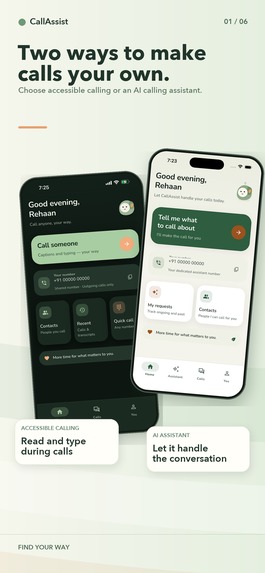
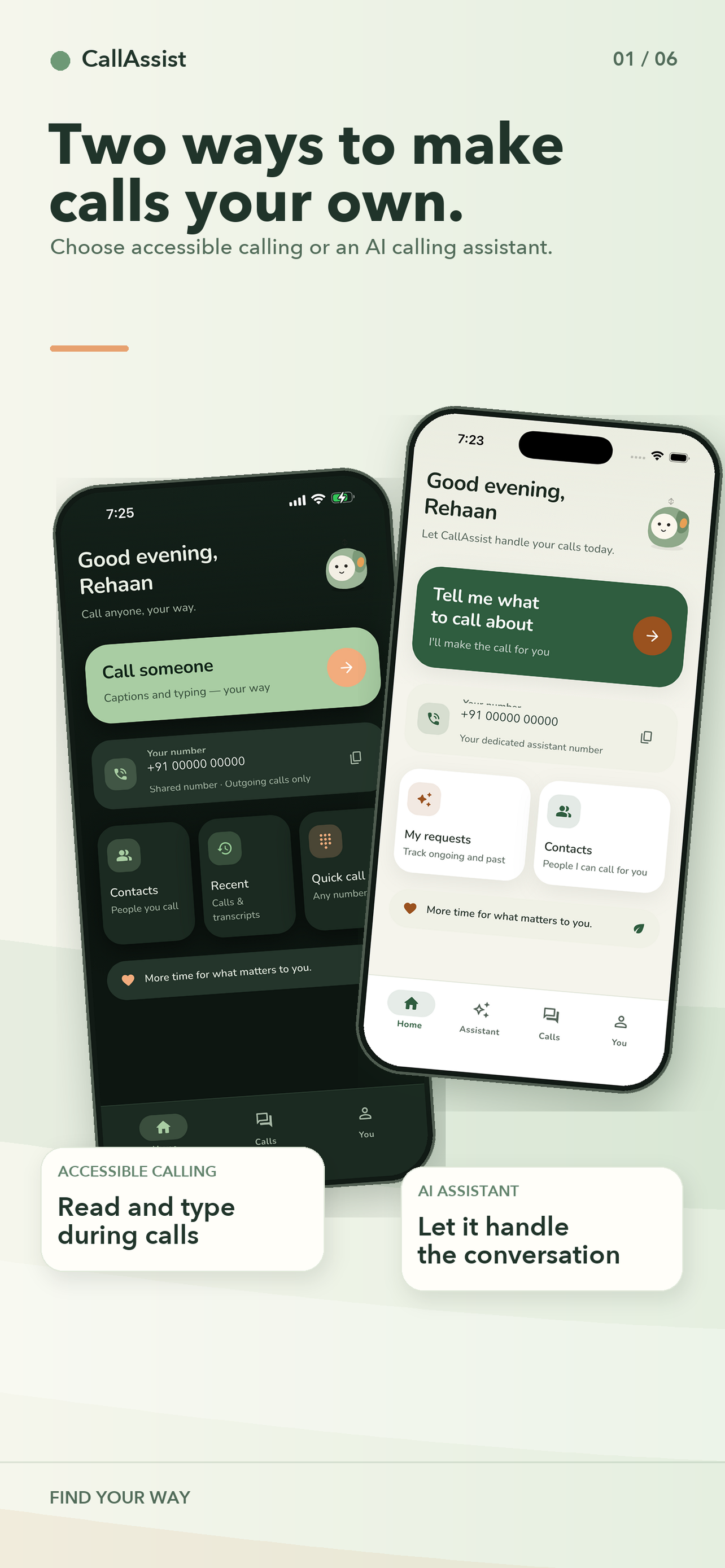
Two ways to make calls your own: accessible calling or an AI calling assistant
-
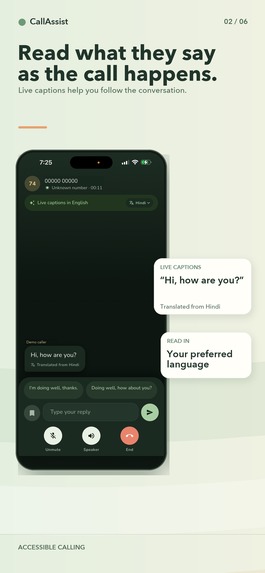
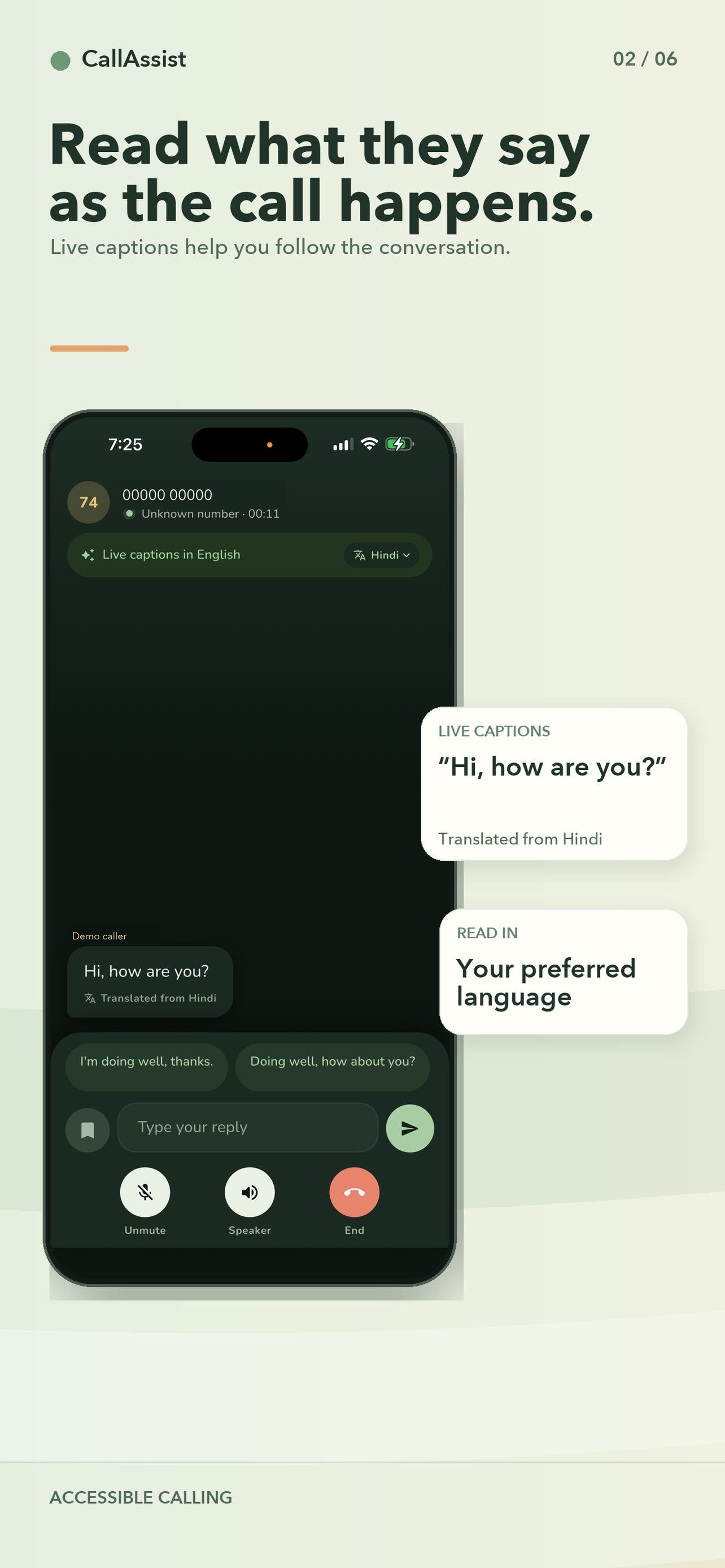
Read what they say as the call happens: live captions
-
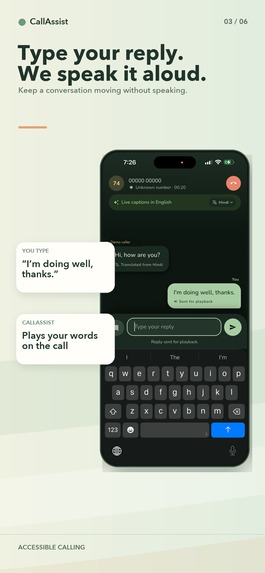
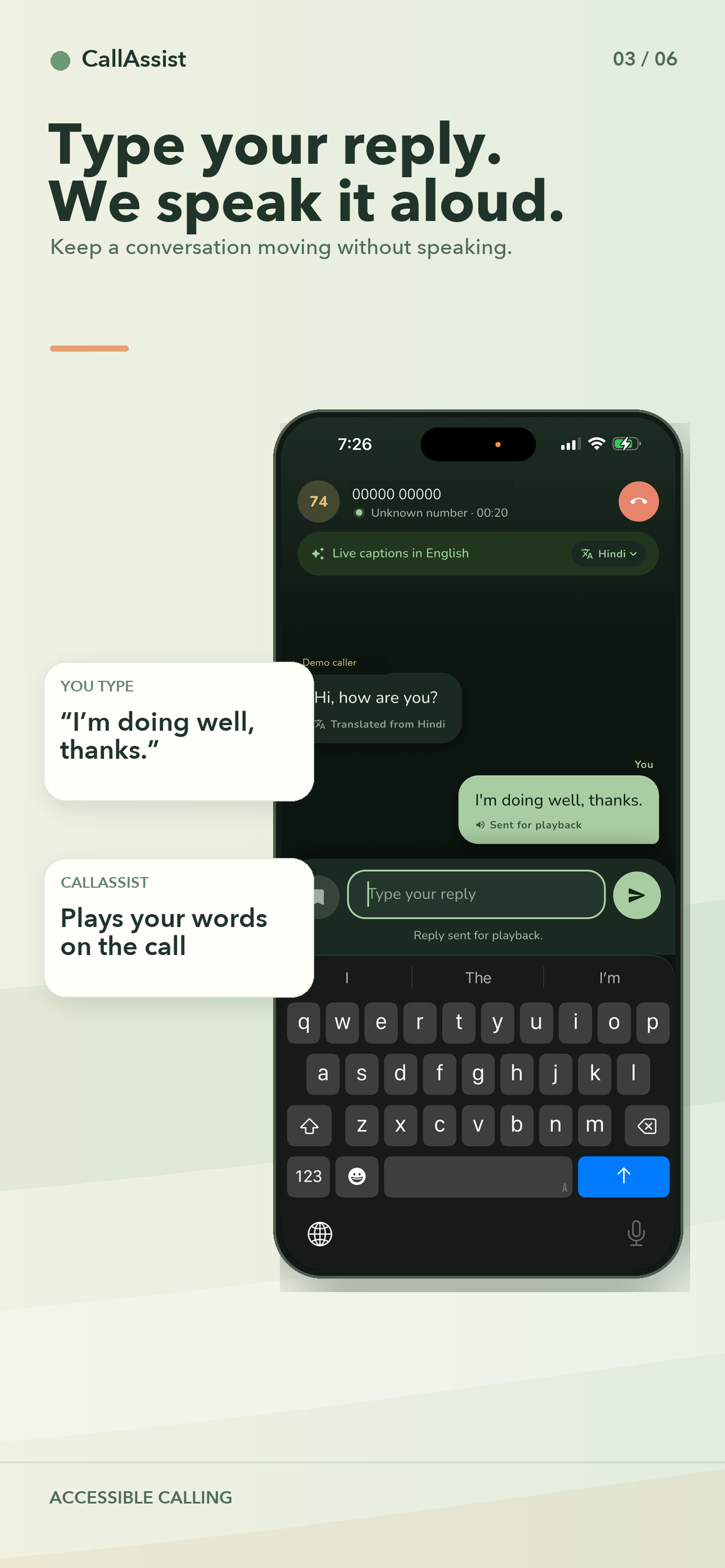
Type your reply. We speak it aloud.
-
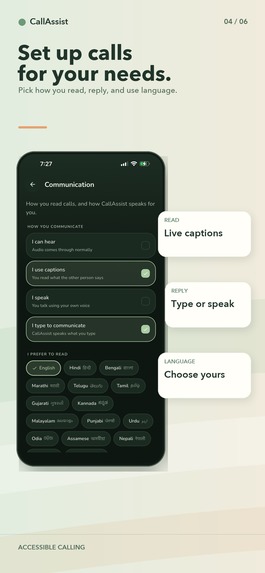
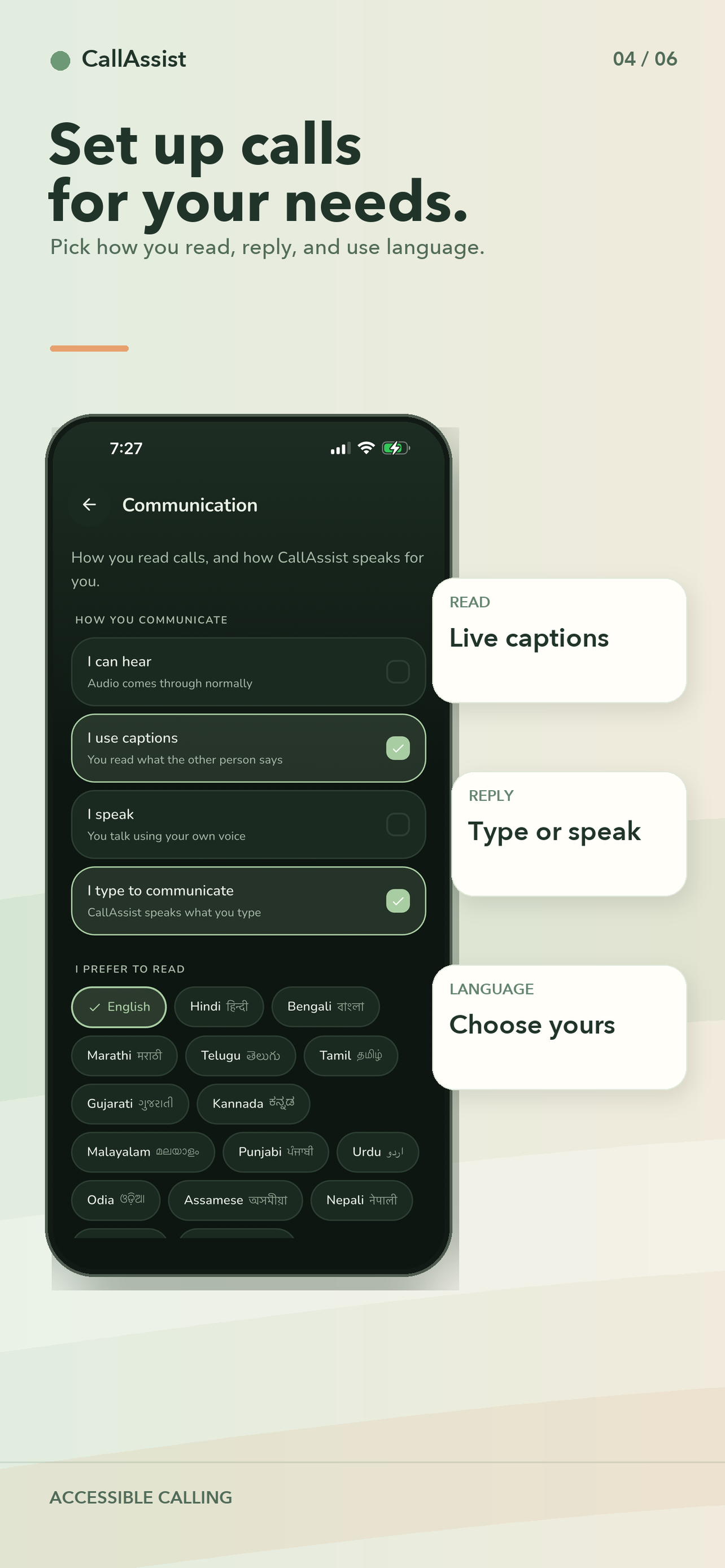
Set up calls for your needs: how you read, reply and use language
-
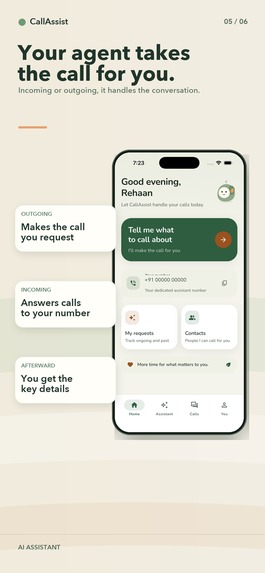
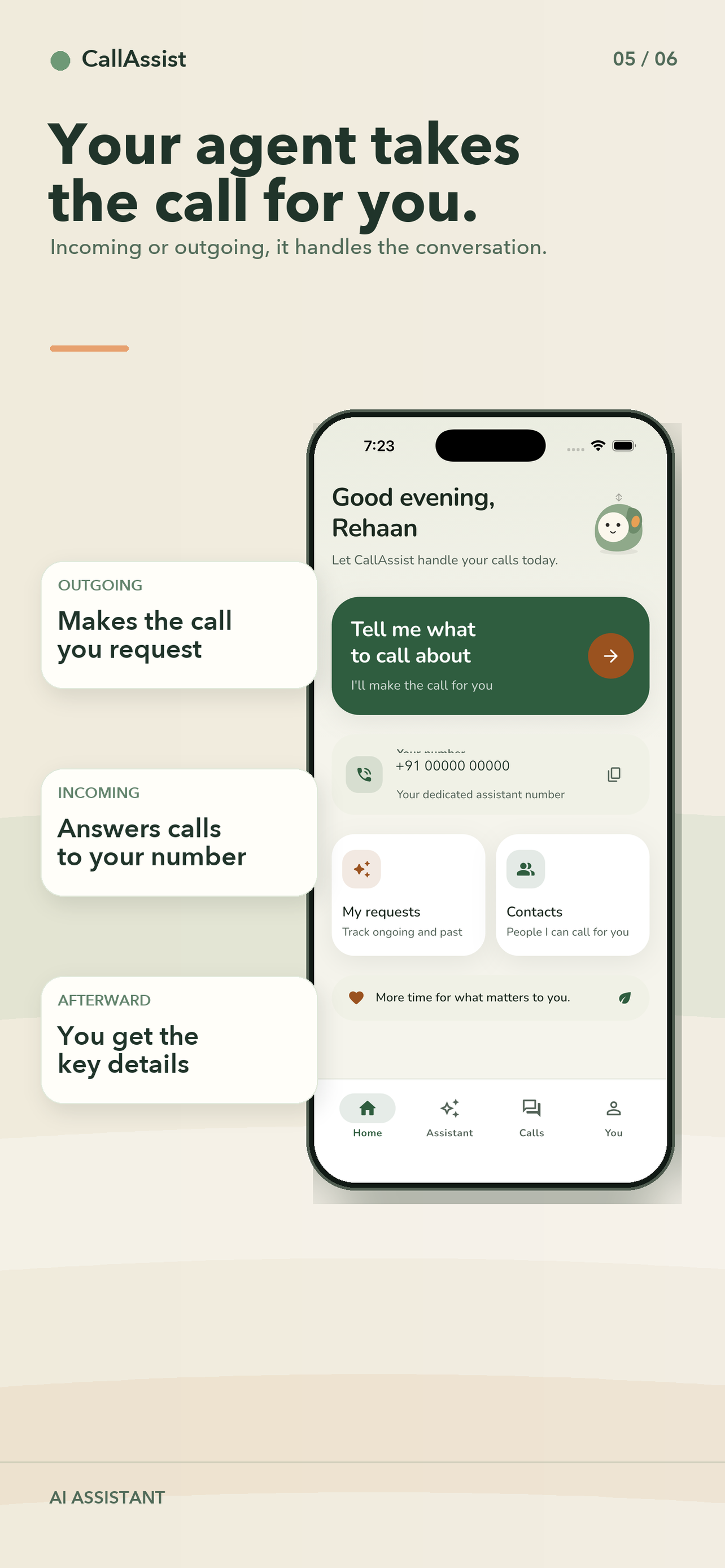
Your agent takes the call for you
-
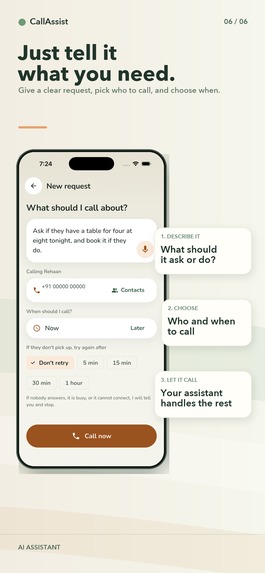
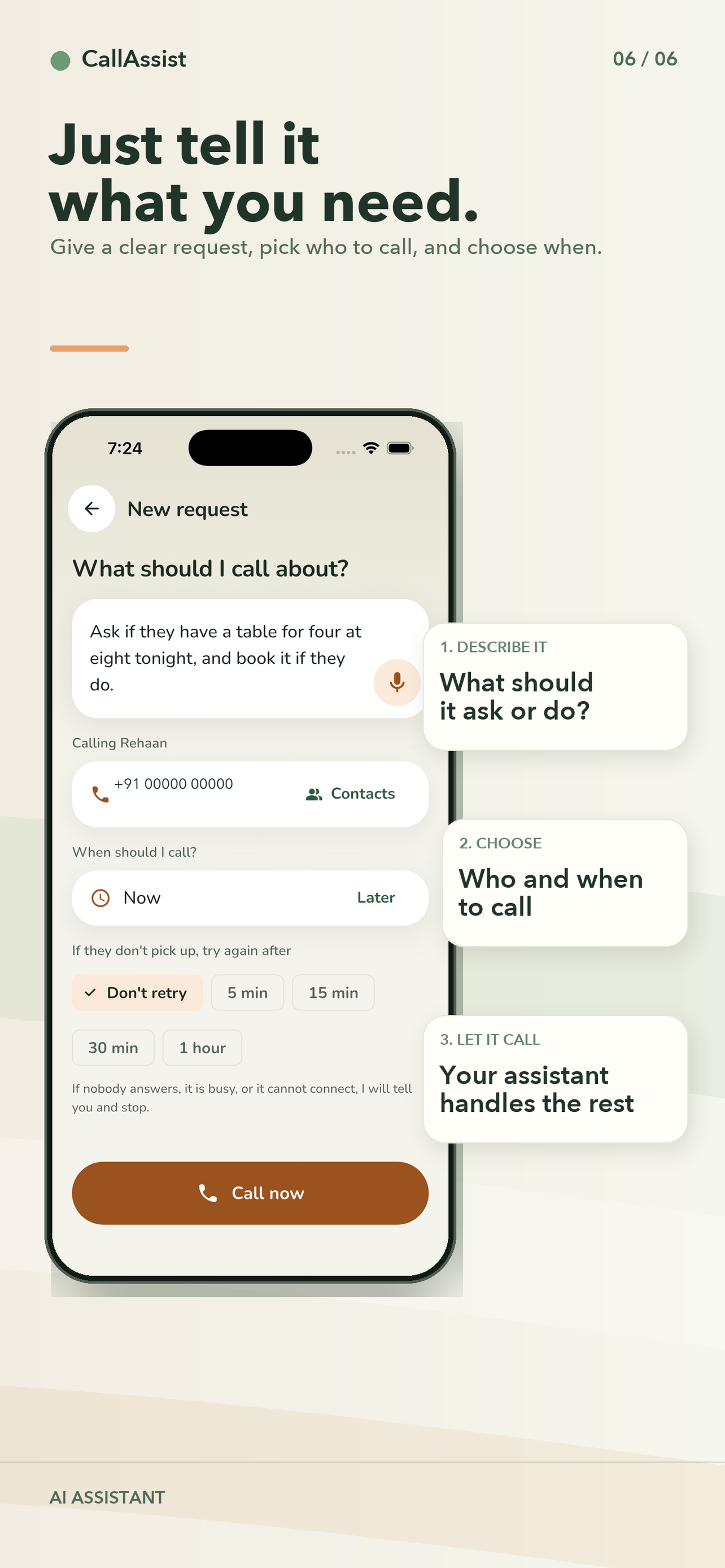
Just tell it what to call about
-
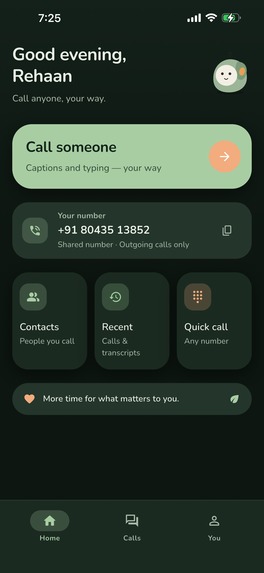
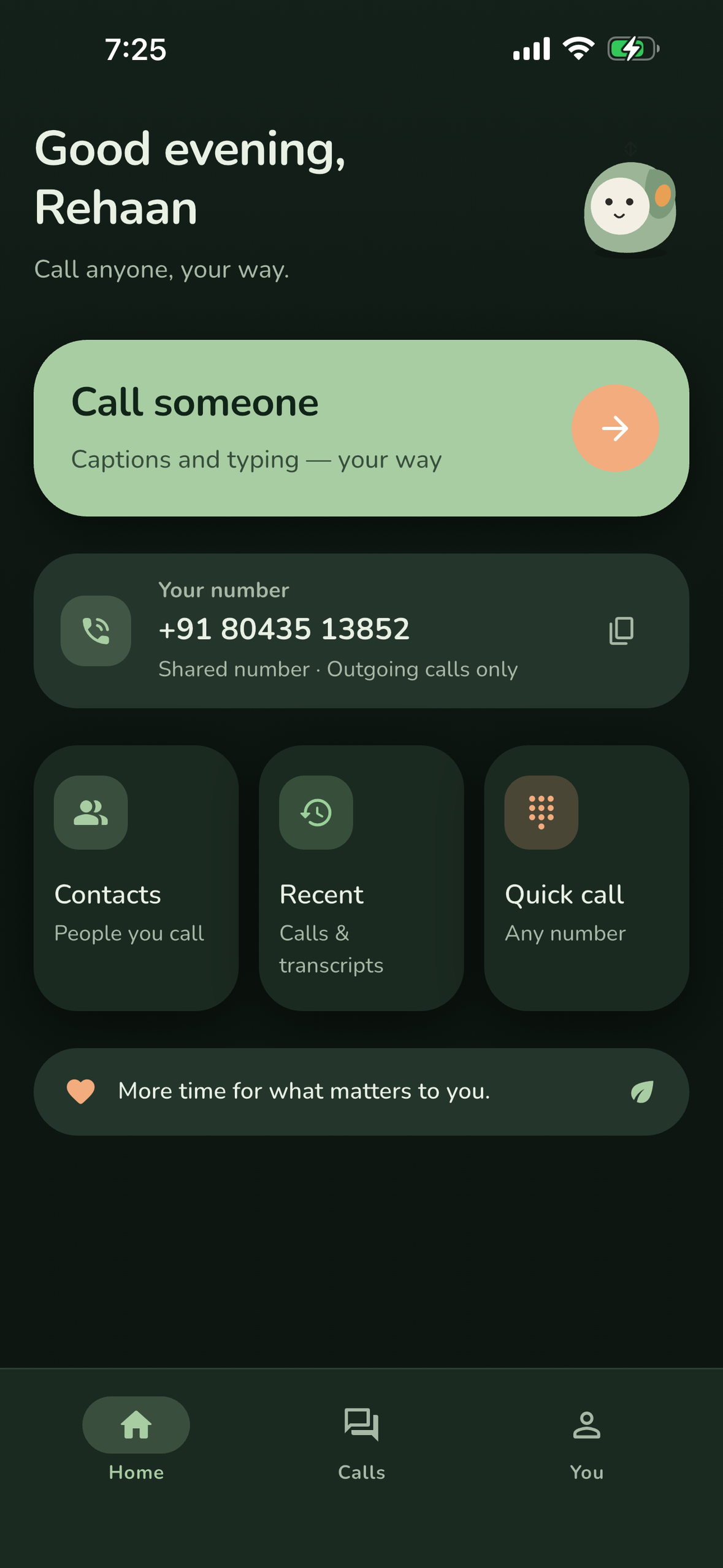
Home for an Access account: call someone, quick call, saved phrases (1179 x 2556, no device frame)
-
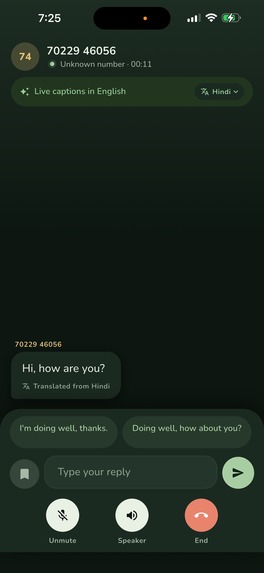
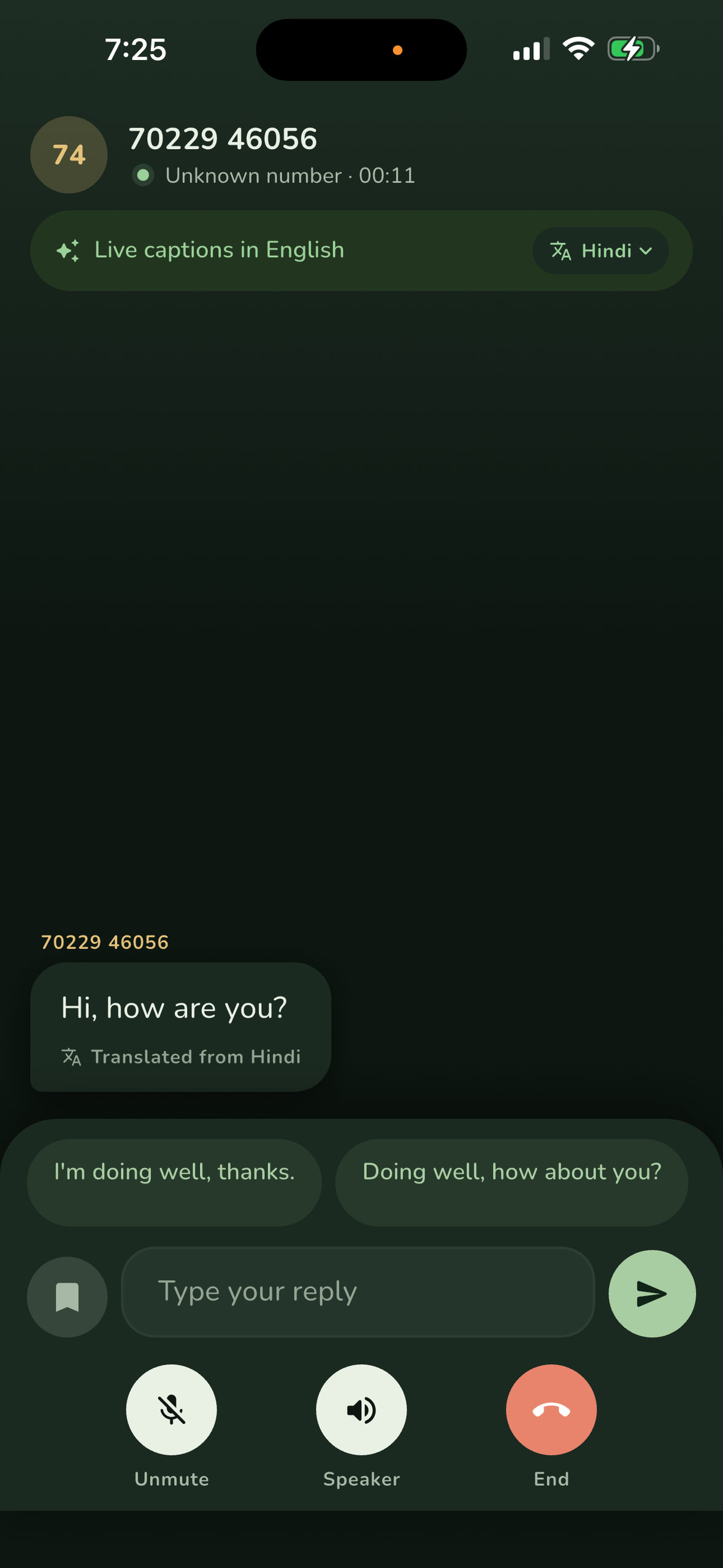
Live captions, translated from Hindi, with suggested replies (1179 x 2556, no device frame)
-
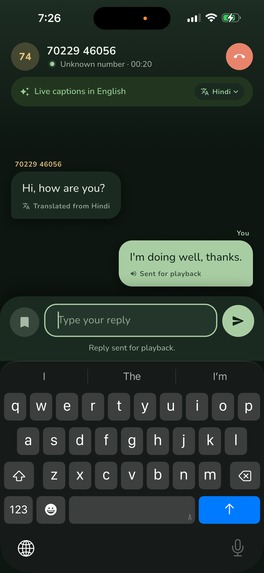
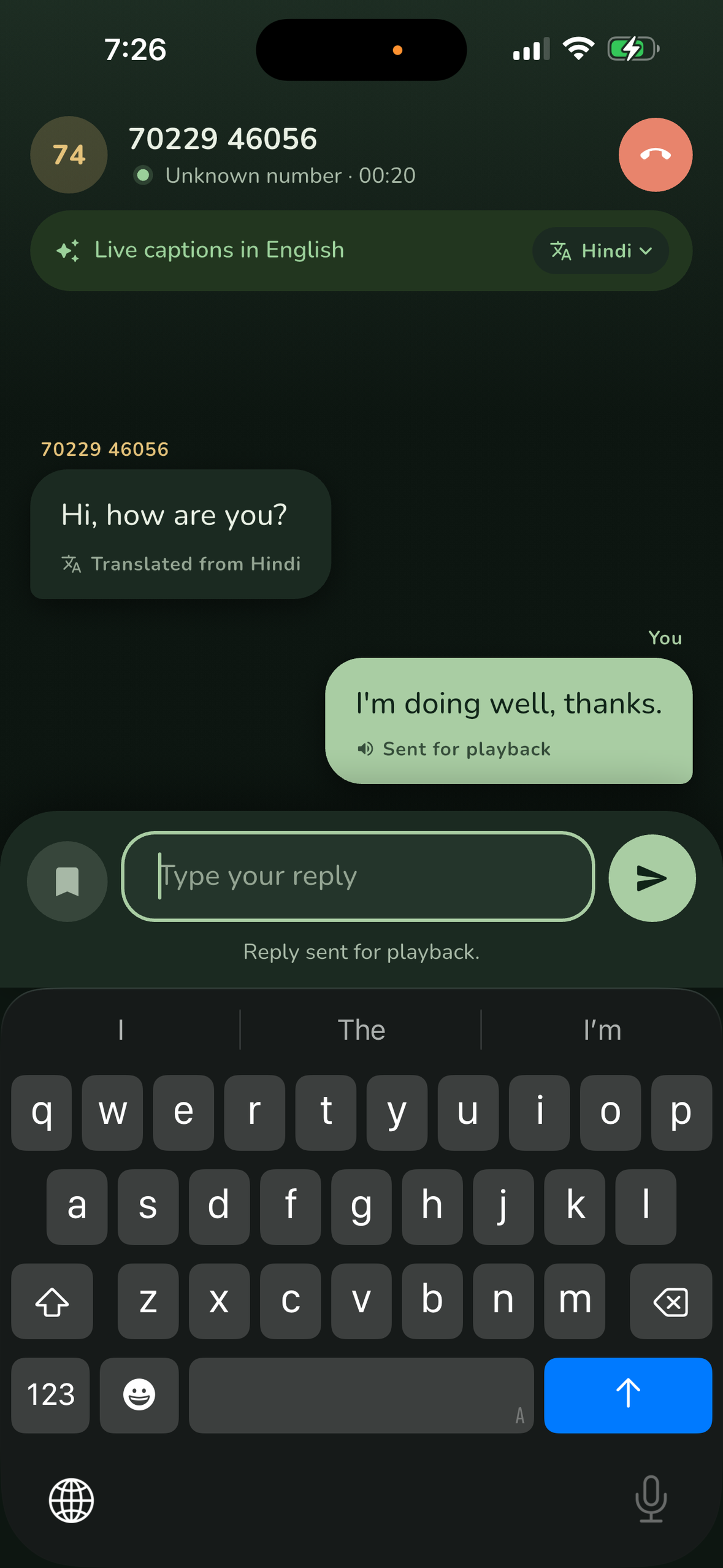
Type a reply and CallAssist speaks it into the call (1179 x 2556, no device frame)
-
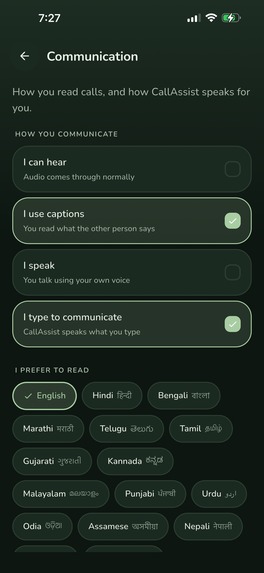
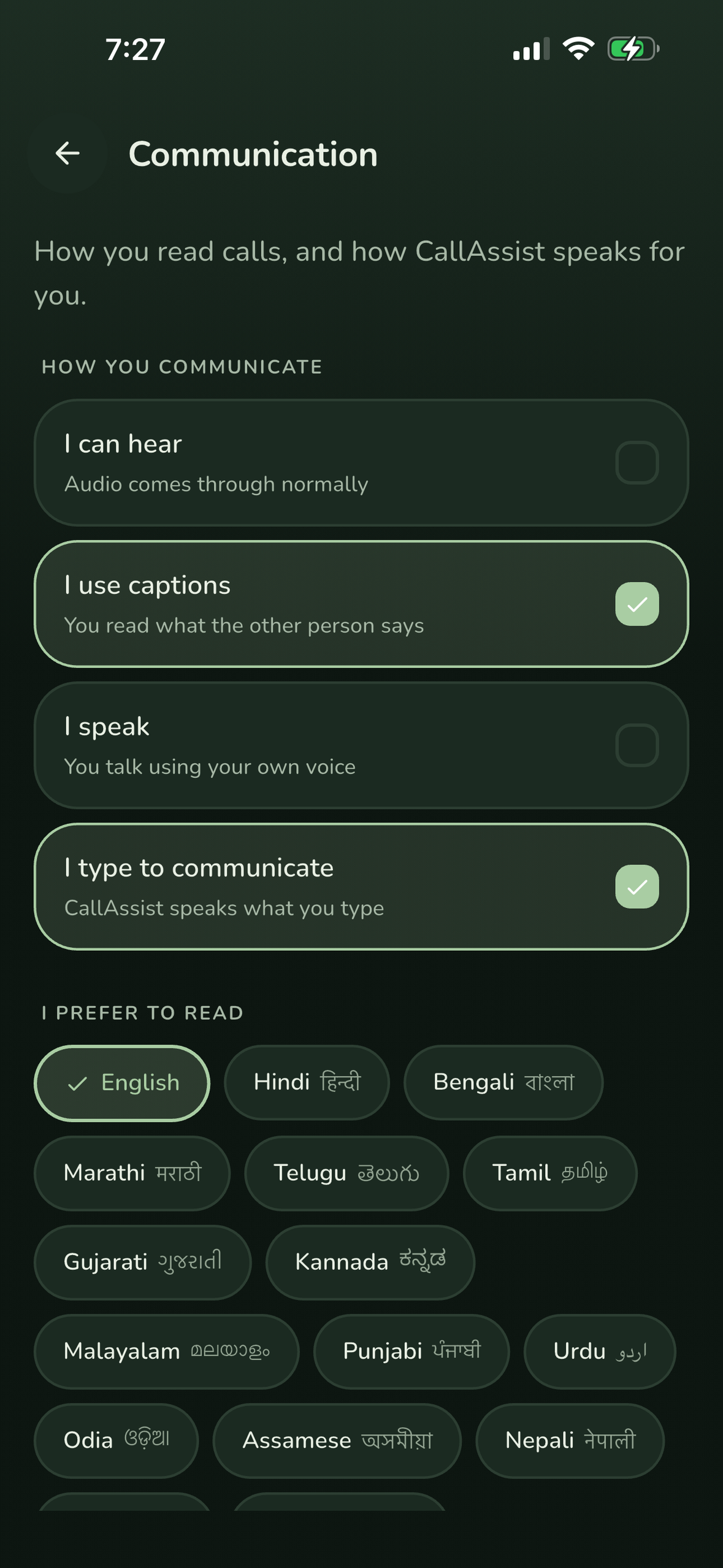
Communication profile: how you hear, speak and read (1179 x 2556, no device frame)
-
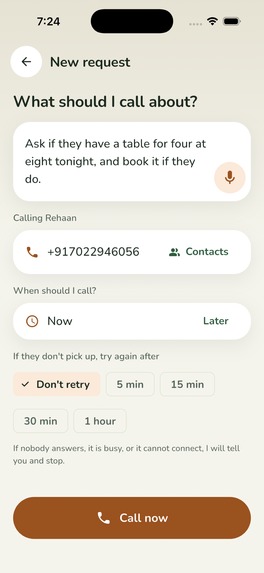
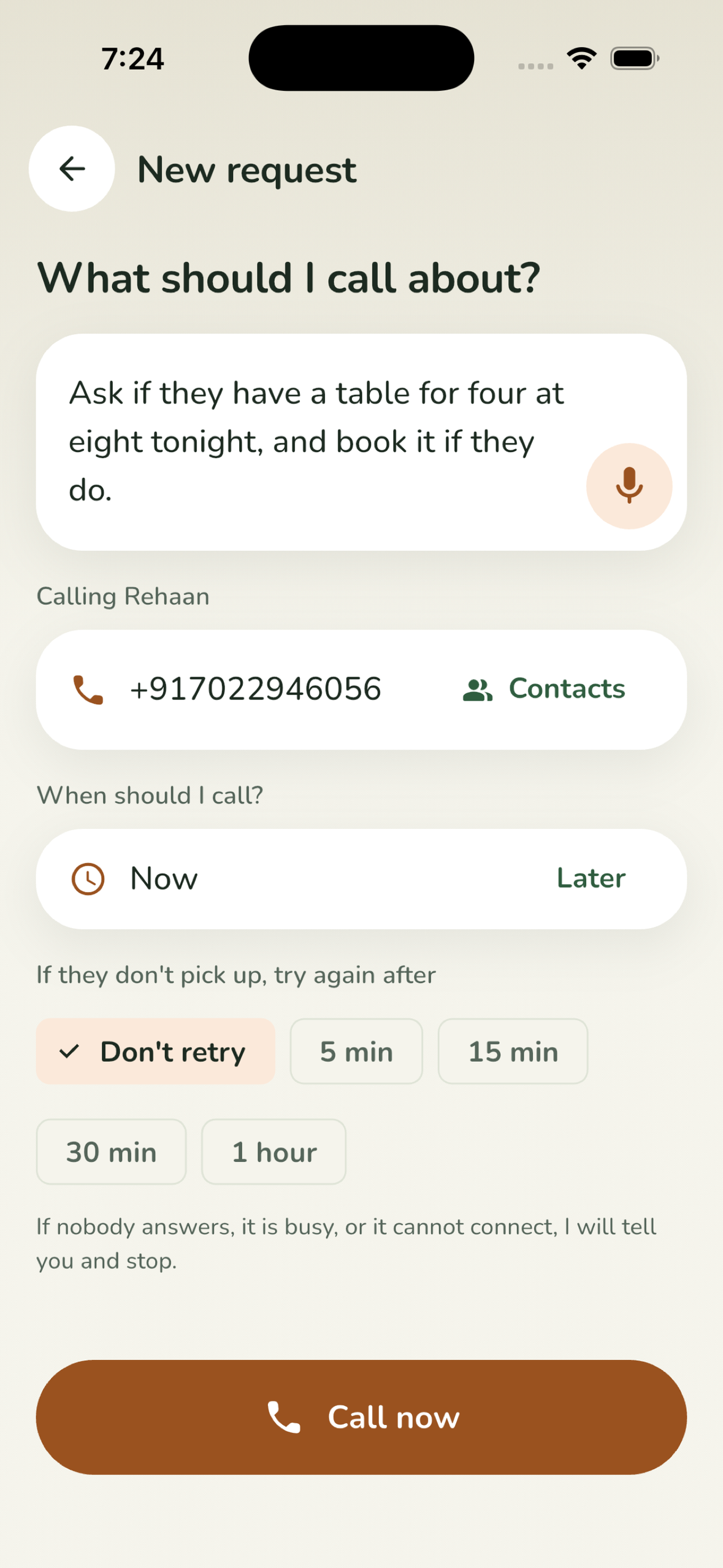
Calling assistant: tell it what to call about (1179 x 2556, no device frame)
-
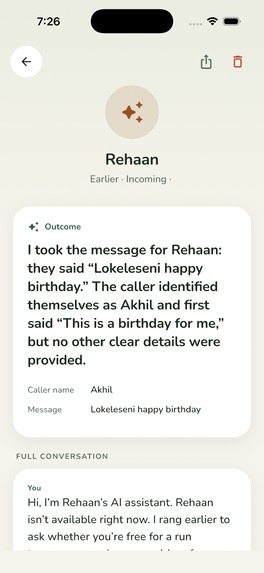
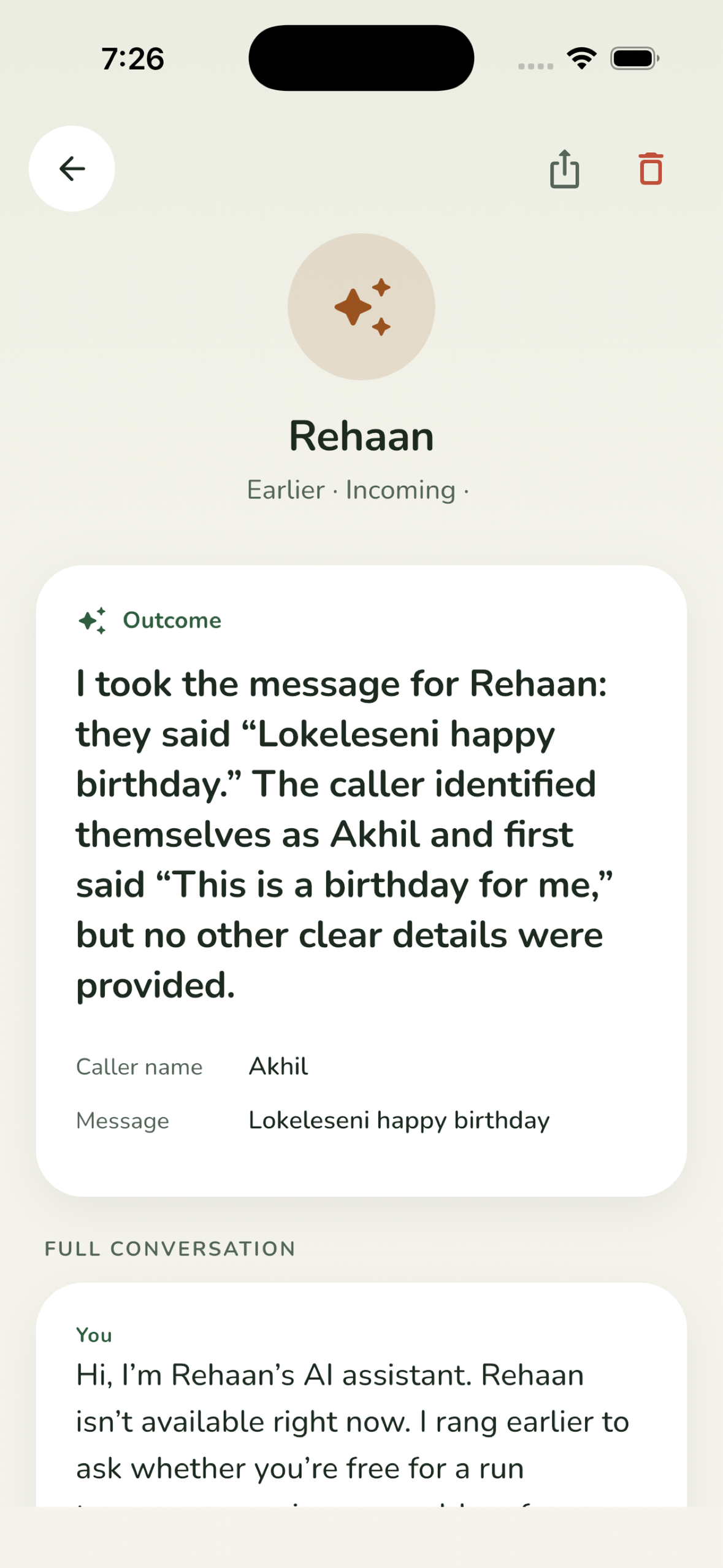
After the call: what happened, key facts, next steps (1179 x 2556, no device frame)
-
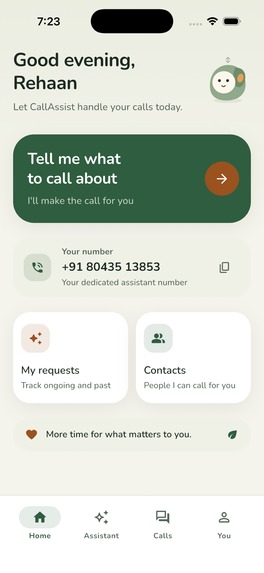
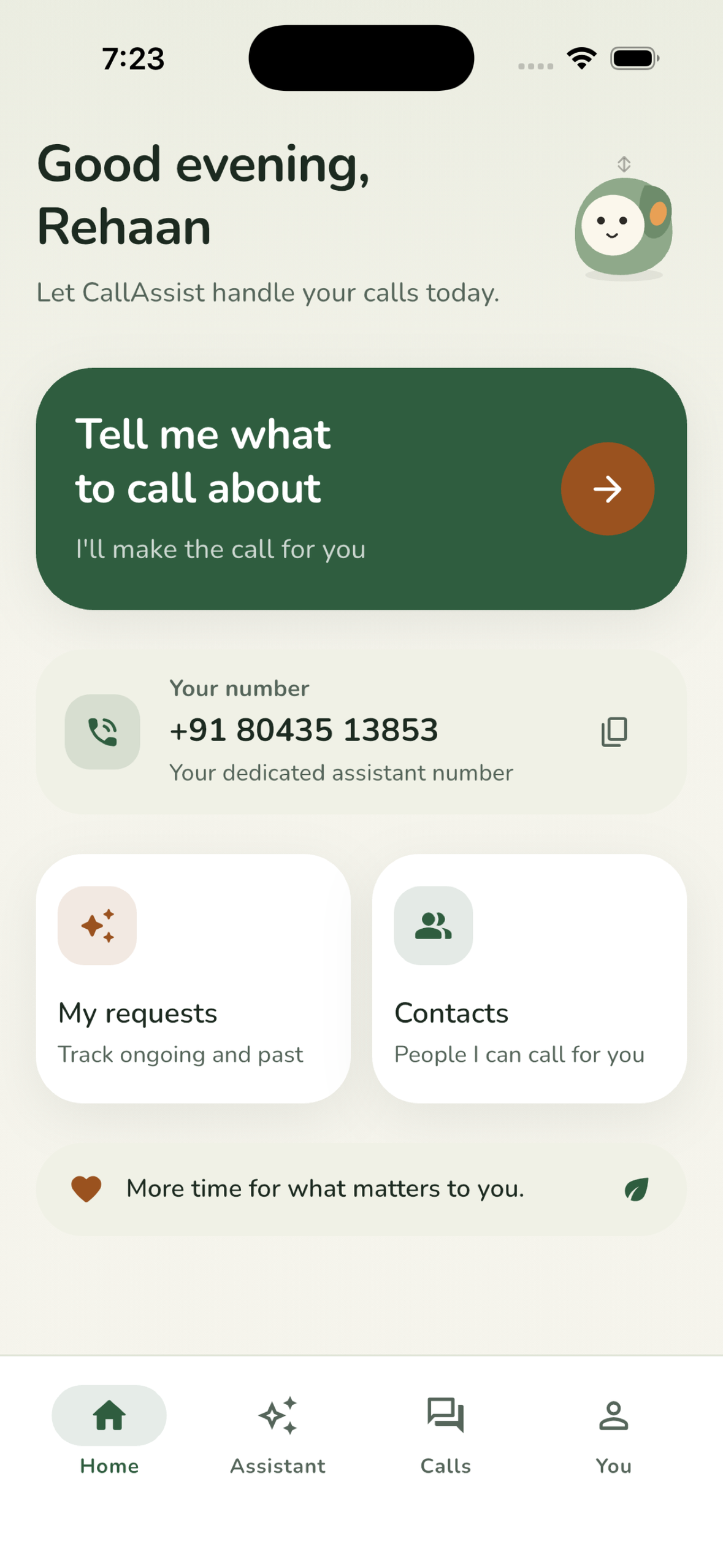
Home for an Assistant account (1179 x 2556, no device frame)
-
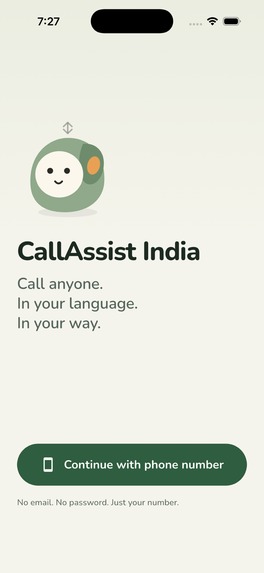
Welcome (1179 x 2556, no device frame)
-

App icon, 1024 x 1024

Inspiration
A phone call is still the front door to most of everyday life in India. Booking a doctor, telling a delivery rider which gate you are at, asking a shop whether they have something in stock, chasing a landlord about a leak. If you are deaf, hard of hearing or non-speaking, that door is shut, and the workaround is asking someone else to make the call for you. Every time.
We wanted the call itself to be accessible, without the person on the other end needing anything special. They pick up an ordinary phone call. On your side, you read and you type.
The second idea came from the same place. A lot of people who "can" hear and speak still dread making calls: anxiety, a language they do not speak well, a job that means they cannot step out to ring the clinic. So CallAssist India also has a calling assistant that makes the call for you, and that paid assistant is what keeps accessible calling free.
What it does
Accessible calling, free - Call any Indian number from the app. What the other person says arrives as live captions. You type a reply and CallAssist speaks it into the call in a natural voice. Captions can be translated into the language you read, so a rider speaking Hindi shows up as English on your screen while your typed English is spoken to them in Hindi. Suggested replies fit what was just said, saved phrases cover the things you say often, there is a mode for people who can speak but not hear, and text scales to 160% across the whole app.
Calling assistant, paid - Tell it what to call about, by typing or speaking. It gets its own dedicated number, rings the other party, says up front that it is an AI assistant, switches to whatever language the person answers in, and handles the conversation. Afterwards you read what happened, the key facts, and what to do next. It can book a call for later, retry if nobody answers, and wait on hold. Calls to your assistant number are answered too, and a message is taken.
Your data- You confirm the recipient and the request before any call starts, choose how long transcripts are kept, and can export or delete your account from inside the app.
How we built it
App: Flutter, one codebase for iOS and Android. Firebase phone auth, Firestore, Crashlytics.
Calls:real SIP calls. The phone registers over secure WebSockets (sip_ua + flutter_webrtc) through a Cloudflare Tunnel to an Asterisk PBX with Indian trunks. To the other party it is a normal phone call from a normal number.
Captions, voice and translation: a Python worker on the PBX taps each call's audio. Speech is transcribed with OpenAI transcription models, translated when the caller's language differs from the reader's, and typed replies are spoken back with text-to-speech in a voice the user picks during onboarding.
The assistant: the same worker drives an OpenAI Realtime session on a dedicated line. It opens in English, follows the language of whoever answers, remembers the last few calls per number, and writes a summary, facts and next steps back to the user's account. A call that gets an answer is never dropped without a goodbye.
Accounts and numbers: an account API on Google Cloud Run assigns dedicated numbers only once a verified payment exists, and hands sandbox purchases a number on a two-hour lease so reviewers can test the paid path.
Monetization: RevenueCat. purchases_flutter and RevenueCat Paywalls for the monthly and annual assistant subscriptions; entitlements decide whether a number is provisioned. Access accounts never see a paywall at all.
Challenges we ran into
- Audio that never reached the far end. Typed replies were being spoken but not heard. Tracking that down meant observing the far end of the call from the PBX and discovering a tap that silently died at zero frames. We now re-tap and use a speech-only path.
- Getting the assistant to behave like a considerate caller.** Early versions hung up the instant the other person finished speaking, changed voice mid-call, or heard quiet callers as a different language. Fixes were noise reduction, a goodbye-before-hangup rule, a stable voice, and telling the model to say "I didn't catch that" instead of guessing.
- Translation you can trust. Captions are translation only; the original words never reach the phone, and a failed translation falls back to what was said.
- App Review Four rounds. A private API buried inside flutter_webrtc (we vendored the plugin and removed the call), CallKit rules for China, a background mode we did not yet use, and a demo account with a genuinely expired subscription so reviewers could see the paywall.
- Numbers are finite. Indian DIDs have to be provisioned by hand, so we built lending and inventory logic rather than promising numbers we did not have.
Accomplishments that we're proud of
- A deaf user can make a real phone call, to a real number, and the person on the other end never knows anything was different.
- Live translation works on the accessible path, not just the assistant, so a visitor who does not share a language with a driver or a hospital desk is a user too.
- The free tier is a real account type, not a trial. Access users never see an upsell, and a test asserts it.
- Shipped on the App Store in time for the deadline.
What we learned
Most of the hard problems were in the seconds around speech: when to start talking, when to stop, what to do with silence, and how to show a partial translation without misleading someone. And that for the people this is built for, "emergency" usually means reaching a person, not a service. That changed what we built.
What's next for CallAssist India
Ring-the-handset incoming calls on the assistant number, push notifications when a delegated call finishes, the Android release, more dedicated numbers, and working with disability organisations in India to get the app into the hands of the people it was made for.

Log in or sign up for Devpost to join the conversation.