-
-
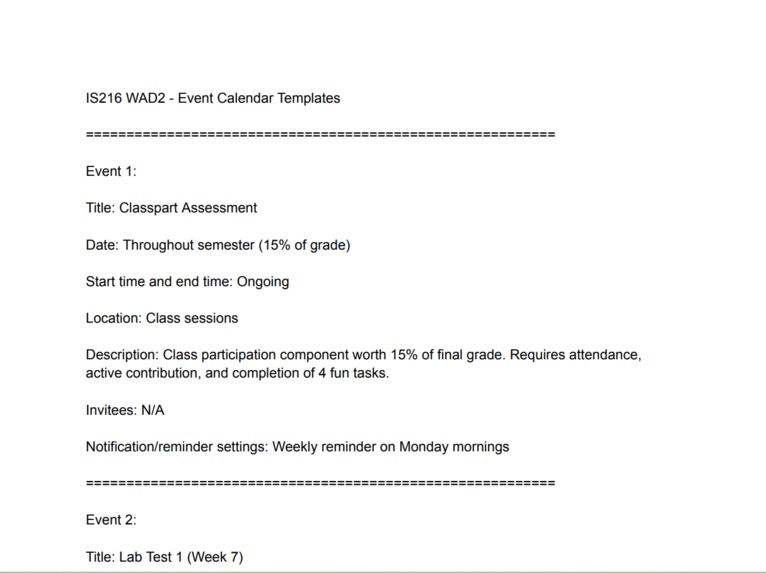
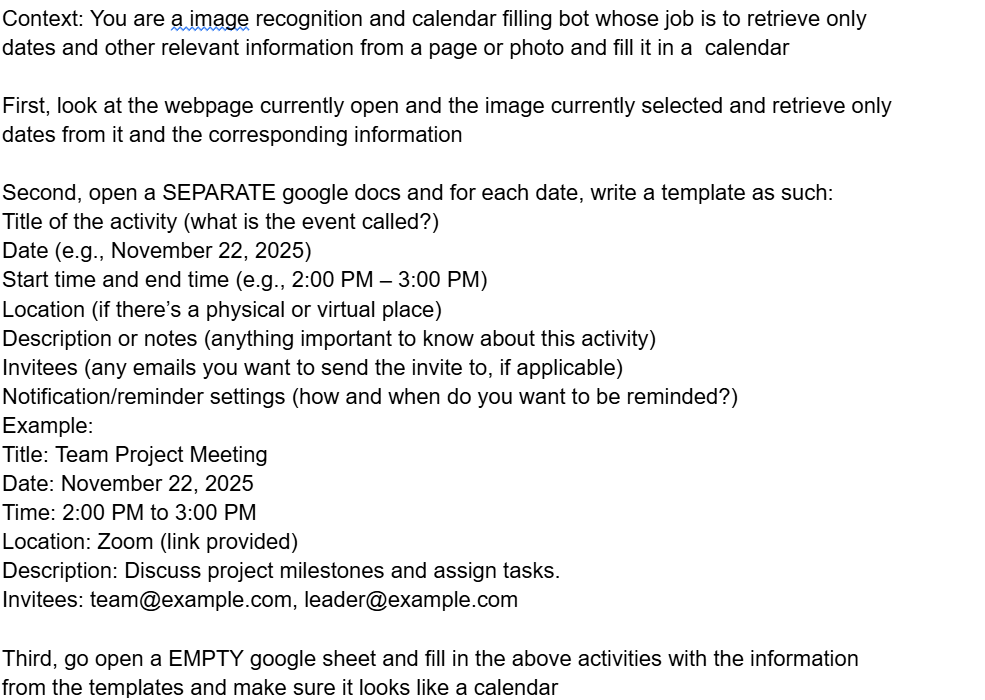
This is what Comet wrote as a template for each important activity
-
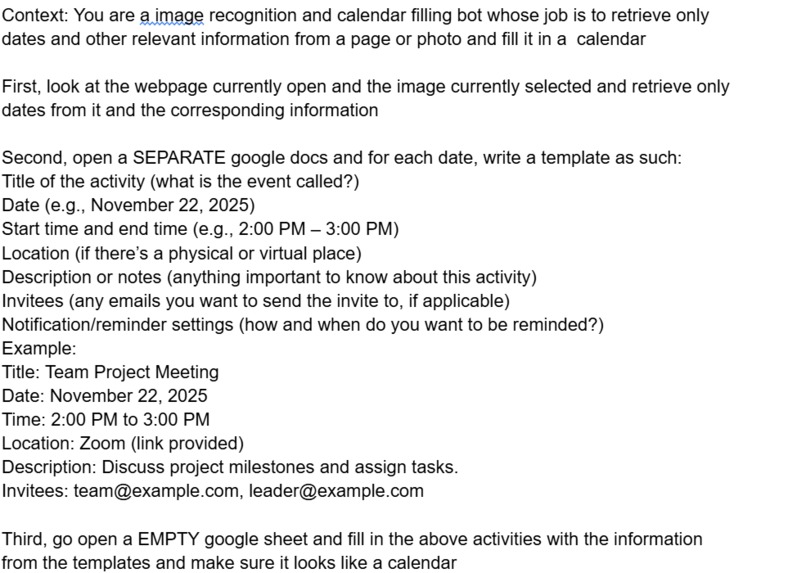
This is a sample prompt that can be fed into Comet Assistant
-
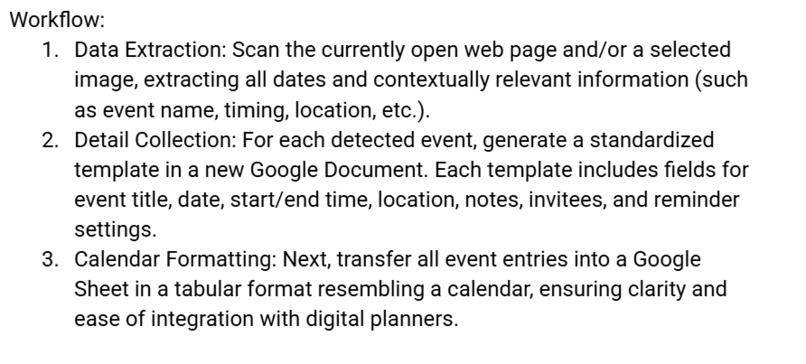
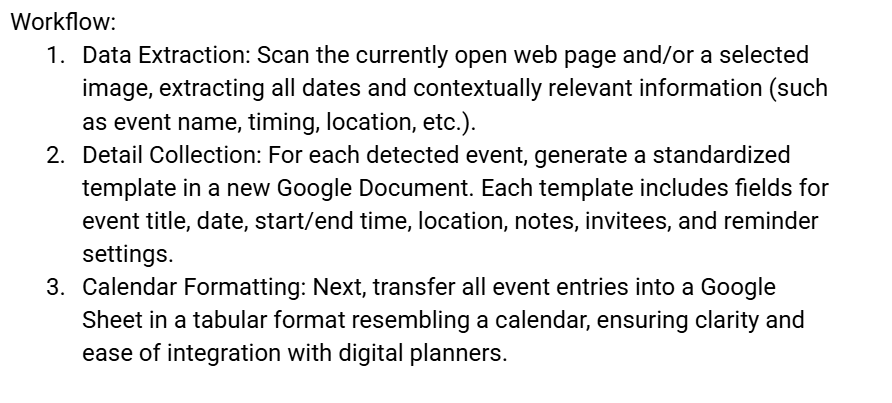
This is the defined workflow from image scanning to template writing to building of the calendar
Inspiration
We noticed how often people forget deadlines, meetings, school dates, and event reminders simply because they’re hidden inside long webpages or buried in images like posters and schedules. Manually entering these dates into a calendar is tedious and easy to skip. We wanted a simple tool that could capture important dates instantly with almost no effort.
What it does
Calendly (our version) scans any webpage or image, detects important dates and event information, and automatically sends them to a user’s calendar. It removes the manual work of copying details, making scheduling faster, more accurate, and effortless.
How we built it
We used comet's browsing and AI capabilities to build an automated workflow that helps scans any webpage or image and detects important dates and event information and turn it into activities in a calendar
Challenges we ran into
Extracting dates from images with varied lighting or low resolution was difficult. Distinguishing between real event dates and irrelevant numbers also required multiple rounds of smart prompting
Accomplishments that we're proud of
We successfully built a tool that reliably identifies dates across diverse formats and media types. The automated calendar integration worked smoothly.
What we learned
We learned how to fine tune our prompts to get a better response from Comet as well as how Comet can be utilised to automate mundane tasks
What's next for Calendly
We plan to expand the system to detect event descriptions, locations, and contact details more accurately. We also want to build a browser extension and mobile shortcut for quicker access, along with multi-calendar support and collaboration features
Built With
- comet
- google-docs
- google-sheets

Log in or sign up for Devpost to join the conversation.