-
-
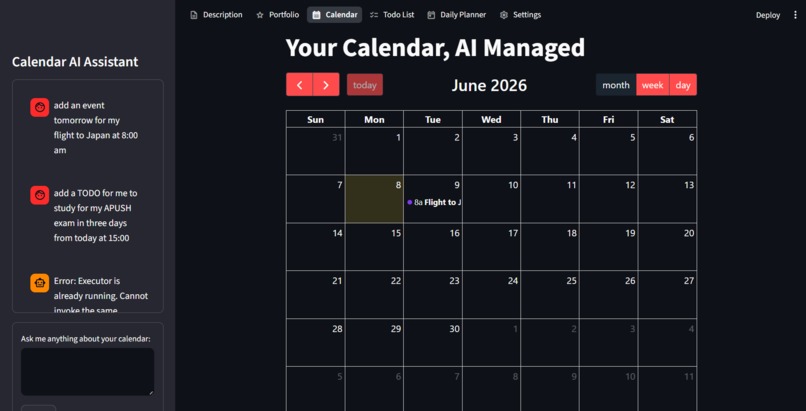
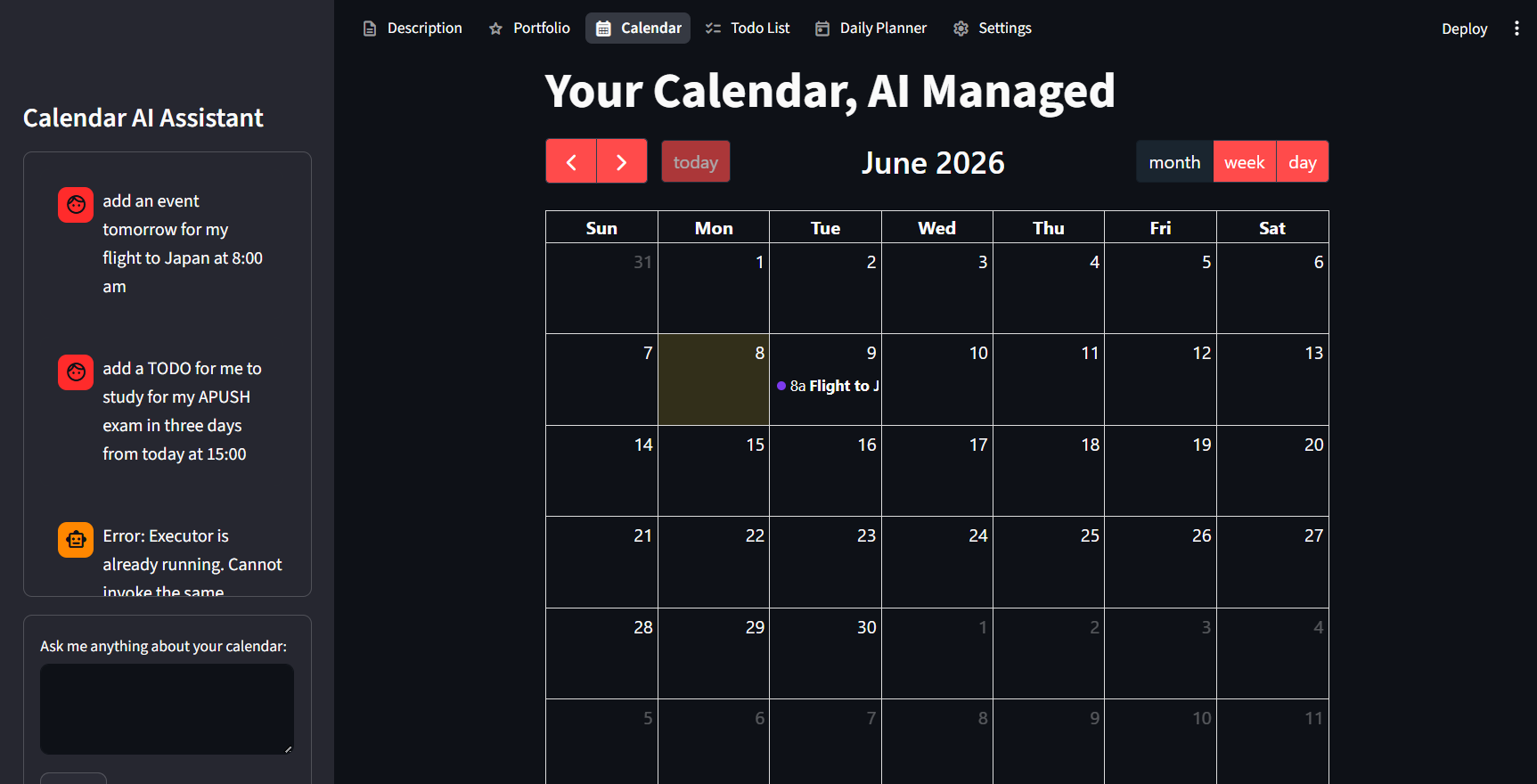
This is a view of the Calendar view in the Streamlit UI, the items are created using the textbox in the side panel that the AI makes.
-
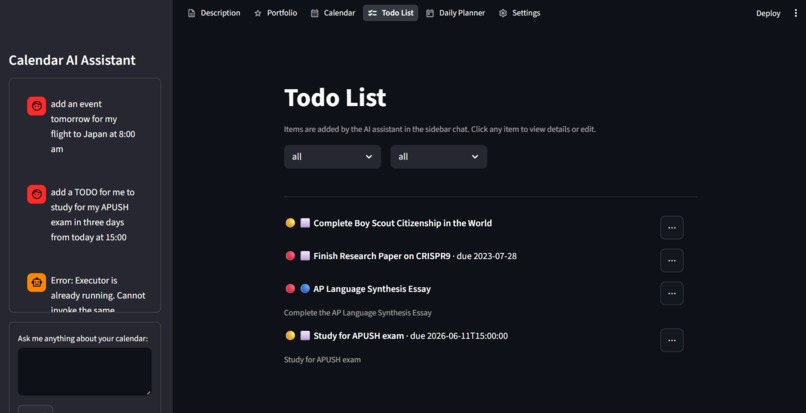
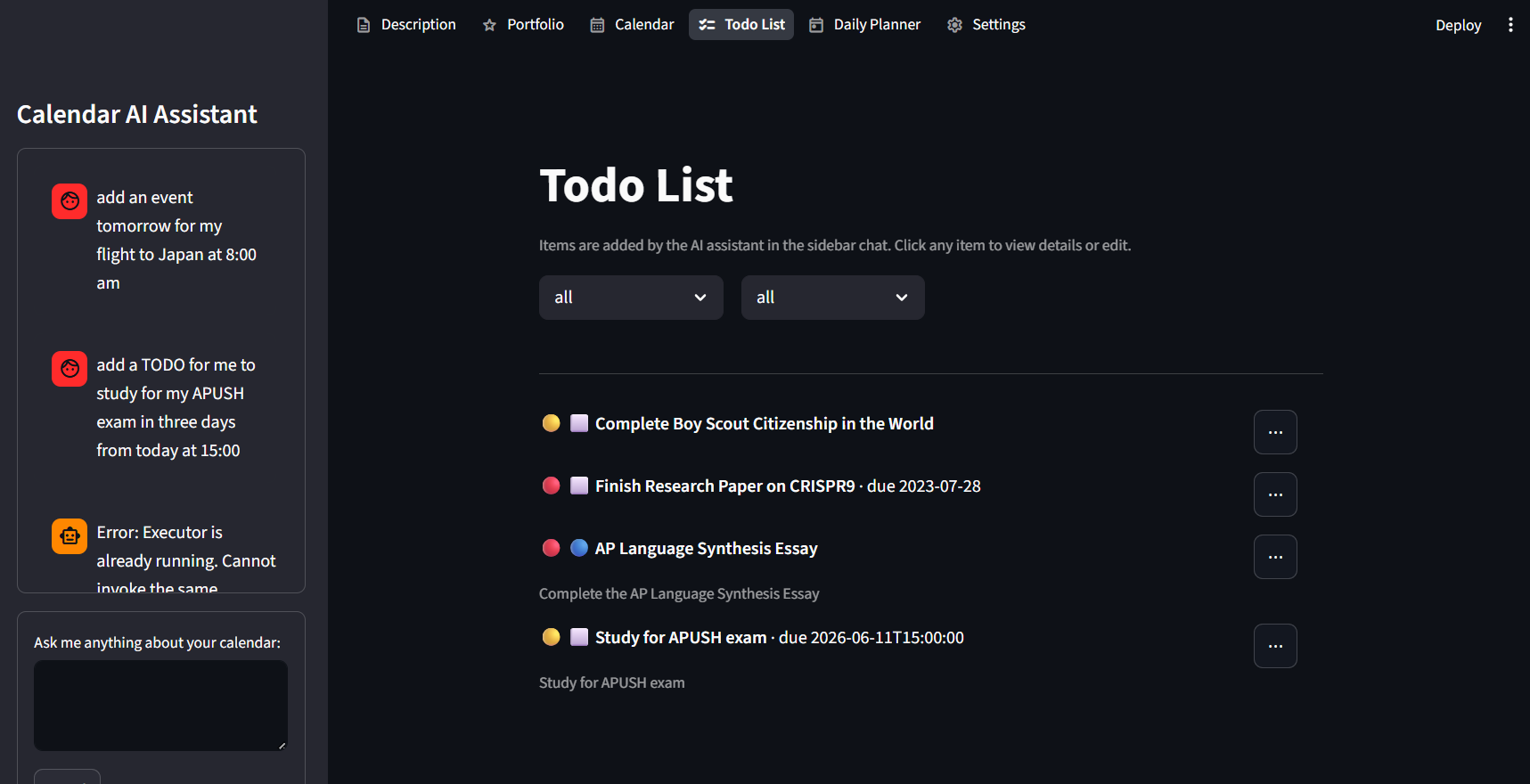
This is a view of the To Do list view in the Streamlit UI, the items are created using the textbox in the side panel that the AI makes.
-
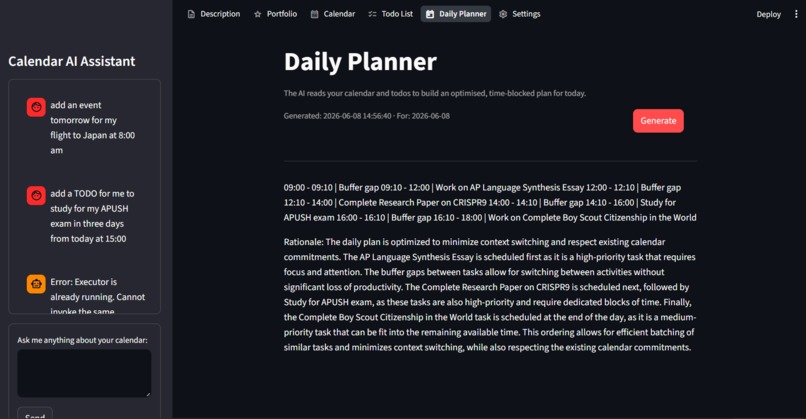
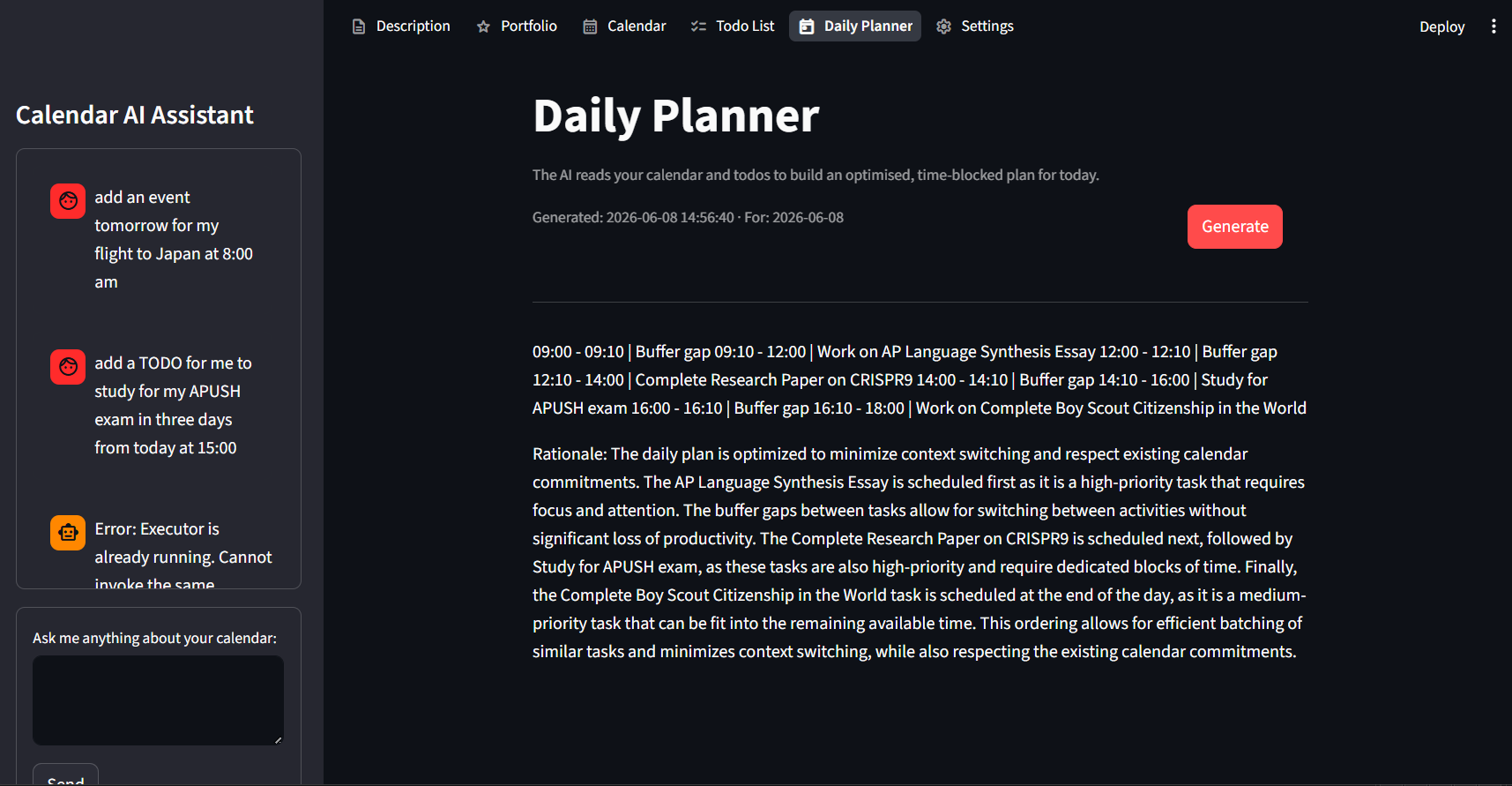
This is a view of the Daily Planner page in the Streamlit UI, the items are created using the textbox in the side panel that the AI makes.
-
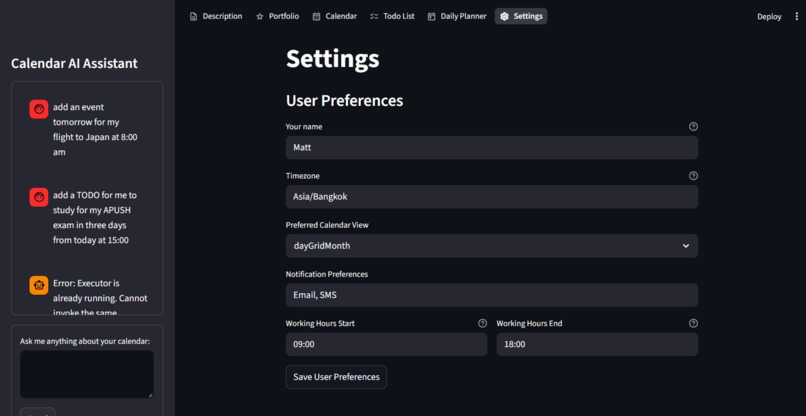
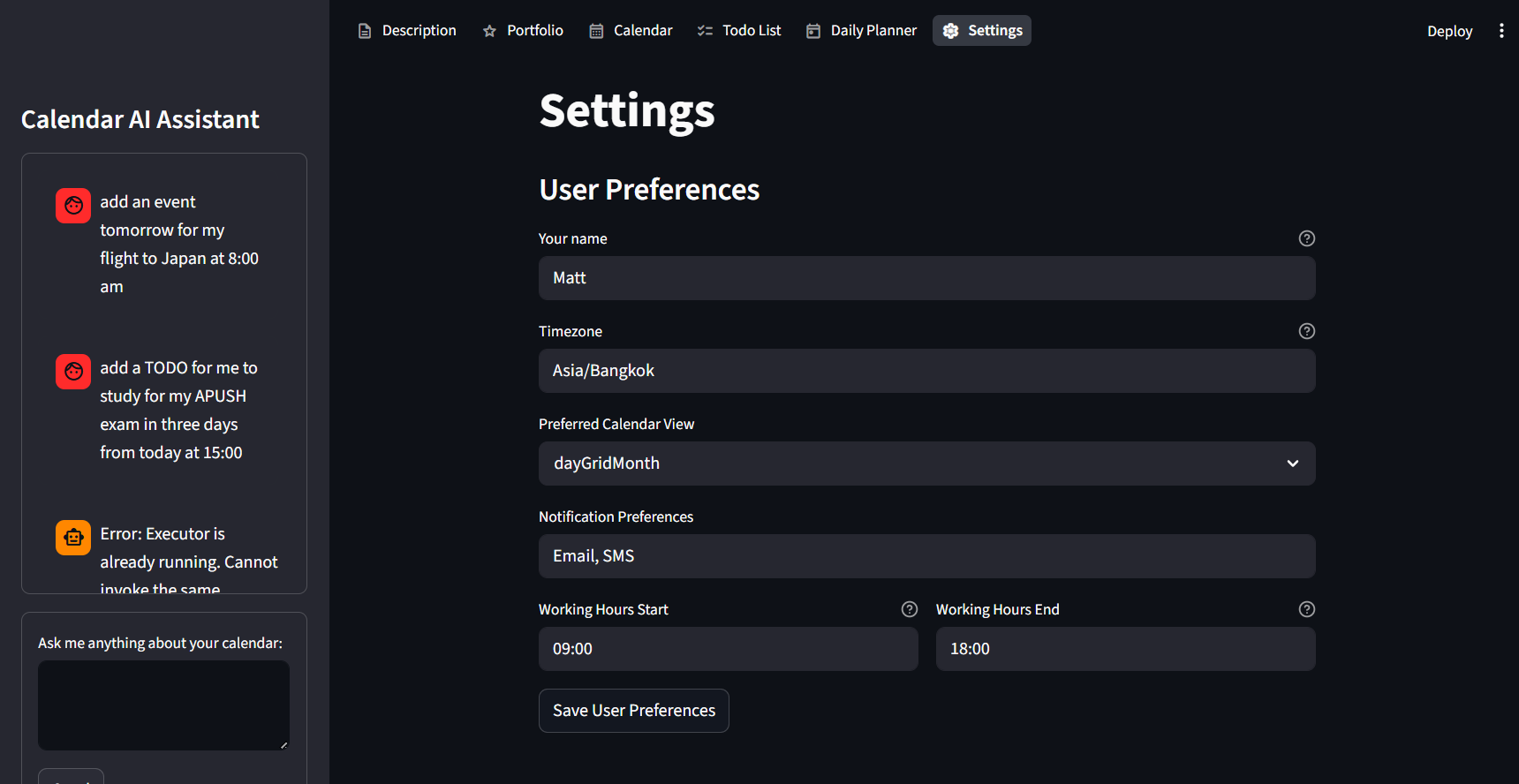
This is a view of the Settings page in the Streamlit UI, the items are created using the textbox in the side panel that the AI makes.
Hello! Our team consists of Matt (PyMite6941) and Mackenzie (SeaMeetsSky38Times).
Setup
To setup this project best, run the setup.sh file and the file will take over the process, just answer the questions if prompted.
For MacOS and Linux run these commands:
sudo chmod +x setup.sh
./setup.sh
For Windows run this command:
bash setup.sh
To learn how to use this tool best use the getting-started.md file.
Features
This program involves things that include the oauth feature and even the configuration features.
- OAuth for Google allows a user to connect their google account so that the CrewAI agents can access the data associated with them.
- CrewAI Agents allow the use of the OAuth to get Google Mail and Google Calendar data to be recieved and given to the agents to work with.
- Configuration Files allows the user to have their experience more customized, especially for API keys and choice of AI, for an example.
- Command Line Tools allows any program in this repo to use the already created commands wherever without importing a whole function into that file.
- Custom Setup Shell Script makes setting up the project very very quick and easy to do with only the need to answer yes or no.
- Two Interfaces allow uses to choose whether they prefer a terminal view or a web view.
- Completely Local makes sure that everything processed stays local, the only thing that even goes to the cloud is the secured Google OAuth request.
Inspiration
Mackenzie actually recommended this project for us to do and it was so fun that we both got carried away in our work.
What it does
This project uses Python as the main language and the module Streamlit for the Web UI and the module CrewAI for the scraping of Calendar materials such as Google Mail and Google Calendar.
How we built it
This project had a few major parts, the AI component, the tools, and the frontend. These seem basic however even with the level of abstraction that Streamlit and Rich give still make everything semi-complicated. The AI component uses the user's API key or Ollama to connect the sidebar directly to the AI brain and the CrewAI agents for their thinking. The tools use argparse to process terminal commands for the tools programs and subprocess for the tool usage. The frontend is also quite complex between the two files, the run.py is meant to run the selected files for the terminal view and the Streamlit view while also providing a place to update the programs.
Challenges we ran into
A big challenge that we had was communication since this was Mackenzie's first major programming project and this was one of Matt's few collabration programming projects.
Accomplishments that we're proud of
Something we are proud of is that Maceknzie learned some python for the first time and we both developed our ability to use CrewAI a lot.
What we learned
We learned how to best configure configuration files and also how to use APIs more effectively in the use of AI projects including modules like OpenAI and CrewAI.
What's next for Calendar AI Tool
I (Matt) will continue to maintain this repo and improve it where necessary while Mackenzie may go a different direction with programming.
Built With
- argparse
- crewai
- ollama
- python
- shellscript
- streamlit

Log in or sign up for Devpost to join the conversation.