-
-
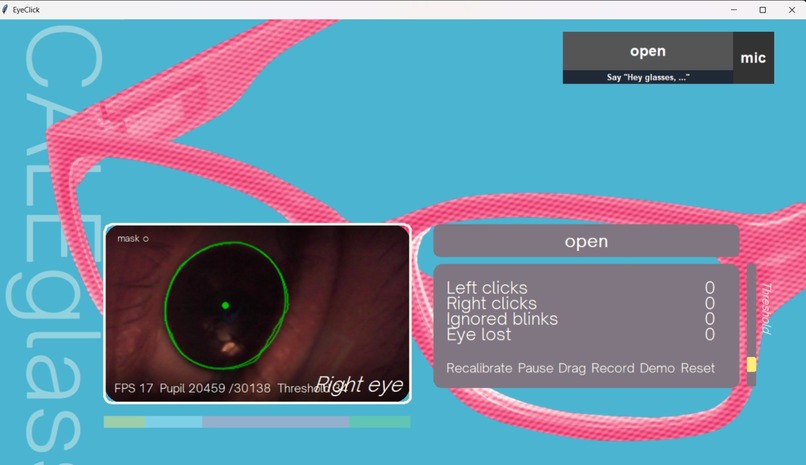
Menu for calibrating eye shape and bevaiour
-
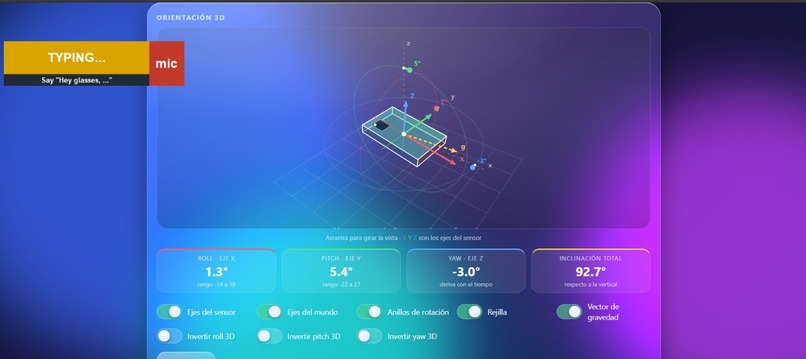
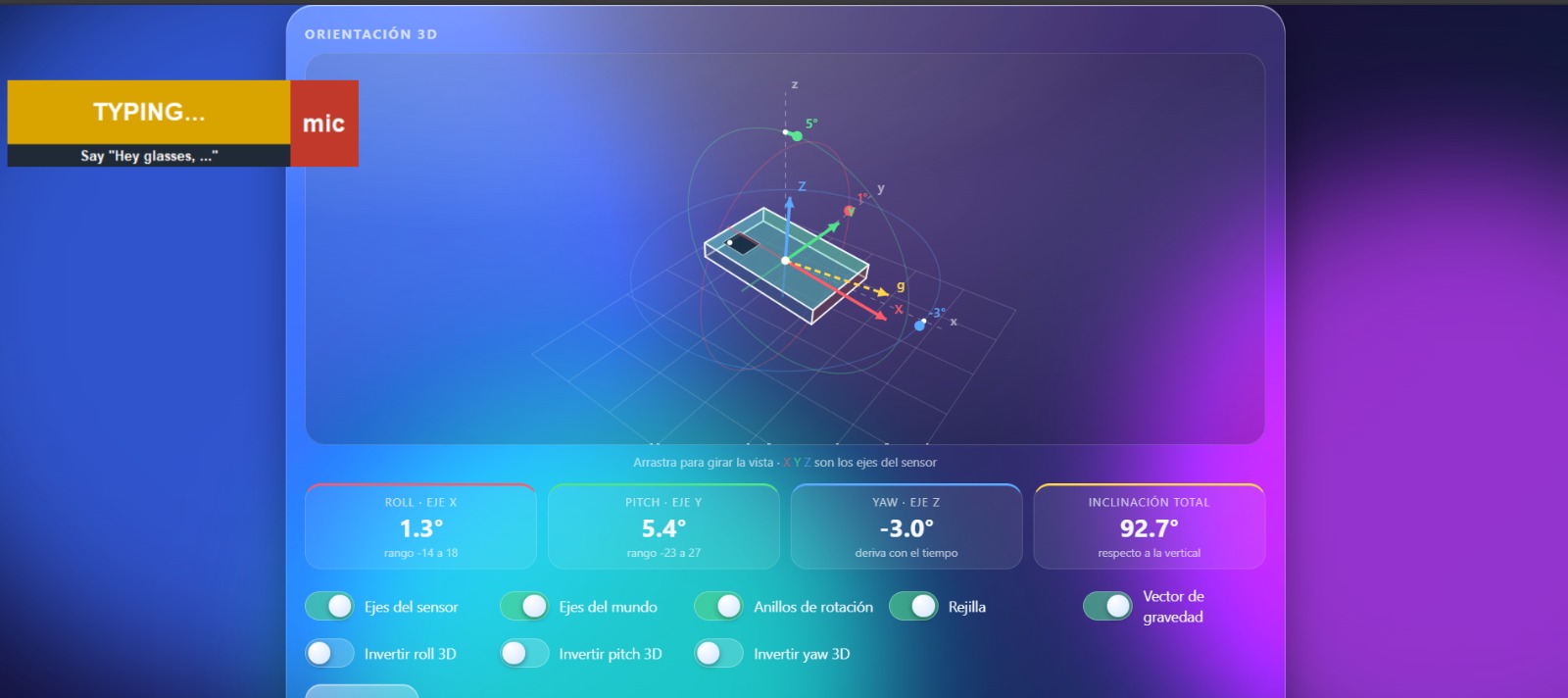
Menu displaying info regarding the gyroscope
-
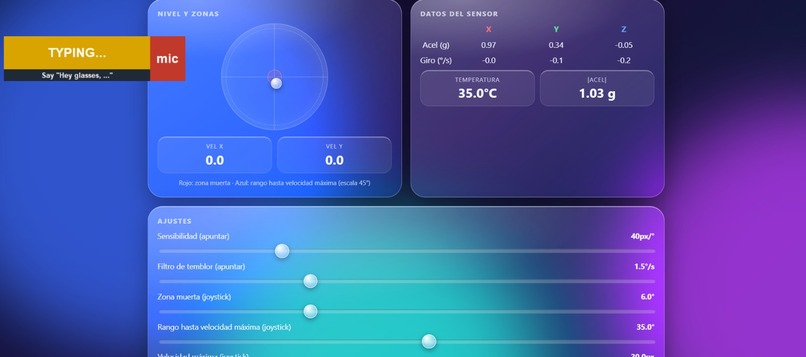
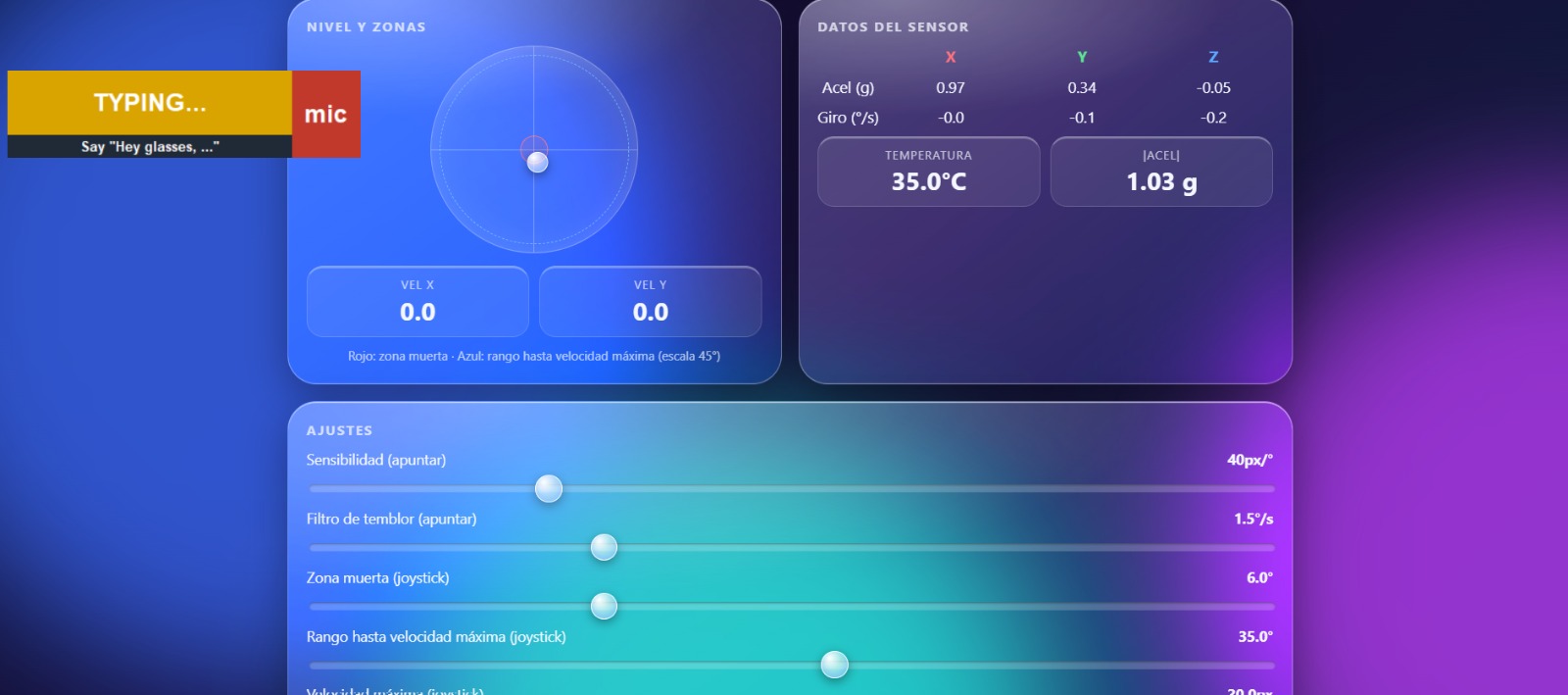
Menu displaying gyroscope customization options
Inspiration
We are all used to controlling our smart devices with our hands, whether using both hands, when using a computer, or a single hand when scrolling and texting on our phone. However, what about those who aren't able to freely interact with their devices? More than 7 million people in the U.S. live with significant functional limitations or with a complete loss of use in their hands or arms.
CALEglass began as an idea to give back control of their devices to these people, and along the way, it became something that can be used by everyone.
What it does
- Move the cursor with your head: a gyroscope on the frame pairs with the computer as a Bluetooth mouse, so the cursor follows where you turn your head. No drivers or software are needed to move the cursor.
- Click with your eye: a tiny endoscopic camera watches one eye. A natural blink is ignored, closing your eye for half a second is a left click, a longer close is a right click, and holding it for 3 seconds grabs whatever is under the cursor so you can drag it with your head. Two quick left clicks become a double click, and beeps tell you which click you're about to get.
- Type with your voice: blink into any text box and just speak. A lavalier mic and an on-device speech model type what you said wherever your cursor is. Short voice commands handle the rest: "enter", "delete", "delete all", "scroll up" and "scroll down".
- Get work done with an AI agent: say "Hey glasses, ..." and a team of Claude agents carries out the request in Jira and Confluence: moving tickets, assigning bugs, writing reports. Before anything changes, the agent proposes a plan, and you approve it by voice. Progress shows up live on the glasses' overlay and
How we built it
- Eye clicker: an endoscopic USB camera mounted 2–3 cm from the eye. A Python app uses OpenCV to find the eye in each frame, and a small open/closed neural network that we trained in PyTorch on recordings of our own eyes runs through ONNX Runtime in about 1 ms per frame. A blink state machine turns how long the eye stays closed into left click, right click, double click or drag, and pynput performs the click.
- Head mouse: an ESP32-S3 with an MPU-6050 gyroscope, programmed in C++ (Arduino), shows up as a standard Bluetooth Low Energy mouse. Shaking your head recalibrates the gyroscope.
- Dictation: faster-whisper runs locally on the laptop, so no audio leaves the machine. Windows UI Automation tells us when the focus is in a text box, so dictation only starts where typing makes sense.
- AI agents: an Atlassian Forge app (TypeScript) receives voice requests from the glasses. A router sends each one to the right Claude agent (a Jira agent or a reporter agent), which proposes a plan and executes it in Jira and Confluence once you approve it.
- Live state: SpacetimeDB keeps the plans and their progress in sync between the agents, the glasses' overlay, a React dashboard and a Telegram bot.
Challenges we ran into
-Adapting the camera setup on the glasses for all kinds of eyes: while testing, one of our team members had eye lashes so long it covered the camera from capturing the eye. Learning and testing the most optimal endoscopic camera position became a thing of trial and error.
-Translating control gestures and inputs: we may not notice it, but using a computer needs a lot of key inputs and gestures, while left and right clicking were easier to translate; commands such as click and drag, typing, and scrolling required finding alternative inputs that were comfortable and simple for the user.
-Creating a working AI agent responsive to voice command: the AI agent interaction with Jira proved very difficult to implement due it's communication between server and client; differentiating between which agent to use during the voice command presented many technical issues; a lot of time thus was spent making sure communication and coordination between agents, server and client went over smoothly.
Accomplishments that we're proud of
-Creating a custom ML vision model that adapts to any user's eye shape and behaviour: a fully personalized model that adapts and calibrates around the user's specific eye shape. Utilizing Torch and Google MediaPipe, we trained the model with recordings of the team's eyes to increase accuracy; even in place with dim lighting, the model recognizes the eye with a 98% accuracy.
-Building the whole project for 35$: All the hardware components are cheap enough that people under a budget can also build it, utilizing common components, we were able to transform a simple pair of glasses into the next generation of device control.
-Playing Frutordia hands free: the moment everybody was waiting for, you can now finally play Frutordia with only your head.
What we learned
-Implementing custom ML models: custom ML model training allow the device to work under different contexts, saving set up time. -Simplifying hardware build: Learning the correct components and creating a compact build was key during development, as more complex hardware could make the glasses difficult and uncomfortable to wear during long sessions.
What's next for CALEglass
We have barely covered a fraction of what we can accomplish utilizing this technology; in particular, we are interested in expanding the capabilities of the custom ML model for eye shape and behavior recognition, as well as the custom AI agent. With more in-depth and accurate tracking, we could use the glasses and an eye input pattern as a confirmation pin for accepting payments easily. In next the interactions of CALEglass, all computing should be done inside the glasses. We also are looking into adapating the glasses for use with a wide range of device (i.e: tablets, smartphones, computers, consoles, etc.).
Built With
- anthropic
- atlassian-forge
- claude
- confluence
- esp32
- faster-whisper
- jira
- numpy
- onnx
- opencv
- pynput
- pytorch
- solidworks
- spacetimedb


Log in or sign up for Devpost to join the conversation.