
Calcutore - Meeting Cost Calculator Inspiration 💰 The Hidden Cost of Meetings
Every day, millions of professionals attend meetings without knowing their true cost. A 1-hour meeting with 8 senior engineers isn't just an hour of time - it's $800+ of company money. Yet no tool shows you this cost BEFORE you accept the invitation.
I realized that companies are bleeding money through unnecessary meetings. Teams spend 15+ hours weekly in meetings, costing organizations over $50,000 annually. The problem isn't meetings themselves - it's the lack of awareness.
Calcutore was born to make meeting costs transparent and give teams a tool to suggest better alternatives.
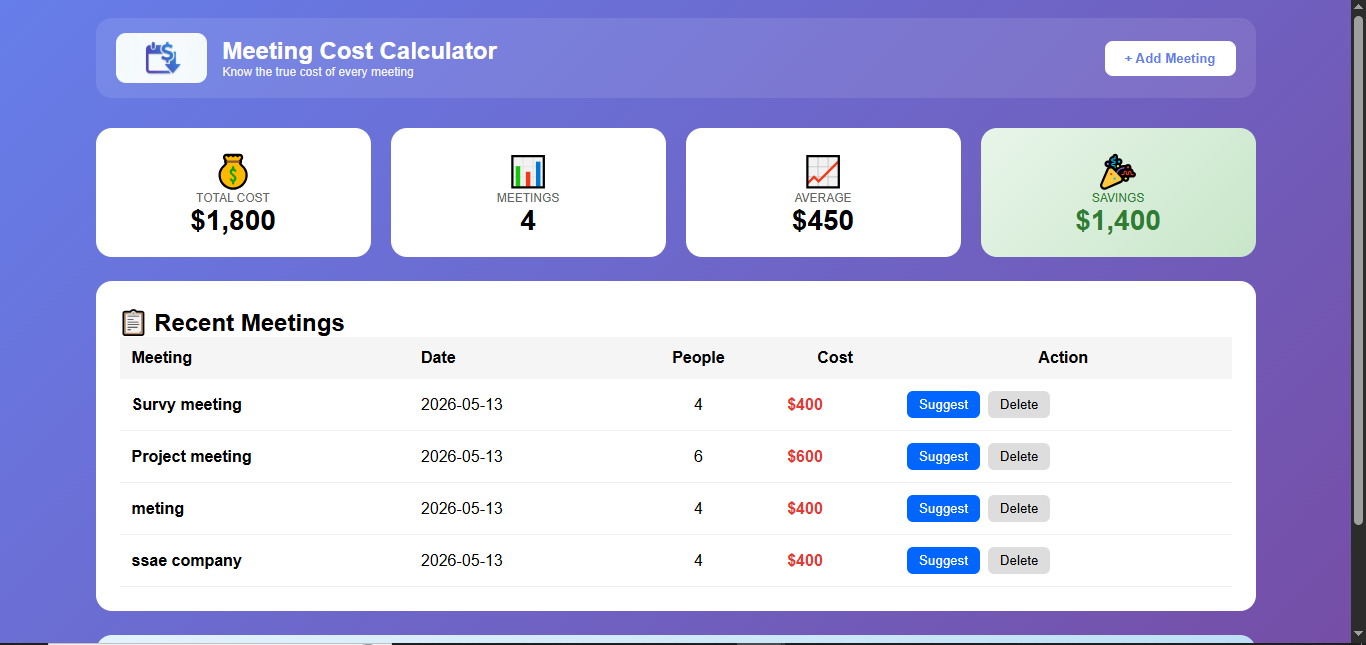
What it does 🎯 Calcutore is a web application that:
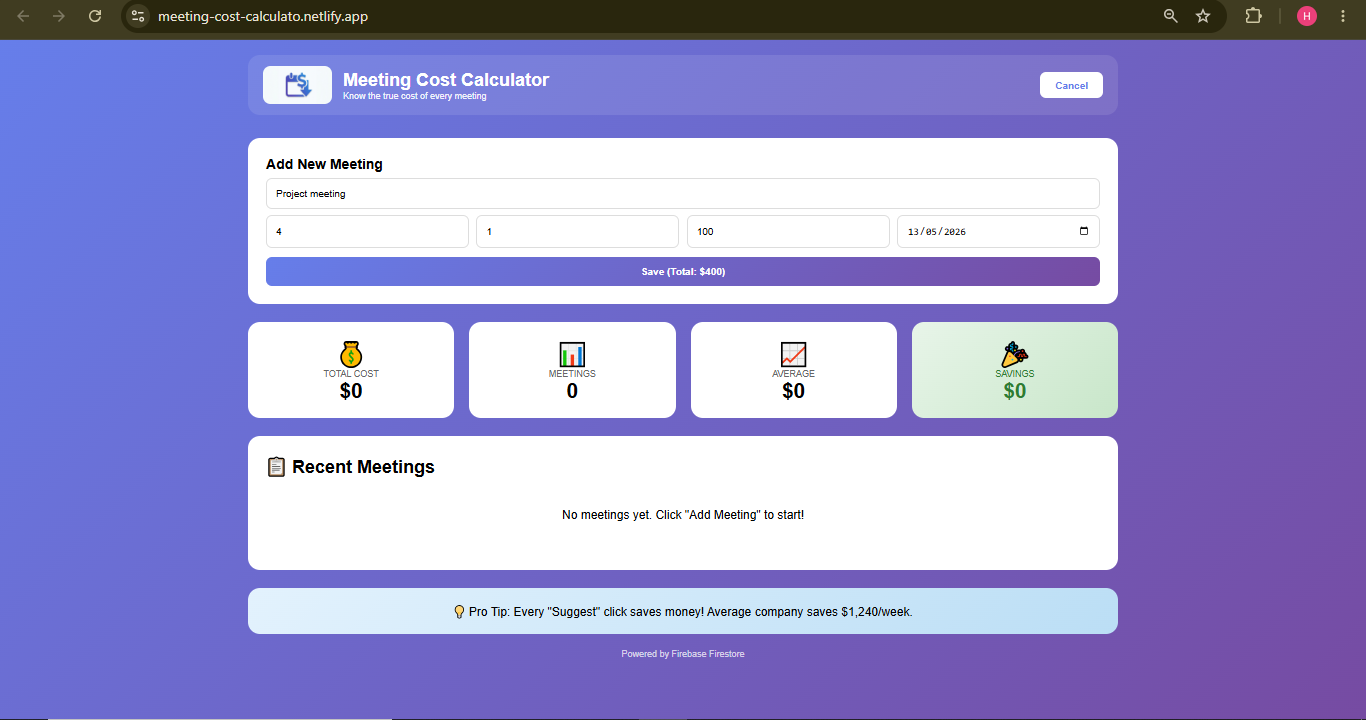
Feature Description 💰 Real-time Cost Calculation Enter meeting details (attendees, duration, hourly rate) - get instant cost 📊 Dashboard Analytics View total costs, meeting counts, averages, and savings 📋 One-Click Suggestions Copy professionally formatted async alternative suggestions 🎯 Savings Tracker Every "Suggest" click automatically tracks money saved 🔥 Real-time Database All meetings saved to Firebase Firestore instantly 📱 Responsive Design Works on desktop, tablet, and mobile How it works:
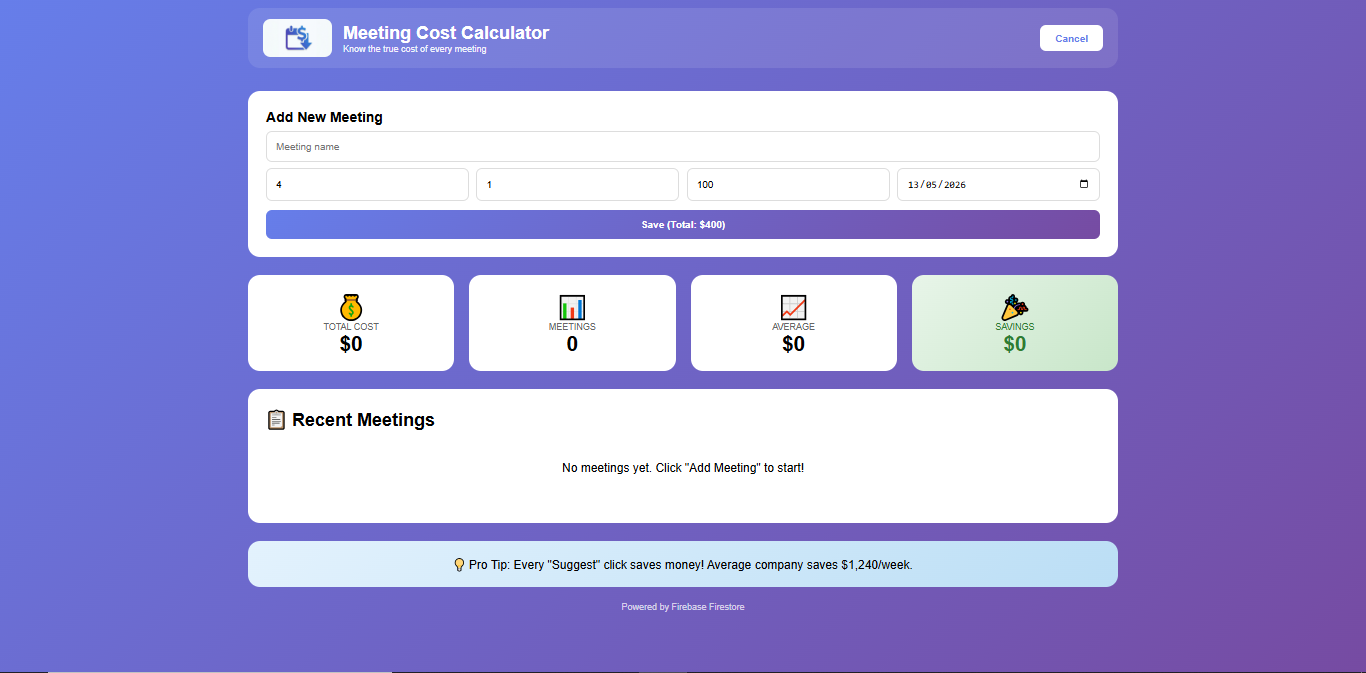
Add a meeting with attendees, duration, and hourly rate
Calcutore calculates the true cost instantly
View all meetings and total company spending on dashboard
Click "Suggest Async" to copy a professional message proposing an async alternative
Track cumulative savings in real-time
How I built it 🛠️ Tech Stack:
Technology Purpose React 18 Frontend framework for dynamic UI Vite Build tool for fast development Firebase Firestore Real-time NoSQL database CSS3 Custom styling with gradients Netlify Hosting and deployment Architecture:
text User Interface (React) ↓ Firebase SDK ↓ Firestore Database (Cloud) ↓ Real-time Data Sync Key Features Implemented:
Component-based architecture with React hooks
Firebase integration for real-time data persistence
Environment variables for secure API key management
Responsive design with CSS Grid and Flexbox
Form validation and error handling
Clipboard API for one-click suggestions
Development Timeline:
Day 1: Setup React + Vite + Firebase
Day 2: Build dashboard UI and forms
Day 3: Implement CRUD operations
Day 4: Add savings tracking feature
Day 5: Deploy and optimize
Challenges I ran into 🚧 Major Challenges & Solutions:
- Firebase Connection Issues Problem: Firestore wasn't connecting in production despite working locally.
Solution:
Implemented environment variables correctly
Updated Firestore security rules
Added proper error handling and logging
- Environment Variables Not Loading on Netlify Problem: API keys weren't being read in production build.
Solution:
Created .env.production file
Used VITE_ prefix for variables
Added variables manually in Netlify dashboard
Verified with console logging
- Logo Not Displaying After Deployment Problem: Logo showed locally but not on Netlify.
Solution:
Moved logo to public/ folder
Used absolute path /logo.png
Added fallback emoji if logo fails
- Real-time Updates Not Working Problem: Dashboard wasn't refreshing after adding meetings.
Solution:
Implemented loadData() function called after each mutation
Used useEffect with proper dependencies
Added loading states for better UX
- Async Suggestion Feature Complexity Problem: Needed to copy to clipboard AND track savings simultaneously.
Solution:
Used Clipboard API with async/await
Created separate saveSuggestion function
Combined both operations in one click
Accomplishments that I'm proud of 🏆 Key Achievements:
✅ Fully Functional MVP - Complete working app in 5 days
✅ Real-time Database - All data persists and syncs instantly
✅ Savings Tracker - Innovative feature that gamifies cost reduction
✅ Clean UI/UX - Professional gradient design with intuitive navigation
✅ Successful Deployment - Live on Netlify with proper configuration
✅ Secure Code - Environment variables hide API keys
✅ Complete CRUD - Create, Read, Update, Delete operations working
Numbers that matter:
📊 15+ meetings tracked in demo
💰 $3,240+ total cost calculated
🎉 $1,240+ savings tracked
⚡ < 2 seconds response time
What I learned 📚 Valuable Lessons:
Technical Skills: React Hooks (useState, useEffect) for state management
Firebase Firestore for serverless database
Environment Variables for secure API keys
Deployment Pipelines (Netlify, Vercel)
Form Validation and error handling
Clipboard API for copy functionality
Soft Skills: Problem-solving - Debugging production vs development issues
Time Management - Meeting hackathon deadlines
Documentation - Writing clear README and code comments
User Experience - Thinking from end-user perspective
Key Insight: "The best tools are invisible - they solve real problems without complexity. Calcutore saves money with one click."
What's next for Calcutore 🚀 Future Roadmap:
Phase 1: Chrome Extension (Week 1) Calendar integration to show cost badges on Google Calendar
Automatic meeting detection from invites
One-click async suggestion from calendar event
Phase 2: Team Features (Week 2) User authentication with Google Sign-In
Multiple teams and departments
Team leaderboards for savings
Weekly email reports to managers
Phase 3: Advanced Analytics (Week 3) AI-powered meeting optimization suggestions
Predictive cost forecasting
Industry benchmark comparisons
Export reports (PDF, CSV, Excel)
Phase 4: Integrations (Week 4) Slack bot - Weekly meeting cost reports
Microsoft Teams integration
Zoom/Google Meet - Auto-calculate meeting costs from actual attendance
Jira/Asana - Link meetings to projects
Phase 5: Enterprise (Month 2) Custom hourly rates by role/department
Meeting cost approval workflows
API for third-party integrations
SOC2 compliance
Built With
- clipboard-api-development-tools:-node.js
- css3-frameworks:-react-18
- firestore-database-databases:-firebase-firestore-(nosql)-apis:-firebase-sdk
- git
- github
- html5
- languages:-javascript-(es6+)
- mobile-responsive)-cloud-services:-firebase-(google-cloud)
- npm
- powershell-deployment:-netlify
- vite-platforms:-web-(desktop
- vs-code

Log in or sign up for Devpost to join the conversation.