-
-
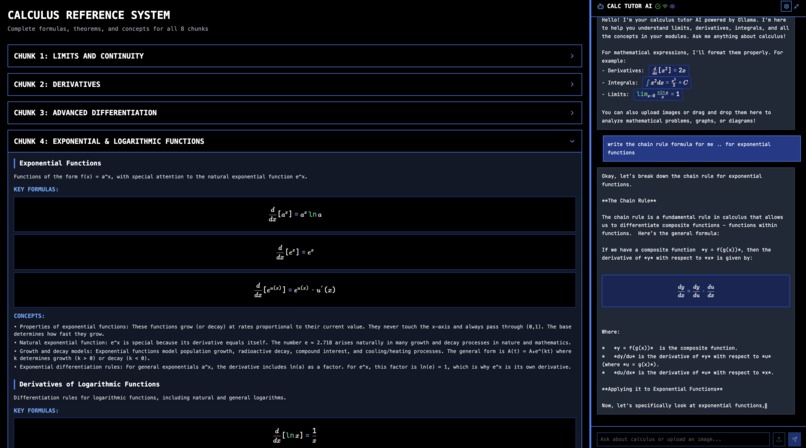
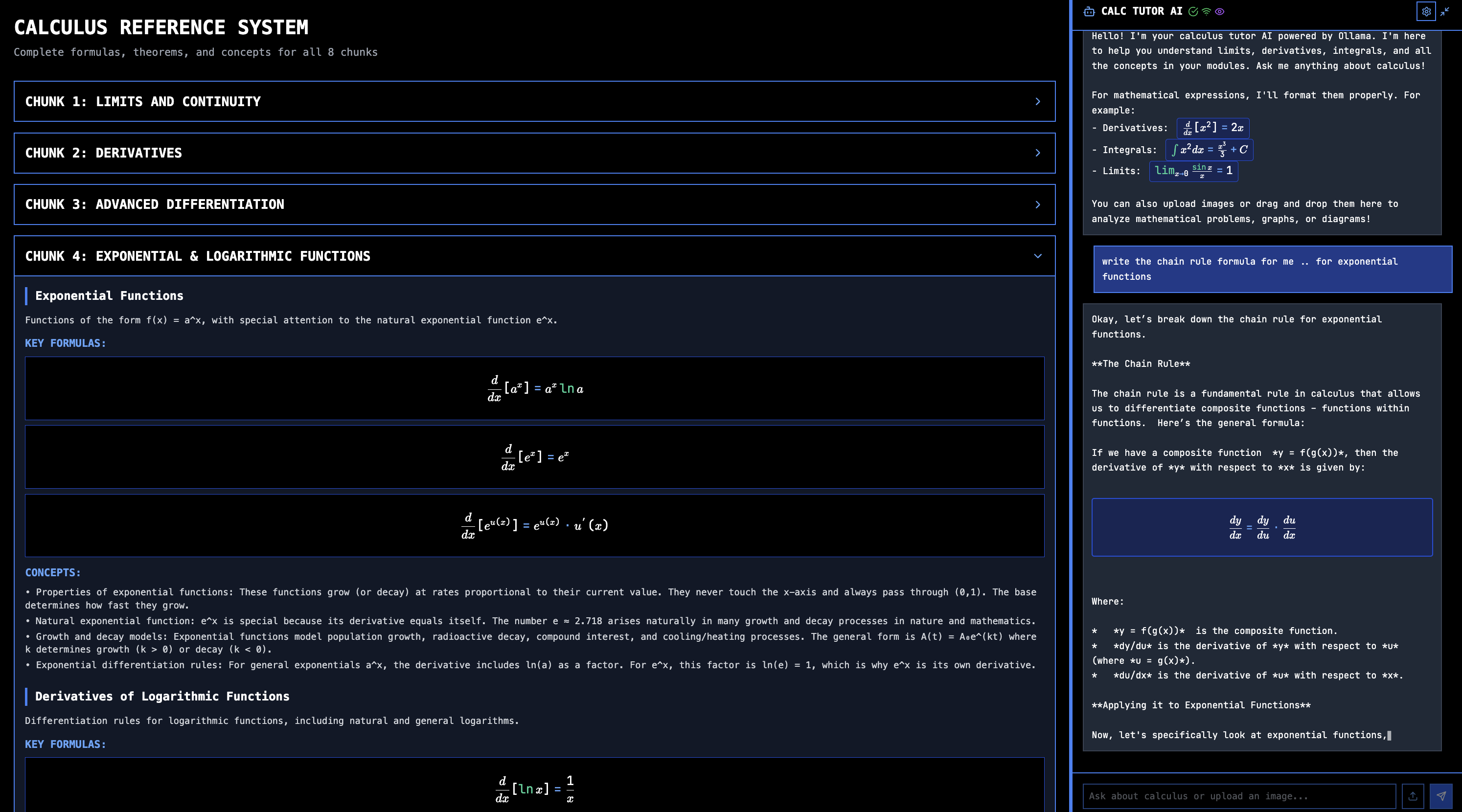
AI chat displaying formatted text
-
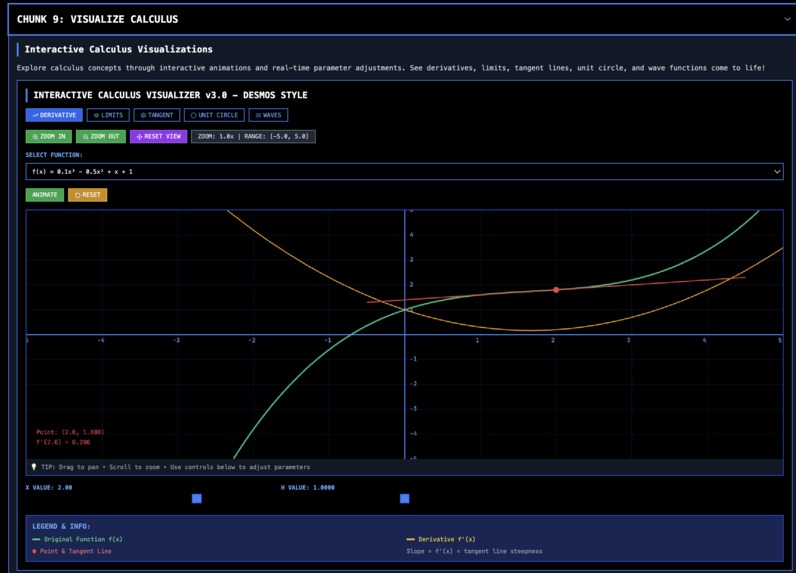
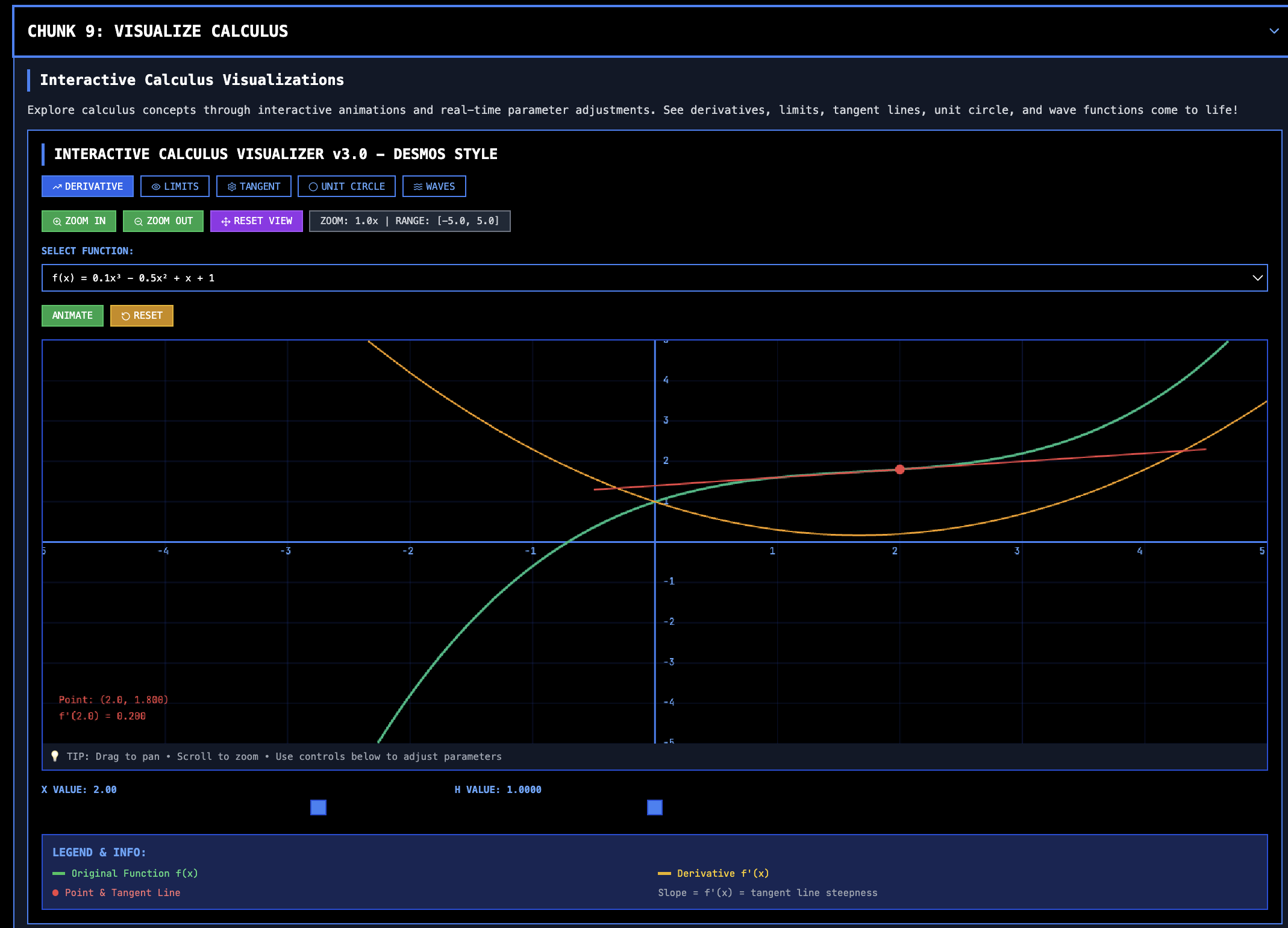
visualization graphs
-
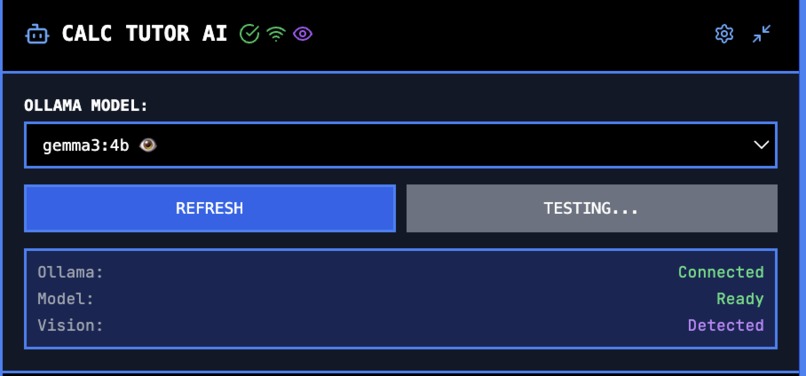
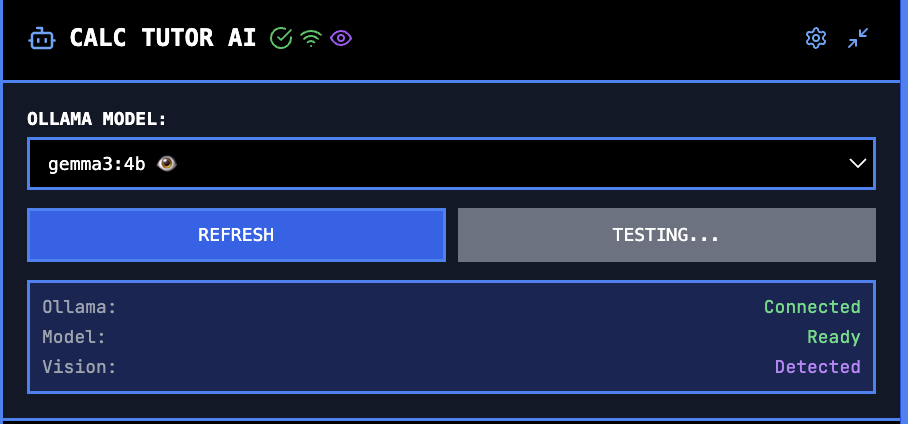
local ollama models available
-
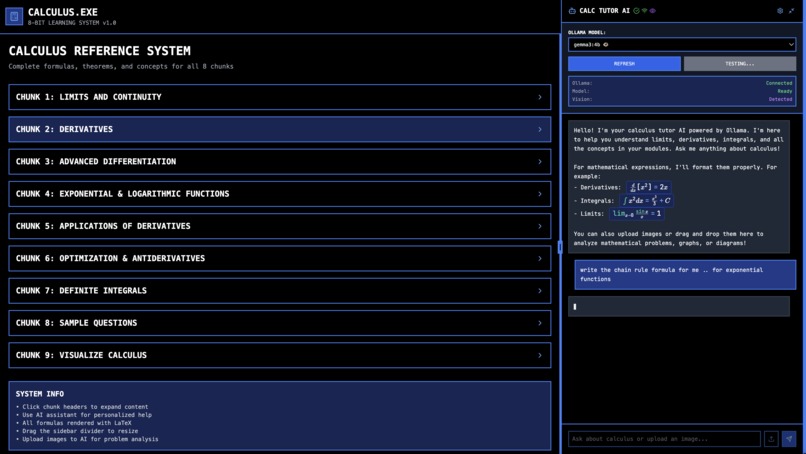
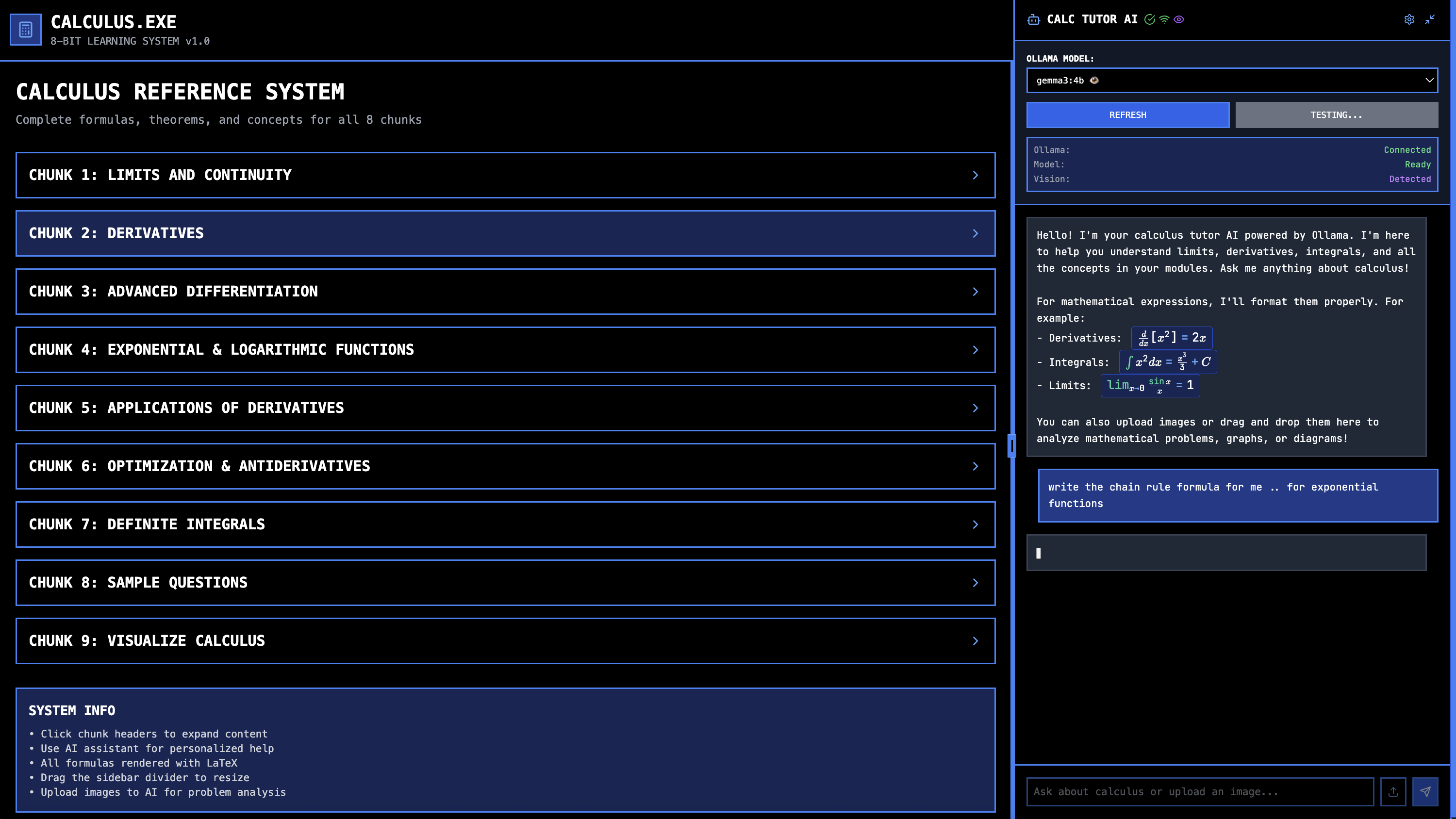
the app
Inspiration
I'm currently a junior at ASU, grinding through Calculus for Engineers this summer. The biggest headache wasn't the concepts themselves, but the constant battle with notation and the sheer volume of formulas you have to memorize. I found myself spending more time searching for the right formula or trying to decipher a symbol than actually solving the problem. Instead of just pushing through the frustration, I decided to build the tool I wished I had: a fast, no-nonsense desktop app that puts every formula and a helpful AI at my fingertips. I made it because calculus was hard, and now it's easier.
What it does
Calculus.exe is a self-contained desktop application designed to be the ultimate companion for any calculus student.
Comprehensive Formula Library: It contains a searchable, organized library of all essential formulas from Calculus I. No more flipping through textbooks or endless Google searches. AI Assistant (Powered by Ollama): The core feature is an integrated AI assistant running locally via Ollama. You can ask it to: Explain any formula in plain English. Provide step-by-step solutions to problems. Define mathematical terms and symbols. Offer alternative ways to approach a derivative or integral. Offline First: Because it uses a local Ollama instance, the entire application works offline. It's fast, private, and always available, whether you're in a lecture hall with bad Wi-Fi or just want to focus without distractions.
How we built it
This project was built with a focus on speed and practicality, leveraging technologies I use every day.
Frontend: The UI is built with Electron, which allowed me to use standard web technologies (JavaScript, HTML, CSS) to create a native desktop experience. AI Integration: The AI assistant is powered by Ollama, running a quantized model like Llama 3 or Mistral locally. This keeps everything self-contained and avoids API costs. Backend Logic: Node.js handles the backend tasks, such as managing the formula database (likely a simple JSON file for speed) and interfacing with the local Ollama server. Workflow: Development was done entirely in VS Code, with a terminal-centric workflow for running builds, testing, and managing the code with Git/GitHub.
Challenges we ran into
Ollama Integration: The main challenge was managing the local Ollama instance smoothly. Ensuring the AI's responses were fast, accurate, and narrowly focused on calculus required significant prompt engineering and testing.
Mathematical Rendering: Displaying mathematical notation correctly and cleanly is non-trivial. I integrated a library like KaTeX to render LaTeX expressions, which was a learning curve but essential for clarity. Desktop vs. Web: My recent focus has been on web apps like comedeez.ai deployed to Railway. Shifting to a desktop application with Electron presented a new set of challenges around packaging, installers, and managing a local environment.
Accomplishments that we're proud of
The Local AI Assistant: Creating a fast, responsive, and genuinely helpful AI that runs completely on-device. There are no API keys, no latency issues, and no privacy concerns. It just works. Solving My Own Problem: Building a tool that I immediately started using every single day for my own coursework. It directly improved my study workflow and reduced my homework time. Practical Application of LaTeX: Finally implementing a clean solution for rendering complex math formulas, which was one of the initial pain points that inspired the project.
What we learned
The Power of Local LLMs: Ollama is a game-changer for building specialized, private AI tools. The ability to run powerful models locally opens up a massive range of possibilities for desktop applications. Electron for Rapid Prototyping: Electron is an incredibly effective tool for developers with a web background to build and ship cross-platform desktop apps quickly.
"Scratch Your Own Itch": This project reinforced that the most motivating and often most successful projects are the ones that solve a problem you personally face.
What's next for Calculus.exe
Expand Content: Add formula sections for Linear Algebra and Differential Equations, the next logical steps in the engineering math sequence.
Interactive Graphing: Integrate a graphing library to allow users to visualize functions, derivatives, and integrals in real-time.
Problem Solver with Image Recognition: Implement a feature where a user can snap a picture of a handwritten problem, and the AI will recognize it and provide a solution. Open Source: Clean up the codebase and release it on GitHub to share with other students and developers. Building a community around it could make it an even more powerful resource.
Built With
- bolt

Log in or sign up for Devpost to join the conversation.