-
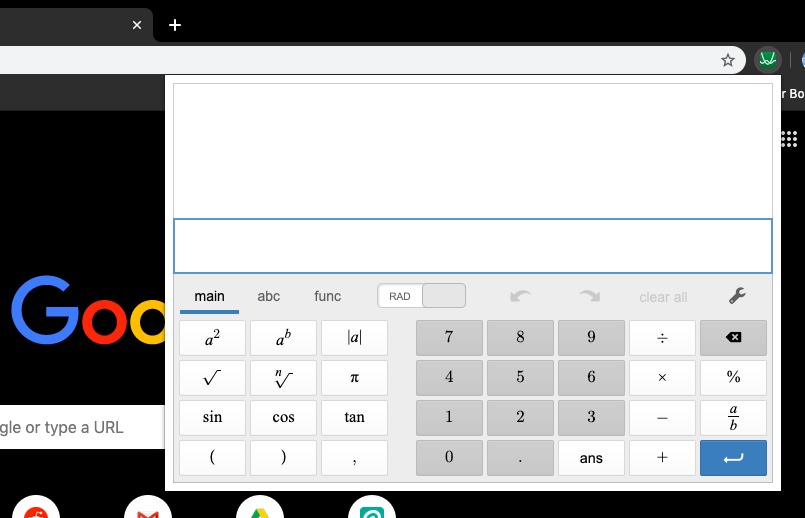
screenshot
Inspiration
The idea for this extension came from personal struggles. Google Chrome allows for calculations to be done in the address bar, but its system is crude and hard to work with. https://www.desmos.com/scientific offers a better calculator, but loading up a website in a new tab is not ideal if you're trying to work quickly. We wanted to be able to input a keyboard shortcut, have the calculator pop up right away, type in our equation(s), and close the calculator just by clicking away. The Chrome Extension format is ideal for this.
What it does
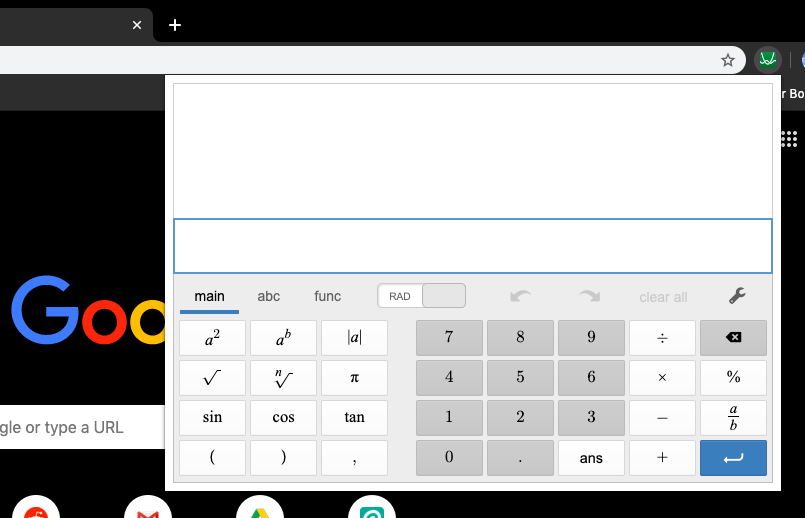
Once the extension is installed, it can be opened by clicking on its icon or with the keyboard shortcut Ctrl+M (Ctrl+Cmd+C for Mac). This will load the Desmos scientific calculator in the upper right hand corner of the screen, where a wide variety of operations can be performed: anything from simple computation to algebra to geometry.
How we built it
We attended the Chrome Extension workshop at HackCU to get some background on building an extension. We then visited the Desmos website and acquired their API, which is what is used to run the extension.
Challenges we ran into
Google Chrome does not allow most APIs to be used in extensions. Our solution was to download the API and include it as part of the extension file.
Accomplishments that we're proud of
The extension works beautifully and is something we actually want to use in our daily lives.
What we learned
We learned how to use HTML and JavaScript in a different context, and gained more familiarity working with APIs.
What's next for Calculator Chrome Extension
Hopefully we can get this added to the Chrome Web Store so it can easily be installed.
Built With
- desmos-api
- html
- javascript


Log in or sign up for Devpost to join the conversation.