-
-
CalAIder extension logo
-
CalAIder UI
-
CalAIder event detection
Inspiration
We realized that people constantly discover events online , from conferences to concerts, but manually copying these details into Google Calendar takes time and breaks focus. The inspiration for CalAIder came from that everyday friction. We wanted a smarter, seamless way to capture events straight from the browser using on-device AI.
What it does
CalAIder is an intelligent Chrome extension that uses Google’s built-in AI (Gemini Nano) and Google Calendar API to automatically detect, extract, and organize events from any webpage. Users can:
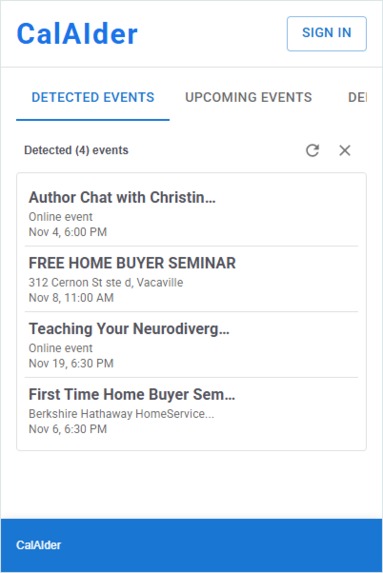
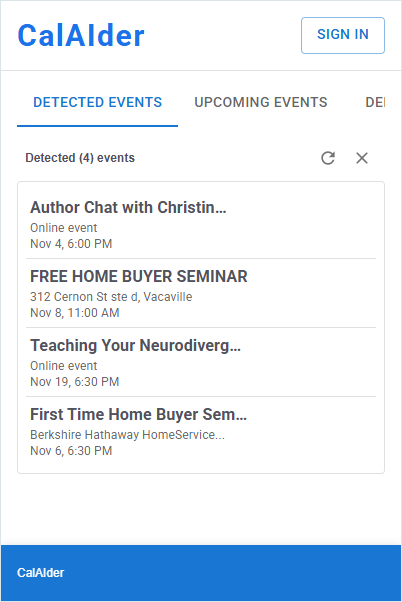
Instantly see detected events (title, time, location).
Edit event details in a clean, familiar form.
Add events to their Google Calendar with one click.
View their upcoming schedule and availability, all without leaving the page. It’s a lightweight, privacy-first tool that runs directly in Chrome, helping users stay organized effortlessly.
How we built it
We built CalAIder using:
React + Vite for the Chrome extension frontend UI.
MUI for an accessible and clean design system.
Google Identity Services (OAuth 2.0) for authentication.
Google Calendar API for reading and writing events.
Gemini Nano (Prompt API) to parse webpage content and intelligently extract event details.
The event extraction pipeline works as follows:
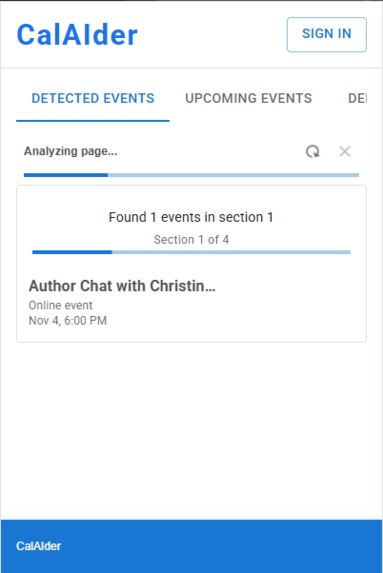
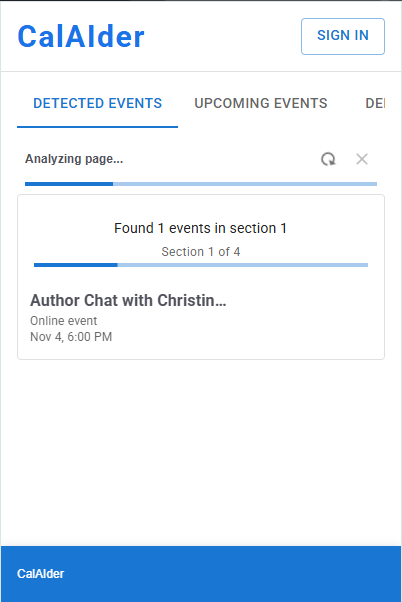
The content script scans webpages for structured data (JSON-LD, microdata) and visible text snippets.
Extracted text is preprocessed, cleaned, and passed to Gemini Nano for event understanding.
The results are displayed in the popup UI, where users can edit or push events to their calendar.
Challenges we ran into
- Model context limits -> passing entire webpages to the built-in AI wasn’t feasible, so we had to design a smart preprocessing system to extract only relevant sections.
- Chrome extension restrictions -> managing communication between background, content, and popup scripts while handling OAuth securely required careful planning.
- Prompt tuning -> balancing short input context with accurate event extraction took iteration.
- Limited time -> integrating multiple Google APIs, building a UI, and handling authentication all within hackathon time constraints was challenging but rewarding.
Accomplishments that we're proud of
- Building a working Chrome extension that connects AI, Google Calendar, and authentication end-to-end.
- Achieving reliable on-device event extraction using Gemini Nano without relying on cloud AI calls.
- Delivering a privacy-preserving design that never sends user content to external servers.
- Creating a clean, intuitive user experience with quick “edit-and-add” flows.
What we learned
We learned how to integrate Google’s built-in AI APIs with Chrome extensions, manage OAuth securely, and optimize model inputs for small context windows. We also deepened our understanding of extension architecture, content scripting, and real-world challenges in AI-assisted scheduling.
What's next for CalAIder
- Support for more calendar providers (Outlook, Apple Calendar)
- Recurring event detection
- Time zone intelligence
- Browser notification integration
- Enhanced AI prompt customization
- Event conflict detection
Built With
- chrome
- chrome-built-in-ai-api
- chrome-identity-api
- chrome-scripting-api
- chrome-storage-api
- chrome-tabs-api
- css
- day.js
- git
- github
- google-calendar-api
- google-cloud
- google-oauth-2.0
- google-user-info-api
- html
- javascript
- material-ui
- react
- vite

Log in or sign up for Devpost to join the conversation.