-
-
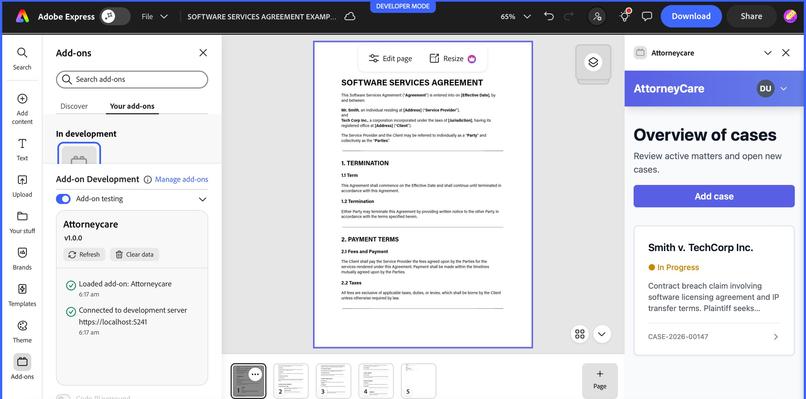
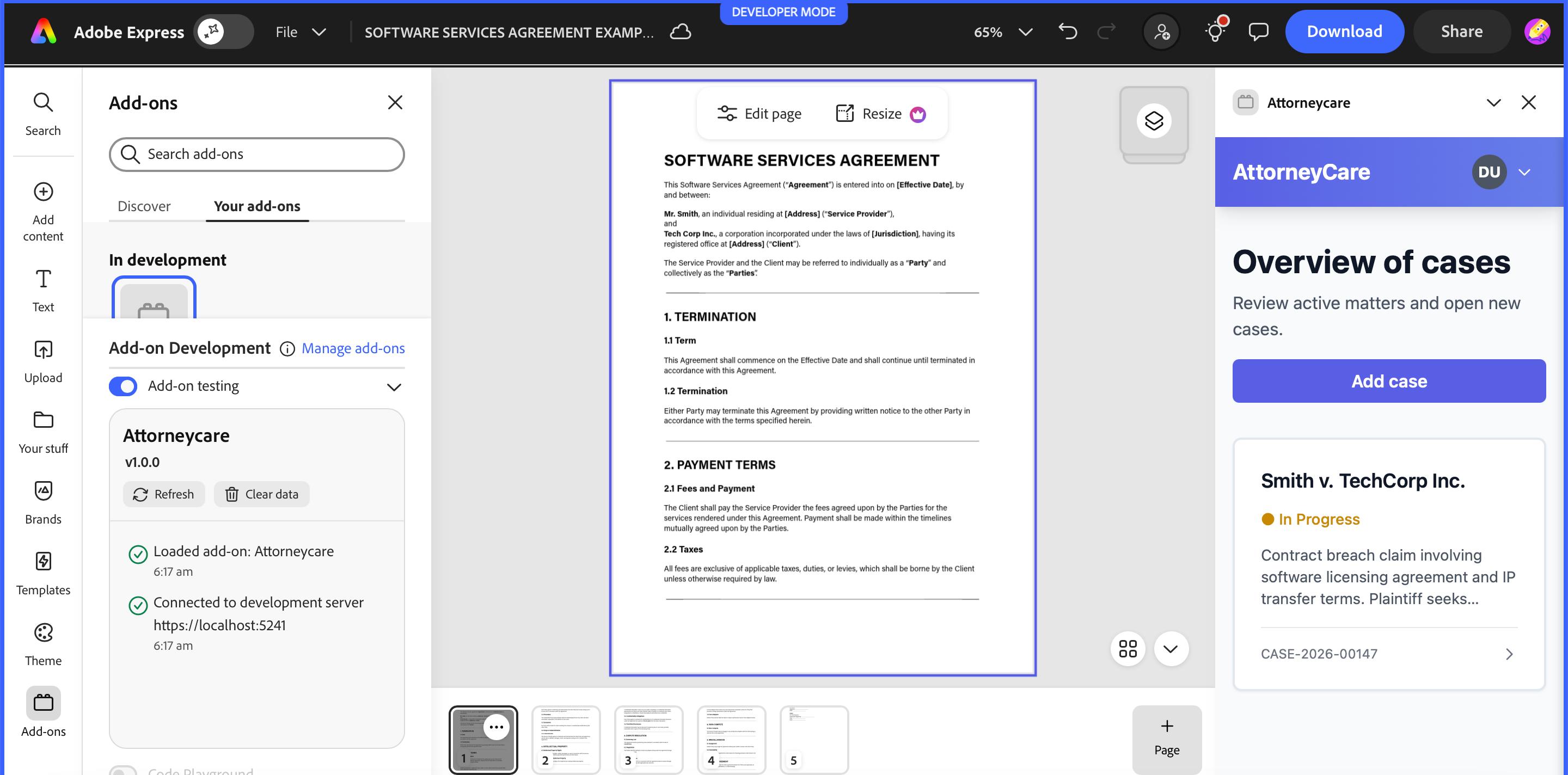
Add-on is integrated inside Adobe Express, displaying a live legal document with a secure case dashboard for clause-level review & tracking
-
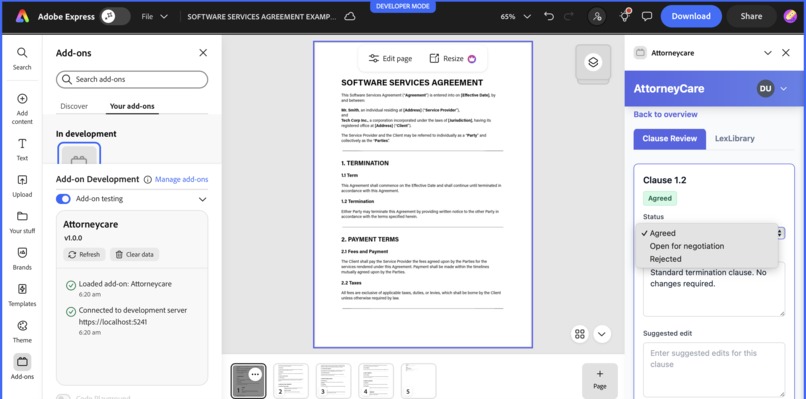
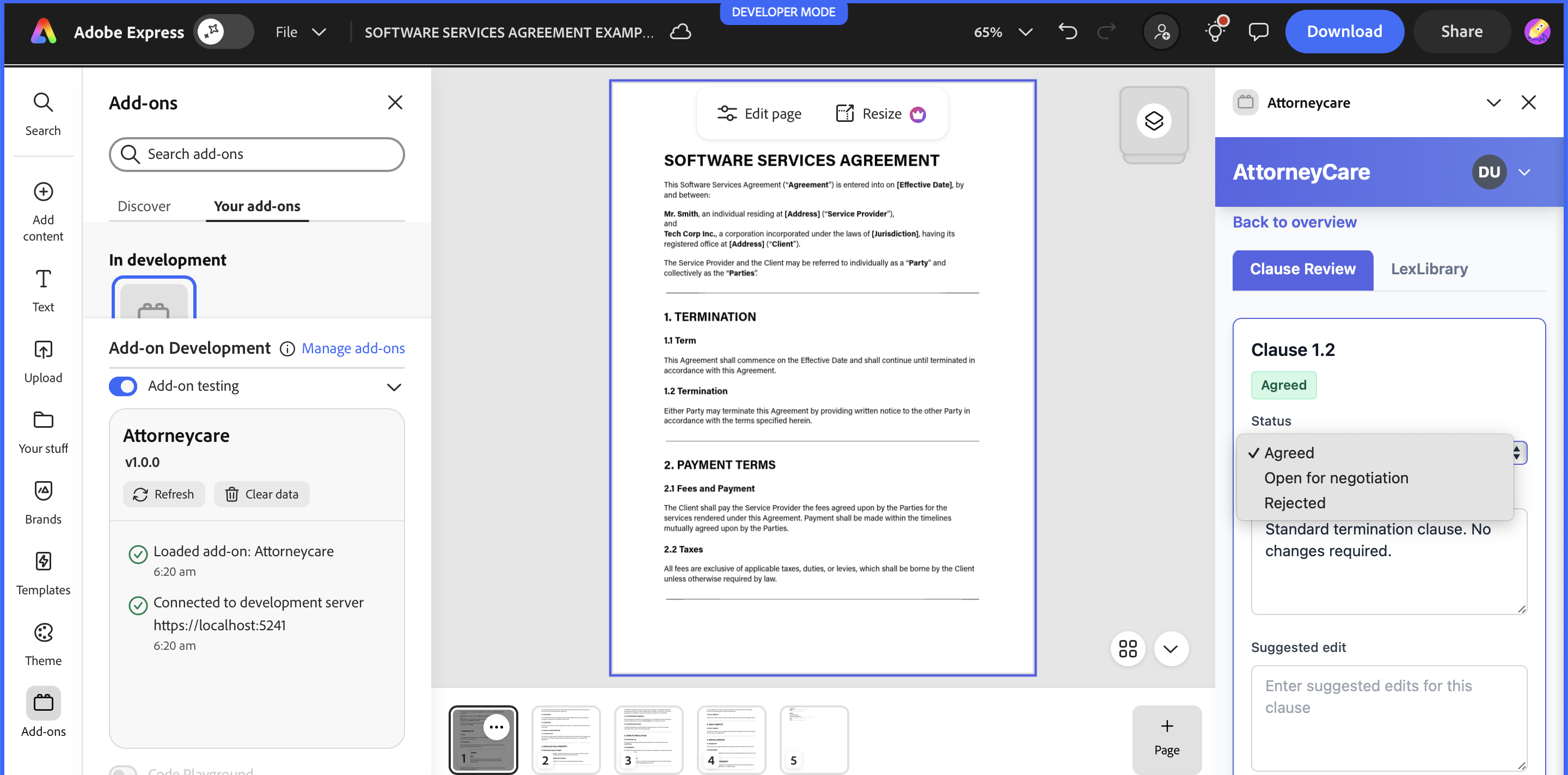
Clause review interface is embedded in Adobe Express, enabling clear status decisions, comments, and suggested edits at the clause level.
-
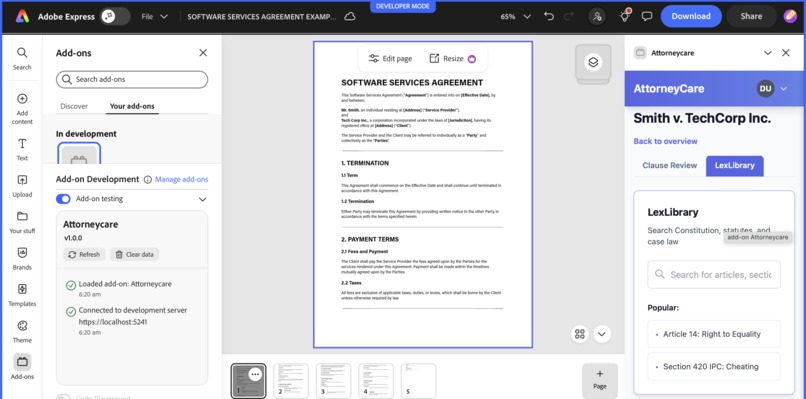
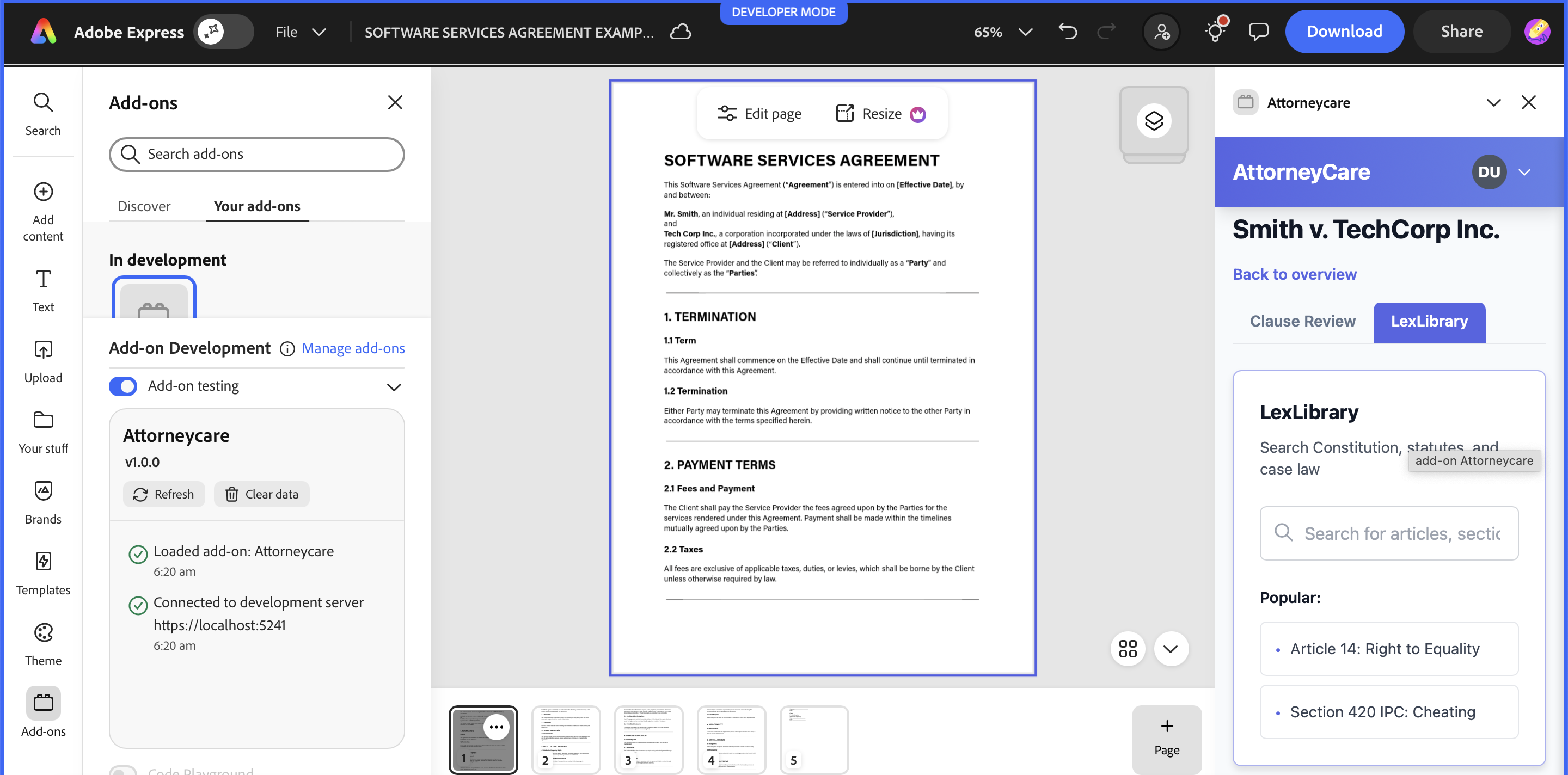
LexLibrary tab inside AttorneyCare for quick, read-only legal reference during clause review.
-
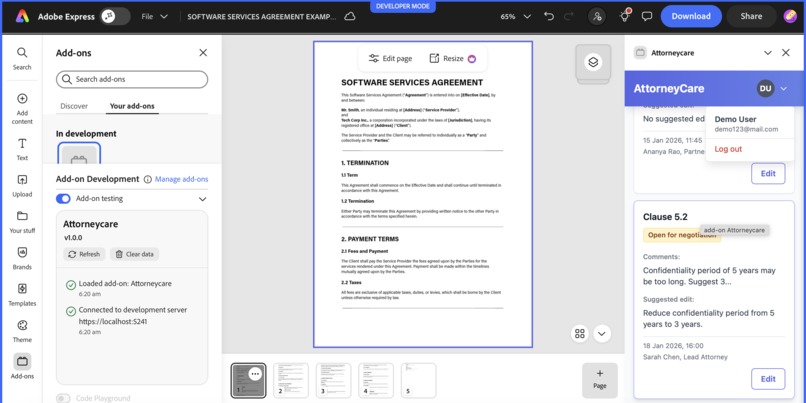
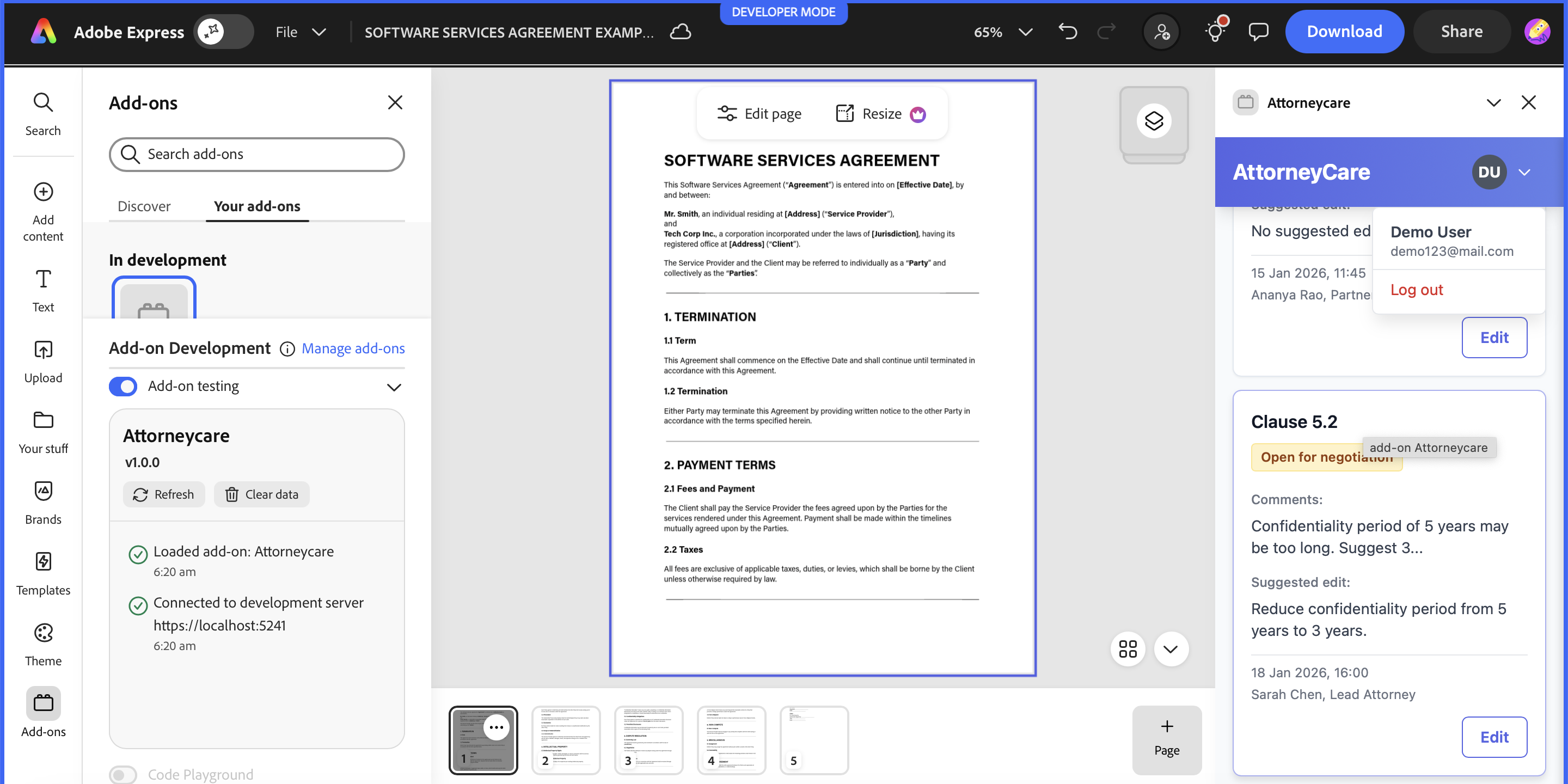
Negotiation state for a contract clause, capturing reviewer comments, suggested edits, and accountability inside Adobe Express.
-
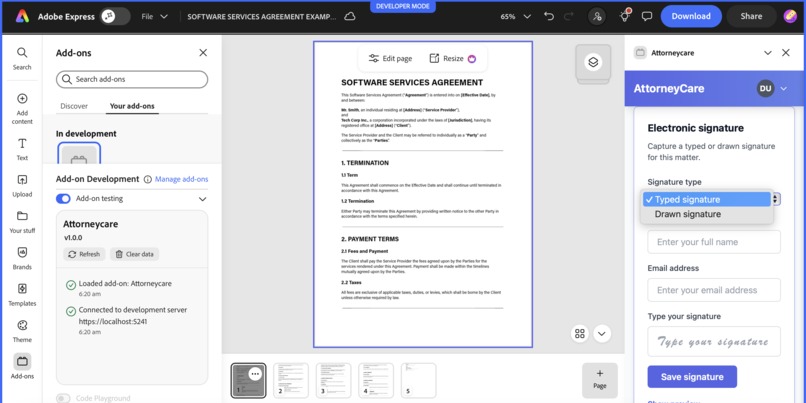
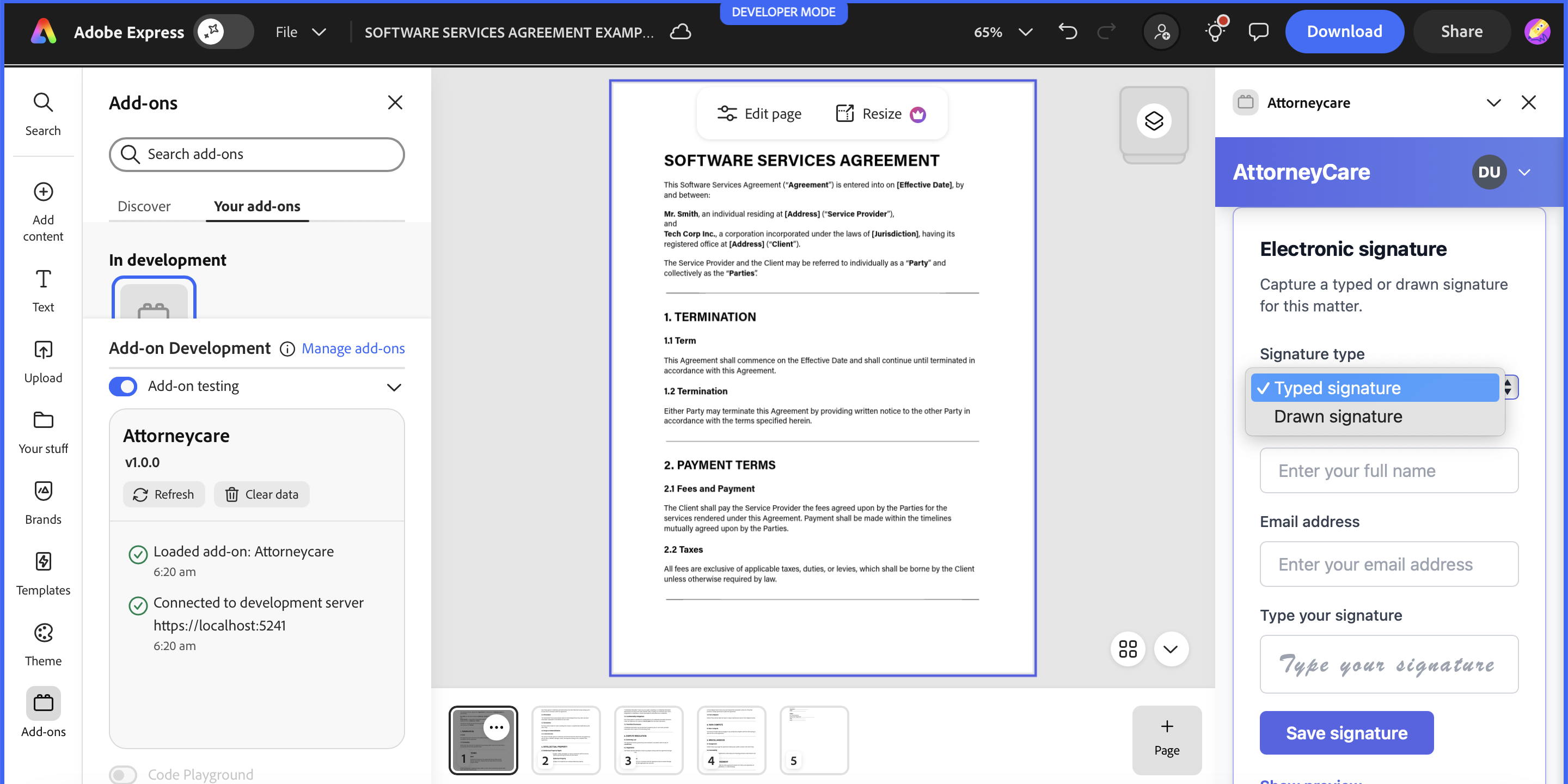
Built-in electronic signature flow for finalising reviewed legal documents inside Adobe Express
-
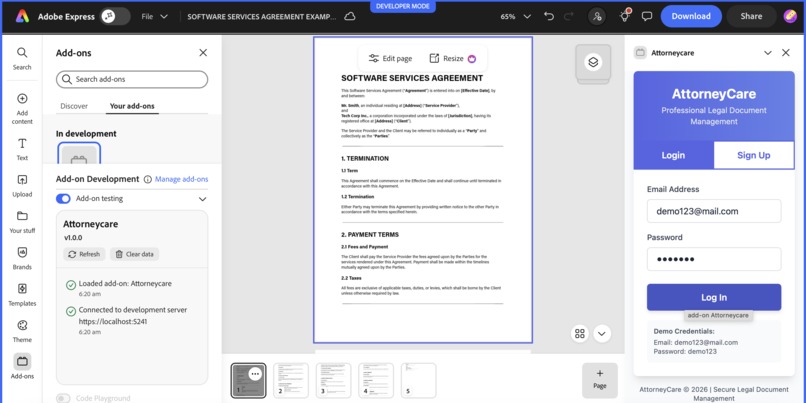
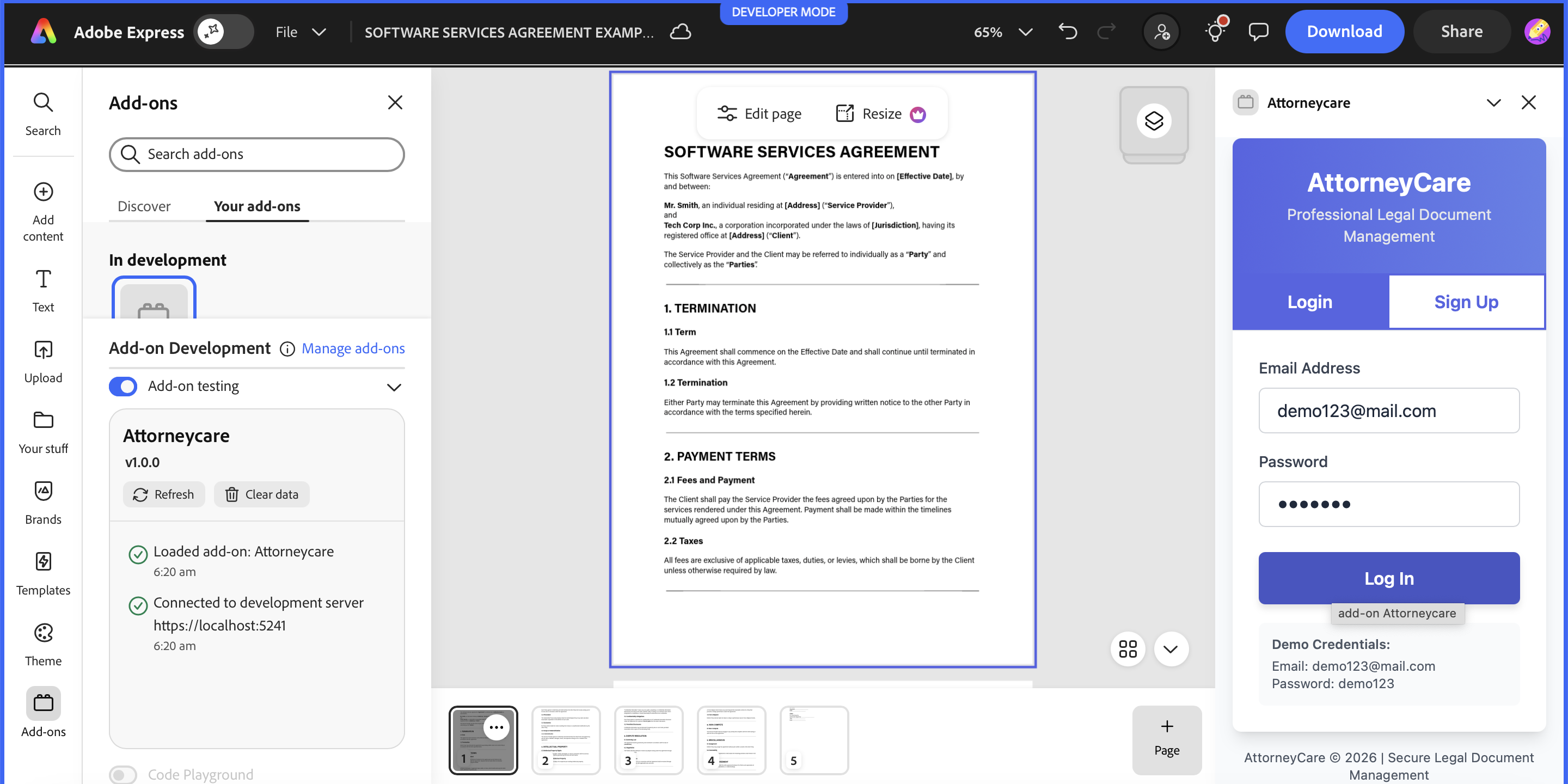
Secure authentication flow for accessing AttorneyCare inside Adobe Express.
Inspiration
AttorneyCare was inspired by observing how legal document reviews happen in actual life. While documents are digital, the discussions and decisions around them are often scattered across emails, comments, and calls. To better understand this, we spoke with practicing advocates and individuals involved in legal processes, who consistently highlighted difficulties in tracking clause-level decisions, accountability, and progress. These real-world conversations helped us identify a clear gap in existing tools and motivated us to build a more structured approach to legal review.
What it does
AttorneyCare is a secure add-on for adobe express that enables clause-by-clause legal document review with built-in accountability and audit readiness. It enables:
- Clause-level review of legal documents instead of treating the document as a single block
- Allows each clause to be marked as Agreed, Open for Negotiation, or Rejected
- Records comments and suggested edits with clear user identity, role, and timestamps
- Provides secure, role-based access with password-protected case access to ensure controlled visibility of sensitive legal documents
- Visualises case progress through timelines and status indicators
- Includes a Lex Library for read-only reference to IPC sections and constitutional provisions
- Supports electronic signing to finalise reviewed documents
How we built it
We built AttorneyCare as a realistic Adobe Express add-on prototype, focusing on clarity, accountability, and production-ready structure rather than feature overload.
- The frontend was developed using HTML, Tailwind CSS, and Vanilla JavaScript which was optimised for Adobe Express add-on constraints such as narrow panels and responsive viewports. We designed a card-based interface to ensure clause reviews remain readable and usable without excessive scrolling.
- The backend was implemented using Node.js and Express.js, with MongoDB handling case and clause data and PostgreSQL managing immutable audit logs for traceability. Authentication was handled using JWT tokens with bcrypt -based password hashing to reflect secure, real-world access control.
- Key features such as password-protected cases, clause review cards, tab-based navigation (Clause Review and LexLibrary), and electronic signatures were built incrementally, followed by audit logging and UI polish. Throughout development, we adhered to Adobe’s design language using a consistent developer theme colour. The final result is a deployment-ready, production-structured legal-tech add-on designed to reflect real lawyer workflows and enterprise expectations.
Challenges we ran into
Personal challenges: Since we do not come from a legal background, understanding legal workflows and terminology was a major challenge. Translating real-world legal processes into a structured digital system required careful research, repeated feedback, and thoughtful design to ensure we did not oversimplify or misrepresent legal practices. Technical challenges:
- Avoiding over-automation: It was tempting to add AI-driven features, but we consciously avoided anything that reduced explainability or increased legal ambiguity.
- Balancing simplicity with completeness: Legal workflows are complex, and distilling them into a clean interface without losing meaning required several iterations.
Accomplishments that we're proud of
- Despite initial doubts and the complexity of the domain, we are proud that we pursued this unique idea and successfully built a working prototype in our very first hackathon.
- Taking feedback from real users and converting it into a functional system was a significant achievement.
- Successfully designing and building a working prototype in a complex domain despite not having a legal background.
- Translating abstract legal processes into a clear, structured, and usable digital system
- Working effectively as a team under tight timelines and seeing the project through from idea to execution
What we learned
This being our first hackathon, we learned a great deal about problem validation, cross-domain thinking, teamwork, and rapid prototyping. Most importantly, we learned the value of building solutions grounded in real-world needs rather than assumptions. We also learnt aligning of the Adobe Spectrum design principles instantly improves perceived trustworthiness of the interface.
What's next for Caffeine3000
Looking ahead, Caffeine3000 plans to explore:
- Assisted verification of cited legal provisions against authoritative sources
- Plain-language explanations of complex legal terms for non-legal users
- Expanding the LexLibrary with broader statutory coverage
- Secure access via webapp and email for controlled collaboration even with non-adobe users
Built With
- adobe-express
- and-a-mobile-first
- and-vanilla-javascript-on-the-frontend
- bcrypt
- chart.js
- css
- express.js
- html
- javascript
- jwt-based-authentication
- jwttokens
- mongodb
- mongodb-for-clause-data
- node.js
- postgresql
- postgresql-for-immutable-audit-logs
- restapi
- tailwind-css
- tailwindcss
- vanillajavascript
- with-a-node.js-and-express-backend


Log in or sign up for Devpost to join the conversation.