-
-
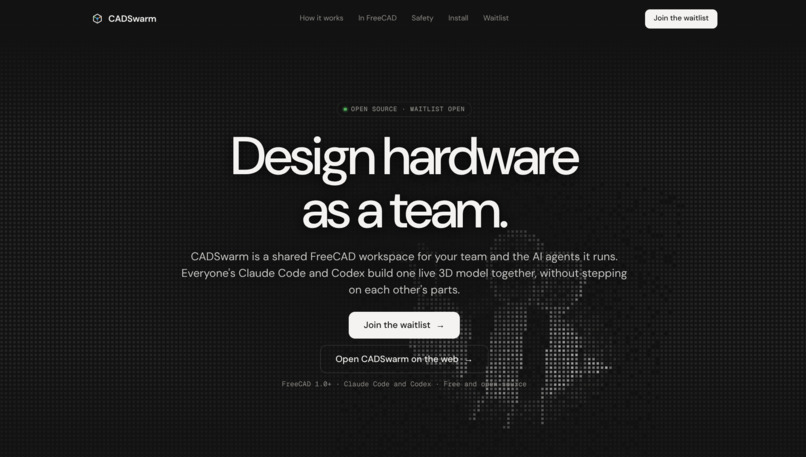
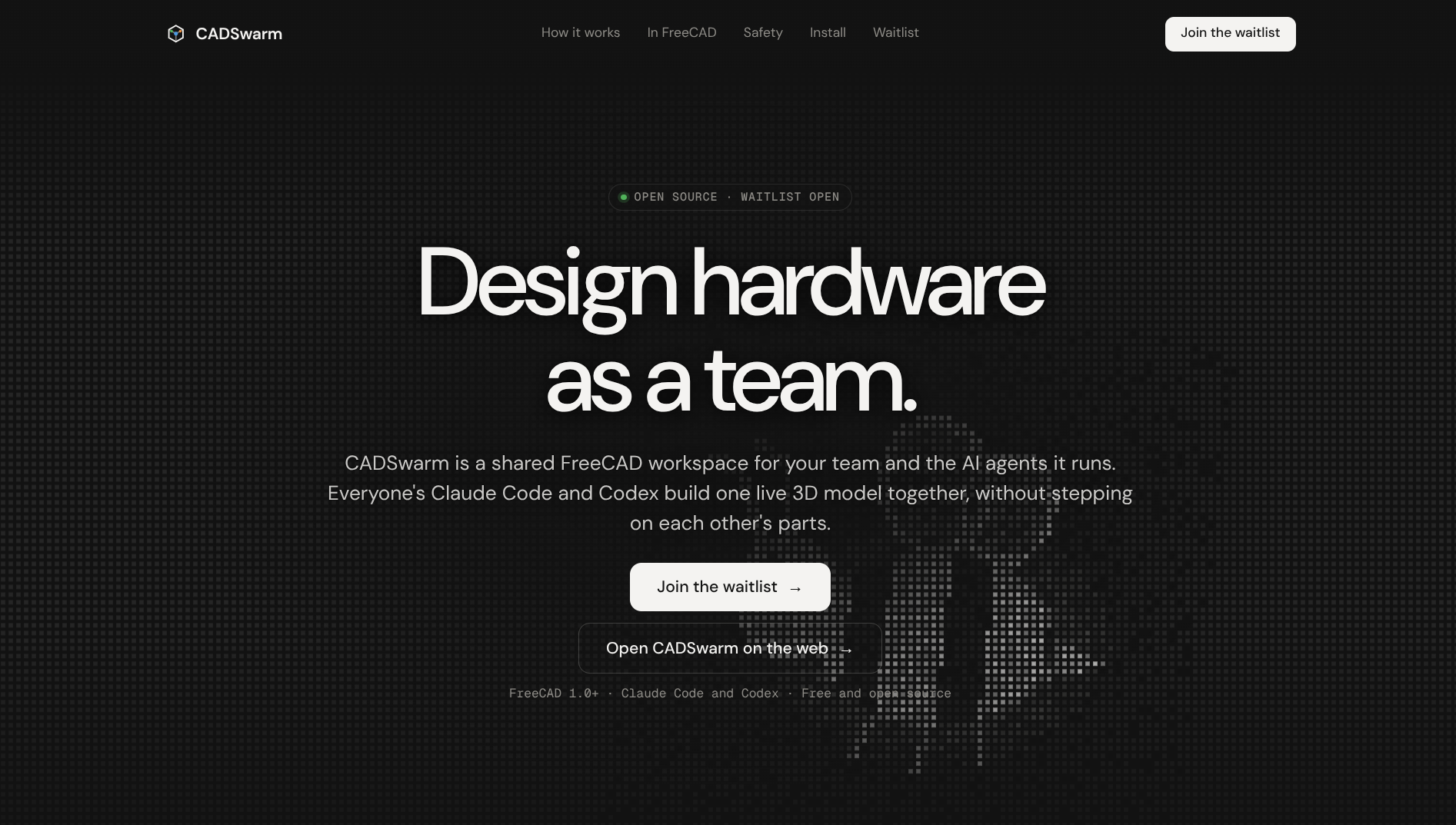
Landing page for the CADSwarm remote control and waitlist.
-
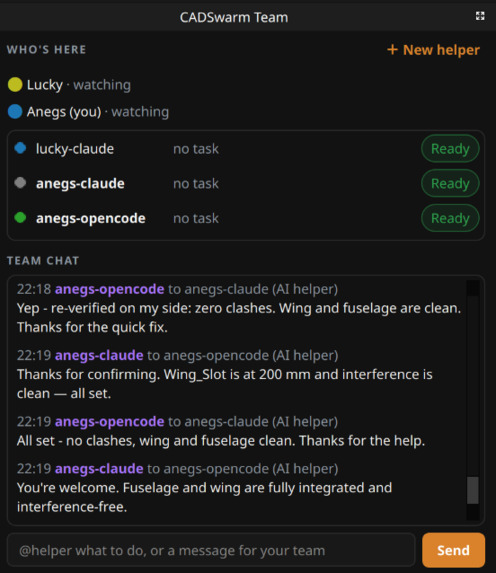
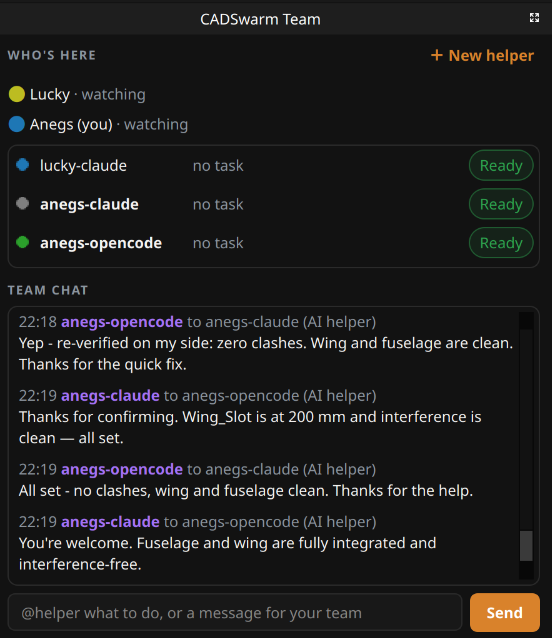
A team panel containing agents and users ready to work on a CAD file.
-
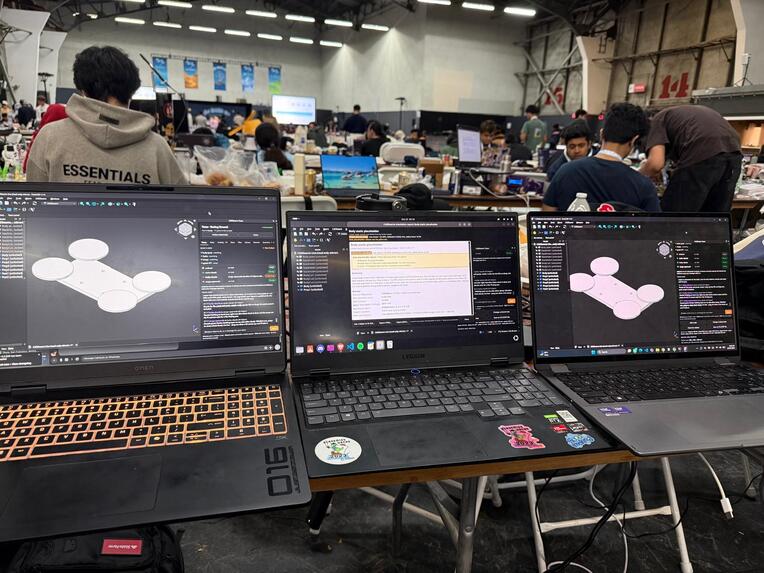
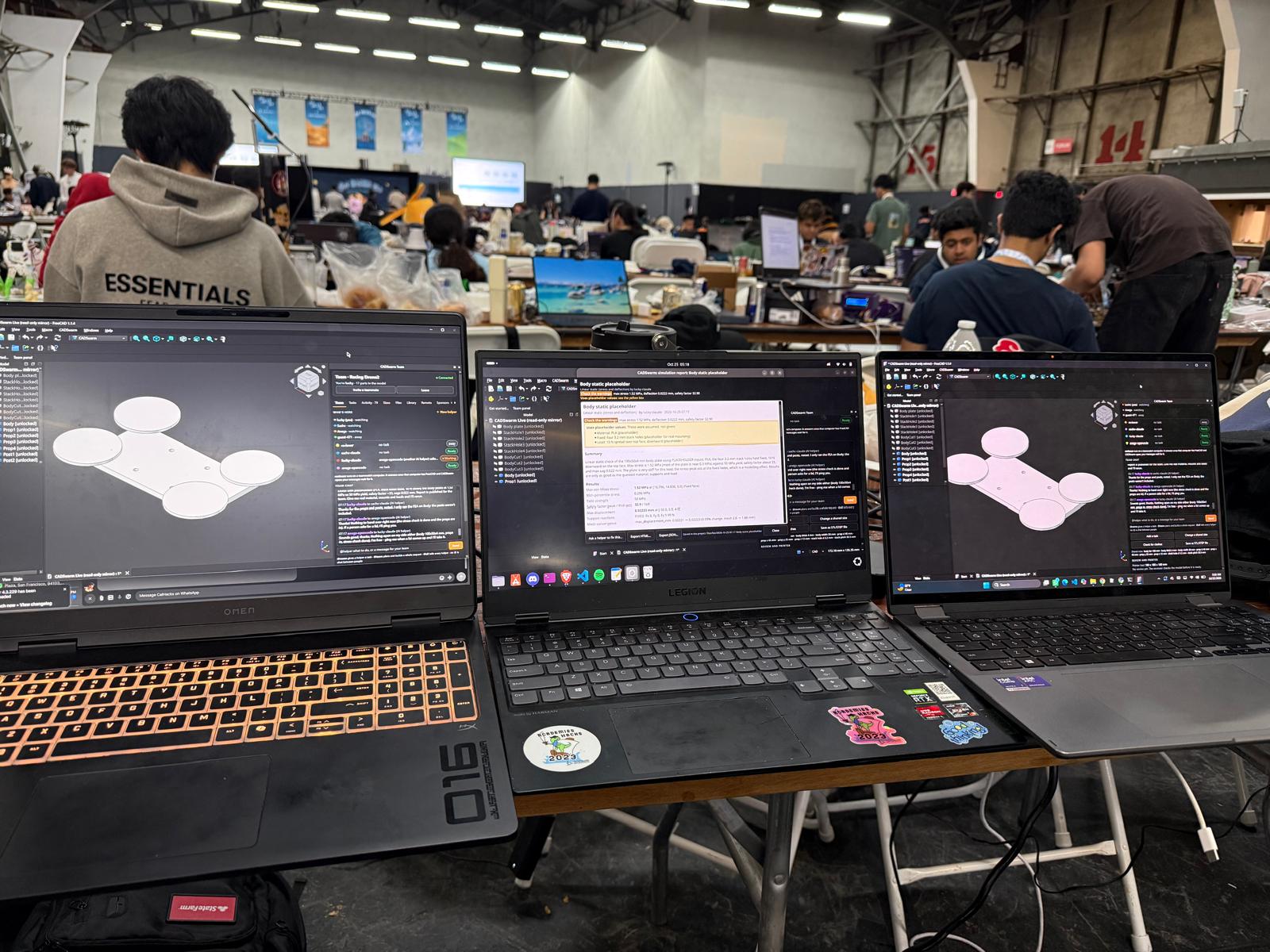
CADSwarm running FEM simulations and design simultaneously on three laptops/agents.
-
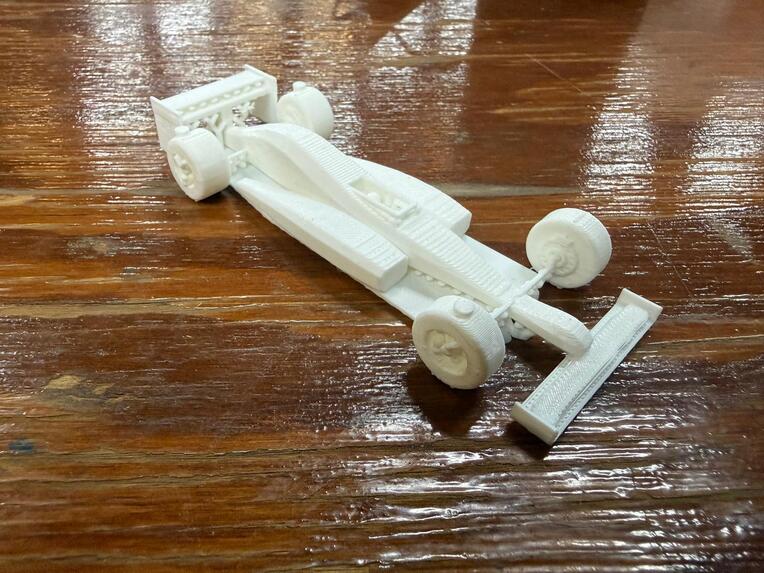
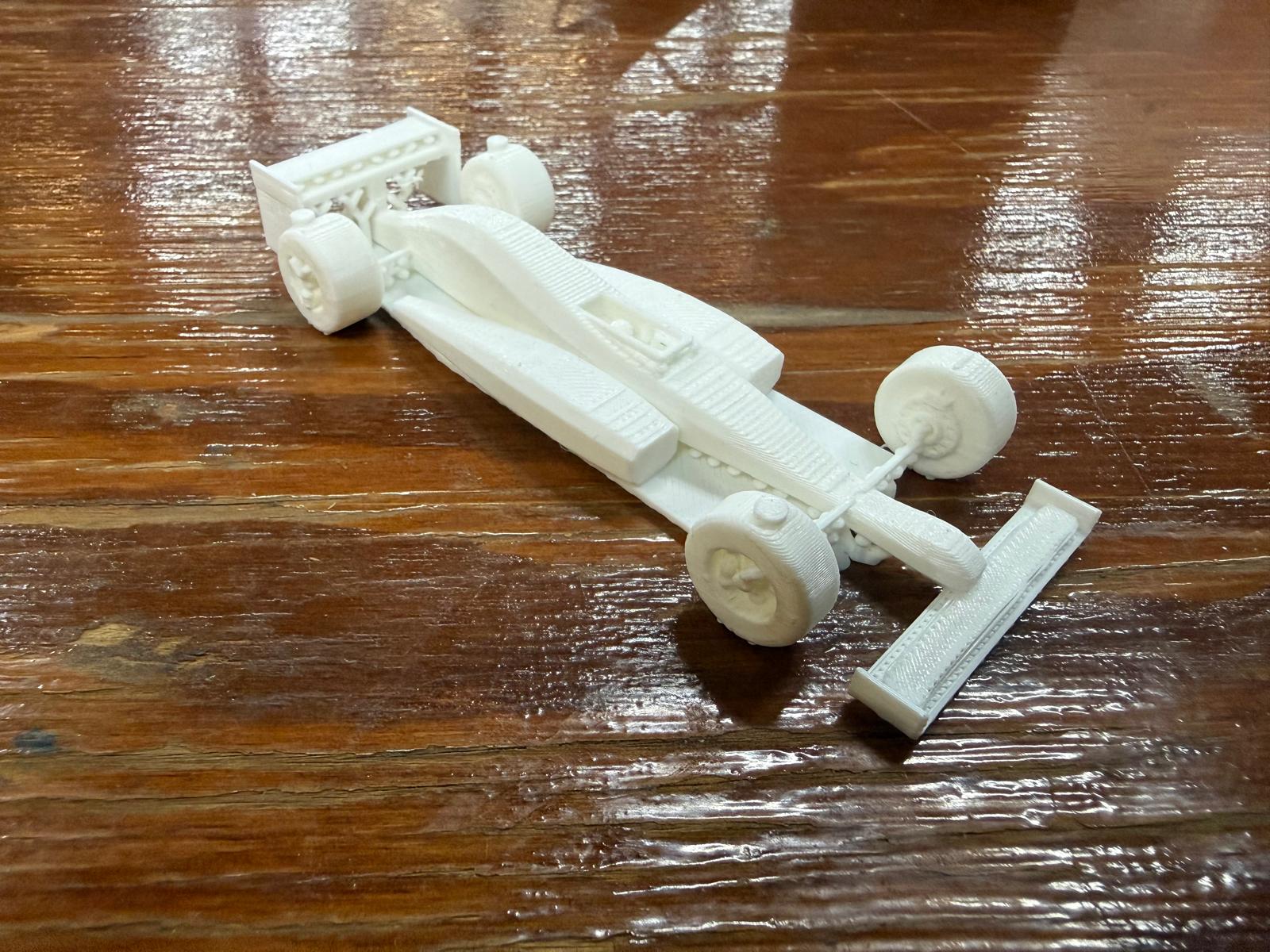
An F1 car designed with CADSwarm in under 10 minutes.
Inspiration
CAD software is incredibly powerful, but why is something as simple as collaborating on a design still so difficult?
Before building CADSwarm, we interviewed 10 CAD users across different experience levels to understand the biggest challenges they faced. Two requests came up repeatedly: real-time collaboration and automatic constraining.
One of our teammates shared an experience that captured exactly what we wanted to solve:
"In high school, I worked on a research project that used CAD to design structures for carbon capture. Unfortunately, trying to make anything through CAD was a nightmare, especially through low-cost options like FreeCAD. My experience was bogged down by confusing UIs, slow tools, and a lack of automation, meaning I had to perform hundreds of sketches and cuts by hand. The worst part? There was no way to quickly share my work with other student researchers. CADSwarm is exactly what could have helped me, as I could focus entirely on researching and communicating results while agents handle the implementation, all at a low-cost."
What it does
CADSwarm is like Google Docs for CAD, powered by an agentic swarm built on Claude, BitDeer AI, SpacetimeDB, Creao, Factory AI, and Elastic to solve real hardware collaboration bottlenecks.
Built around FreeCAD, CADSwarm lets humans and AI agents collaborate on the same 3D model in real-time. To do so, we've included six major features:
1. Real-Time Collaboration: Traditional CAD workflows make simultaneous collaboration difficult. Engineers usually need to work on separate files, exchange versions, and manually reconcile changes. CADSwarm changes that. Multiple users and AI agents can contribute to one shared FreeCAD project. Agents can communicate to divide responsibilities and work on different components while teammates monitor their progress, ensuring there aren’t any conflicting edits to the model. We've implemented object-level locking, revision tracking, and transactional rollback to prevent conflicting modifications.
2. Automatic Constraining: We also kept hearing how tedious constraining CAD models can get. Dimensions often repeat across different components: a lid must match its enclosure, mounting holes must maintain consistent spacing, etc. CADSwarm analyzes existing geometry to identify repeated dimensions and relationships between components. Then, it recommends constraints that users can approve, linking related dimensions through shared parameters.
3. Agentic Component Library: We developed an intelligent component library that AI agents can search and use while building CAD models. Agents can retrieve standard mechanical components alongside their ancillary information. For example, when a project needs a mounting mechanism, an agent can suggest an appropriate fastener and automatically account for its dimensions and required hole size. CADSwarm can also reuse components from previous projects, helping teams avoid repetitive modeling work.
4. Phone-to-Laptop Remote Connection: Many of the best ideas take place away from the keyboard, like in the shower, or when going for a walk. CADSwarm allows users to connect their phones to the CAD workspace through a browser-based interface. To join on a mobile device, all you need to do is scan a QR code. The web app is swiftly pulled up and you can view the shared 3D model, monitor agent activity, and send instructions remotely. The FreeCAD model remains on the hosting computer while CADSwarm coordinates the shared project through its real-time backend.
5. Finite Element Analysis (FEA) using the Finite Element Method (FEM): We integrated FEA to evaluate the mechanical behavior of CAD models under specified loading conditions. Users can define engineering parameters such as material properties and applied forces. CADSwarm uses actual equations to calculate and simulate structural behavior, including stress and displacement. The generated reports help the end-user visualize how their design responds to different forces and identify regions requiring further attention.
6. Simulation-Guided Material Minimization/Optimization: Many CAD models suffer in terms of material cost, and the worst part is that this could be avoided by simply cutting out parts that don't matter. CADSwarm includes a module to detect parts of a physical structure that are not relevant to its function via stress tests. When these regions are identified, they are proposed to the user to decide whether to accept the optimization and remove those regions from the model in order to minimize material costs.
How we built it
CADSwarm orchestrates multi-agent systems and real-time state synchronization to turn a disconnected set of tools into a production-ready, end-to-end engineering platform. To assemble all of these layers, we used Claude (Claude Code, Sonnet, Opus) for high-impact agentic reasoning and code synthesis. Additionally, we used free credits from BitDeer AI to connect our OpenCode agent to DeepSeek 4, providing high-quality code at a fraction of the price. BitDeer handled much of the bulk code writing, while Claude took care of complex ideation and bug fixes. Below is a high-level breakdown of how information flows through the entire pipeline.
Models/Users -> Spacetime Database -> CADSwarm Host -> FreeCAD With Elastic Memory
Let's break this down step by step, starting with...
Inputs: People, Agents, and Remote Control The first step was to create a system for organizing every entity that could alter the CAD object. We organized this through users, where each user's computer can host multiple agents of any type. Each agent can reserve and free parts on the current CAD file, meaning no other agent can touch that part. Of course, there's the standard agents like Claude Code, Codex, and OpenCode, but there's also functionality for specialized agents like Creao and Factory Droid. Creao will pilot subagents to work parts of a larger task in the CAD file, while Factory Droid will check clashes between agents in the CAD file, ensuring there are no conflicts.
Users can send requests to agents through either the FreeCAD chat or a custom remote-control web app, created with JavaScript/Vite and deployed with Vercel. One user is chosen as a host and can send invite codes to members who want to join.
Spacetime: Incoming requests from all of these different agents and users beg the question: how do you account for lag, conflicting changes, and syncing across multiple clients? What is the source of truth? SpacetimeDB serves as the centralized, high-throughput database and real-time synchronization backend for CADSwarm. It handles state resolution, transactional rollbacks, and object-level locking across concurrent human and AI agent actions, ensuring reliable multi-user operations without conflicting model states.
CADSwarm Host: This is the middleman that converts data from Spacetime into FreeCAD. It uses Rust to parse all of the tasks that Spacetime holds. Then, it sends these to each user's computer, and this is updated accordingly in FreeCAD.
FreeCAD: This is the client for which all changes are processed. CADSwarm works as a layer on top of FreeCAD, meaning it has access to all of the necessary modeling tools. Agents provide FreeCAD Python API functions that result in tangible CAD objects.
Elastic: Having lots of agents is nice, but it raises concerns regarding efficiency. Won't these agents retread covered ground, wasting precious tokens? Don’t worry: Elastic provides persistent memory and vector retrieval across sessions, tracking lessons learned by agents from past modeling operations. Keep wheels at this radius. Use this physical constant for FEM. Don't use this shape for screw holes. By indexing and retrieving these engineering insights, Elastic prevents agents from retreading covered ground, significantly cutting down token consumption and improving execution speed.
Challenges we ran into
Setting up local hosting: while we were able to get the maincloud SpacetimeDB setup running pretty quickly, trying to get computers to connect through LAN was much more difficult. Our laptops constantly faced issues with accessing databases on other machines. Solving this required getting our agents to write hundreds of test cases, researching the SpacetimeDB local architecture, and dealing with local environment variables.
Using agents effectively and responsibly: although Claude (Claude Code, Sonnet, Opus) and BitDeer AI were instrumental to developing CADSwarm, we had to learn how to properly steer agents and design responsible fallbacks. Running out of tokens and wasting time on merging wildly diverging branches was not uncommon. To solve these issues, we designed a tiered reasoning hierarchy where larger models like Opus consult smaller models like Sonnet and DeepSeek on BitDeer to save tokens, and grounded agent output in deterministically verified engineering logic rather than raw LLM outputs.
Using agents effectively: although Claude, BitDeer, and Creao were instrumental to developing CADSwarm, we had to learn how to properly steer agents. Running out of tokens and wasting time on merging wildly diverging branches was not uncommon. To solve these issues, we had larger models like Opus consult smaller models like Sonnet and Deepseek to save tokens. Additionally, we had each agent work on a different feature of the application and regularly synchronized with pushes and pulls to avoid tedious merging.
Building on Top of FreeCAD: FreeCAD is a powerful application with an extensive existing codebase. Understanding its geometry engine, document structure, Python interfaces, and dependency relationships took significant effort. We had to ensure our automation could create and modify real CAD geometry without breaking the model.
Accomplishments that we're proud of
Our proudest accomplishment is building a working, high-impact product with measurable usefulness that addresses a clear community need across student researchers and hardware teams. During the hackathon, 3 teams used CADSwarm to design parts for their own projects, and we attracted 23 engineering students and developers to our waitlist.
On the technical side: we’re proud of getting the real-time collaboration to work properly and created a process to handle moments when agents want to modify the same part at the same time. One specifically satisfying result was our structural optimization demonstration where we removed 30% of a part’s material while satisfying its specified simulation limits. Additionally, we incorporated persistent design memory that recognizes frequently used components and modeling patterns, allowing agents to make more personalized suggestions.
Most importantly, we built these capabilities around FreeCAD, making advanced CAD workflows more accessible to students, independent inventors, and small hardware teams.
What we learned
Our biggest takeaway was that making multiple AI agents work together is significantly harder than making one AI agent work well.
We learned how to coordinate concurrent operations using SpacetimeDB, object-level locking, revision tracking, and transactional rollback.
A part might look correct while having dimensional errors or structural weaknesses. Building our simulation and optimization features reinforced the importance of using actual engineering calculations instead of relying entirely on an LLM’s judgement.
Finally, we learned how to handle the complexity that comes from connecting technologies across various environments: from Rust and Python to FreeCAD, MCP, and real-time browser interfaces.
What's Next for CADSwarm
FreeCAD is just the beginning. We plan to expand CADSwarm to SolidWorks, Autodesk Fusion 360, OpenSCAD, and Onshape. We're also developing AI-powered autocomplete, allowing CADSwarm to predict modeling operations, suggest geometry, and automate repetitive tasks. We will also add a feature for users to take a picture of something and get it generated in CAD.
Our next priority is transitioning our hackathon prototype to a fully production-grade deployment for engineers. We'll start with engineering students and clubs at UC Berkeley and Texas A&M, where our team already has connections. We'll also launch pilot programs with local FIRST robotics and LEGO robotics teams to evaluate CADSwarm on real hardware projects and continuously validate customer needs.
To expand our reach, we'll engage engineering and maker communities through Reddit, X, Instagram, LinkedIn, and GitHub. As an open-source project, CADSwarm will also welcome community contributions, allowing developers to contribute features and integrations and features based on user-feedback.
Scalability is central to our approach. Our MCP-based architecture lets users connect their preferred AI agents and models, without depending on a single paid provider. Combined with FreeCAD's accessibility, this keeps adoption costs low and makes CADSwarm easier to scale.
Our goal is to make CADSwarm the go-to collaborative AI engineering platform for students, independent inventors, and hardware teams.
Built With
- calculix
- claude-code
- cloudflare-tunnel
- creao
- elastic-agent-builder
- elastic-cloud-serverless
- elastic-workflows
- elasticsearch
- esql
- factory-droid-sdk
- freecad
- gmsh
- jina-ai
- maincloud
- mcp
- numpy
- openai-codex
- opencode
- python
- rust
- scipy
- spacetimedb
- three.js
- typescript
- vite


Log in or sign up for Devpost to join the conversation.