Inspiration
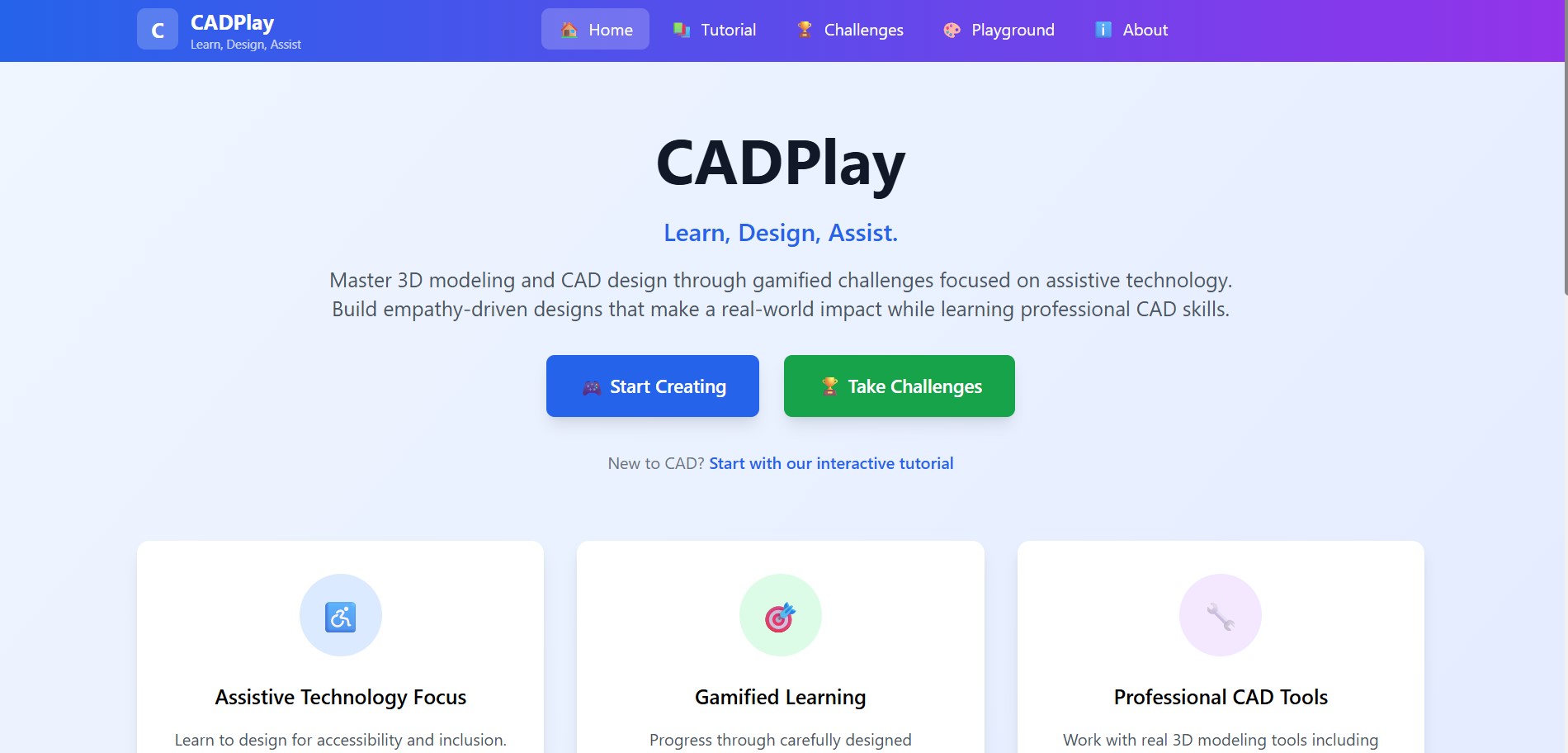
Millions of students and aspiring designers around the world lack access to high-quality, interactive CAD education. Traditional CAD tools are expensive, complex, and inaccessible on low-end devices. CADPlay is a browser-based, interactive CAD learning platform that enables learners to explore 3D design concepts through hands-on challenges and real-time feedback no downloads, no barriers.
The inspiration for CADPlay came from witnessing the barriers that exist in traditional CAD education. Most CAD learning platforms are intimidating, expensive, and lack real-world context that motivates learners. I was particularly moved by the potential of 3D modeling and design to create assistive technologies that can genuinely improve people's lives.
I realized that if we could make CAD accessible and engaging while focusing on meaningful applications like assistive technology, we could inspire a new generation of designers who think about inclusivity from the start. The idea of gamifying CAD learning through progressive challenges, combined with the immediate visual feedback of web-based 3D graphics, felt like the perfect way to bridge this gap.
What it does
CADPlay is an interactive web-based platform that teaches 3D modeling and Computer-Aided Design (CAD) concepts through hands-on practice and progressive challenges. The platform features:
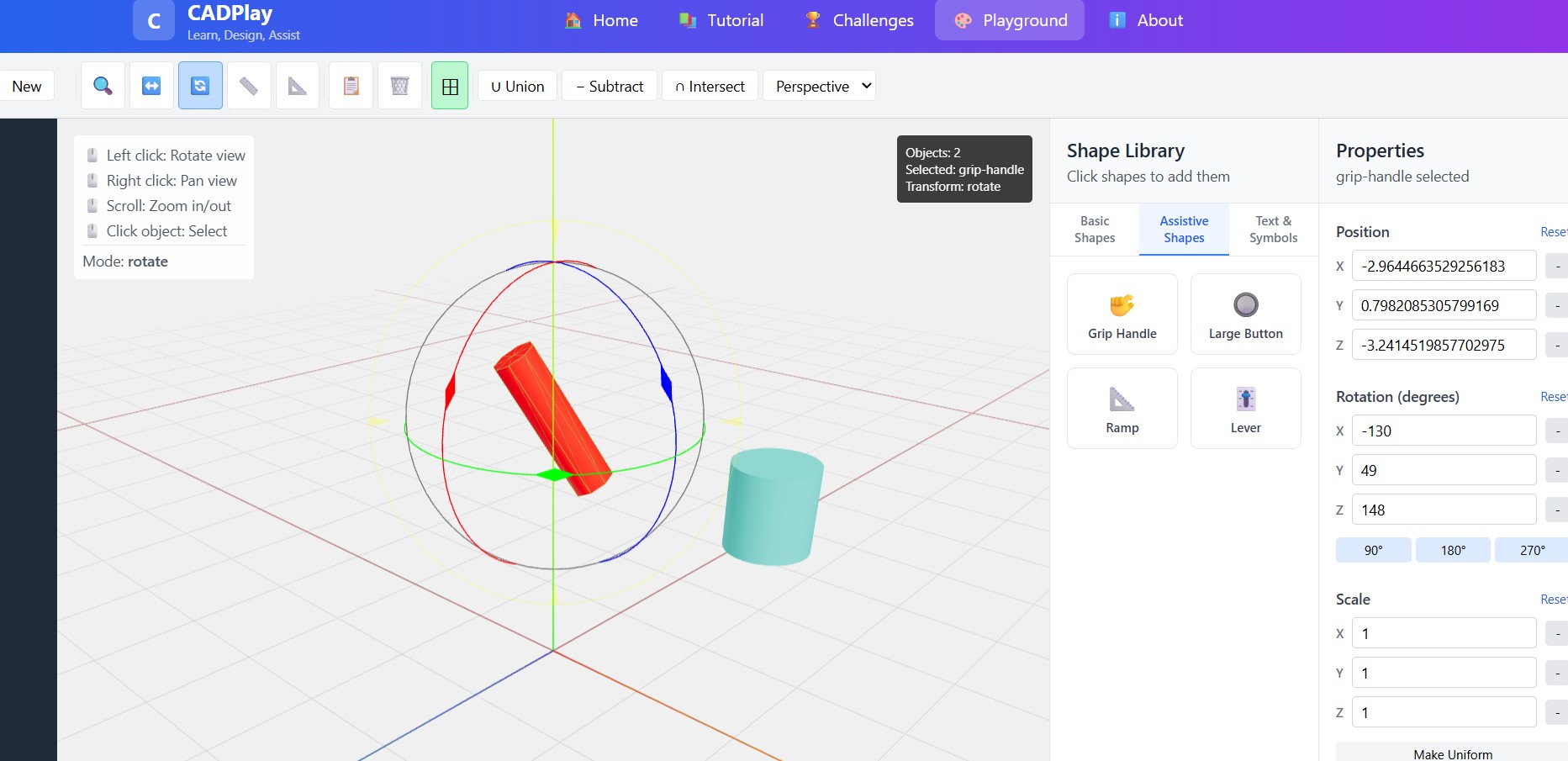
- Interactive 3D Environment: Users work with real 3D objects using professional-grade tools powered by Three.js
- Challenge-Based Learning: Structured learning paths that simulate real-world design tasks
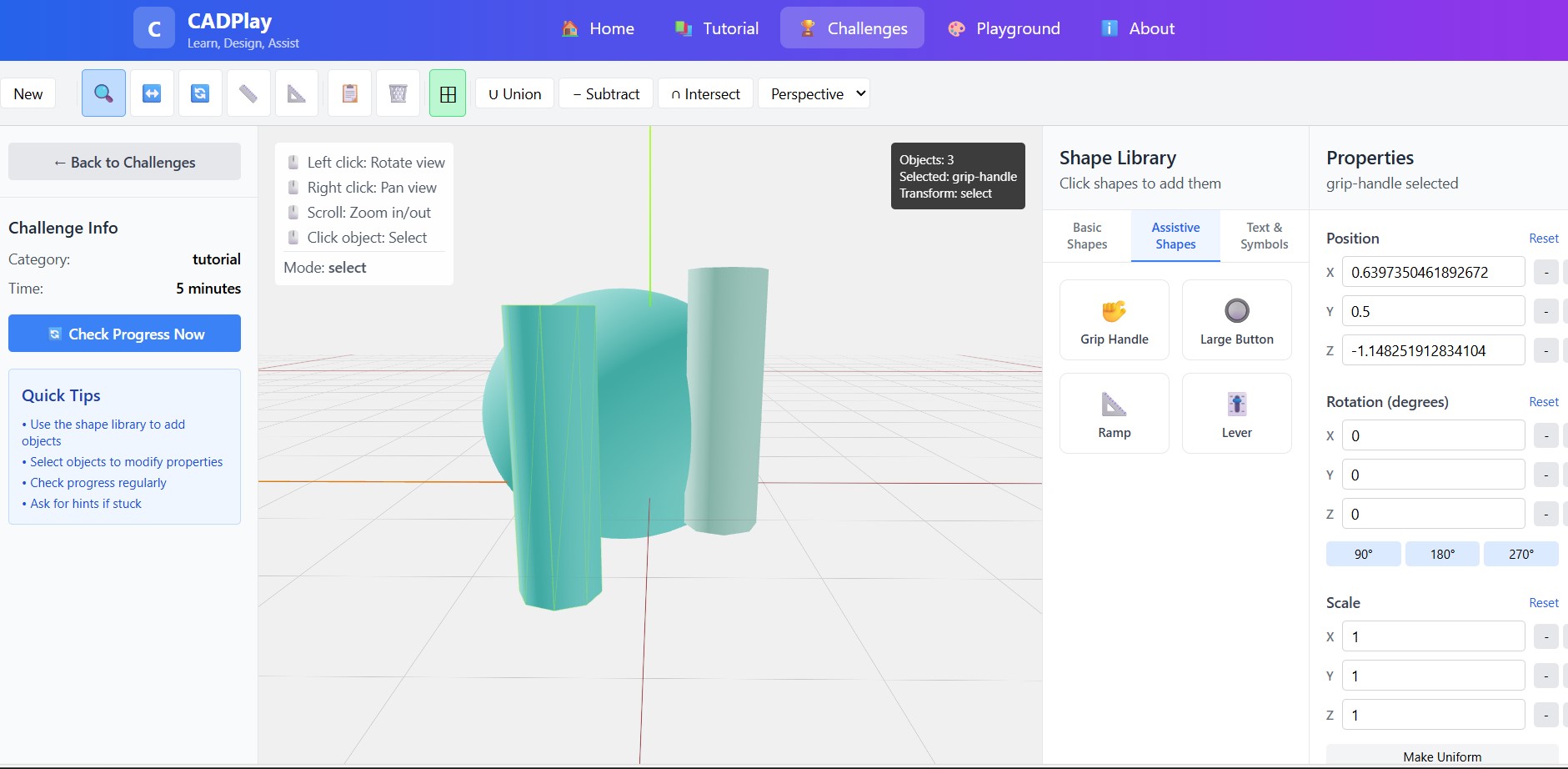
- Assistive Technology Focus: Many challenges specifically teach users to design solutions for accessibility needs
- Boolean Operations: Learn industry-standard CSG operations like union, subtract, and intersect
- Progressive Difficulty: Start with basic shapes and advance to complex assemblies
The platform includes three main modes:
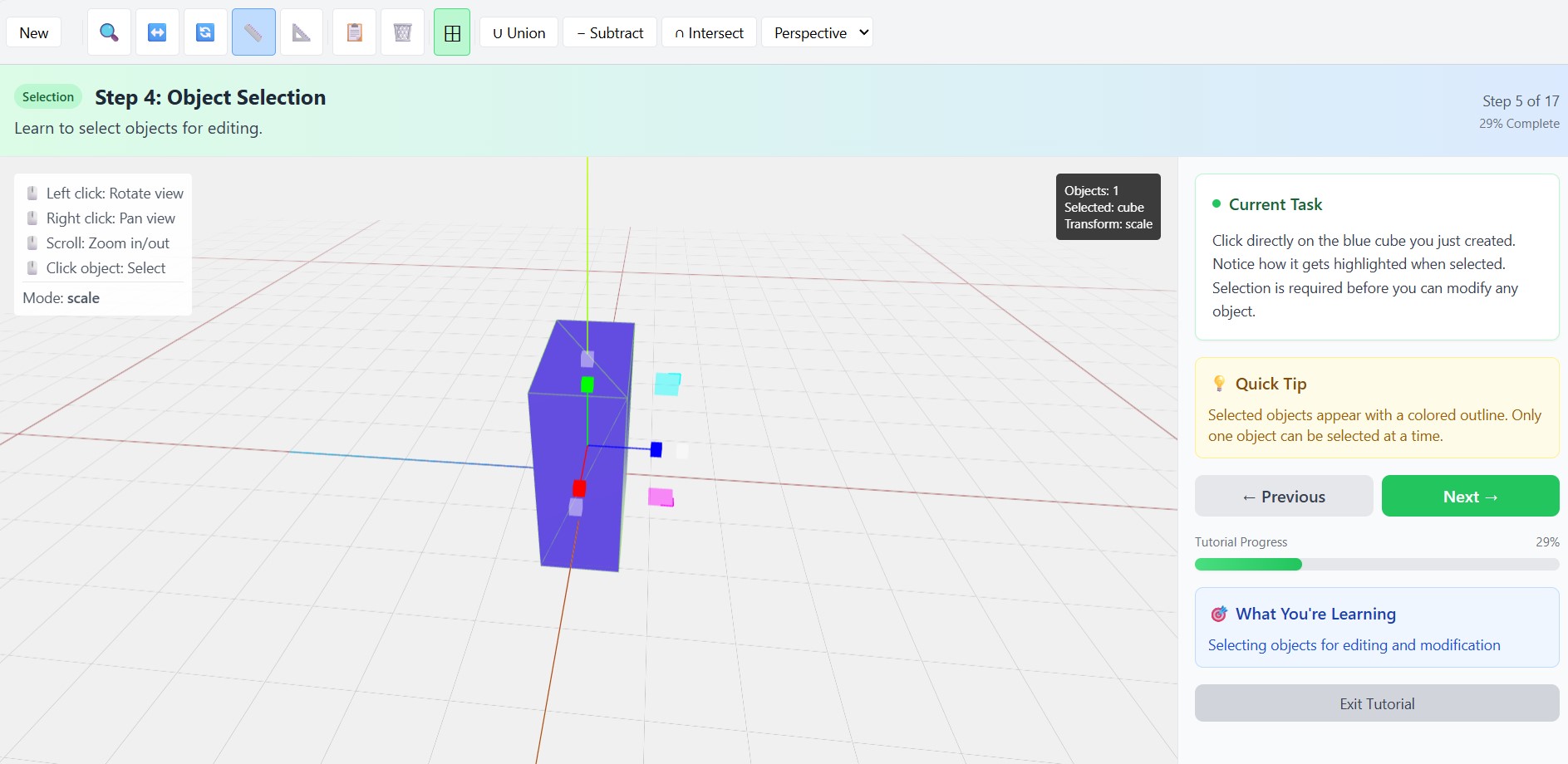
- Tutorial Mode: Guided step-by-step learning for beginners
- Challenge Mode: Structured objectives with real-world context
- Playground Mode: Free-form modeling environment for experimentation
How I built it
Building CADPlay required combining several modern web technologies to create a seamless 3D learning experience:
Frontend Architecture
- React: Chose React for its component-based architecture, perfect for managing complex UI states
- Three.js: The core 3D graphics engine that powers all geometric operations
- React Three Fiber: A React renderer for Three.js that allowed me to write 3D scenes declaratively
- React Three Drei: Provided essential helpers and controls for camera, lighting, and object manipulation
State Management
I implemented a dual-context system:
- AppContext: Manages global application state, user progress, and challenge completion
- SceneContext: Handles 3D scene state, object management, and transformations
3D Functionality
The most complex part was building the CAD operations.
Challenge System
I designed a flexible validation system that can check:
- Object presence and types
- Geometric properties (dimensions, rotations)
- Material properties
- Spatial relationships between objects
Styling and UX
- Tailwind CSS: Enabled rapid prototyping and consistent design
- Responsive Design: Ensured the 3D interface works across different screen sizes
- Accessibility: Implemented keyboard navigation and screen reader support
Challenges I ran into
1. 3D Performance Optimization
The biggest technical challenge was maintaining smooth 60fps performance while handling complex 3D operations. I had to:
- Implement object pooling for frequently created/destroyed geometries
- Optimize render loops and minimize unnecessary re-renders
- Use Web Workers for heavy computational tasks like boolean operations
2. Mathematical Complexity
Implementing proper 3D transformations and boolean operations required deep understanding of:
- Linear algebra for 3D transformations
- Computational geometry for CSG operations
- Quaternion mathematics for smooth rotations
3. User Experience Design
Balancing powerful CAD functionality with beginner-friendly UX was challenging:
- Designing intuitive controls for 3D manipulation
- Creating clear visual feedback for complex operations
- Structuring challenges that teach without overwhelming
4. Real-Time Validation
Building a system that could validate user progress in real-time required:
- Developing flexible rule engines for different challenge types
- Handling edge cases in geometric comparisons
- Providing meaningful feedback for partial progress
Accomplishments that I'm proud of
Technical Achievements
- Seamless 3D Integration: Successfully integrated Three.js with React to create a smooth, responsive 3D interface
- Real-Time Boolean Operations: Implemented CSG operations that work smoothly in the browser
- Flexible Challenge System: Built a validation engine that can handle diverse learning objectives
- Performance Optimization: Achieved consistent 60fps even with complex 3D scenes
Educational Impact
- Accessibility Focus: Created challenges specifically designed to teach inclusive design principles
- Progressive Learning: Developed a curriculum that builds skills systematically
- Real-World Context: Connected abstract CAD concepts to meaningful applications
What I learned
Technical Skills
- Advanced React Patterns: Learned to manage complex state in 3D applications
- 3D Graphics Programming: Gained deep understanding of WebGL, shaders, and 3D mathematics
- Performance Optimization: Mastered techniques for smooth real-time 3D rendering
- Computational Geometry: Implemented complex algorithms for 3D operations
Design Principles
- Inclusive Design: Understanding how to design for accessibility from the ground up
- Educational UX: Learning how to structure complex information for progressive skill building
- 3D Interface Design: Developing intuitive controls for 3D manipulation
What's next for CADPlay
- Mobile Optimization: Improve touch controls and responsive design for tablets
- Advanced Materials: Implement realistic material properties and rendering
- Import/Export: Add support for standard CAD formats (STL, OBJ, STEP)
- VR/AR Integration: Extend the platform to virtual and augmented reality
- Advanced Simulation: Add physics simulation and stress analysis capabilities
The ultimate goal is to democratize CAD education while fostering a generation of designers who prioritize accessibility and inclusive design in their work. CADPlay represents just the beginning of what's possible when we combine cutting-edge technology with meaningful educational goals.

Log in or sign up for Devpost to join the conversation.