-
-
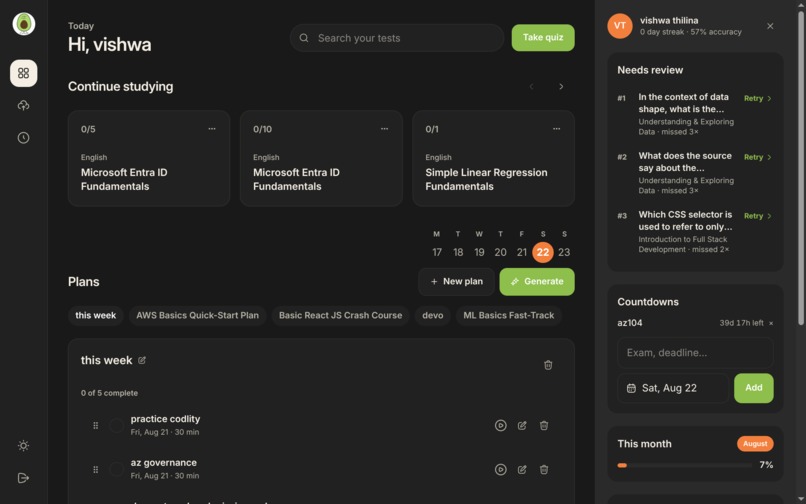
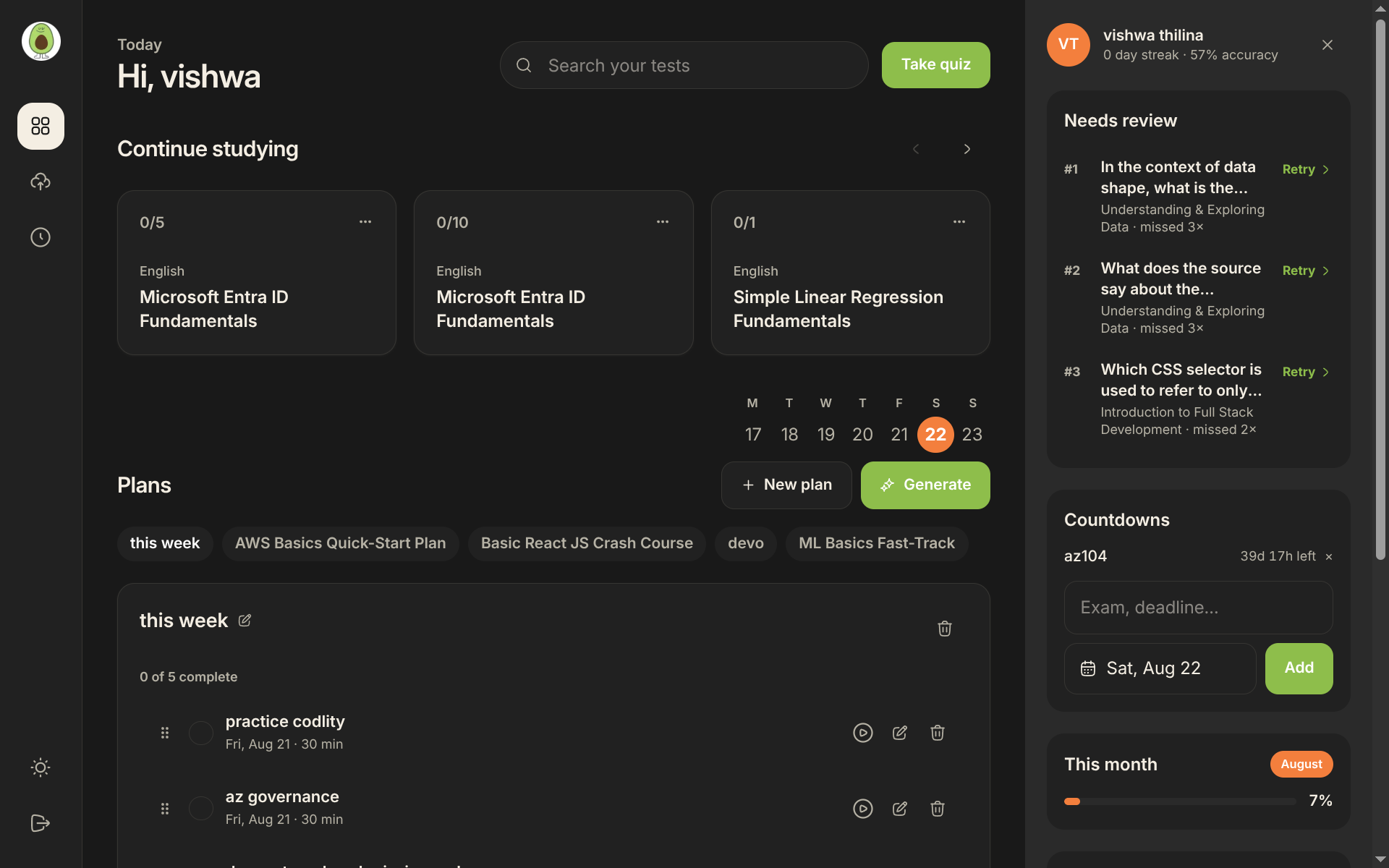
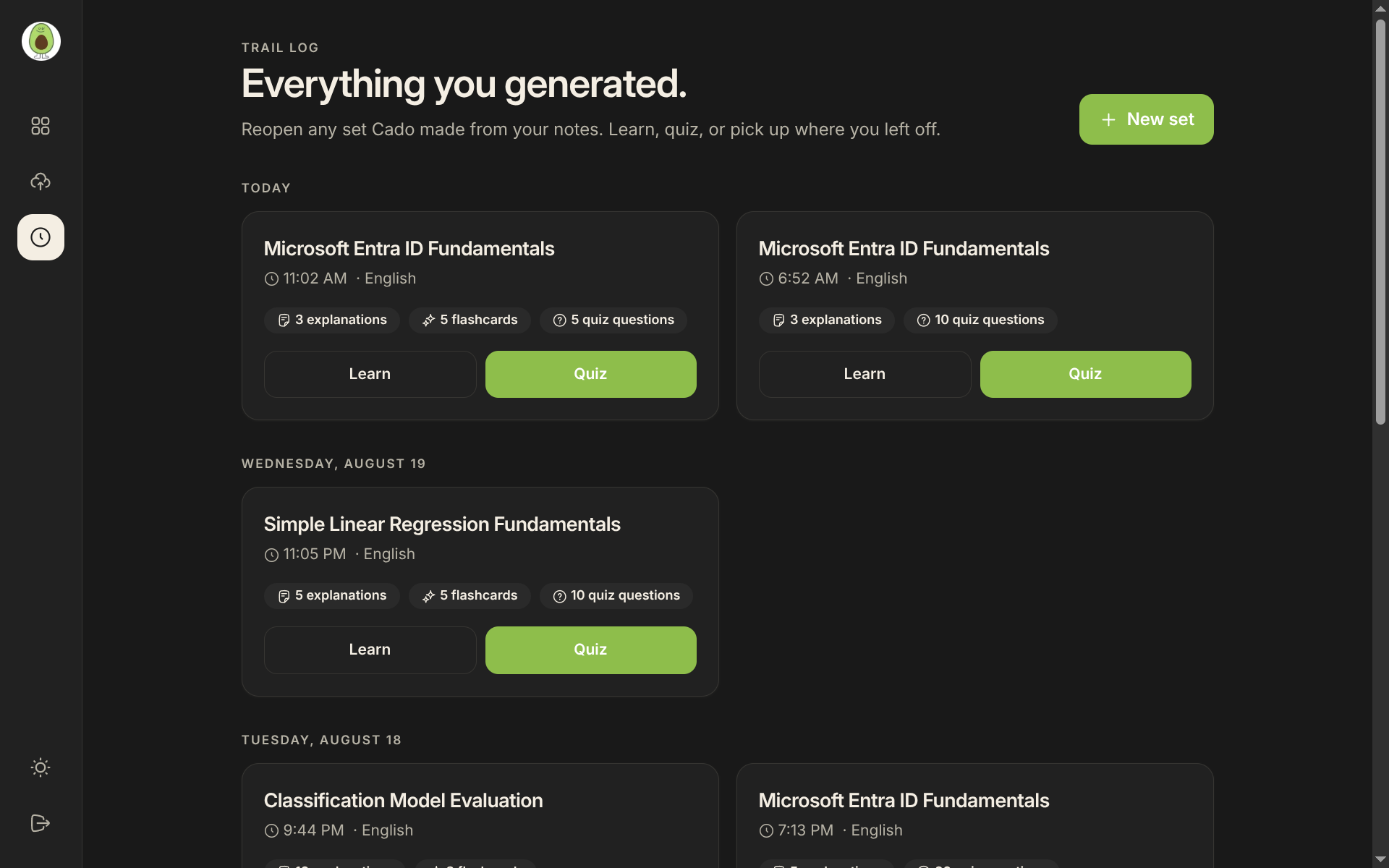
dashboard
-
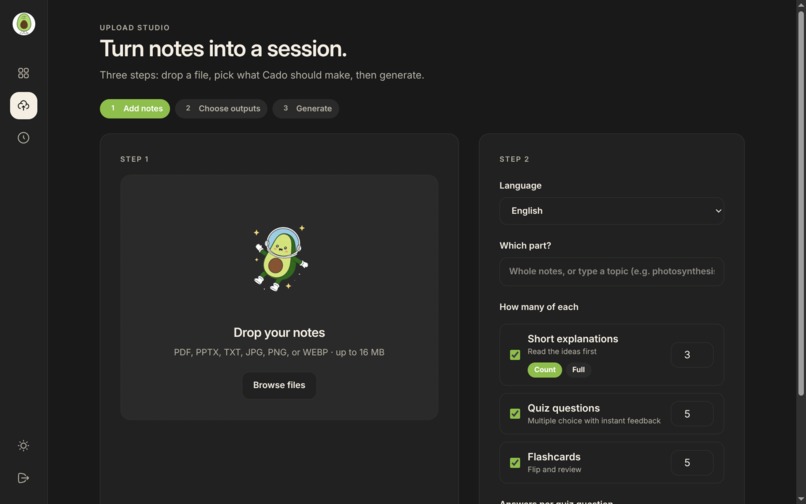
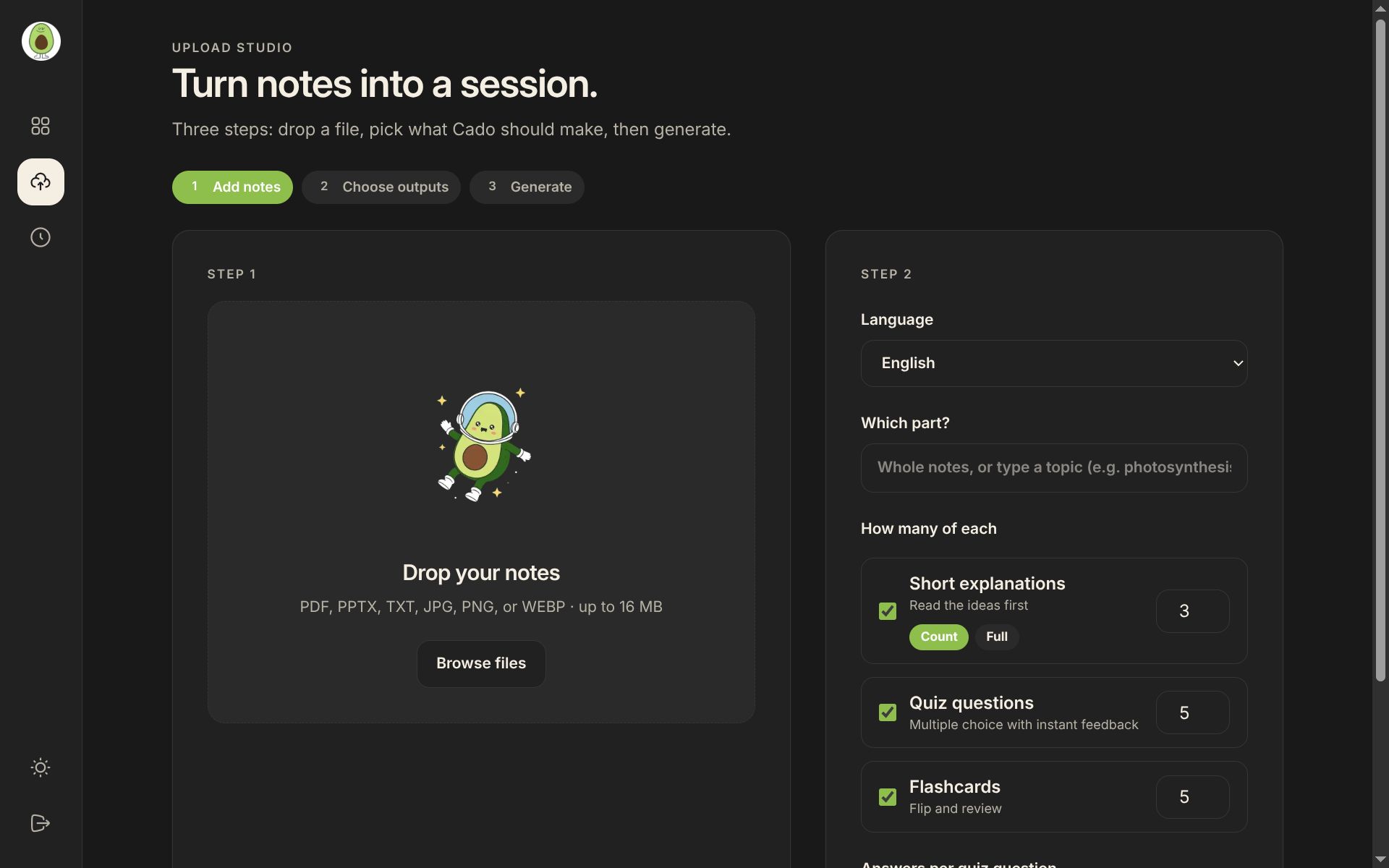
where upload notes
-
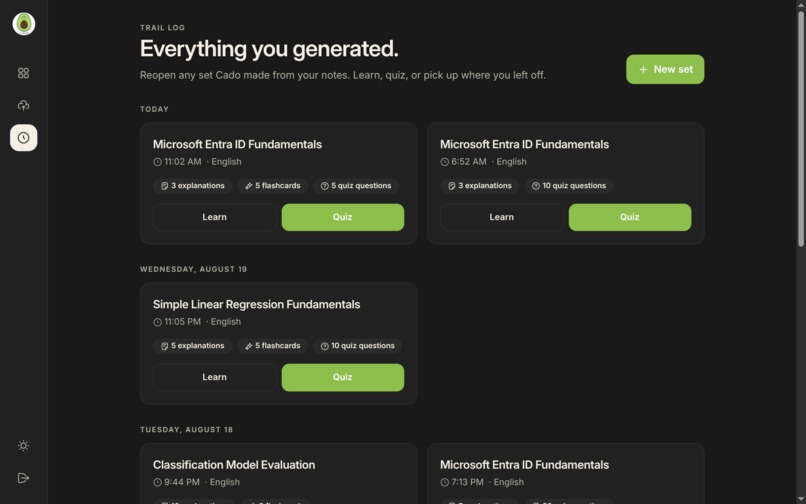
each study plans
-
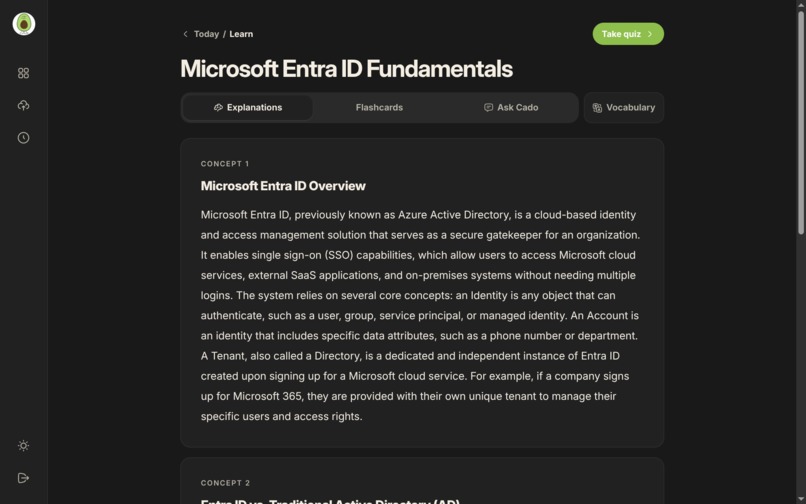
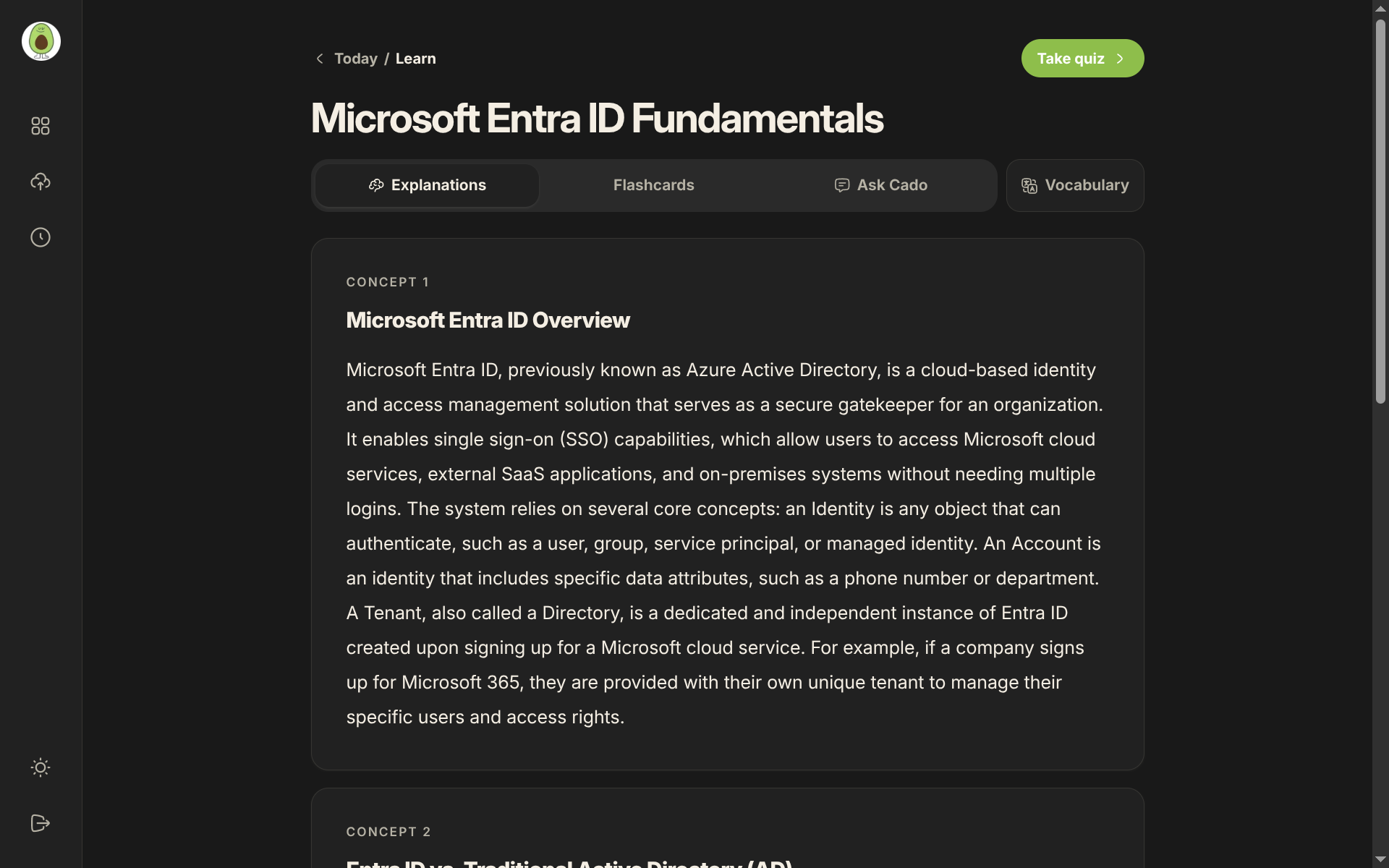
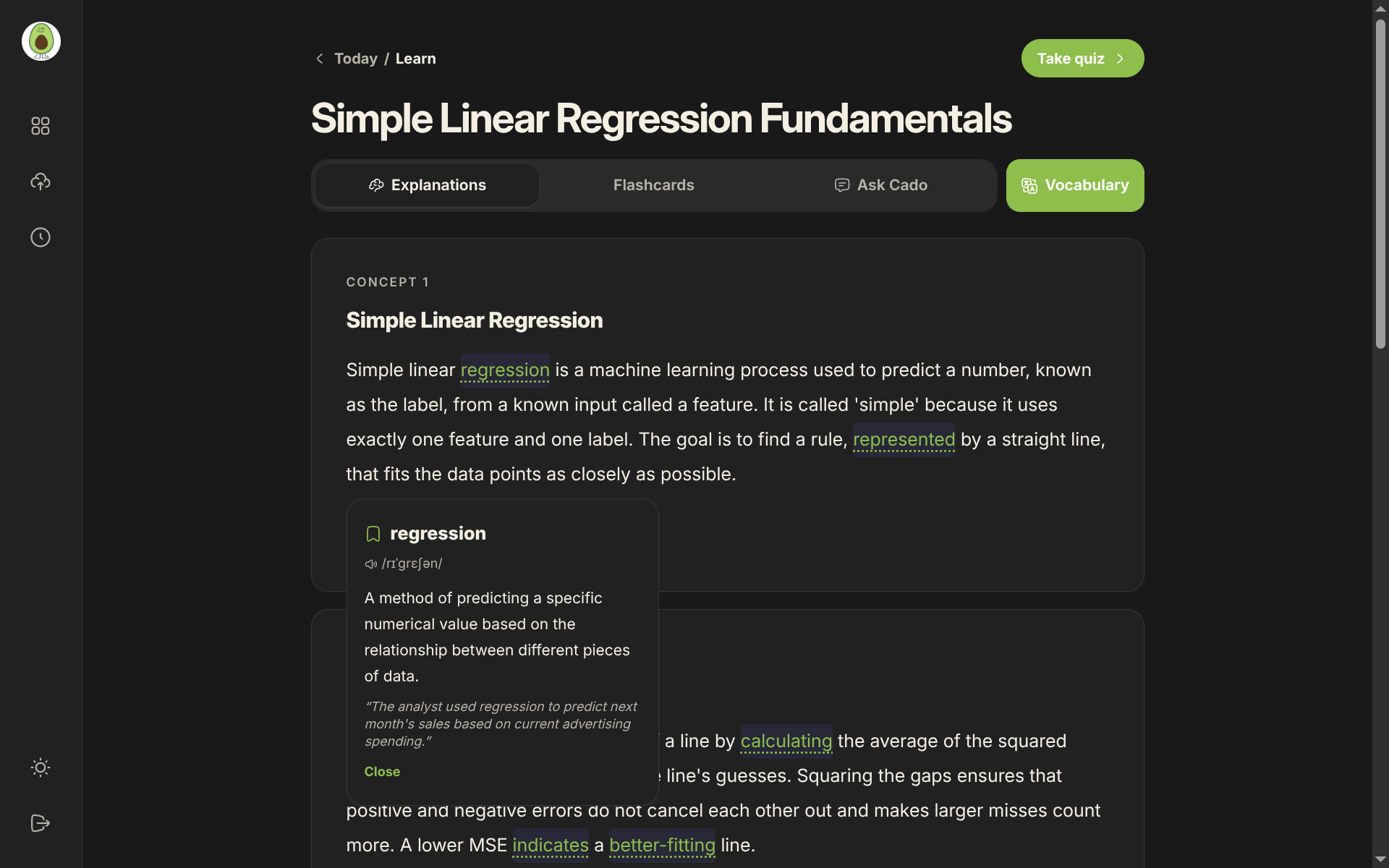
learning page explanations
-
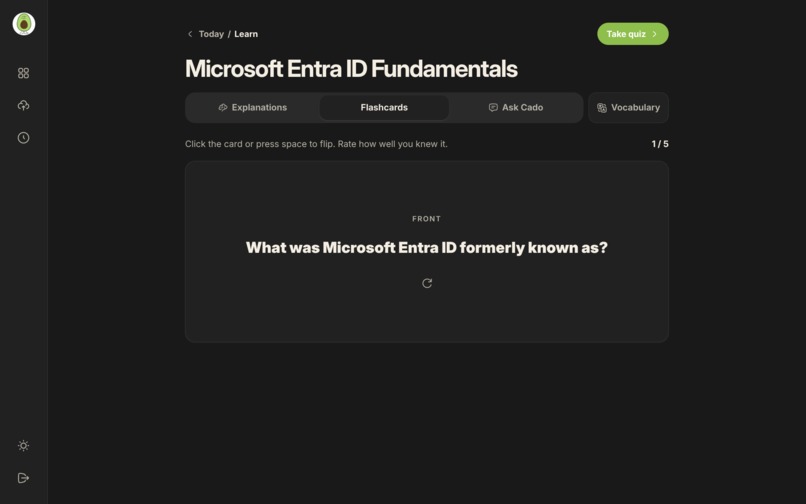
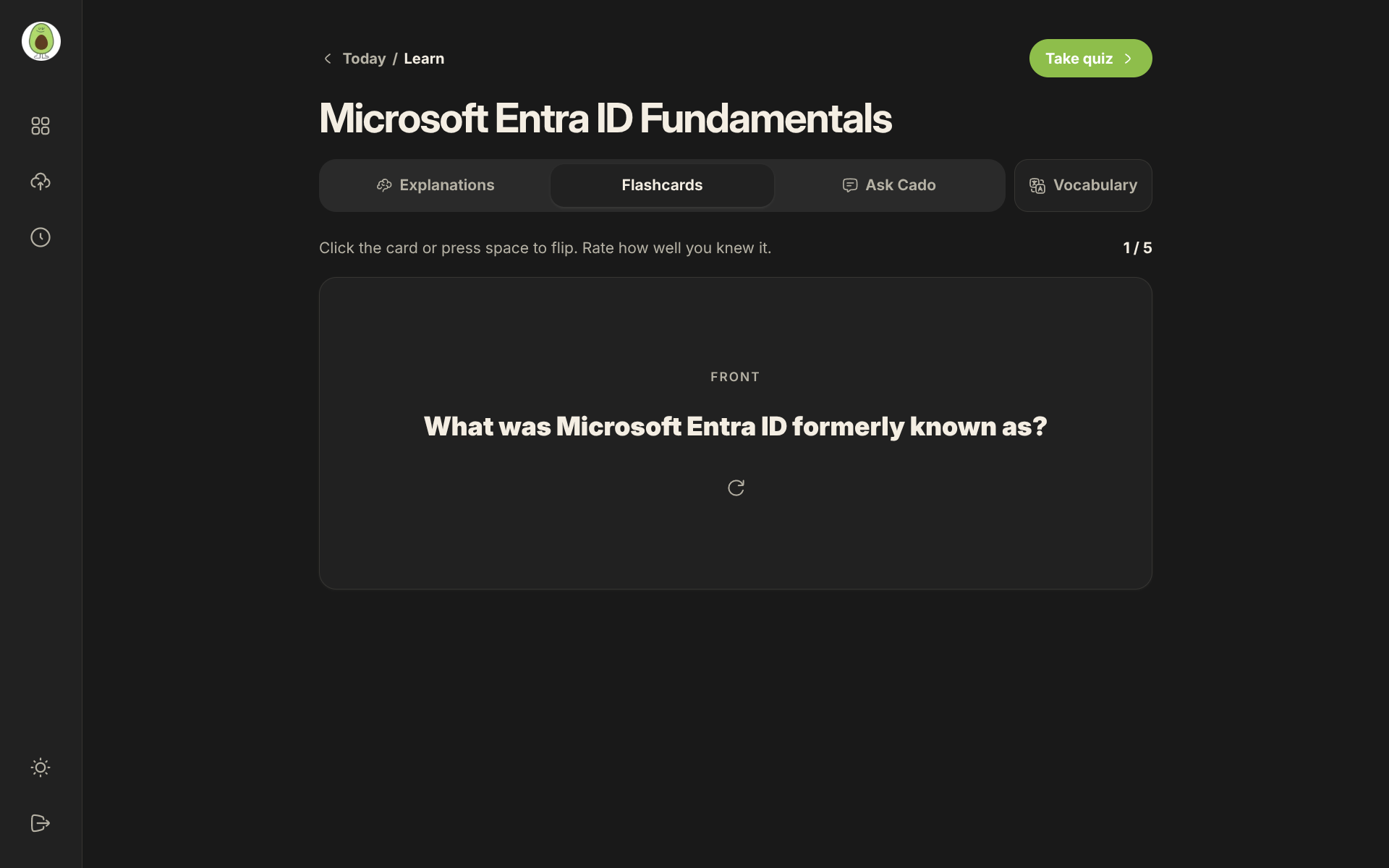
flashcards
-
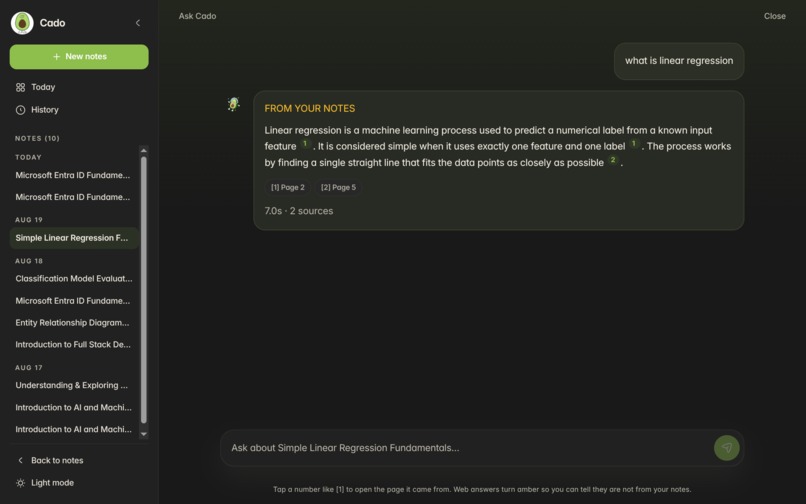
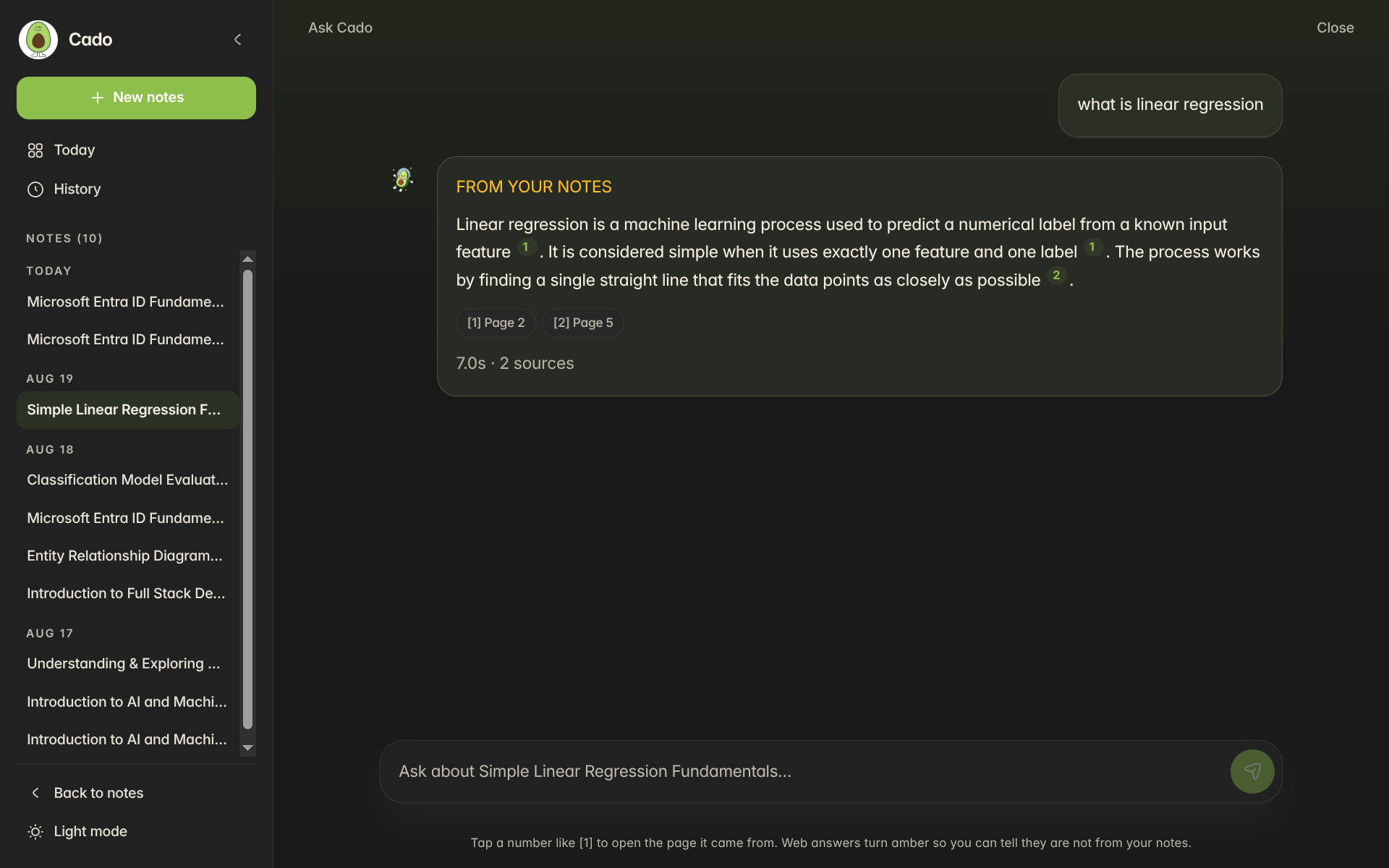
ask cado chat interface
-
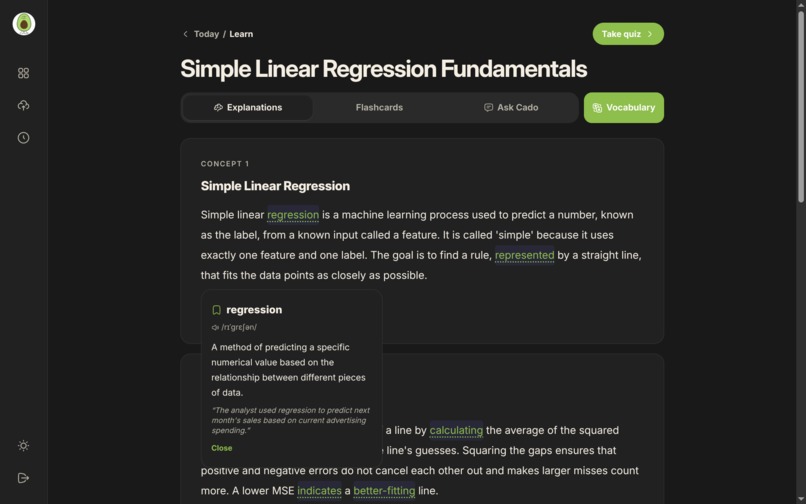
vocabulary helper
-
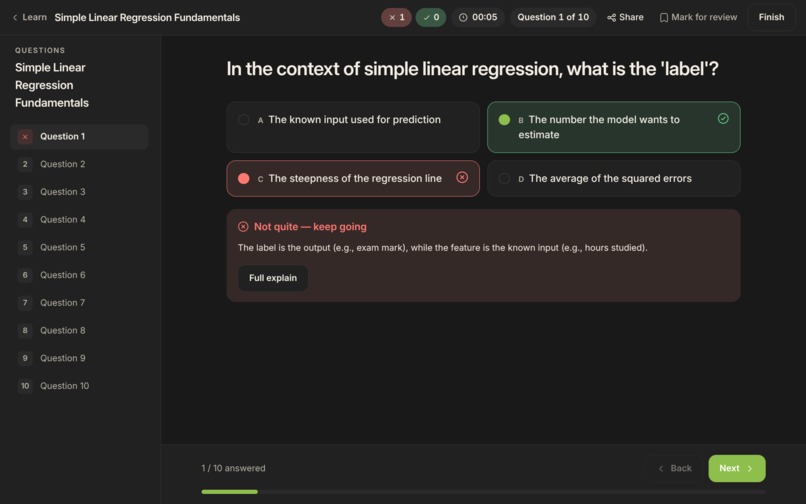
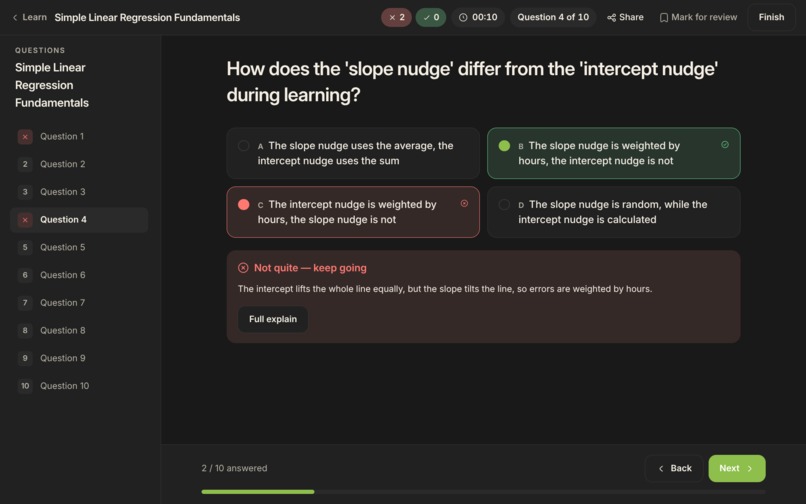
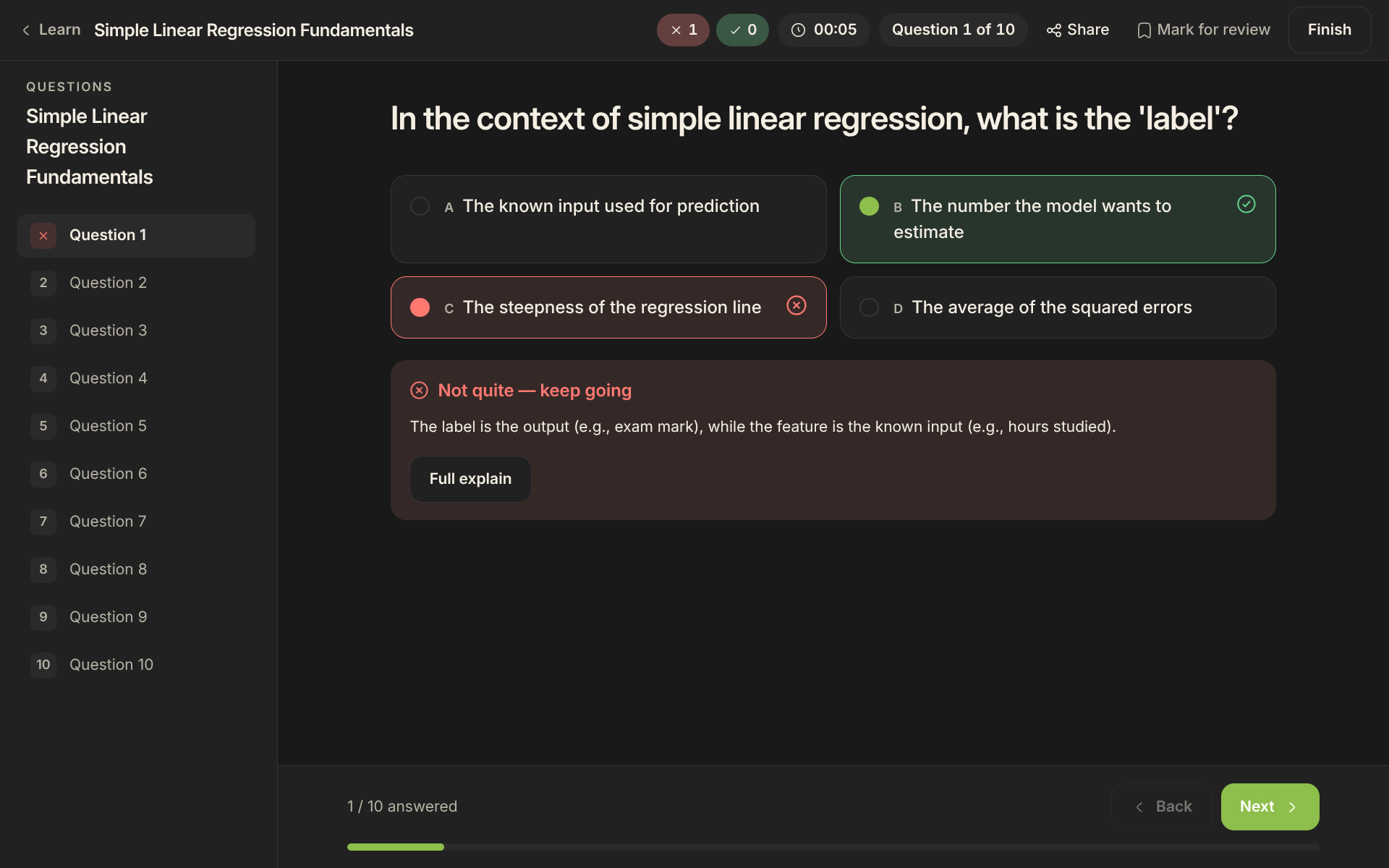
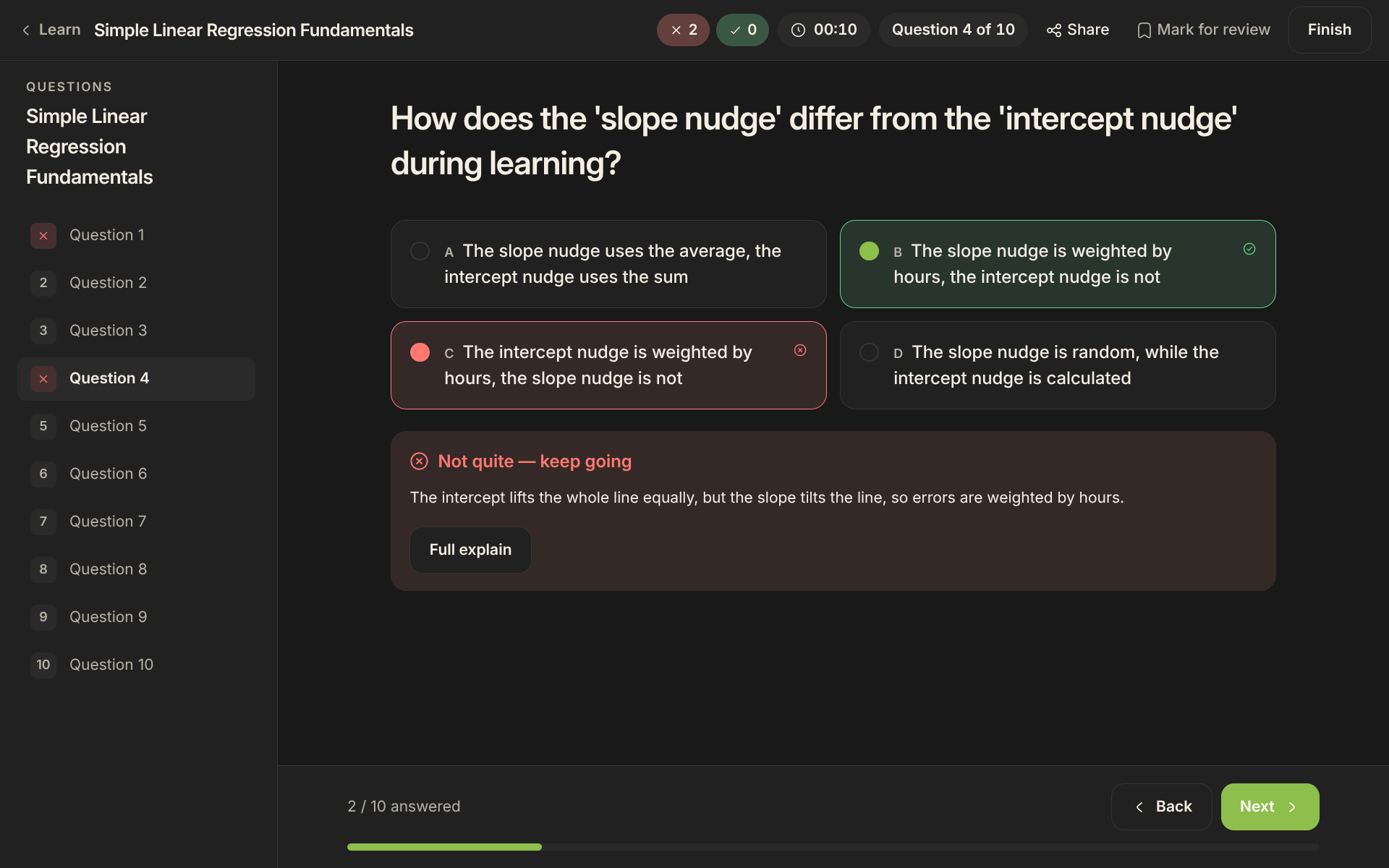
wrong quiz why wrong
-
-
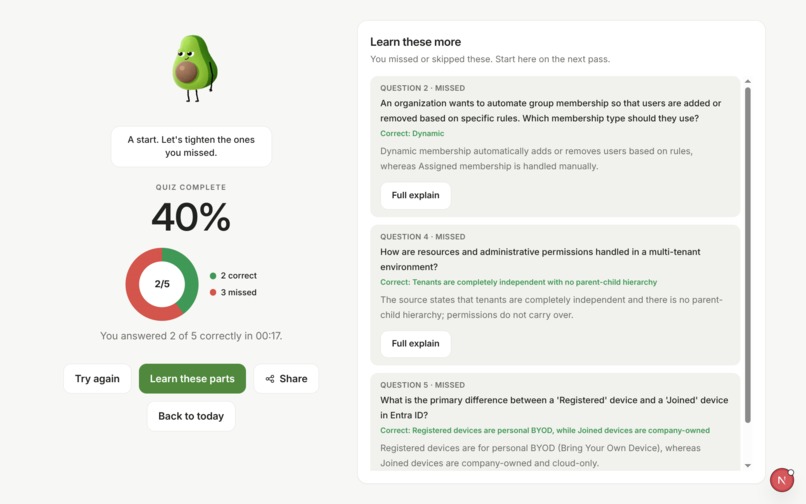
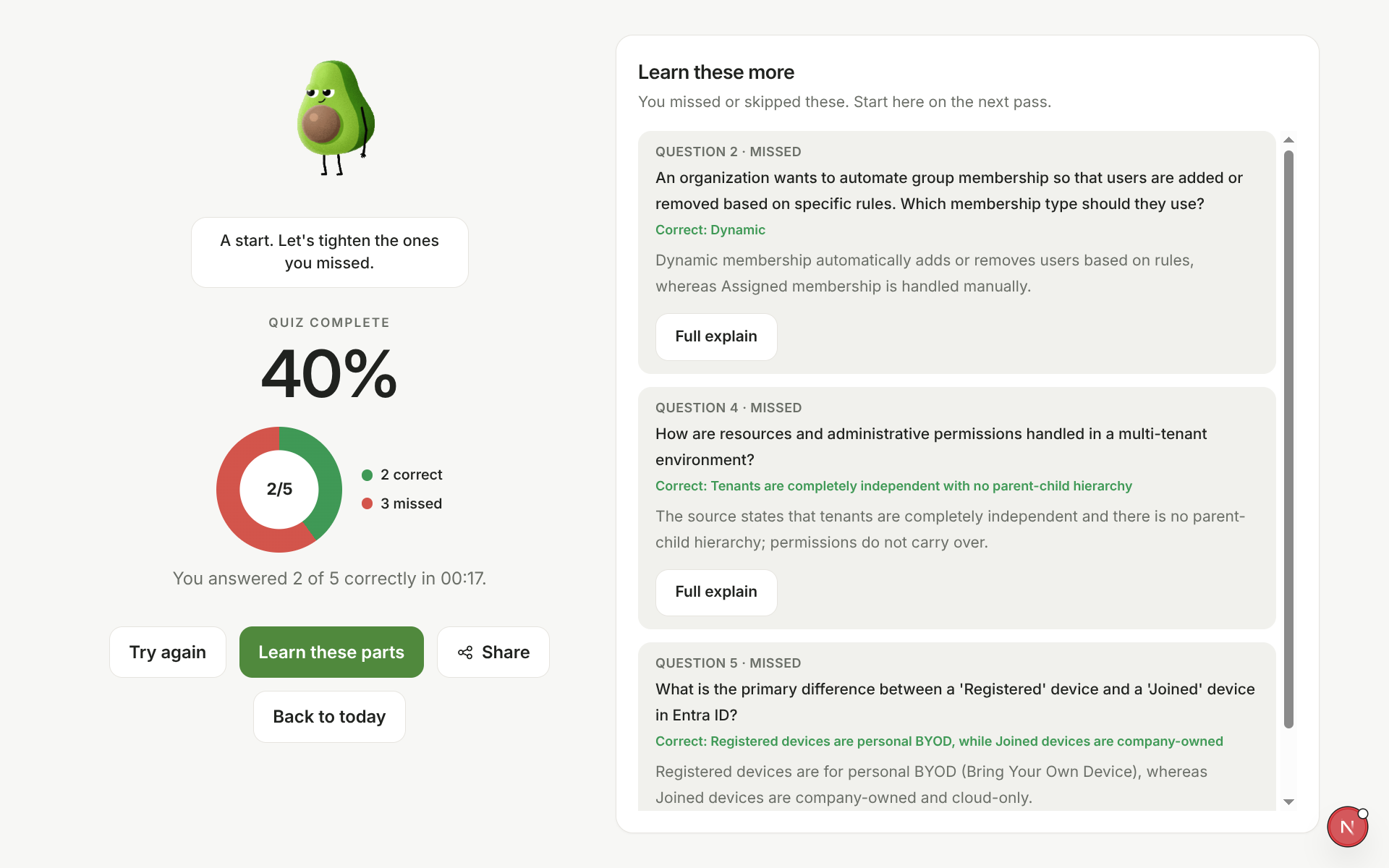
result with what wanna learn more
Inspiration
Students already have the material they need, but turning scattered PDFs, slides, and photographed notes into an effective study routine takes significant time. We built Cado AI to transform those notes into one connected learning experience instead of another generic chatbot.
What it does
Cado AI converts PDFs, PowerPoint presentations, text files, and photographed notes into:
- Clear explanations
- Interactive flashcards
- Custom multiple-choice quizzes
- Contextual vocabulary definitions
- A notes-grounded AI tutor with page citations
- Personalized study plans and focus timers
- Progress tracking, streaks, weak-topic insights, and exam countdowns
Students choose the language, topic focus, number of study items, and quiz format. Quiz results identify weak concepts and connect students directly to targeted review.
How we built it
The frontend uses Next.js, React, TypeScript, Tailwind CSS, and Framer Motion.
The backend is built with FastAPI, SQLAlchemy, and Alembic. Uploaded documents are processed with PyMuPDF and Tesseract OCR, divided into overlapping chunks, and encoded locally using the 1024-dimensional BAAI BGE-M3 embedding model.
Embeddings are stored in Neon PostgreSQL with pgvector. Cado combines semantic retrieval with sequential context before sending grounded passages to an OpenAI-compatible language model.
Authentication uses HTTP-only JWT cookies, Argon2 password hashing, CSRF protection, origin validation, rate limiting, and secure production cookies.
Challenges
Our biggest challenge was running OCR, document processing, local embeddings, database retrieval, and AI generation as one reliable workflow.
Large documents could leave processing tasks waiting indefinitely, so we added extraction and embedding timeouts, retry handling, visible processing states, and end-to-end diagnostics for the database, OCR engine, embedding model, network, and AI provider.
We also discovered that a hidden newline in a deployment secret produced an invalid authorization header. Defensive configuration sanitization and clearer diagnostics helped us identify and fix it.
Designing high-quality quizzes was another challenge. We added batched generation, duplicate prevention, strict option validation, configurable answer counts, and detailed explanations for every option.
Accomplishments
We are proud that Cado is more than a content generator. It creates a complete study loop:
Upload → Learn → Ask → Quiz → Review → Plan
The tutor cites the student’s uploaded pages, quizzes adapt review around missed concepts, and the dashboard turns progress into realistic next steps.
What we learned
We learned how to build and deploy a retrieval-augmented AI application, operate a local embedding model, work with pgvector, process multiple document formats, and design AI outputs that remain useful and grounded.
We also learned that trustworthy AI products require strong validation, transparent citations, secure authentication, graceful failure handling, and clear feedback during slow operations.
What’s next
Next, we want to add collaborative study groups, teacher dashboards, richer spaced repetition, more document connectors, mobile support, and deeper learning analytics.
Built With
- alembic
- baai-bge-m3
- css
- docker
- fastapi
- huggingface
- jwt
- neon
- netlify
- next.js
- ocr
- openai
- pgvector
- postgresql
- pymupdf
- pytorch
- rag
- react
- sqlalchemy
- tailwind
- tesseract
- transformers
- typescript
- uploadthing

Log in or sign up for Devpost to join the conversation.