-
-
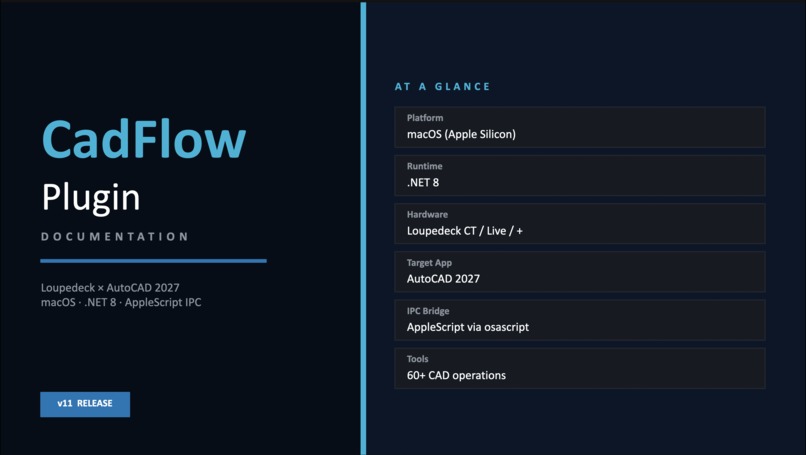
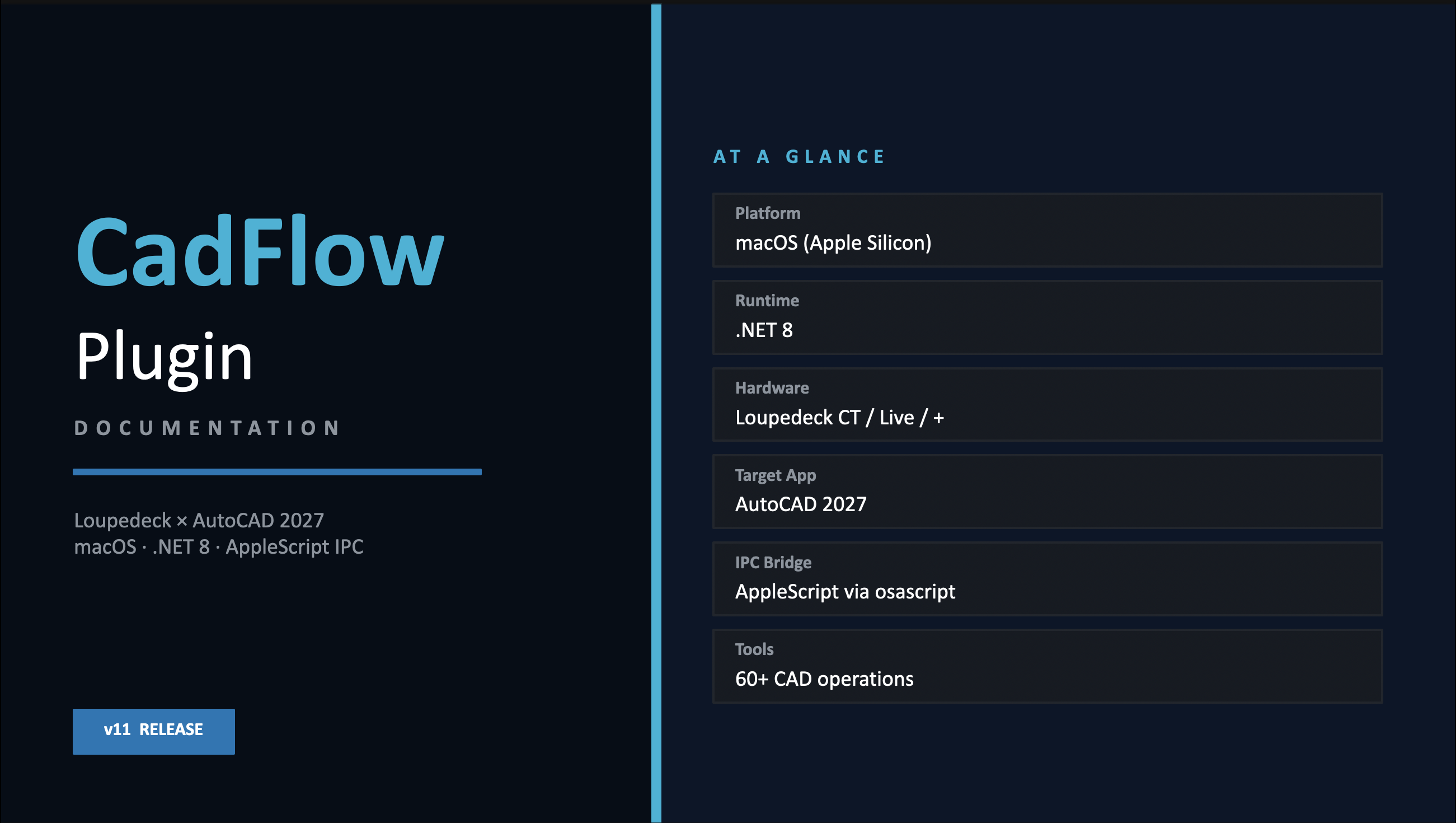
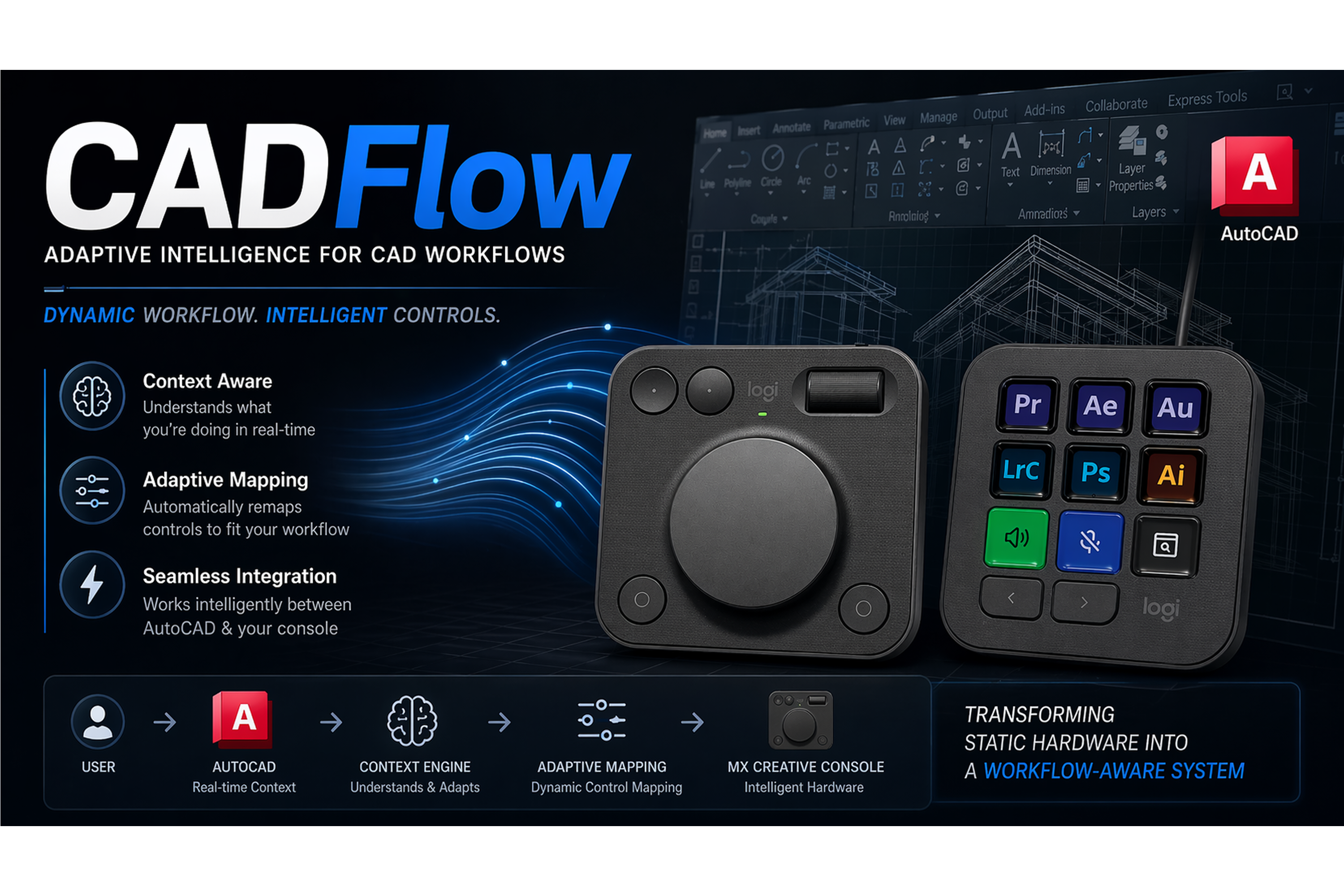
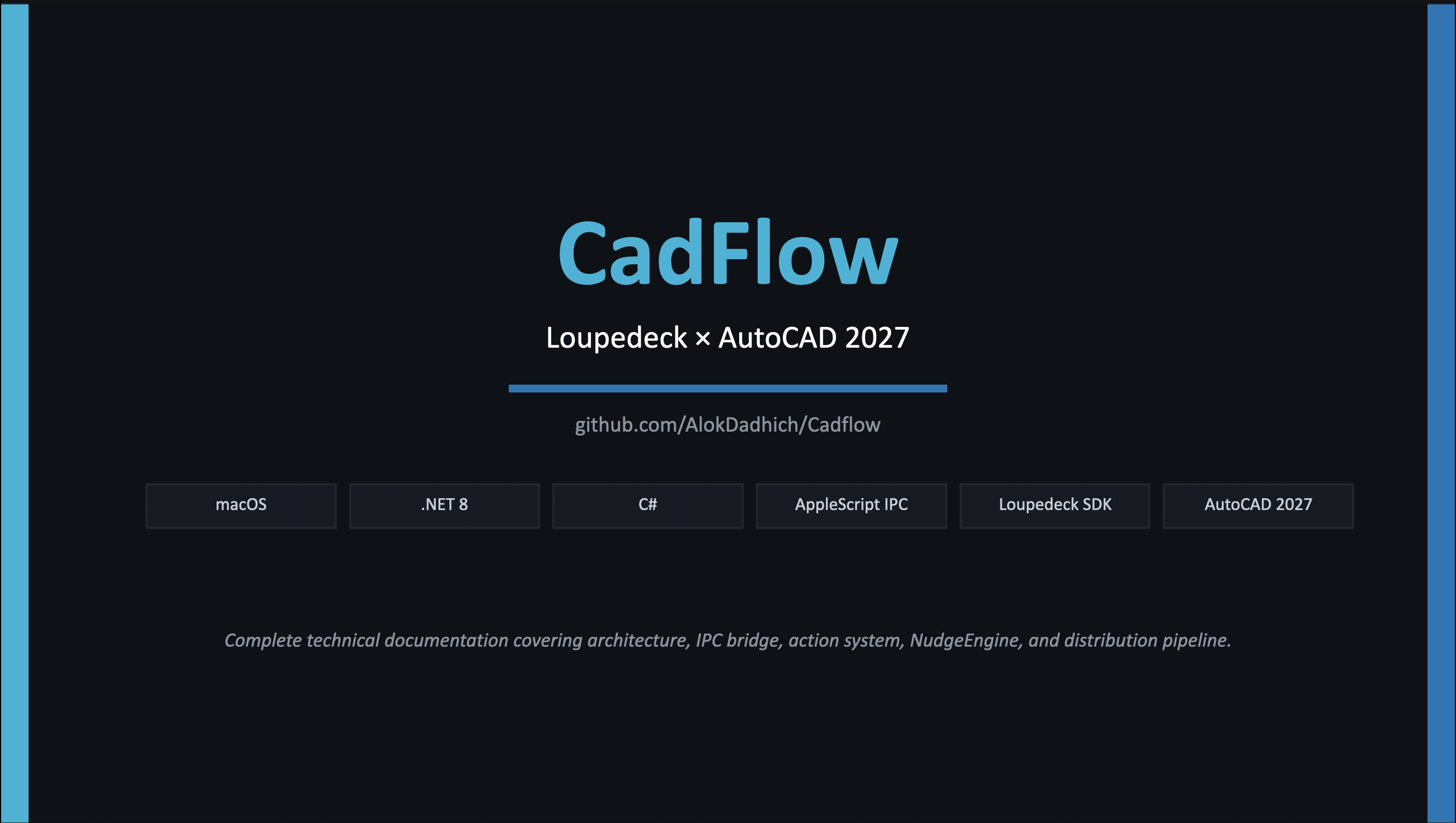
CadFlow v11 — MX Creative Console × AutoCAD 2027 plugin overview
-

-
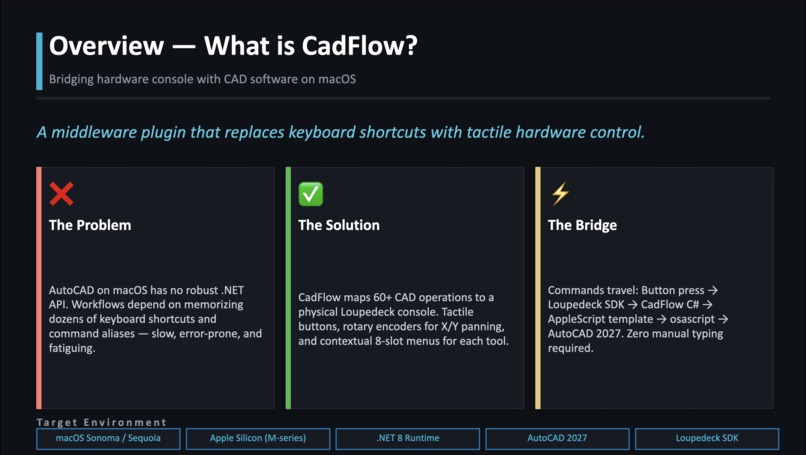
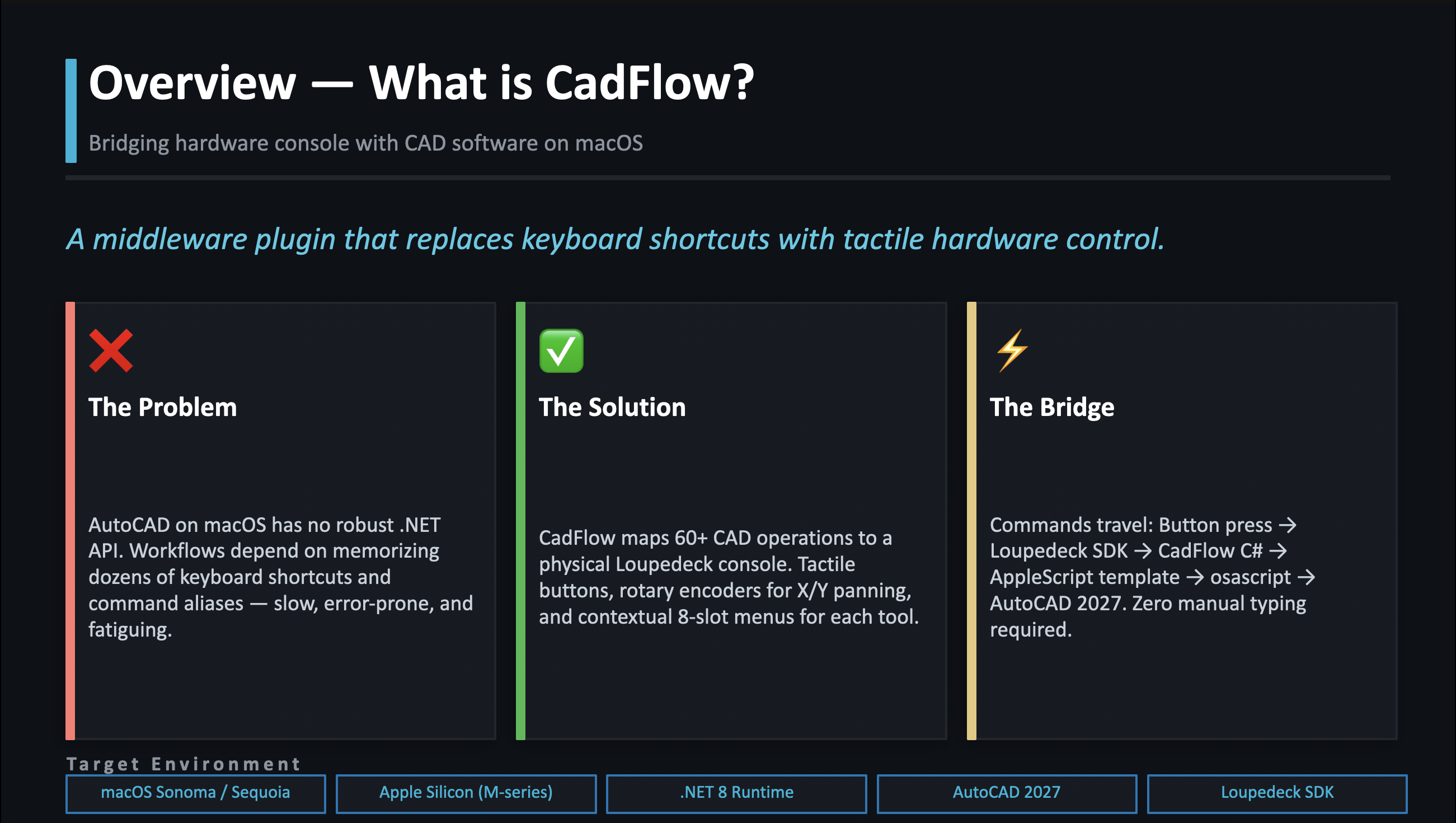
The problem, solution, and command bridge at a glance
-
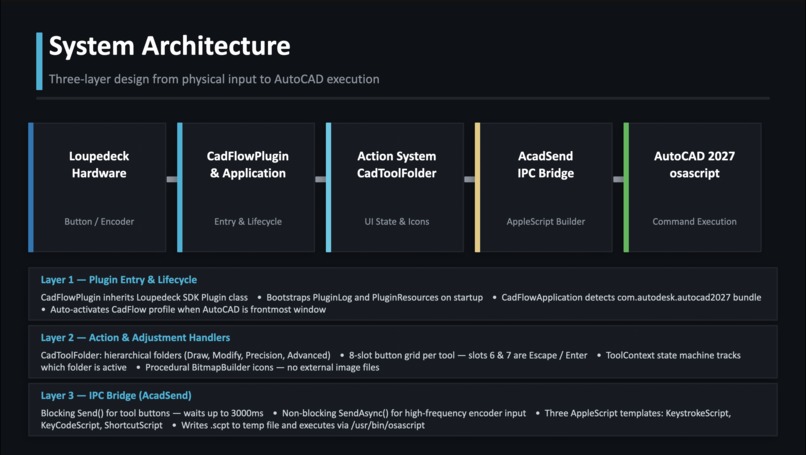
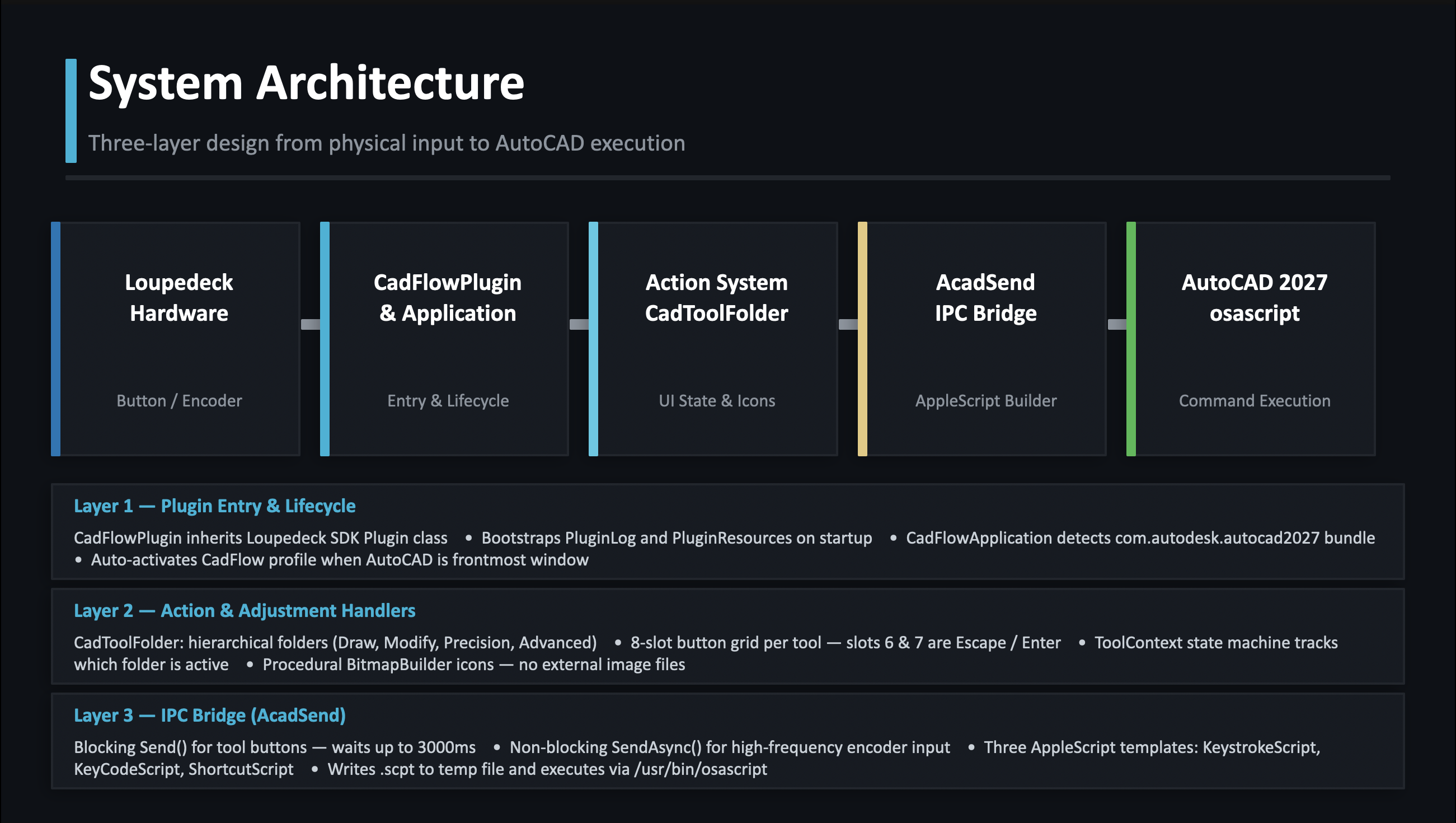
Three-layer architecture: hardware → plugin → IPC → AutoCAD
-
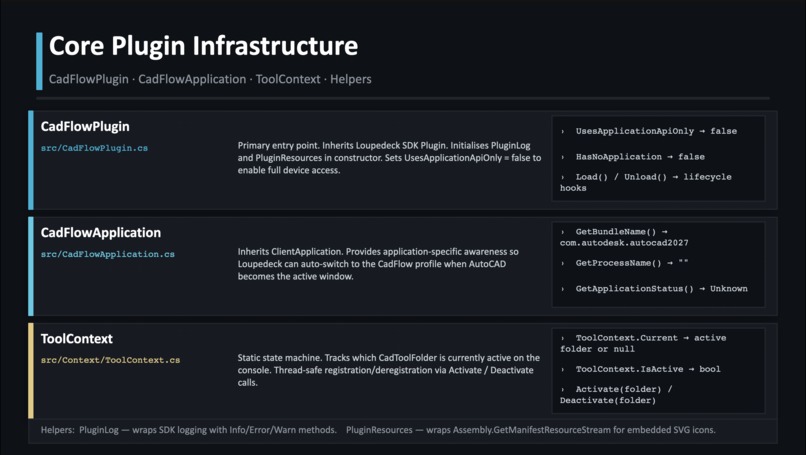
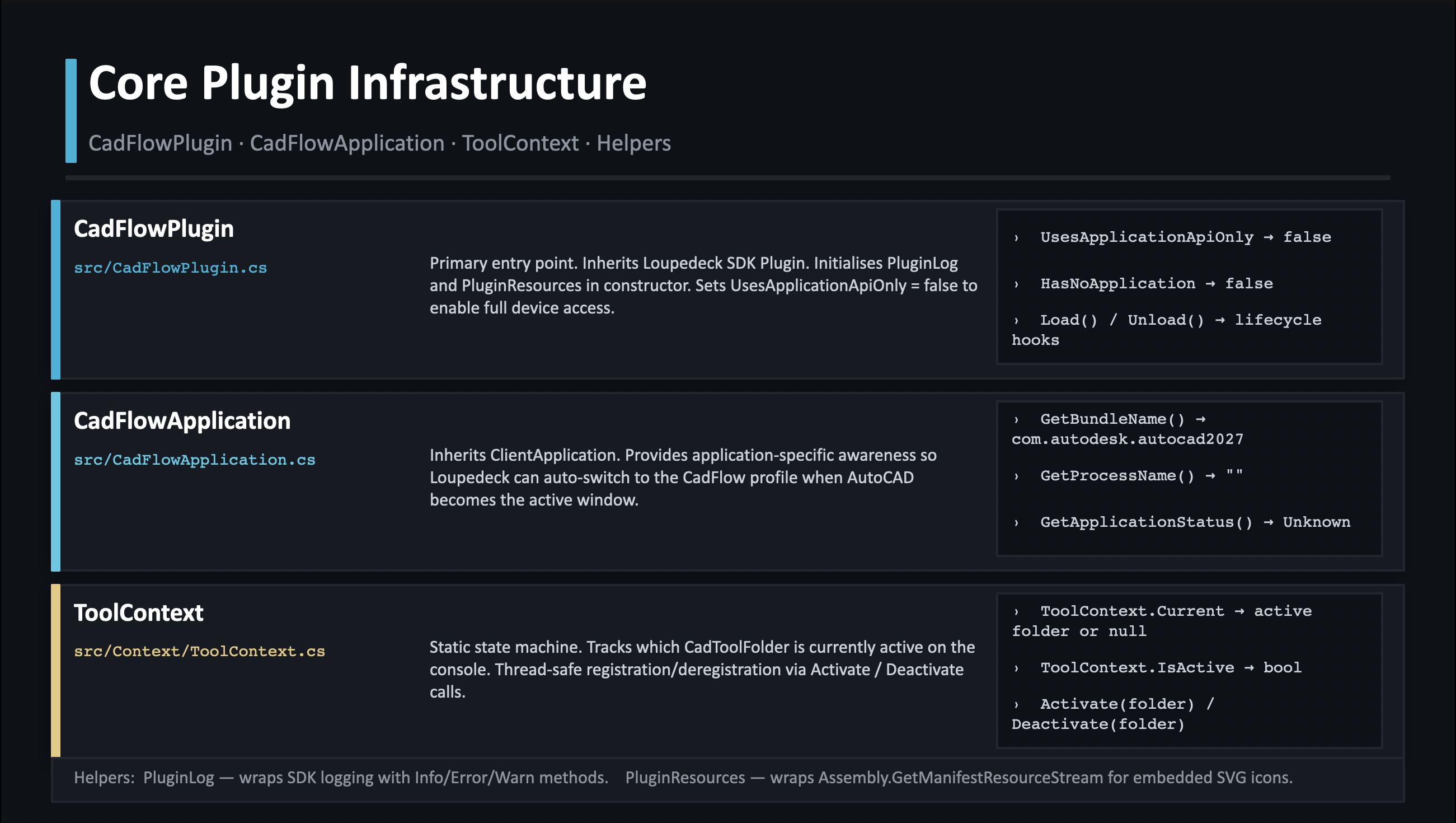
Core infrastructure: CadFlowPlugin, Application, ToolContext
-
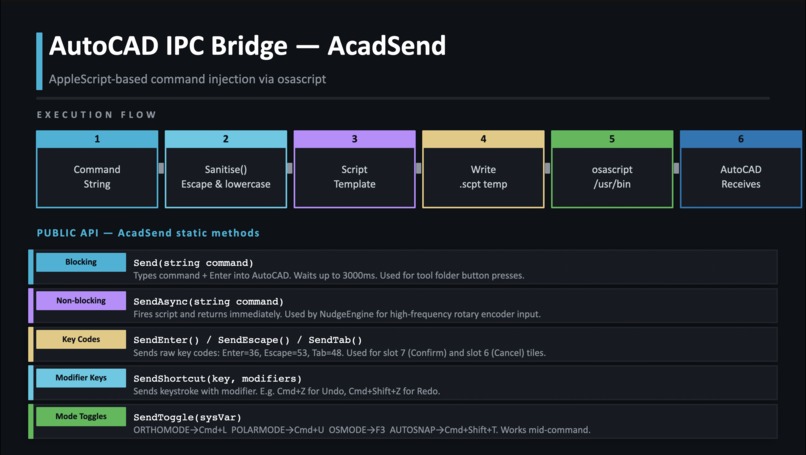
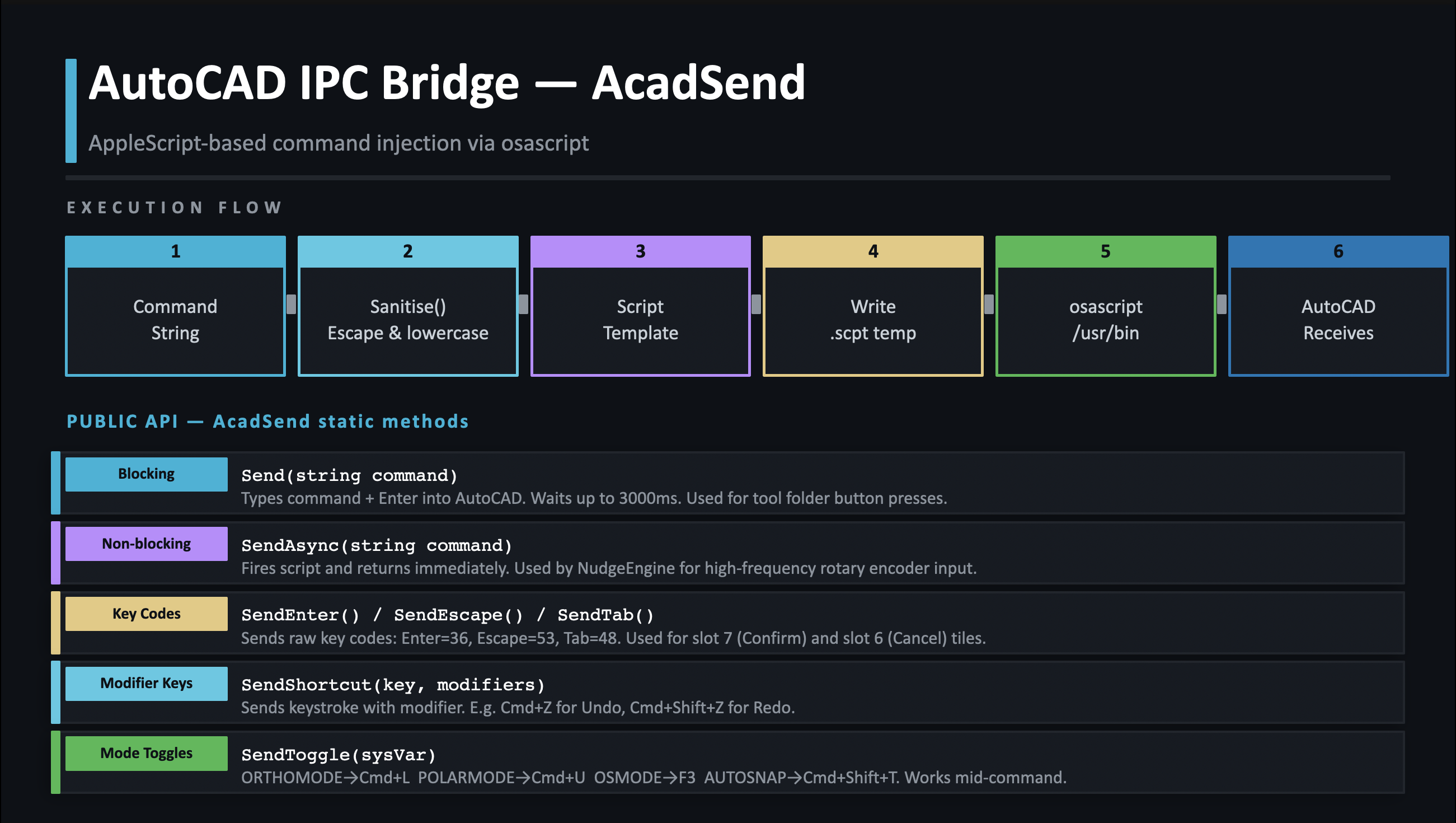
AcadSend IPC bridge — 6-step AppleScript execution flow
-
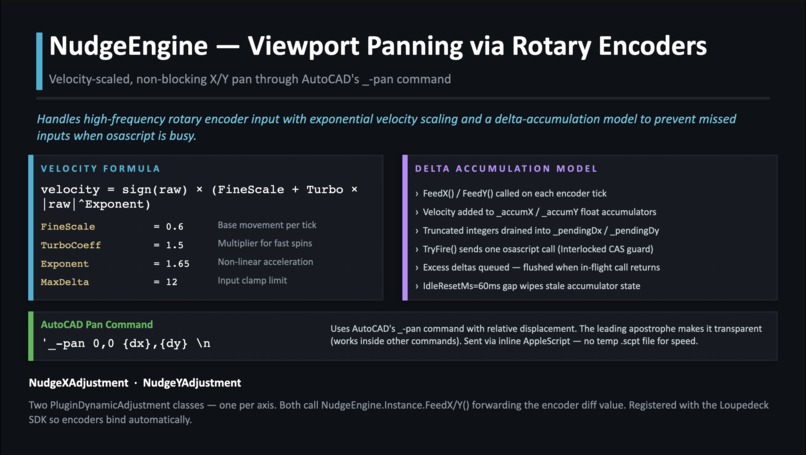
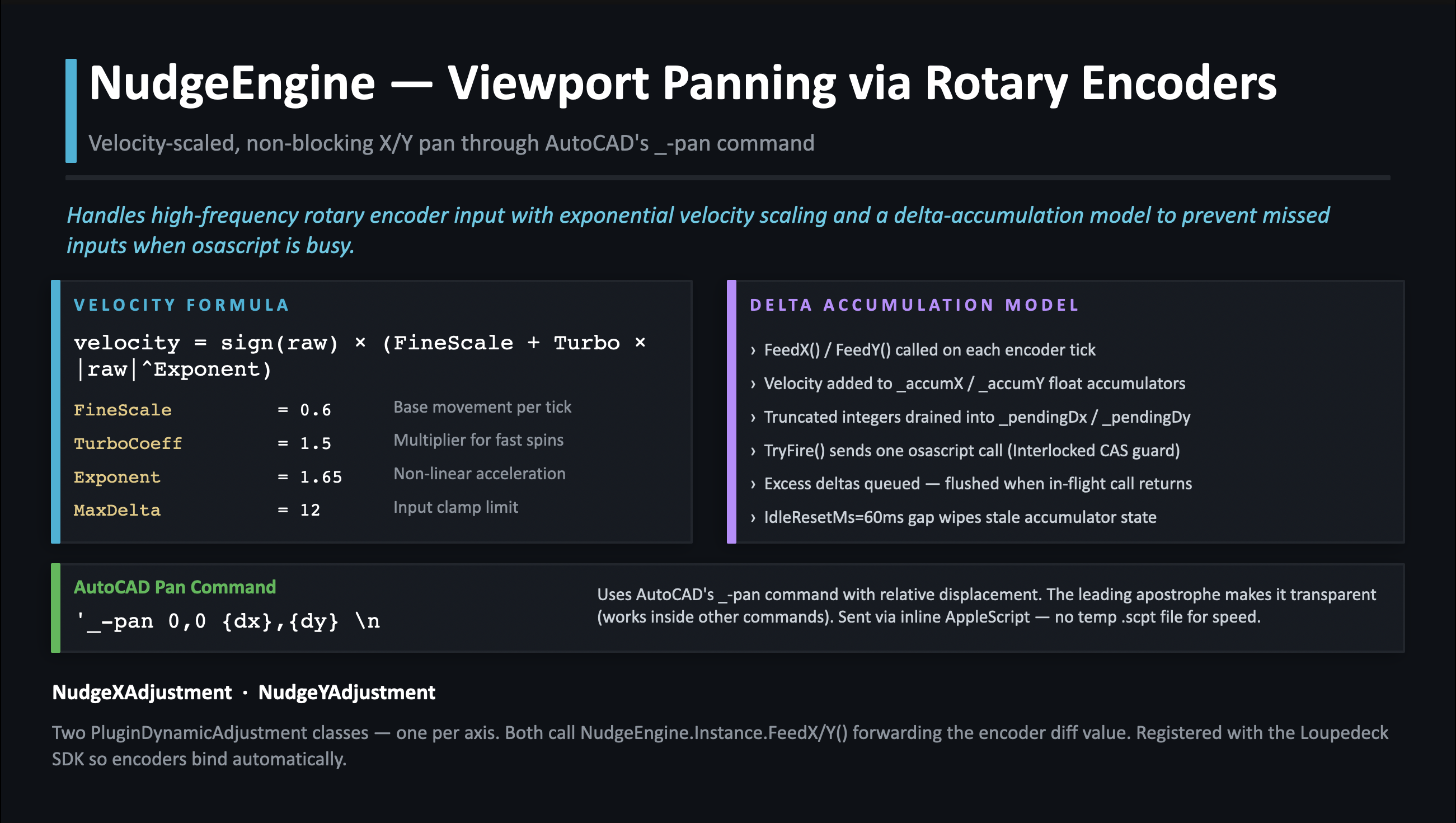
NudgeEngine — velocity formula and delta accumulation model
-
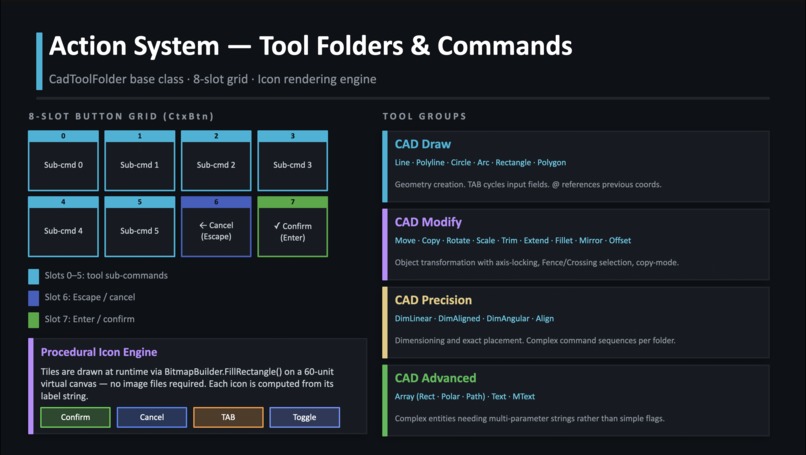
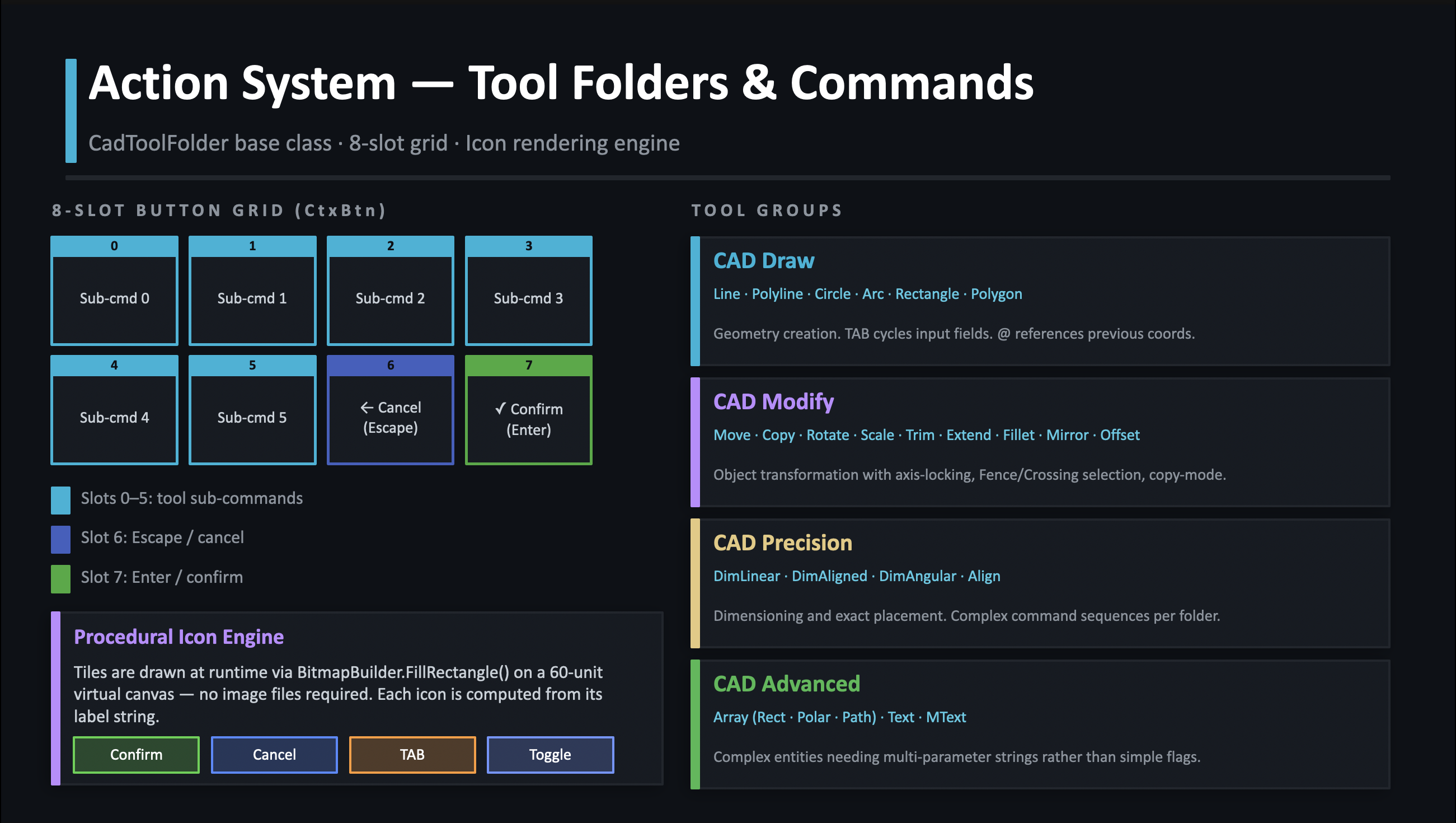
8-slot button grid and tool group hierarchy
-
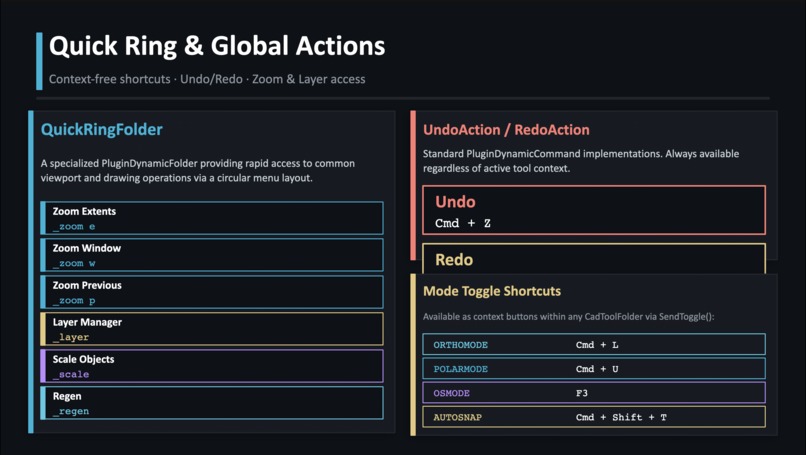
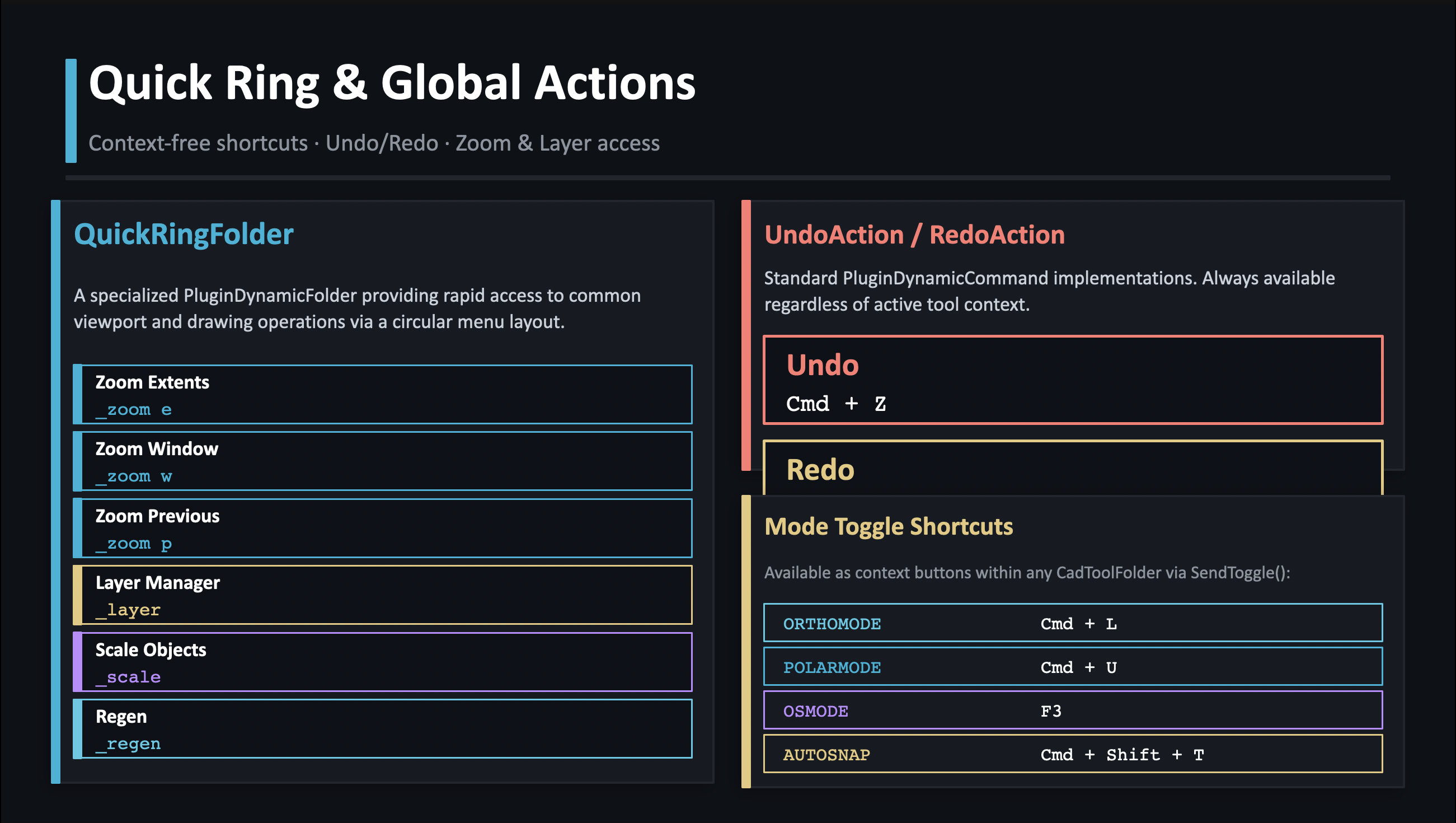
QuickRing, Undo/Redo, and mode toggle shortcuts
-
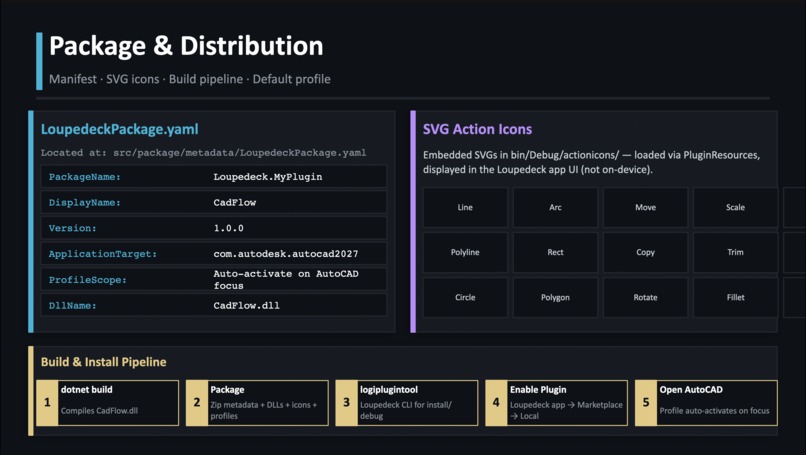
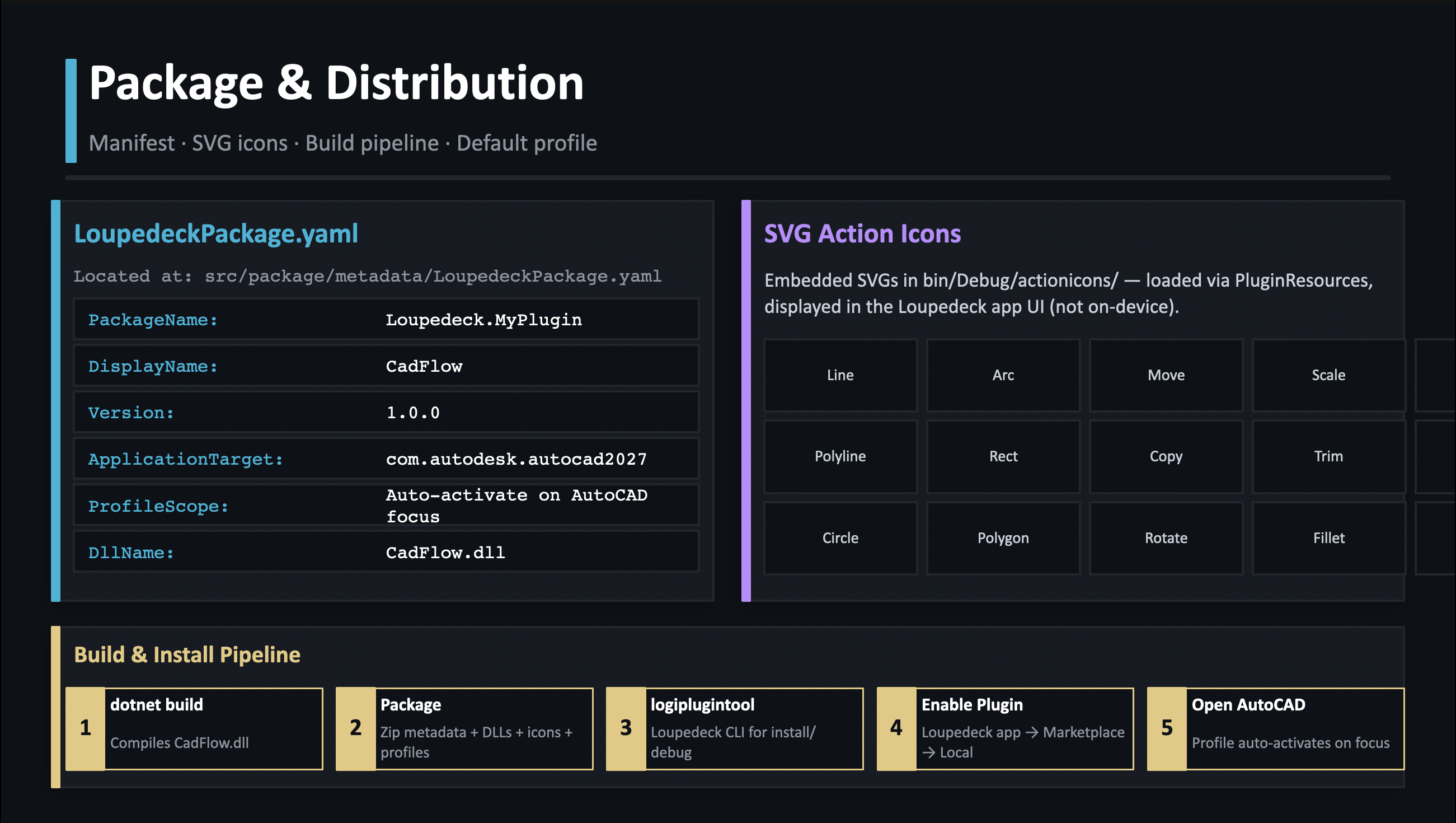
Package manifest, SVG icons, and build pipeline
-
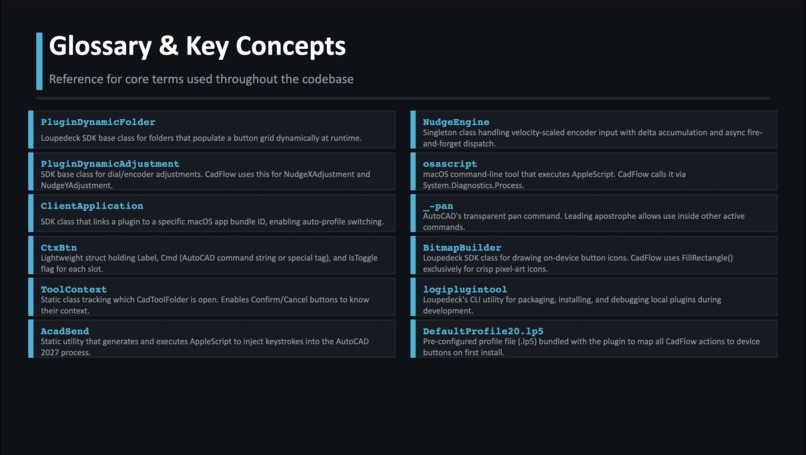
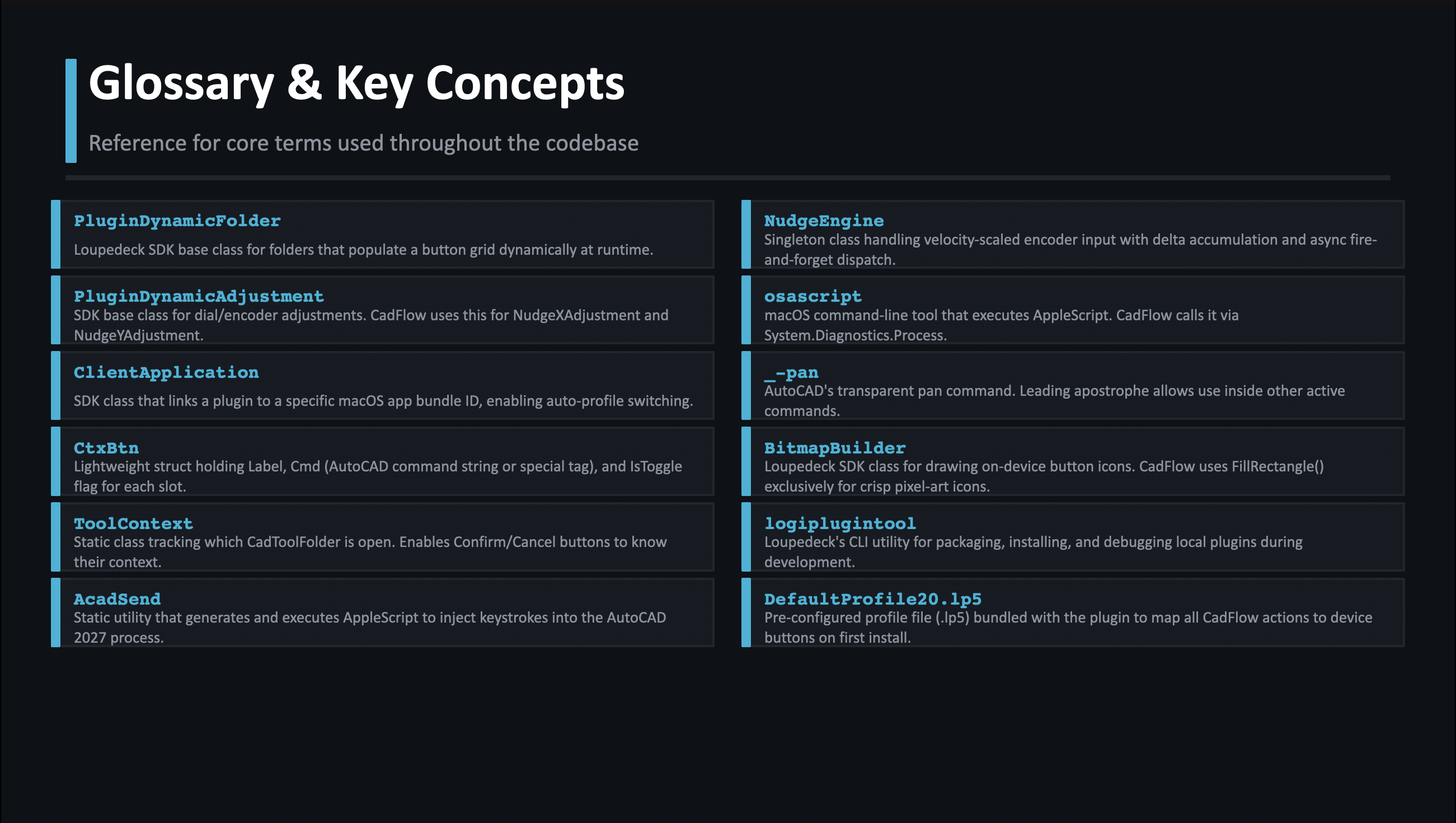
Glossary of core SDK and CadFlow concepts
-
Thanks for your time
Inspiration
As a mechanical engineering student, I spend a lot of time in AutoCAD. The constant back-and-forth between mouse and keyboard for repetitive commands was killing my workflow speed. I wanted to build something that let me keep my hands on the hardware and my eyes on the drawing — so I built CadFlow entirely on my own as a solo project to solve my own problem. There was no existing solution for hardware-driven AutoCAD control on macOS, so I had to figure everything out from scratch.
What it does
CadFlow bridges a MX Creative Console with AutoCAD 2027 on macOS. Every commonly used CAD operation — Draw, Modify, Precision, and Advanced tools — lives one button-press away on physical hardware. Rotary encoders handle real-time viewport panning with velocity scaling, and mode toggles like Ortho and OSnap work transparently inside active commands. The plugin auto-activates the moment AutoCAD becomes the frontmost window — zero manual switching needed.
How I built it
Built in C# on .NET 8 using the Actions SDK. Communication with AutoCAD
happens entirely through AppleScript injected via /usr/bin/osascript — no AutoCAD
API required. A custom NudgeEngine handles high-frequency encoder input with delta
accumulation so no events are dropped. Every on-device icon is rendered at runtime
using the SDK's BitmapBuilder — zero external image assets. The entire plugin
architecture is three layers: plugin lifecycle, a contextual action system with
60+ commands organised into tool folders, and a low-level IPC bridge that builds
and fires AppleScript dynamically.
Challenges
Getting AppleScript to reliably inject keystrokes into AutoCAD mid-command was the
hardest part. The transparent '_-pan command and the blocking vs non-blocking
execution model for the IPC bridge took significant iteration to get right.
Handling high-frequency rotary encoder input without dropping events or lagging
the UI required building a delta accumulation model with an interlocked CAS lock
from scratch. Doing all of this solo, with no prior Actions SDK experience,
meant reading a lot of undocumented behavior the hard way.
What I learned
Deep dive into the Actions SDK, AppleScript IPC on macOS, and building velocity-scaled input systems with async delta accumulation in C#. I also learned how to design a clean plugin architecture that's easy to extend — adding a new CAD tool is now just defining an 8-slot button array. Most importantly, I learned that the best way to build something useful is to build it for yourself first.
Why C# with MacOS
The Actions SDK is .NET-native so C# was the obvious fit. macOS was chosen because it was the harder problem — no AutoCAD API meant building an AppleScript IPC bridge from scratch. Solving the harder case first.
Why Not Windows First?
Windows was always part of the plan. AutoCAD on Windows has COM interop and LISP support making it more straightforward. The entire plugin architecture is reusable — only the IPC bridge needs rebuilding since AutoCAD's interfaces differ per platform. Windows is the next milestone.
2D to 3D Modeling — PTC Creo
The long term goal is expanding CadFlow to PTC Creo for full 3D parametric modeling. Creo is the industry standard in mechanical engineering — rotary encoders mapped to extrusion depth, sketch constraints, and assembly mates would eliminate the biggest friction points in parametric workflows. As an ME student who uses both tools, this is the natural destination for CadFlow.
Built With
- .net
- actions-sdk
- apple
- applescript
- autocad-2027
- c#
- html5
- macos
- osascript


Log in or sign up for Devpost to join the conversation.