-
-
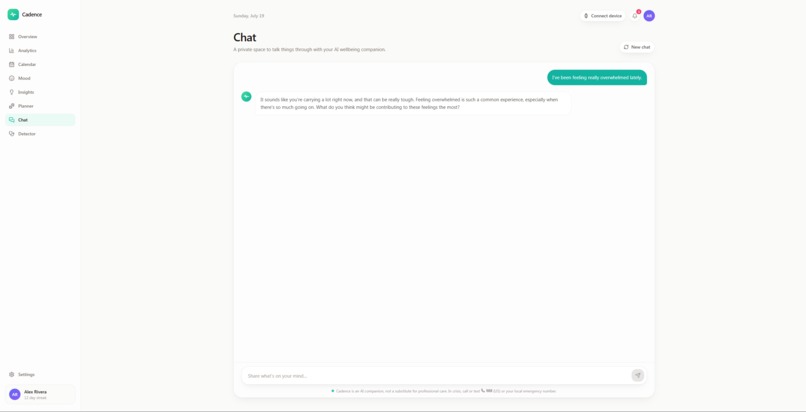
Therapy chatbot
-
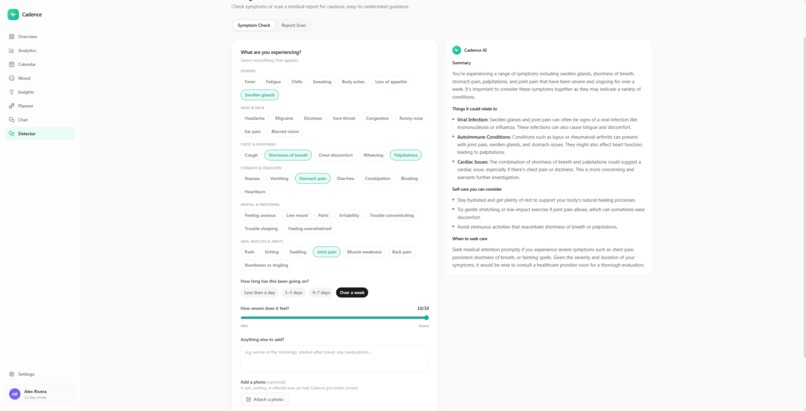
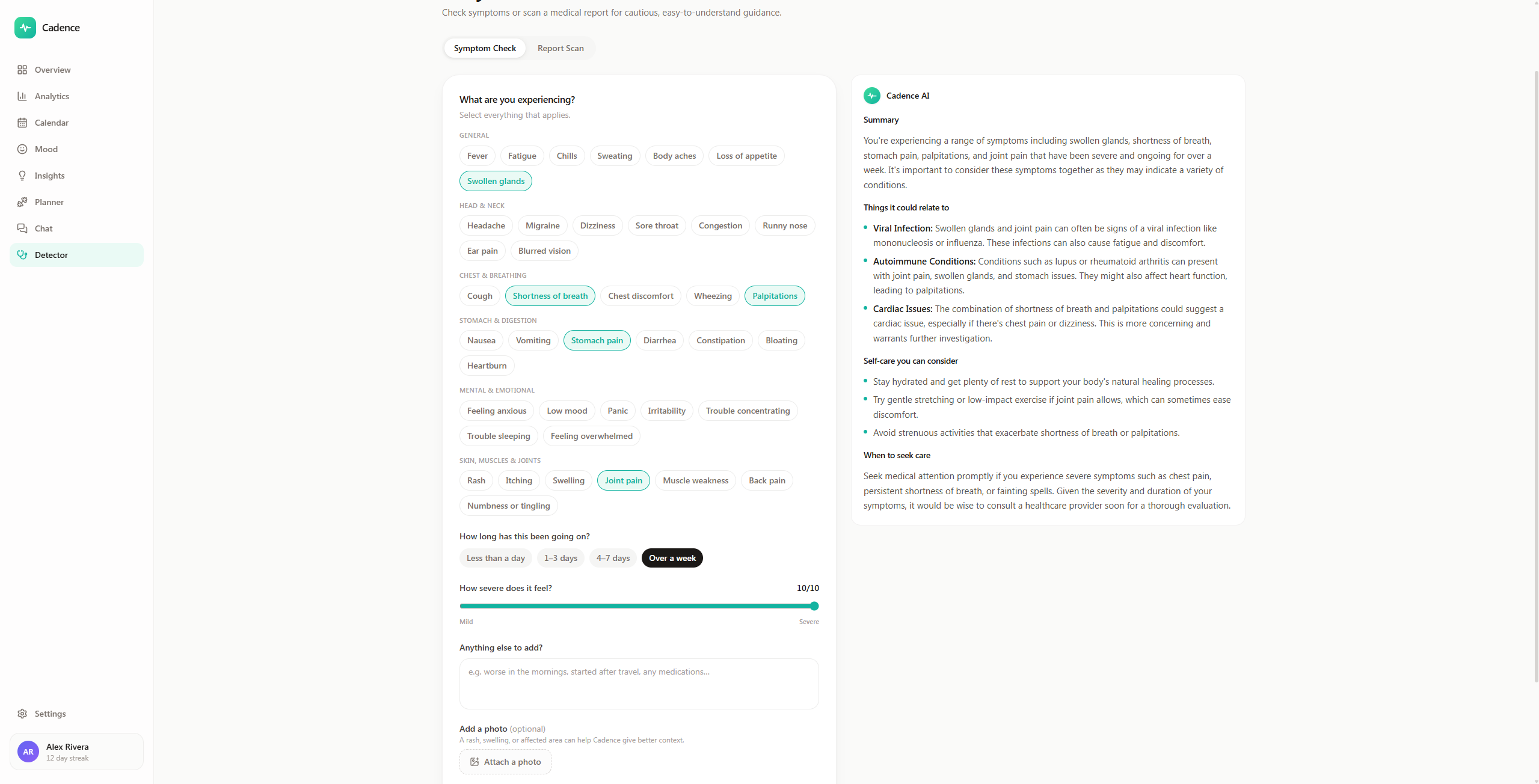
Disease detector
-
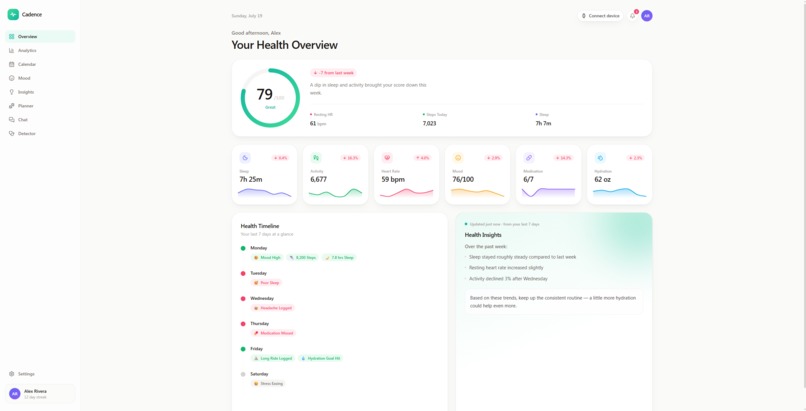
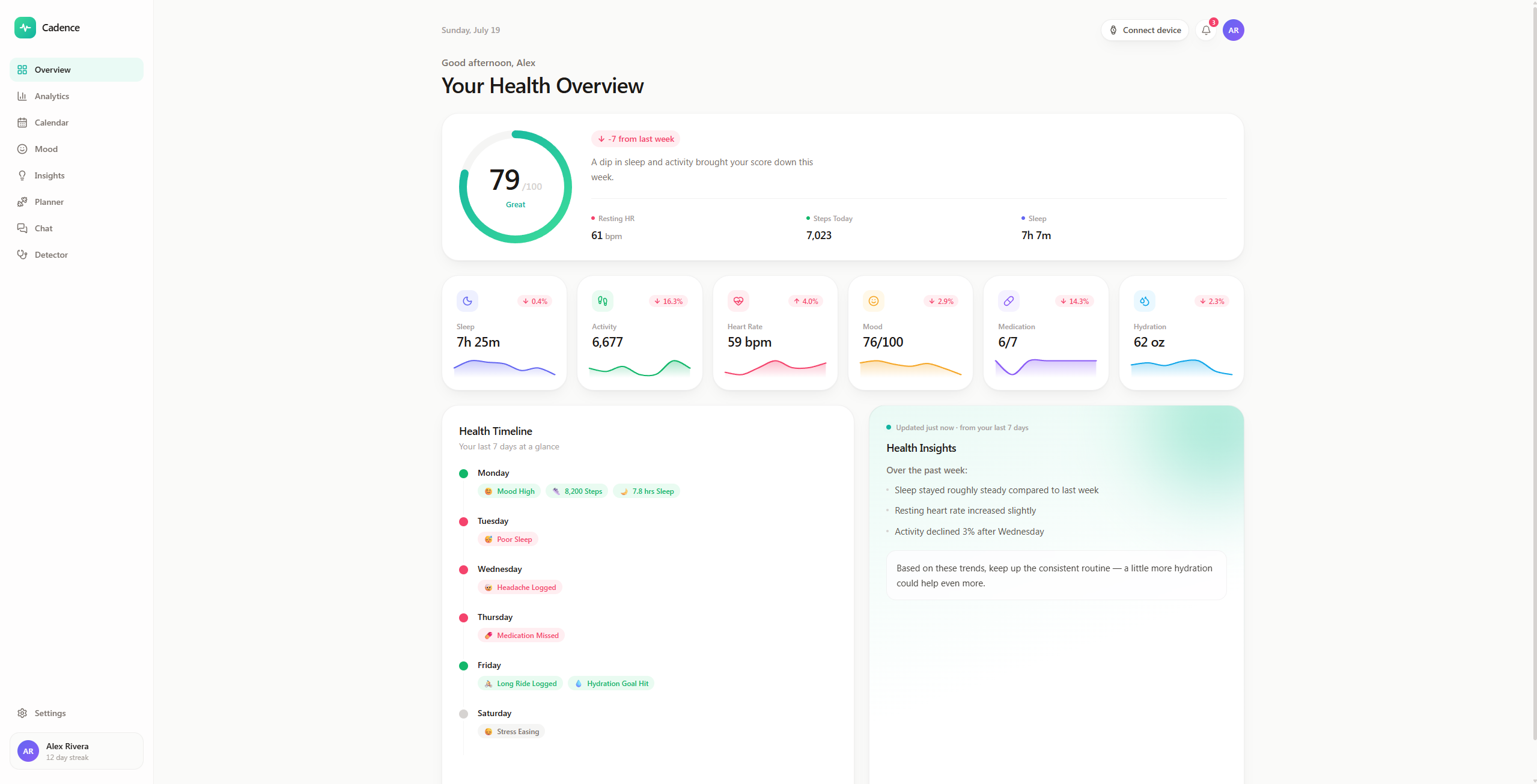
Dashborad
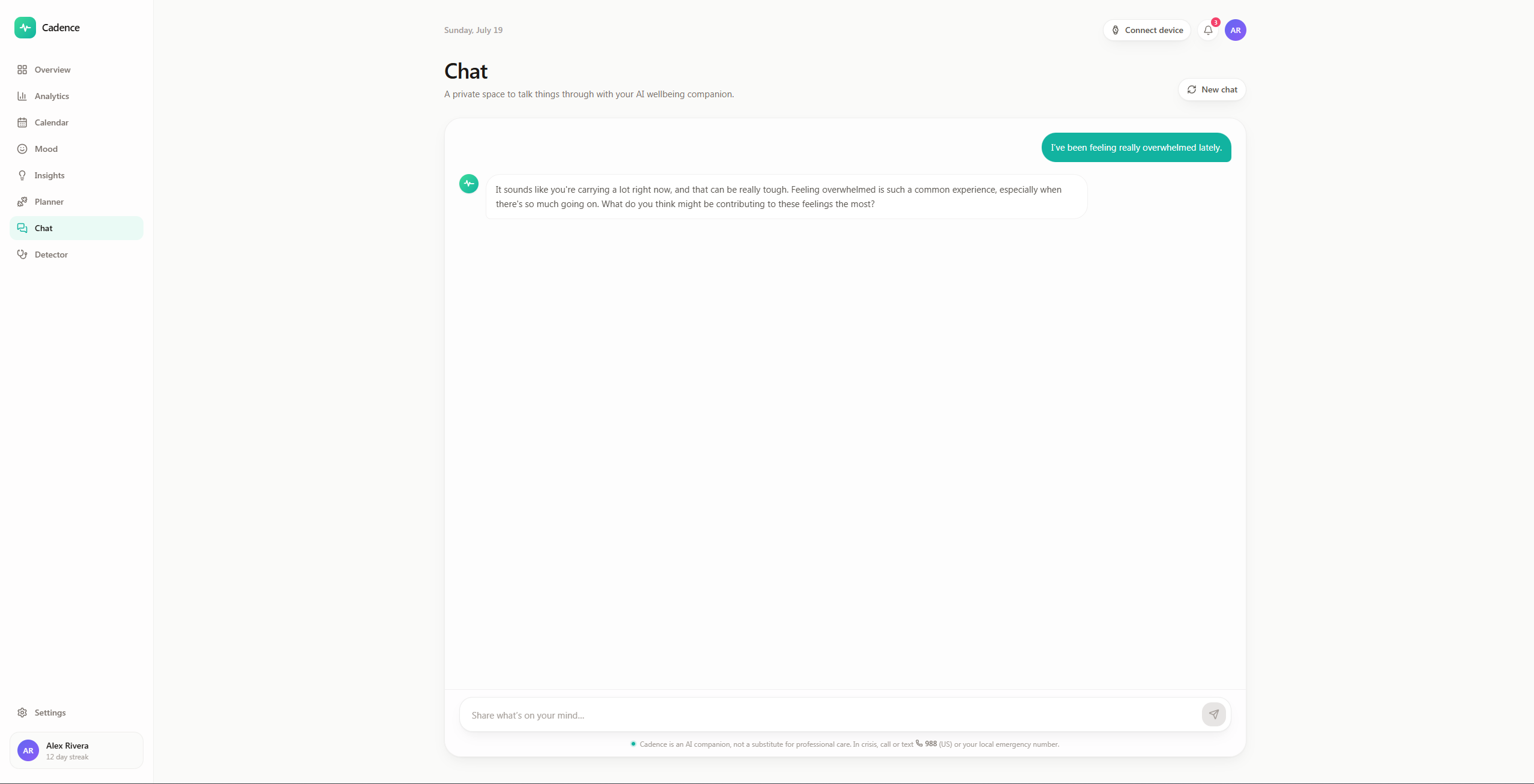
Inspiration
Most "AI health" apps I tried felt like either a spreadsheet with a chatbot bolted on, or a generic ChatGPT wrapper wearing a medical skin. I wanted to build the opposite: something that feels like a real, calm healthcare product — closer to Apple Health, Oura, or Headspace than to a chat window. The core idea was an AI health companion that doesn't just store your data but actually understands it — reflecting on your week, talking you through a rough day, helping you make sense of a lab report, and planning your next one. Health is emotional as much as it is numerical, so I wanted the AI to meet people on both fronts.
What it does
Cadence is an AI health companion with a full analytics dashboard and five AI-powered surfaces:
-Overview & Analytics — a premium dashboard: animated health-score ring, metric cards with sparklines, trend charts, sleep-stage breakdowns, and an activity donut.
-Calendar — a browsable history of every day (mood + score heat-map); tap any day for its full stats and an AI recap of how it went.
-Mood — daily check-ins with an AI reflection that responds to how you're feeling.
-AI Insights — a personalized weekly briefing generated from your actual metrics.
-Chat — a warm, streaming therapy-style companion with built-in crisis handling.
-Detector — early symptom checks (with optional photos) and a document scanner that reads uploaded lab reports as images or PDFs and explains the values in plain language.
-Planner — describe your goals, fitness level, and schedule, and it builds a realistic week-by-week plan.
It also has a working settings panel, a notification center, and a smartwatch-pairing flow — all persisted locally.
How I built it
The frontend is React 19 + TypeScript + Vite, styled with Tailwind CSS v4 and animated with Framer Motion. Every chart is either hand-rolled SVG (for full control over the draw-in animations) or Recharts.
The AI runs on Featherless AI using a single vision-language model, Qwen2.5-VL-72B-Instruct, which handles both text and images. For the document scanner, I render uploaded PDFs to images in the browser with pdf.js and pass the pages to the same vision model. All the health metrics are generated by a deterministic mock-data engine so the demo is stable and believable.
Challenges I ran into
The API plan had a hidden limit of ~4 model switches per minute. My first design used different models for chat, vision, and insights and constantly got rate-limited. I re-architected around a single vision-language model for the entire app, which does text and images equally well — that one decision fixed the reliability problem.
Keeping the API key secret. Vite ships anything in the client bundle to the browser, so I had to build a proxy layer to keep the key server-side.
A brutal UI bug: AnimatePresence in "wait" mode silently hung my view transitions — the state changed but the page wouldn't swap. I replaced it with a keyed-remount transition.
A timezone bug where date-only strings parsed as UTC shifted every weekday label back a day. Making the AI feel grounded and safe — writing prompts that reference real numbers, stay cautious in the health detector, and handle crisis moments in the therapy chat responsibly.
Accomplishments that I'm proud of
It genuinely looks and feels production-ready — the kind of polish where people ask "is this a real startup?" The document scanner actually works: I can upload a multi-page PDF lab report and it reads the real values and explains them. One model, six very different AI features, all streaming and all grounded in the user's data. Getting the API key fully secured behind a proxy instead of leaking it client-side. The whole thing is coherent — every feature feels like part of one product, not a pile of separate demos.
What I learned
How to build a secure, streaming AI backend with an OpenAI-compatible provider — SSE parsing, retries, and keeping secrets off the client. That vision-language models are surprisingly capable at reading real documents, and how to feed them PDFs. A lot about product design and restraint — that depth and coherence beat piling on more tabs. Practical debugging of animation libraries, timezones, and rate limits under pressure. How to write prompts responsibly for sensitive health and mental-health contexts.
What's next for Cadence AI
Real device integration — connect to Apple Health / Google Fit / actual wearables instead of simulated data. Voice mode for the therapy chat, so you can talk to Cadence out loud. "Ask Cadence about my data" — a conversational query box over your own metrics. Cross-feature memory — carry a detector result straight into a chat, or save a plan to your dashboard. Trend detection & proactive nudges instead of only responding when asked. Exportable AI reports and plans as PDFs to share with a real doctor or trainer.
Built With
- featherless.ai
- framer-motion
- node.js
- pdf.js
- react
- recharts
- tailwind.css
- typescript
- vite

Log in or sign up for Devpost to join the conversation.