-
-
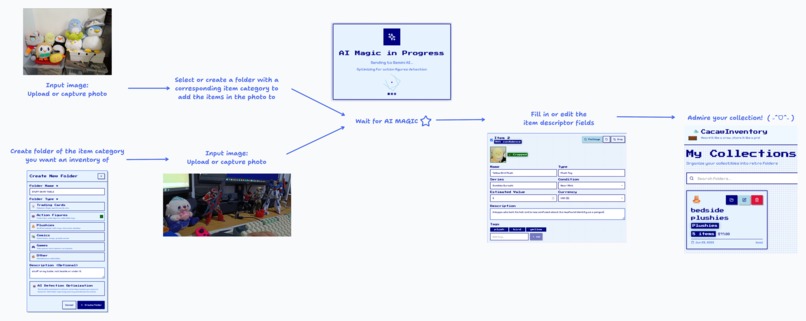
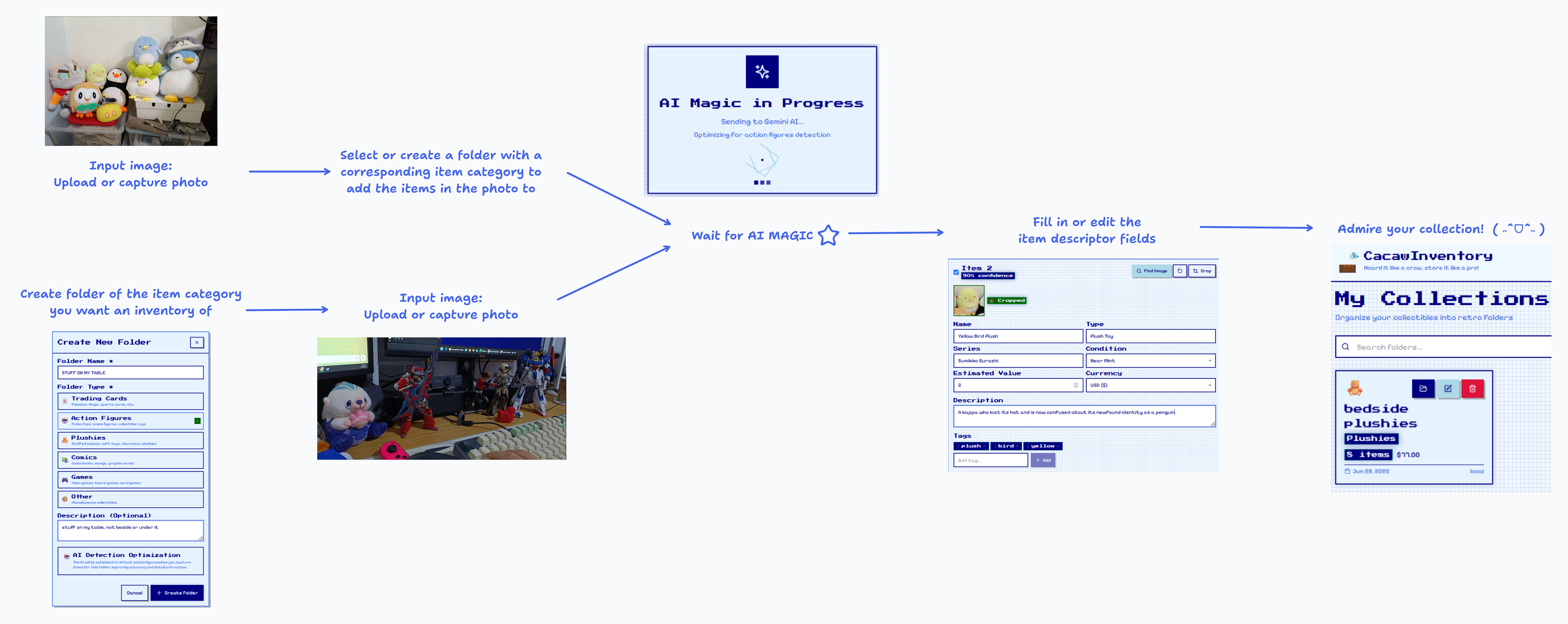
User journey of adding items to your inventory
-
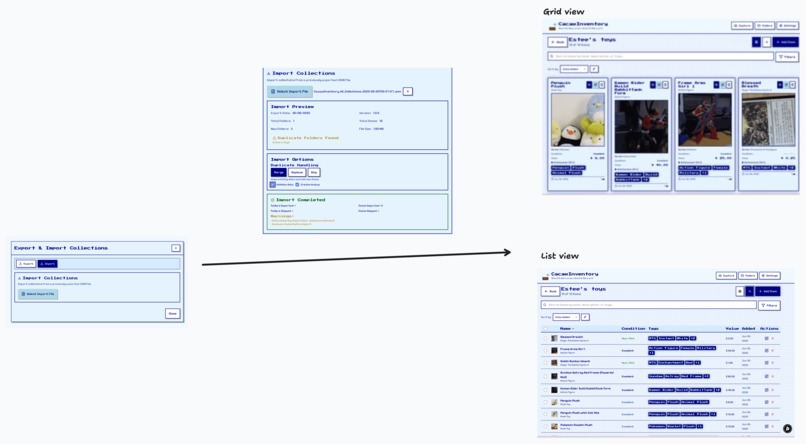
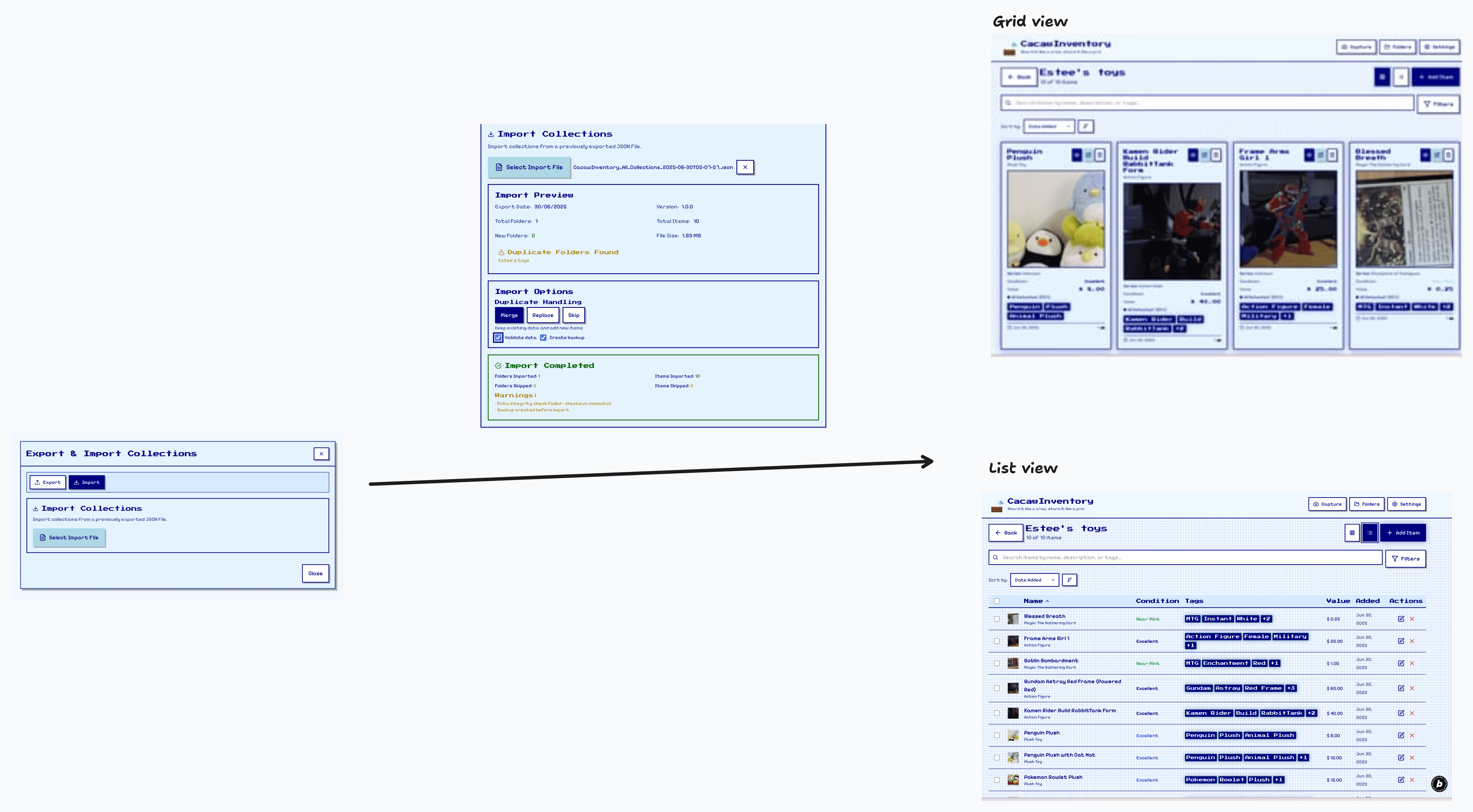
Import flow
Inspiration
Manually logging each and every knick-knack in your room is such a hassle!
What if we could just take a picture of our stuff and convert it into a list of items, and organise the items on the list to our liking?
What if whoever is using this isn’t technically savvy?
How now brown cow?
What it does
- Photo capture: Capture photos of a bunch of items you want to inventorise and feed it into the app. It then recognises and isolates individual items from each photo.
- Photos and individual items are organized into folders based on their categories matching what you're trying to catalogue.
- Items are classified through AI detection, and users can update specific item details and fields as needed.
- Exportable and transferable data files (JSON) for enhanced modularity.
- Images are encoded into base64 strings so they can be displayed regardless of internet connectivity even without uploading to a cloud.
How we built it
We first planned the general idea for the AI inventory app user workflow that we want to create on Notion. Then, we learned how to build using prompts and Bolt.
- We learned how to submit prompts to Bolt with the Basic cheatsheet and inspecting elements to give more clear and precise instructions from Bolt.new’s Youtube tutorial video on Bolt 101.
- We also created a PDR for planning the development phases, also based on Bolt.new’s video containing advanced tips from community builders.
Afterwards, we started building the app on Bolt.
This is tech stack we used to build the app; there is no backend as the app aims to be local-first:
Frontend Framework
- React 18 with TypeScript
- Vite as the build tool and dev server
- Tailwind CSS for styling with custom retro theme
State Management
- Zustand for global state management
- Dexie.js (IndexedDB wrapper) for local data persistence
UI/UX
- Lucide React for icons
- Custom pixel art theme with retro aesthetics
- Responsive design with mobile-first approach
- React-camera-pro for capturing images with camera on mobile & desktop devices
Sponsor challenge compliance
- Netlify → We deployed to Netlify using Bolt
- Entri → We mapped the website deployed on Netlify (animated-tiramisu-11e377) to a custom domain (cacaw.site)
Challenges we ran into
Understanding vibe-coding & getting better results from AI
- The team is not really familiar with prompt engineering: Teck is not a programmer, and while Estee is a software engineer that uses Cursor, she has never properly learnt to create refined prompts for LLMs to scaffold projects from scratch.
AI Hallucination
- AI uses mock data to implement features that are not actually functional and creates false expectations of success for users.
- For example, the result returned fake bounding boxes when we wanted to implement a feature to automatically put frames around detected objects
- When we tried asking Bolt to implement a feature for finding similar product images, the search results are hardcoded to stock images rather than calling APIs to return actual search results
Accomplishments that we're proud of
- Working prototype from ideation in record speed:
- Reduced the time needed to manually input item fields by 80%
- The ability to accurately identify even the brands or franchises of figures from a single picture (e.g., MG Zeta ver. ka.)
- Able to use my phone and visit Cacaw.site directly to demo the app to others
- Only one picture needed! ^_^
What we learned
- How to craft more effective prompts for vibe coding. Be precise in your asks.
- To be more careful with checking outputs for mock data.
What's next for Cacaw Inventory
Phase 2: Cloud storage - Allow users to upload their collections to the cloud
- Supabase integration
- User account management and authentication
- Uploading images to buckets
- Storing collections
- Integration with Stripe for payment plans
- Collections and images quota for users limited by account type
Phase 3: Better data imports/exports and integration with external APIs for improved object recognition
- Import and export inventory lists to and from Excel tables
- Export collections and/or folders to .pdf
- Integration with TCGPlayer/eBay for MTG cards
Phase 4: Social + Trading features to help a wider network of users achieve their hoarding collecting dreams
- Folder sharing - Show off your collections in a neat and organized manner!
- Profile pages - Buy/sell lists, Trade requests
- Wishlists and value tracking for collectibles with market pricing - Never get stiffed out of the value you rightfully deserve
Built With
- bolt
- gemini
- ionos
- netlify
- react
- tailwind
- typescript
- vite


Log in or sign up for Devpost to join the conversation.