-
-
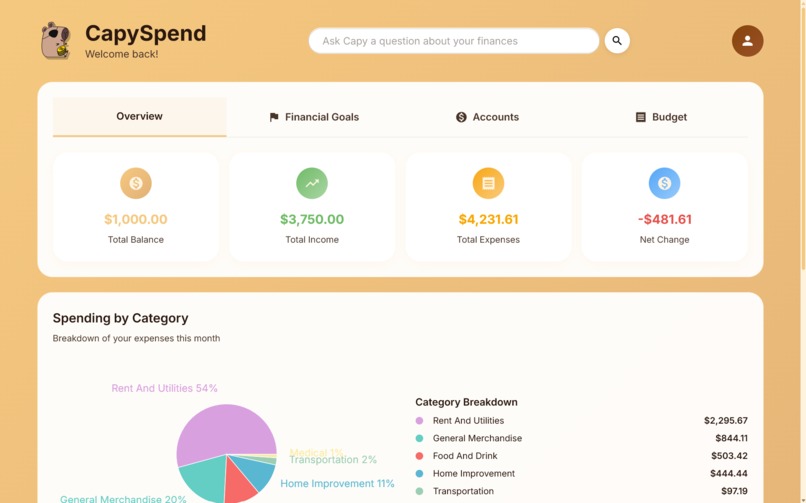
Dashboard
-
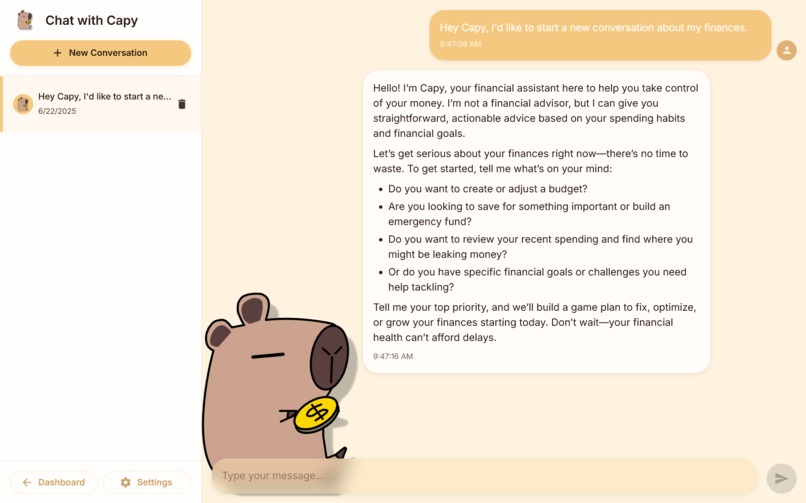
Capy Chat
-
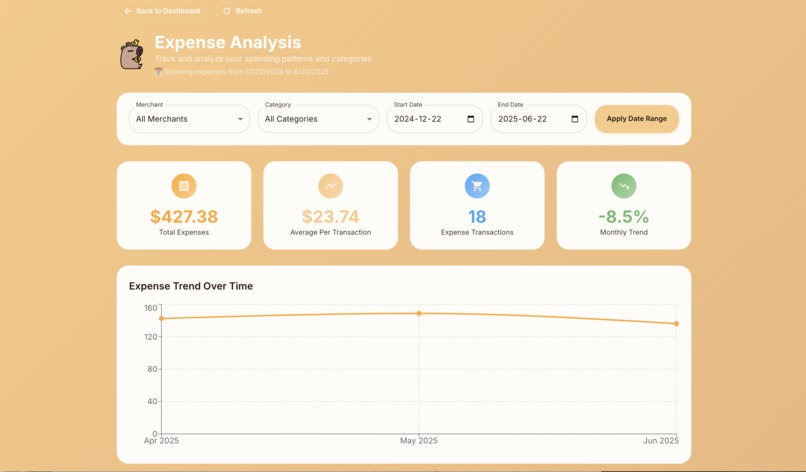
Expense Analysis
-
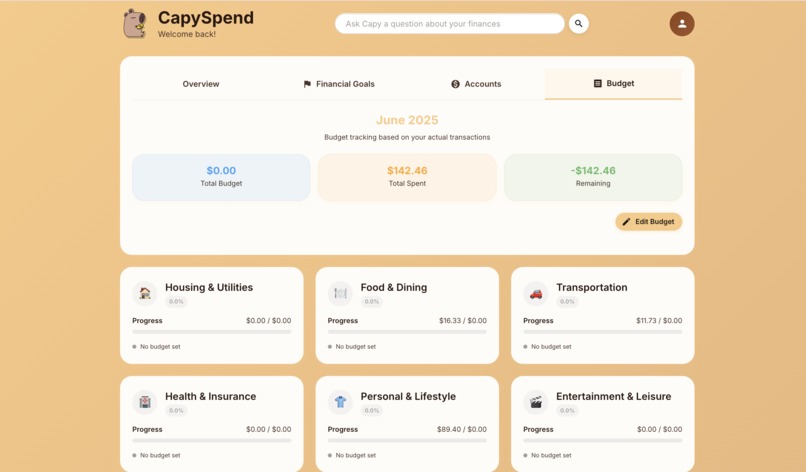
Budget Analysis
-
CapySpend

Elevator Pitch
CapySpend: AI-powered personal finance that takes action. Connect your bank, let our agentic AI automatically create budgets and savings goals. No spreadsheets, just smart automation.
CapySpend: Your AI-powered financial companion that turns financial chaos into financial clarity.
Inspiration
Managing personal finances can be incredibly overwhelming, especially when trying to create and maintain a budget manually. Many people struggle with:
Overwhelming Financial Decisions: Without proper guidance, users struggle to make informed financial decisions. They may not know if their spending is reasonable, how to adjust their budget, or what financial goals are realistic for their situation.
Lack Of Time: Busy schedules make it difficult for users to dedicate time to track their spending and manage their finances. They often resort to quick fixes like using spreadsheets, which can be tedious and time-consuming.
Complex Spreadsheet Management: Creating and maintaining detailed Excel or Google Sheets to manage budgets requires significant time and effort. Users often spend hours categorizing transactions, updating formulas, and ensuring data accuracy across multiple sheets.
Inconsistent Tracking: Life gets busy, and manual budget tracking often falls by the wayside. Users start strong but quickly abandon their spreadsheets when they miss a few days or weeks of data entry.
Lack of Real-Time Insights: Traditional budgeting methods provide static snapshots rather than dynamic, actionable insights. Users can't easily see spending patterns or get personalized recommendations for improvement.
The Solution: CapySpend was born from the idea that financial management should be automated, intelligent, and user-friendly. By leveraging AI and secure bank integration, we eliminate the manual work while providing personalized, actionable financial advice. Instead of spending hours on spreadsheets, users can focus on what matters most: achieving their financial goals.
What Does CapySpend Do?
CapySpend is a personal finance management website that helps users track their spending, manage budgets, and gain insights into their financial habits. It integrates with Plaid to securely connect to users' bank accounts and provides a user-friendly interface for managing finances, while implementing an AI assistant to offer personalized financial advice and insights based on the user's financial information.

CapySpend allows users to:
- connect their bank accounts securely using Plaid
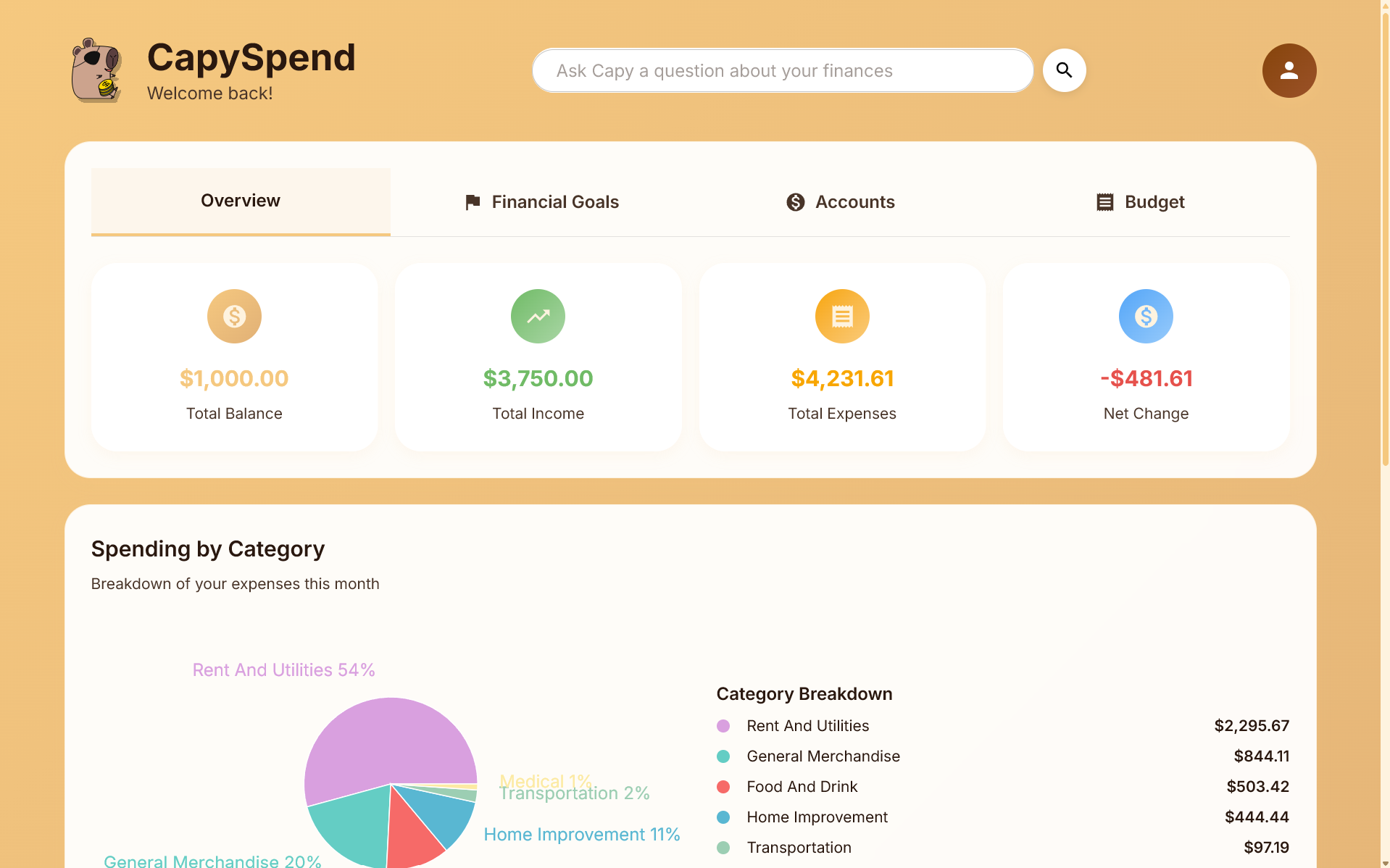
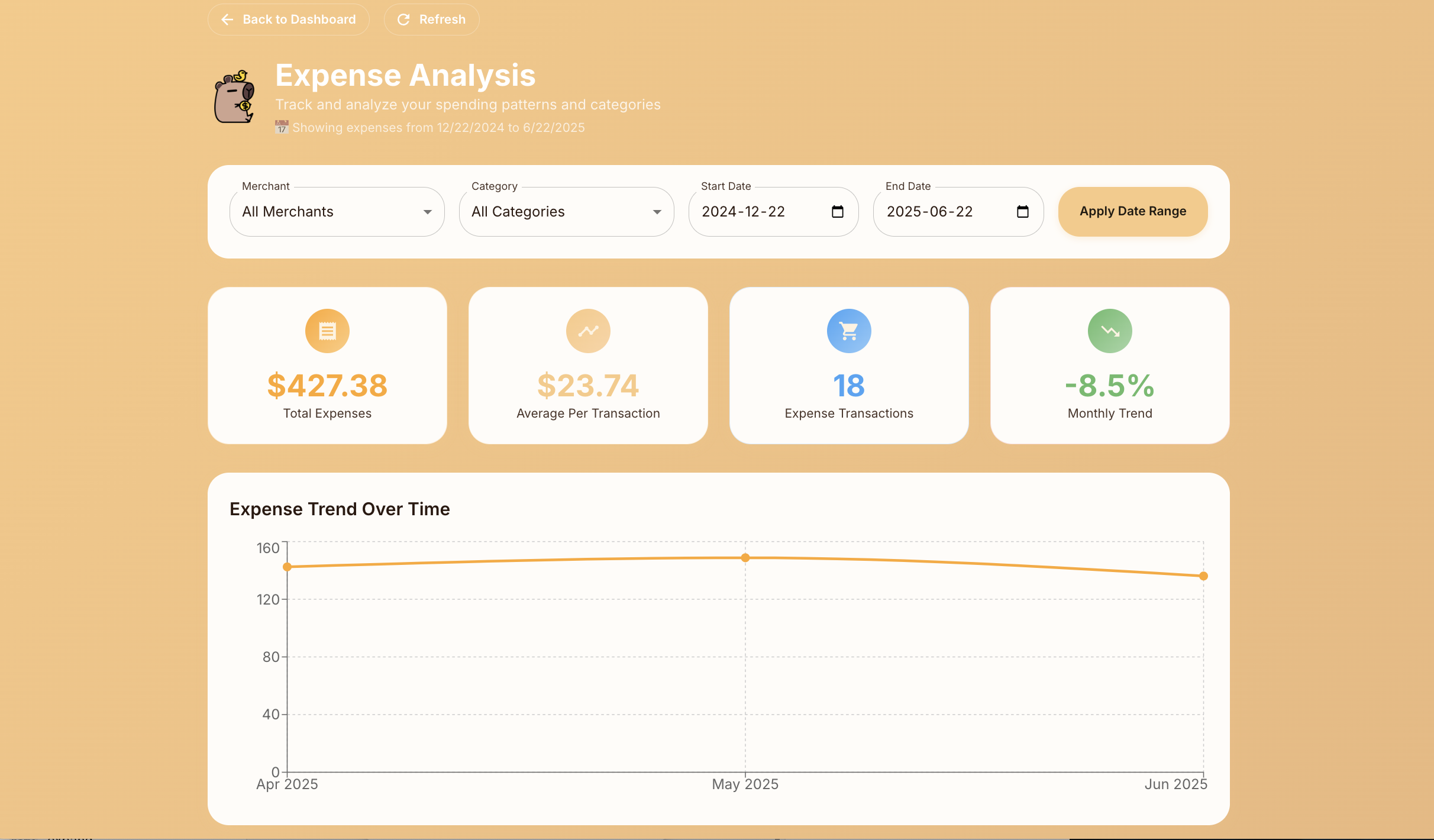
- track their spending in real-time
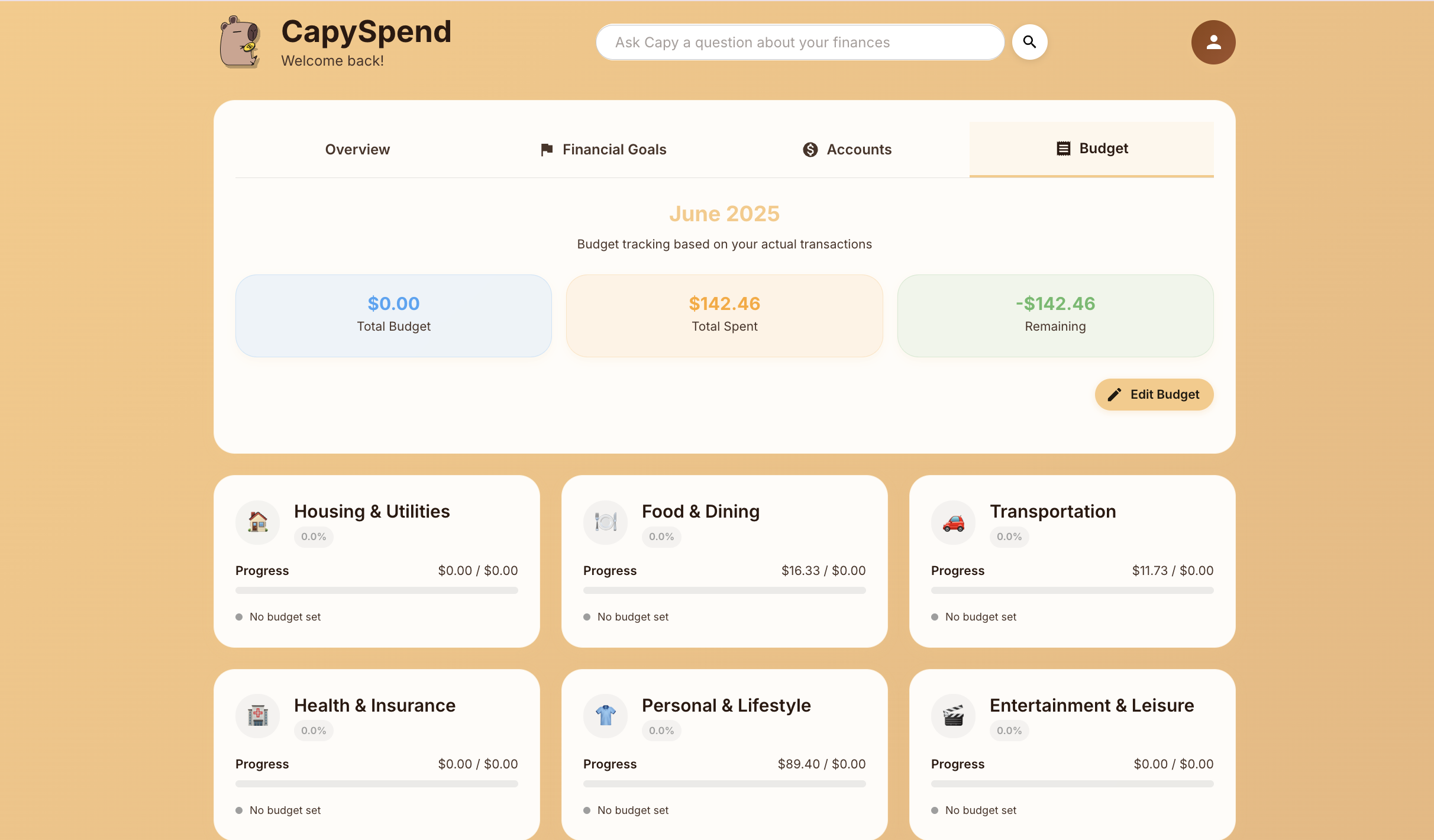
- create and manage budgets
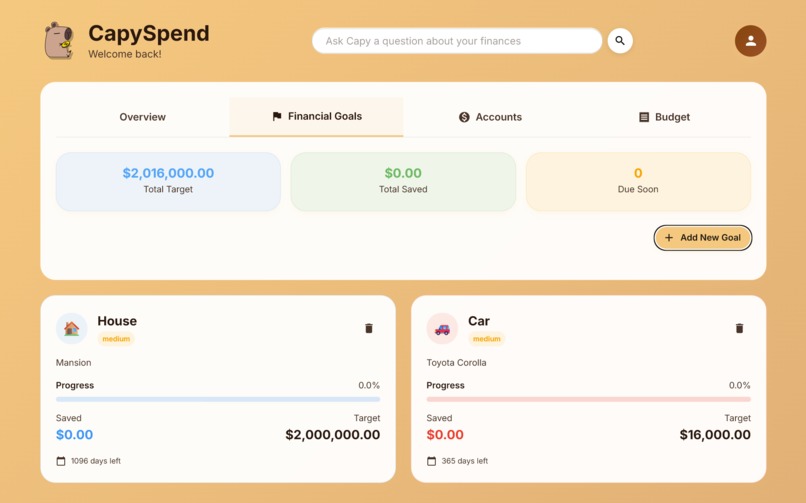
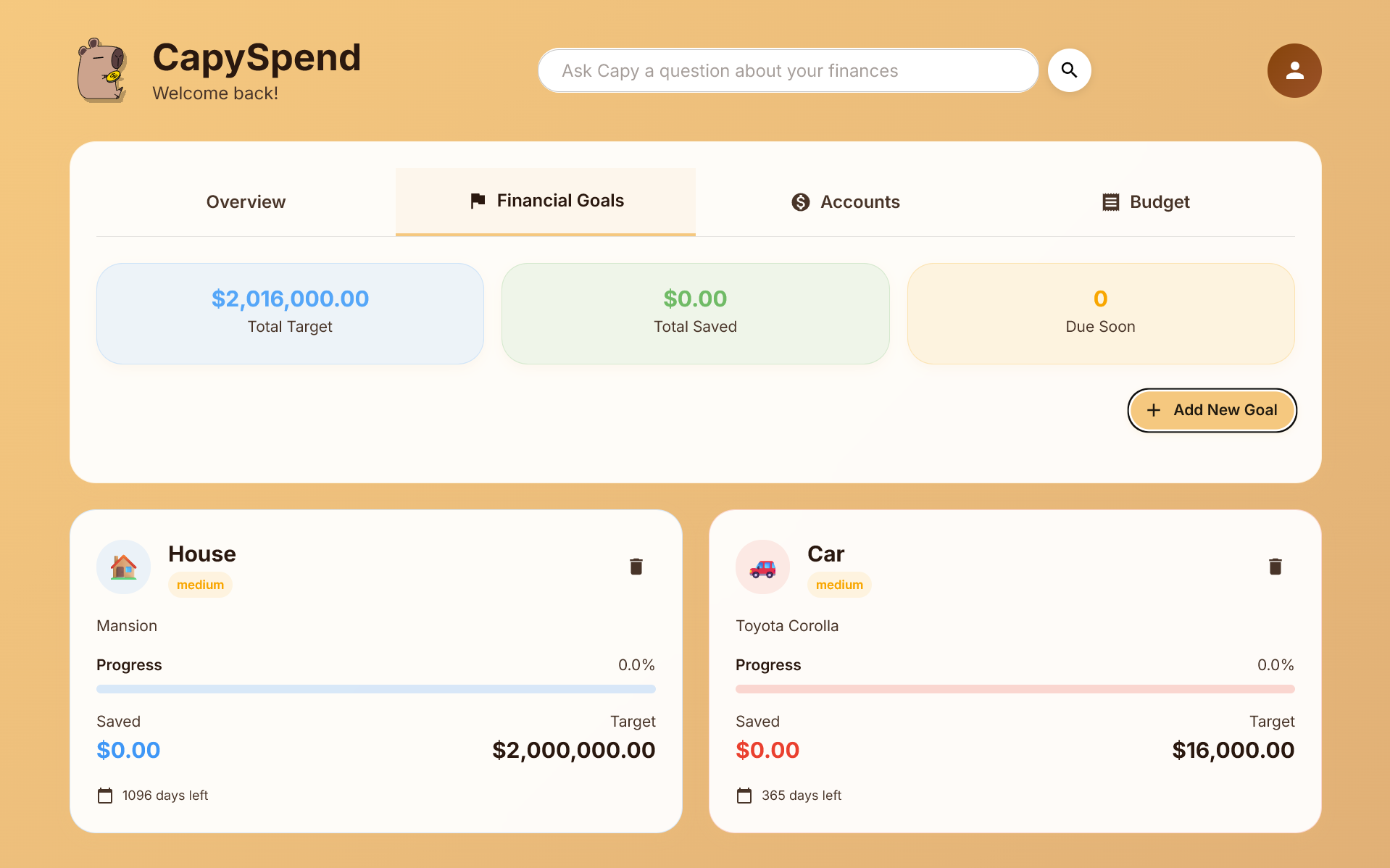
- set financial goals
- view reports
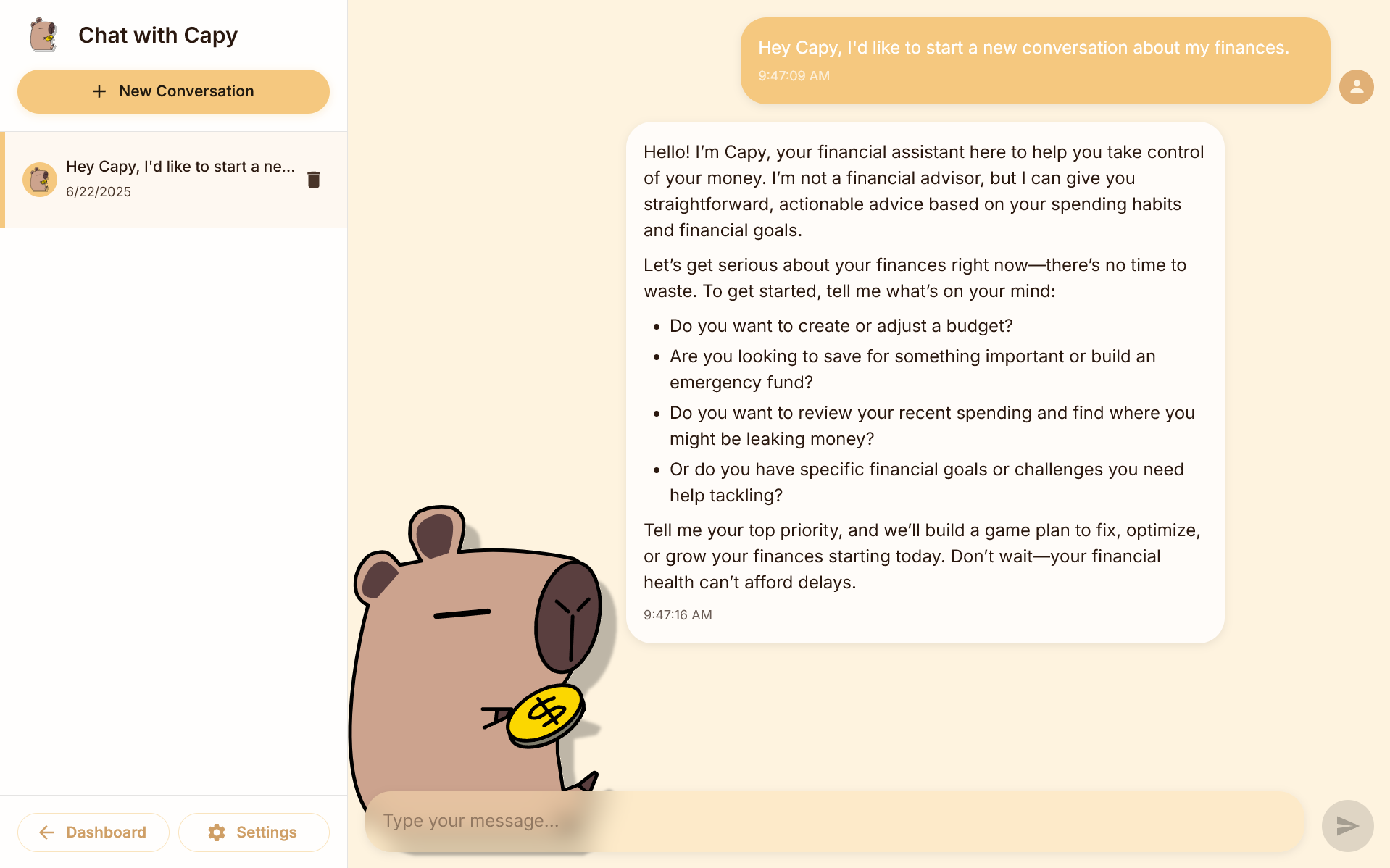
- and talk to an AI assistant that provides personalized financial advice and insights.
How Does CapySpend Work?
CapySpend works by integrating with Plaid and the OpenAI API to provide a comprehensive personal finance management solution. Users can securely connect their bank accounts through Plaid, allowing the application to access transaction data, account balances, and other financial information. The AI assistant uses this data to analyze spending patterns, suggest budget adjustments, and provide personalized financial advice. The application also features a user-friendly interface for managing budgets, tracking expenses, and visualizing financial health.
There are two main data flows in CapySpend: Financial Data Flow and AI Assistant Data Flow.
Financial Data Flow:
- User Authentication: Users sign up and log in to CapySpend using secure authentication methods (e.g., JWT).
- Bank Account Integration: Users connect their bank accounts through Plaid, which securely retrieves transaction data and account balances.
AI Assistant Data Flow:
- AI Interaction: Users can interact with the AI assistant through a chat interface, asking questions about their finances or requesting advice.
- Contextual Understanding: The AI assistant is provided with the user's financial data (transaction history, budgets, goals) to provide personalized responses.
- Tool Calls: The AI can perform actions on behalf of the user, such as creating budgets, setting savings goals, or categorizing transactions, using structured tool calls that ensure data integrity and security.
These two data flows work together to provide a seamless user experience, allowing users to manage their finances effectively while receiving personalized AI-driven insights and recommendations.
Technologies Used
- Frontend: React, Vite, Material-UI
- Backend: Node.js, Express
- Database: PostgreSQL
- APIs: Plaid API for bank account integration, OpenAI API for AI assistant functionality
- Authentication: JSON Web Tokens (JWT) for secure user authentication
- Design: Figma for UI/UX design, Material-UI for responsive design components
Features
Key features:
- Secure Bank Account Integration: Users can connect their bank accounts securely using Plaid, allowing for real-time transaction tracking and balance updates.
- Personal Finance Management: Users can create budgets, track expenses, and set financial goals.
- AI Assistant: An AI-powered assistant provides personalized financial advice, helps users understand their spending habits, and suggests ways to save money.
- Goal Setting and Tracking: Users can set financial goals, such as saving for a vacation or paying off debt, and track their progress towards these goals.
- AI Budgeting: The AI assistant can automatically create and adjust budgets based on user spending patterns, ensuring that users stay on track with their financial goals.
Additional Features:
- Expense Categorization: Automatically categorize transactions to help users understand where their money is going.
- Visualizations: Interactive charts and graphs to visualize spending patterns, past transactions, and budget performance.
- Different Modes: Users can switch between different modes, such as "Conservative" for more conservative advice or "Aggressive" for more risk-taking strategies, allowing the AI assistant to tailor its recommendations based on the user's financial goals and risk tolerance.
How We Built CapySpend
The CapySpend application is split into 2 components: the client (frontend) and the server (backend). The client is built using React and Vite, providing a responsive and user-friendly interface. The server is built with Node.js and Express, handling API requests, user authentication, and integration with Plaid and OpenAI APIs.
After defining the buisiness requirements, we identified the technologies that we believed were the best fit for this hackthon. We then designed the database schema to store the information requirements, followed up by the developing the server and client components.
Client:
- React: The client is built using React, providing a dynamic and interactive user interface.
- Vite: Vite is used as the build tool and development server, offering fast hot module replacement (HMR) and optimized production builds.
- Axios: Axios is used for making HTTP requests to the server, allowing the client to interact with the backend APIs.
- Material-UI: The client uses Material-UI for a modern and responsive design, providing a consistent user experience across devices.
- TypeScript: TypeScript is used for type safety and better development experience, ensuring code quality and reducing runtime errors.
Server:
- Node.js: The server is built using Node.js, providing a robust backend for
- Express: The server uses Express.js to handle HTTP requests and manage routes for the application. Additionally, it provides middleware for parsing JSON requests, handling CORS, and handling authentication.
- Winston: Winston is used for logging server activities, errors, and important events, providing insights into server operations and storing persistent logs.
- PostgreSQL: The database is built on PostgreSQL, storing user data, transaction history, and budget information.
- Plaid API: The server integrates with the Plaid API to securely connect to users' bank accounts, fetch transaction data, and manage user accounts.
- OpenAI API: The server uses the OpenAI API to power the AI assistant, and the server provides context consisting of user financial data to the AI model for personalized advice.
- Restful API: The server exposes RESTful API endpoints for the client to interact with, allowing users to manage their accounts, budgets, and transactions.
- JWT Authentication: The server implements JWT authentication to secure user sessions and protect sensitive financial data.
Database Layout
 The database consists of 7 tables:
- users: Stores user information.
- plaid_users: Links users to their Plaid access tokens.
- accounts: Stores detailed information about connected bank accounts.
- budgets: Stores user budget allocations.
- savings_goals: Stores user saving goals.
- bot_conversations: Stores high-level conversation metadata between users and the AI assistant.
- conversation_message: Stores individual messages within conversations.
Challenges Faced
Accomplishments That We Are Proud Of
Agentic AI Capabilities: We're particularly proud of implementing advanced agentic features that enable our AI assistant to not just provide advice, but to take direct action on user data. The AI can:
- Create and Update Savings Goals: Automatically create new financial goals with appropriate details, deadlines, and progress tracking based on user conversations
- Manage Budgets Proactively: The AI can analyze user spending patterns and automatically create or update monthly budgets with personalized category allocations
- Execute Financial Actions: Through secure tool calls, the AI can directly modify user data in the database, eliminating the need for manual data entry
- Contextual Decision Making: The AI understands user financial context and can make informed decisions about budget allocations, goal priorities, and financial recommendations
- Seamless Integration: All agentic actions are performed securely through structured tool calls, ensuring data integrity while providing a conversational user experience
Real Banking Integration: Successfully integrated with Plaid API to provide real-time access to bank account data, transaction history, and account balances.
Intelligent Transaction Categorization: Implemented AI-powered transaction categorization that automatically assigns budget categories to transactions, reducing manual work for users.
Personalized AI Personality System: Created a unique system where users can choose their AI assistant's personality (Conservative, Aggressive, Communist, Baby, etc.), making financial advice more relatable and engaging.
Modern, Responsive UI: Built a beautiful, intuitive interface using Material-UI that works seamlessly across desktop and mobile devices, providing an excellent user experience.
What We Learned
There are a variety of things we learned while creating CapySpend. The following are 3 of the most notable:
Agentic AI and Tool Calls: We gained insights into implementing agentic AI systems that can take action on user data. We learned how to design and implement structured tool calls that allow AI to execute specific actions. We discovered the importance of providing rich context to AI models, including user financial data, transaction history, and current goals, enabling the AI to make informed decisions and take appropriate actions. We also learned about designing conversational interfaces where AI actions feel natural and contextual.
Financial Data Integration: Gained expertise in securely handling financial information by learning the complexities of integrating with financial APIs through Plaid API integration, including handling different account types, transaction formats, and error scenarios while maintaining robust security practices.
Modern Web Development: Enhanced our skills in building complex web applications by learning effective techniques for managing complex application state, especially when dealing with real-time financial data and AI interactions. We also mastered creating responsive interfaces that work seamlessly across different devices and screen sizes while maintaining functionality and usability throughout the user experience.
CapySpend's Future
Enhanced AI Capabilities:
- Investment Recommendations: Expand the AI to provide personalized investment advice based on user risk tolerance, financial goals, and market conditions
- Debt Management Tools: Add AI-powered debt payoff strategies, including snowball vs. avalanche method recommendations and automatic payment scheduling
- Expense Forecasting: Implement predictive analytics to forecast future expenses and help users prepare for upcoming financial obligations
Advanced Financial Features:
- Multi-Currency Support: Add support for international users with multi-currency accounts and real-time exchange rate tracking
- Bill Payment Integration: Automate bill payments and provide reminders for upcoming due dates
- Credit Score Monitoring: Integrate with credit bureaus to track credit scores and provide improvement recommendations
Social and Collaborative Features:
- Family Budget Sharing: Allow families to share budgets and financial goals while maintaining individual privacy
Mobile and Accessibility:
- Native Mobile Apps: Develop dedicated iOS and Android applications for better mobile experience
- Voice Assistant Integration: Add voice commands for hands-free financial management
- Offline Mode: Allow basic functionality when internet connectivity is limited
Advanced Analytics and Insights:
- Behavioral Analysis: Use machine learning to identify spending triggers and help users develop better financial habits
- Goal Achievement Predictions: Provide realistic timelines for achieving financial goals based on current spending patterns
How to Run CapySpend Locally
- Clone the repository
- Create an .env file in the main directory and add the following environment variables: PGHOST, PGUSER, PGPASSWORD, PGPORT, PGDATABASE, JWT_SECRET, PLAID_CLIENT_ID, PLAID_SECRET, OPENAI_API_KEY
- Create a PostgreSQL database and run the SQL scripts in the
dbdirectory to set up the schema - Install the required dependencies for both the client and server:
- For the client, run
npm installin theclientdirectory - For the server, run
npm installin therootdirectory
- For the client, run
- Start the server by running
npm run serverin themaindirectory - Start the client by running
npm run devin theclientdirectory - Open your browser and navigate to
http://localhost:5173to access the CapySpend application
Authors: Aiden Ma, Darren Chu, Daniel Zhang, and Feiyang Xu


Log in or sign up for Devpost to join the conversation.