-
-
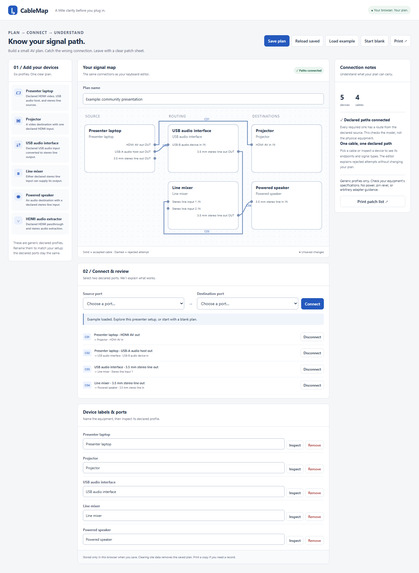
CableMap — Interactive AV Signal Planning Workspace
-
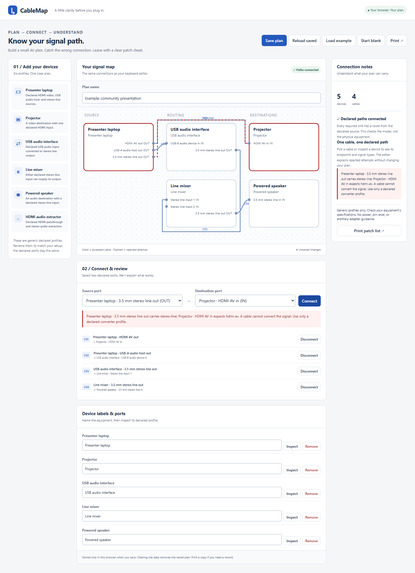
Connection Validation — Detecting Incompatible Signals
-

Mobile Experience — Build and Review AV Connections
-
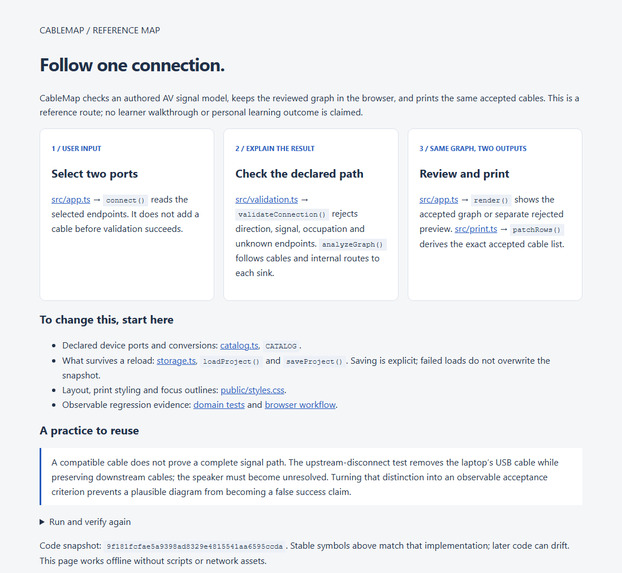
Technical Reference — From Port Selection to Printable Patch List

Inspiration
Planning device connections can become confusing when multiple ports, cables, and compatibility rules are involved. A simple diagram may show where cables go, but it does not necessarily explain whether a connection is valid or why something might fail.
CableMap was built to make cable planning more visual, understandable, and accessible, particularly for people learning how different devices connect.
What it does
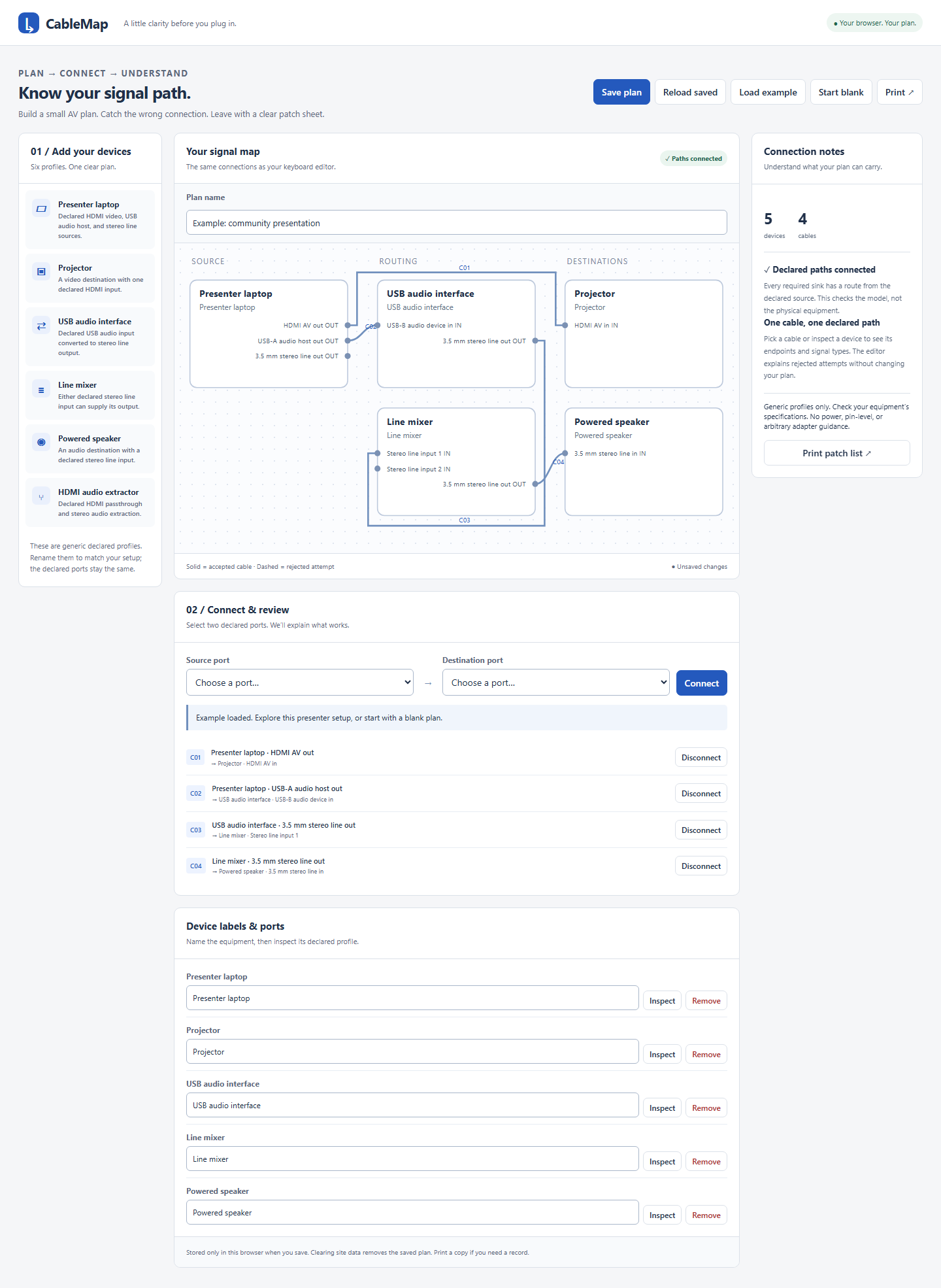
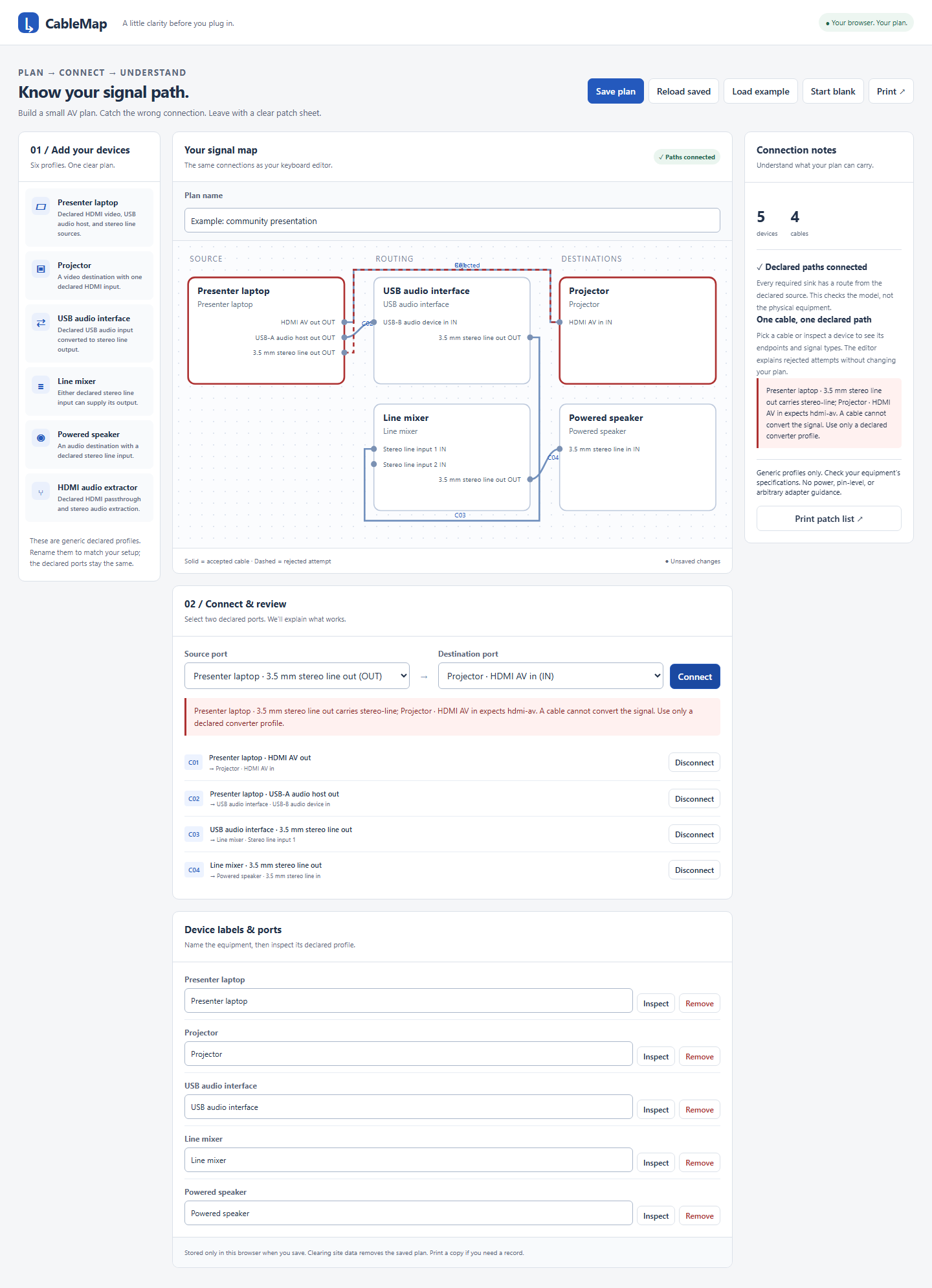
CableMap is an interactive, browser-based cable planning tool that helps users build connection diagrams, understand compatibility constraints, and produce printable patch lists.
Its implemented features include:
- Visual cable mapping: Create and edit connections using an interactive SVG diagram.
- Six predefined device profiles: Work with bounded, documented device configurations.
- Connection validation: Identify incompatible connections, occupied ports, and signal-direction issues.
- Clear explanations: Understand internal signal conversions and source reachability.
- Keyboard accessibility: Edit diagrams without relying exclusively on a mouse.
- Local saving: Save and reload plans in the browser.
- Printable patch lists: Generate connection lists with relevant warnings.
- Responsive interface: Use the application across desktop and mobile screen sizes.
How we built it
CableMap is a static web application deployed through Firebase Hosting.
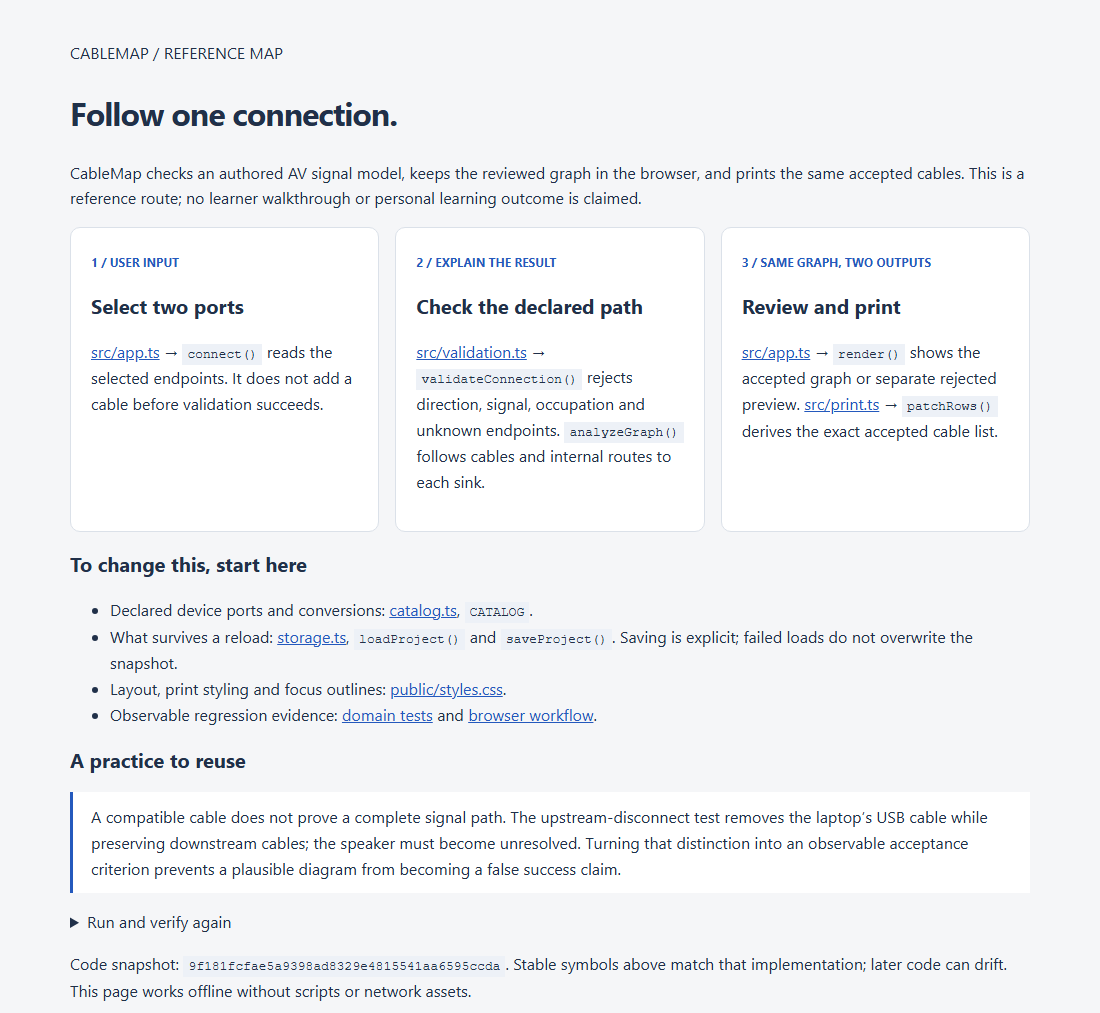
The application combines an SVG-based visual editor with deterministic connection rules. These rules evaluate device ports, signal direction, occupied connections, internal conversions, and reachability.
Plans are stored locally in the browser, with recovery handling for invalid saved data and unavailable storage.
The application does not require a backend service, external AI model, or paid API to perform its core functions.
Challenges and lessons
The primary design challenge was making connection rules understandable rather than simply marking connections as valid or invalid.
A useful cable planner needs to explain what is wrong, where the issue occurs, and what the user should inspect.
Another important consideration was ensuring that diagram editing remained keyboard-accessible and that saved work could be recovered safely when browser storage failed.
The technical work highlighted the importance of combining visual feedback, explicit validation rules, accessibility, and predictable behavior in an educational planning tool.
Accomplishments
CableMap has been deployed publicly and completed its recorded technical verification:
- 18 domain tests passed.
- 16 local browser checks passed.
- 16 public browser checks passed.
The current application demonstrates supported connection-planning scenarios. It does not claim to guarantee compatibility with every real-world hardware configuration.
What's next
Potential improvements include expanding the supported device profiles, refining the planning experience through real learner feedback, and improving the clarity of connection guidance.
Formal hands-on learner feedback remains a future milestone.
Try CableMap
Live application: https://cablemap-564976398462.web.app/
Built With
- browser
- copy
- css3
- firebase
- hosting
- html5
- javascript
- local
- storage
- svg

Log in or sign up for Devpost to join the conversation.