-
-
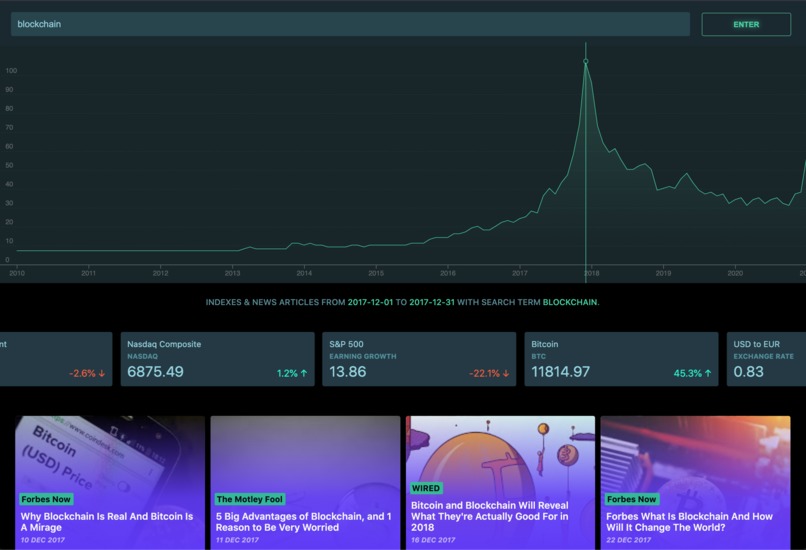
Wayback Headlines site

Inspiration
Frustrated from running into HTTP 429 Too Many Request error after a long week of building and testing my news site that uses Google Trends and Google News data, I decided to use this weekend to hack together a solution to handle when 429 is sent back from a source.
What it does
The site, Wayback Headlines(http://bit.ly/wayback-headlines), is a site that allows users to investigate Google Trends data on a search term alongside with news and market data relevant to provided search term and a user-selected time period. (which I did not build this weekend!)
The part that I am submit for this hackathon is the feature I added this weekend that re-deploys the site from App Engine once a 429 error is logged in Cloud Logging. App Engine deploys the site on a different instance, which has a different IP address. After the re-deployment, our site will have no problem requesting data from the sources again, since the site will be sending the requests from a different IP address.
How we built it
I utilized Cloud Logging's @google-cloud/logging-bunyan library to log custom errors in the site's NodeJS backend, which is deployed using App Engine.
Challenges we ran into
To build a trigger and workflow to listen to the incoming log and re-deploy the app once the error is present on the gcloud end was challenging. I was completely new to Google Cloud, all the components were very ambiguous at first.
Accomplishments that we're proud of
My scripting knowledge in bash expanded a lot this weekend because the trigger and workflow to re-deploy on gcloud was a shell script. I almost couldn't believe it when it finally worked!
What we learned
I definitely got more familiar with tools available on Google Cloud, and I leveled up in bash this weekend.
What's next for "Bypass" HTTP 429
Next, I would like to script to run in Cloud Shell automatically after deployment. Currently, I have to run the script manually after deployment for it to start listening.

Log in or sign up for Devpost to join the conversation.