Inspiration
It was one of the problems I faced daily, and when I learnt there is a built-in AI API in Chrome, making local AI processing possible, combined with modern AI coding tools that speed up development, I knew it was finally time to build the solution I always wanted.
What it does
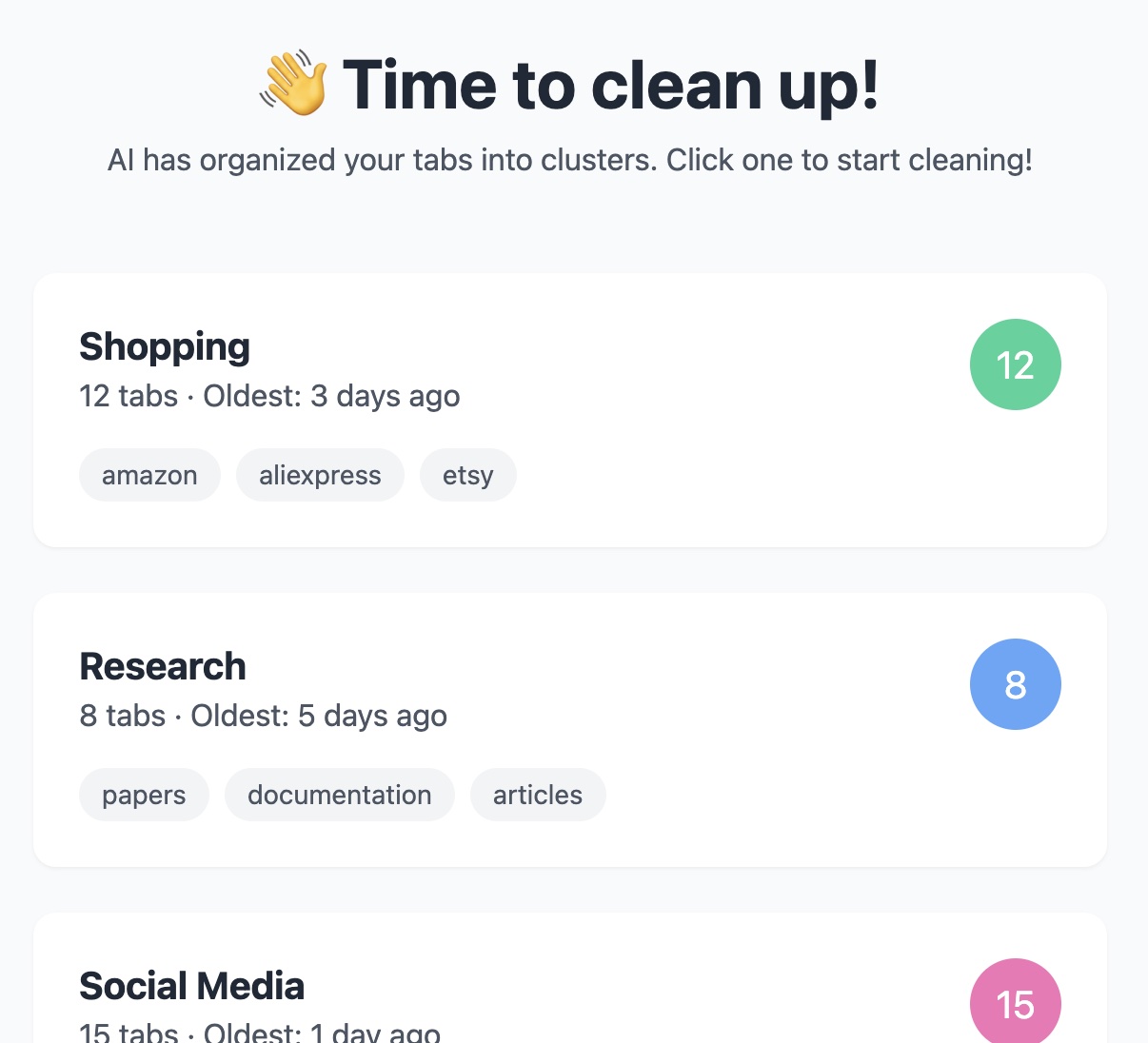
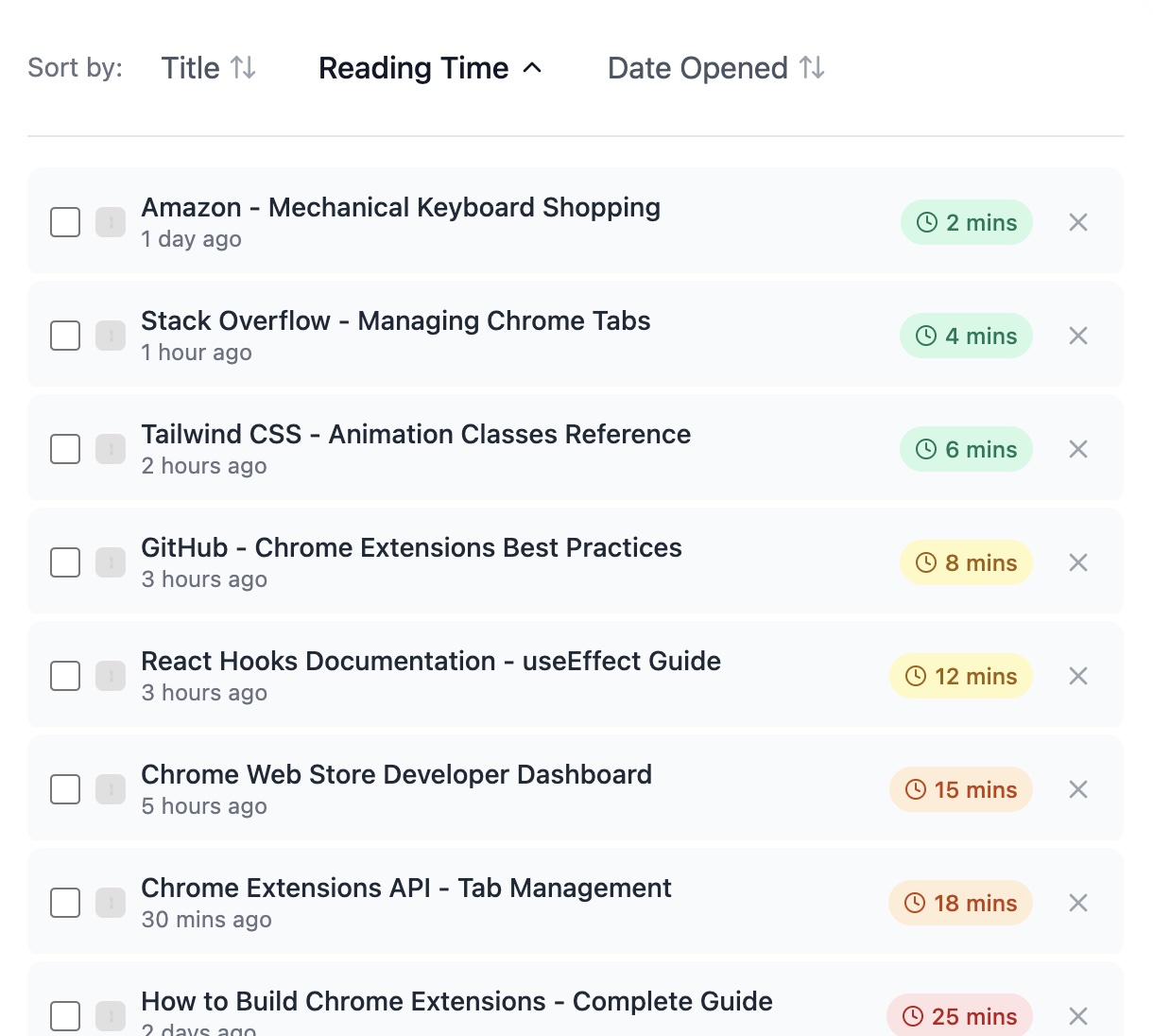
It helps you manage tab overwhelm by: Using local AI (built-in Gemini Nano) to analyze your tabs and automatically group them by:
- Content similarity and context
- Estimated reading time
Last access time Once organized, it helps you:
Quickly identify which tabs need your attention
Close tabs you no longer need
Focus on tabs that matter right now
Manage your browser resources better (dream of an ADHD person with 500+ open tabs?)
All processing happens on your device using Chrome's built-in AI, and all data stays in your local storage - your privacy is never compromised
How I built it
After joining the hackathon, my first priority was to get a quick grasp of the context. So I fed Claude AI with hackathon materials and Discord chat history then I asked questions to find answers to my questions quickly. ( I've documented this approach, using AI for hackathon preparation in a detailed blog post on LinkedIn ) I dove into researching Chrome AI API's capabilities and limitations, along with understanding what Gemini Nano could offer. To get hands-on experience, I configured Chrome Canary and tested sample extensions using the prompt API. I worked on some UI iterations in Claude AI. I documented core functionality requirements and created a comprehensive list of needed functions. After describing the basic components to Claude, I had it consolidate all these requirements into a structured prompt specifically designed for AI coding tools. The actual development phase began in Windsurd editor, where I started with a basic extension template. I ran the prepared prompt through the AI coding tool, then iteratively debugged and improved the generated code.
Challenges I ran into
I was surprised to discover a 24-hour waiting period just to test the built-in AI. While I had some prior experience, assembling the various components for a Chrome extension took longer than I anticipated.. I also found that Chrome's memory saver feature was preventing access to some tab content without reload.
Accomplishments that I'm proud of
I'm proud to be among the first developers to utilize Chrome's built-in AI API, exploring its potential in a practical application. I'm also proud to have created a solution that can help people who work with multiple tabs and struggle with the mental load of keeping track of them all.
What I learned
Surprised to see that the built-in AI API could respond to prompts even offline when I tested by turning off my Wi-Fi. I gained deeper understanding of how background and content scripts interact in Chrome extensions. I also learned about the challenges of integrating AI-generated components - it wasn't as easy as I thought. Connecting these pieces required careful attention to make them fit properly in the project