Inspiration
As students ourselves, we’ve both struggled with creating study schedules that actually work, ones that fit around our commitments while helping us retain information effectively. Too often, we’ve spent more time figuring out what to study than actually studying. We realized we weren’t alone.
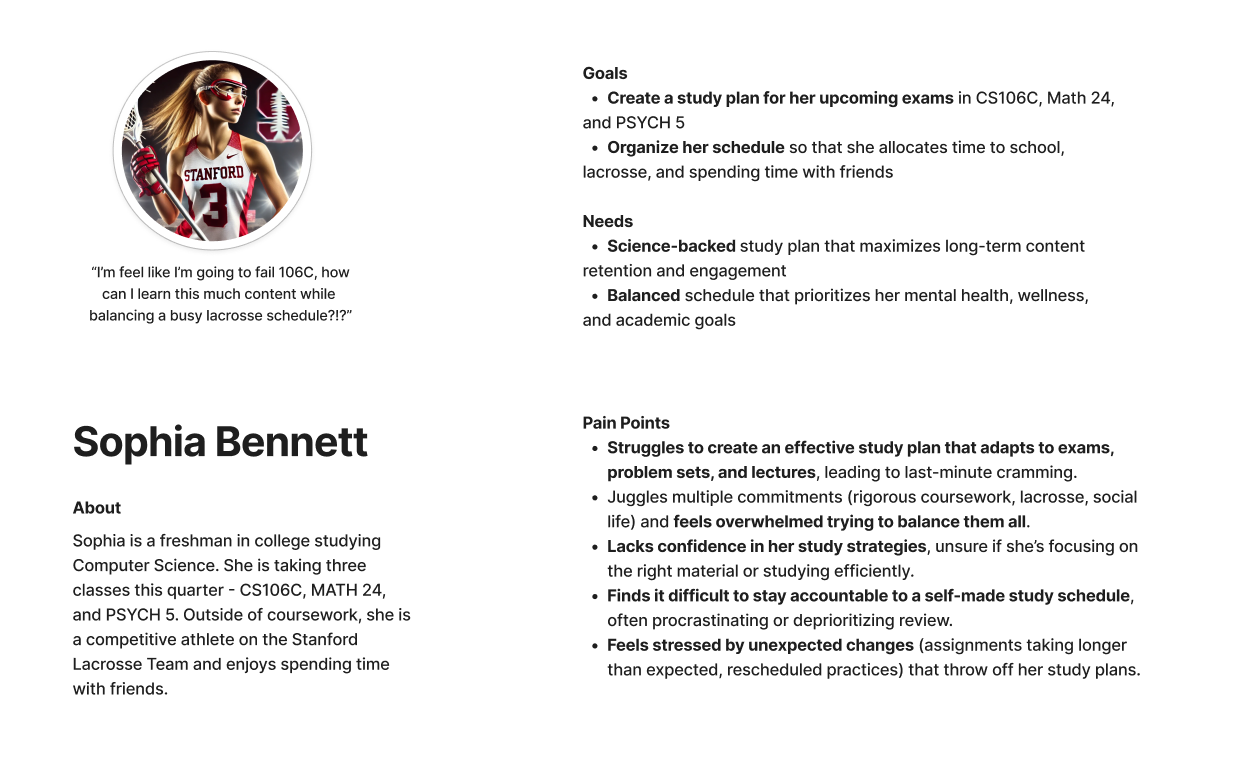
To better understand this problem, we developed Sophia, a user persona representing the typical student facing these challenges. Sophia is a freshman studying Computer Science, balancing CS106C, lacrosse practice, and a packed schedule. Like many students, she struggles to juggle coursework, extracurriculars, and social life while trying to study efficiently. Traditional planning methods are static, time-consuming, and fail to adapt to her learning needs, leaving her overwhelmed and stuck in an ineffective cycle of cramming.
Research backs up Sophia’s struggles—poor time management increases academic stress and lowers performance. Yet, there’s no widely accessible tool that seamlessly integrates into students’ lives while optimizing their learning. That’s what inspired us to build Buzzy—a personalized, AI-powered study planner that removes the stress of planning and helps students focus on what matters: learning smarter, not harder.
What it does
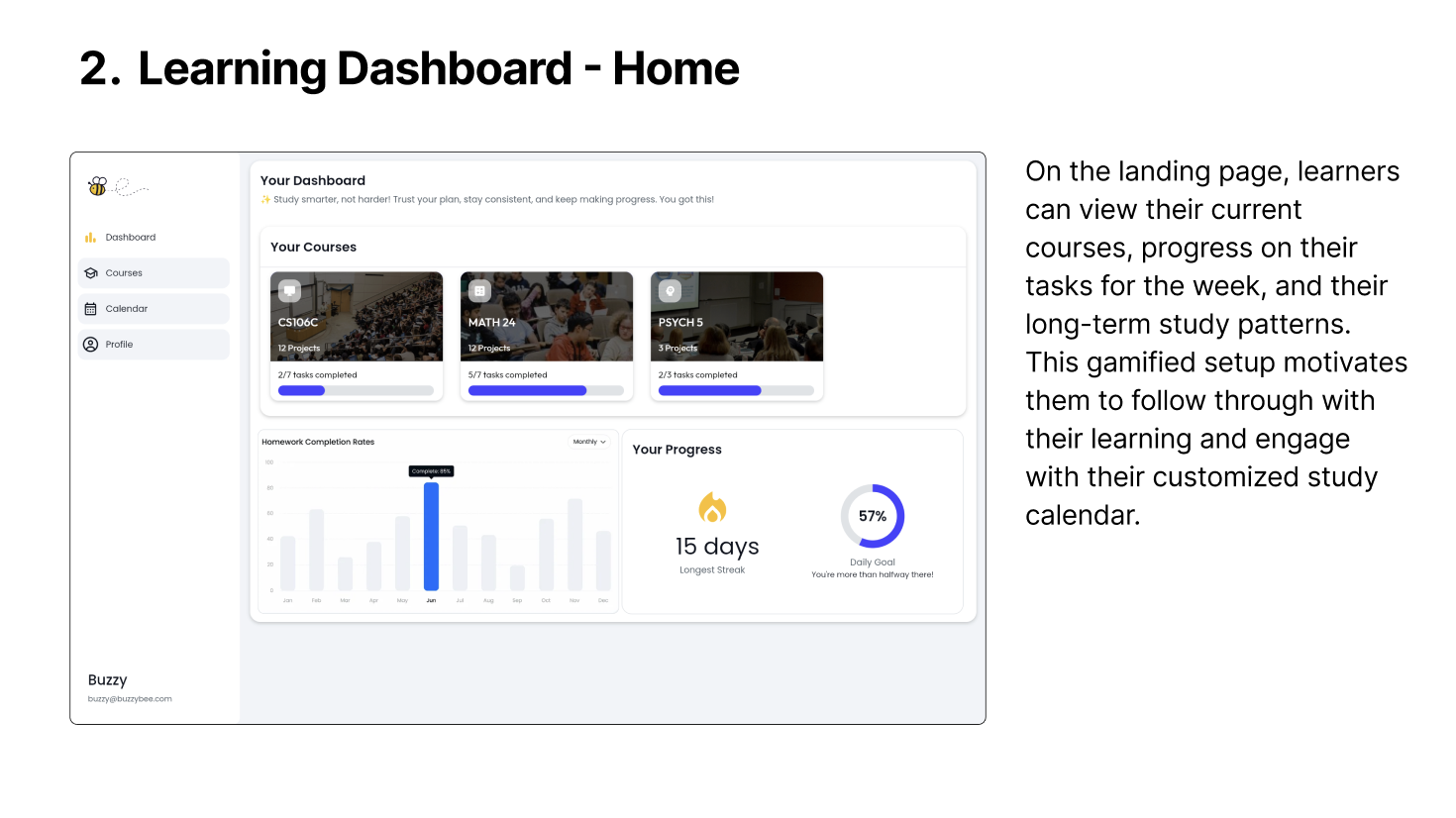
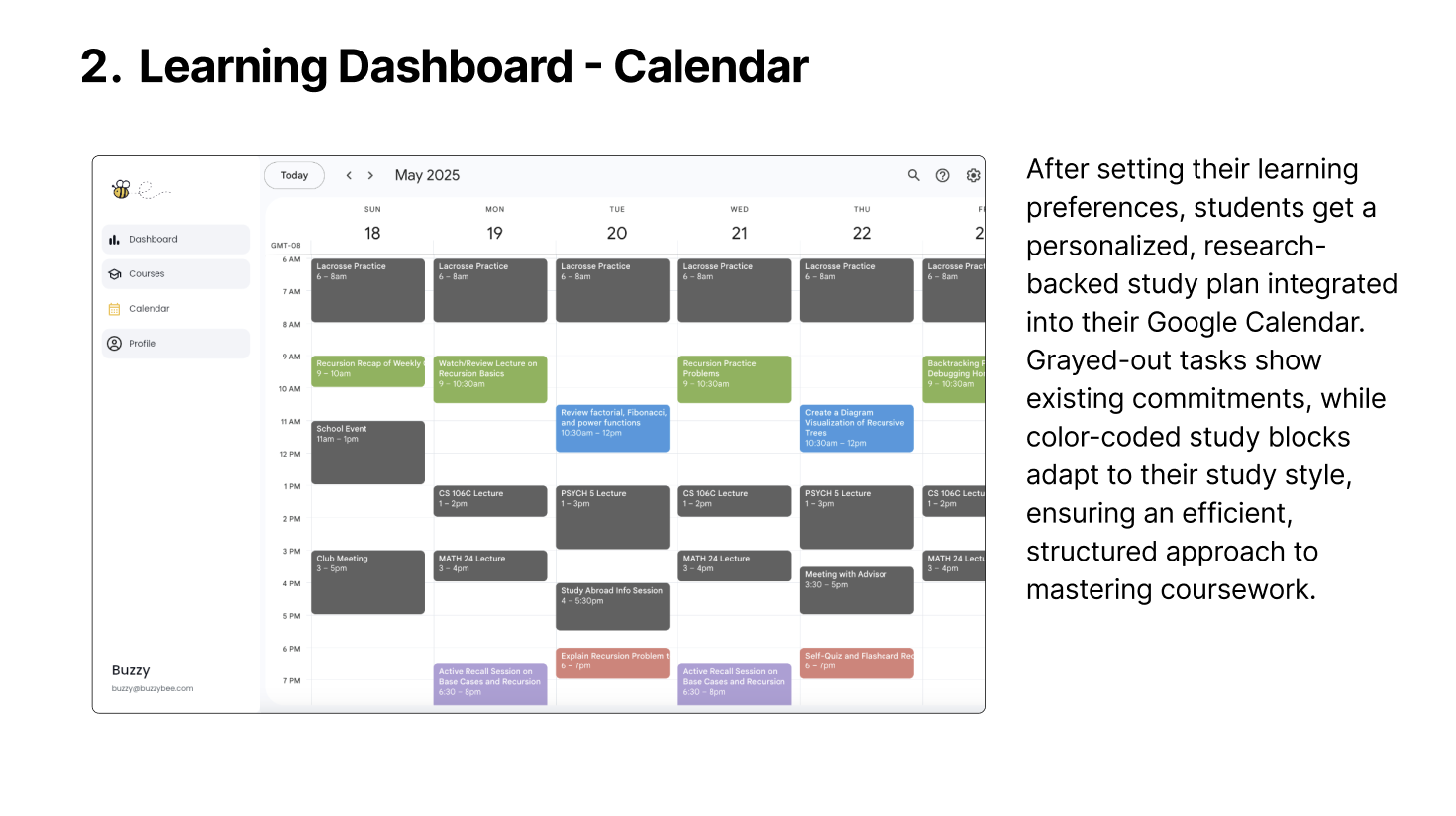
Buzzy is an AI-powered study planner that dynamically generates personalized, research-backed study schedules. It seamlessly integrates with Google Calendar, analyzes coursework materials (syllabus, exams, problem sets), and tailors study plans based on both general coursework and specific weak areas.
By aligning study sessions with scientific techniques like spaced repetition and active recall, Buzzy helps students retain information more effectively. With adaptive scheduling and a stress-free planning experience, students can focus on what matters: actually learning.
How we built it
We started with user research, developing our persona Sophia to deeply understand the challenges students face with study planning. To ensure our solution was science-backed, we reviewed cognitive psychology research, identifying active recall and spaced repetition as essential techniques for retention and long-term learning. These insights shaped our AI-powered study schedules, which dynamically adapt to individual learning needs.
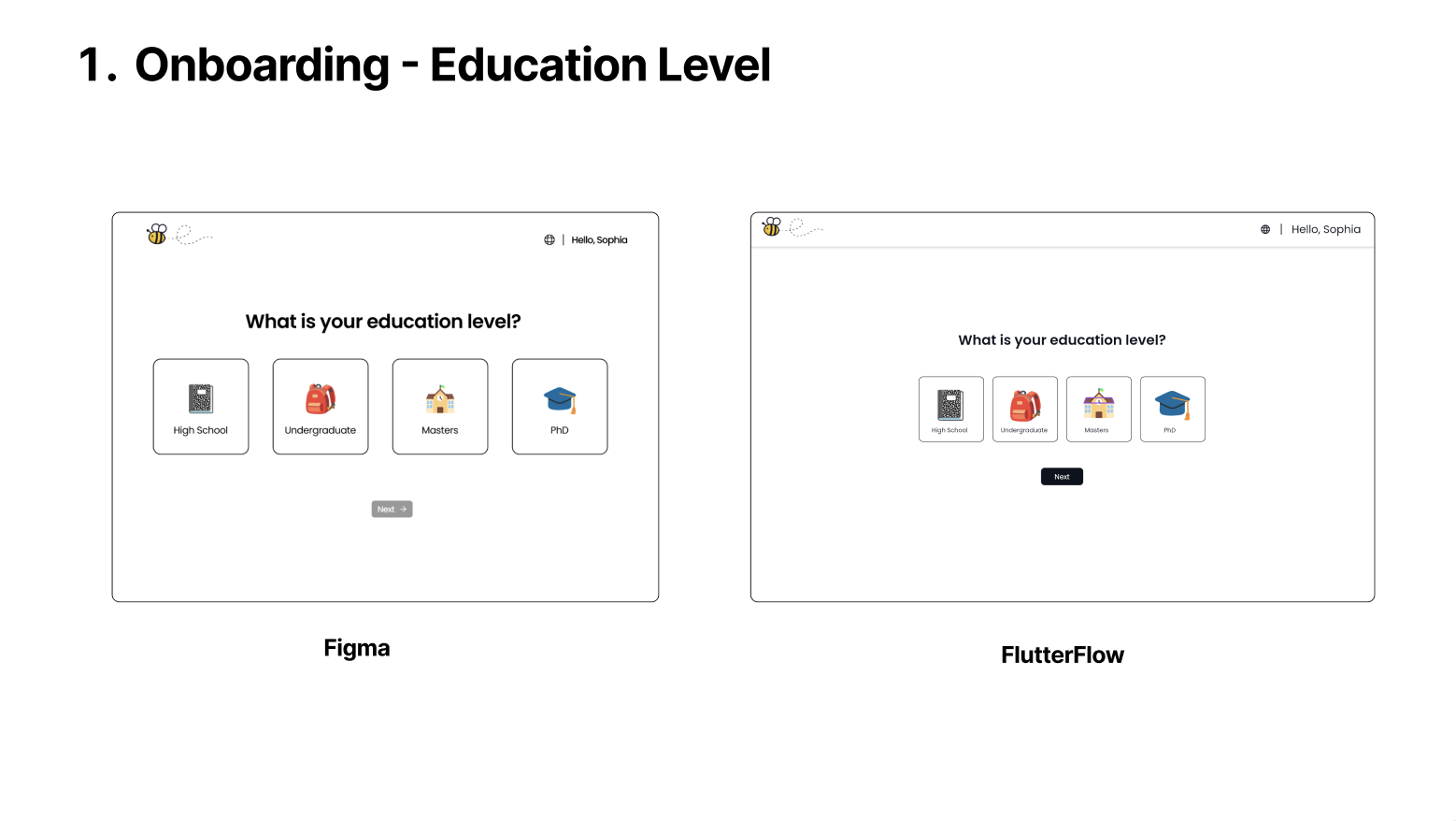
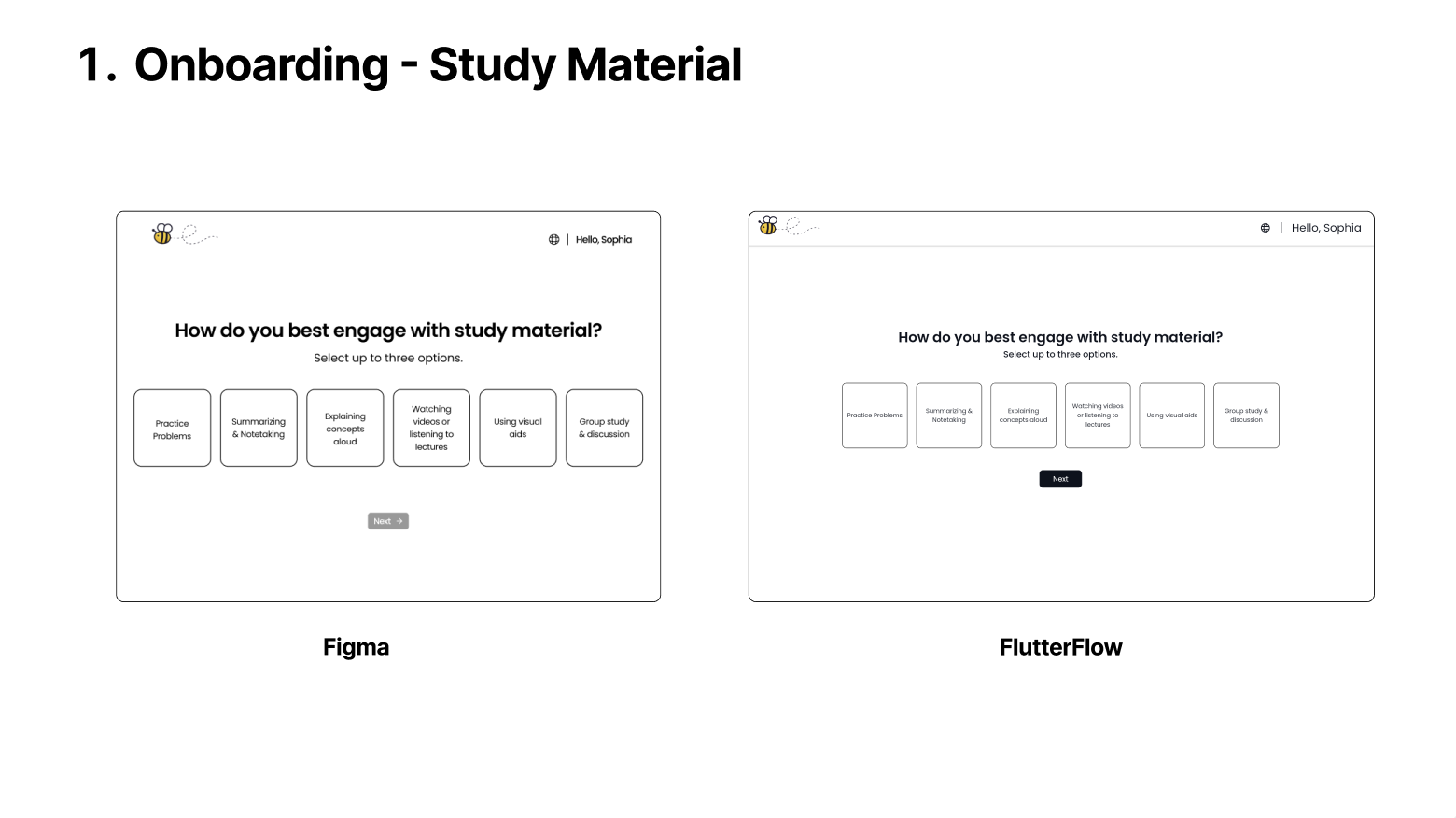
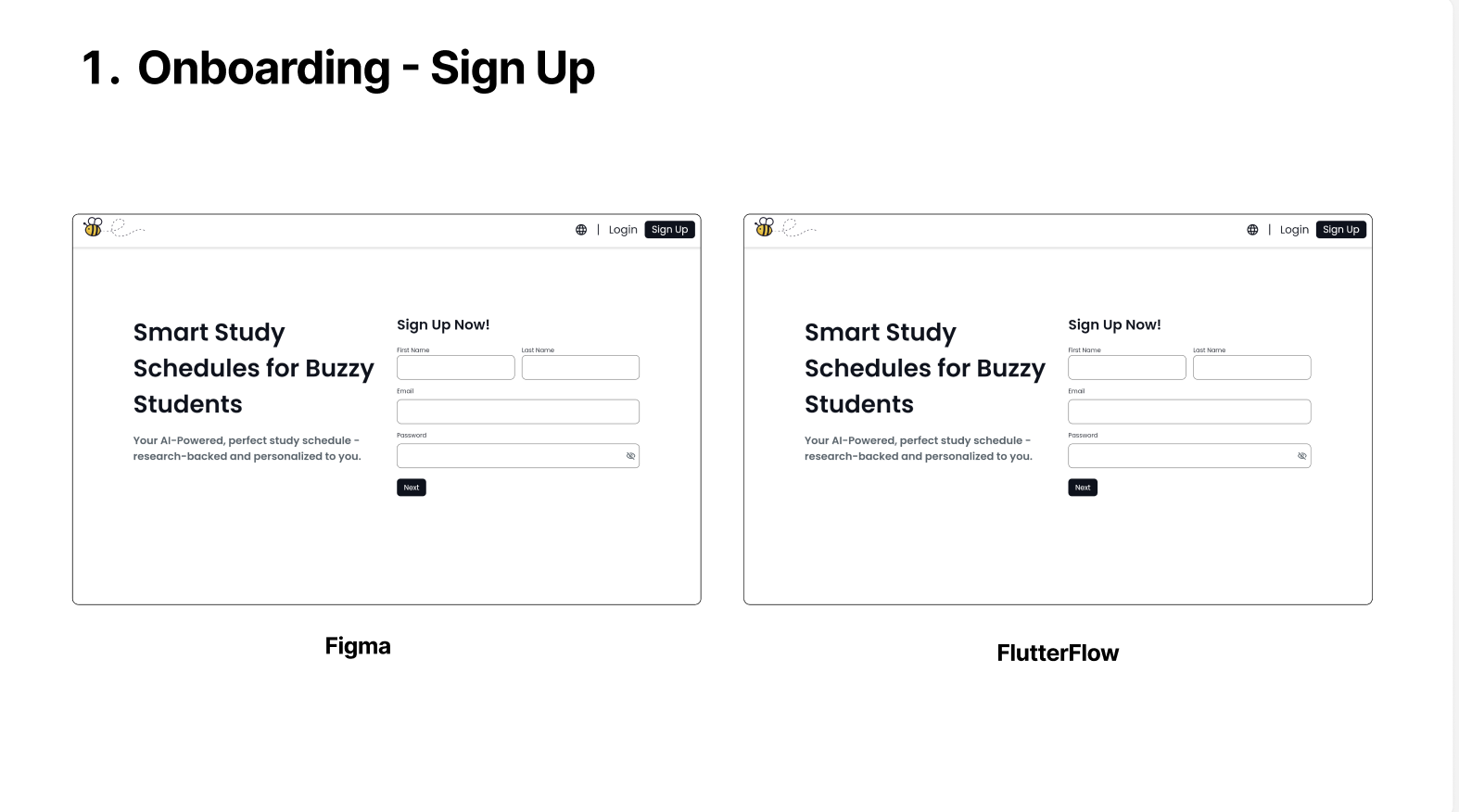
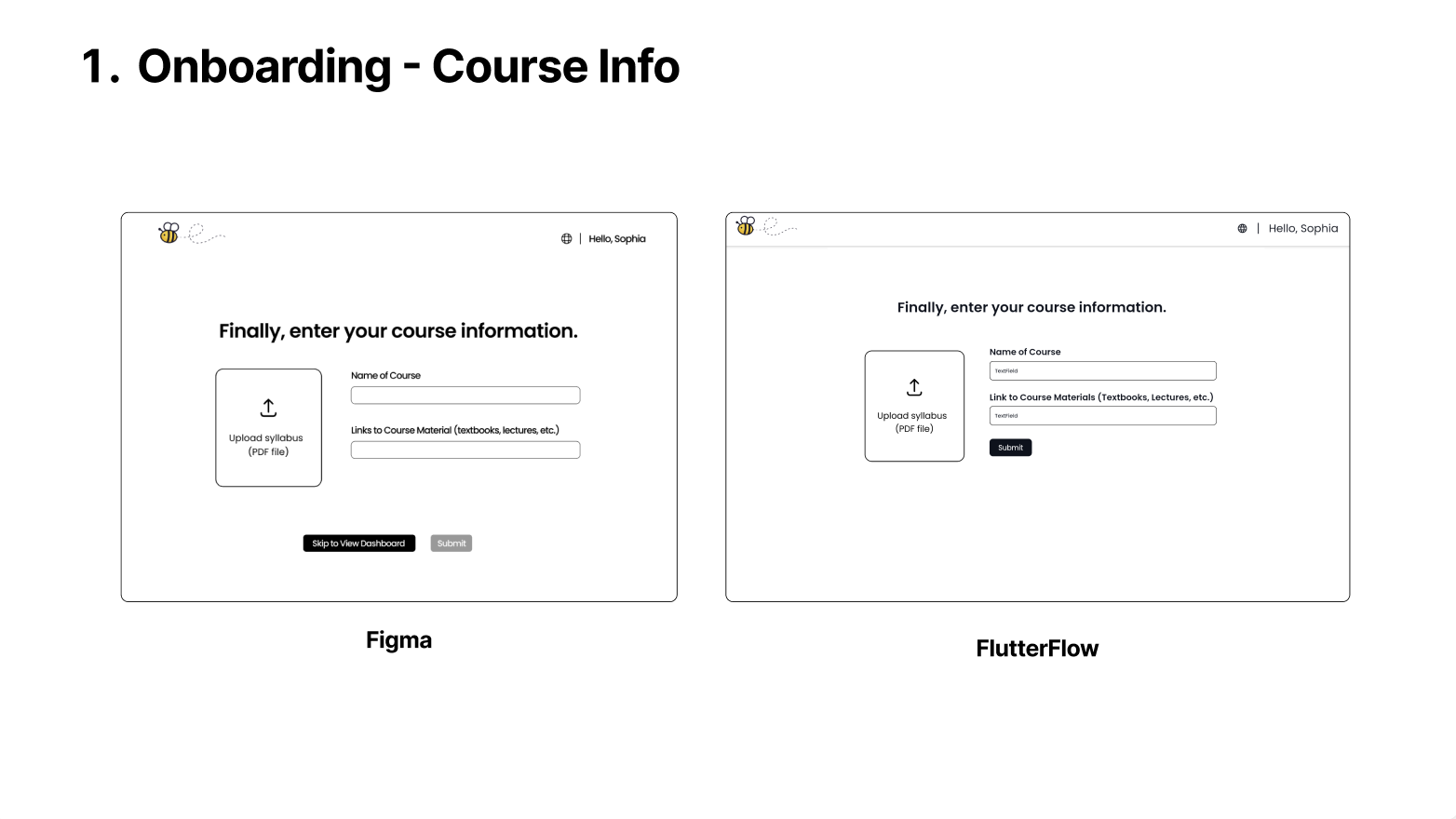
With a clear problem statement, we mapped out a sample onboarding user flow through whiteboarding, refining how users would interact with Buzzy from the start. We then collaboratively designed mockups in Figma and FigJam, iterating from low-fidelity wireframes to mid/high-fidelity prototypes to perfect the user experience.
Moving into development, we explored Flutterflow for the frontend, leveraging its AI-driven tools like Sketch to Component to streamline the transition from our designs to a functional interface. Our focus remained on aligning the UI in Flutterflow with our Figma prototypes, ensuring a polished and intuitive experience that stayed true to our initial vision.
Challenges We Ran Into
For this project, we wanted to challenge ourselves by learning a new development framework. Seeing as we share a Design background, we were particularly interested in a low-code solution that would allow us to transform our Figma designs into a functional product. After exploring various options, we discovered FlutterFlow, a powerful low-code platform designed for building web and mobile applications.
Over the next 36 hours, we dedicated ourselves to learning FlutterFlow from the ground up—building custom components, navigating between pages, and experimenting with APIs and authentication. The biggest challenge we faced was the learning curve, as neither of us had prior experience with FlutterFlow. However, we quickly adapted and leveraged its capabilities to bring our vision to life.
Accomplishments that we’re proud of
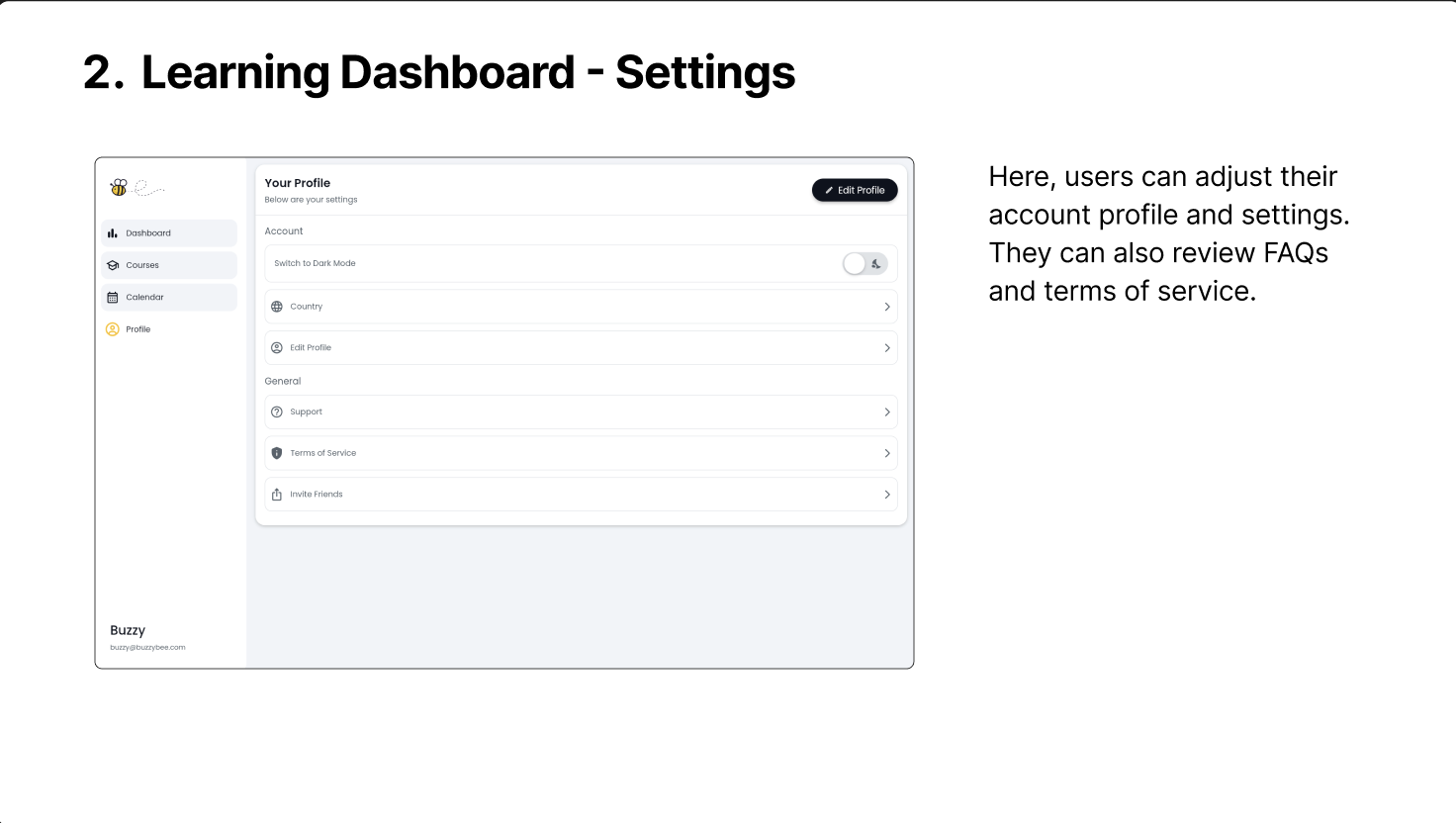
Looking back, we are most proud of how effectively we used FlutterFlow to translate our Figma designs into real, fully functional web components. The final result closely mirrors our original designs, down to the layout, spacing, and formatting. We spent significant time fine-tuning the page hierarchy, styling, and interactions to ensure a polished user experience and layout.
What We Learned
Throughout this project, we developed skills in:
- FlutterFlow Layout & Hierarchy: Understanding how to structure and arrange UI components
- FlutterFlow Navigation & Custom Actions: Implementing smooth transitions between pages
- Google APIs & Authentication: Exploring how to integrate external APIs into a FlutterFlow project
What’s Next for Buzzy?
Our next goal for Buzzy is to implement Google Calendar integration within our scheduling system. Specifically, we want to leverage FlutterFlow’s API feature to generate calendar events representing research-backed study schedules for each user’s courses. This process involves:
- Signing users into their Google accounts via OAuth authentication keys
- Accessing their Google Calendar to retrieve existing event
- Analyzing their availability and generating a personalized study schedule
- Allowing users to sync the generated study plan back to Google Calendar with a second call to the API
We began exploring this integration but realized that implementing it within 36 hours was beyond our current scope. However, we’re excited to continue developing Buzzy and refining our vision for an AI-powered, personalized study planner! 🐝
Built With
- figma
- flutterflow

Log in or sign up for Devpost to join the conversation.