-
-
Logo
-
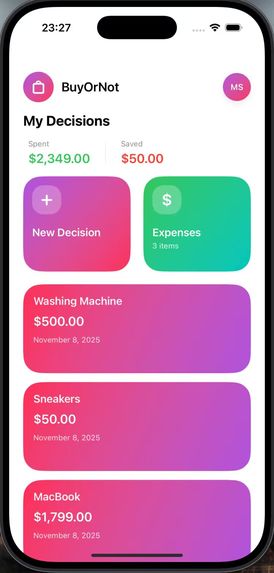
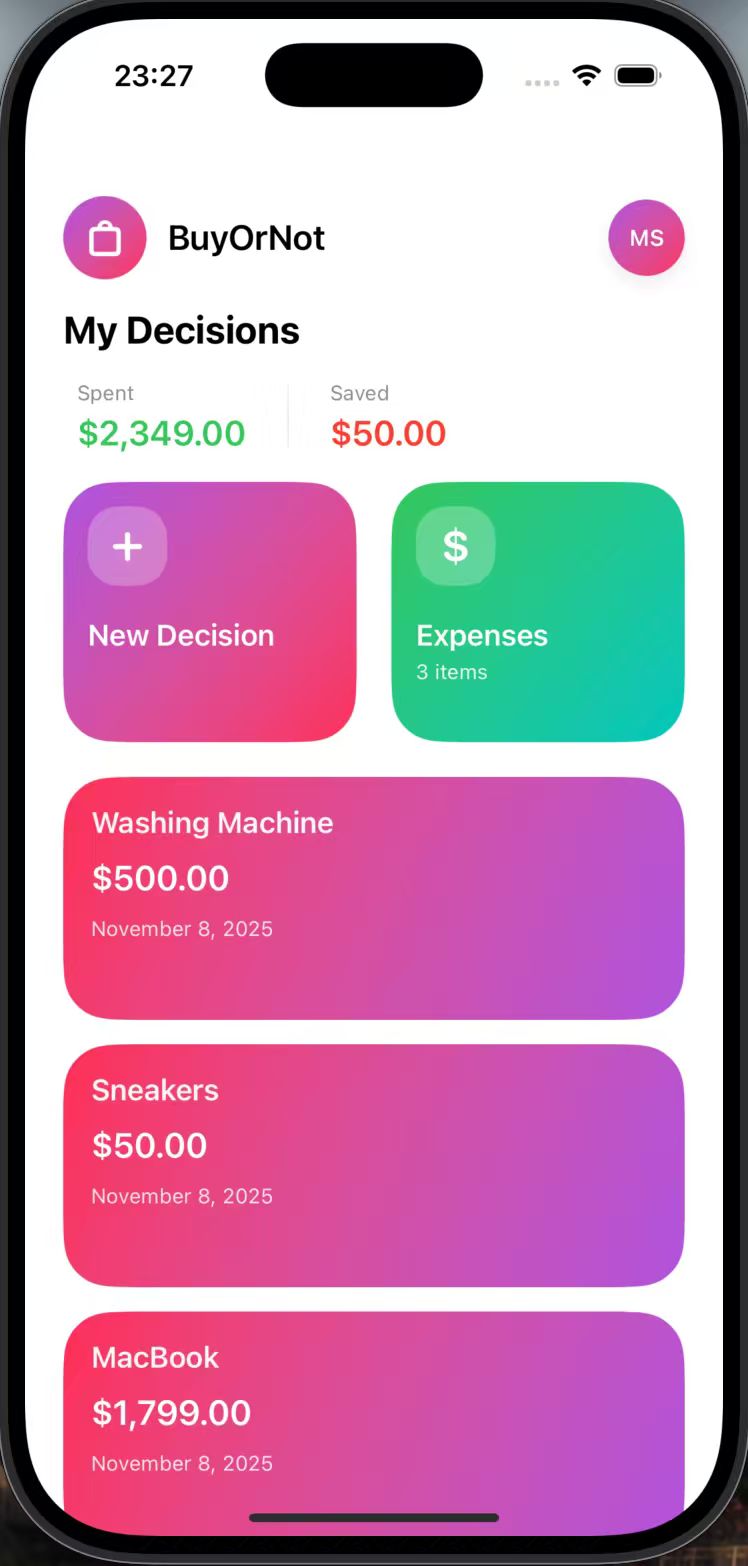
Home Page
-
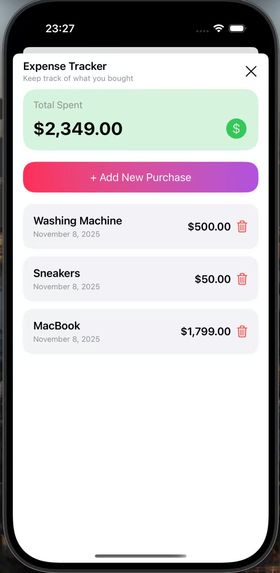
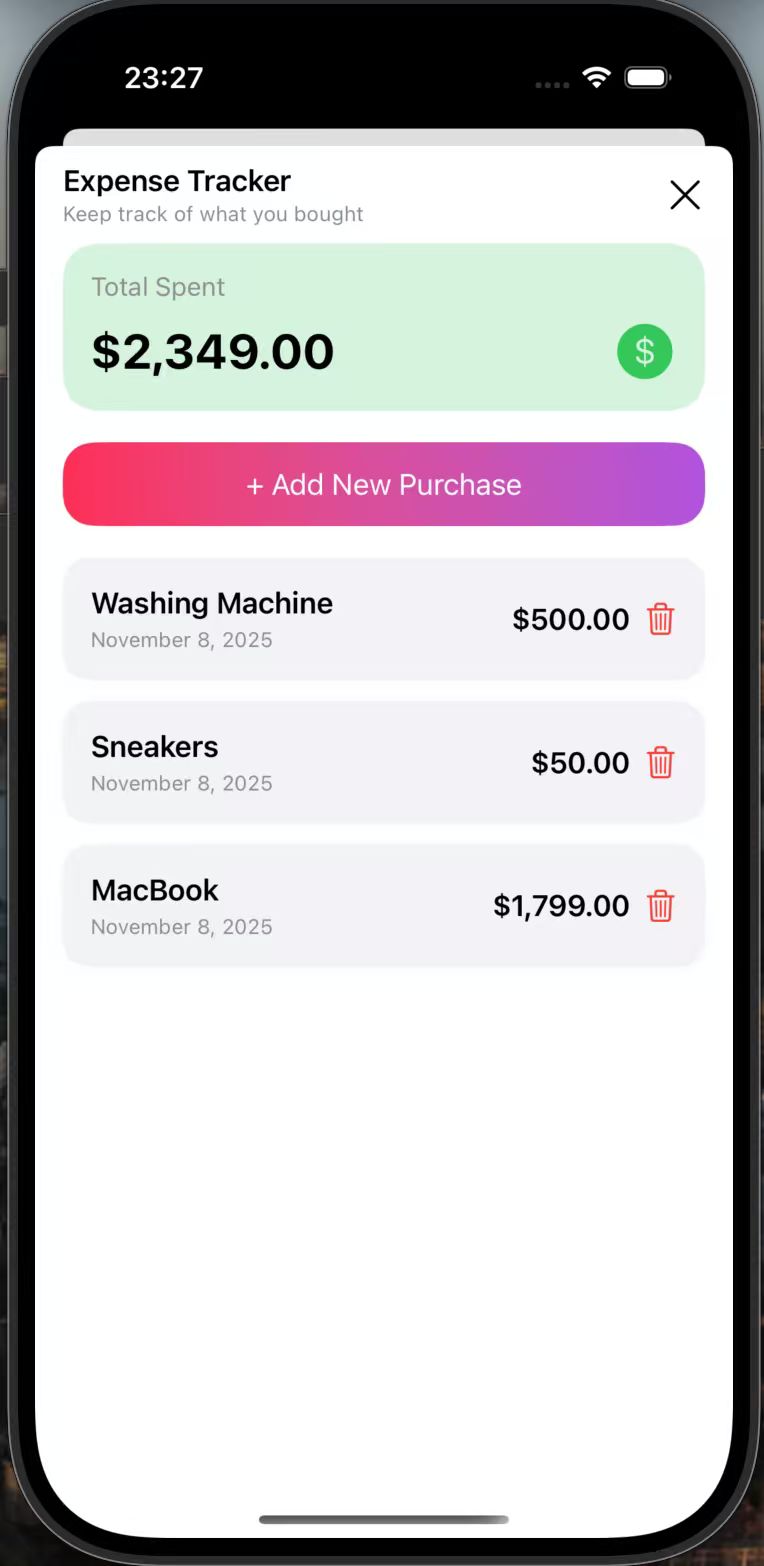
Expenses Page
-
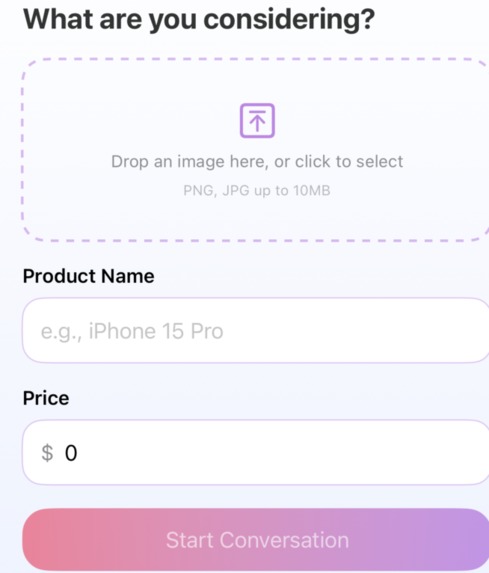
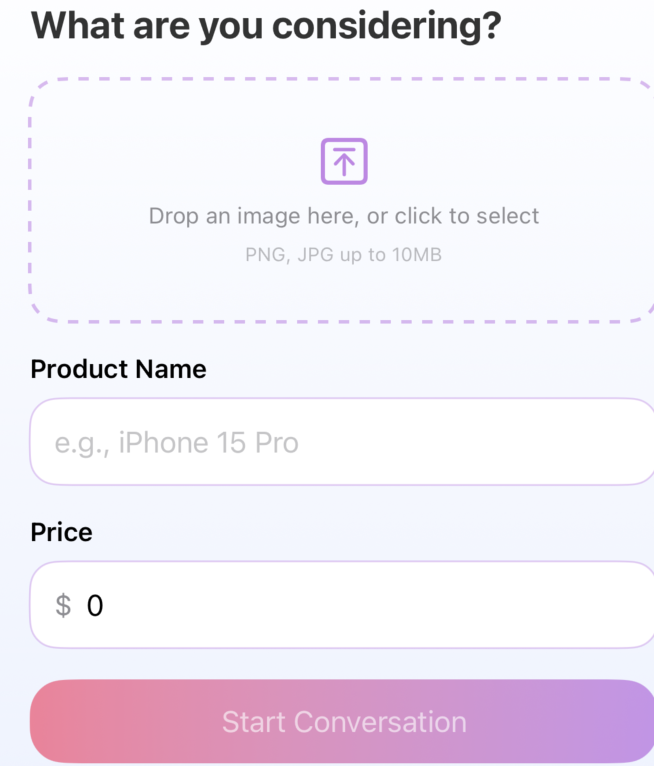
Add a Product Page
-
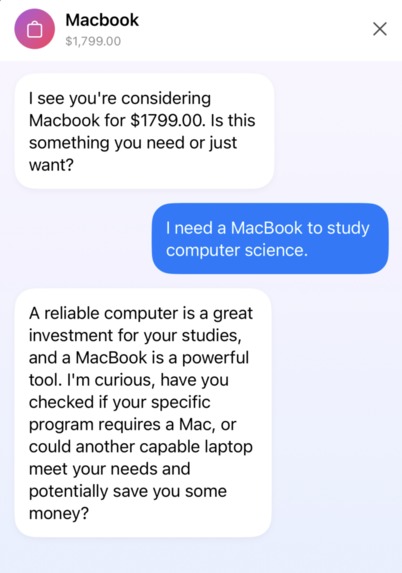
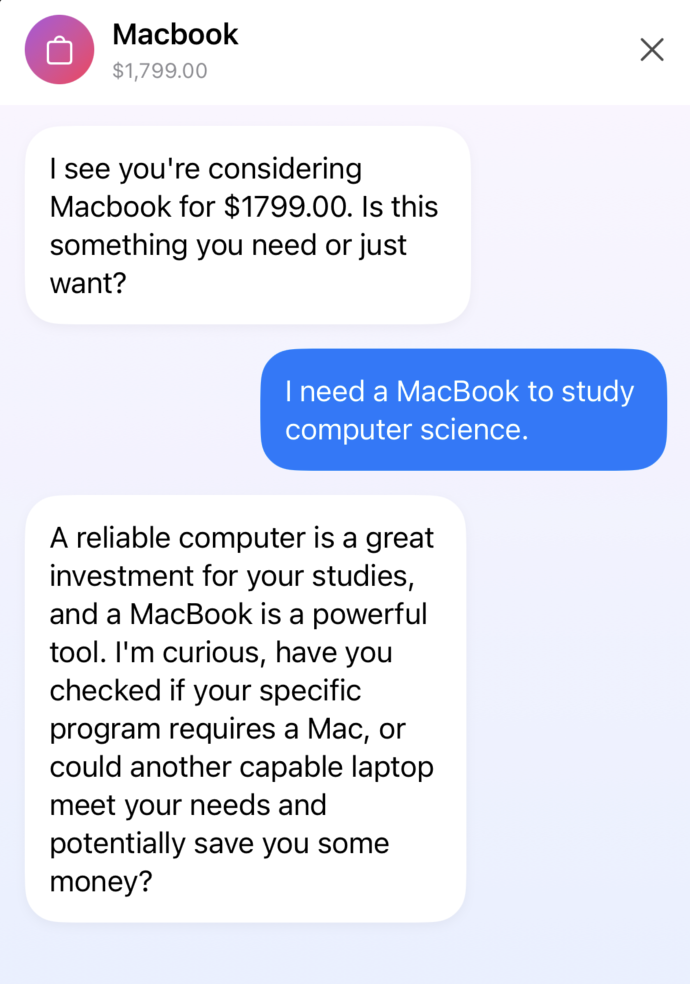
Conversation Example 1
-
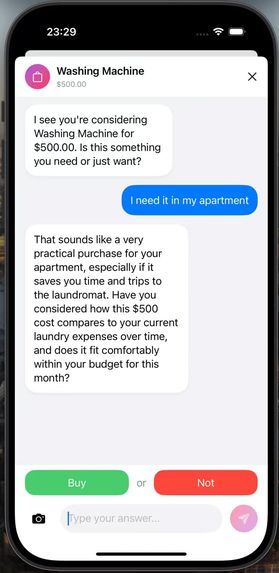
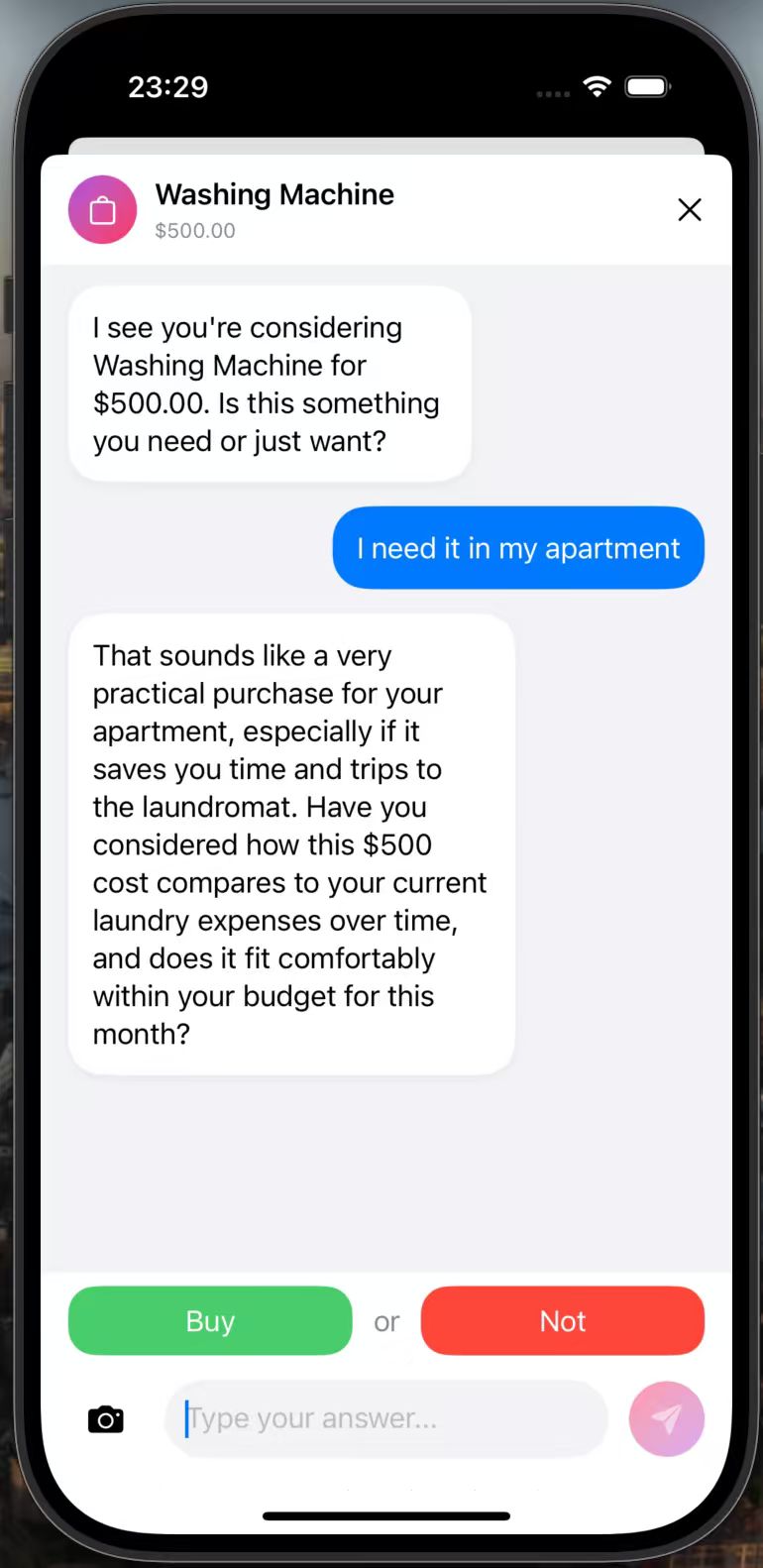
Conversation Example 2

Inspiration
BuyOrNot: an AI-powered assistant that could help users think through purchases while tracking spending patterns and visualizing savings. The idea came from personal experience and the realization that having a conversation about a purchase could prevent unnecessary spending. (and save you money!)
What it does
BuyOrNot is an iOS app that helps users make smarter spending decisions through:
- AI-Powered Decision Making: Users can chat with a Google Gemini-powered assistant about potential purchases, getting personalized financial advice based on their goals and history
- Image Recognition: Take photos of products to automatically identify items and extract prices using Google's Gemini Vision API
- Long-term Memory (RAG): The AI remembers past conversations and decisions, learning and providing increasingly personalized advice
- Expense Tracking: Automatically tracks purchases and allows manual expense entry
- Savings Visualization: Displays total savings from skipped purchases, motivating users to make better financial choices
- Conversation Persistence: All conversations are saved, allowing users to continue discussions later
How we built it
Frontend:
- Built with SwiftUI for a modern, responsive iOS interface
- Used MVVM architecture with
@StateObjectand@EnvironmentObjectfor state management - Implemented async/await throughout for smooth network operations
Backend & Data:
- Firebase Authentication for secure user login/signup
- Firebase Firestore for real-time data synchronization
- Structured data model with nested collections for decisions, expenses, and conversations
AI Integration:
- Google Gemini 2.5 Pro API for conversational AI
- Google Gemini Vision API for image recognition and product identification
- Custom RAG (Retrieval-Augmented Generation) system:
- Text embeddings using
text-embedding-004model - Vector similarity search with cosine similarity
- Conversation storage with Base64-encoded images
- User preference learning from decision patterns
- Text embeddings using
Key Technical Components:
EmbeddingService: Generates vector embeddings for conversationsVectorSearchService: Performs similarity search on past conversationsRAGService: Orchestrates context retrieval and conversation storageImageRecognitionService: Handles product identification from photosFirebaseDataManager: Manages all Firestore operations with real-time listeners
Challenges we ran into
Conversation Persistence: Initially, conversations weren't saving correctly due to Firestore's handling of nested arrays. We solved this by using
setData(merge: false)instead ofmerge: trueand properly handling nil values in message dictionaries.Image Storage: Storing images in Firestore required Base64 encoding, which could create large documents. We implemented image compression (max 1024px) and only stored image data when present, significantly reducing storage size.
RAG Implementation: Building a RAG system from scratch was complex. We had to:
- Learn vector embeddings and cosine similarity
- Implement proper context retrieval
- Handle async operations for embedding generation
- Ensure conversation context was properly integrated into AI prompts
State Management: Managing conversation state, loading existing conversations, and handling async operations in SwiftUI required careful coordination of
@State,Task, andMainActorto prevent race conditions.
Accomplishments that we're proud of
- Full RAG System: Successfully implemented a complete RAG pipeline with vector embeddings, similarity search, and context-aware AI responses
- Image Recognition: Integrated vision API that can identify products and extract prices from photos (even from different languages!)
- Conversation Continuity: Users can pause and resume conversations, with all messages and images preserved
- Real-time Sync: All data syncs in real-time across devices using Firestore listeners
- User Learning: The system learns from user patterns, tracking buy/skip ratios and price ranges to provide personalized advice
What we learned
- SwiftUI Advanced Patterns: Deep dive into
@FocusState,@StateObject, async/await in SwiftUI, and proper state management - Firebase Integration: Learned Firestore data modeling, real-time listeners, security rules, and best practices for nested data structures
- RAG Architecture: Understanding vector embeddings, similarity search algorithms, and how to build context-aware AI systems
- Image Processing: Image compression, Base64 encoding/decoding, and efficient storage strategies
- API Integration: Working with REST APIs, handling async operations, error handling, and API key management
- iOS Development: Camera permissions, photo library access, UIKit integration with SwiftUI, and iOS-specific UI patterns
What's next for BuyOrNot
- Enhanced Analytics: Add spending category analysis, monthly/yearly reports, and trend visualization
- Social Features: Share decisions with friends for advice, or compare spending patterns (anonymously)
- Multi-language Support: Expand to support multiple languages for global users
- Apple Watch App: Quick decision-making and expense tracking from the watch
- Improved RAG: Fine-tune the similarity search algorithm and add more sophisticated preference learning


Log in or sign up for Devpost to join the conversation.