-
-
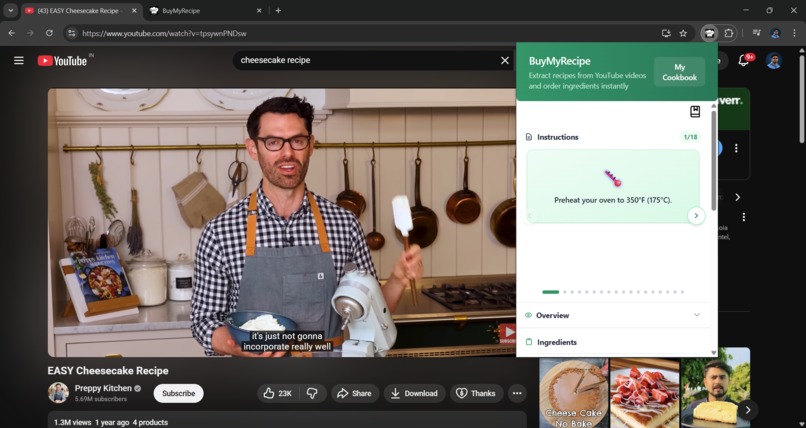
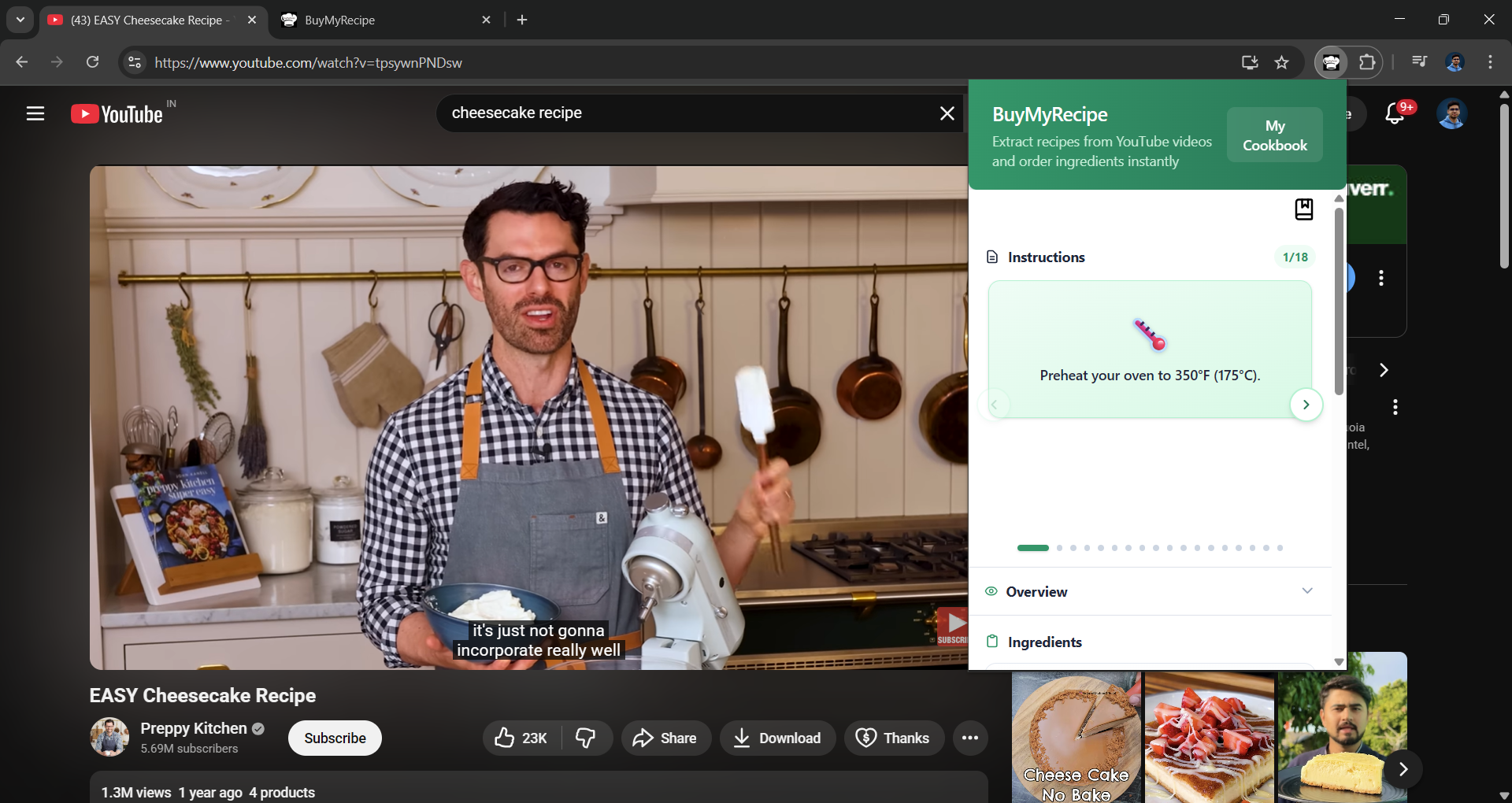
Step-by-step instructions generated from the recipe
-
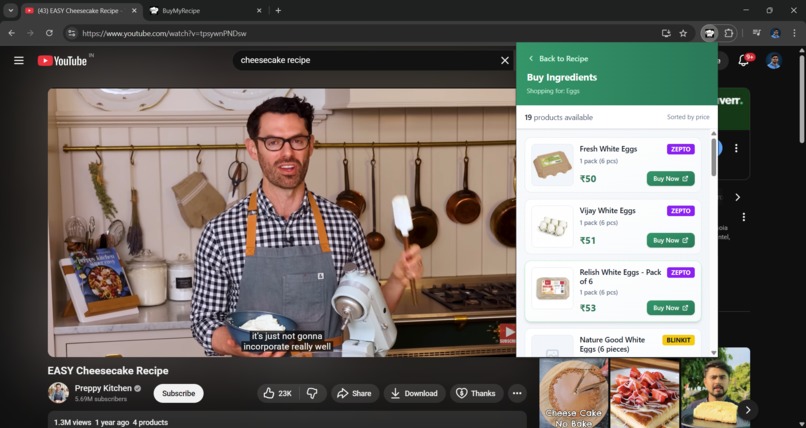
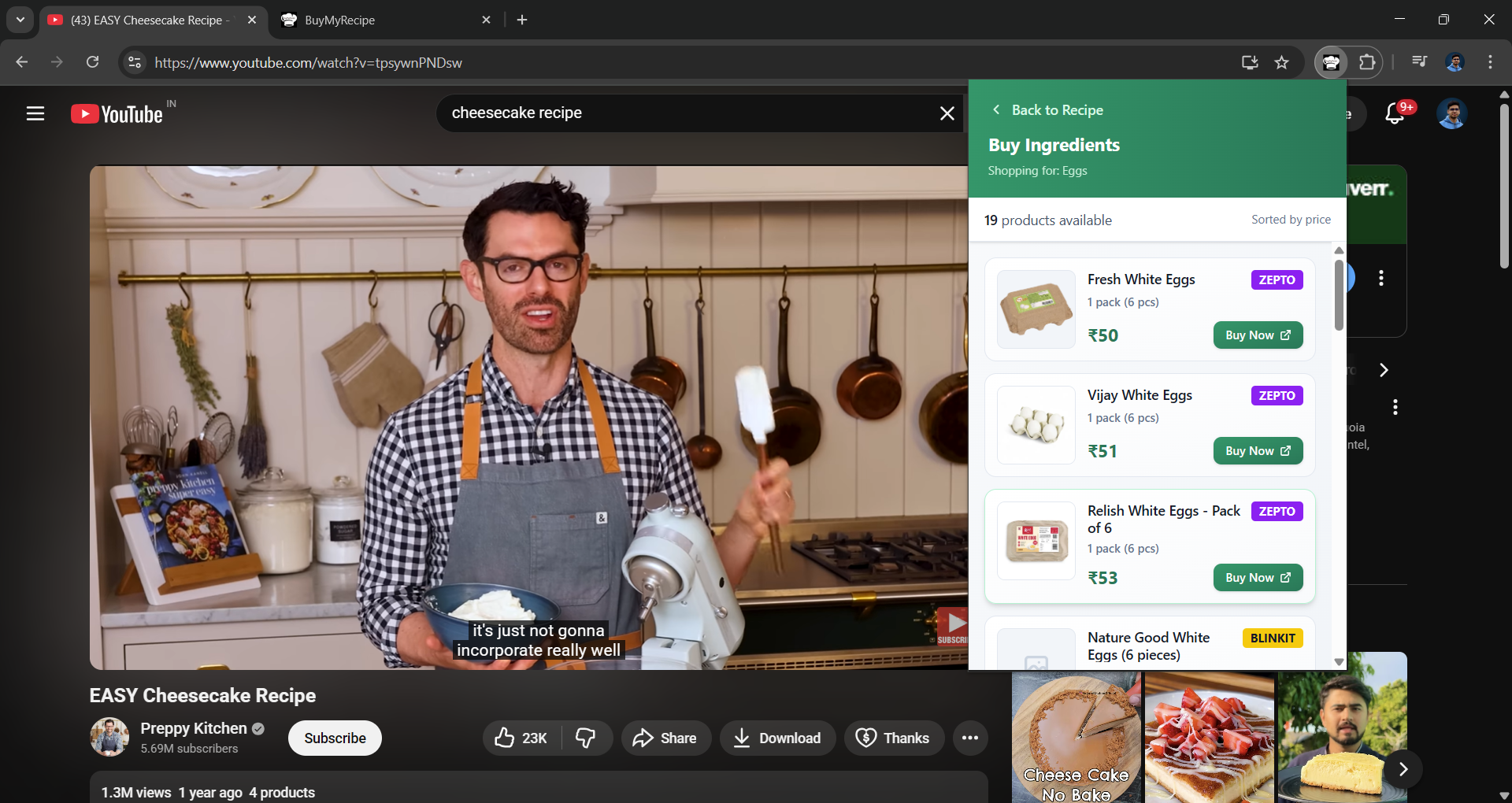
Option to quickly search and compare products on Blinkit and Zepto
-
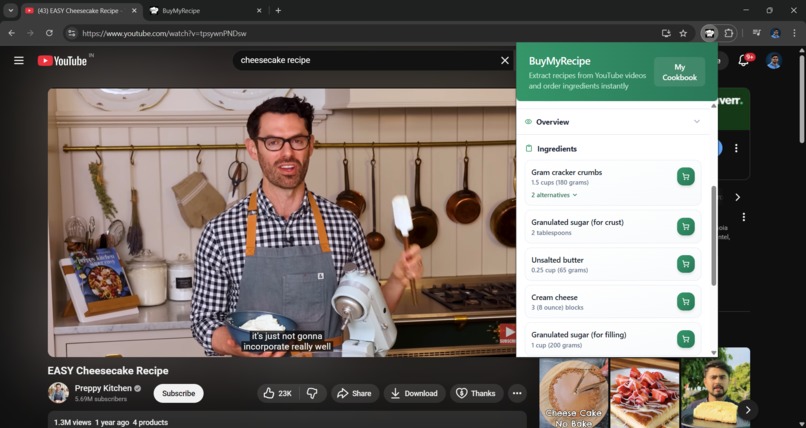
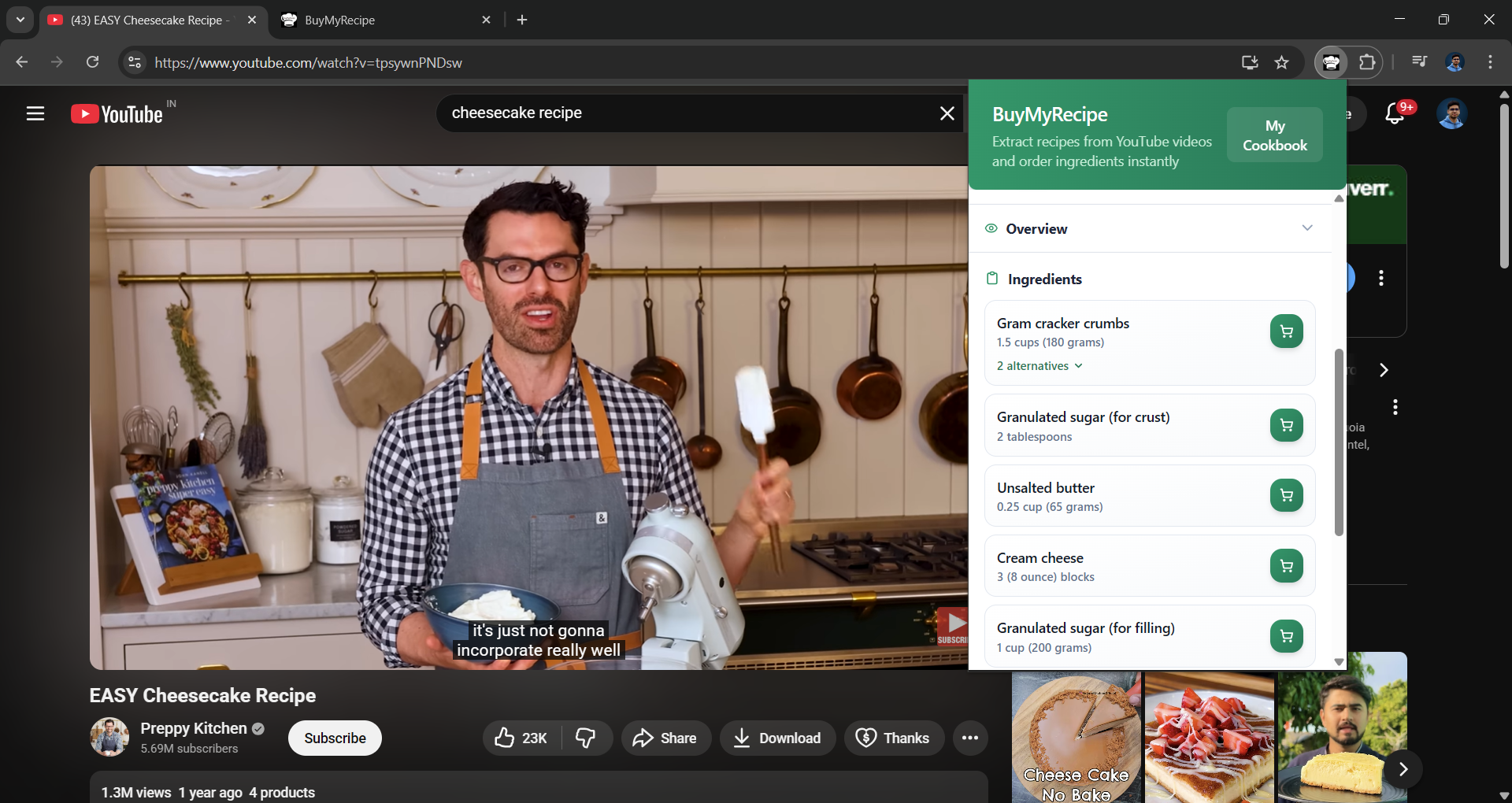
Ingredients used in the recipe
-
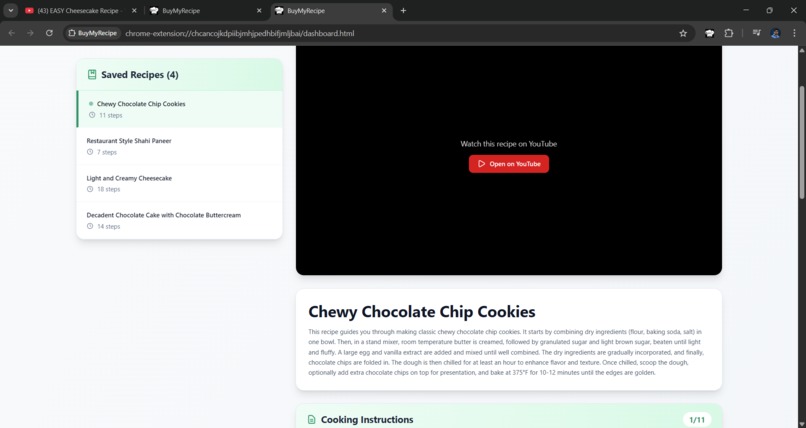
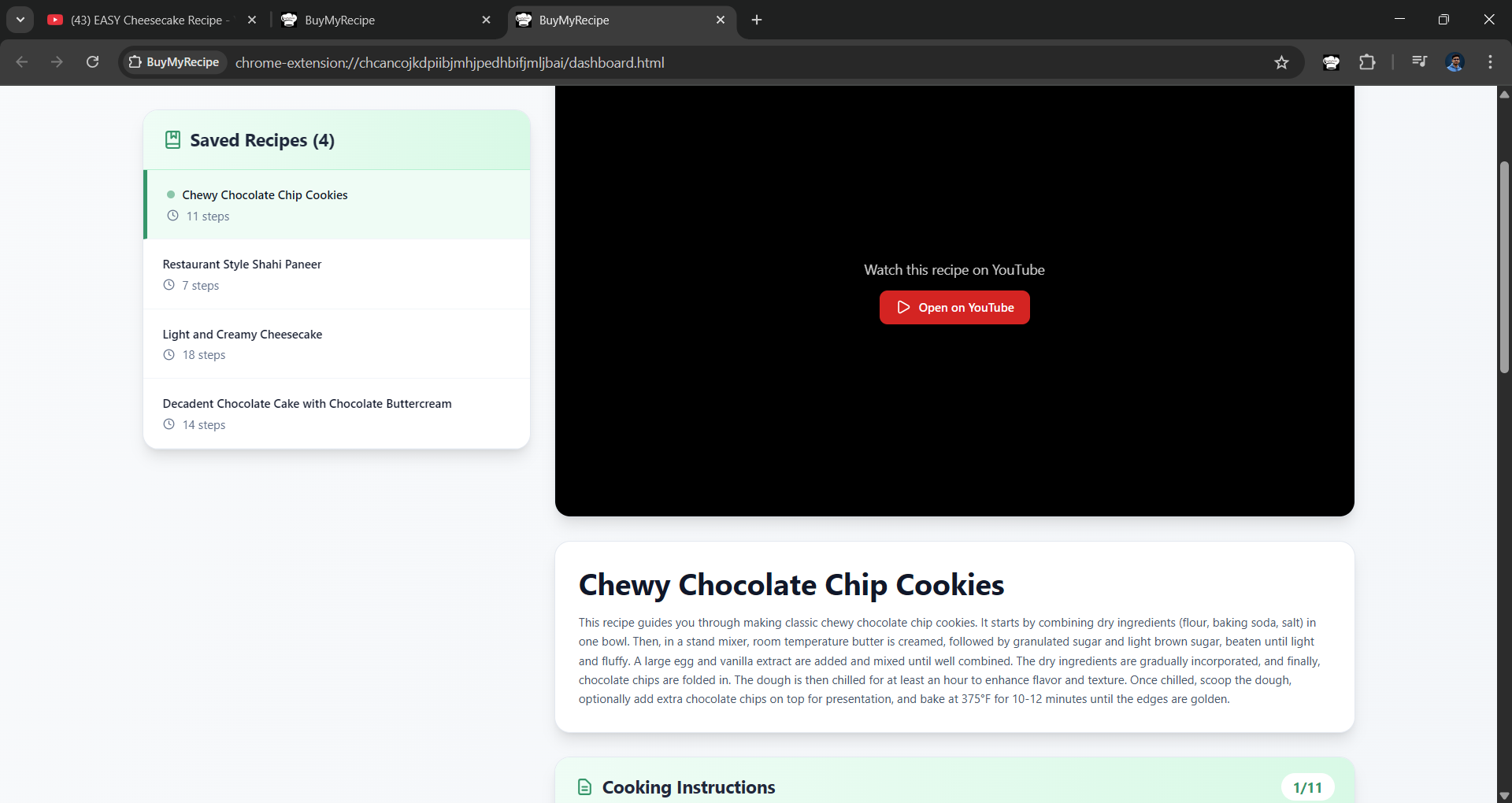
"My Cookbook" page displaying saved recipes and their descriptions
-
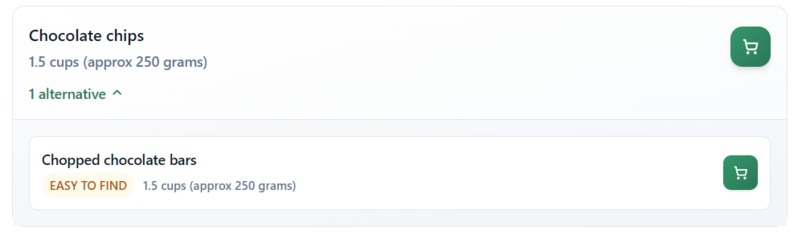
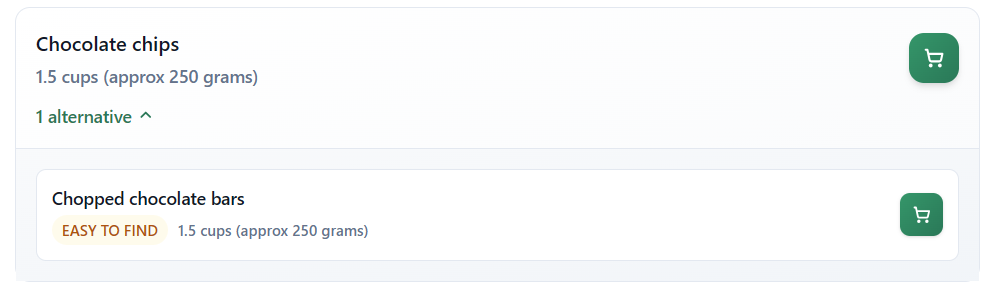
Alternative ingredients suggested by the model, based on easy availability in Indian markets(it can also suggest cheaper and healthier ones)
Inspiration
In India, YouTube is the primary source for discovering new recipes. However, most people face the following issues:
- No method to generate a summarized version of the recipe with proper instructions and a list of ingredients used.
- Manual effort required to search for products on quick-commerce platforms like Blinkit and Zepto to find the best deals.
- No easy way to save recipes in a centralized repository. I, too, used to create playlists of videos but often struggled to find the best out of similar ones later.
What it does
To solve the first issue, the extension generates a summarized format of the recipe, providing the following details:
- Recipe overview
- Step-by-step cooking instructions
- Ingredients used in the recipe
- Recipe overview
For the second issue of manually searching for ingredients on quick-commerce platforms, the extension automatically searches for ingredients on Blinkit and Zepto using a scraper hosted on a backend service.
To address the third issue, recipes can be saved in a “CookBook” for future reference — including step-by-step instructions, ingredients, and the original video.
How we built it
- The Chrome extension is built using WXT, a framework designed to develop Chrome extensions quickly and efficiently.
- For the main tech stack, React.js with TypeScript and Tailwind CSS is used, while Vite powers the development environment.
- Whenever a user opens a YouTube video, the background script listens to the API calls made to YouTube’s Captions API, downloads the captions, and sends them to the Firebase AI Logic SDK.
- The model then returns a JSON object containing an analysis of the recipe with the following properties:
- success – Whether the analysis was successful
- message – Explanation message in case of an error
- recipeName – Recipe name inferred from the transcript
- summary – Summary of the recipe
- requiredIngredients – Ingredients mentioned in the recipe, along with quantity and possible alternatives based on price, availability, and convenience
- instructions – Step-by-step cooking instructions
- success – Whether the analysis was successful
- The extracted recipe is then displayed to the user and can be saved for future reference in the extension’s local storage.
Challenges we ran into
- Creating a transcript:
- Transcript creation was initially a difficult task, as third-party APIs took too long to process videos and were not free.
- Later, a network request made by YouTube to fetch captions was identified. The Chrome extension now intercepts and reuses this request to efficiently obtain captions without relying on external APIs.
- Transcript creation was initially a difficult task, as third-party APIs took too long to process videos and were not free.
- Low-end device:
- The main reason behind using a Hybrid AI approach was hardware limitations — I personally don’t have a laptop that meets the minimum requirements to run the built-in model.
- Keeping this in mind made problem-solving more challenging, as only limited requests could be made to the Gemini model on the cloud due to cost constraints.
- The main reason behind using a Hybrid AI approach was hardware limitations — I personally don’t have a laptop that meets the minimum requirements to run the built-in model.
- Combining tech stacks:
- The project uses multiple technologies such as Vite, Tailwind CSS, React, and TypeScript, which are not yet officially supported for Chrome extension development.
- Combining them was challenging, as WXT doesn’t natively support Tailwind CSS. It had to be manually integrated using the PostCSS method instead of Vite, since its internal code wasn’t exposed.
- The project uses multiple technologies such as Vite, Tailwind CSS, React, and TypeScript, which are not yet officially supported for Chrome extension development.
Accomplishments that we're proud of
- As discussed earlier, the challenge of creating transcripts from YouTube videos was significant.
Using YouTube’s own API calls to fetch captions felt like a clever and fulfilling solution — something that can be considered a fresh and innovative idea. - A final proof of concept (POC) that effectively solves the problem is now ready. It was built in just two days, as we learned about the hackathon quite late and didn’t have much time to plan or test the idea beforehand. Despite the time constraints, we successfully created a product that solves the problem efficiently.
What we learned
- From what I’ve learned about the use cases of Hybrid AI and Built-in AI, I’ve understood that Hybrid AI works best for scenarios where multiple calls aren’t needed and privacy isn’t a major concern.
- Previously, I worked on a Chrome extension that identified dark patterns on websites, where privacy was a critical issue.
- Since web pages can contain sensitive data like passwords, personal information, and messages, sending them to a server for processing was not an option. Additionally, the number of requests would be very high as users open multiple web pages daily. In such a use case, a smaller built-in AI model for on-device classification could be highly effective.
What's next for BuyMyRecipe
- Although the current version allows users to save recipes, it does not yet provide an option to share them across devices.
This feature is crucial, as users may need to access recipes on smaller devices like mobile phones while cooking. - An intelligent search option can be added to help users find specific recipes from their saved collection using a search query.
- The extension can also suggest alternative ingredients based on user preferences — for example, automatically selecting vegan substitutes for users who follow a vegan diet.
Built With
- firebase
- react
- tailwind
- typescript
- vite
- wxt

Log in or sign up for Devpost to join the conversation.