-
-
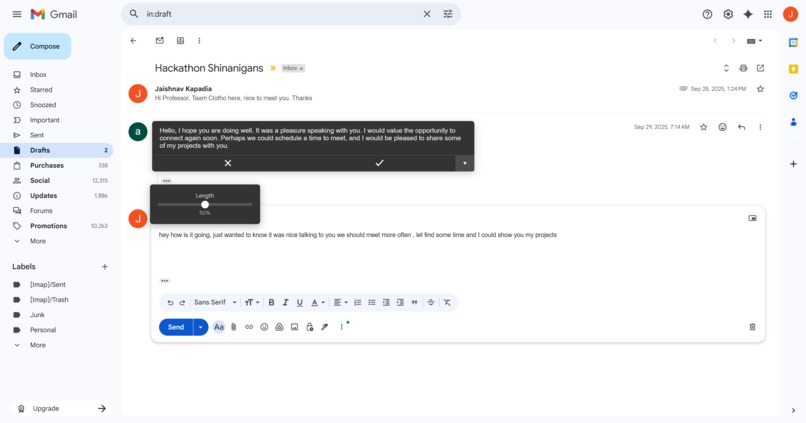
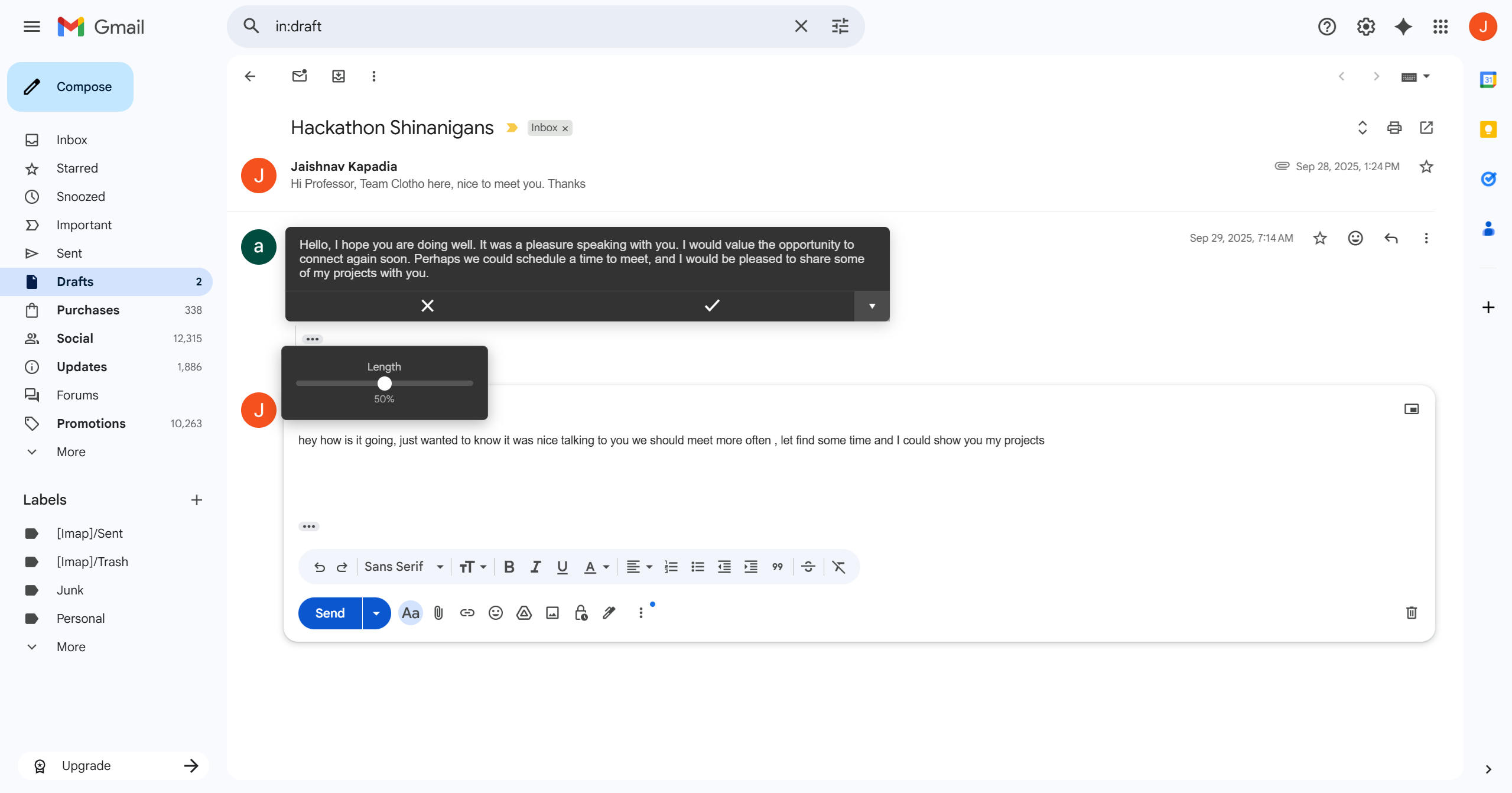
On Email, custom formatted help
-
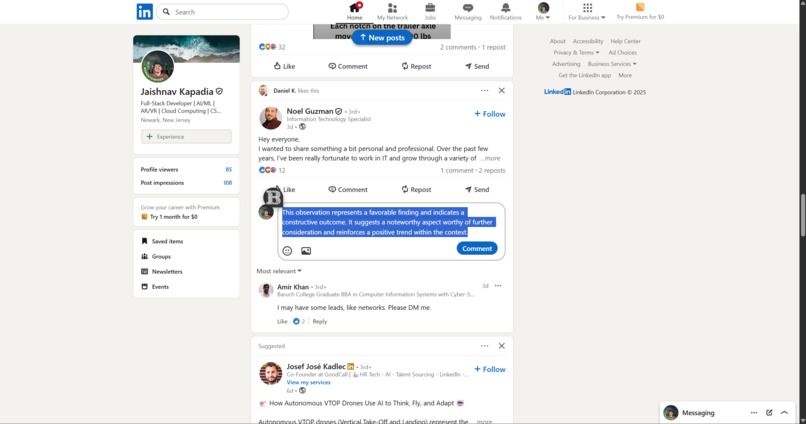
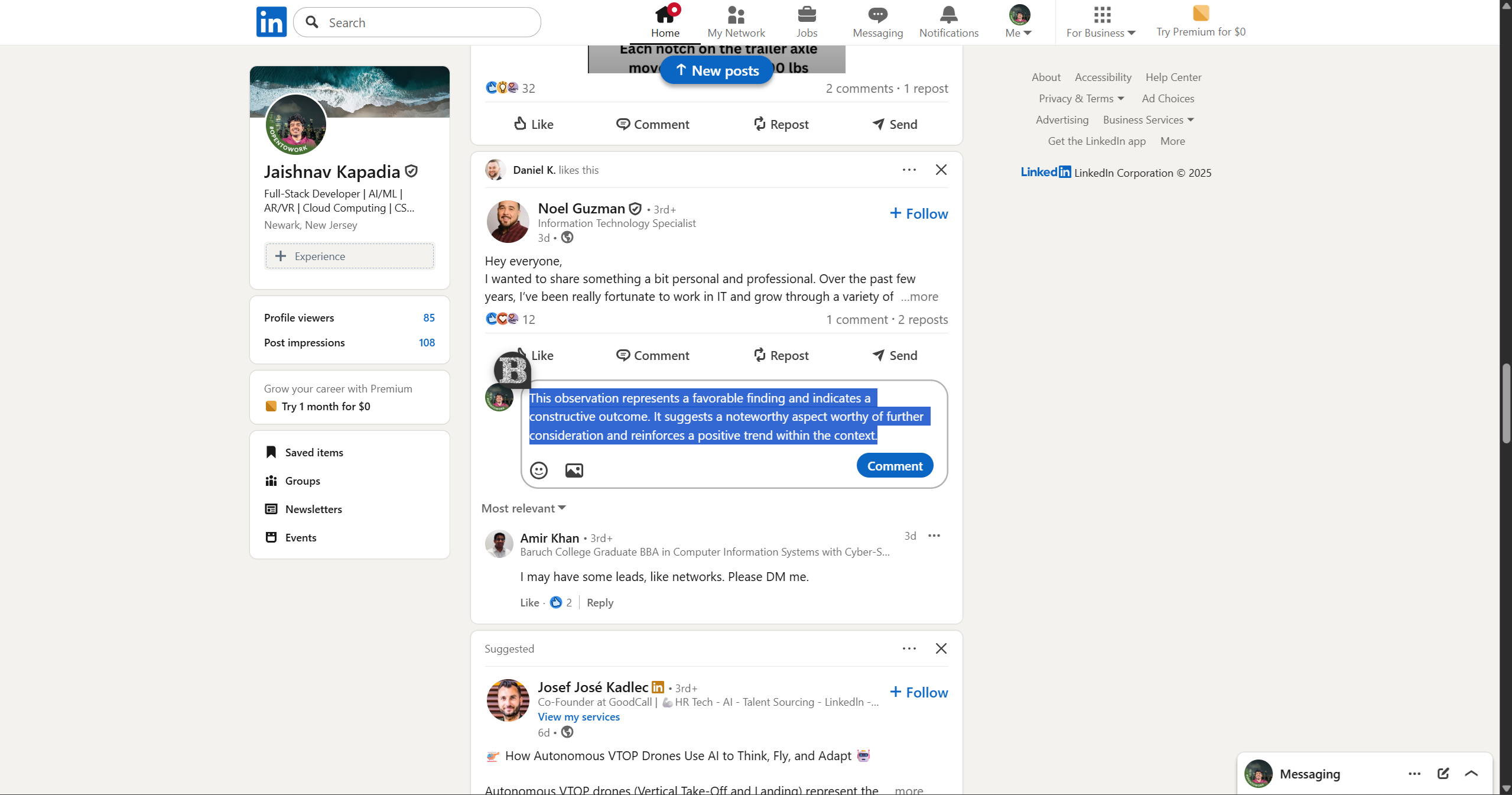
Help on Linkedin
-
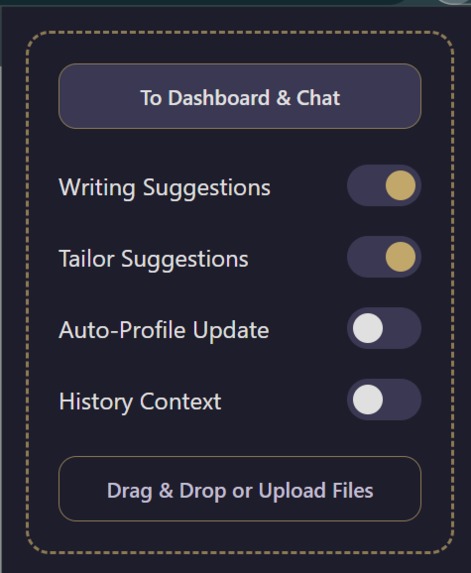
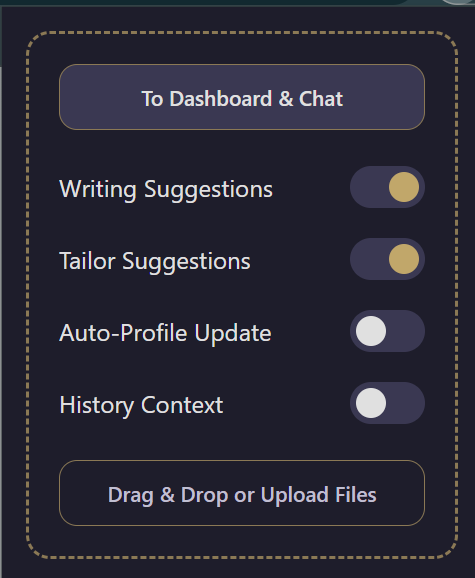
setting box
-
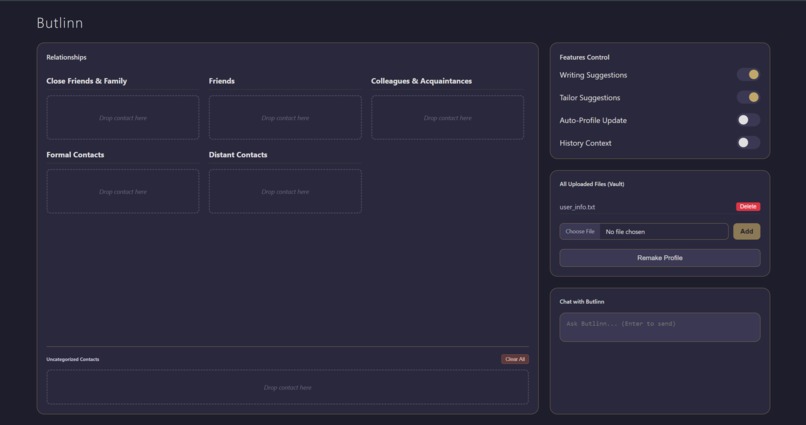
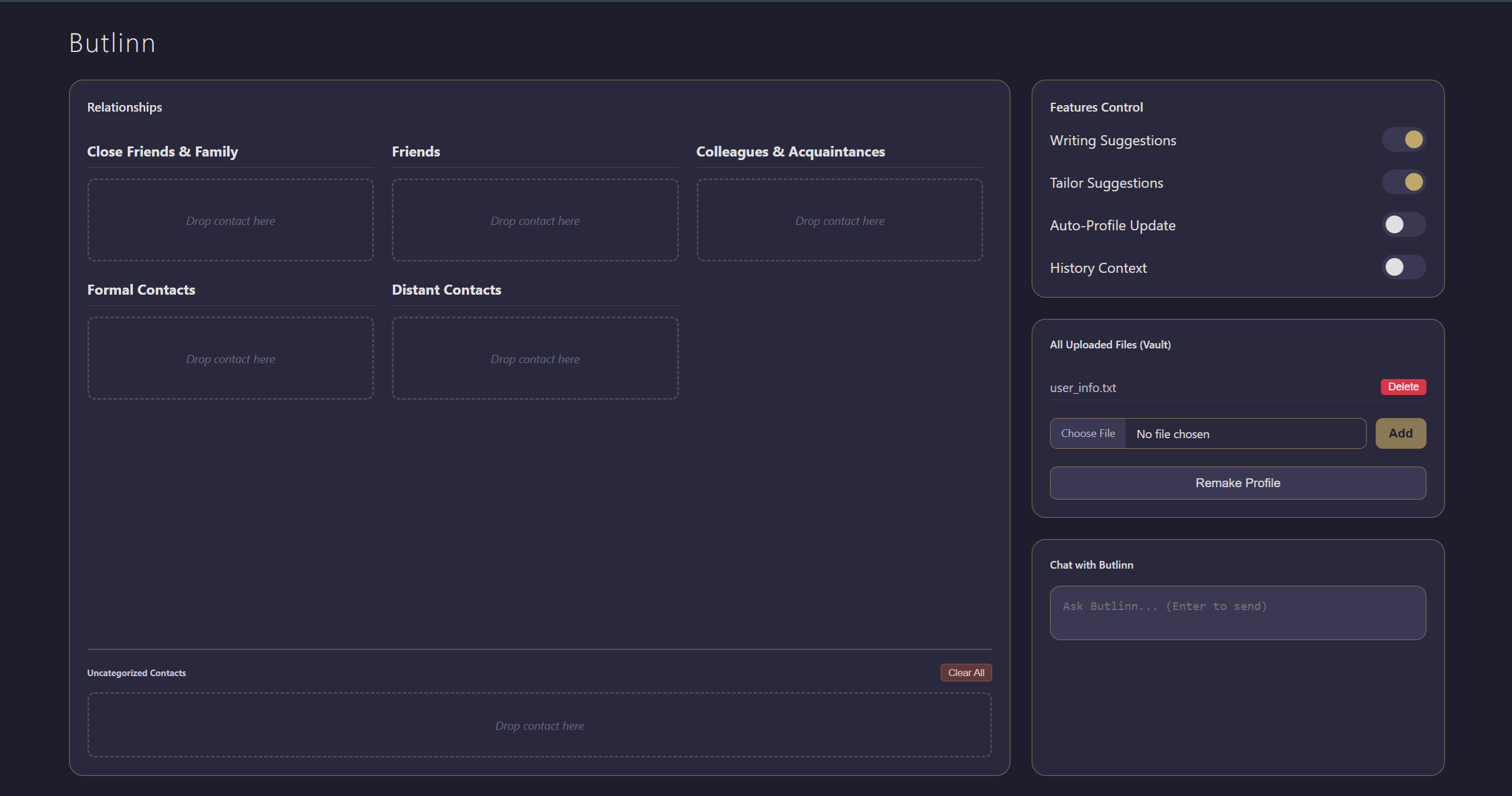
dashboard
Inspiration
We're constantly told that to get personalized text help, we must sacrifice our privacy. Existing AI writing assistants are powerful, but they operate by sending your sensitive emails, messages, and private data to the cloud. We were inspired by a simple question: Why can't we have a truly personal AI that is also completely private? And make it understand the human connection and relationships.
I envisioned an AI that acts like a real-life personal butler—discreet, intelligent, and deeply knowledgeable about your world, not the entire internet. Butlinn was born from this vision: an AI assistant that lives entirely in your browser, keeping your data yours, and yours alone.
What it does
Butlinn is a Chrome extension that provides context-aware writing suggestions. Its "killer feature" is its ability to see who you're writing to.
- Tailored Suggestions: When you select text, Butlinn uses on-device vision AI to analyze a screenshot of your screen, identifying the recipient in an email, chat, or social media post.
- Relationship Awareness: It cross-references the recipient with your personal relationship manager, where you've defined the tone and closeness for your contacts.
- Perfect Tone, Every Time: Butlinn then rewrites your text in the perfect style—formal for a professor, casual for a friend, or professional for a new client.
- 100% Private: All AI processing, file analysis, and data storage happen locally on your device. Nothing is ever sent to a server.
It also features a secure "Vault" where users can upload documents to give their AI a deeper, personal knowledge base, and an intuitive dashboard to manage their relationships and settings.
How I built it
Building a serverless, privacy-first AI required us to leverage the most cutting-edge features of the browser environment.
- On-Device AI (
chrome.aiAPI): The entire project is powered by Chrome's built-in on-device Language Model. This was the cornerstone of our privacy guarantee. - Manifest V3 & Service Workers: The extension is built on the modern and secure Manifest V3 platform.
- Offscreen Documents: To handle the computationally intensive AI tasks without being terminated by the browser, we run the entire AI workflow inside a Chrome Offscreen Document.
- IndexedDB: All user data, including uploaded files for the "Vault" and the relationship database, is stored securely in the browser's local IndexedDB.
- ES Modules: The entire codebase is written with modern, modular JavaScript for maintainability and performance.
Challenges I ran into
Working with on-device models was our biggest challenge. They are less powerful and more temperamental than their cloud-based counterparts.
Initially, our vision AI would "hallucinate" generic names like "John Doe" when it was uncertain. When I made the instructions stricter, the AI became too timid and would often return nothing at all. I also faced significant performance issues, with analysis sometimes taking up to 40 seconds.
Accomplishments that I'am proud of
I are incredibly proud of building an AI tool that proves privacy and personalization are not mutually exclusive. I have created a sophisticated, multi-stage AI workflow that runs entirely on-device, something few applications have achieved. Most of all, am proud of creating an assistant that feels genuinely helpful and trustworthy, like a real personal butler.
What I learned
This project was a deep dive into the nuances of on-device AI. I learned that prompting these models requires a different strategy than cloud APIs; you have to be far more explicit, breaking down complex tasks into simple, verifiable steps. We also gained invaluable experience in modern Chrome Extension architecture, particularly in managing the lifecycle of long-running tasks with Offscreen Documents.
What's next for Butlinn
The future for Butlinn is to become an even more indispensable assistant. I plan to expand its knowledge capabilities, integrate calendar awareness to help with scheduling, and add support for more languages.

Log in or sign up for Devpost to join the conversation.