-
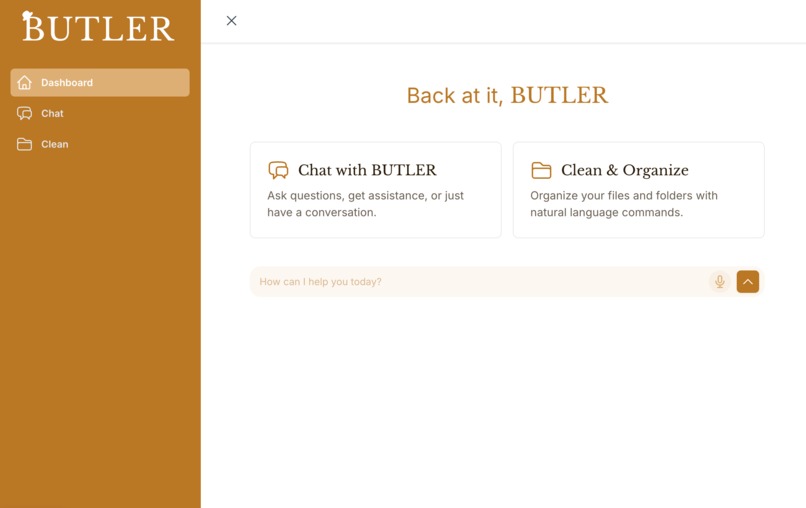
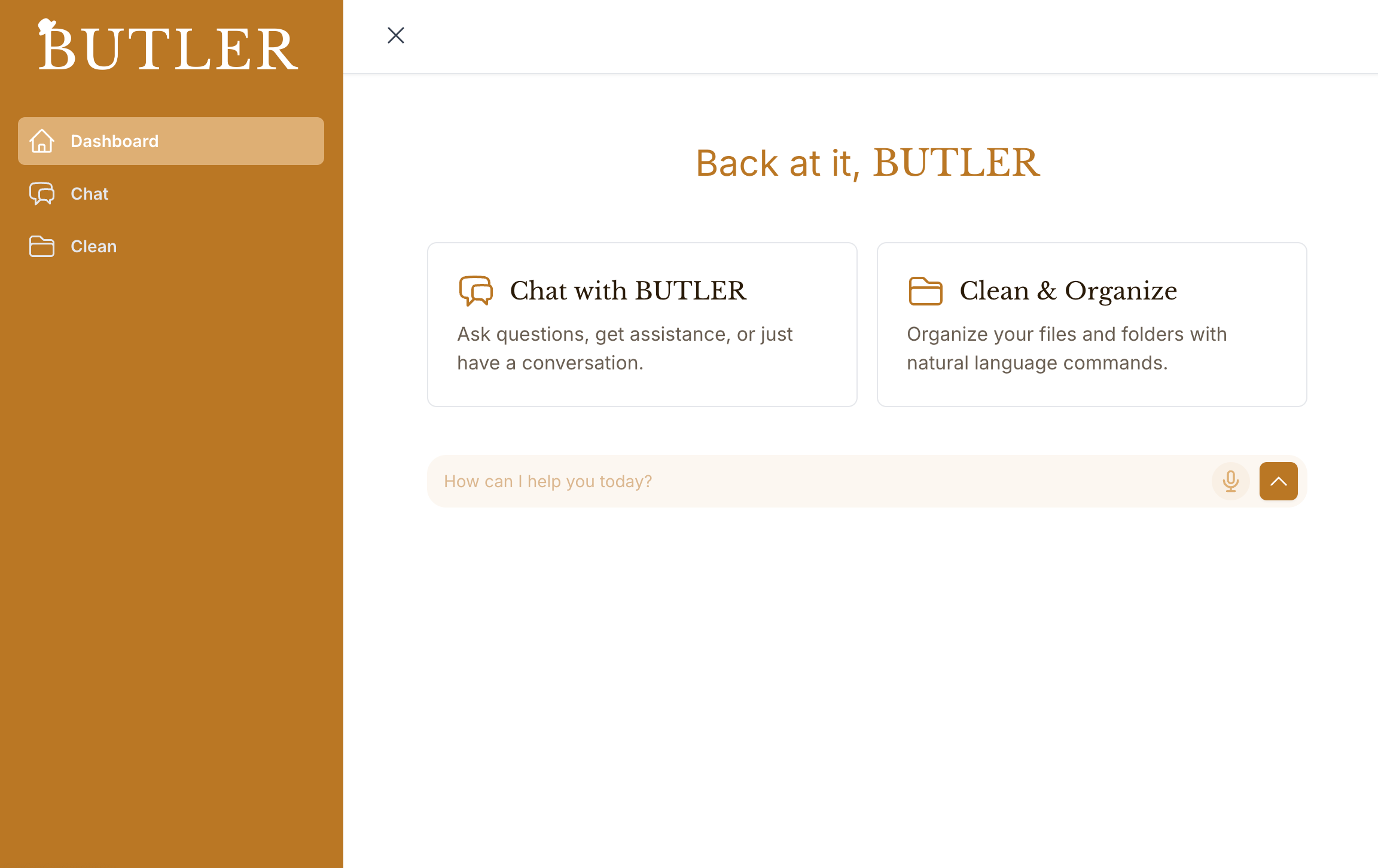
BUTLER interface
Inspiration
The idea for BUTLER emerged from a simple frustration: the disconnect between our digital tools. While we had powerful AI models, beautiful calendar interfaces, and voice assistants, they rarely worked together seamlessly. Our team wanted to create something that would bridge these gaps—a personal assistant that could understand natural language, manage our schedule, and adapt to our needs.
The name "BUTLER" was inspired by the classic concept of a household butler who anticipates needs, manages schedules, and handles tasks efficiently. It also stands for "Benevolent Untiring Taskmaster for Language, Execution, and Results." We wanted to bring that same level of service into the digital realm, creating an AI companion that could truly understand context and help organize daily life.
What it does
AI Integration: Working with Claude's API taught us about prompt engineering, handling streaming responses, and creating natural conversational flows.
OAuth and API Integration: Implementing Google Calendar integration through the Model Context Protocol (MCP) framework gave us hands-on experience with OAuth2 authentication flows and working with third-party APIs securely.
Cleaning: using a filesystem MCP, BUTLER can modify our local files. Users can put in natural language requests that will be interpreted into real file management actions. After execution, users will see a summary of what occurred.
Mac OS VM: BUTLER has access to its own VM, allowing it to browse the internet and complete other tasks in its own sandbox.
Voice Technologies: Integrating ElevenLabs for text-to-speech and browser-based speech recognition taught us about audio processing, asynchronous operations, and creating seamless voice interfaces.
User Experience Design: We learned that the most powerful features are worthless if they're not accessible and intuitive. Designing for conversation required thinking differently about user interfaces.
How we built it
BUTLER was built as a modern web application with several key components: Frontend: React with TypeScript, using Tailwind CSS for styling. The UI is designed to be clean, responsive, and focused on the conversation.
Backend: Express.js server handling API requests, authentication, and integration with external services. AI Integration: Claude API for natural language understanding and generation, with custom system prompts to guide the assistant's behavior.
Calendar Integration: Google Calendar MCP server for secure access to calendar data, allowing BUTLER to create, view, and manage events.
Voice Interface: Browser Speech Recognition API for capturing voice input, and ElevenLabs API for generating natural-sounding speech output.
Markdown Rendering: Custom components to beautifully format AI responses, making information like calendar events easy to read and understand.
The architecture follows a modular approach, with clear separation between the UI components, state management, and service integrations. This made it easier to iterate and extend functionality over time.
Challenges we ran into
OAuth Configuration: Setting up the Google Calendar integration required navigating the complex world of OAuth2 authentication. Creating the right configuration files (.gauth.json and .accounts.json) and ensuring proper token management took significant effort.
Cleaning: Gaining access to local filesystems took some tinkering, and even then, we had to ensure that the behavior of BUTLER was interpretable.
State Management: Keeping track of conversation context, user preferences, and application state across different components required careful planning. Implementing the SidebarContext was a solution that evolved from earlier, more complex approaches.
Voice Integration: Getting speech recognition and text-to-speech working reliably across different browsers and devices presented unexpected challenges. Handling the asynchronous nature of these operations while maintaining a responsive UI required creative solutions.
Markdown Rendering: Ensuring that AI responses with complex formatting (tables, lists, code blocks) rendered correctly took more effort than expected. The final implementation using react-markdown with custom styling rules significantly improved the user experience.
Environment Variables: Seemingly simple issues like whitespace in API keys caused frustrating bugs that were difficult to track down. Implementing proper trimming and validation of environment variables solved these problems.
Accomplishments that we're proud of
Despite these challenges, each solution represented a step forward in creating a more integrated, helpful assistant. BUTLER evolved from a simple chat interface to a powerful tool that understands context, manages calendars, organizes local files, uses its own VM, and communicates naturally through both text and voice.
What we learned
AI Integration Is More Than Just APIs: Integrating Claude's AI capabilities taught us that effective AI assistants require thoughtful system prompts, proper handling of conversation context, and careful consideration of how to present information to users. The technical integration is just the beginning.
OAuth Workflows Require Careful Planning: Setting up Google Calendar integration through OAuth2 revealed the complexity of secure authentication flows. We learned to manage refresh tokens, handle authentication errors gracefully, and create a seamless experience for users connecting their accounts.
Voice Interfaces Have Unique Challenges: Implementing both speech recognition and text-to-speech functionality showed us that voice interfaces require special attention to timing, feedback, and error handling. Users need clear indications of when the system is listening, processing, and responding.
Context Management Is Critical: One of our biggest learnings was the importance of maintaining context across interactions. Using session storage for pending messages and implementing proper state management with React Context API significantly improved the user experience.
Markdown Rendering Enhances Communication: We discovered that properly formatted responses with markdown support make complex information much more digestible. Calendar events, lists, and structured data become much more useful when properly formatted.
Environment Variables Need Robust Handling: What seemed like a minor issue—whitespace in API keys—taught us the importance of robust environment variable handling. Implementing proper trimming and validation prevented frustrating bugs.
What's next for BUTLER
BUTLER has a promising roadmap ahead with several exciting enhancements planned:
Expanded Calendar Intelligence: Enhancing BUTLER's ability to suggest optimal meeting times based on existing calendar events, attendee availability, and user preferences. This includes implementing natural language date parsing for even more intuitive scheduling. Multi-Service Integration: Expanding beyond Google Calendar to integrate with other productivity tools like email, task managers, and note-taking applications. This will create a more comprehensive personal assistant experience.
Personalization Engine: Implementing a learning system that adapts to user preferences over time, remembering communication styles, frequently accessed information, and common requests to provide increasingly personalized assistance.
Mobile Application: Developing a dedicated mobile application to make BUTLER accessible on-the-go, with features optimized for mobile use cases and push notifications for important reminders. Enhanced Voice Capabilities: Improving the voice interaction with features like voice identification, ambient mode for hands-free operation, and more natural-sounding speech synthesis with emotional tones appropriate to the content.
Offline Capabilities: Adding support for basic functionality when internet connectivity is limited, allowing users to access their schedule and previously cached information even when offline.
Collaborative Features: Enabling BUTLER to facilitate collaboration by managing shared calendars, suggesting meeting times across teams, and helping coordinate group activities.
Privacy-Focused Architecture: Further enhancing BUTLER's privacy features to ensure user data remains secure and under user control, with transparent data usage policies and local processing where possible. Accessibility Improvements: Expanding accessibility features to make BUTLER usable by people with various disabilities, including enhanced screen reader support, alternative interaction methods, and customizable interfaces.
These enhancements will build upon BUTLER's solid foundation of natural language understanding, calendar integration, and voice interaction to create an even more helpful, intuitive, and personalized assistant experience.
Built With
- .accounts.json
- claude-api
- cors
- dotenv
- elevenlabs-api
- eslint
- express.js
- git/github
- github
- google-calendar-api
- google-cloud-console
- headless-ui
- heroicons
- html/css
- javascript
- json-files
- localstorage
- model-context-protocol-(mcp)
- node.js
- nodemon
- npm
- oauth-2.0
- react
- react-markdown
- react-router
- remark-gfm
- sessionstorage
- tailwind-css
- typescript
- vite
- web-speech-api

Log in or sign up for Devpost to join the conversation.