-
-
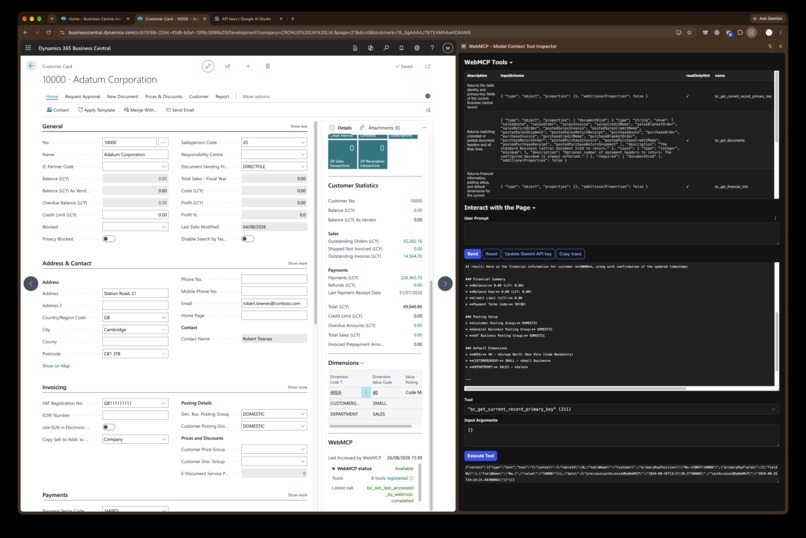
bc-webmcp in action
-
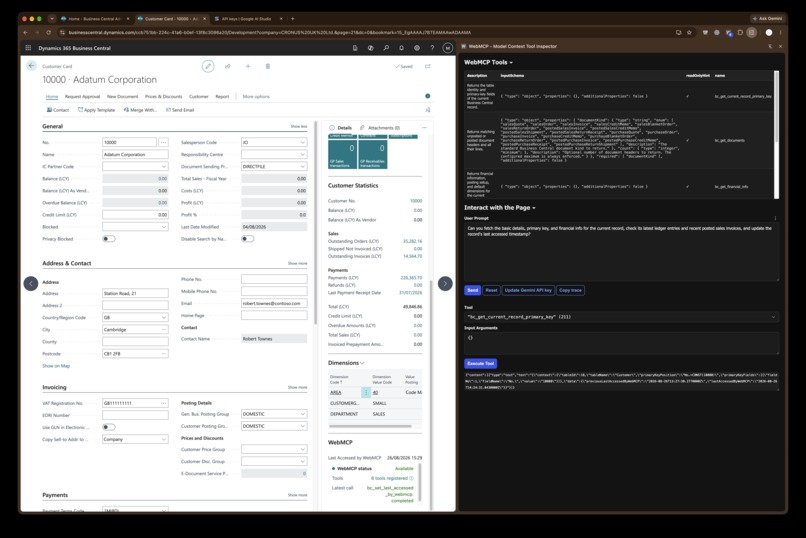
bc-webmcp in action
Inspiration
ERP software runs entire companies—yet to an AI agent, it can still look like a wall of buttons. BC WebMCP lets Business Central tell the agent exactly what record is open and what it can safely do.
Microsoft Dynamics 365 Business Central manages customers, suppliers, products, finances, and documents. Browser agents can navigate its interface visually, but they must infer context from a complex UI. Traditional backend integrations have the opposite problem: they can access data, but do not naturally know what the user is viewing.
WebMCP offered a compelling third option: expose small, structured tools directly from the active page.
What it does
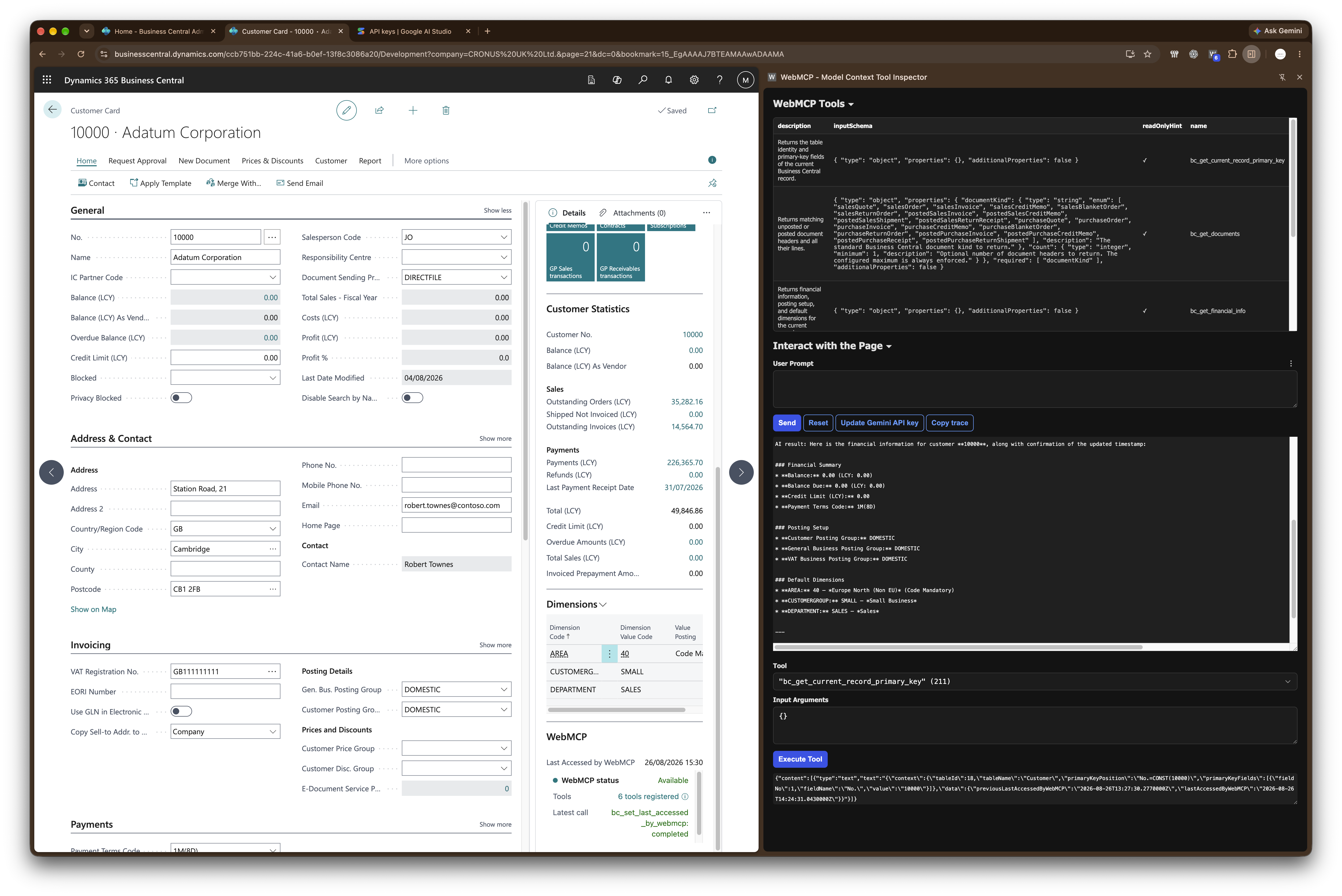
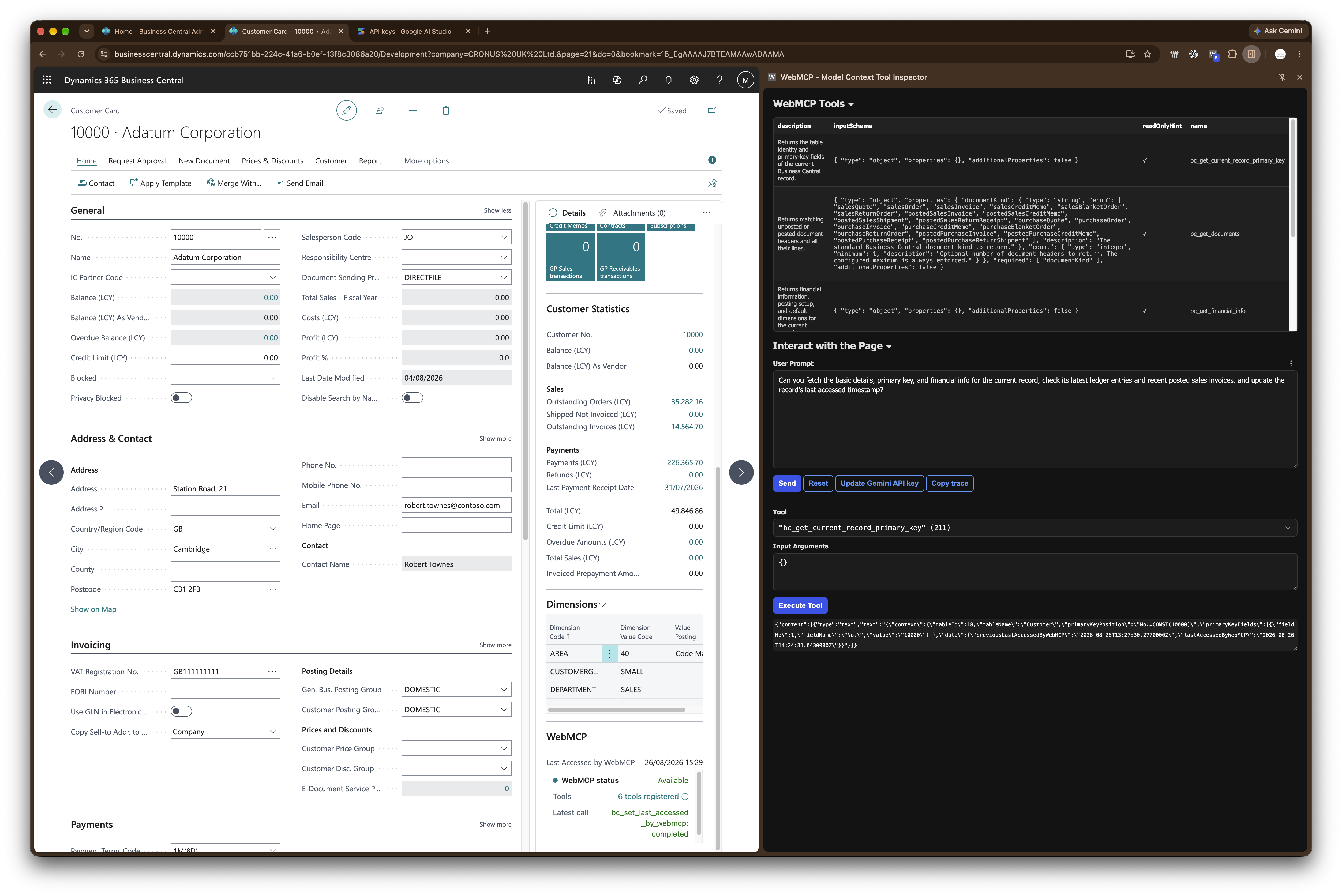
BC WebMCP adds a lightweight FactBox to the standard Customer, Vendor, and Item cards. It follows the current record and dynamically exposes relevant tools to a WebMCP-enabled browser agent.
An agent can retrieve basic and financial information, recent ledger entries, and related sales or purchase documents. It can also identify the current record through a generic primary-key tool. One deliberately limited write tool records when WebMCP last accessed the record.
The extension does not expose unrestricted database access. Every request is handled by Business Central itself, so the current user’s permissions and Business Central’s application rules remain in force.
How we built it
We combined a Business Central AL extension with a JavaScript control add-in. JavaScript registers tools through the experimental document.modelContext API, then sends each invocation into AL using a correlated asynchronous request.
Inside Business Central, a generic dispatcher validates the current record and routes the request to a typed Customer, Vendor, or Item provider. Results return as structured JSON. Tool definitions change automatically with the page context, configurable limits prevent oversized queries, and public integration events allow other extensions to add their own tools.
Challenges we ran into
The biggest question was architectural: could a WebMCP tool registered inside a Business Central control-add-in frame actually be discovered and invoked by a browser agent?
We also had to handle lazy-loaded FactBoxes, navigation between records, timeouts, page closure, missing or deleted records, duplicate documents, composite keys, and the different roles records can play—for example, a customer being either the sell-to or bill-to party.
Most importantly, we had to make something agent-friendly without weakening the security model of an ERP system.
Accomplishments that we're proud of
The original end-to-end MVP successfully proved that a browser agent could request the primary key of the Customer currently open in Business Central.
From that small experiment, BC WebMCP grew into a reusable architecture supporting Customers, Vendors, Items, ledgers, financial details, and eighteen types of sales and purchase documents. Version 0.2 and its separate AL test extension compile against Business Central 28/runtime 17, with the broader browser acceptance matrix ready for sandbox testing.
What we learned
Page context is just as important as data access. An agent becomes much more useful when it knows what the user is already looking at.
We also learned that narrow, semantic tools—such as “get this customer’s ledger entries”—are safer and more reliable than giving an agent a generic database interface. Business Central should continue enforcing permissions, validation, and business rules; WebMCP should provide a well-defined doorway into them.
What's next for Business Central WebMCP
Next, we want to complete the expanded browser test matrix, add more Business Central pages, and introduce carefully governed actions such as checking item availability, creating a sales quote, or previewing a posting.
The larger goal is simple: make Business Central agent-native without replacing its interface, duplicating its logic, or compromising its safeguards.

Log in or sign up for Devpost to join the conversation.