-
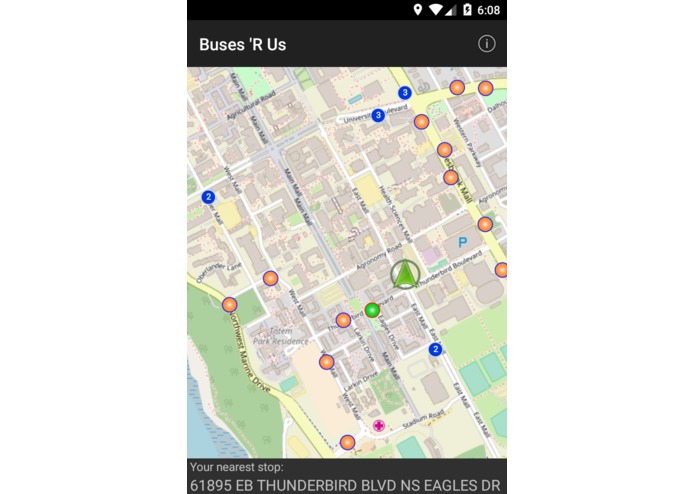
App Startup - All stops plotted in orange and nearest plotted in green. Current location shown by a green arrow. Stops far away clustered
-
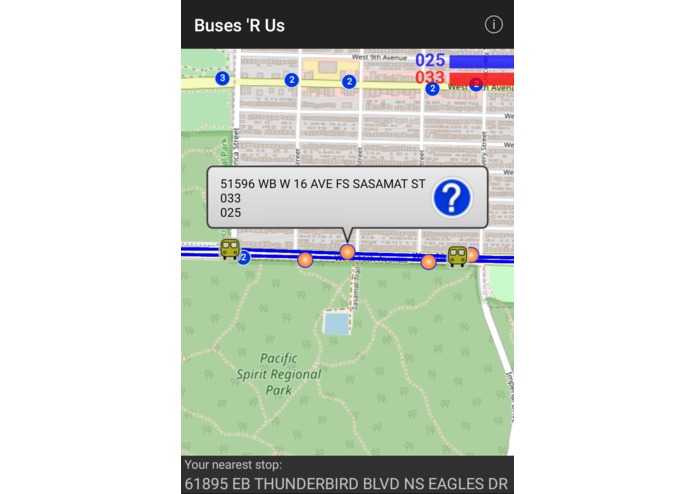
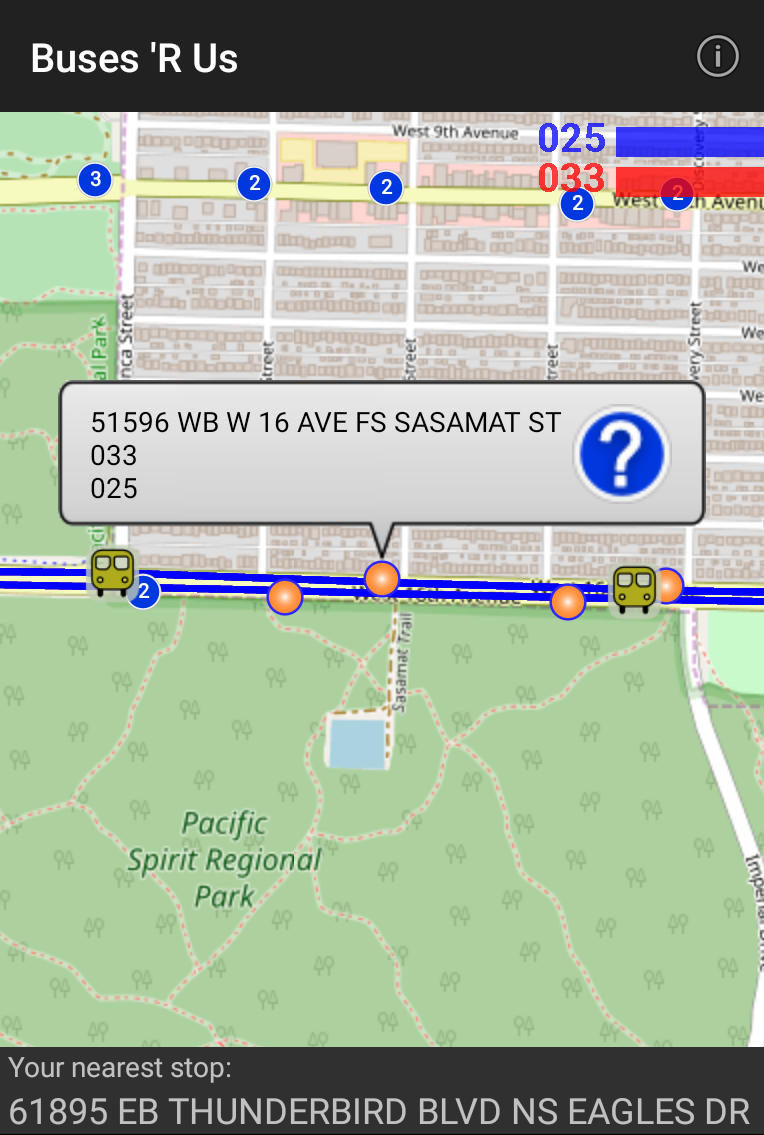
When you tap a stop, shows details of the stop. Also the bus routes are highlighted and the buses plotted on the map
-
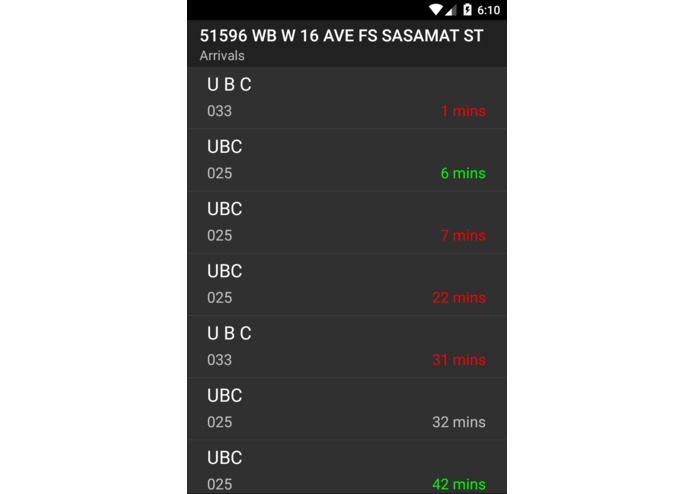
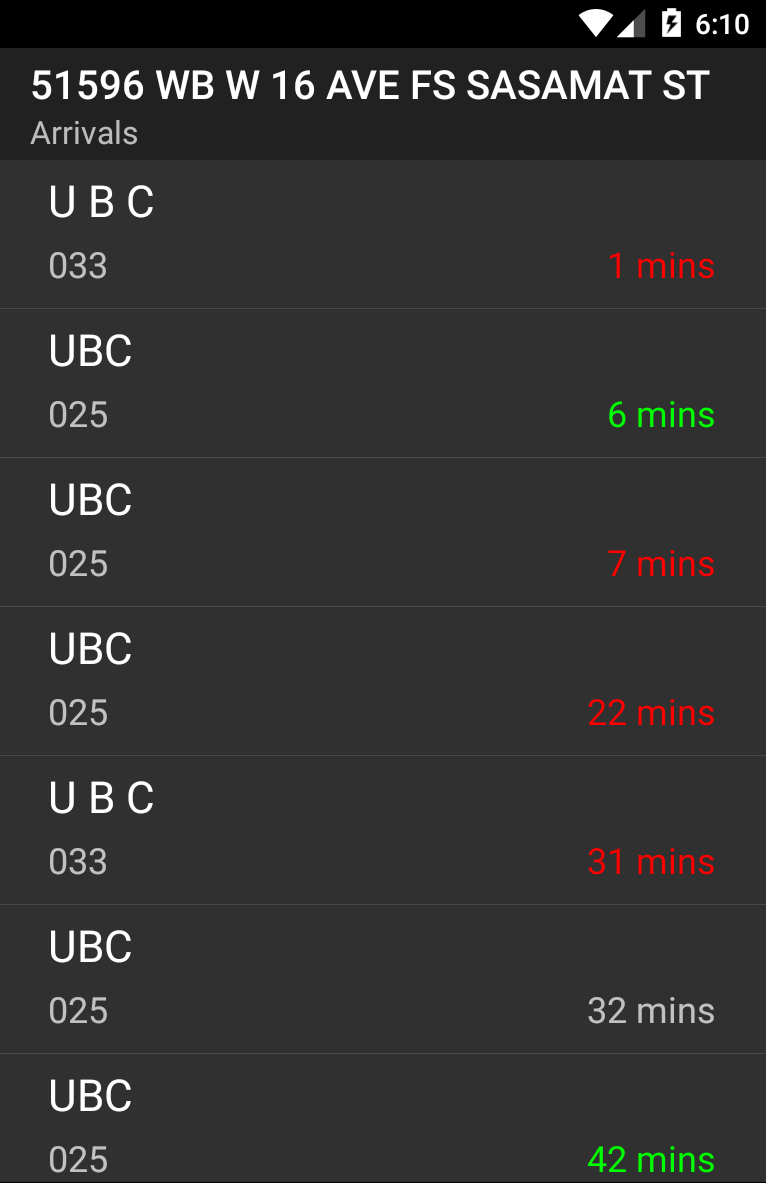
Shows arrival list and ETA when you tap on a particular bus stop

What it does
Plots all the bus stops near your current location, with the nearest bus stop being highlighted in green and the rest in orange. On tapping on a bus stops shows all the bus routes coming to that stop and provides the estimated time of arrival. Plots the bus routes with different color lines. On zooming out clusters all the bus stops. Also shows the positions of buses on the routes.
How I built it
I used Java, along with JSON parsers to get the data from the Translink API.
Challenges I ran into
Using JSON parsing to get the data from the API was challenging for me, because I had not worked with regular expressions before and this was new to me. In addition, plotting the bus routes was also pretty challenging because you had to handle many cases where the route would go off the map and you had to plot sort of the edge of the route. Also finding the nearest bus stop and then updating it when the location changed was pretty challenging too.
Accomplishments that I'm proud of
I'm proud of how this project turned out, with all the features including the bus route tracking, and ETA's of the different buses when you tap a bus stop.
What I learned
I learned to work with the Java using OOP programming standards, and test my code properly with Junit 5. In addition I learned to get data from the Translink API and then parse that data using JSON.
Built With
- java
- json-parsers
- junit
- translink-open-api

Log in or sign up for Devpost to join the conversation.