Inspiration
Jira knows who logged time on what, but not what that time cost. Burnrate turns worklogs into cost with a rate card and tracks that cost against budgets, so finance and delivery people get the answer inside Jira, from data the team already records.
What it does
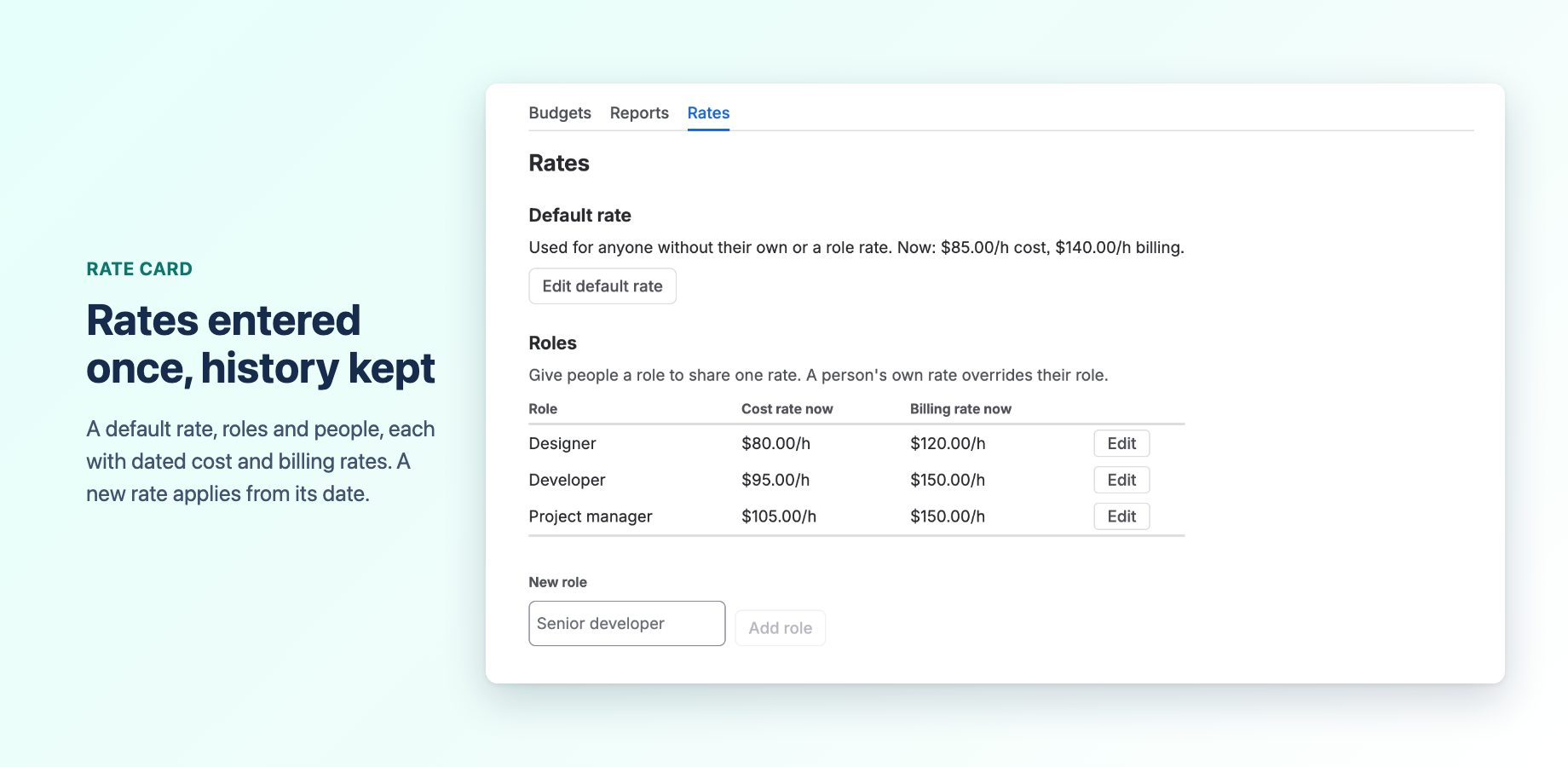
- Rate card: a default rate, roles and people, each with dated cost and billing rates. A new rate applies from its date, so past costs never change by surprise. Rates are looked up in order: the person's own rate, then their role's, then the default.
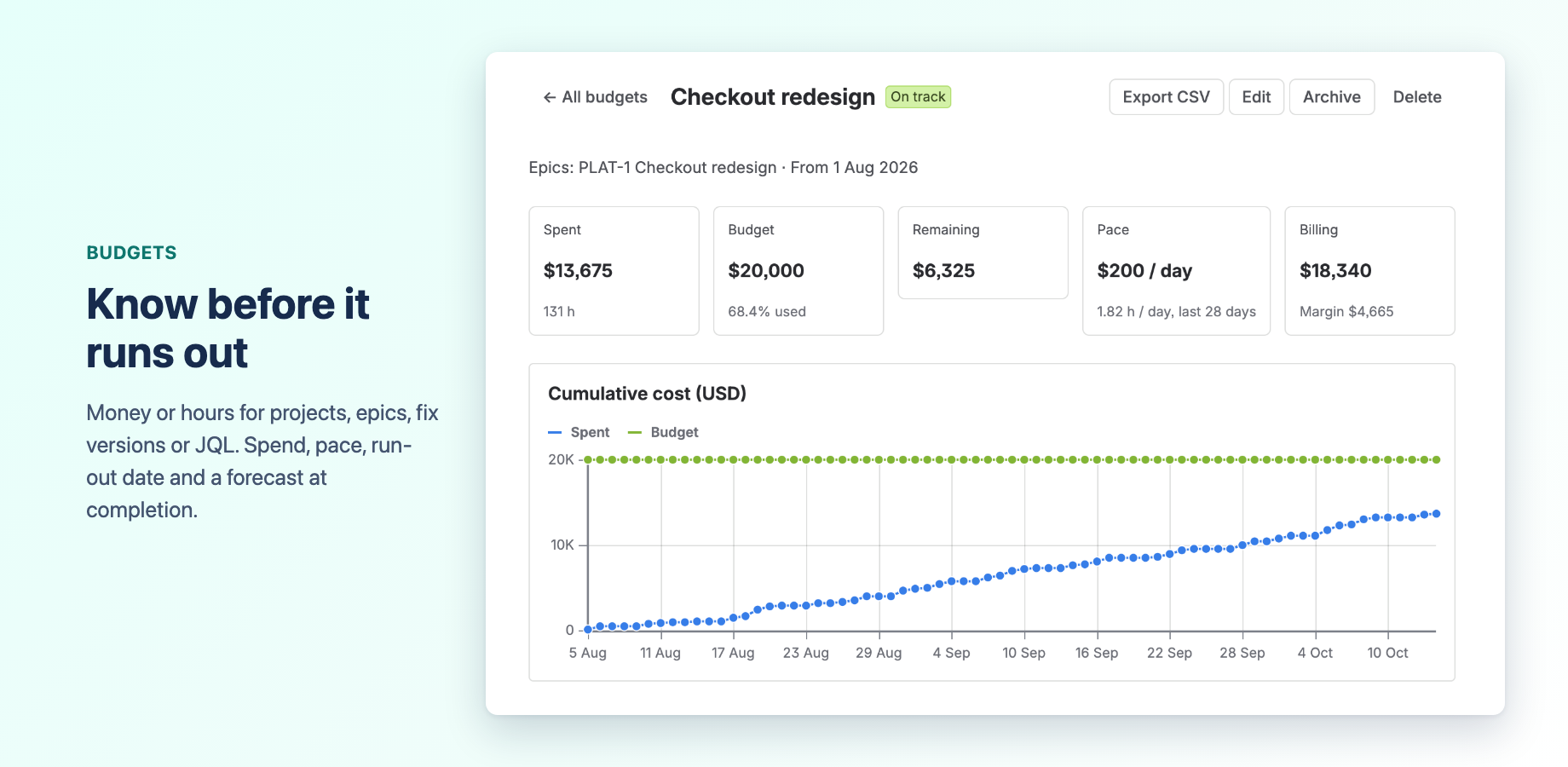
- Budgets: in money or hours, for projects, epics, fix versions or any JQL query; one-off, monthly or quarterly. Each budget shows spend, pace, the day it runs out at that pace, and a forecast, with a breakdown by person, epic, work item and month.
- Estimate at completion: for one-off budgets, spend so far plus the remaining estimates of open work items.
- Status: On track, At risk, Over budget, Not started, Ended, or Tracking for budgets without an amount.
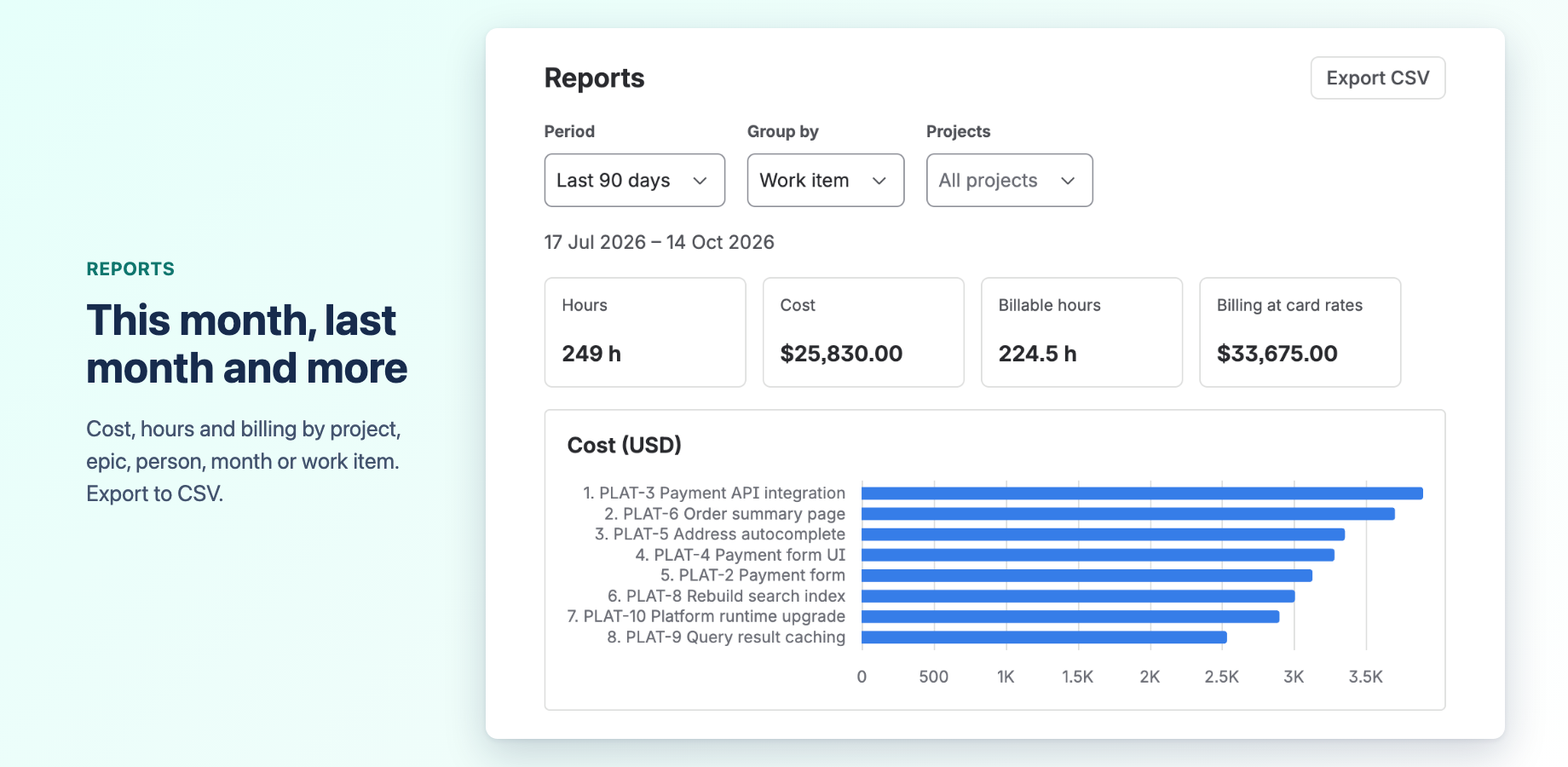
- Reports: cost, hours and billing by project, epic, person, month, work type or work item, for any period, with CSV export.
- Cost panel: the cost and hours of a work item, and the budgets it counts toward, right on the work item.
- Access: two Jira global permissions decide who manages rates and budgets and who only sees budgets and reports. Names of work items a person cannot browse stay hidden.
- Tempo Timesheets (beta, optional): connect it to read worklogs with their real authors and billable hours.
How we built it
Burnrate is a Forge app written in TypeScript, on the nodejs24.x runtime, with UI Kit (native render) for all screens.
- Forge modules: jira:globalPage (the app), jira:adminPage (settings and sync status), jira:issueContext (the Cost panel), jira:globalPermission (the two permissions), sql (Forge SQL), scheduledTrigger, consumer (a queue for background work) and trigger (Jira events).
- Data: worklogs are stored in Forge SQL with their cost and billing amounts already worked out; no worklog comments are stored.
- Egress: without the Tempo connection, Burnrate makes no calls outside Atlassian.
Challenges we ran into
- Keeping an idle site cheap. Forge meters SQL requests, key-value data and function time, so a site with nothing new should cost close to nothing. Sync starts from Jira worklog events; an hourly check reads the key-value store first, then Jira without touching the database; and opening the app triggers a check at most every five minutes, which picks up a missed or late event.
- Permissions. Display conditions only hide entry points. Every resolver checks the caller against Jira, and the Cost panel takes its work item from the Forge context, never from the request.
- Changing rates. When a rate changes, costs are recalculated in the background and requests are merged.
What we learned
Dated rates matter more than they first seem: without them, one pay change rewrites last year's numbers. Also, worklogs written through Tempo arrive in Jira under Tempo's app account with no real author. Burnrate keeps that time, costs it at the default rate and flags it as unattributed until the connection is set up.
What's next
Burnrate is published on the Atlassian Marketplace and free for up to 10 users. Next comes feedback from teams using it on real budgets.
How to install and test (for judges)
Installation link: https://marketplace.atlassian.com/apps/1734115109/burnrate-project-cost-tracking-budgets-for-jira Burnrate is listed on the Marketplace, so the developer console offers no separate share link for it; install from the listing. It is free for up to 10 users.
- Install it on a Jira Cloud site as a Jira admin.
- Open the Jira Apps menu, then Burnrate. Past worklogs start loading right away (the last 12 months by default) and the figures grow until the first sync has finished.
- Open Rates, choose Edit default rate, and enter a cost per hour. Optionally add a billing rate. The first rate applies to all past time. Costs are recalculated within a minute or two.
- If the site has no worklogs yet, log a few hours on a work item.
- Open Budgets, choose New budget, pick a project, enter an amount and save. Open the budget to see spend, pace, forecast and the breakdown.
- Open a work item with logged time and open its Cost panel.
- Optional: under Jira Settings, System, Global permissions, grant Burnrate: view budgets and reports to a non-admin to see the restricted view. Settings are under Settings, Apps, Burnrate.
No external account or integration is needed. The Tempo connection is optional and needs a Tempo Timesheets subscription and an API token from a Tempo admin.
Built With
- atlassian-forge
- forge-sql
- jira
- typescript
- ui-kit
