-
-
From spoken notes to a client-ready plan. Alexa+ track simulated experience, demonstrated with BurnOS.
-
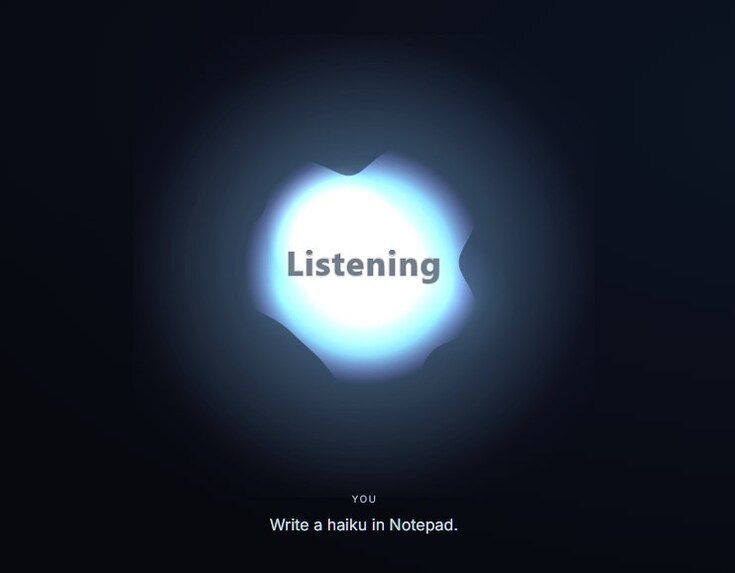
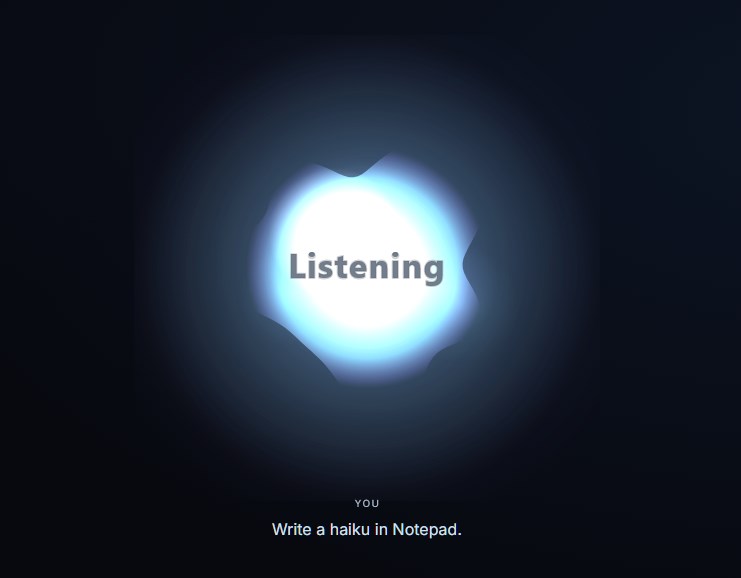
Listening — BurnOS captures a spoken request. Image from the Microsoft Store listing.
-
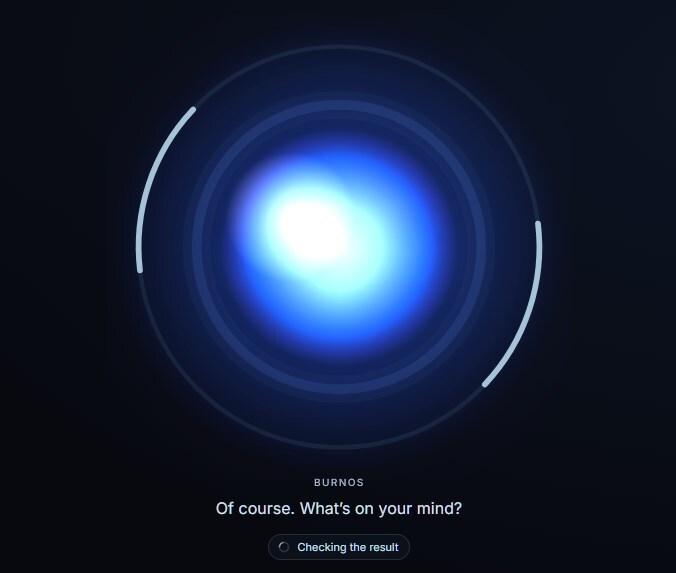
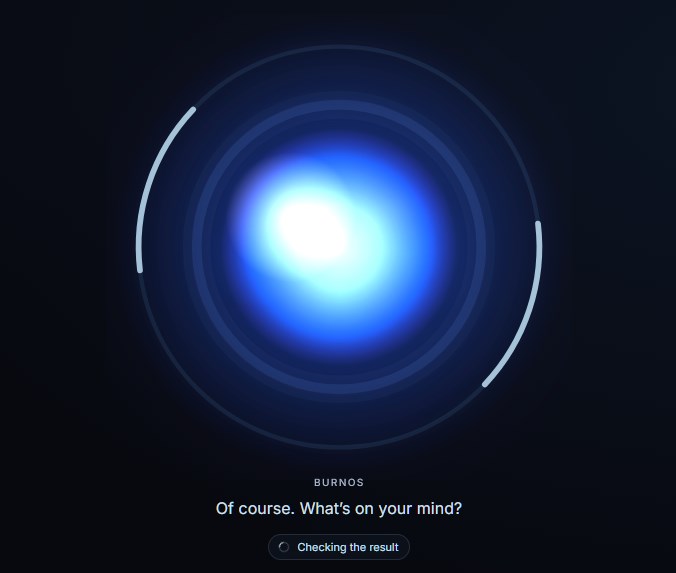
Working — the orb shows a task in progress and its status. Image from the Microsoft Store listing.
-
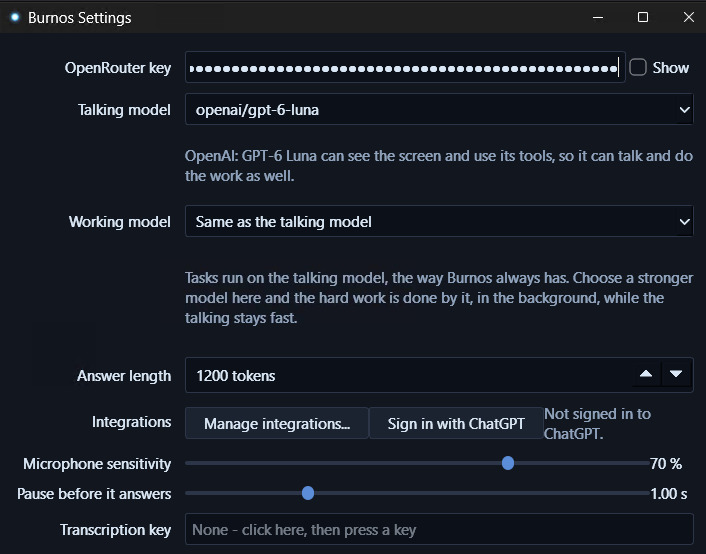
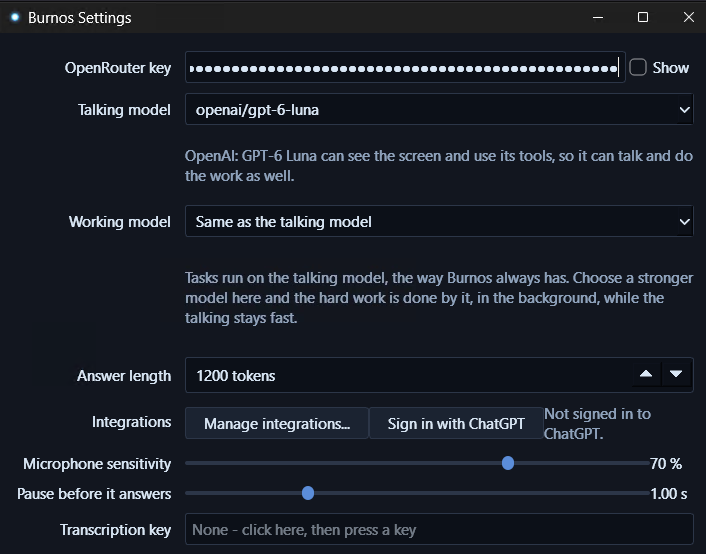
Native settings — configure conversation and background task models. Image from the Microsoft Store listing.
From a spoken brief to a usable plan
BurnOS turns spoken ideas into editable work in the Windows applications people already use. For an independent professional preparing for a client call, that means moving from rough notes to an agenda, a revised plan, and a follow-up draft while keeping the conversation going.
A spoken idea often arrives before a polished document. Turning it into something useful still means switching between notes, a browser, a document, and an assistant—and explaining the same context again later. BurnOS connects three parts of that work: conversation that stays responsive, tools that act in applications, and persistent memory that carries context into the next session. Its small native orb makes the assistant's state visible alongside the work.
Start with the 2:59 demonstration above for the client-planning workflow. The sections below explain the implementation, the additional memory and research features, and the documented failures that shaped the product.
The Alexa+ experience
This entry uses the Alexa+ track's simulated-experience route. BurnOS demonstrates a conversational assistant that follows a multi-step request, coordinates tools, accepts follow-up direction, and maintains context. Its own Windows interface is the working prototype; it is not connected to a live Alexa device or service.
The submitted video follows a fictional Northstar Coffee project:
- Capture the brief: spoken notes become text in Notepad.
- Organize the work: the notes become an agenda for a client call.
- Refine the plan: follow-up direction changes the priorities and develops the client plan.
- Prepare the next step: BurnOS drafts a follow-up for review.
The result is visible, editable work. The follow-up is prepared for review, not presented as a sent message. The 2:59 video is edited live capture with shortened waits, an AI voice, and a fictional client; these production choices are disclosed on screen.
The sample has concrete constraints: catering inquiries are the client's first priority, menu text and photos are missing, and a delivery date has not been agreed. A useful plan must preserve those details, surface the unanswered questions, and avoid promising a date prematurely. This is the value the demonstration is designed to make inspectable.
Keep talking while work continues
BurnOS separates the conversation model from background task models. The talking side can remain responsive while up to three tasks run concurrently. A user can ask about progress or redirect an ongoing task, and a worker can ask a question when it needs more information.
Interrupting speech and stopping work are different controls. Speaking over the assistant can stop its spoken response without cancelling its background work. The orb provides distinct interaction states for listening, thinking, speaking, working, and dictation. A single click toggles voice mute; a double-click stops current work. Voice mute is not a claim that the microphone hardware is disconnected.
The small native orb is intended to stay out of the way of the application being used. Its state changes give the user a visible indication of what the assistant is doing, while settings expose the conversation model, task model, microphone, and voice configuration. The gallery shows the listening and working states and the native settings interface.
Two ways to use your voice
Voice can be an instruction to the assistant or text meant for another application. BurnOS supports direct dictation as a separate path: recognized text goes to the target application without asking a language model to rewrite it or sending that dictation through the memory workflow. Local read-back is available for the last dictated text.
The voice pipeline uses local speech recognition, voice activity detection, and speech synthesis. Optional wake-word and speaker-matching controls support different ways of starting an interaction. Desktop tools inspect named controls, interact with windows, edit text files directly, and run commands that return their output and exit code. Compatibility still depends on the target application; background input is not universally supported by every Windows interface.
Persistent memory that carries context forward
Mnemosyne supplies the persistent memory layer through MCP. With the backend connected, BurnOS saves conversation turns and selected facts or preferences. Before replying, it brings together three sources of context: recent dialogue, relevant saved memories, and an explicit user profile. Saved project details can survive an app restart, reducing the need to repeat background information each time work resumes.
This matters for ongoing work: a preferred format, a project decision, or a detail from an earlier conversation can inform a later request. BurnOS also supports correcting or forgetting selected saved facts. Assistant-generated suggestions are handled differently from the user's own statements; generated text should not become evidence that the user said or believed something.
The default memory database is stored locally on the user's PC. When an OpenRouter key is configured, semantic retrieval sends stored text and queries to OpenRouter for embeddings; without that key, the built-in setup uses word search. Retrieved context can also reach the selected reasoning model. Successful persistence depends on an available backend and a confirmed write.
Research and reusable knowledge
BurnOS includes a separate Chromium research browser with task-specific tabs. It can retrieve page content and work with PDF text through embedded PDF.js. This supports workflows where finding source material and using it in a document belong to the same task. The separate browser profile keeps research distinct from ordinary browsing, but authenticated pages, anti-bot challenges, and scanned PDFs can still need another path or user intervention.
Reusable Skills give tasks instructions that can be applied again. At the start of a task, BurnOS can search for a relevant Skill, pin its selected revision, and record the task outcome and last tool result. A previous task trace can also become reusable steps. This connects what the assistant has learned with how it approaches later work.
The v0.27.0 release adds background book-to-BurnSkill creation. Through Mnemosyne, a PDF or EPUB can become a reusable, source-linked framework of definitions, principles, steps, warnings, and examples. Portable .burnskill exports can retain source passages and original files. Generating a framework sends source text to the selected model through OpenRouter or authenticated Codex. Scanned books need OCR first, and the generated framework still needs review. The purpose is to carry useful methods into future work. The submitted video focuses on the client-planning workflow; the repository documents these additional research and learning features.
How it is built
BurnOS is a native C++17 and Qt 6 application. Its components cover audio capture and playback, local speech processing, model communication, desktop automation, background task orchestration, and MCP connections.
- Voice: whisper.cpp/Parakeet recognition paths, Silero voice activity detection, and sherpa-onnx/Kokoro speech synthesis.
- Reasoning: configurable OpenRouter, ChatGPT, Codex, and Claude routes. Conversation and task models can be selected separately.
- Action and research: Windows automation, Chromium DevTools integration, and PDF.js text extraction.
- Memory and tools: Mnemosyne persistence and retrieval over MCP. Configured MCP servers can expose tools, resources, and prompts; optional Composio integration makes user-connected service actions available.
The application is free and open source under the MIT license. Users configure their own supported model-provider API key or account; provider usage and subscription terms still apply. Setup instructions and data-handling documentation accompany the source. Runtime source links are pinned to v0.27.0; the setup and privacy guides include the October 21 documentation corrections. This keeps the described implementation and its instructions inspectable as development continues.
For a direct implementation review, start with task orchestration, memory retrieval before a reply, and book-to-BurnSkill conversion. The judge instructions also include a repeatable client scenario, expected outputs, and separate checks for persistence after restart.
What was delivered during the hackathon
Development progressed from the native voice and desktop foundations into a publicly distributed Windows application. The repository records the work, including:
- September–early October: model-capability validation, background input fixes, conversation-persistence checks, and dictation recovery.
- October 13–14: a research browser and PDF reading, bundled voice models, and a self-contained memory server.
- October 17: additional subscription-based model routes, ChatGPT sign-in, reusable Skills, and expanded MCP support.
- October 19: v0.27.0, including background book-to-BurnSkill creation.
The Microsoft Store listing, website, and public repository provide ways to install, explore, and inspect the project.
Failure log and what the failures taught
Read the full developer friction log. It is linked in the submission's dedicated Friction Log field and attached there as a complete six-page PDF for the judges. Each of its five dated entries includes the attempted task, steps, expected and actual results, severity, workaround or fix, actionable suggestion, and source evidence.
- A model could not accept screenshots. A desktop action succeeded, but its follow-up request failed because the chosen model did not support image input. The fix added capability-aware model selection and a degraded text-only recovery path. Lesson: validate the inputs and tools a workflow needs before offering a model.
- A website opened in the wrong browser session. Launching a browser executable did not preserve the user's expected session context. A dedicated URL action delegated the choice to Windows. Lesson: distinguish user-facing browsing from an isolated research browser.
- Background shortcuts lost their modifiers. Ctrl+A could arrive as a plain “a,” while WinUI required a different input path. The fixes addressed modifier lifetime and routing to the correct control. Lesson: desktop automation needs application-specific checks, not just an API call that returns successfully.
- A memory identifier did not prove persistence. A historical capture response could contain an identifier without retaining a conversation line. Response checks and trust-preserving classification changed. Lesson: verify storage outcomes and test beyond the current process, especially after restart.
- Dictation became stuck after a key release. A competing keyboard hook could leave a hold active. The fix ended the hold when any required key was released and added recovery controls. Lesson: voice interaction needs an obvious exit when input events are missed.
These are documented BurnOS integration failures, not claims of defects in Amazon services. Historical test results and evidence limits are identified in the log and evidence notes; the commit evidence export supports review. They are not presented as a new, fully passing regression run of v0.27.0.
Impact and next steps
The clearest audience is people whose work starts in conversation and ends in documents: independent professionals, students, and small teams organizing research or client work. The intended benefit is less repeated context and less movement between an assistant and the applications that hold the result. The demo makes that workflow concrete through a client brief, agenda, and follow-up draft.
The next priorities are broader clean-machine installation tests, clearer provider setup, stronger application-specific automation checks, and continued testing of memory writes and recovery. The central lesson is consistent across the project: an assistant becomes useful when the result can be inspected and the next step builds reliably on what actually happened.

Log in or sign up for Devpost to join the conversation.