-
-
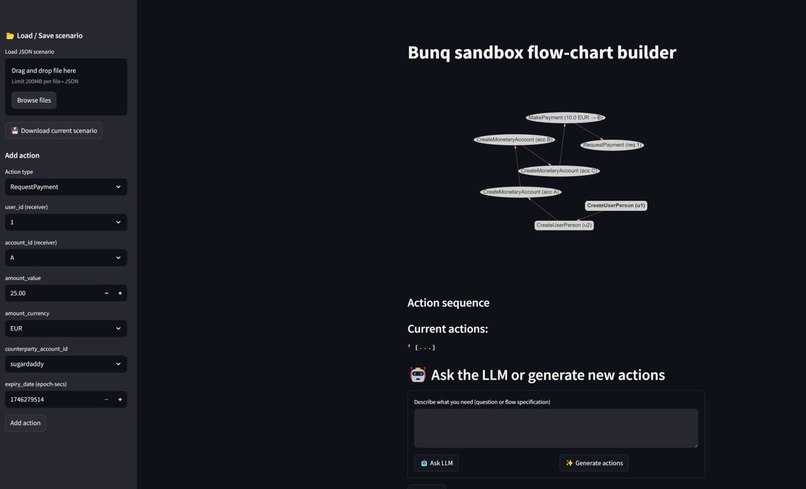
Creating a workflow
-
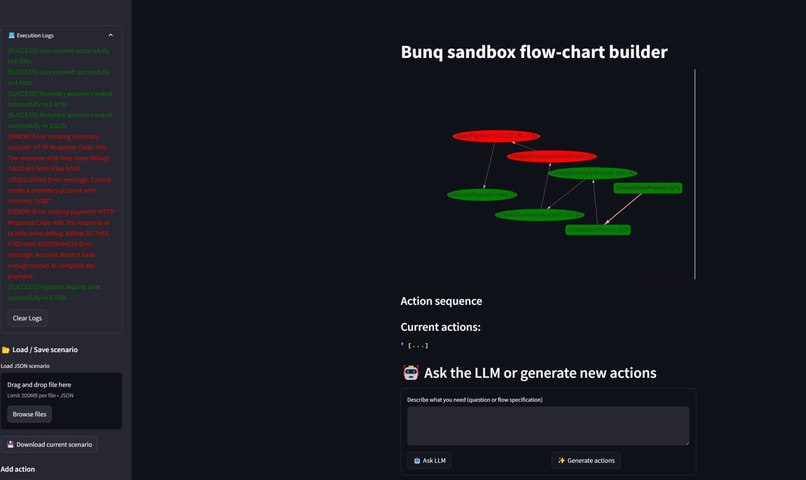
After deployment
🏦 Bunq Sandman 🏦
Bunq Sandman is a powerful toolset which consists of two parts:
- Bunq Sandman History,
- Bunq Sandman Visualizer.
🏦 Bunq Sandman History 🏦
A utility that retrieves data from production or sandbox environment and creates a clone for another sandbox account set, so that algorithms can be safely tested on real cases. Further, it serves as a utility which retrieves data for the web graph platform.
✨ Features
🔄 Transaction Replay
- Clone Your Account - Create a sandbox duplicate of your bunq account provided with the api key
- Agent Simulation - Automatically create sandbox accounts for everyone you've interacted with
- Balance Management - Intelligently calculate required starting balances for each account
- Chronological Replay - Replay all transactions in the correct time sequence
- Sugar Daddy Mode - Request funds from a central authority for initial balances and large transactions
💰 Account Management
- API Context Management - Efficient storage and retrieval of API contexts
- Mock Cases Creation - Create mock cases for testing the system
📊 Analysis & Insights
- Transaction Summary - Get statistics about your transaction history
- Balance Requirements - Calculate minimum balance needs for all accounts
🚀 Getting Started
Basic Usage
- Run the main script to start the sandbox creation process:
python history/main.py Follow the interactive prompts to:
- Create your sandbox account
- Generate mock transactions (optional)
- Create agent accounts
- Request initial balances
- Replay transactions
Run the to_web script to retrieve data for the web graph platform:
python history/to_web.py <api_key>For sugar daddy mode (using central authority for automatically adding funds), use:
python history/to_web.py <api_key> -sugar
🧩 How It Works
The system follows this process:
- Account Setup - Creates a sandbox user with conf file, or create a new one if file is not provided
- Transaction Analysis - Reads your transaction history to identify all counterparties
- Agent Creation - Creates sandbox accounts for each person you've interacted with
- Balance Calculation - Determines minimum starting balances for successful transaction replay
- Transaction Replay - Methodically recreates all transactions between accounts
📝 API Documentation
Main Components
🔌 api.py
create_api_connection()- Establishes connection to the bunq APIcreate_new_user()- Creates a new sandbox user with retry logic
🔍 parse_user.py
get_user_transactions()- Retrieves transaction historyextract_transaction_agents()- Identifies unique counterpartiescreate_agent_users()- Creates sandbox users for each counterpartycalculate_agent_initial_balances()- Determines starting balance requirementsreplay_transactions_chronologically()- Recreates transactions in time order
📊 parser.py
to_visualizer_format()- Formats transaction data for visualizationtransactions_to_visualizer_format()- Converts transactions to JSON format with optional sugar daddy mode
🏃 main.py
- Orchestrates the entire process from account setup to transaction replay
- Provides interactive command-line interface
📊 to_web.py
- Retrieves data for the web graph platform
- Supports sugar daddy mode with the -sugar flag for requesting funds from central authority
📝 Limitations
- The system has rare edge cases where action in the replay may be incorrectly interpreted and therefore not executed.
- The system can miscalculate required starting balances.
🏦 Bunq Sandman Visualizer 🏦
A web-based interactive UI that allows creating and executing Bunq transaction flow graphs, with a backend that interprets and executes the flows against the Bunq API.
✨ Features
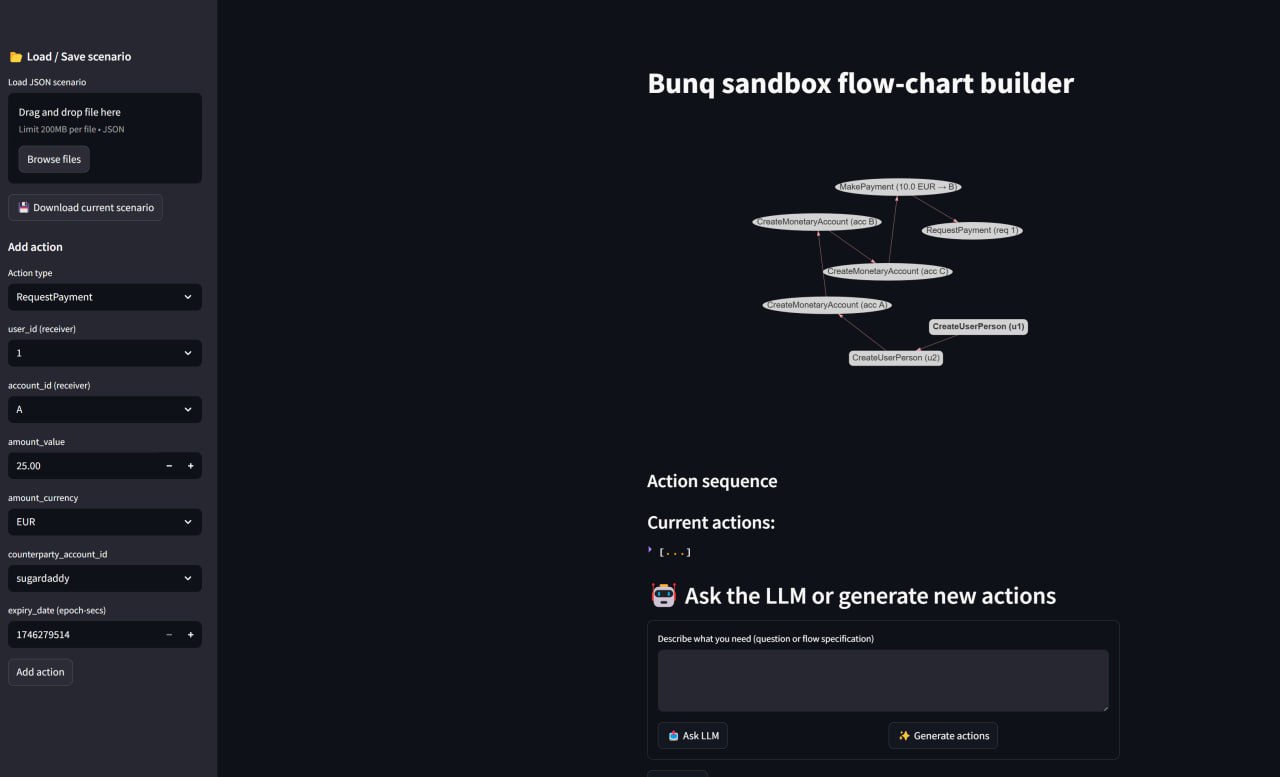
📊 Graph-Based Interface
- Visual Flow Builder - Create transaction flows using an intuitive graph interface
- Node Editing - Click on nodes to edit and configure financial actions
- Interactive Connections - Connect nodes to define execution order
- Real-Time Validation - Automatic validation of action parameters and schema
🧩 Action Types
- User Creation - Create sandbox users
- Account Management - Create monetary accounts with customizable currencies and limits
- Payments - Make payments between accounts
- Requests - Create and respond to payment requests
- Account Overview - Check account balances and status
- Timeline Control - Add sleep actions to control execution timing
🔄 Execution Engine
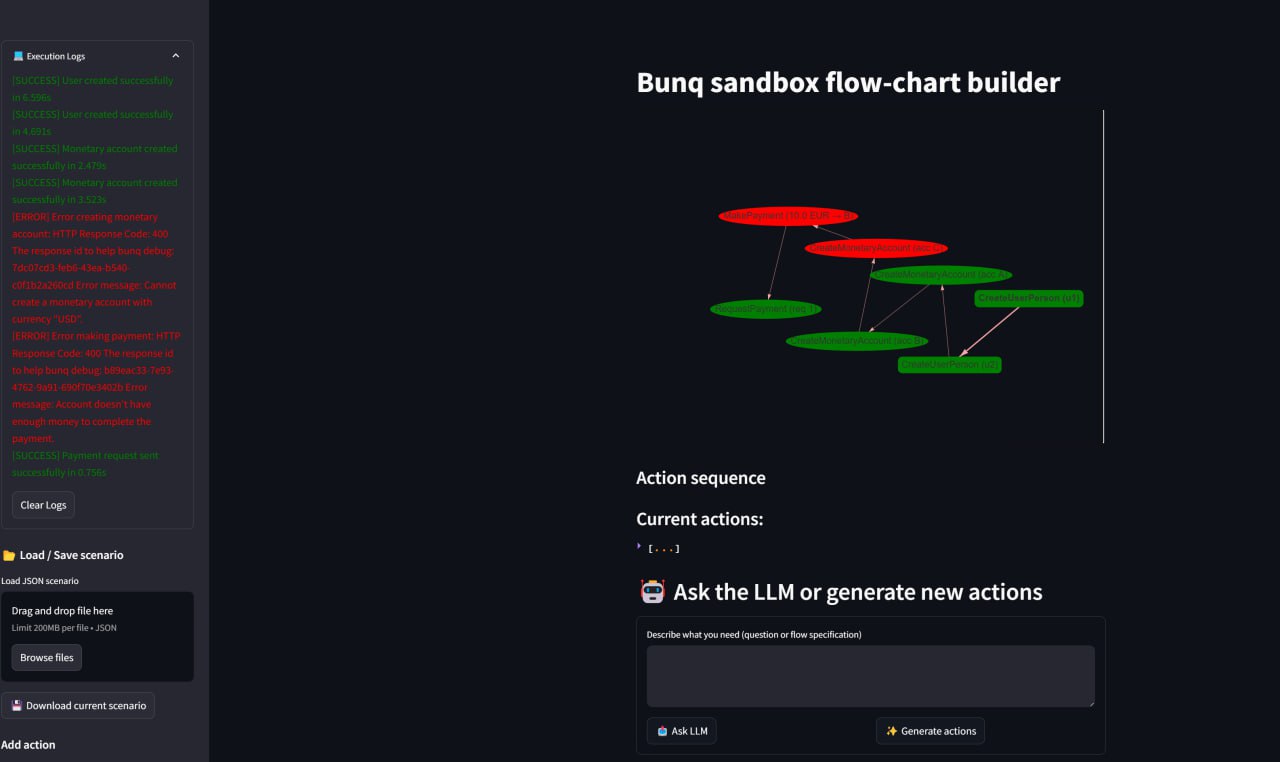
- Real-Time Execution - Execute flows against the Bunq sandbox API
- Live Feedback - See results and status of each action as it executes
- Sugar Daddy Integration - Support for requests to the central authority ([email protected])
🚀 Getting Started
Launch the Streamlit app,
Use the interface to:
- Create a flow diagram
- Configure each node with the appropriate parameters
- Execute the flow against the Bunq sandbox API
- View results and debug if necessary
🧩 How It Works
The Bunq Sandman Visualizer consists of two main components:
Frontend UI (streamlit_app.py):
- Built with Streamlit for a responsive web interface
- Uses streamlit_agraph for interactive graph visualization
- Provides forms for configuring each action node
- Validates action schemas before execution
Backend Interpreter (interpret.py):
- Maps UI actions to actual Bunq API calls
- Maintains relationships between UI identifiers and Bunq objects
- Tracks account relationships and balances
- Returns execution status for each action
- Provides special handling for sugar daddy requests
📝 Component Documentation
🎮 streamlit_app.py
- Session Management - Maintains state of the graph, actions, and execution
- Action Validation - Validates action schema before execution
- Graph Visualization - Renders and manages interactive flow graph
- Action Forms - Provides context-specific forms for configuring actions
- Execution Control - Deploys flows to the Bunq API with progress tracking
🔌 interpret.py
- BunqInterpreter - Maps UI actions to Bunq API calls
- User/Account Mapping - Maintains relationships between UI IDs and Bunq objects
- Action Handlers - Specialized methods for executing different action types
- Event Queue - Reports execution status and results back to the UI
- Sugar Daddy Support - Special handling for central authority requests
📝 Limitations
- The system is designed for sandbox testing and not for production use
- Some complex transaction types may require manual setup
- The UI doesn't support parallel execution paths, only linear flows. In the future, it is possible to extend the system
- Error recovery requires manual intervention
Built With
- bunq-sdk
- openai
- python
- streamlit


Log in or sign up for Devpost to join the conversation.