Inspiration
At my college, RGUKT Ongole, and at most Indian colleges, you need 75% attendance in each subject to sit the final exam. The question students ask is not "what is my percentage". It is "can I skip tomorrow?" That is harder than it looks, because a skipped class also adds one to the total held. People do the math in their heads, get it wrong, and find out in the last week.
Who it is for
College students under a minimum attendance rule. The target defaults to 75% and can be set anywhere from 1 to 100.
What it does
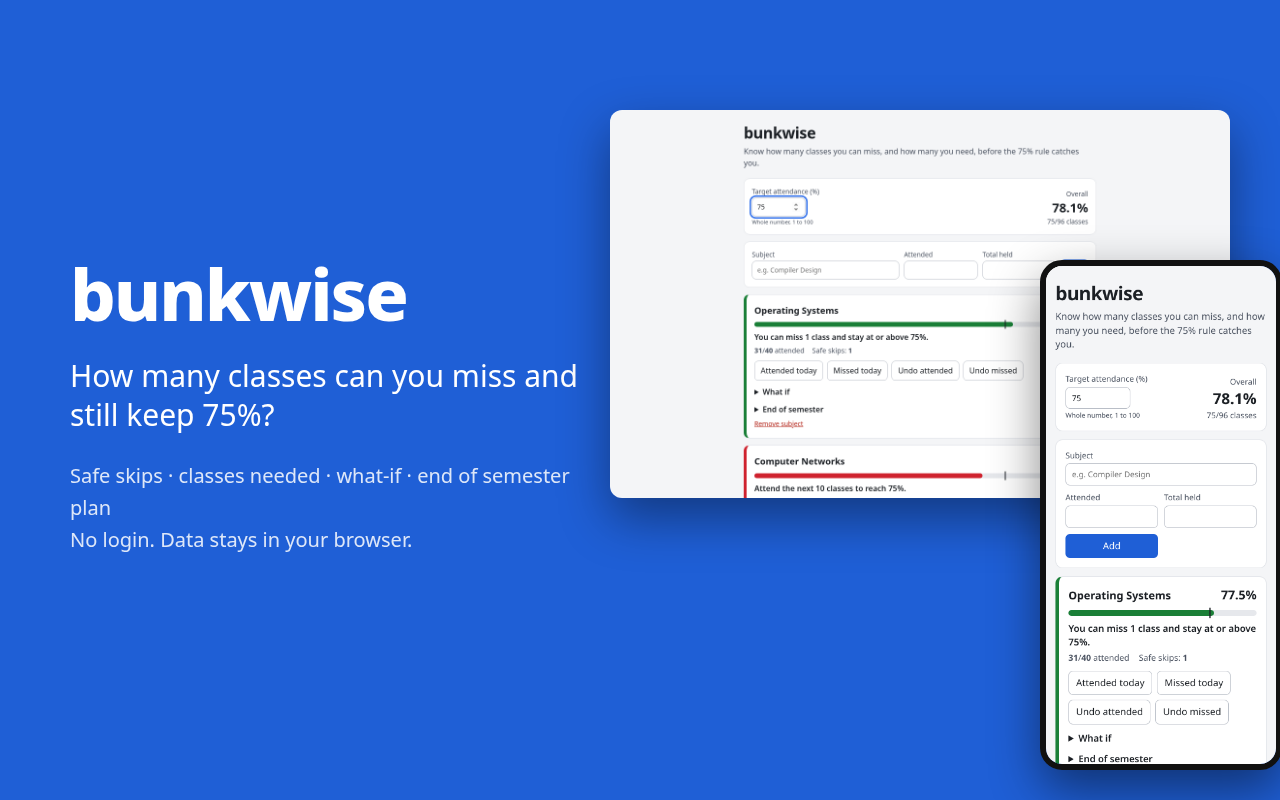
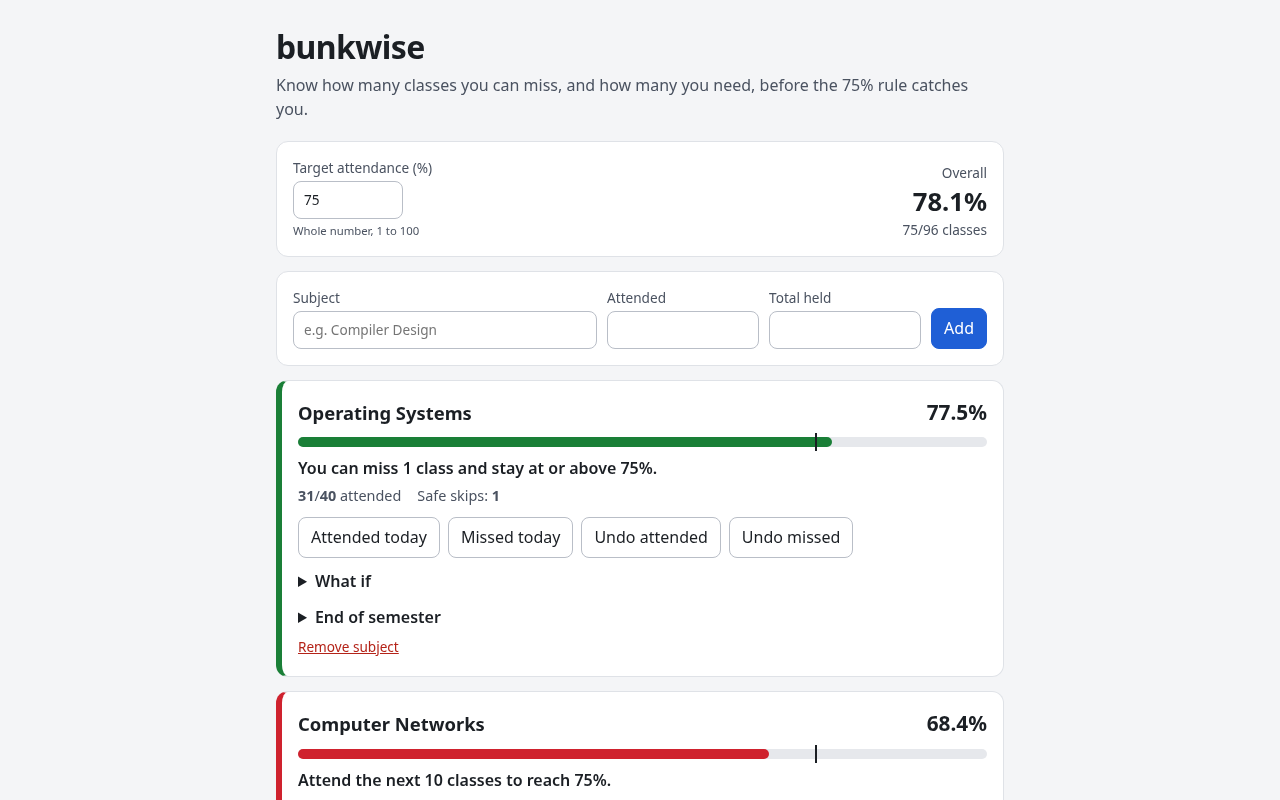
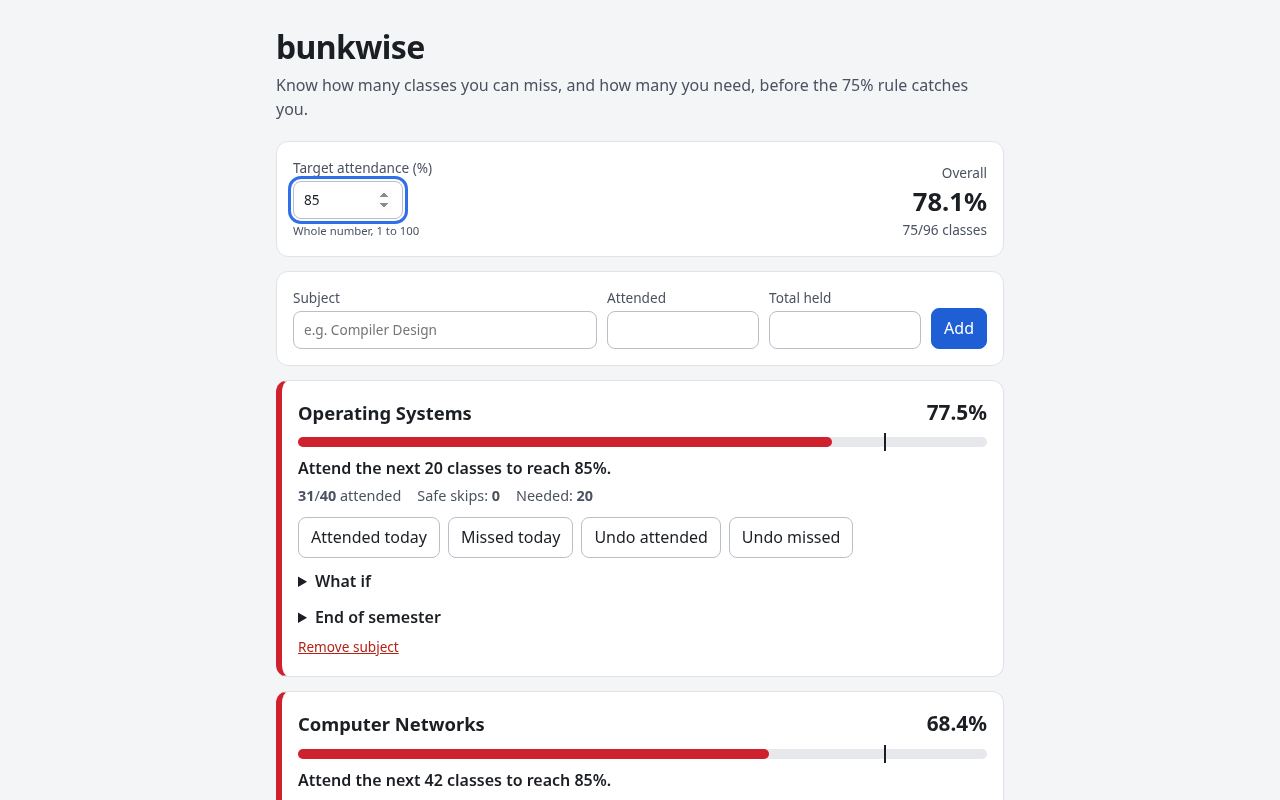
For each subject you enter classes attended and classes held. bunkwise then shows:
- the current percentage and a bar with the target marked on it
- safe skips: how many upcoming classes you can miss and stay at or above the target
- if you are short, how many classes in a row you must attend to get back
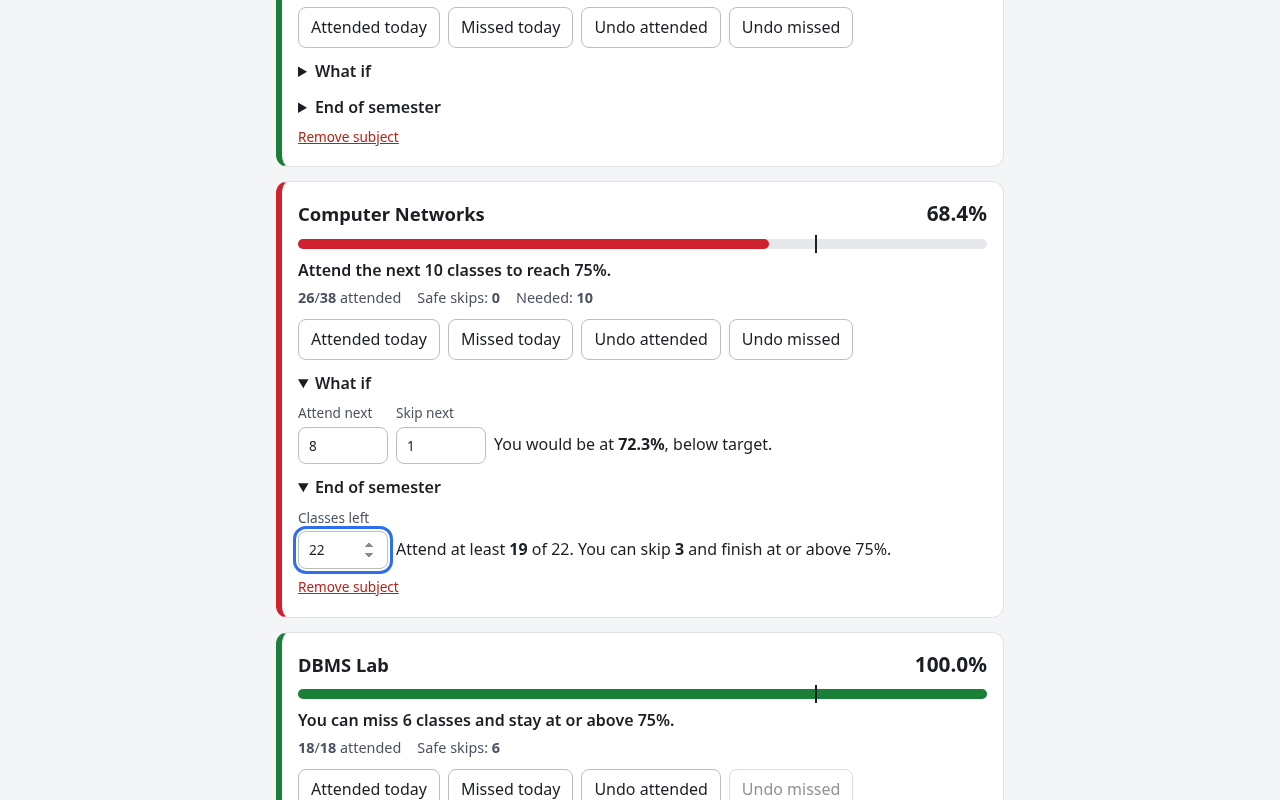
- a what-if panel: attend X and skip Y of the next classes, see where you land
- an end of semester plan: enter the classes left and it gives the fewest you must attend, or says plainly that the target is out of reach
- one-tap "Attended today" and "Missed today" buttons, each with undo
- an overall percentage, for colleges that use the aggregate
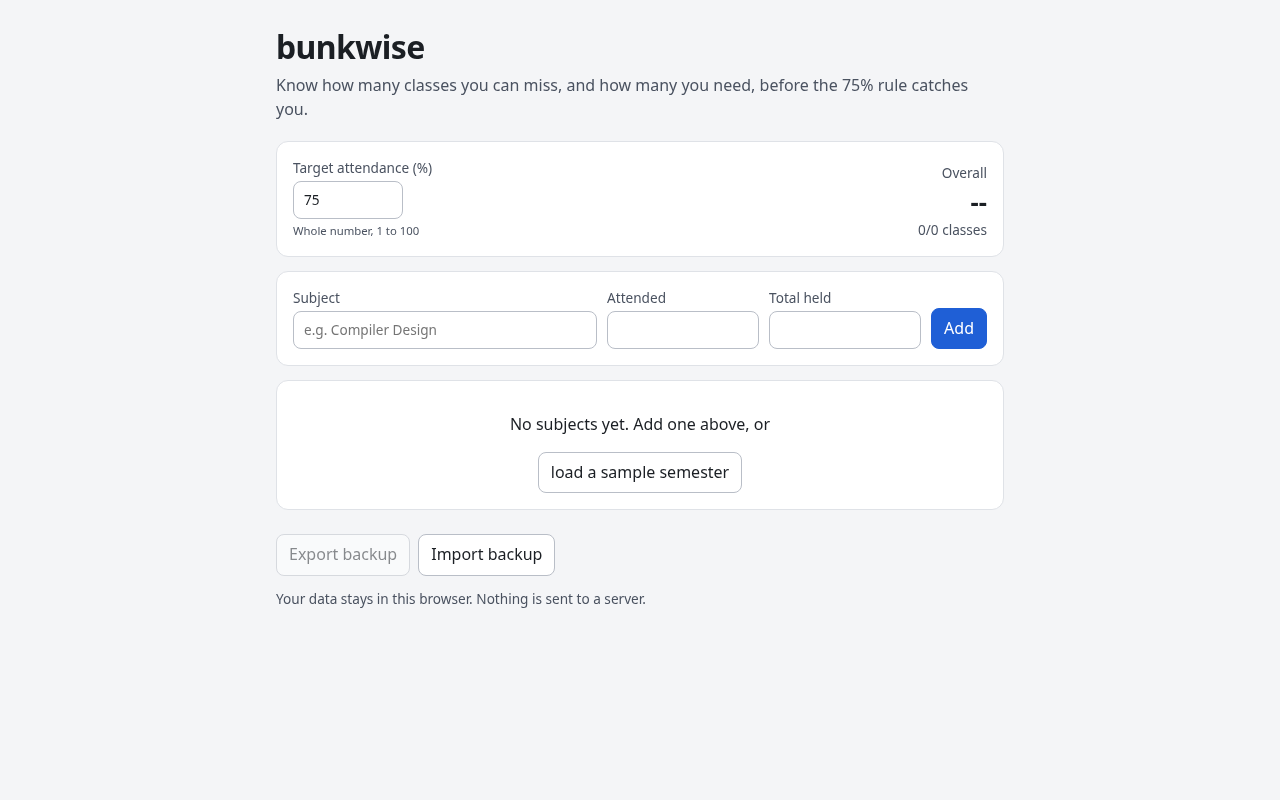
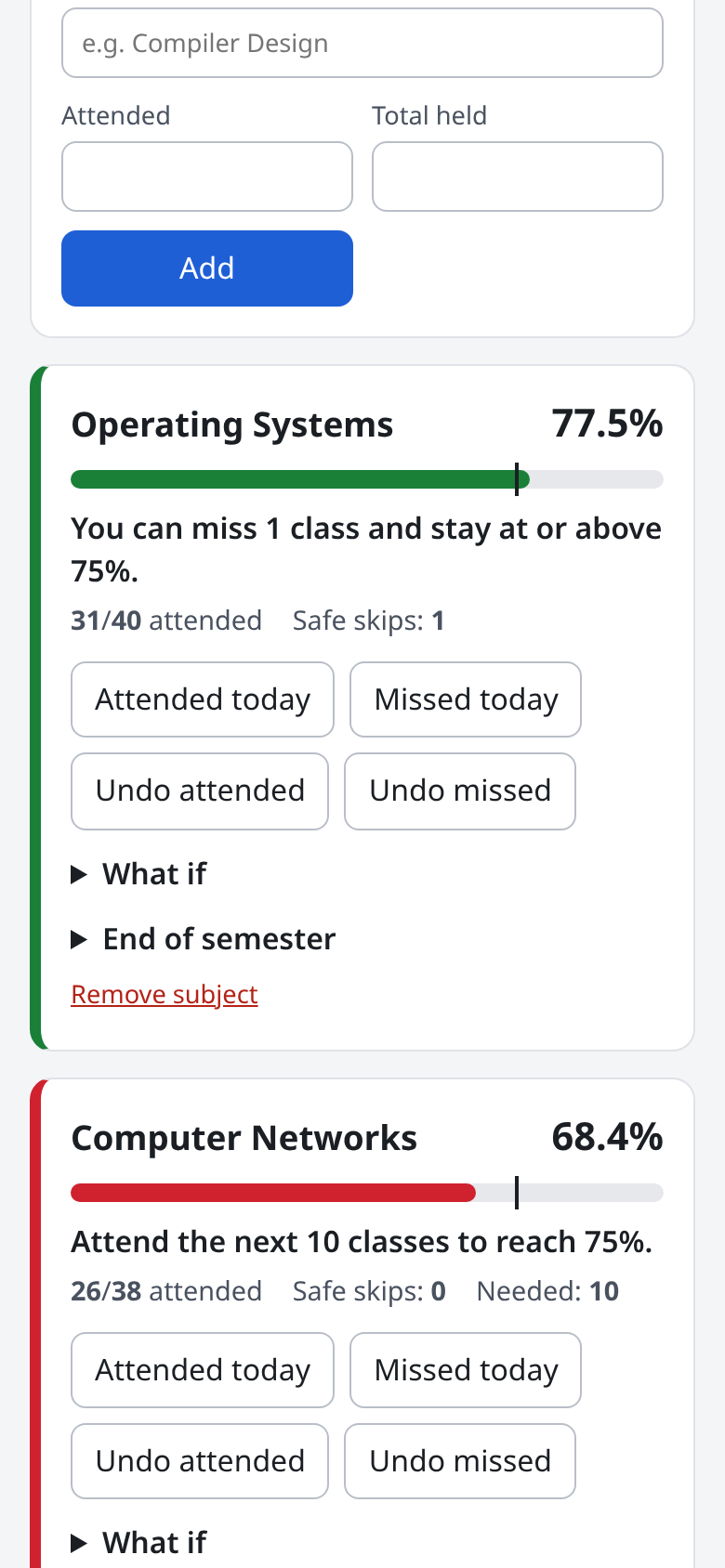
Status is always written in words ("Attend the next 10 classes to reach 75%"), not only shown in color. There is a sample semester button so you can try it in one click. No login and no server: data stays in localStorage, with JSON export and import to move between devices.
How I built it
The math lives in one TypeScript module with no UI code. With a attended, t held and a target of P percent:
- safe skips = floor((100a - Pt) / P)
- classes needed = ceil((Pt - 100a) / (100 - P))
- with
rclasses left, most you can skip = floor((100(a + r) - P(t + r)) / 100), capped atr; below 0 means the target cannot be reached
Example: 26 of 38 attended, 22 classes left, target 75%. floor((4800 - 4500) / 100) = 3, so attend at least 19 of the 22.
Targets are whole numbers, so every calculation stays in integers. 20 Vitest tests check each formula against a brute force loop: every attended and held count up to 50, and up to 20 remaining classes for the semester plan. A separate storage module validates anything read from localStorage or an imported file. The UI is React with plain CSS (under 50 lines), built with Vite and deployed as a static site on Vercel.
Challenges
- The boundary. Landing on exactly 75% counts as safe, and a 100% target after one miss can never be reached. Both cases have their own tests.
- Imported backups are untrusted input. A bad file is rejected with a reason instead of breaking the app.
- Phone layout. The add form overflowed a 390 px screen by 95 px. I fixed the grid so inputs shrink, and checked the page width with Playwright.
What I learned
Closed formulas are quick to write and easy to get wrong by one. Testing them against a dumb loop over every small case is what made me trust them.
Limitations
- Counts are entered by hand. No timetable import and no college portal sync.
- Data lives in one browser unless you export it.
- It does not model medical leave or condonation rules, which differ by college.
- The classes left value is not saved between visits yet.
What's next
A weekly timetable so one tap logs the whole day, and saving the classes left per subject.
Work done during the event
All of it. The repo was created and every commit was made on Nov 1 2026, inside the Oct 16 to Nov 20 2026 window. The only starting point was the Vite React TypeScript template.
Setup
git clone https://github.com/sreecharan-desu/bunkwise
cd bunkwise
npm install
npm run dev     # http://localhost:5173
npm test        # 20 tests
No API keys or environment variables.
Credits
React, Vite, TypeScript, Vitest and oxlint (MIT). Hosted on Vercel's free Hobby plan. AI assistance was used for parts of the code, docs and demo video. No datasets or third party assets.
Built With
- react
- typescript
- vercel
- vite
- vitest


Log in or sign up for Devpost to join the conversation.