Bumble
A modernized braille and Morse code learning experience, built on accessible software and low-cost hardware.
Inspiration
Nearly 2.2 billion people worldwide live with some form of visual impairment, and while a wide range of assistive technologies already exist for this group, an estimated 160 million people are both deaf and blind. For this community, the usual workarounds — relying on sight or sound — simply aren't an option, leaving a communication gap that modern accessibility tools rarely address.
At the same time, we saw an opportunity to think beyond a single user group. Braille and Morse code are powerful, time-tested communication systems, but the way they're taught hasn't kept pace with modern technology. We wanted to build something that could serve blind users, deaf users, and deafblind users with a single piece of hardware and a shared software platform — and then go a step further by making that same system genuinely fun and useful for sighted, hearing children. Early intervention and exposure to these skills can lower rates of bullying toward peers with disabilities, and kids are naturally drawn to anything that feels like a game. That combination — real accessibility impact plus broad, low-cost adoption — became the core of Bumble.
What it does
Bumble is a tactile learning device paired with a companion app that teaches braille and Morse code through three tailored curricula:
- Blind users can use the tactile 3x3 dot system alongside an audio feature on their phone or computer to reinforce braille lessons.
- Deaf users rely on the visual and tactile elements of the 3x3 dot system to learn braille without needing sound.
- Deafblind users use a dedicated Morse code curriculum, delivered through tactile dot buttons and haptic (vibration) feedback, so they can learn entirely through touch.
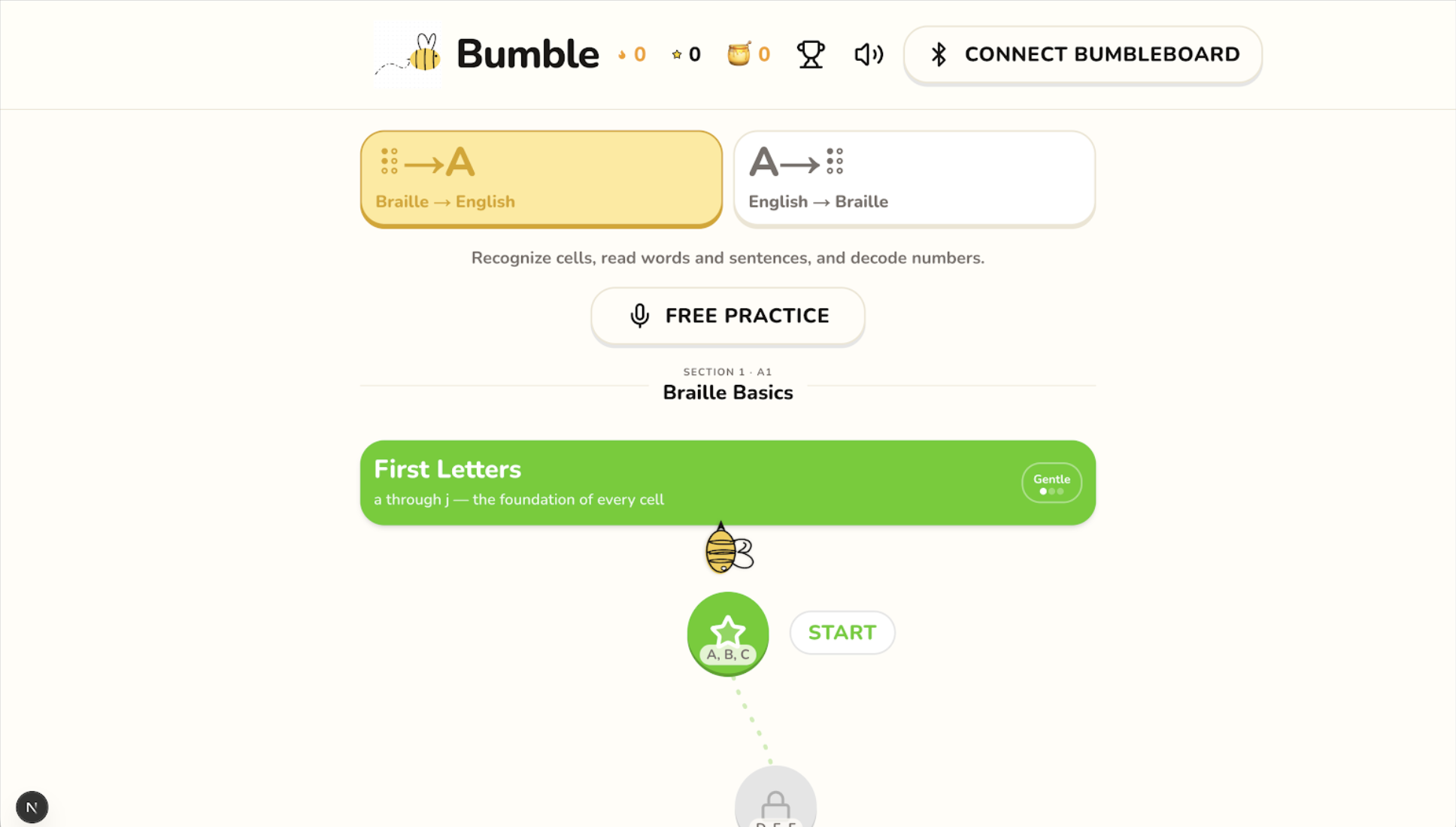
- Able-bodied users (especially kids) get their own gamified curriculum, complete with a points system and leaderboard, turning braille and Morse practice into a game they want to keep playing.
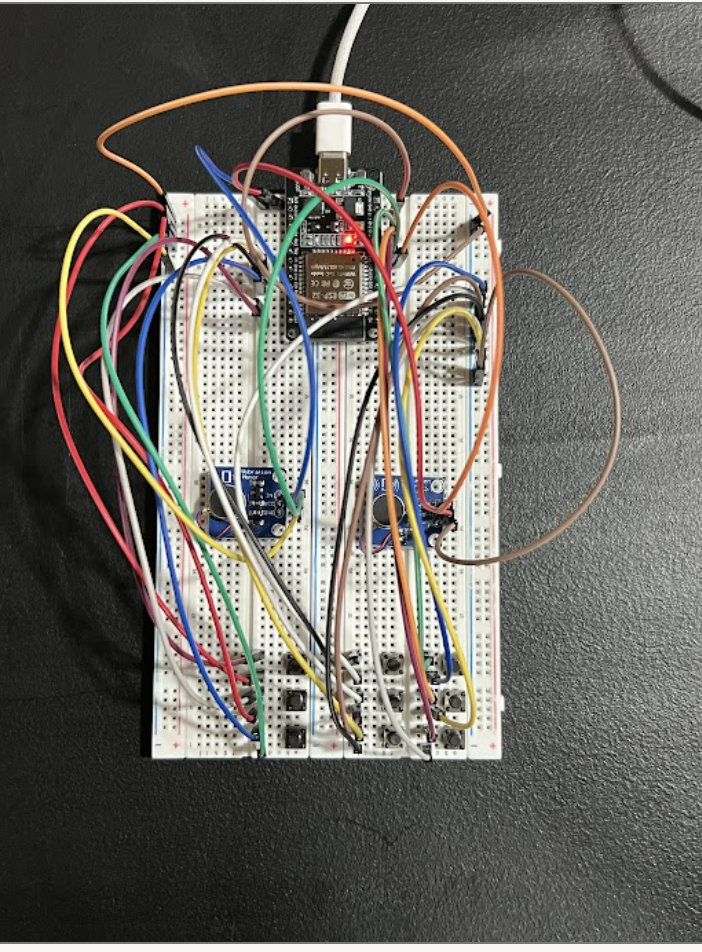
All of this runs on the same physical device — an ESP32-based controller with tactile dot buttons, a coin vibration motor, and a durable plastic/plexiglass enclosure — so the hardware adapts to the user rather than the other way around.
How we built it
- Hardware: We built our device around an ESP32 DEVKIT V1, which reads input from a grid of tactile dot buttons arranged in our 3x3 system and drives a coin vibrator for Morse code haptic feedback. The whole assembly is housed in a custom plastic and plexiglass enclosure designed to be durable and low-cost to manufacture.
- Firmware: The ESP32 handles button input mapping for the 3x3 dot grid, translates input/output into braille and Morse patterns, and triggers the vibration motor with precise timing for Morse code sequences.
- Software/App: The companion app layers on top of the hardware, providing audio playback for blind users learning braille, and visual feedback for deaf users. It also houses the curriculum logic for all four user tracks (blind, deaf, deafblind, and able-bodied).
- Curriculum design: We designed separate learning paths for each group, built around the same underlying 3x3 dot system, so the hardware stays universal while the teaching method adapts to the learner.
- Gamification layer: For the able-bodied/kids track, we added a points system and leaderboard on top of the same curriculum framework, turning lesson completion and accuracy into a competitive, game-like experience.
Challenges we ran into
- Mapping a 3x3 tactile dot grid to both braille and Morse code in a way that felt intuitive for users learning either system for the first time.
- Calibrating the coin vibrator's timing and intensity so Morse code patterns (dots vs. dashes) were clearly distinguishable by touch alone.
- Designing four distinct curricula — for blind, deaf, deafblind, and able-bodied users — that could all run on the same hardware without making the device overly complex.
- Balancing accessibility-first design with the gamified experience, so the leaderboard and points system enhanced engagement without distracting from the core learning goals.
- Keeping the hardware build low-cost and simple enough to be realistically manufactured and distributed in resource-limited communities.
Accomplishments that we're proud of
- Built a working prototype that serves blind, deaf, and deafblind users with a single piece of hardware — something most existing tools don't attempt.
- Designed a 3x3 tactile dot system flexible enough to support both braille and Morse code curricula.
- Created a gamified track that makes the same underlying system appealing and useful to children with no disability, widening the potential impact and adoption of the device.
- Kept the hardware build low-cost (ESP32, tactile buttons, a coin vibrator, and a simple enclosure), making it realistic to deploy in under-resourced communities around the world.
What we learned
- A deep dive into how braille and Morse code are structured, and how those systems can be represented through a shared tactile interface.
- How to integrate low-cost hardware (ESP32, tactile buttons, vibration motors) with a software layer that adapts its behavior based on the user's needs.
- The importance of designing for multiple accessibility needs simultaneously rather than building separate products — it forced us to find the common thread (the 3x3 dot system) that could serve everyone.
- That gamification isn't just a "nice to have" for kids — it's a meaningful pathway to wider adoption, which in turn drives the social impact of an accessibility tool.
What's next for Bumble
- Partnering with schools, accessibility organizations, and nonprofits that work with blind, deaf, and deafblind communities to pilot Bumble in real classrooms.
- Expanding the curriculum library for all four user tracks based on feedback from real users.
- Building out the companion app for wider release, including deeper integration with existing device accessibility frameworks (screen readers, voice assistants, etc.) to maximize compatibility without extra hardware.
- Refining the hardware design for even lower-cost manufacturing, with an eye toward distribution in underserved and impoverished communities globally.
- Growing the gamification system (leaderboards, achievements, multiplayer challenges) to keep kids engaged long-term and drive sustained adoption.


Log in or sign up for Devpost to join the conversation.