-
-
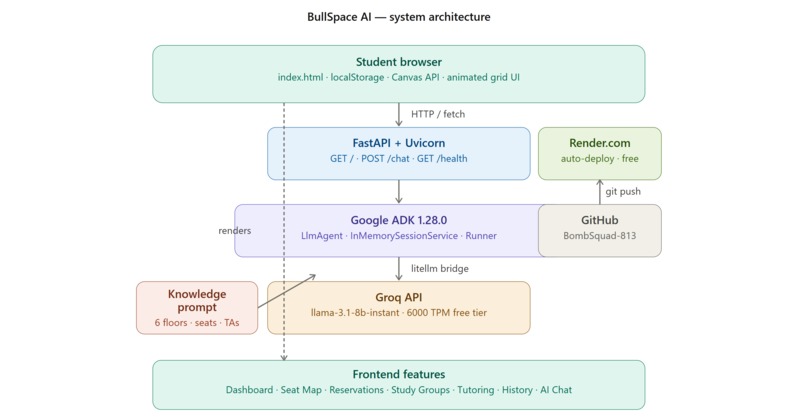
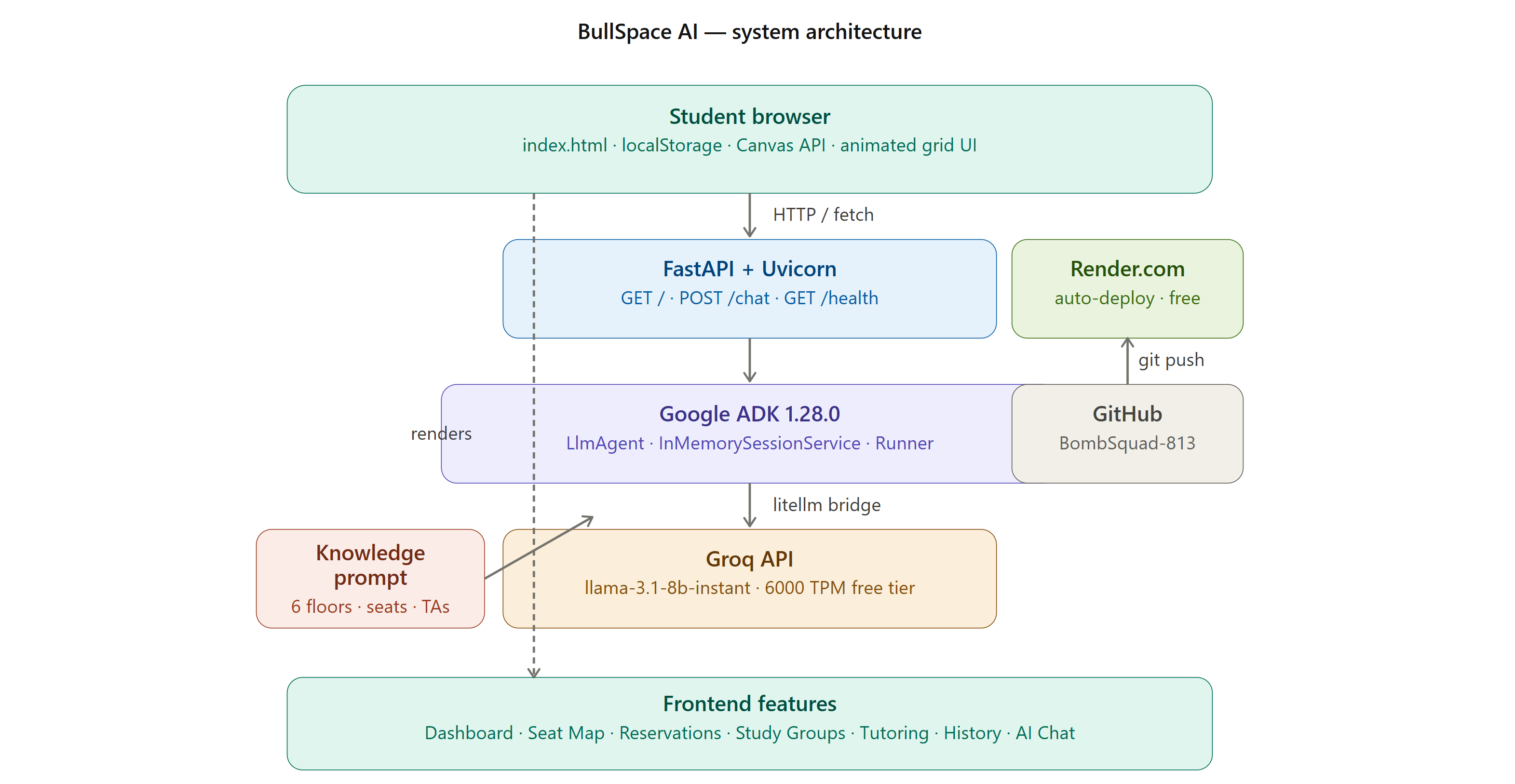
Architecture Full stack: browser → FastAPI → Google ADK 1.28 → Groq llama-3.1 → deployed on Render via GitHub.
-
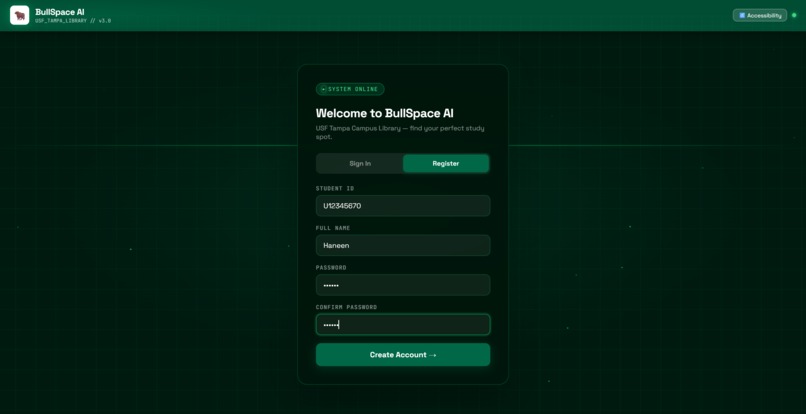
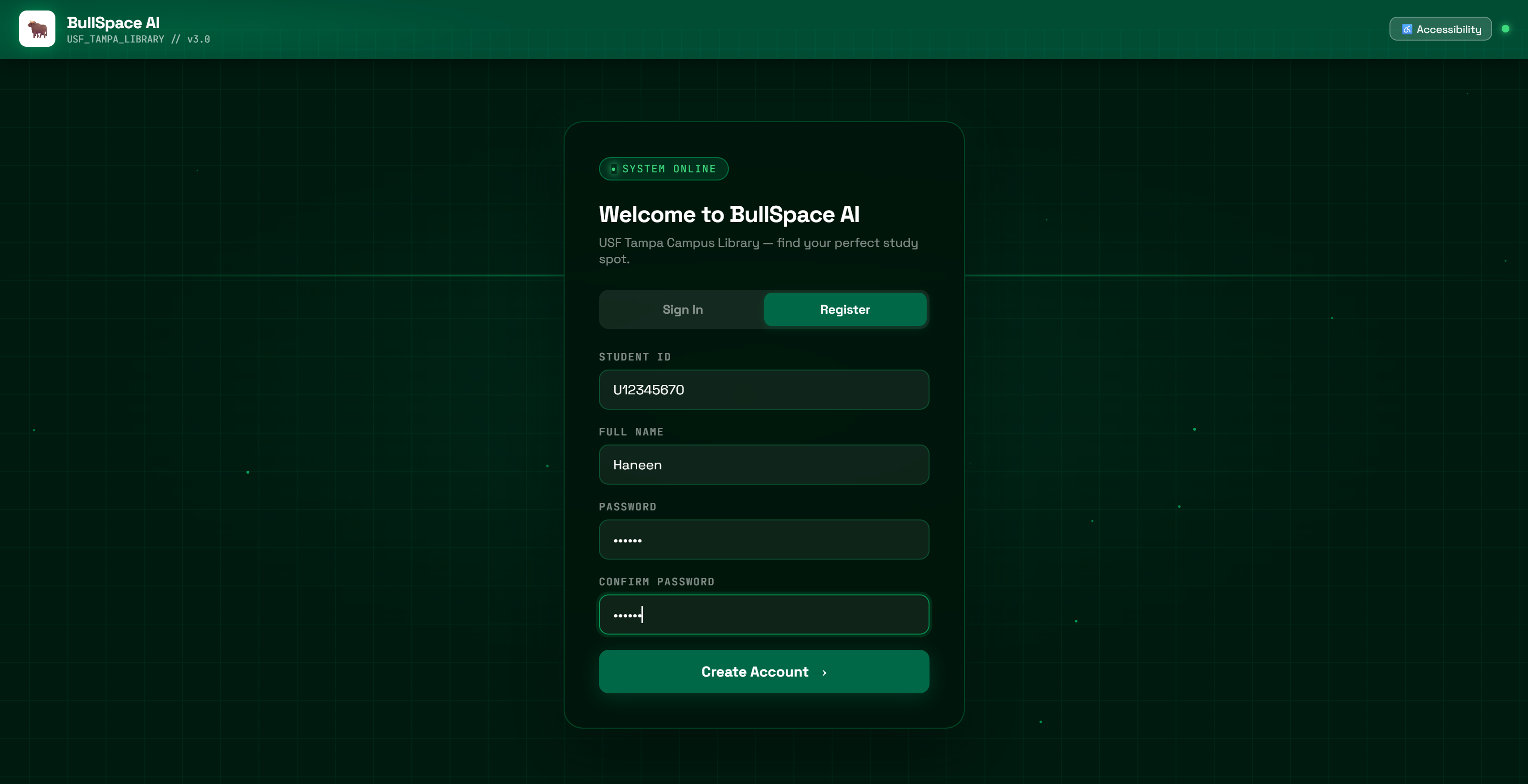
Register Student registration with USF ID, full name, and password on the animated dark green grid background.
-
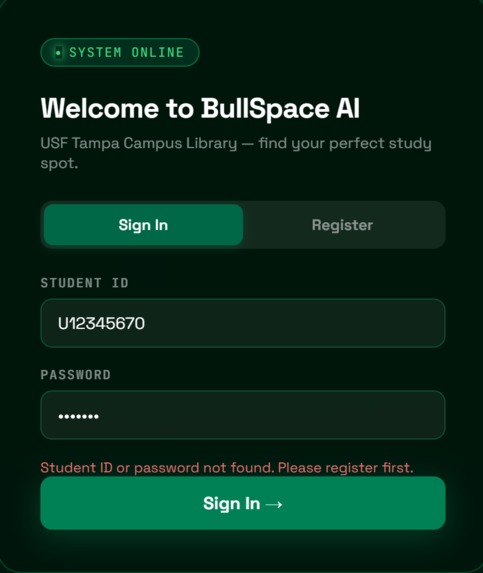
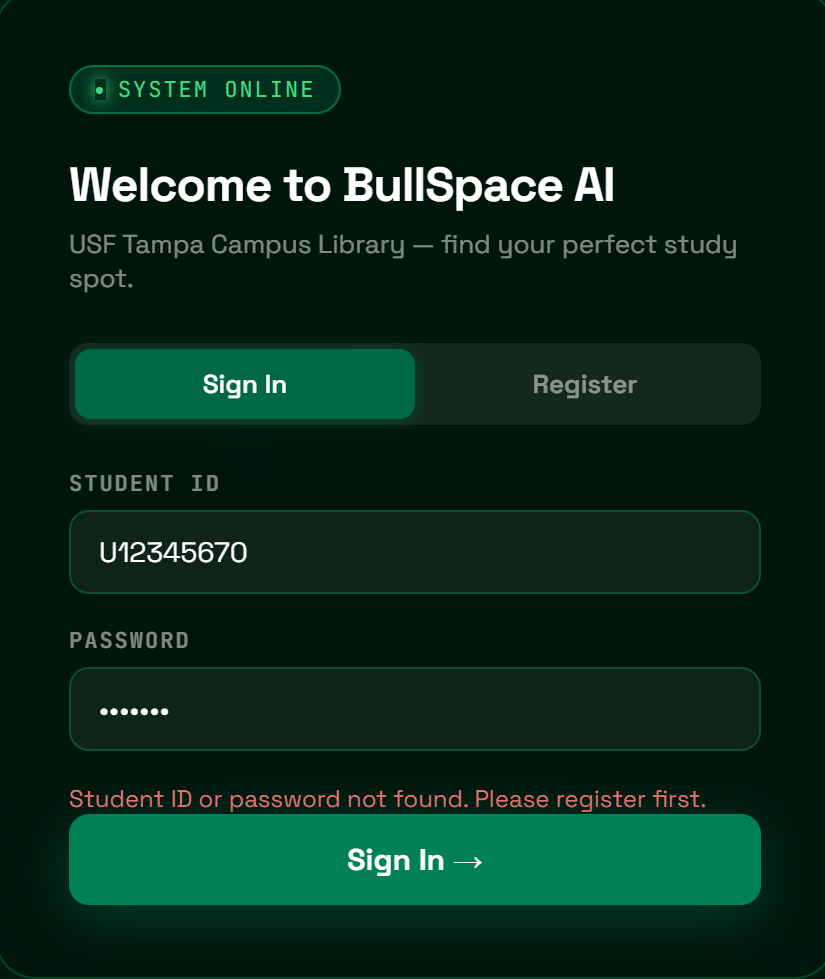
Failed Login Failed login shows "Student ID or password not found" — prompts student to register first.
-
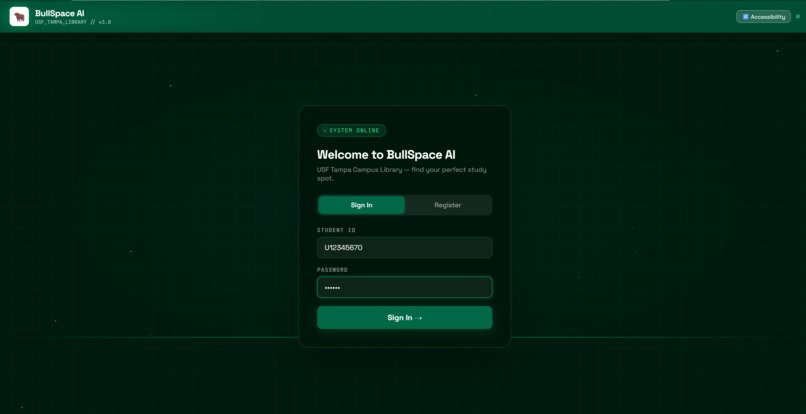
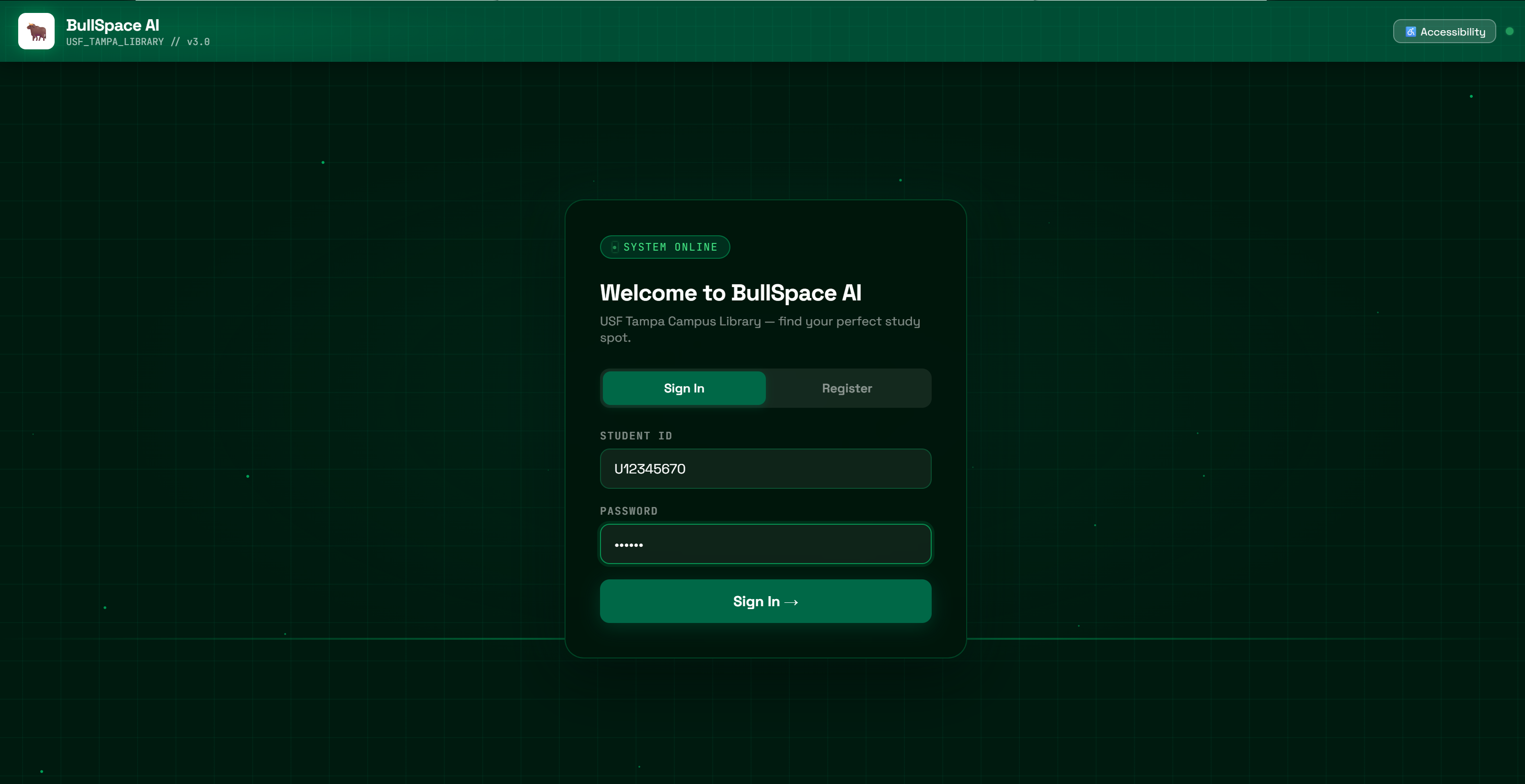
Login Successful sign-in on the animated dark green grid login screen with USF Student ID and password.
-
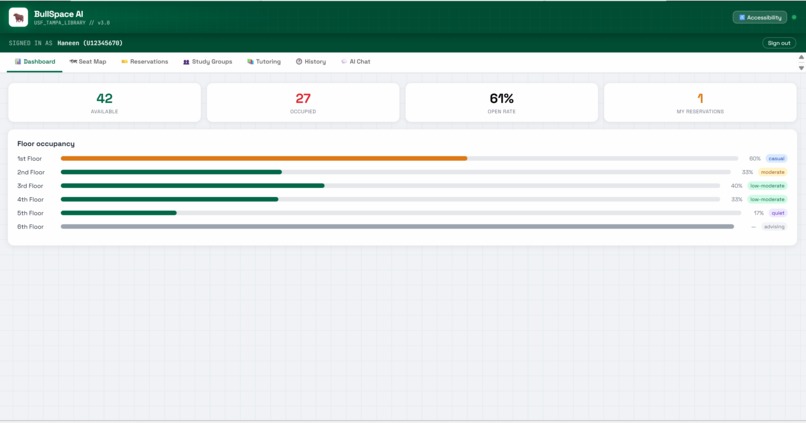
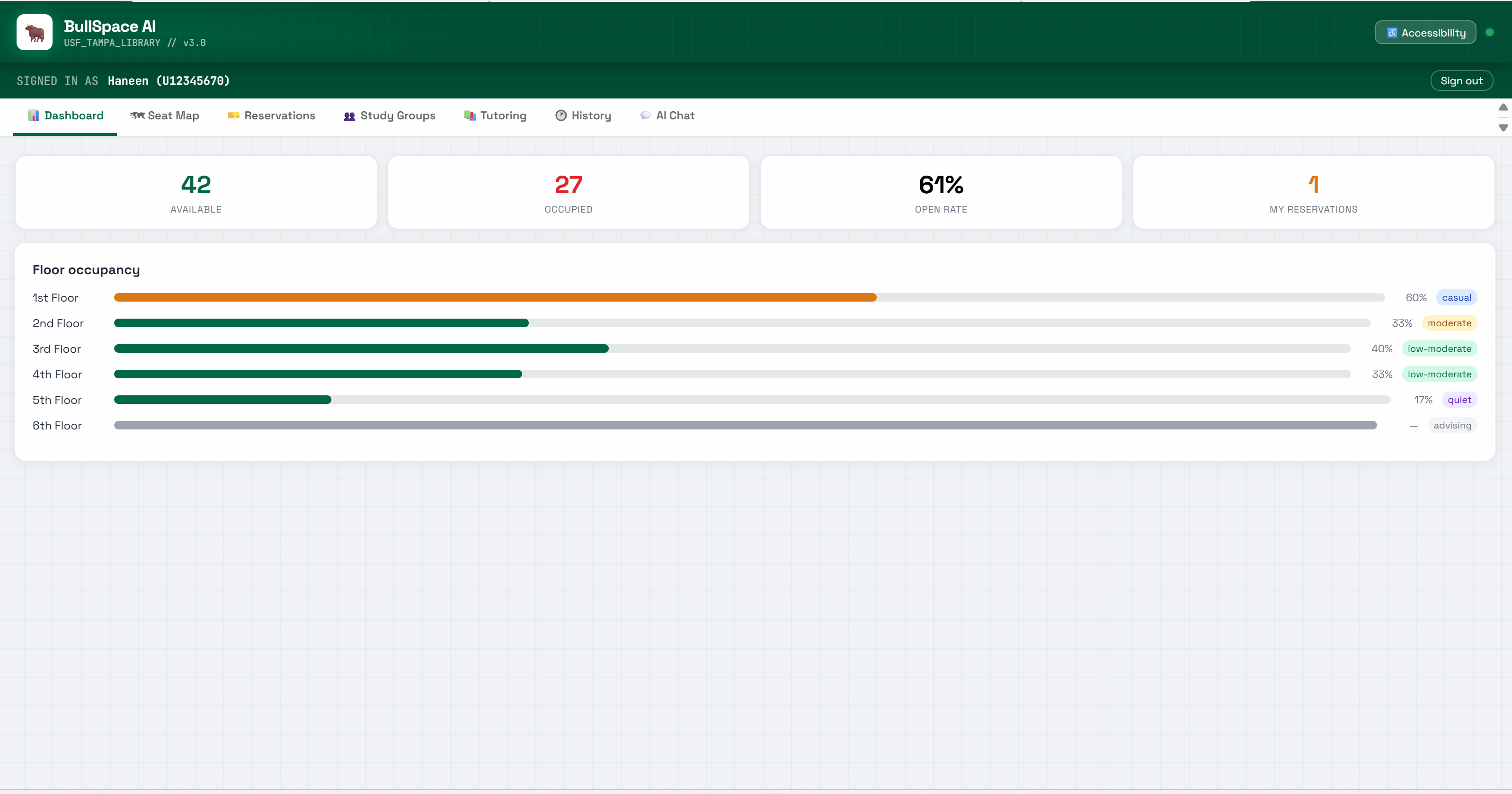
Dashboard 42 seats available, 27 occupied, 61% open rate — live floor bars across all 6 USF library floors.
-
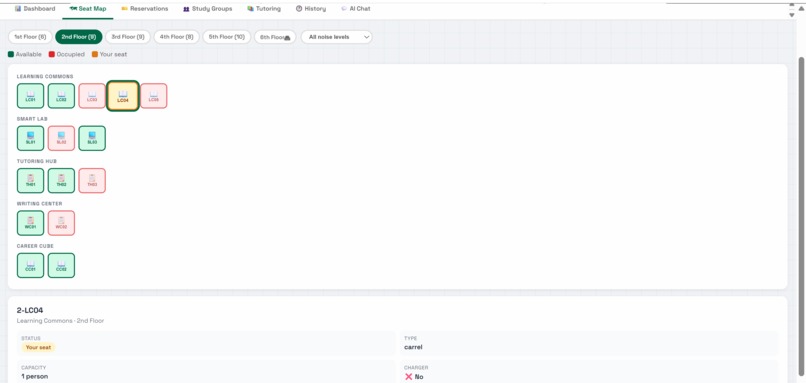
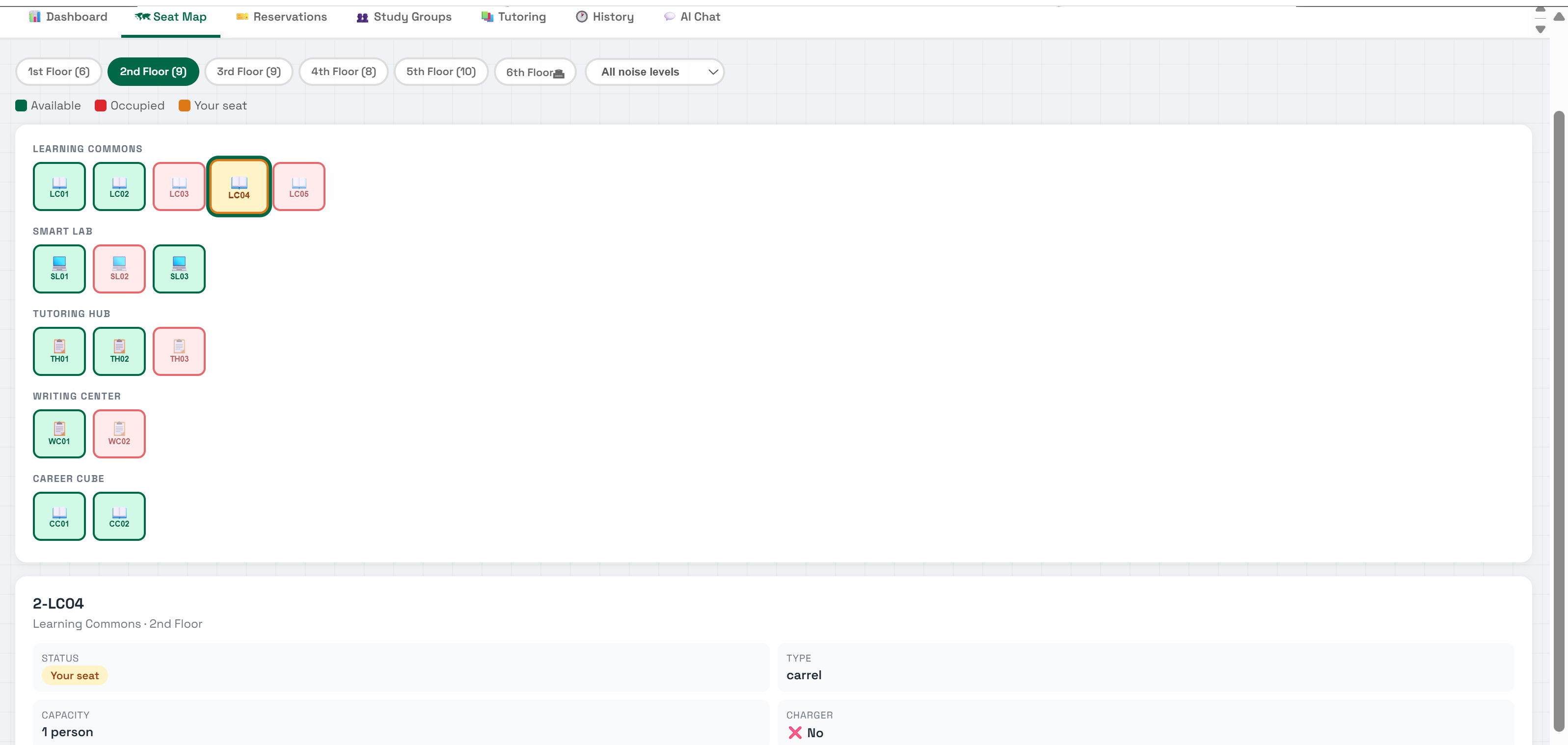
Seat Map 2nd Floor seat map — green available, red occupied, yellow yours — with full seat details below.
-
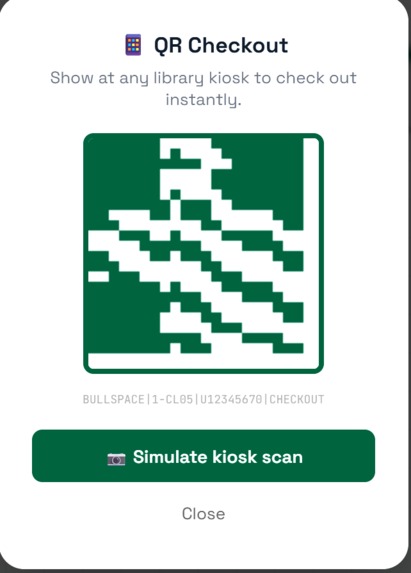
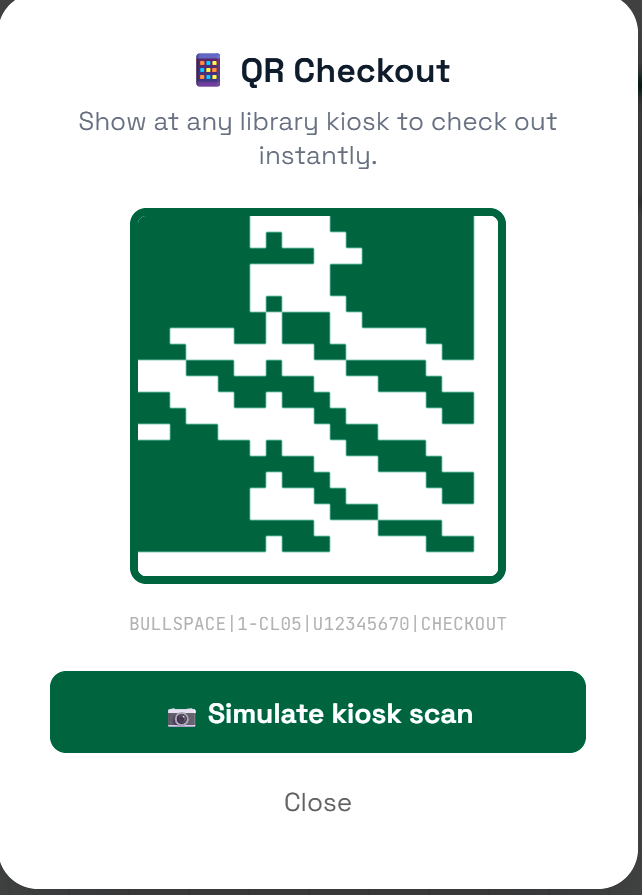
QR Checkout Canvas API generates a unique QR code per seat — scan at any library kiosk to check out instantly.
-
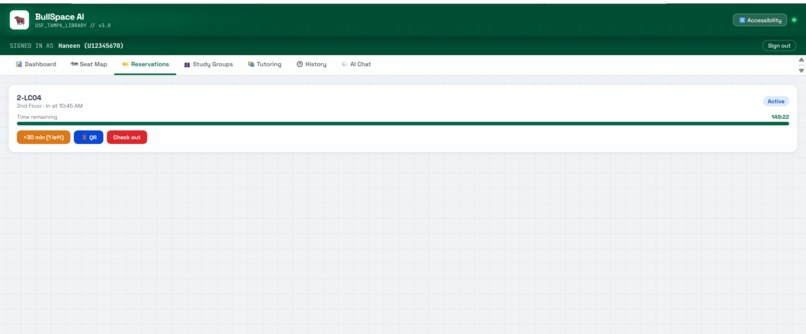
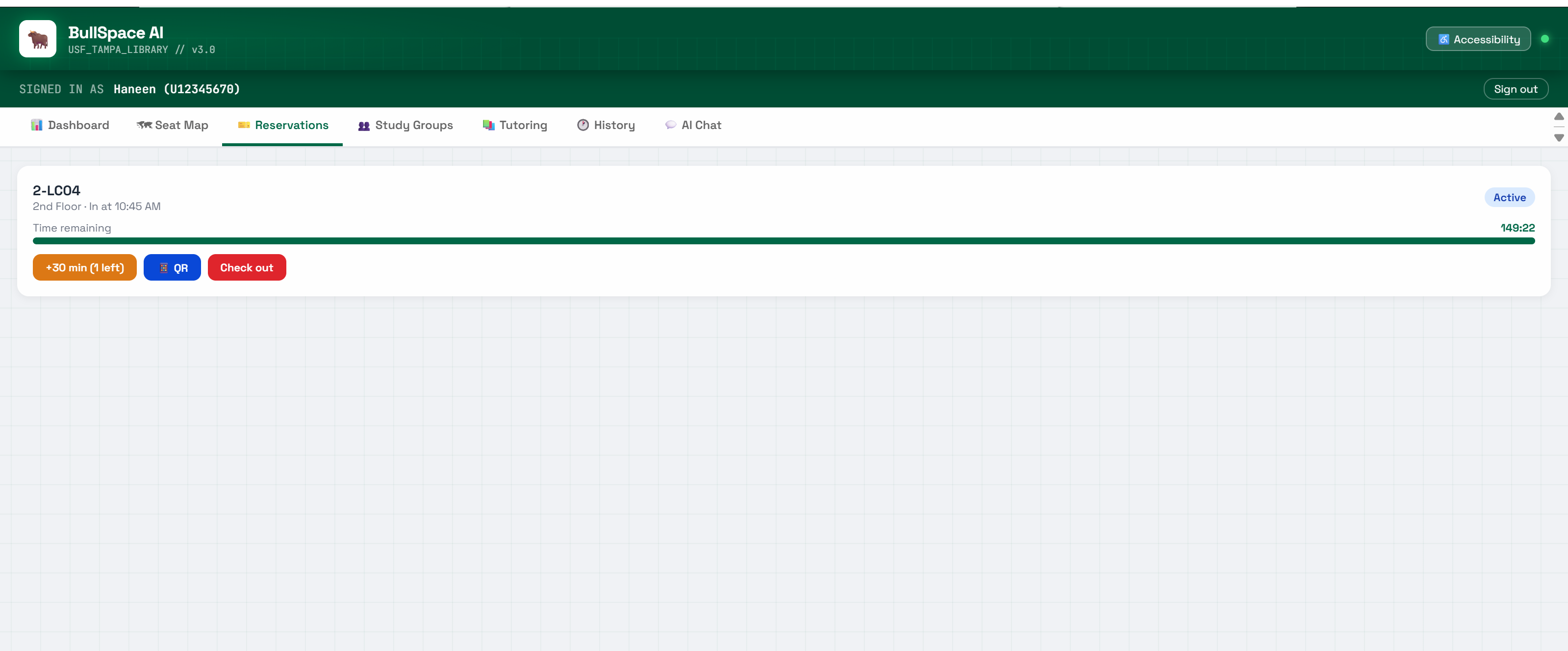
Reservations Active reservation for 2-LC04 — live 149-min countdown, extend session, QR checkout, or check out.
-
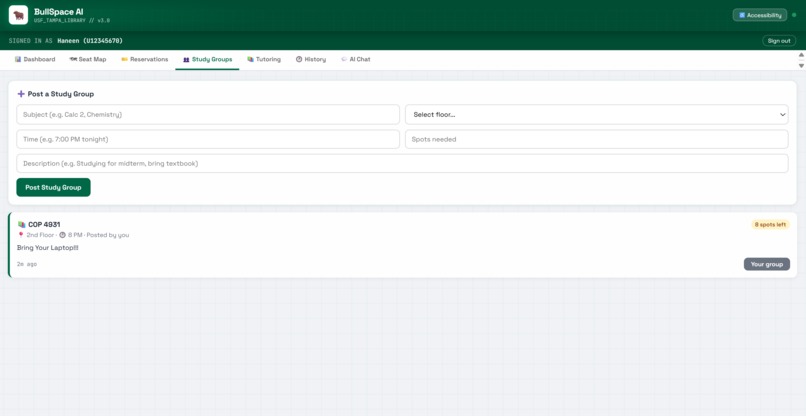
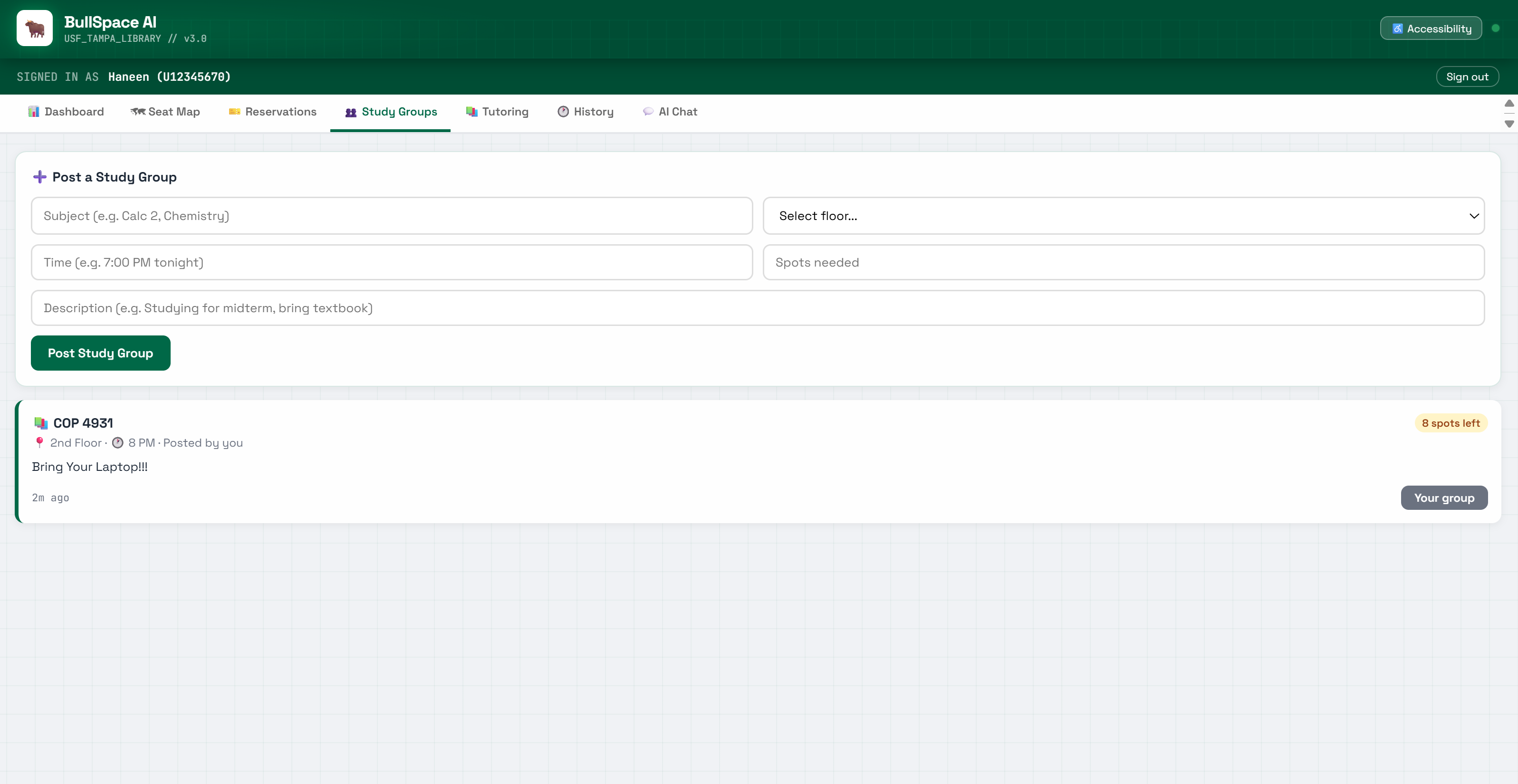
Study Groups COP 4931 group posted on 2nd Floor at 8 PM — 8 spots left, description, and "Your group" badge.
-
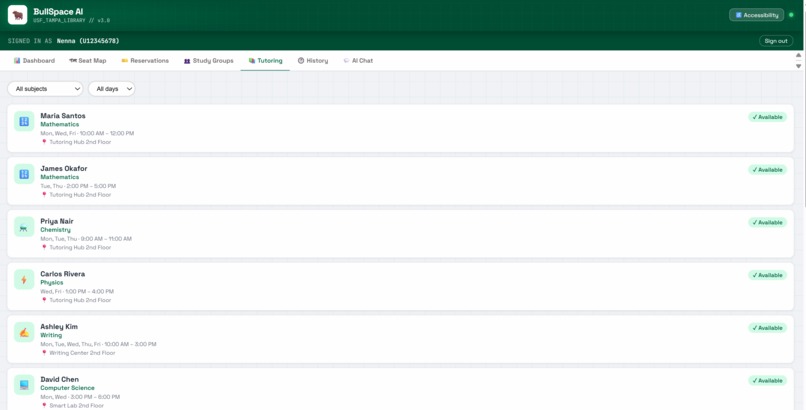
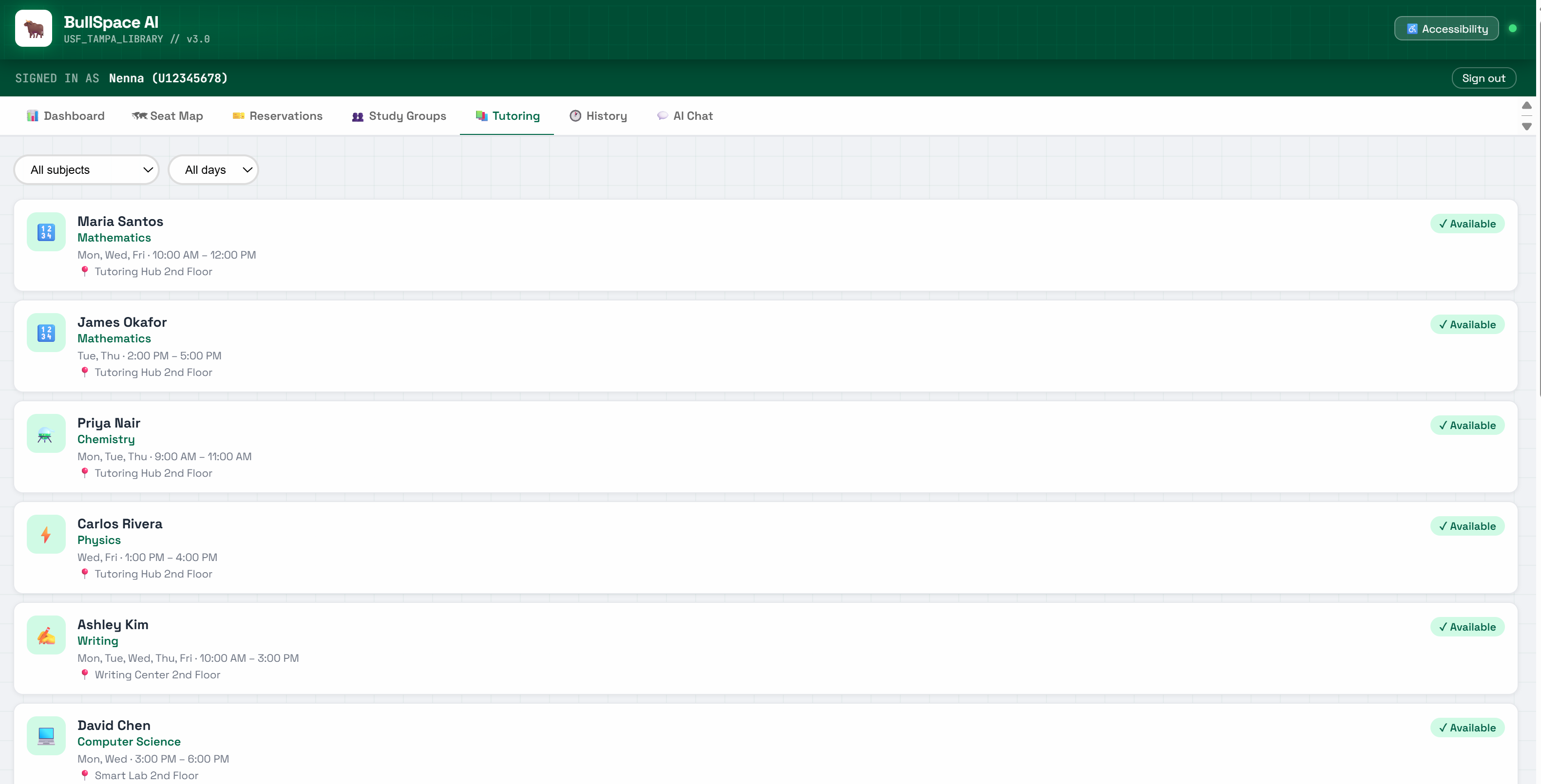
Tutoring 14 real USF TAs across 8 subjects — filter by subject or day, see hours, location, and availability.
-
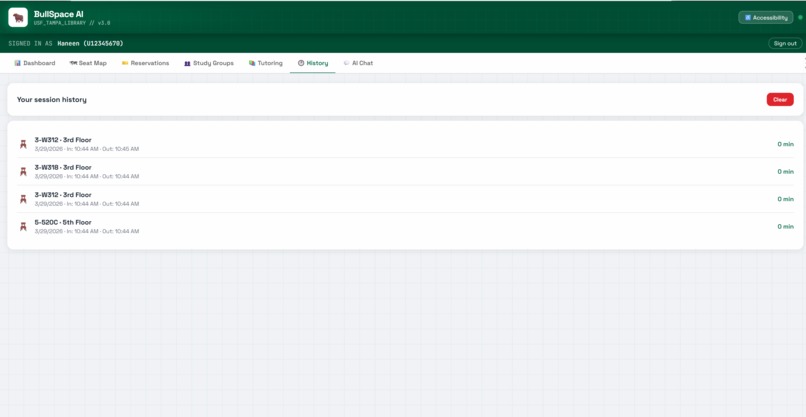
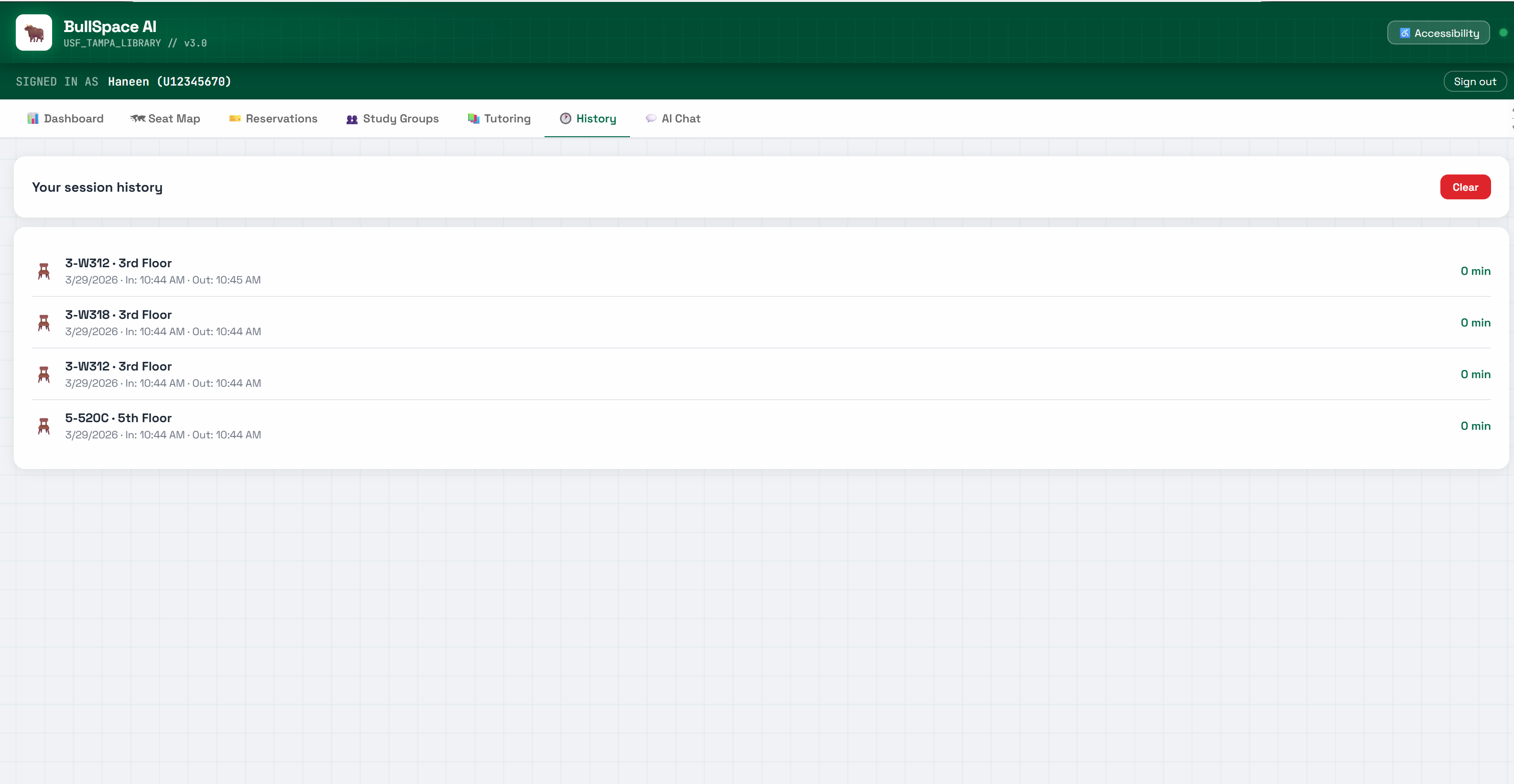
History Session history saved to localStorage — seat, floor, date, check-in, check-out, and duration tracked.
-
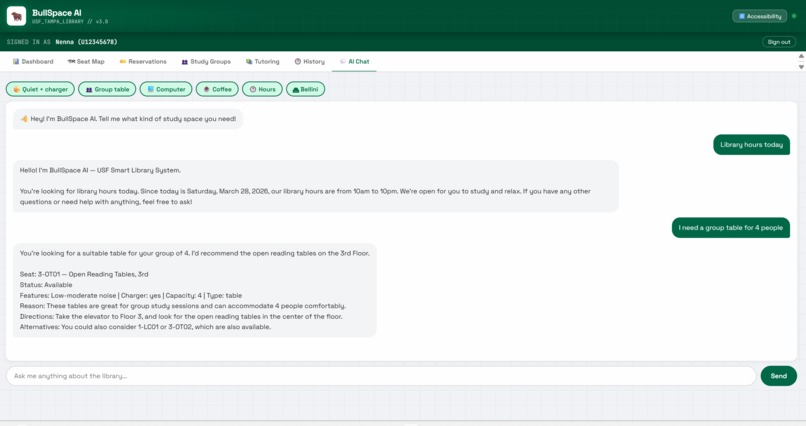
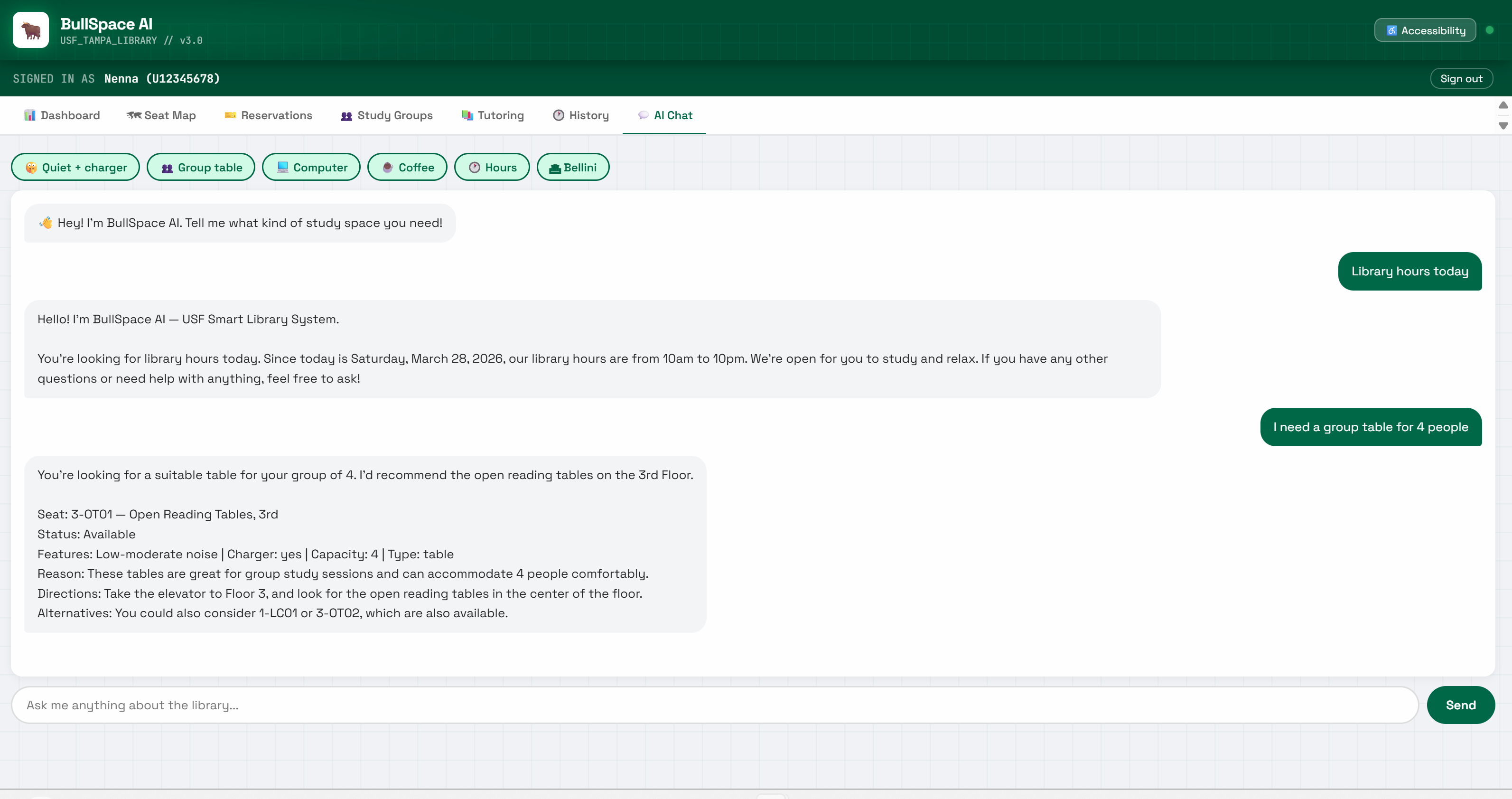
AI Chat AI recommends seat 3-OT01 for a group of 4 with noise level, charger info, directions & alternatives.
Inspiration
We are USF students. We have all lived this problem.
You walk into the library the night before an exam, go up to the 3rd floor — no seats. Try the 4th — no seats. Try the 5th — no seats. You end up on the floor or you leave. And the worst part? You had no way to know before you even walked in.
That's what inspired us to build BullSpace AI. We wanted to solve a problem that every single USF student deals with, every single day. Not a made-up problem — our problem. One we've all experienced firsthand walking into Shimberg Library.
What it does
BullSpace AI is a smart library system built specifically for USF Tampa Campus Library. It has 7 fully working features:
- Live Dashboard — real-time occupancy across all 6 floors with color-coded bars so you know exactly where to go before you leave your dorm
- Interactive Seat Map — a visual map of every seat on floors 1–5. Green means available, red means taken. Click any green seat to see the details and reserve it instantly
- Reservation System — 2-hour sessions with a live countdown timer. You can extend your session up to twice if you need more time
- QR Checkout — three ways to check out: tap the button, let the timer expire automatically, or scan the QR code at any library kiosk
- Study Group Finder — post a study group with your subject, floor, time, and how many spots you need. Anyone can see it and join. Groups auto-expire after 3 hours. This is the only USF-specific study group finder that exists anywhere
- Tutoring Hub — 14 real tutors across 8 subjects with their full weekly schedules. Filter by subject or day and see who's available today
- AI Chat Agent — ask anything in natural language. "Find me a quiet seat with a charger" or "where can I get coffee?" and get a real structured answer instantly
We also added session history that saves to your browser, an accessibility mode for larger text and higher contrast, a 15-minute expiry warning popup, and the 6th floor Bellini AI College correctly marked as advising-only — because we kept seeing students waste trips going up there looking for seats that don't exist anymore.
How we built it
We built everything from scratch during the hackathon as a team of four — Thu, Natalia, Hana, and Haneen — three of us hacking for the very first time.
The AI backbone is Google ADK 1.28.0 — a multi-agent framework from Google that we used to build the library assistant agent. For the AI model we used Groq's llama-3.1-8b-instant which is genuinely free with no credit card required. The web server is FastAPI with Uvicorn running in Python, deployed on Render.com which auto-deploys every time we push to GitHub.
The entire frontend is a single HTML/CSS/JavaScript file — no framework, no dependencies. Session history is saved with localStorage so it persists even when you close the browser. The QR codes are generated with the Canvas API entirely in the browser.
All the floor data came from the real USF Tampa Library floor maps — real room numbers, real zones, real noise levels. We went through the actual PDFs floor by floor to make sure every seat ID and zone name is accurate.
For research and early exploration we also used Google AI Studio and Gemini, which helped us understand the problem space and plan the architecture before building.
Challenges we ran into
This build had more blockers than we expected — especially for a team where three of us had never hacked before.
Groq tool calling was completely broken for llama models. We spent hours debugging crashes before we realized Groq was formatting tool calls with a comma separator instead of proper JSON — so every single tool call failed with a 400 error. We tried reducing parameters, switching models, rewriting schemas. The fix ended up being removing all tools entirely and embedding all USF knowledge directly in the agent's system prompt. It actually made the system faster and more reliable.
Gemini API quota was zero. Our original plan used Gemini. Every key we
tried came back with limit: 0 — not a usage issue, a Google account
activation problem. We had to pivot to Groq completely mid-build.
pywin32 broke our Linux deployment. Running pip freeze on Windows
included pywin32 in requirements.txt. Render runs on Linux and can't
install it. Every build failed until we filtered it out.
Multi-agent transfer doesn't work with Groq. Google ADK's
transfer_to_agent mechanism only works natively with Gemini. Our original
design had 4 specialist sub-agents. We had to redesign the whole architecture
into a single intelligent agent — which ended up being more reliable anyway.
Three first-time hackers learning everything in real time. Setting up Python environments, git, API keys, deployment pipelines — things that feel simple to experienced developers were all new to most of us. We figured it out together.
What we learned
The biggest thing we learned is that knowledge-in-prompt beats tool calling for fixed datasets. When your data doesn't change in real time, embed it in the system prompt — it's faster, more reliable, and eliminates an entire category of bugs.
We also learned to always test your AI provider's specific behaviors before building around them. Groq and Gemini handle tool calls very differently, and assuming they work the same cost us hours we didn't have.
For three of us, this was our first time ever building and deploying a real web application. We went from zero to a live, working, publicly accessible system in under 24 hours. That alone felt impossible at the start.
And the most important lesson — the best features come from real problems. Study Group Finder wasn't in the original plan. We added it because we thought about what we actually wish existed as USF students, not what would look impressive in a demo.
What's next
- USF NetID single sign-on so any student can log in instantly
- IoT pressure sensors at each seat ($8–15 per seat) for automatic real-time occupancy detection — no student check-in required
- Firebase Firestore for cross-device reservation sync in real time
- Expand to USF St. Pete and Sarasota-Manatee campuses
- Predictive crowd modeling so the system knows finals week is busy before it even starts
The architecture is already built to scale. The agents are modular. The only thing between this demo and a fully live system is hardware — and that hardware costs less per seat than a Starbucks drink.
TEAM SECTION on Devpost
Make sure all four are added:
- Haneen — create the project, invite the others
- Thu
- Natalia
- Hana
FIRST TIME HACKERS
Yes — 3 out of 4 team members are first-time hackers. Check the box.
UNIVERSITY
University of South Florida

Log in or sign up for Devpost to join the conversation.