-
-
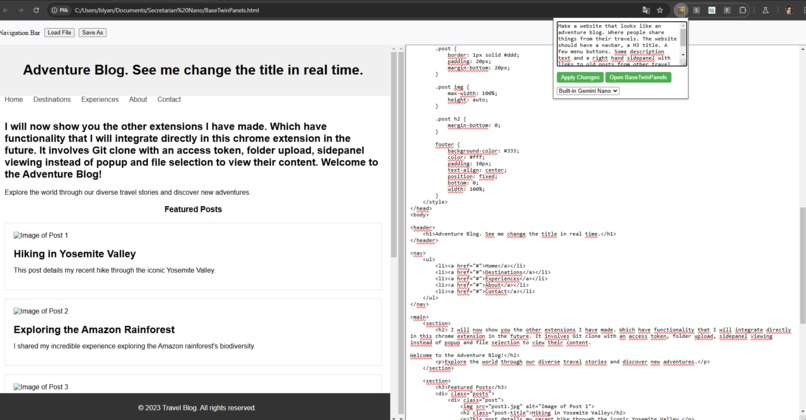
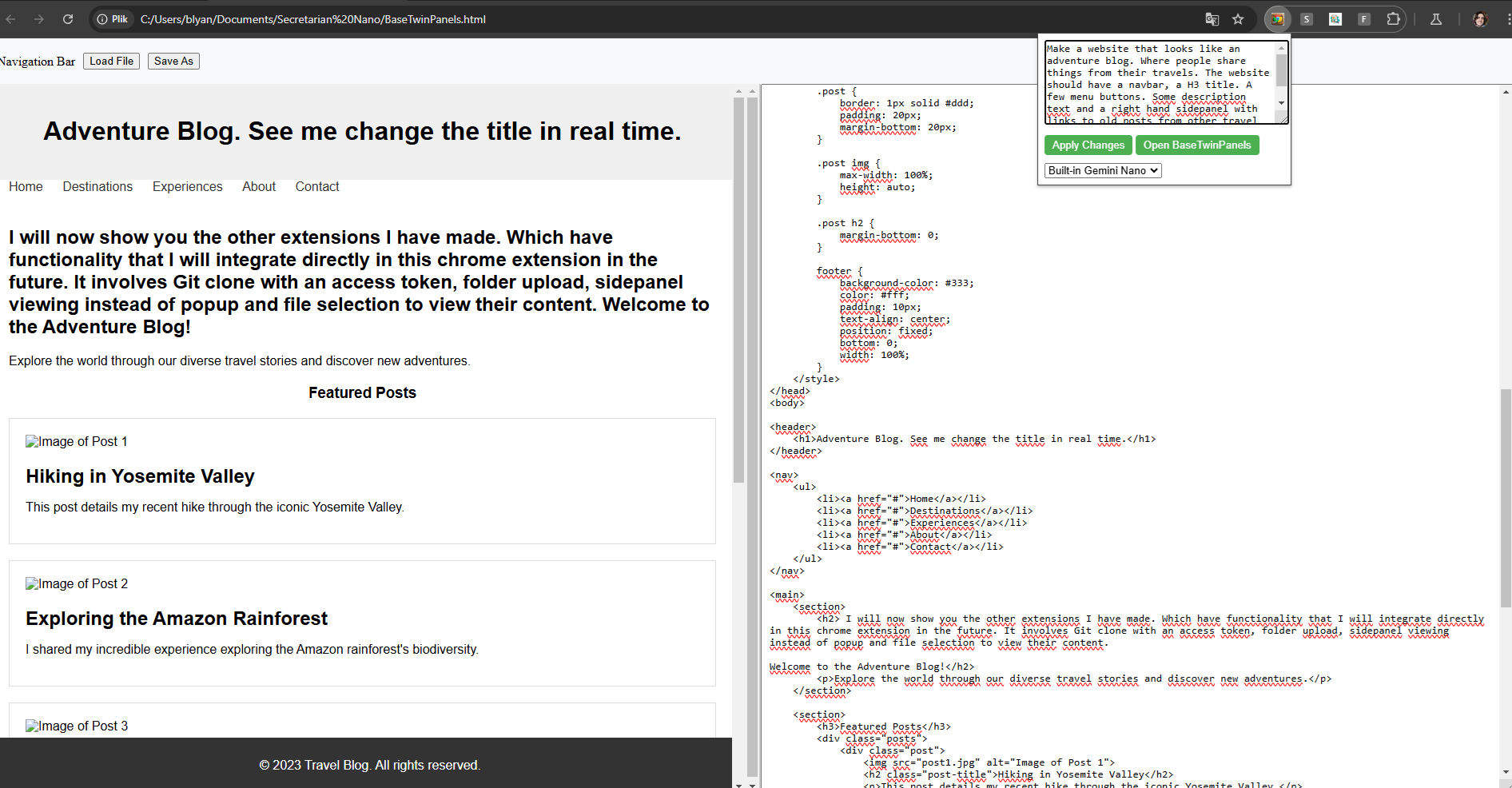
Here I two panels. The right side holds code from Gemini Nano LLM. The left side shows the code as a website.
-
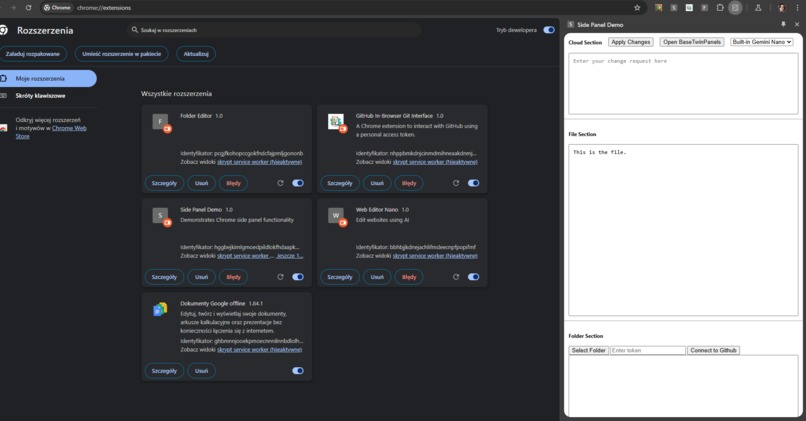
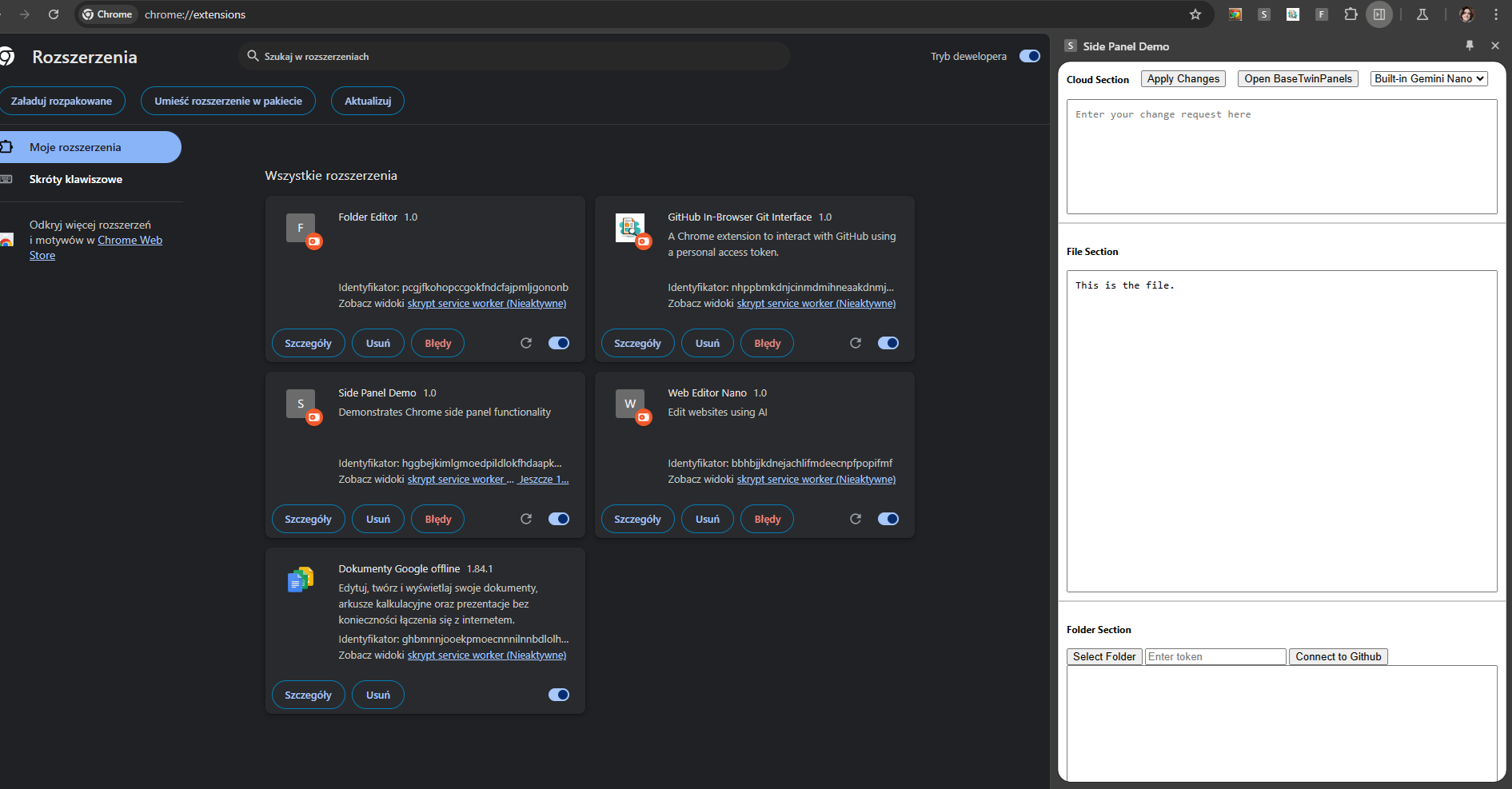
Here you see a sidepanel loaded extension I made as branch experiment, this is closer to how the extension will load and look in the future.
-
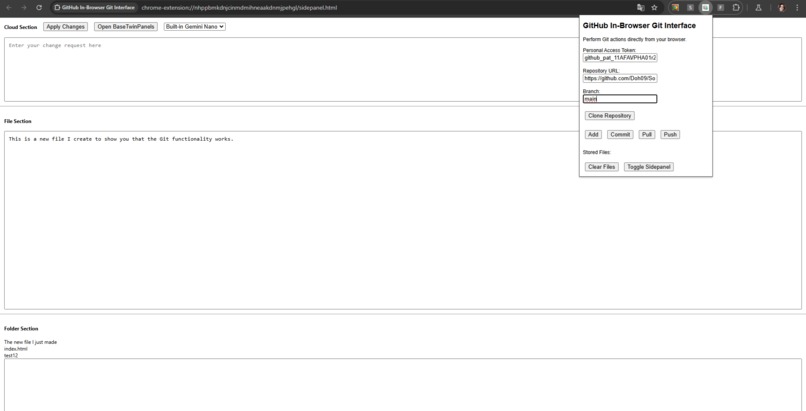
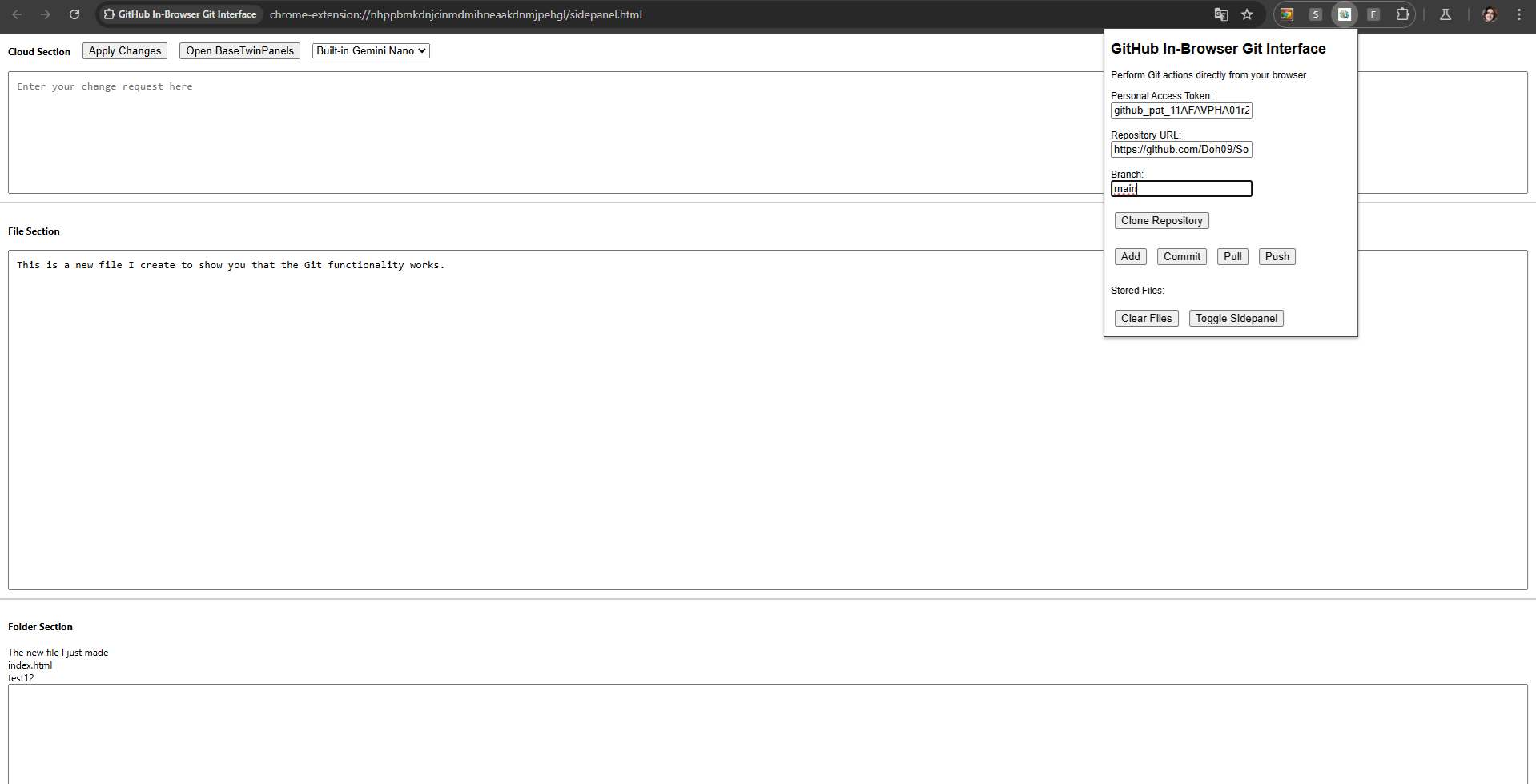
Here you see another branch experiment with a different chrome extension,where I show how I connect to Git, load files, select and show them
-
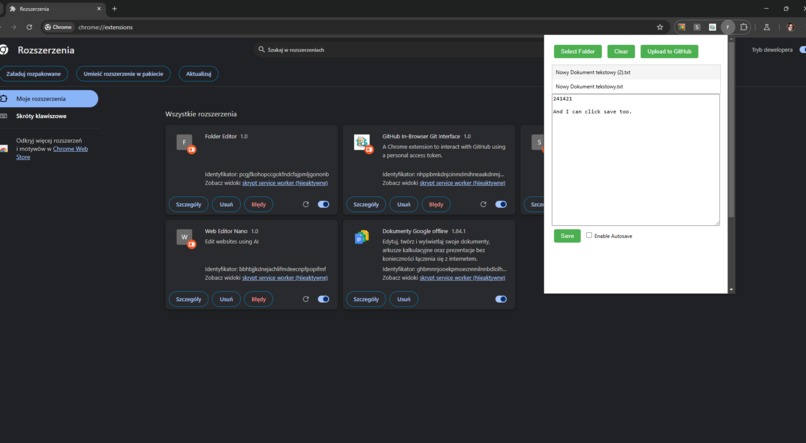
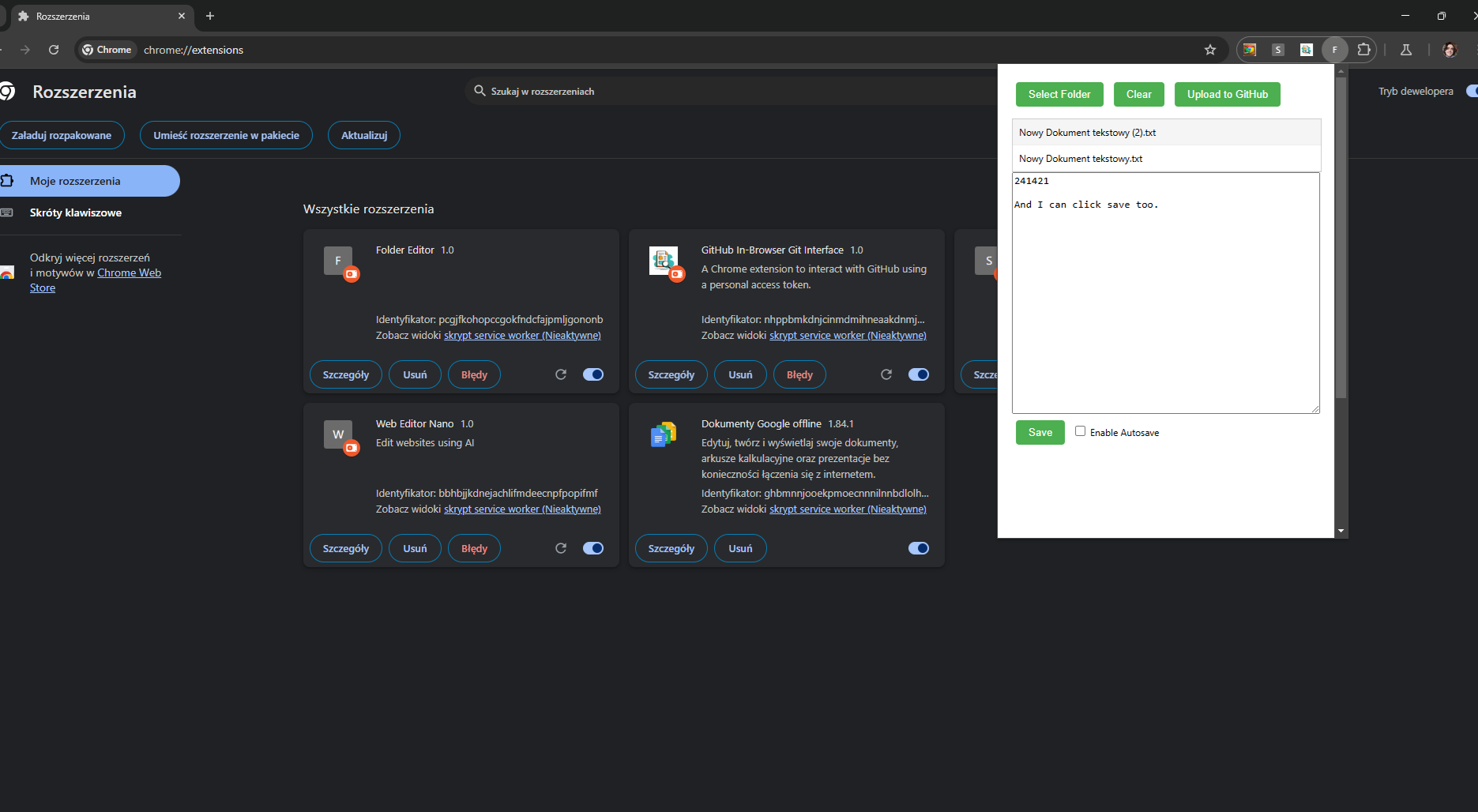
Here you see another chrome extension experiment, different branch, where I upload a folder, select its files and show their content.
Demonstration video
https://www.youtube.com/watch?v=OpnJnBUXxJE
Please note, that after I click "apply changes" to prompt the LLM. Within the first 30 seconds of the video. From there on there is a 3-4 minute gap in the video where the GPU of my computer is thinking. This is because I have a laptop with on-board GPU. So it needs to think for a while. You may skip the waiting time by watching the first 30 seconds and then skipping 3-4 minutes in where action begins again.
Inspiration
I am inspired by the opportunity to code websites more easily agnostically of what framework I use. This Chrome extension lets you do that with the help of an LLM.
What it does
Lets you select either to use the built-in Gemini Nano LLM. Or an external LLM called via HTTP. You can then write a website description and it will make the base HTML page (with styling) for you. There is a pre-written prompt that will be combined with the user prompt, for best results. The pre-written prompt instructs the LLM to only respond with the code that goes between the and tags.
How we built it
I use Visual Studio Code and work in Google Chrome's Canary version. The project is in one folder for ease of navigation, but could be split into subfolders if needed. The default LLM is Gemini Nano. I have set the relevant permissions in the manifest.json, created the icon files, created the javascript files and HTML files needed. And then put them all a folder. Which I then upload in Google Chrome Canary with the developer setting enabled. Under chrome://extensions/.
I have created 3 other extensions with functionality I wish to integrate into this extension too. I made those functionalities in separate extensions so as to keep the code simpler when testing new features. That means that I have 3 other extensions where:
- A Github personal access token can be used, alongside a HTTPS url address to a Github repository and the name of the default branch for the repository. To download the Github repository, list its files, click those files and review them for editing.
- A folder can be uploaded, the files in the folder clicked and their content be seen.
- The sidepanel closing and opening works directly with the chrome extension icon.
The idea is to store the files in chrome.storage.local while working on them in browser. And then having the option to push them to Git or to download them after, as individual files or as zip files.
I also have it working so that the Grok AI can be used in place of the Gemini-Nano LLM if one wishes to do so. Or for that matter. Any other LLM contactable by HTTPS.
Challenges we ran into
There were some permissions for folder upload that worked in Chrome Extenion's popup.html window but not in the sidepanel window. I had this confirmed by implementing exactly the same code both places, and ensuring all relevant permissions were set. It still only worked in the popup. An online search suggested this can be because the sidepanel does not have all the same possibilities that the popup itself has. I tried circumventing it with an offscreen document, but the scripting file for that purpose did not load. Gemini Nano sometimes had startup hiccups but overall it works.
Accomplishments that we're proud of
I made the built-in LLM, Gemini Nano, able to generate a website. Which is then displayed in-browser immediately after.
What we learned
A lot more about Chrome extensions.
What's next for Built-In Secretary/Coding assistant
I will integrate the functionality from the 3 other mentioned extensions I made. So that the full project will work in sidepanel. With upload and download of folders. With connection to Git for clone, add, commit, push (via a personal access token with fine-grained access). These functionalities exist in separate extensions but I need to integrate them into this existing main one. So that all of it works in one extension.
Effectively that will mean that the chrome extension allows an in-browser IDE for code editing. With direct Git integration. The Git clone part works in the extension I made for that, so does also the file list and select to view the file. So if I add that, and add the folder upload/download, it is like a very easy to acquire IDE.
The downside is that you require a personal access token. The upside is that you can edit files directly in browser with LLM assistance without using an external website.
The code and files need to be cleaned up. Overall it is a project well on its way though.
There are a few errors that need correction too. Like right now the LLM message to Geminin Nano only works the first time a tab is opened. But overall it works as it should. As demonstrated in the video.
I encourage you to watch the video. And to read the text I write in the video as you go along. For a good demonstration.
Built With
- chrome
- css
- gemini-nano
- html
- javascript
- visual-studio-code

Log in or sign up for Devpost to join the conversation.