-
-
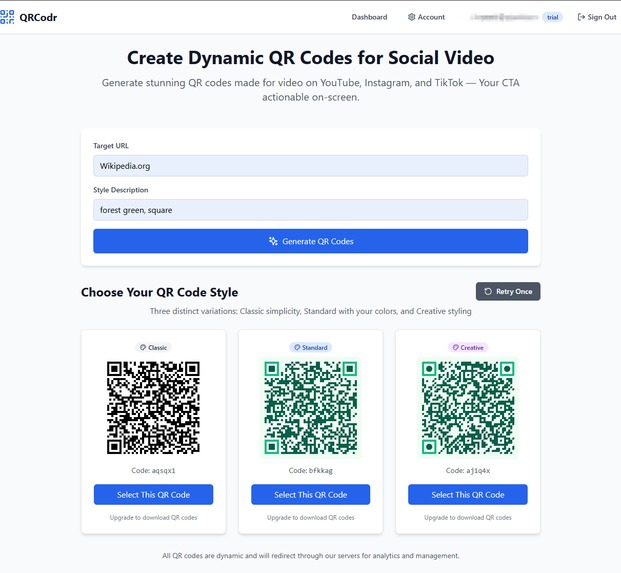
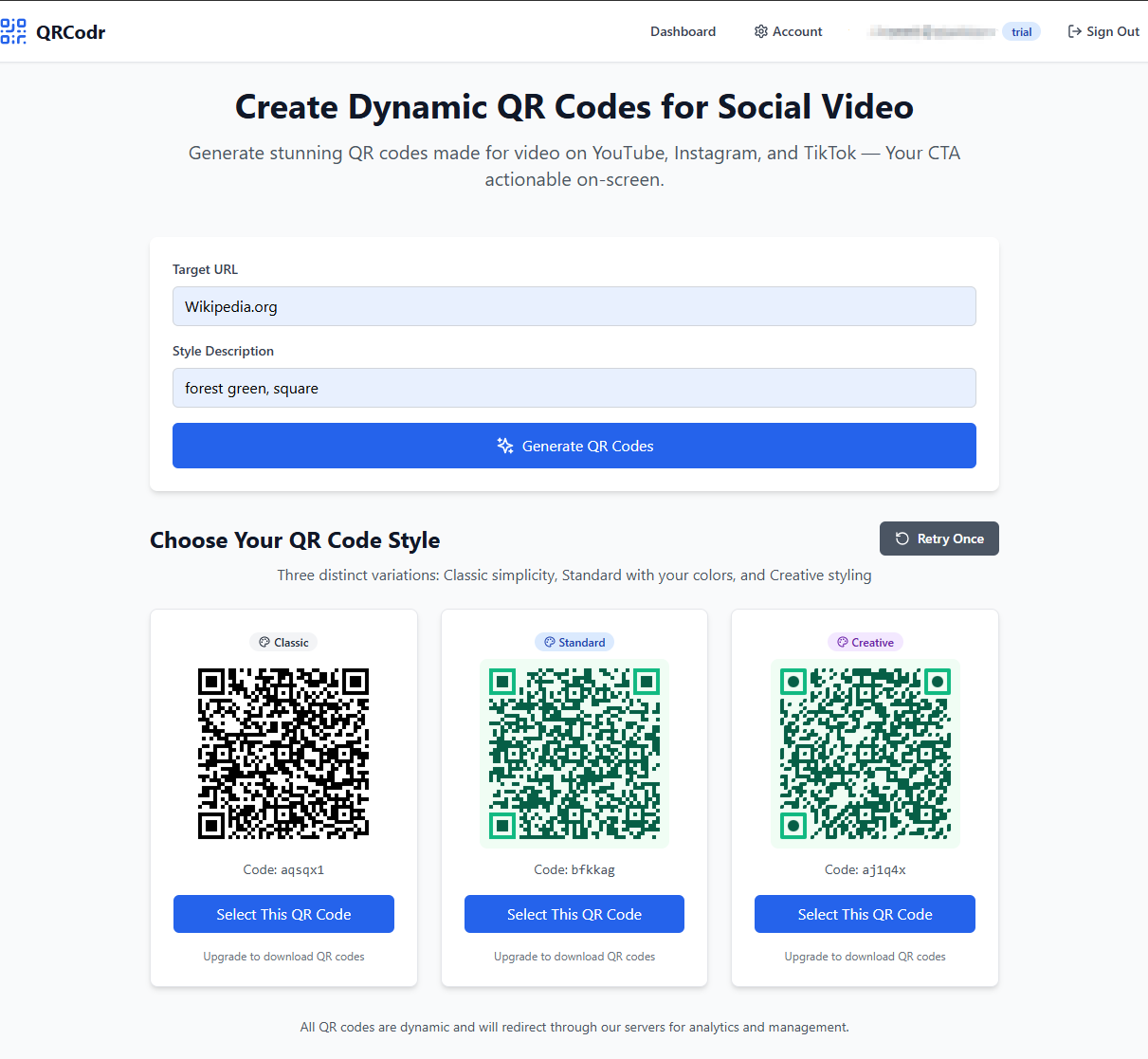
Early working QRCodr dot com 'Select QR Code' Page in Bolt Preview
-
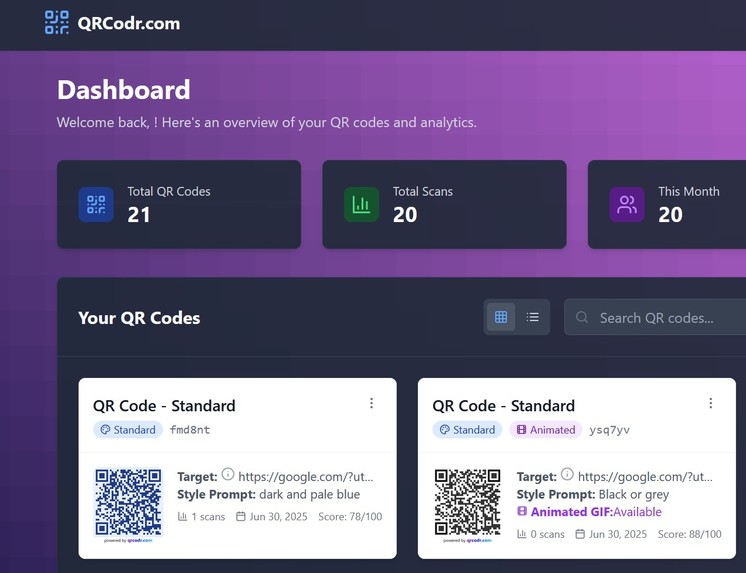
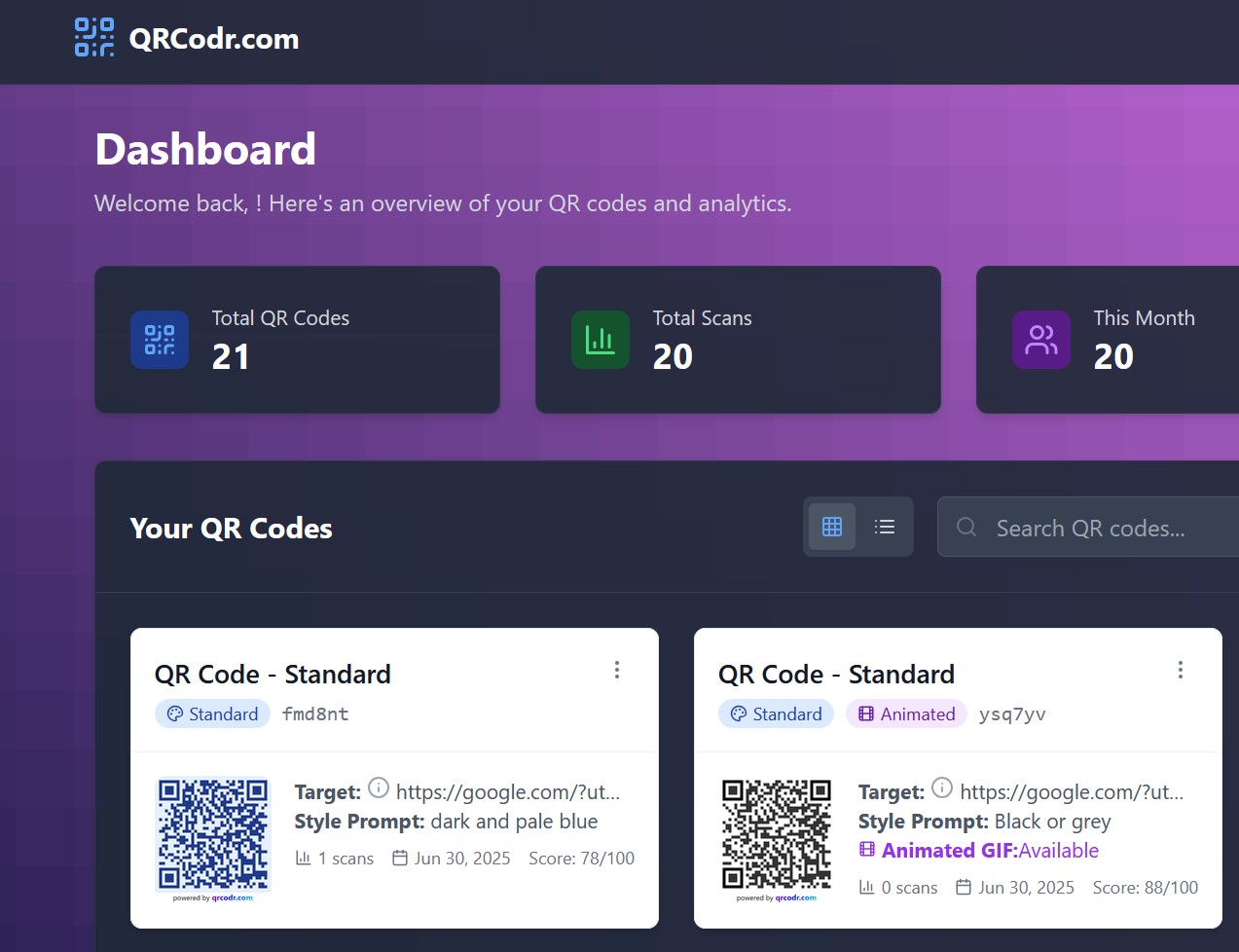
QRCodr.com Working - sweet!
Inspiration
I've had a curiosity about QR Codes for some time. A friend made me take a photo of a web site view in his phone's browser that he wanted to share, so I had to type out the painfully long URL later. There were so many ways he could have shared it! I thought that a QR code would have been a neat way for his device to tell my device and save me all that retyping. There was a long wait before I knew I had what he was talking about. Since then, I've thought of more ways visual device to device communication can help us.
All my life, I’ve heard and repeated the saying: “Don’t judge a book by its cover.”
Similarly, we shouldn’t be too quick to judge the not-so-humble QR code. Yes, it stands out. It almost screams “scan me!” Some try to quiet its voice, to make it blend in. But the truth is: a QR code represents a moment of intent — a human helpfully trying to more easily connect with other humans, via our devices.
They carry messages like:
Can we talk?
Let me show you.
Help is here.
Social platforms are evolving to keep users engaged inside their apps — at the same time, scan tech is improving fast. With tools like Google Lens long-press, viewers can now scan a QR code without leaving the video screen.
It can be easier to scan a QR code in video than scroll down and find the right link down inside the video description (all Android phones with Google Assistant, coming soon to iOS Chrome).
That creates a new opportunity: to make QR codes that feel native to video — integral with a creator’s call to action.
That’s what inspired me to reimagine what a QR code could be — not just scannable, but more easily created, thoughtful, styled, and ready to perform in the new visual language of short-form video.
What it does
QRCodr helps users easily generate and manage Dynamic QR Codes — scannable codes, with tracking, to destinations that can be updated any time after publishing a video, giving creators post-publish flexibility that the video itself doesn’t allow. One aim is to reduce the decisions and setting selections needed to get a good looking Dynamic QR Code quickly.
The platform is built specifically for video use: the QR codes are styled using AI, animated for screen visibility, and designed to remain scannable even when compressed by social media platforms.
Users input a destination URL and style guide prompt for AI, and receive a customized, download-ready Dynamic QR code — designed for screen-based environments and users can manage and monitor their codes (and view analytics) in their dashboard.
Helpful for creators is the dynamic nature, because while video can't be changed once uploaded to the platforms, the target URL can be changed via their QRCodr.com dashboard at any time.
How I built it
Bolt prompts — of course! I used Bolt's visual and code builder to structure the app, with ChatGPT as my wingman to guide architecture, write smarter prompts, troubleshoot Supabase and file URL location issues, and improve the UX step by step.
The stack includes:
- Frontend: Bolt (React + Tailwind)
- Backend: Supabase (PostgreSQL, RLS, Edge Functions)
- QR Styling:
qr-code-stylinglibrary - AI Integration (in progress): OpenAI for prompt-to-style generation
Challenges I ran into
OMG! I've never built anything like this before (not a coder!) I've never even vibe coded before.
Five hours of errors and troubleshooting Auth with Supabase learning much about RLS (when I had never heard of Row Level Security before, let alone know how to spell it!) due to my inexperience. After that I searched if others had the same problem, only to find videos showing people do it in 5 minutes on YouTube (should've watched those first, I guess!).
Testing and debugging redirects inside a browser-based WebContainer (Bolt) environment was grueling for a no-coder — things like auth headers and redirects don’t behave the same way they do in a deployed app.
Accomplishments that I'm proud of
Um… it works? Totally works in theBolt container and has a single but serious problem in the deployed version.
This project was unbelievably difficult. I am not too surprised because it was my first time ever, and maybe my project was too ambitious. I didn't know that when I set out, I thought the AI interface would do everything and make it easy - but that depends on the project (and the user! LOL).
Seriously though — I'm a stay-at-home dad, father of three. I had no idea I could do this! Mere weeks ago, I hadn't heard of vibe coding (and I had never done it before this Hackathon by Bolt)!
The timing seemed too soon, I couldn't even start for the first 5 days, but this Hackathon pushed me to just do it! I’m proud that I got a real, working MVP live inside Bolt:
- Dynamic QR code generation
- Edge function redirects with tracking
- A working database with user-linked shortcodes
- Basic scan analytics
As a newbie, just getting all the pieces connected and flowing was a huge win.
What I learned
Before this hackathon, I’d never used GitHub, worked with Supabase, or touched React (well, I guess Bolt did that). I learned how to break big goals into small prompts, how to debug my own logic (and emotional spirals), and how to trust AI to help me without giving up control.
I've pretty much learned a totally new vocabulary! 'Vibe coding' was just the start...
Also, QR codes are a lot more complex than they look — especially when you want them to be dynamic, styled, trackable, and scan reliably in video.
What's next for QRCodr?
Next steps are focused on turning the MVP into a creator-ready platform — a real service helping real people connect their viewers to their world beyond the platform. Technically, I guess it will have to be installed on its own server (if possible) for the URLs to be shorter and QR Codes neater. It might resolve the file storage and access issues too.
Built With
- auth
- bolt
- edge-functions-api)
- github
- openai
- openai-api-(planned)
- postgresql
- qr-code-styling
- qr-code-styling-js-library
- react
- rls
- row-level-security
- supabase
- supabase-(postgresql
- tailwind

Log in or sign up for Devpost to join the conversation.