-
-
Build with evidence. Not guesswork. — BuildOrQuit
-

BuildOrQuit brand mark
-
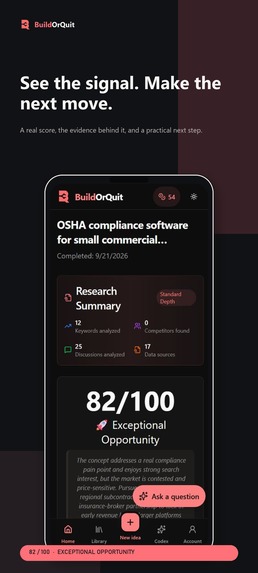
Research report from the current mobile interface
-
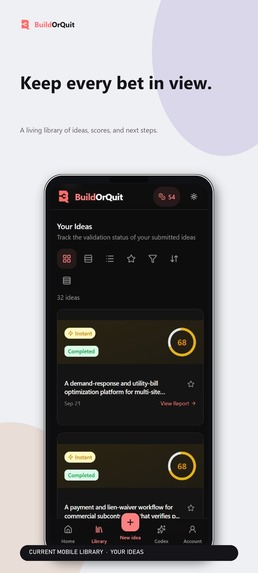
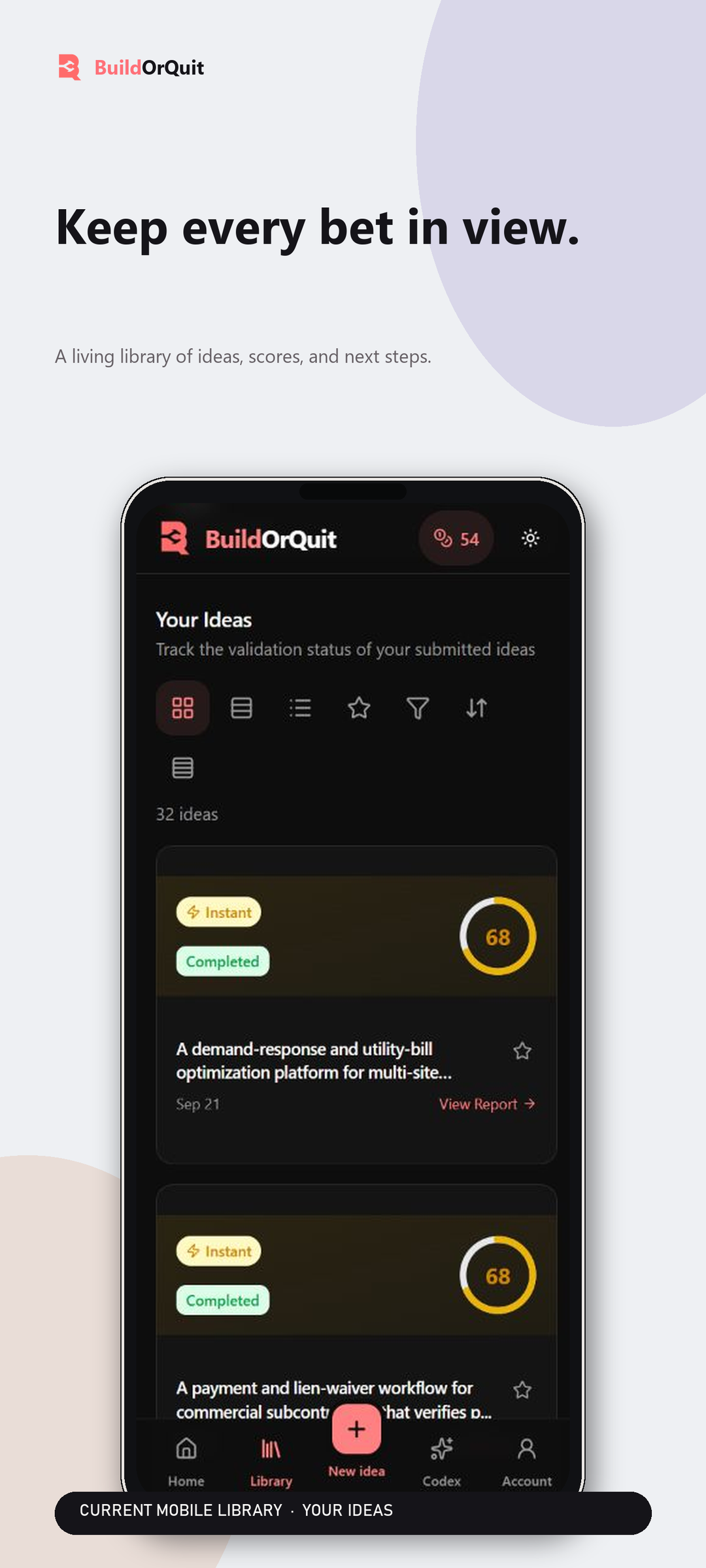
Saved ideas and validation progress
-
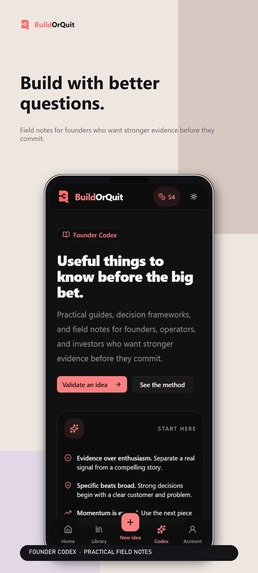
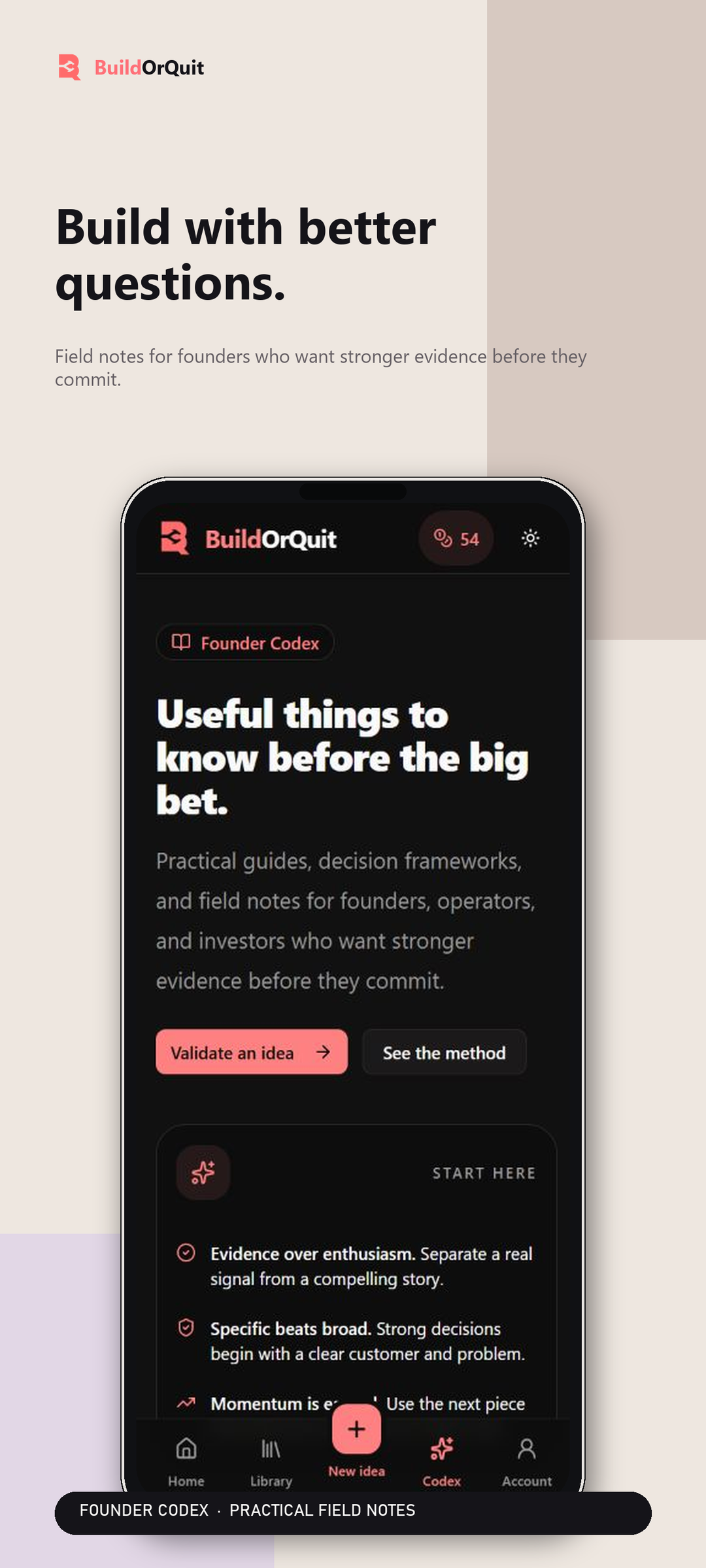
Founder Codex: practical decision frameworks
-
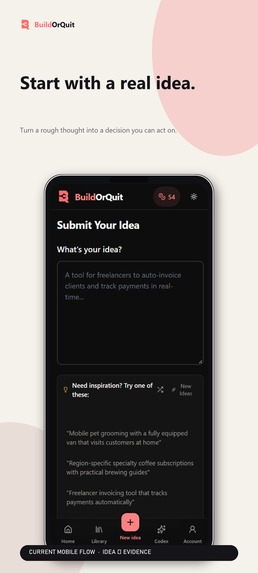
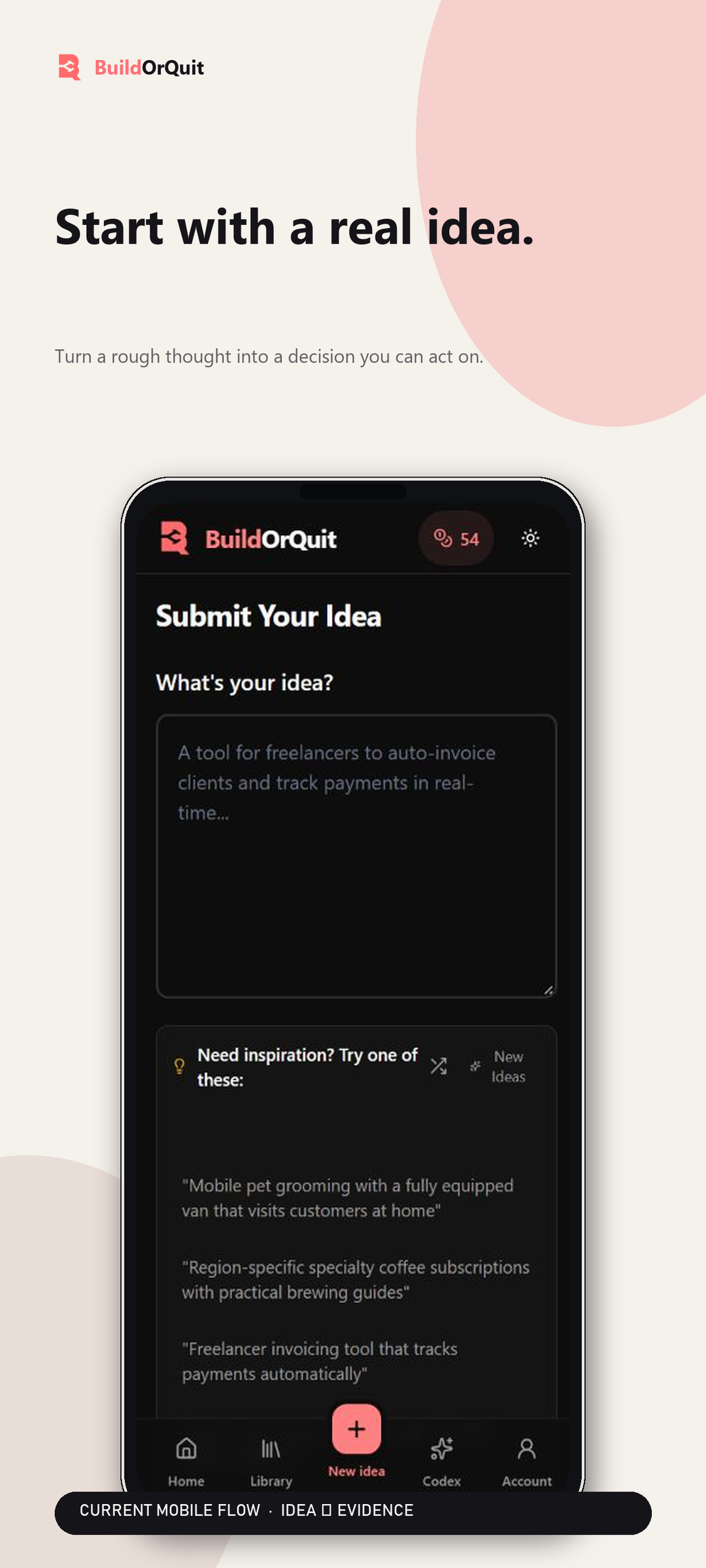
Describe an idea and choose research depth
-
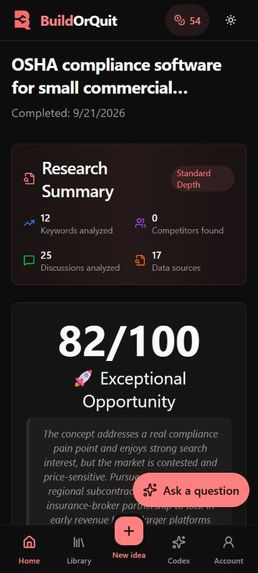
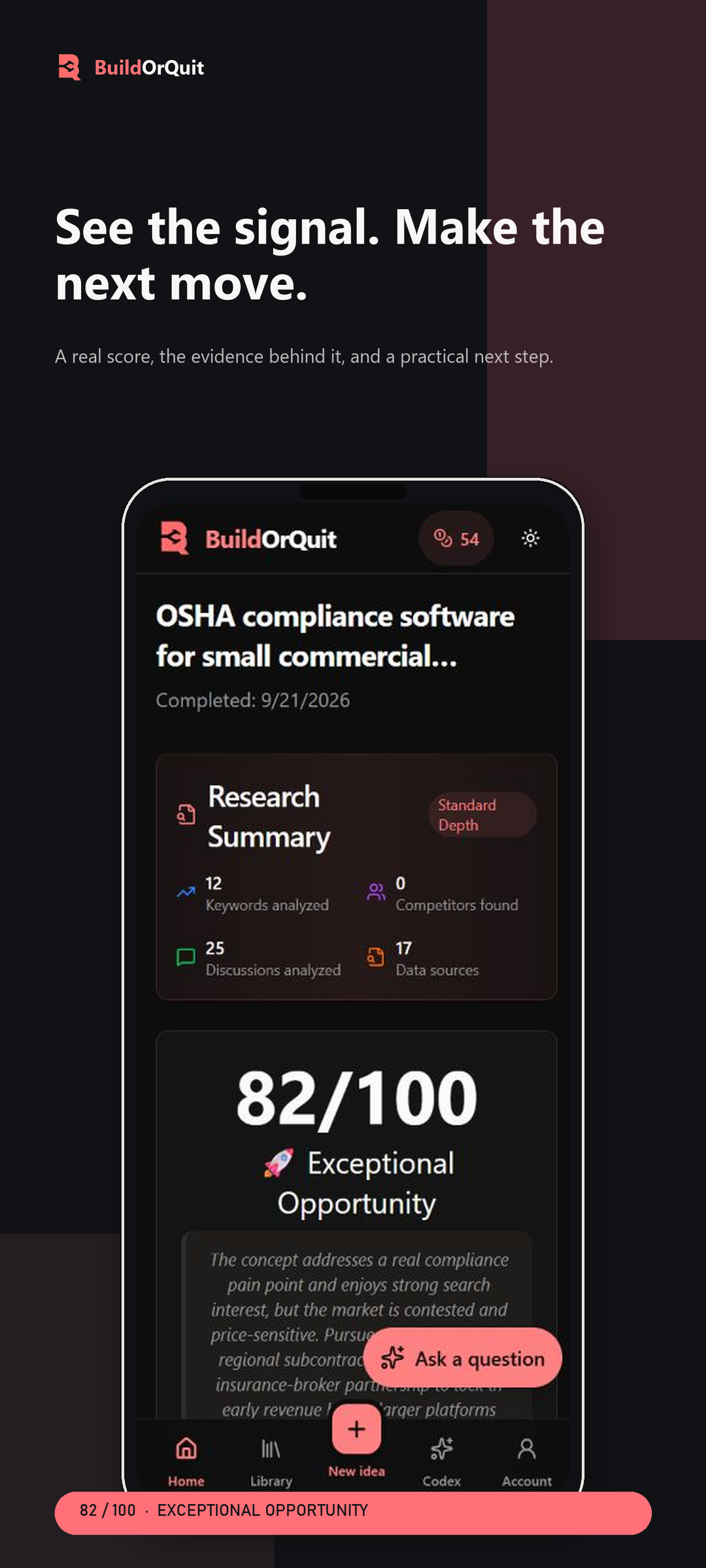
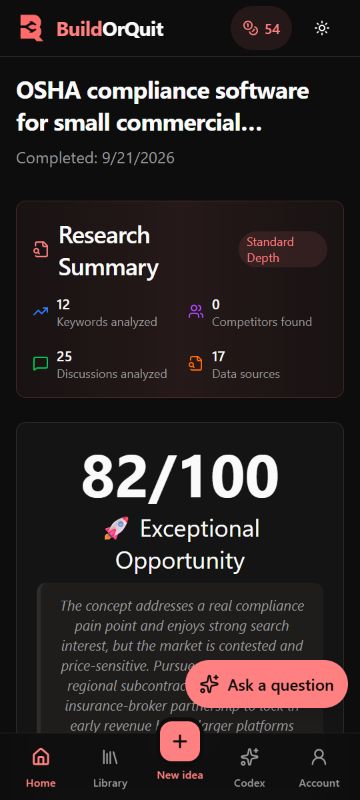
Unframed real mobile screenshot: 82/100 research report; scores are signals, not guarantees
-

Uncropped 1024 × 1024 native app icon
-
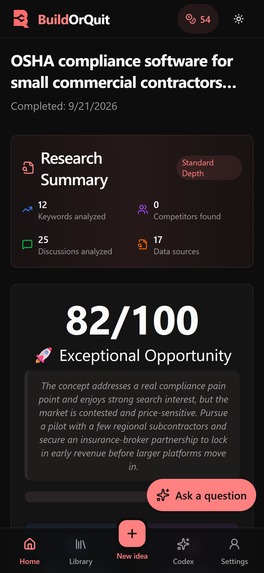
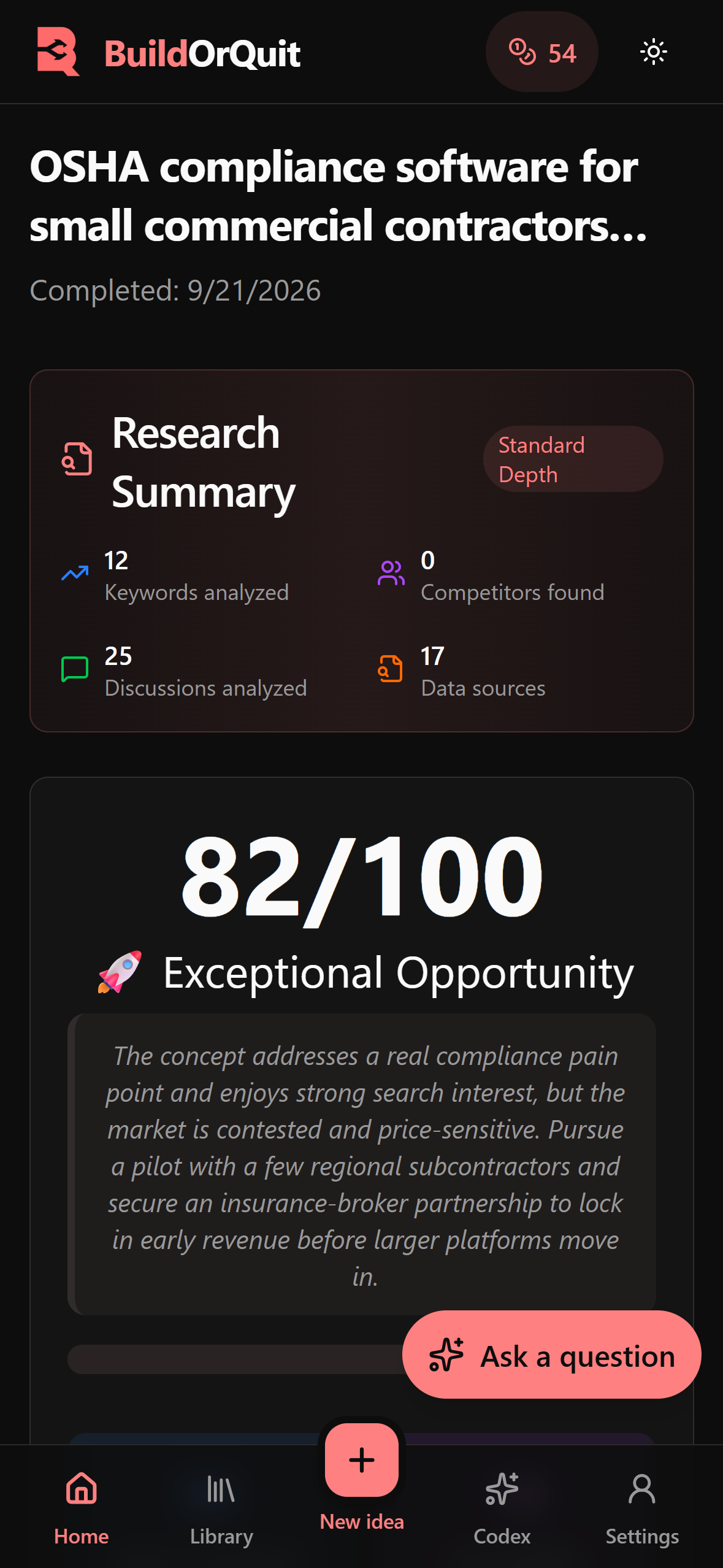
Unframed current mobile interface — 1179 × 2556 pixels; real 82/100 report, not a fabricated screen


Inspiration
It's easy to get excited about an idea and start building before asking who would actually use it. The research comes later, spread across search tabs, competitor sites, community discussions, and notes you may never open again.
I wanted a place to work through that research while an idea was still cheap to change. Who has the problem? What are they doing about it now? Is there a reason they would pay for another solution? Those questions matter whether you're planning a small paid tool or a much larger business.
With BuildOrQuit, you describe what you want to build and examine its assumptions. The report should leave you with a customer question or a practical experiment to follow up on.
What it does
Start with an idea in your own words. You can add the problem, target customers, geography, and competitors you already know. The inspiration panel generates suggestions to use or edit. They appear as they arrive, so you can read one while the others are still generating.
Choose a research depth and submit. The report shows the assessment and the work behind it, with opportunities, risks, and next steps. Results become available as research modules finish. You can leave and come back to the saved report.
The Library keeps your ideas and their status together, with search, filters, favorites, and different views. The Founder Codex has practical guides and decision frameworks for working through the questions a report raises. BuildOrQuit is available on the web, iOS, and Android; the links are below.
Choosing how much research to do
An early idea doesn't always need the most expensive analysis. The app has four depths:
- Instant gives an AI assessment of problem fit, market opportunity, defensibility, execution difficulty, and timing. It does not collect external market evidence.
- Quick adds search-demand research and competitor discovery, so you can start checking the initial assessment against outside information.
- Standard adds customer sentiment, cross-validation of the findings, and an assessment of what building the product would involve.
- Deep expands the research coverage and analysis, including competitor review evidence where sources are available.
You can start with an initial report and upgrade it. Completed research stays with the idea, and the report records how the assessment changes. You can see which findings changed your view and still go back to the first result.
Understanding the score
The score summarizes the assessment. The individual findings and rationale deserve a closer look: strong search demand can coexist with a crowded market, and a painful problem can still be difficult to solve or sell a solution for.
Adding research can move the score in either direction. The earlier scores and research added at each stage stay visible. Paying for more analysis shouldn't imply a better verdict.
The gallery includes a real generated report that scored 82/100. That is an example assessment, not an 82% probability of business success. Instant's conclusions come from the model, and deeper reports depend on the coverage and quality of their sources. Customer interviews and actual willingness to pay still need to be tested outside the app.
Talking through a report
A report can leave you wondering why an idea scored poorly or which customer segment to start with.
Each completed report has a chat, with the idea, score, and verdict already there as context. Ask about the assessment or how to test an assumption. Responses stream as they arrive, and the conversation stays with the report when you revisit it.
Builder also includes PDF export for taking a report into a discussion with a co-founder or someone helping you evaluate the business.
How it makes money
There's a daily free Instant allowance. Deeper research uses credits, which you can buy in packs or receive through the monthly Validator and Builder plans. Builder includes a larger monthly allowance and PDF export.
Research isn't always a regular habit. Someone comparing a few ideas may prefer a pack; someone revisiting concepts often may want a monthly plan. Research and AI requests cost money, so the depth determines how many credits a report uses.
Billing records each validation's charge. Retrying reuses that job's admission, and an upgrade records its additional charge separately. A failed upgrade should not refund work that already completed.
How RevenueCat fits into BuildOrQuit
The native apps use RevenueCat's Capacitor SDK for Apple and Google Play purchases. It loads Offerings and localized prices, purchases the selected package, and supports restoring purchases. RevenueCat uses the signed-in BuildOrQuit account as the customer identity.
The backend receives authenticated RevenueCat webhooks and applies the credit grant or subscription update to that account. It records processed events so a repeated webhook doesn't issue the same grant again. It also handles cancellation, billing issues, and expiration separately: cancelling renewal should preserve access for the time already paid for.
Product identifiers need to match the offering, and the server needs to apply the purchase to the right account. Store product approval is separate from getting the SDK to run. Sandbox checks or a submitted product review aren't evidence of paid usage.
Billing across platforms
On iOS and Android, new purchases use their native store flow through RevenueCat. Web checkout has Creem as the primary provider and Dodo as the fallback, with an owner control for changing which provider handles new web checkouts.
Subscription access and credits belong to the BuildOrQuit account. Billing management stays with the store or provider used for the purchase. The app keeps those purchase sources in its billing history, so switching the web provider or signing in on another device doesn't replace the original source.
The fallback applies before sending a checkout request. If a provider accepted it but its response was lost, trying another provider could create a second checkout. That case returns an error instead of automatically trying another merchant.
How I built it
SvelteKit, Svelte, TypeScript, and Tailwind CSS provide the shared interface. Capacitor packages it for iOS and Android. SurrealDB stores the accounts, validations, research results, and conversations. Cloudflare serves the web app, while a separate background worker runs the longer research jobs.
OpenRouter handles AI analysis and report chat. The research pipeline has separate modules for search demand, competitors, sentiment, cross-validation, and feasibility. Each module records its progress and result. A retry can reuse completed work, and the report can show which part failed instead of throwing away the entire analysis.
The report distinguishes AI judgments from research findings and shows where coverage is missing.
Letting people know the report is ready
Longer research doesn't require someone to keep watching the screen. The completion flow supports email and opted-in push notifications, with a link back to the report. The notification doesn't need to contain the idea or report text.
OneSignal is integrated into the native push flow. I verified remote delivery and opening the report on an Android device using a controlled demo account. That rollout is restricted; it isn't a claim that delivery has been verified for every user or platform. Browser push and the FCM/APNs senders have their own paths.
A local test notification only proves that the phone can display an alert. I also needed to check server delivery and what happened after tapping it.
Challenges I ran into
Some early idea batches clustered around the same scores. I checked the prompts and scoring code before treating that as a conclusion about the ideas. One prompt told the model that most ideas should fall between 40 and 65. I removed that unsupported instruction. The audit also found more work to do on calibration, including how competition is measured and how to distinguish a promising opportunity from confidence in the evidence behind it.
Generation failures needed attention too. An incomplete model response shouldn't be accepted as a finished report, and a failed search request shouldn't produce invented keyword volumes. I added response validation and bounded retries, while keeping missing evidence distinct from a measured zero.
On mobile, loading new suggestions made the page shift as old text disappeared and new text arrived. Stable skeletons and transitions made that state easier to follow. Showing streamed suggestions and completed research modules gave people something to read while the rest of the work continued.
iOS exposed problems with Apple sign-in, signing out, and rotating the device. Those required testing the browser-to-app handoff and the native screen itself. A successful login on desktop didn't cover what happened in the app. Legal links and account controls also had to be easy to reach in the mobile layout.
The store artwork went through several revisions. The useful versions showed the current mobile interface and actual generated reports. Promotional artwork has a different job; it should draw attention without pretending to be a screen inside the app.
What I'm proud of, and what I learned
The working flow connects an idea to its saved research, score history, and follow-up conversation across web and mobile. Native purchases connect through RevenueCat, and the gallery uses genuine report data.
I learned to pay more attention to what happens around the result. Can you tell whether a request started? Can you see what finished? Does a retry preserve the work you already paid for? Those details affect whether someone trusts the report enough to use it.
A source gap belongs in the report, and a score needs an explanation. The most useful recommendation is one you can take to a customer and test.
What's next
I want to improve source coverage and build a clearer benchmark for the scoring model, including small, profitable niche businesses as well as larger opportunities. Evidence confidence needs to be easier to distinguish from the appeal of the idea itself.
I also want to make successive versions of an idea easier to compare and help people track the experiments they run after reading a report. Usage and purchase feedback should inform the research depths and allowances. I haven't reported revenue, conversion, or retention gains from the development tests.
Built With
- onesignal
- revenuecat
- sveltekit
- typescript

Log in or sign up for Devpost to join the conversation.