Inspiration
As a civil engr that has worked on the field i know the amount of time it takes to do proper field inspections. Construction site inspections often depend on information being recorded quickly and accurately in the field. Inspectors may have a photograph, a voice note describing what they observed, and written observations — but turning these into a structured professional report can take additional time.
We built BuildMate AI to simplify that workflow while keeping the inspection data local and usable offline.
What it does
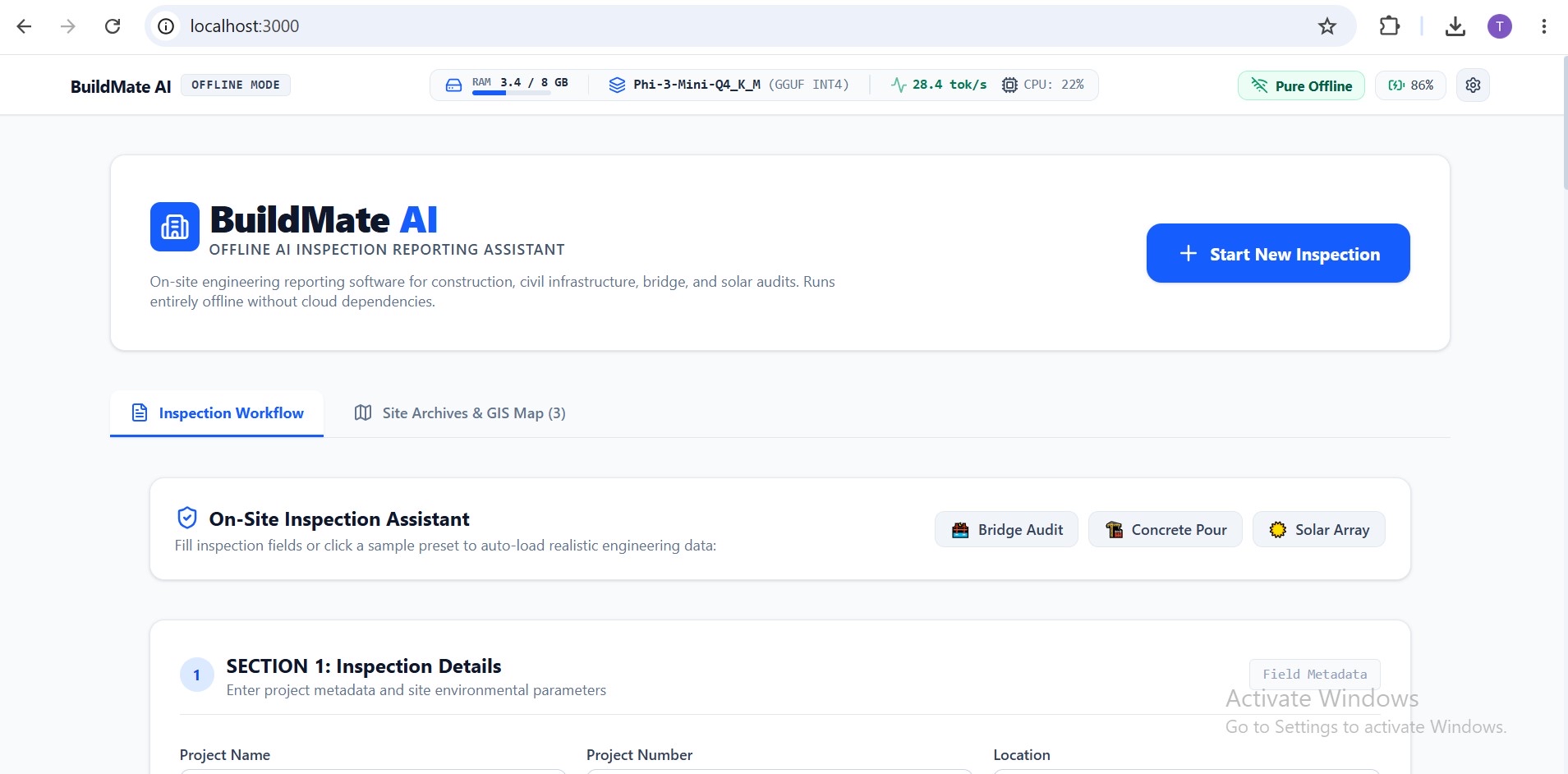
BuildMate AI is an offline construction inspection reporting assistant.
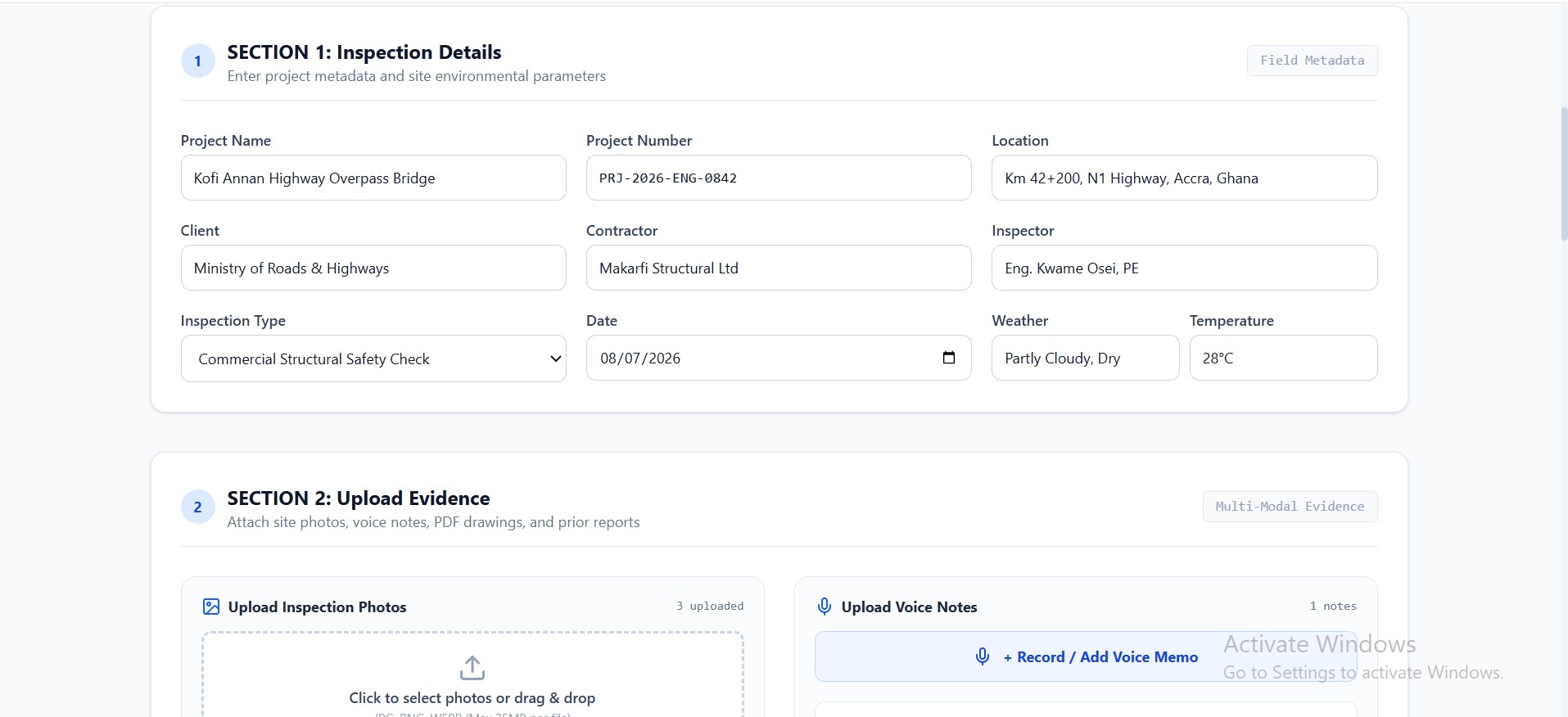
An inspector can:
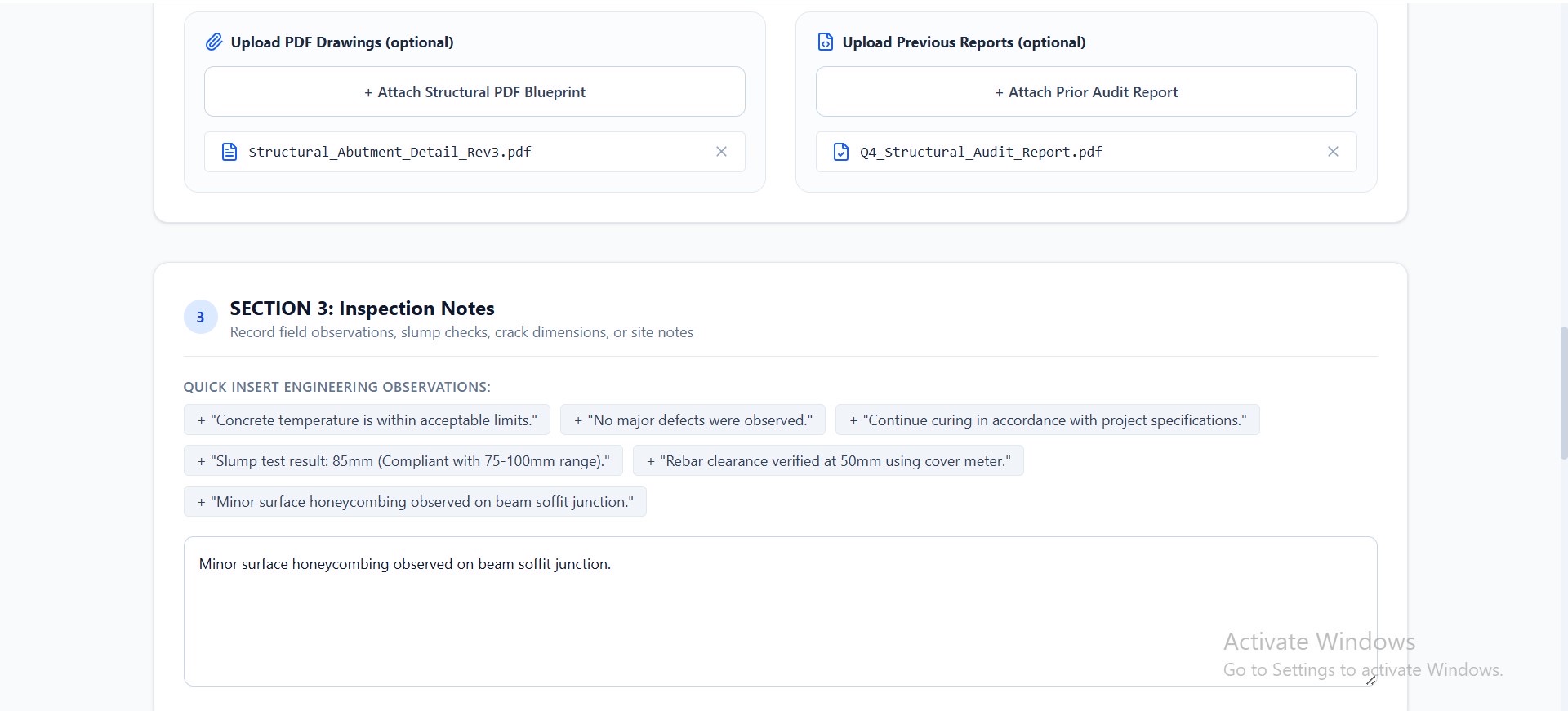
- Enter inspection details.
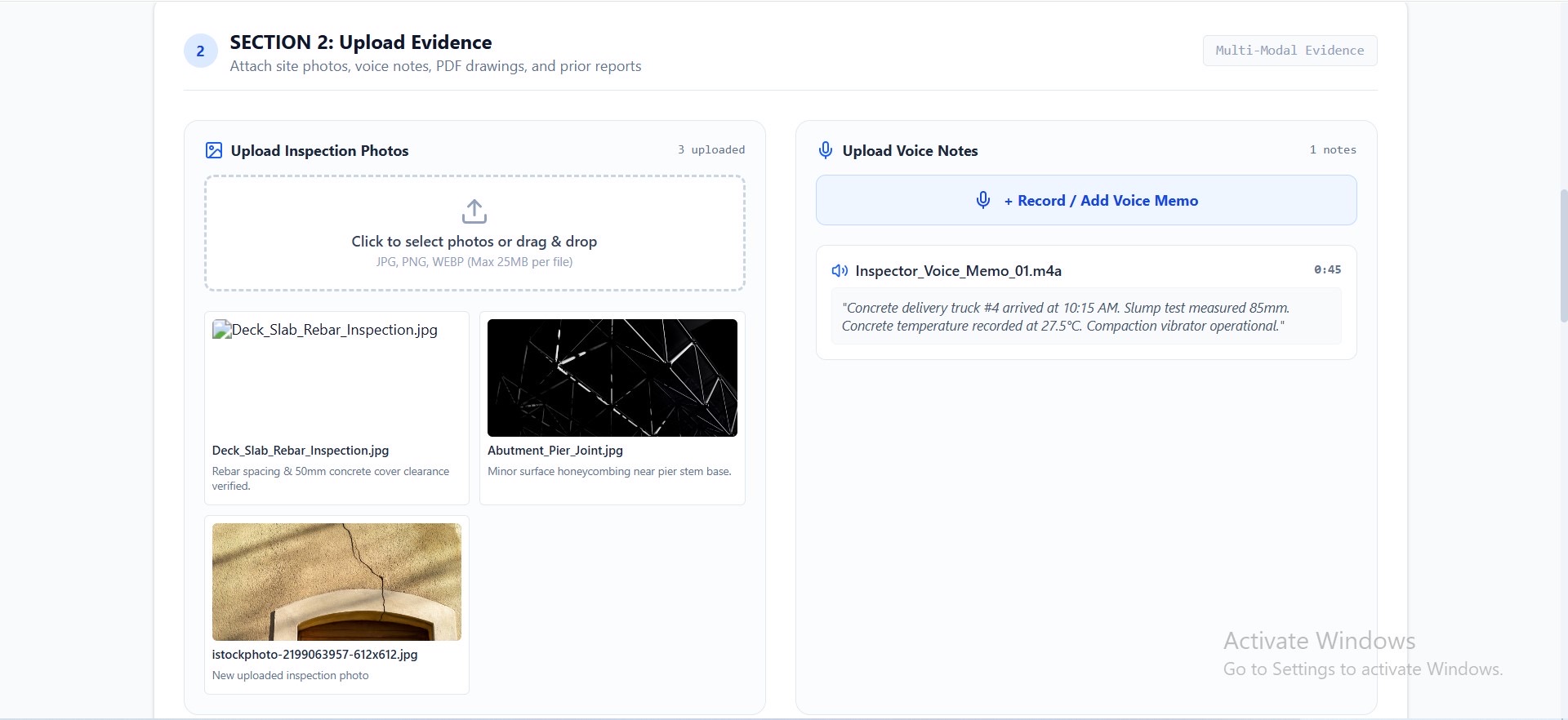
- Upload photographs from the site.
- Record a voice note describing the inspection finding.
- Add written inspection notes.
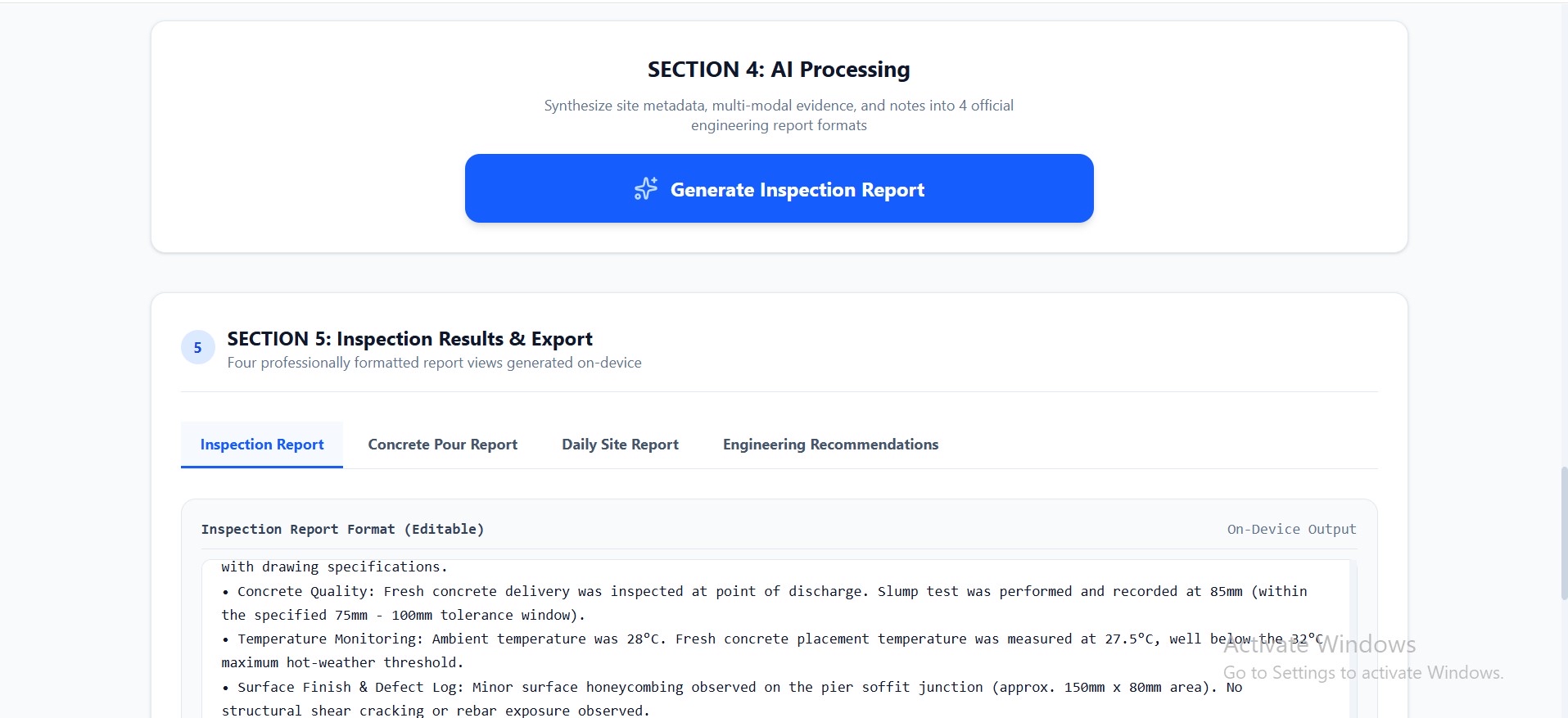
- Submit the collected information to a local AI model.
- Generate a structured professional inspection report.
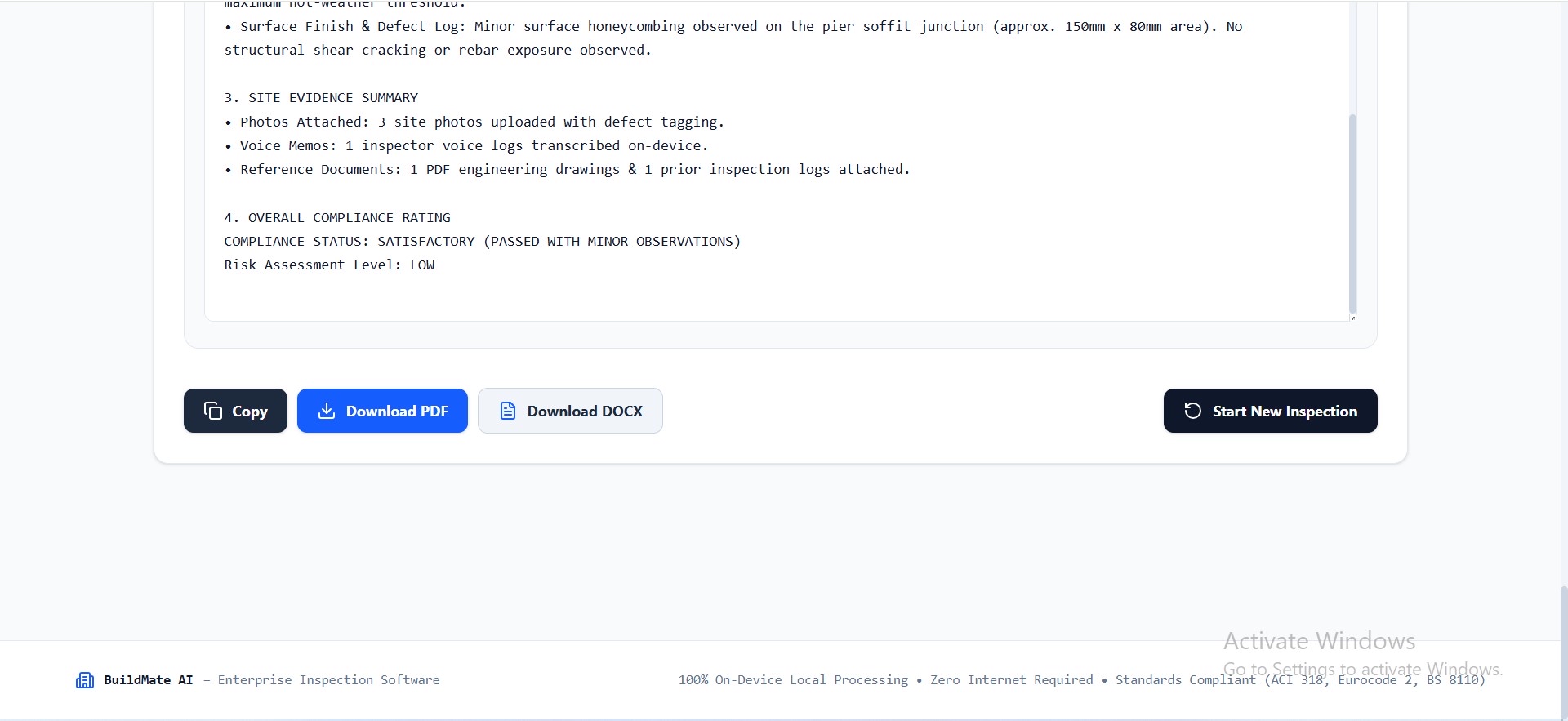
- Export the report as PDF or DOCX, including the inspection photograph as evidence.
The system is designed to distinguish between information that was actually provided by the inspector and information that is unavailable.
How we built it
    FIELD INSPECTION
          │
  ┌───────┼────────┐
  │       │        │
PHOTO   VOICE     TEXT
  │       │        │
  │    Whisper.cpp │
  │   transcription│
  └───────┼────────┘
          │
   INSPECTION DATA
          │
   Local AI Pipeline
          │
    Llama.cpp / GGUF
          │
  ┌───────┴────────┐
  │                │
Professional Evidence AI report photo │ │ └───────┬────────┘ │ PDF / DOCX REPORT
Key Features
📷 Photographic Evidence
Inspectors can upload photographs taken during the inspection.
BuildMate preserves the original inspection image so it can be included as supporting evidence in the exported report.
🎙️ Voice Notes
Inspectors can record observations instead of typing everything manually.
The voice recording can be transcribed locally using Whisper.cpp, allowing the spoken observation to become part of the inspection information supplied to the AI.
📝 Written Observations
Inspectors can enter measurements, observations, defects, test results and other information directly into the application.
🤖 Local AI Analysis
BuildMate uses a locally hosted GGUF language model through the llama.cpp ecosystem.
This means the core report-generation process does not require sending the inspection information to a cloud AI service.
📄 Professional Reports
The collected information is transformed into a structured inspection report suitable for review by an engineer.
The inspector can edit the generated report before exporting it.
📥 PDF & DOCX Export
Reports can be exported for use as project documentation.
Photographic evidence is retained as part of the report.
Built for Offline Use
One of the main design goals of BuildMate is to demonstrate that useful AI assistance can run on a commodity laptop without relying on a cloud API or dedicated GPU.
The application uses:
- React + TypeScript for the interface
- Node.js for the local application server
- llama.cpp / node-llama-cpp for local LLM inference
- GGUF quantized model for efficient local execution
- Whisper.cpp for local voice transcription
- Local browser APIs for capturing inspection photographs and audio
Engineering Safety
BuildMate is designed as an inspection assistance tool, not an autonomous engineering authority.
The system is instructed not to fabricate:
- Measurements
- Test results
- Defects
- Compliance results
- Material specifications
- Risk classifications
- Site observations
Where information has not been provided, the report should identify it as unavailable rather than inventing a value.
AI-generated engineering information should still be reviewed by a suitably qualified professional before being used as an official engineering record.
Challenges we ran into
The main technical challenge was fitting a useful AI workflow onto a normal laptop while maintaining an offline architecture.
We had to address:
- Running a quantized LLM locally.
- Keeping memory requirements practical.
- Connecting the React interface to the local inference engine.
- Handling photographs and audio captured in the browser.
- Converting voice recordings into usable inspection text.
- Combining multiple forms of field evidence into one report.
- Exporting the resulting report while retaining photographic evidence.
Accomplishments that we're proud of
Running the AI locally
- Offline operation
- Reduced dependence on internet connectivity
- Local processing of inspection information
- A practical demonstration of AI on commodity hardware
Construction sites can have unreliable connectivity and may involve project information that should not automatically be sent to external cloud services. I’m proud i am able to run this app locally.
What we learned
Building BuildMate showed us that an effective AI application does not necessarily need a large collection of AI models.
Instead, a focused workflow can provide significant value:
Capture → Understand → Structure → Report.
Rather than adding unnecessary computer-vision models or complicated AI components, we focused on solving one specific field problem reliably.
What's next for Buildmate
Future versions could add:
- Additional local speech models.
- More advanced document and drawing processing.
- Better report templates.
- Inspection history and project archives.
- Additional engineering standards and configurable report formats.
- Improved evidence management.
These features would be added without compromising the application’s offline-first architecture.
Built With
- browsermediaapi
- gguf
- llama.cpp
- node-llama-cpp
- node.js
- pdf/docxexportlibraries
- react
- tailwindcss
- typescript
- whisper

Log in or sign up for Devpost to join the conversation.