-
-
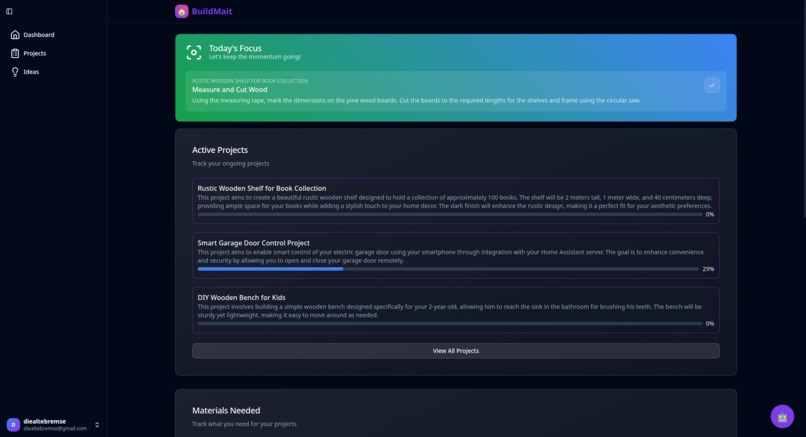
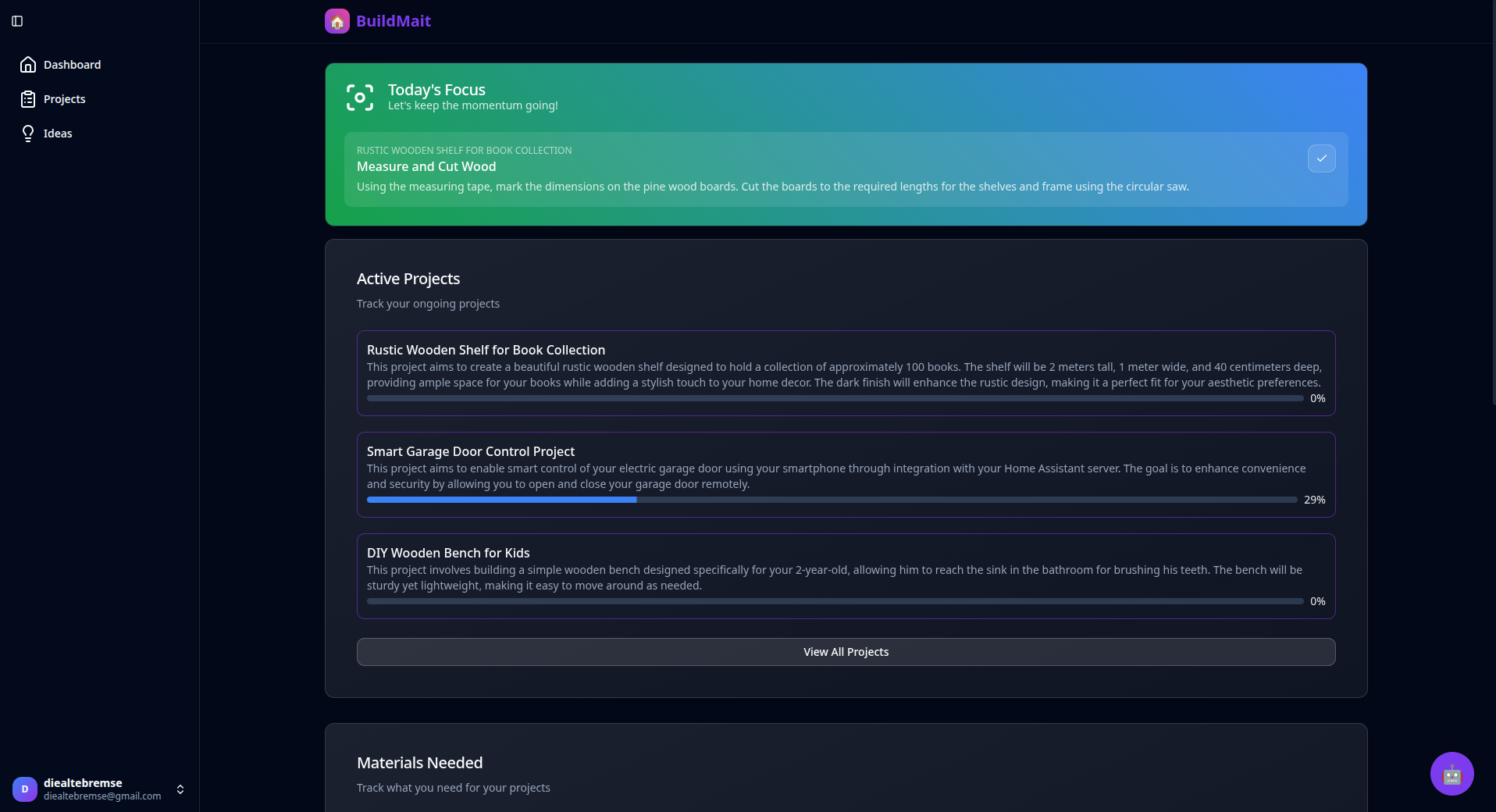
BuildMait Dashboard
Inspiration
BuildMait came from that all-too-familiar feeling of staring at a DIY project and just not knowing where to start. You want to get it done, but the planning, figuring out what tools and materials you need, and the sheer overwhelm often lead to procrastination. I wanted to build something that makes the whole process less stressful and way more fun. So, I imagined an AI-powered mate who’s always there to guide you step by step, offer smart advice, and keep you motivated without the chaos. That’s how BuildMait was born—a little buddy with AI built right into its name, because it’s really all about having that intelligent support while you build.
What it does
Using BuildMait is super simple. Just tell it what project you want to tackle and throw in some extra info like how long you want it to take or your skill level. The AI jumps in to break everything down into clear, manageable steps—complete with tools, materials, and skills you’ll need. If something’s unclear, it’ll ask questions to make sure the plan fits you just right.
You can dive in right away or chat with the AI anytime to tweak or clarify things. Plus, you can save your own skills, tools, and preferences, so BuildMait makes each plan feel like it’s tailor-made just for you. It’s basically like having a knowledgeable friend who’s got your back through the whole project.
How we built it
I built BuildMait mostly using bolt.new, which made spinning up the app pretty quick and smooth. For data storage and handling user info, I hooked it up with Supabase. The AI magic runs on OpenRouter, giving BuildMait the brains to chat and plan like a pro.
The frontend is built with Vue.js, keeping things reactive and easy to use. And while it’s a web app for now, a mobile version is already in the works. Being a senior dev helped a ton—I often tweaked and extended bolt.new’s generated code where I wanted more control or faster results.
Challenges we ran into
Luckily, having a clear plan before starting saved me from most headaches. But there were a couple of bumps: First, when I started, the app looked like a boring basic site instead of a productivity tool. Tweaking prompts didn’t help much, so I just started fresh with a more specific prompt—that worked much better.
Second, the Supabase authorization setup with bolt.new didn’t work right away. I had to dive into debugging, and once I shared the Supabase error logs, bolt.new was able to fix it. Just part of the process!
Accomplishments that we're proud of
I’m pretty proud of building a fairly complex app all by myself in a short time. Especially the AI assistant part—something I hadn’t done before. Thanks to bolt.new, setting up the AI within Supabase Edge Functions was surprisingly straightforward, letting me focus more on the experience and less on the plumbing. Putting all the pieces together—AI planning, personalization, smooth interaction—into one app feels like a solid win.
What’s next for BuildMait
Looking forward, there’s a lot on the horizon. A mobile app is coming soon so you can plan and build from anywhere. I’m working on making the AI even smarter with better recommendations and more personalized help.
I want to make it easier for new users to jump in and get going fast, and I’m exploring ways to connect BuildMait with popular platforms so finding materials and tools is even smoother. Building a community around the app and listening to what users want will be key to making it better and better.
Plus, I’m thinking about scaling up and figuring out how to keep the whole thing sustainable so BuildMait can keep growing with its users.
Built With
- openrouter
- supabase
- tailwind
- vue

Log in or sign up for Devpost to join the conversation.