-
-
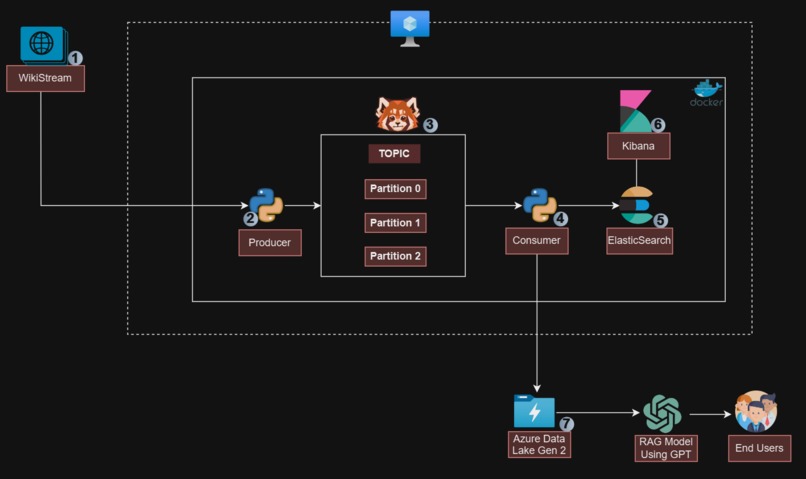
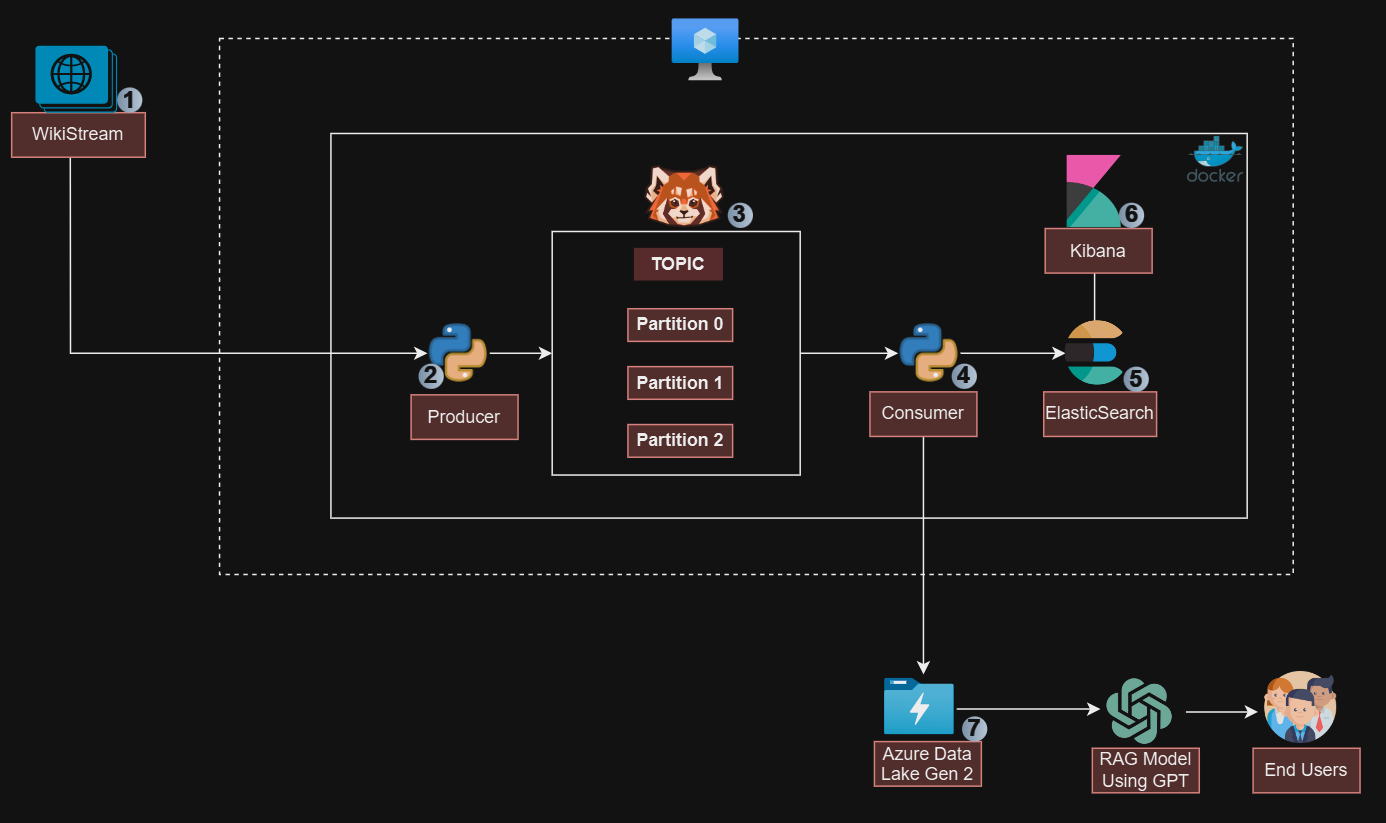
Project Architecture
Inspiration
We are in the era of fast rapid information being shared and transferred in real time. With the help of the Large Language Model human intelligence and performance have improved more than ever before. Ability to solve more complex problems faster and more precisely.
With streaming technology being on the rise we plan to build an LLM chatbot and deploy it to Telegram where users can interact with the solution in real time and get precise responses.
What it does
Step 1: Set up Docker-Compose.yml
This will contain all the different services needed for this project. As we plan to store the data in ElasticSearch and visualize it with Kibana.
Step 2: Create a Cluster and Topic in the Redpanda Site
Create the cluster needed for the project and create a topic to which all the data will be sent.
Step 3: Create both Producer Script and Consumer Script
As this project will be using Python to send data to Redpanda topic consumes the data and sends it to ElasticSearch and Azure Data Lake Gen 2.
Step 4: Data Transformation and Standardization
The stored data in the Azure storage account are then transformed and prepared for training purposes.
How we built it
The technology used is Docker Container, Azure Storage Account, and Python. Docker was used in setting up ElasticSearch and Kibana which serves as the storage for the data consumed from Redpanda Topic. Data consumed from Redpanda is also sent to Data Lake Gen 2 and lastly, we built an LLM model using OpenAI for the data in Azure Data Lake for business users.
Challenges we ran into
The ability to scale the project was an issue and getting the preferred serialization before sending to Redpanda topic.
Accomplishments that we're proud of
We can successfully build a large model solution from data obtained from the Redpanda topic.
What we learned
How to utilize Redpanda in both for cloud and docker approach
What's next for Building LLM Model BOT with Redpanda
Scaling the solution for production level using Kubernetes and other cloud solutions.
Built With
- azure
- azurevm
- docker
- elasticsearch
- kibana
- python
- redpanda


Log in or sign up for Devpost to join the conversation.