-
-

App Icon
-
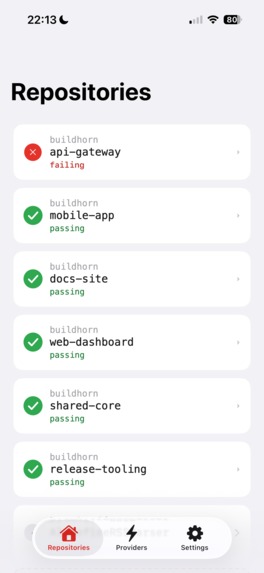
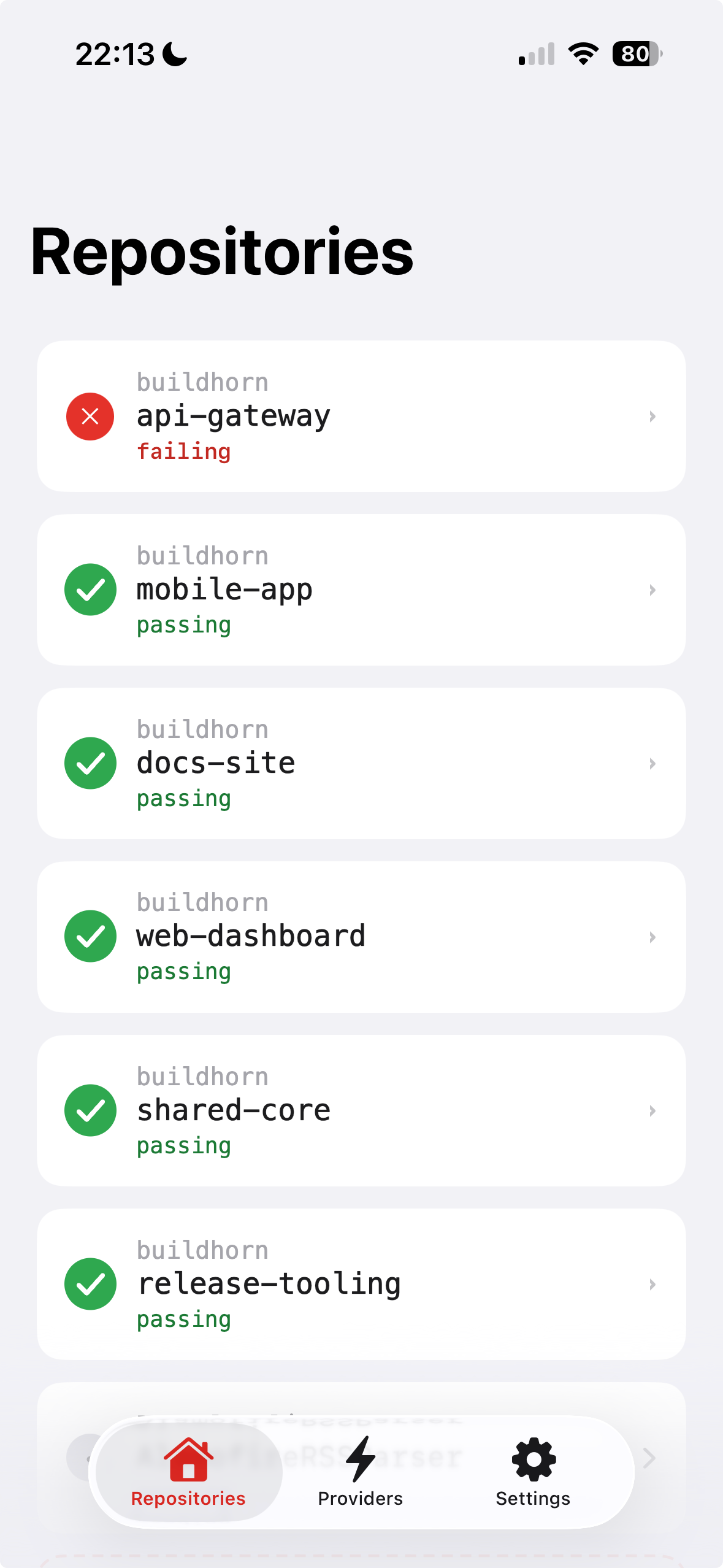
Repositories Screen
-
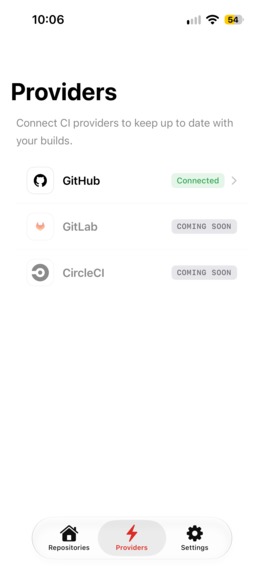
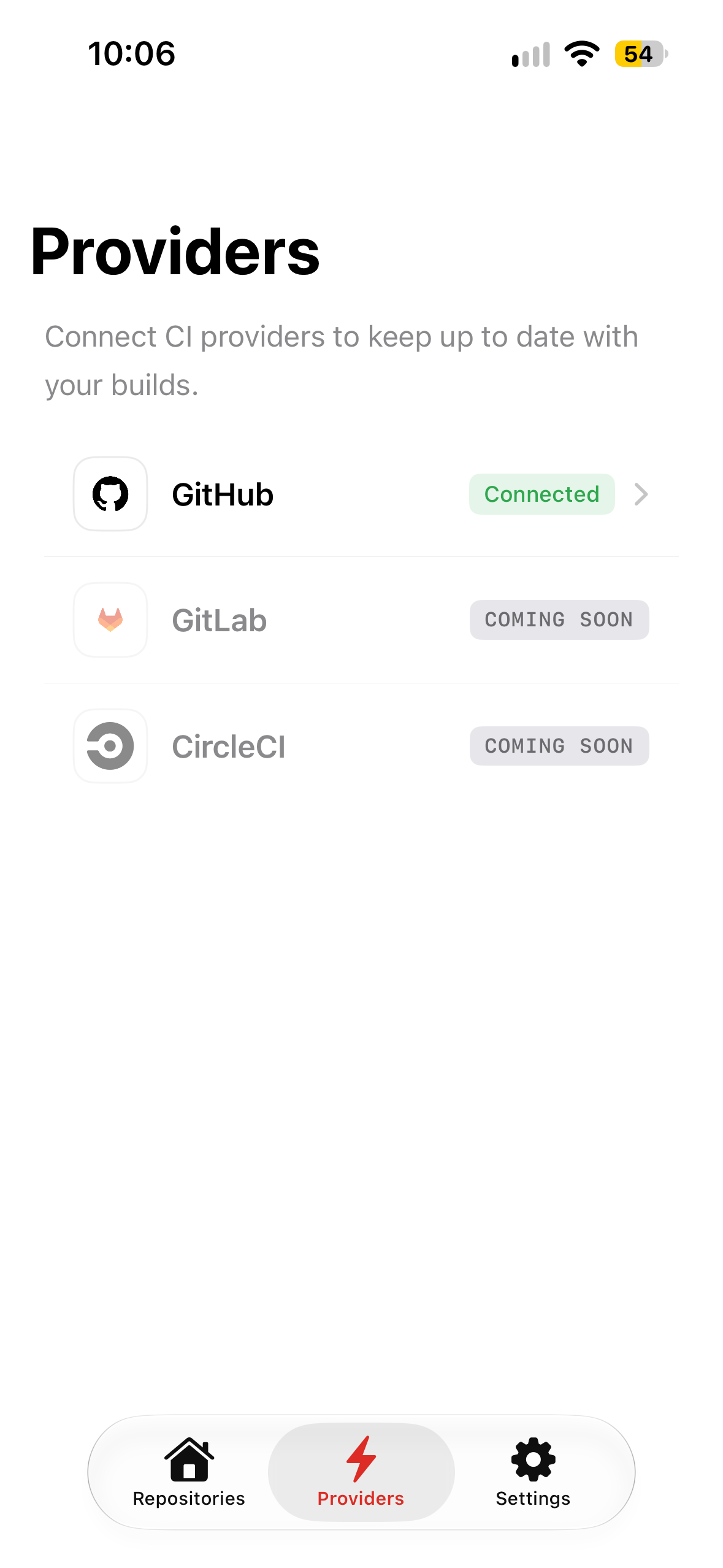
Providers Screen
-
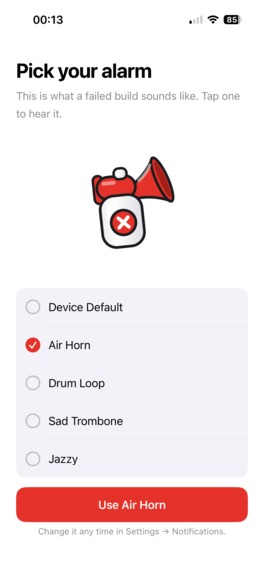
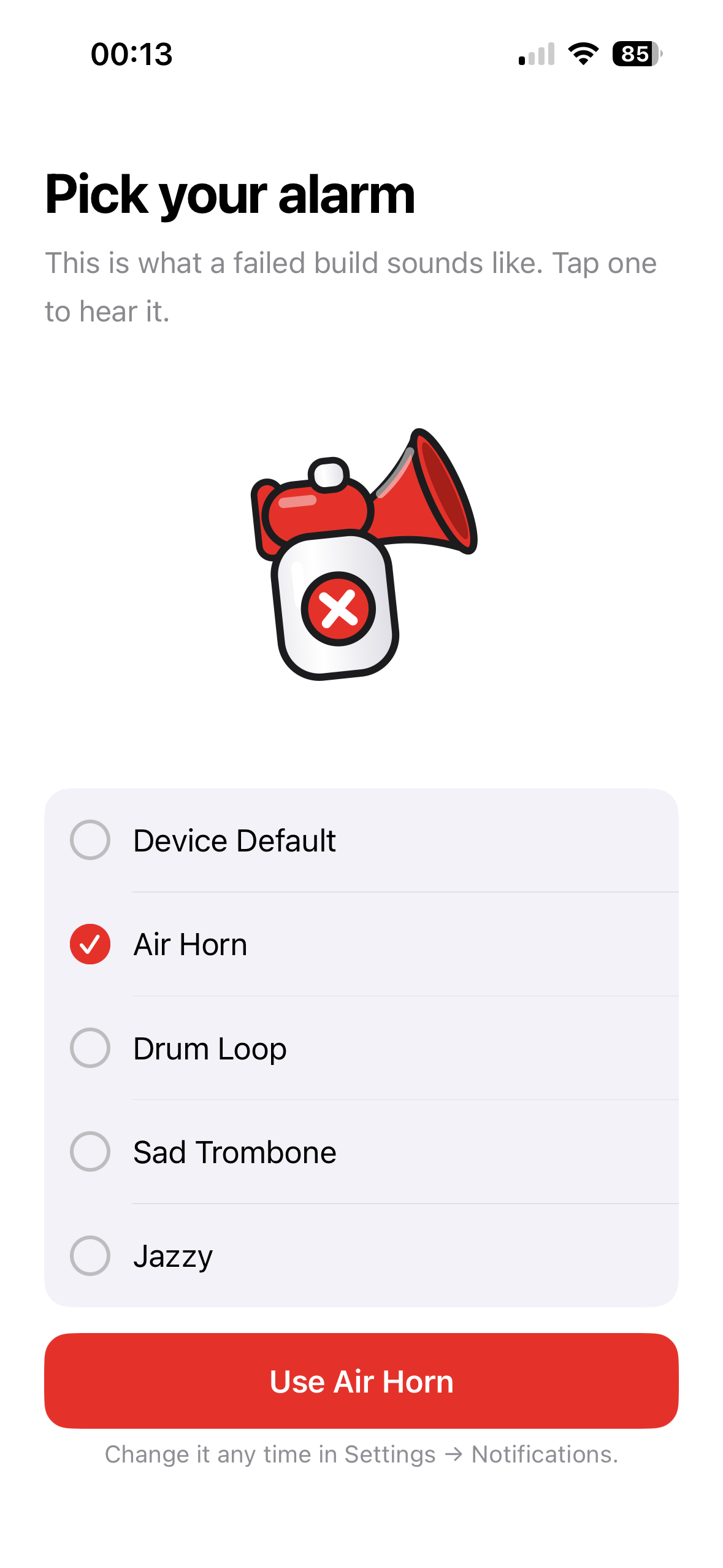
Sound Picker Screen
-
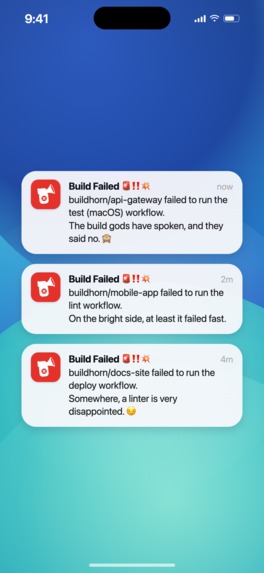
Push Notifications
-
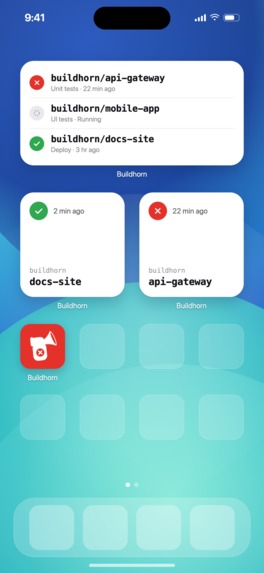
App Widgets

Inspiration
I've always had the idea of creating a developer-focused mobile app in the back of my mind. Usually I steer away from it, as I like building consumer-focused products. For Shipaton, I wanted to push myself out of my comfort zone and build something different. That's where the initial idea for Buildhorn came to be!
CI failures are usually reported by email, which can be slow and easy to miss. I wanted Buildhorn to be a modern CI experience for developers, so they don't have to rely on email updates. I also wanted it to be fun, engaging, and full of personality.
What it does
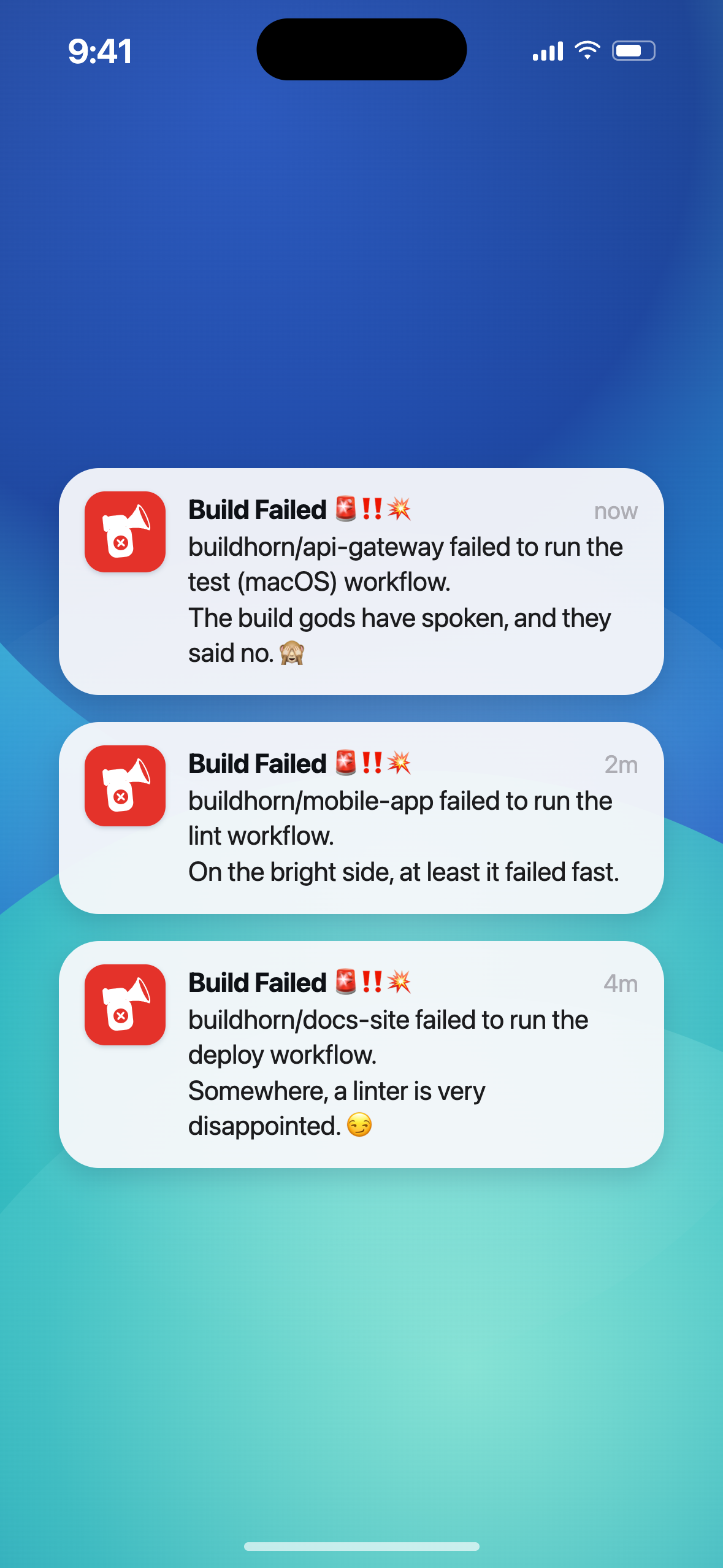
Buildhorn helps developers know the instant one of their CI builds fails. It monitors your CI workflows and sends a push notification when a build fails.
Each notification includes a cheeky message alongside which build failed, to bring some joy to what is usually a frustrating moment in the workday. Here's a couple of examples:
"buildhorn/api-gateway failed to run the (macOS) workflow. The build gods have spoken, and they said no. 🙈"
"buildhorn/mobile-app failed to run iOS build workflow. Maybe next time try using Claude with Auto Mode turned off. 😏"
To help the notification stand out from other apps, developers can pick from a preset collection of custom sounds during onboarding and change it later in the settings. The sounds range from a DJ horn to something more chilled like smooth jazz. If you work in a professional environment you can also choose the device's default notification sound to avoid receiving strange looks in the office.
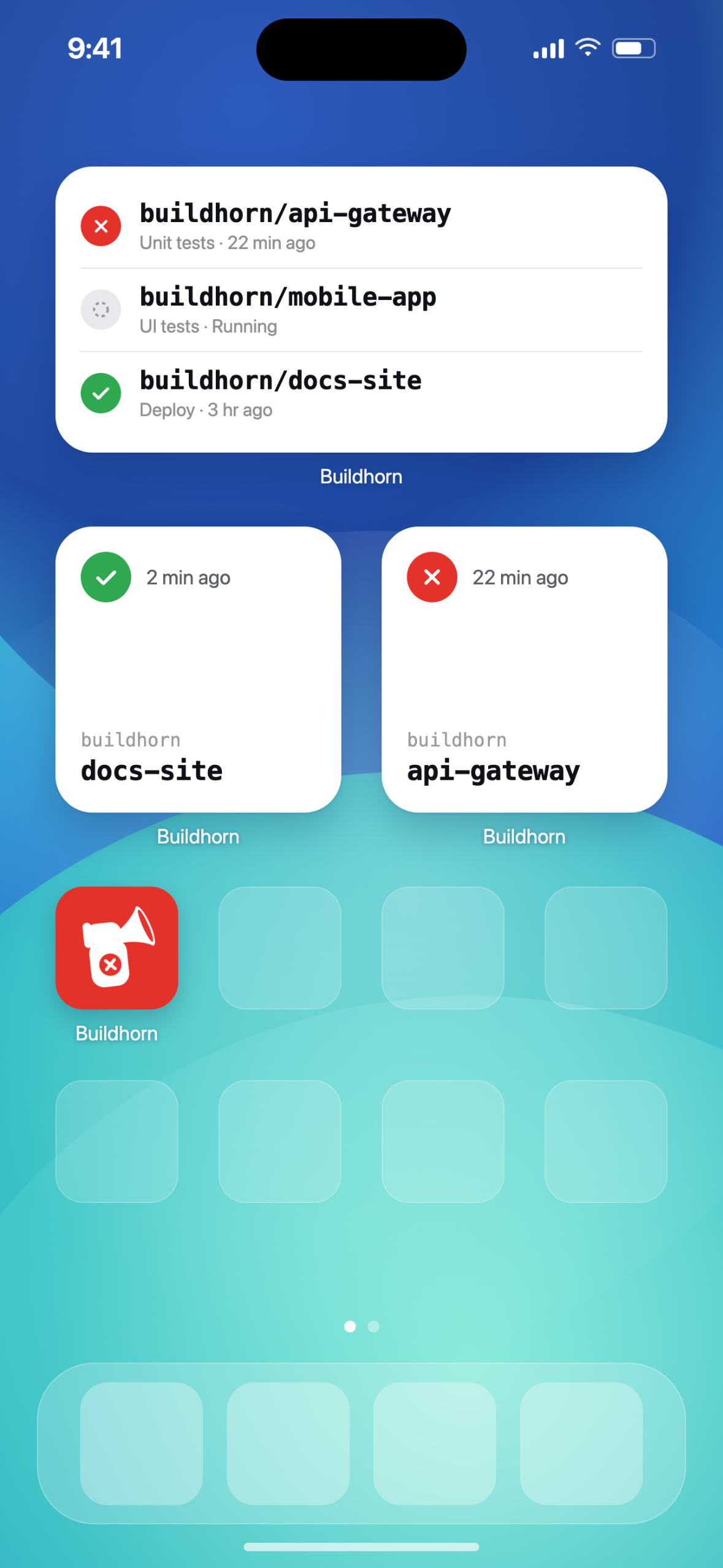
Developers can also add widgets to their home screen and configure them to show the build status across multiple repositories. You can add several widgets to build your very own build monitoring dashboard on the home screen.
For v1, GitHub Actions is the only supported CI provider. Depending on user engagement and feedback, I plan to add more providers in future versions.
The business model for Buildhorn is freemium with subscriptions available using the RevenueCat Kotlin Multiplatform SDK. Users can monitor two repos for free before needing to purchase a monthly or year subscription to monitor unlimited repositories.
How I built it
Buildhorn is built using the following technologies:
- Kotlin / Kotlin Multiplatform
- Swift / SwiftUI
- TypeScript / Firebase Cloud Functions
- Firebase Cloud Messaging
- Firestore
- GitHub Webhooks
- Firebase Crashlytics
- PostHog
- Claude Code / Claude Design
Core Logic: The core business logic is written in a Kotlin using Kotlin Multiplatform to create a shared library. The idea was to keep it reusable across platforms in case I want to support a new one. Android is a natural next platform, for now I'll let user feedback guide that decision.
iOS app UI: The iOS app UI is written in Swift and SwiftUI. I wanted Buildhorn to feel like a premium, native iOS experience, and SwiftUI was the obvious choice. The app embeds and uses the Kotlin Multiplatform Platform library to drive the app behaviour.
Backend: My backend of choice was Firebase as I needed something ready to use with minimal setup. The core usage is using Firebase Cloud Functions, Firebase's serverless offering, written in TypeScript for type safety. They:
- Help users connect their GitHub account to the Buildhorn GitHub App
- Read and write CI build statuses in Firestore
- React to webhook events sent by GitHub (GitHub Actions updates)
- Send push notifications for build failures via Firebase Cloud Messaging
The App Functions communicate with a GitHub App (Also called Buildhorn!) and receive webhook events relating to a users builds so it can react appropriately.
The end to end flow in the backend is: GitHub webhook (new build event) → Cloud Function (Handle event) → Firestore (Store build status) → Cloud Function (Send push notification + choose cheeky message for failed build) → push notification received on device.
Monitoring and analytics: For crash reporting I chose Firebase Crashlytics for its simplicity. It gives me everything I need to monitor crashes, read stack traces, and understand what's happening when things go wrong. I also send handled exception information to Crashlytics so I know if issues are occurring. I also have Google Cloud's logging available for Firebase Cloud Functions to monitor the backend.
For product analytics I used PostHog to track events across the app. This enables me to see what screens users spend their time on so I can make better decisions about improving the app. PostHog also offers surveys and feature flags, which gives me more ways to get feedback from users in the future.
AI Tooling: I used Claude, Claude Code, and Claude Design to support planning, coding, and design. Claude helped me refine the idea for Buildhorn and brainstorm the high-level architecture before starting to build.
Claude Code helped me to build the KMP, SwiftUI, and TypeScript code. It also helped setup the indexes and rules for Firestore.
Finally, Claude Design gave me a scratch pad to iterate on designs and produced instructions I could feed into sessions of Claude Code to help implement them correctly.
Challenges I ran into
Once the end-to-end flow was validated battle-testing Buildhorn to iron out small issues became the challenge. Two particular issuesstood out: the backend not sending notifications for repeated build failures, and the widgets not updating quickly enough. I relied on my own testing, plus feedback from people using the app via TestFlight, to find and fix them.
You can read more about these issues in my week five and six build in public posts:
- https://darrylbayliss.net/im-building-for-shipaton-2026-week-five/
- https://darrylbayliss.net/im-building-for-shipaton-2026-week-six/
Once the app was stable enough to submit to Apple, the next hurdle was getting it approved. It took seven attempts, each requiring patience and precise instructions to help Apple understand what Buildhorn does. I saw each attempt as another chance to explain the app and refine my pitch, which I believe contributed to the eventual approval.
You can read more about my journey through the app review process in my week six, seven, and eight build in public posts:
- https://darrylbayliss.net/im-building-for-shipaton-2026-week-six/
- https://darrylbayliss.net/im-building-for-shipaton-2026-week-seven/
- https://darrylbayliss.net/im-building-for-shipaton-2026-week-eight/
Accomplishments that I'm proud of
I'm really happy to see Buildhorn live in production on the App Store. It came down to the wire whether I would submit in time for Shipaton, especially with Apple having some difficulty reviewing the app.
Buildhorn is not a trivial app, it has a full stack backend that interacts with multiple third-party services. The fact that Buildhorn was built and launched in under two months, with help from AI, feels like a huge achievement!
What I learned
I learnt a lot about Kotlin Multiplatform. I'm a skilled Android developer and very familiar with Kotlin, but I've never used it within an iOS app. I'm happy to report it worked better than I imagined, and will definitely it for future projects.
I also learnt how supportive people can be when you build in public, whether it was through social media, Reddit, even in real life! People want you to succeed and are willing to give useful feedback on many things: the idea, the features, the problems they encounter. It has all helped shape Buildhorn into what it is today.
What's next for Buildhorn
The next update will contain iPhone Duo support, adapting Buildhorn's screens and widgets for Apple's new foldable. It's already working in the simulator for the upcoming v1.1 release, which I plan to submit for review soon. I'll also ship some small, incremental features requested by people on social media.
Marketing wise I want to continuing making use of social media and look into using Apple Ads to acquire users. I am also working on a Product Hunt submission which I hope will be live in the next few weeks to reach potential users.
Built With
- cloud-functions
- firebase
- firebase-cloud-messaging
- firebase-crashlytics
- firestore
- github
- google-cloud
- kotlin
- kotlinmultiplatform
- posthog
- swift
- typescript

Log in or sign up for Devpost to join the conversation.